


Obydullah Restaurant POS Lite
Complete restaurant Point of Sale (POS) with inventory, order management, and sales tracking for food businesses.

Solid choice
Obydullah Restaurant POS Lite is a solid plugin choice in 2026, with a few things worth checking first. Was last updated 2 days ago, and scores 64/100 on our health check.
- Actively developed — last update 2 days ago
- Tested with the latest WordPress (7.1)
- Small user base (<10 active installs)
- Very few reviews so far
How does it stack up?
Side-by-side on installs, updates, ratings & support



Daily downloads
Download spikes usually follow a new release — each site that auto-updates counts as a download.
Rankings
Where Obydullah Restaurant POS Li… stands todayWordPress.org search rankings
Live position in the plugin search, top 100| Keyword | Position |
|---|---|
| inventory | >100 |
| orders | >100 |
| point-of-sale | >100 |
| sales | >100 |
| takeaway | #45 |
About Obydullah Restaurant POS Lite
From the official readme · v1.0.6Description
Obydullah Restaurant POS Lite is a complete restaurant management solution that helps you streamline your restaurant operations. Manage your menu, process orders, track inventory, handle customers, and generate sales reports — all from your WordPress admin area.
Video
Watch the full tutorial and demo of Obydullah Restaurant POS Lite here: Video Tutorial
Key Features
-
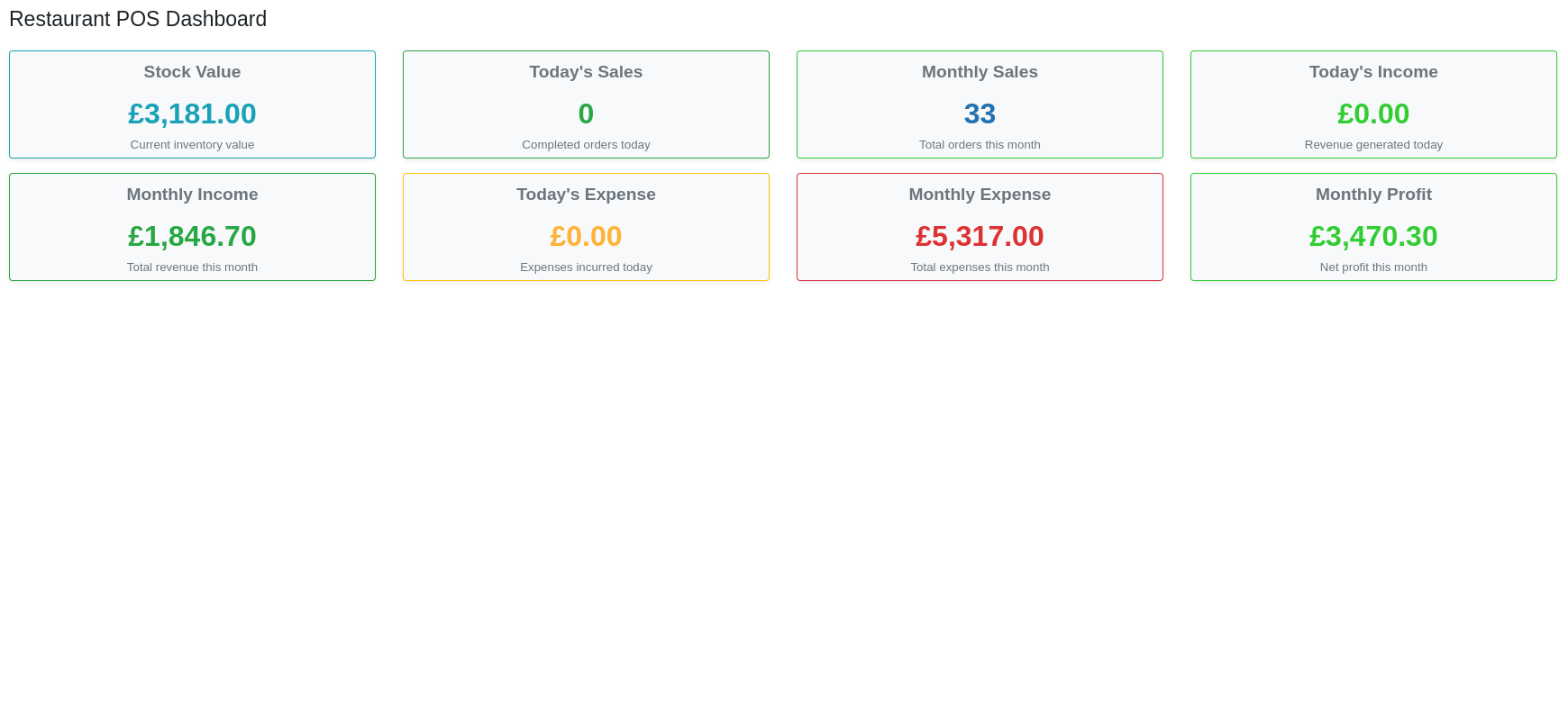
Dashboard & Analytics
- Real-time overview of business metrics
- Today’s vs Monthly sales comparison
- Stock value tracking
- Income and expense monitoring
- Profit calculation
-
Inventory Management
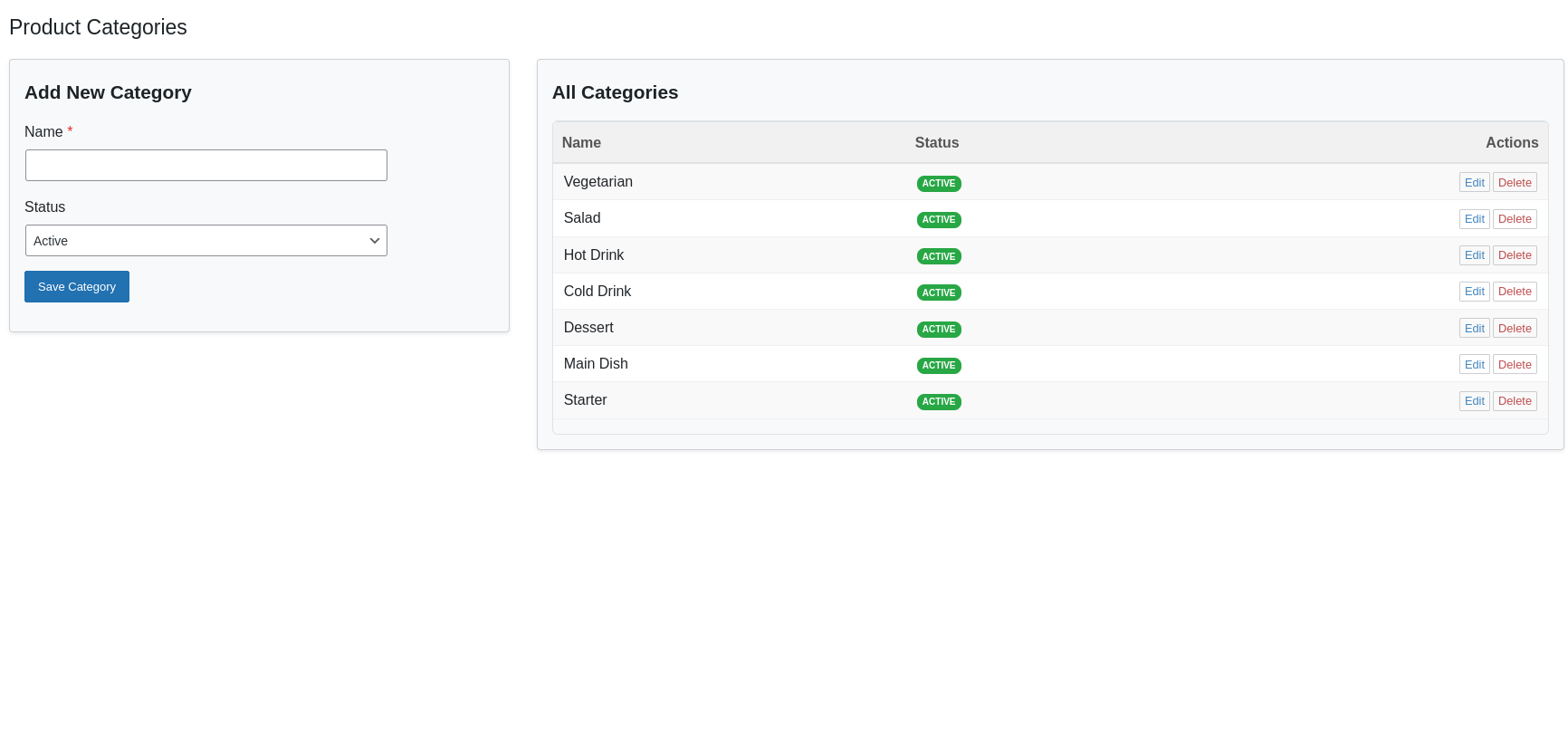
- Categories Management: Organize products into categories with active/inactive status
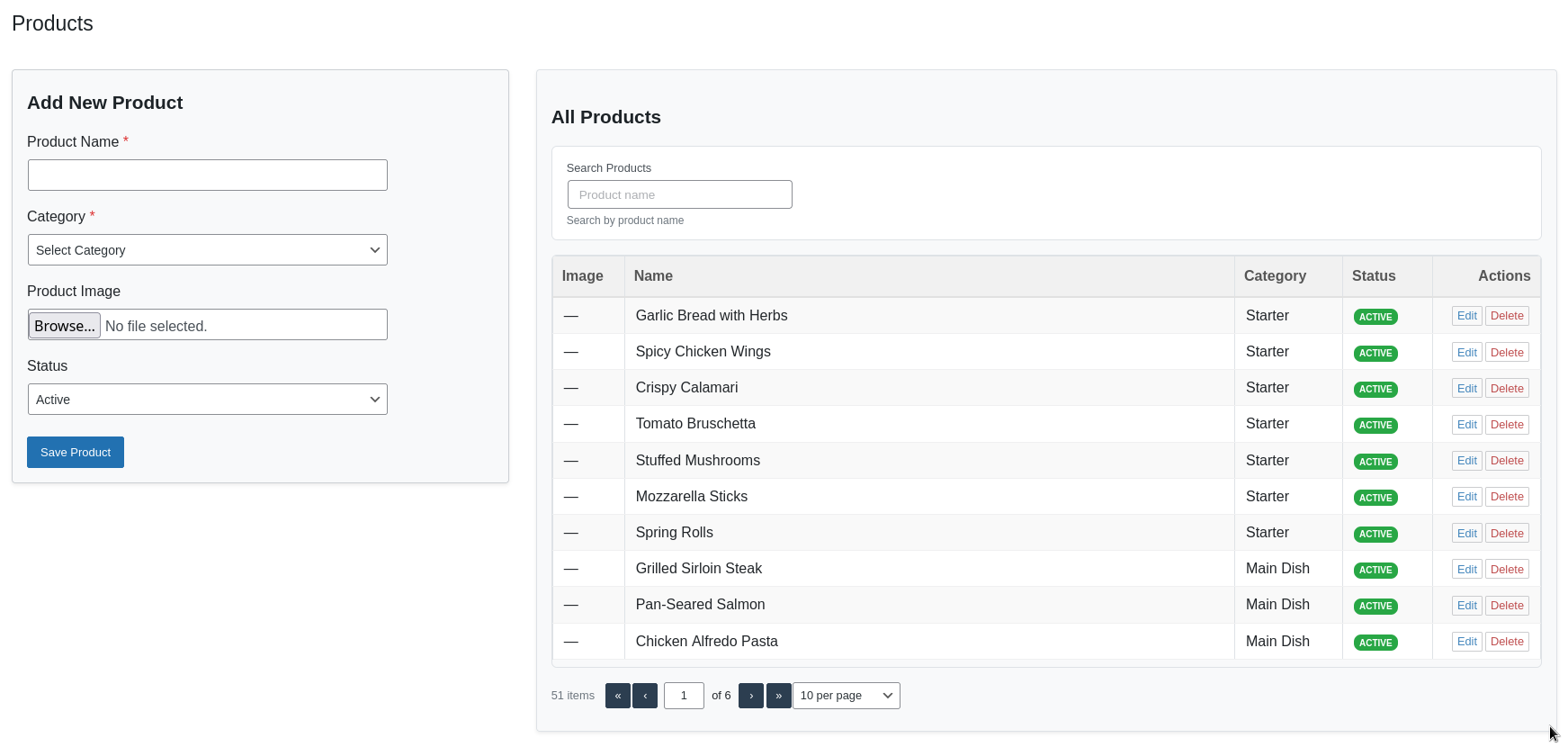
- Products Management: Add/edit products with images, category assignment, and status tracking
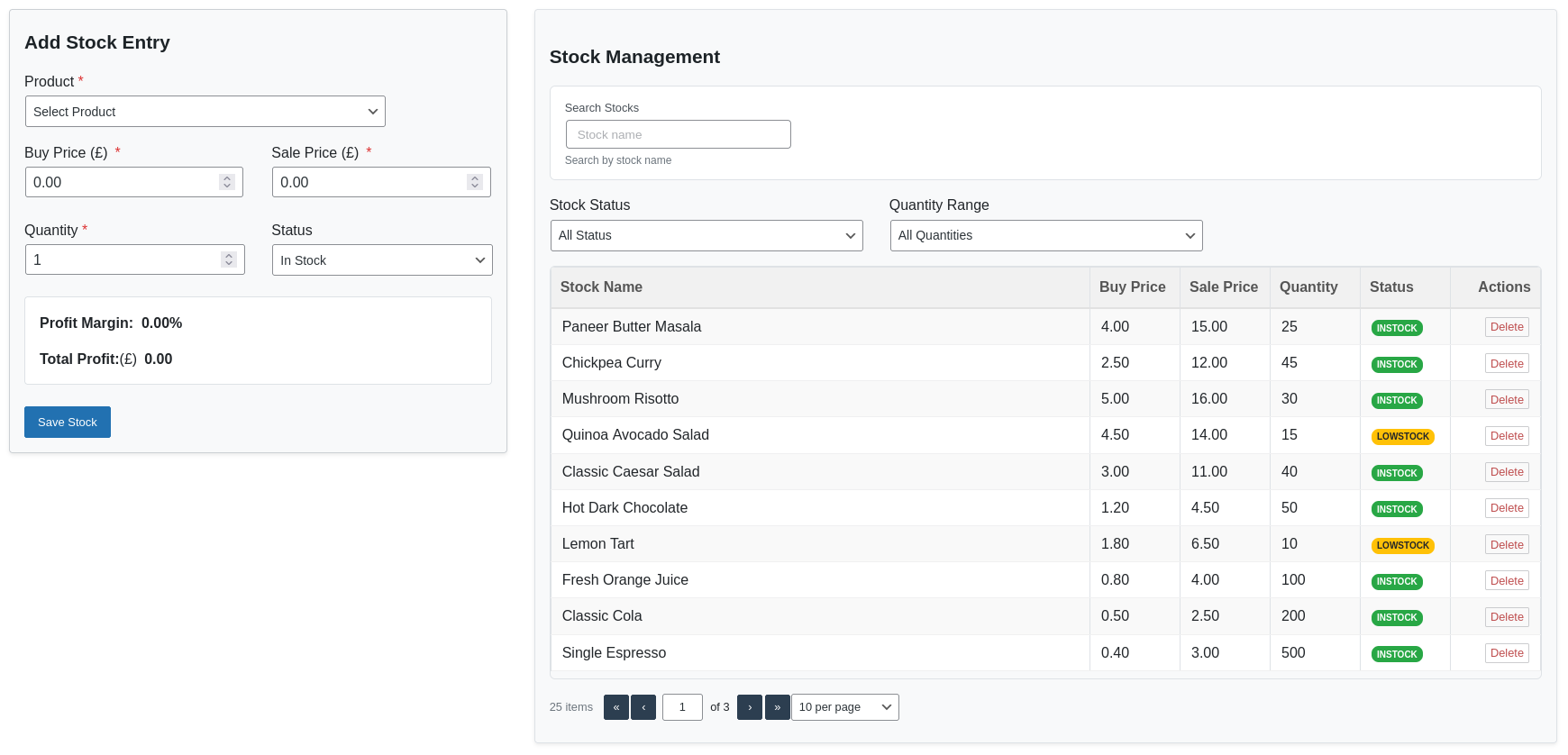
- Stock Management: Track stock quantities, costs, and sale prices
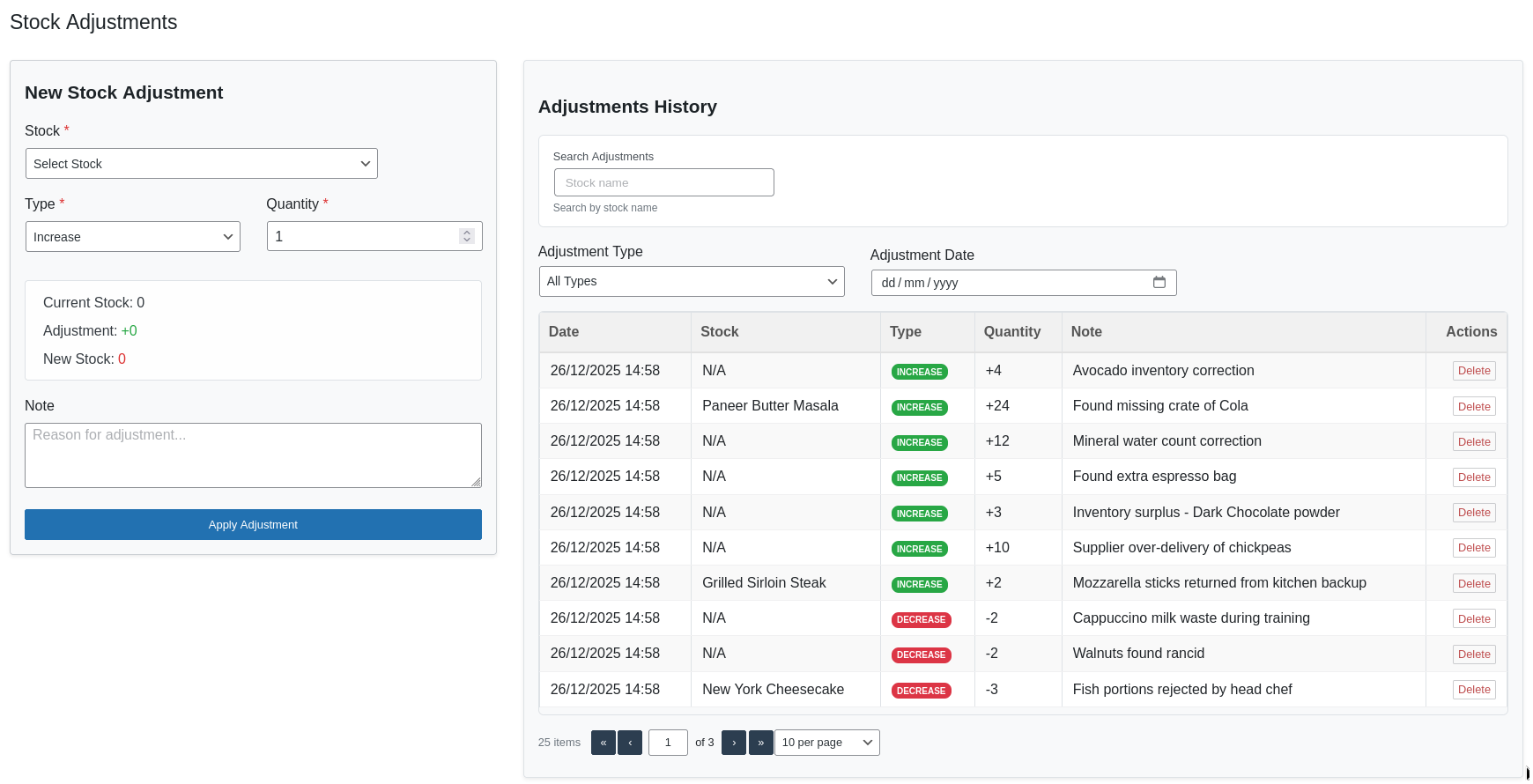
- Stock Adjustments: Manual stock increase/decrease with validation
-
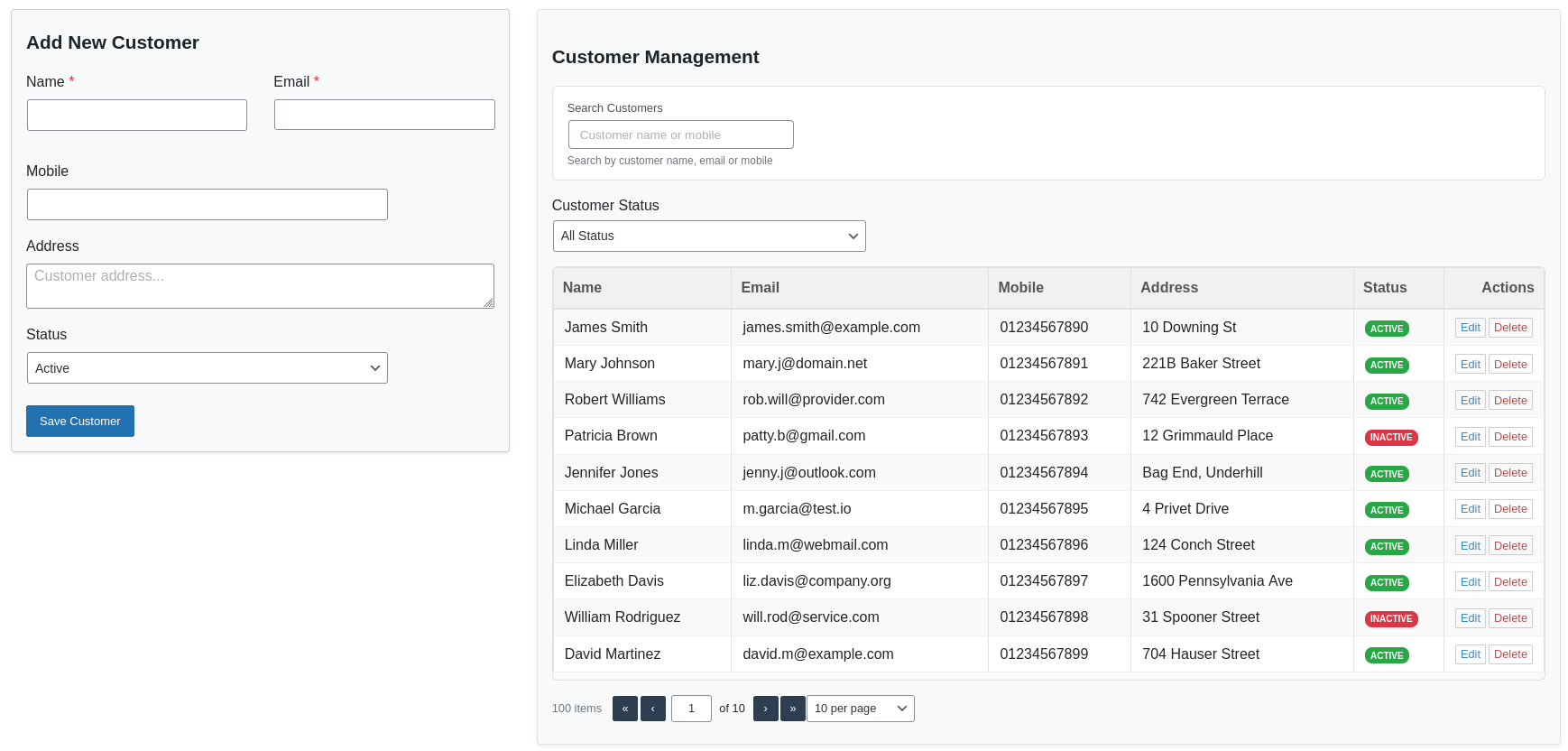
Customer Management
- Complete customer database with contact details
- Status tracking (active/inactive)
- Customer statistics and filtering
-
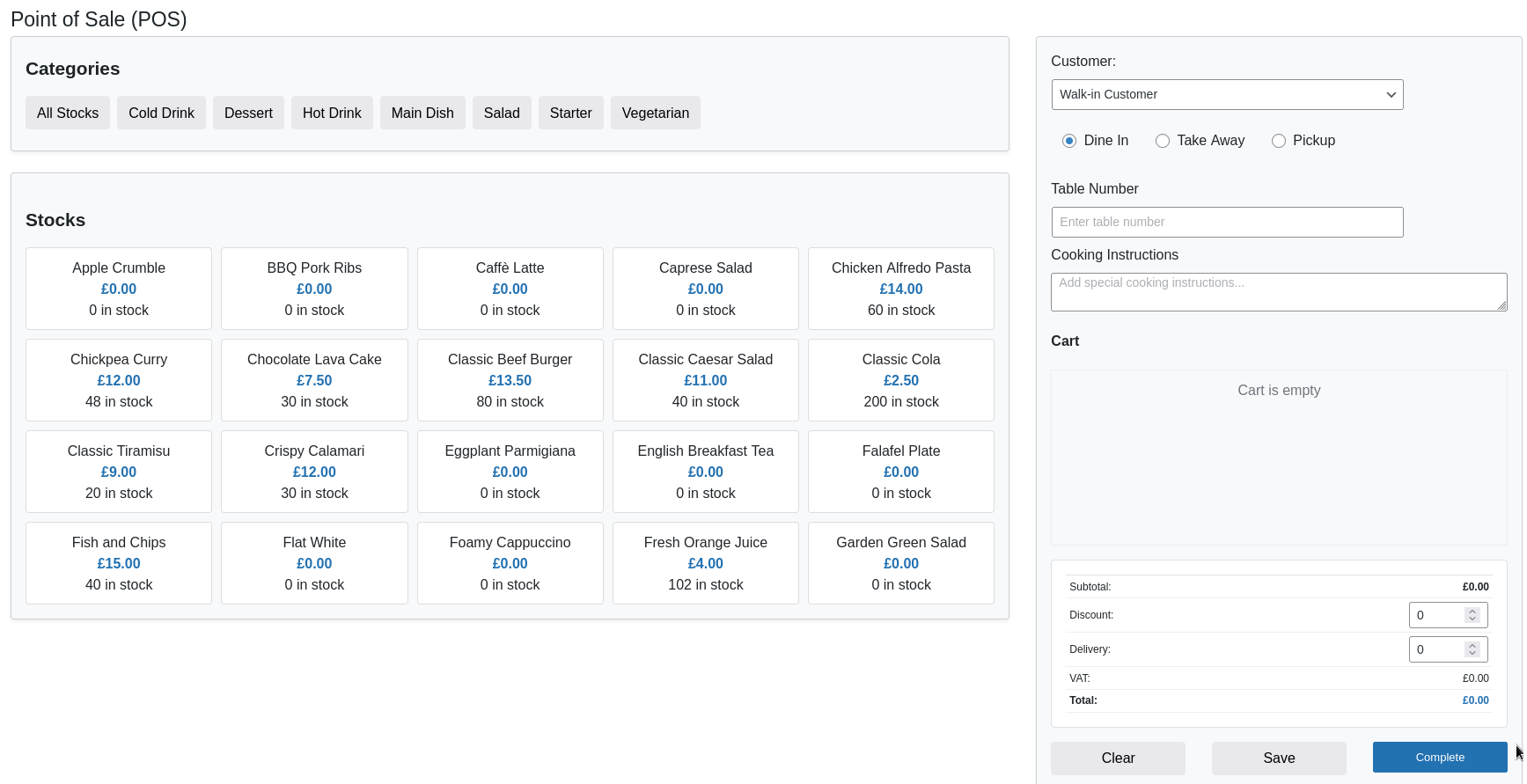
Point of Sale (POS) System
- Real-time product browsing by categories
- Multiple order types: Dine-In, Take Away, Pickup
- Cart management with quantity adjustment
- Real-time calculation (subtotal, discount, tax, VAT, delivery)
- Save sales for later completion
- Customer selection/creation
-
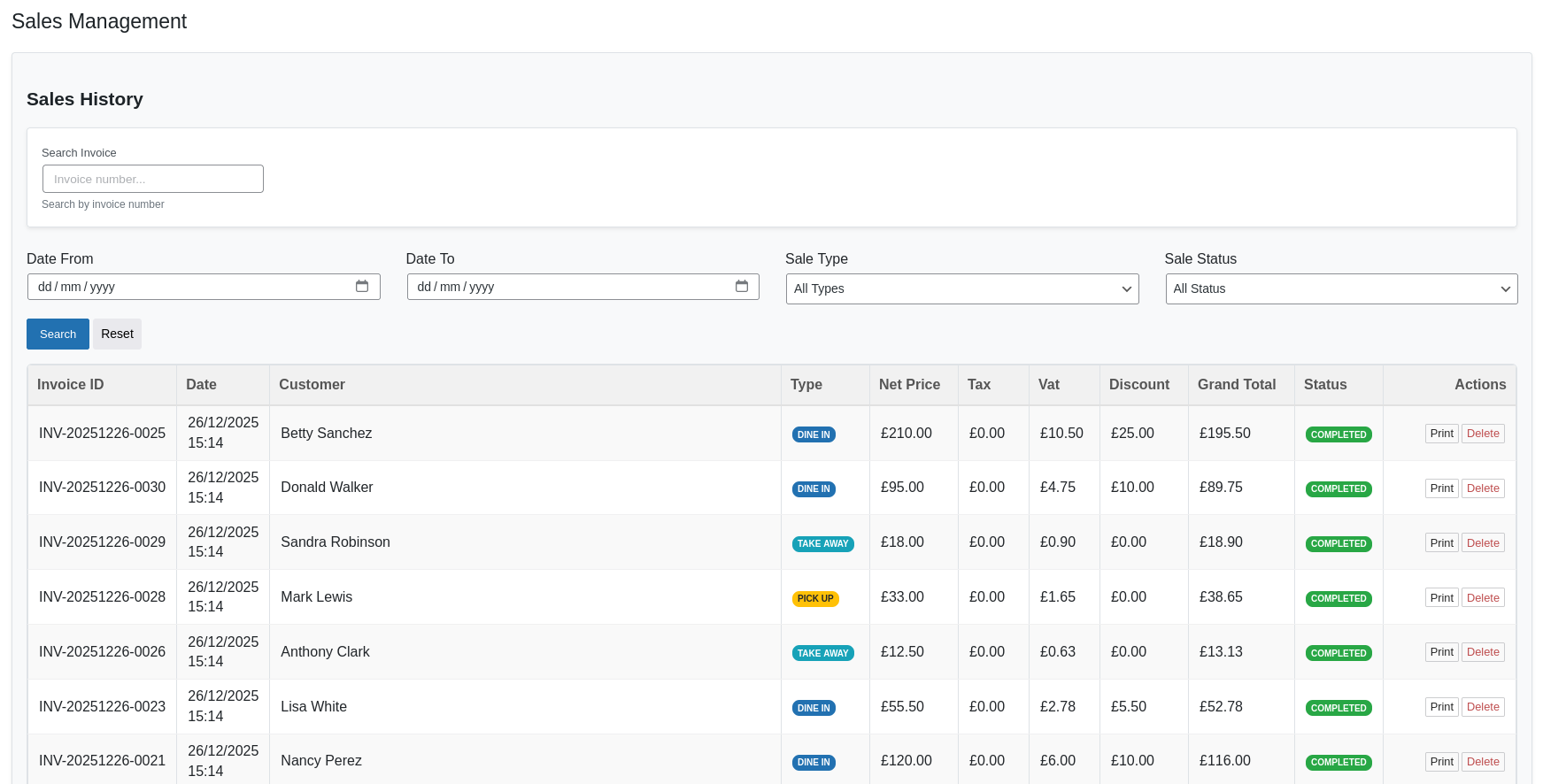
Sales Management
- Complete sales history with filtering
- Invoice generation with customizable templates
- Print functionality
- Sales status tracking (saved/completed)
-
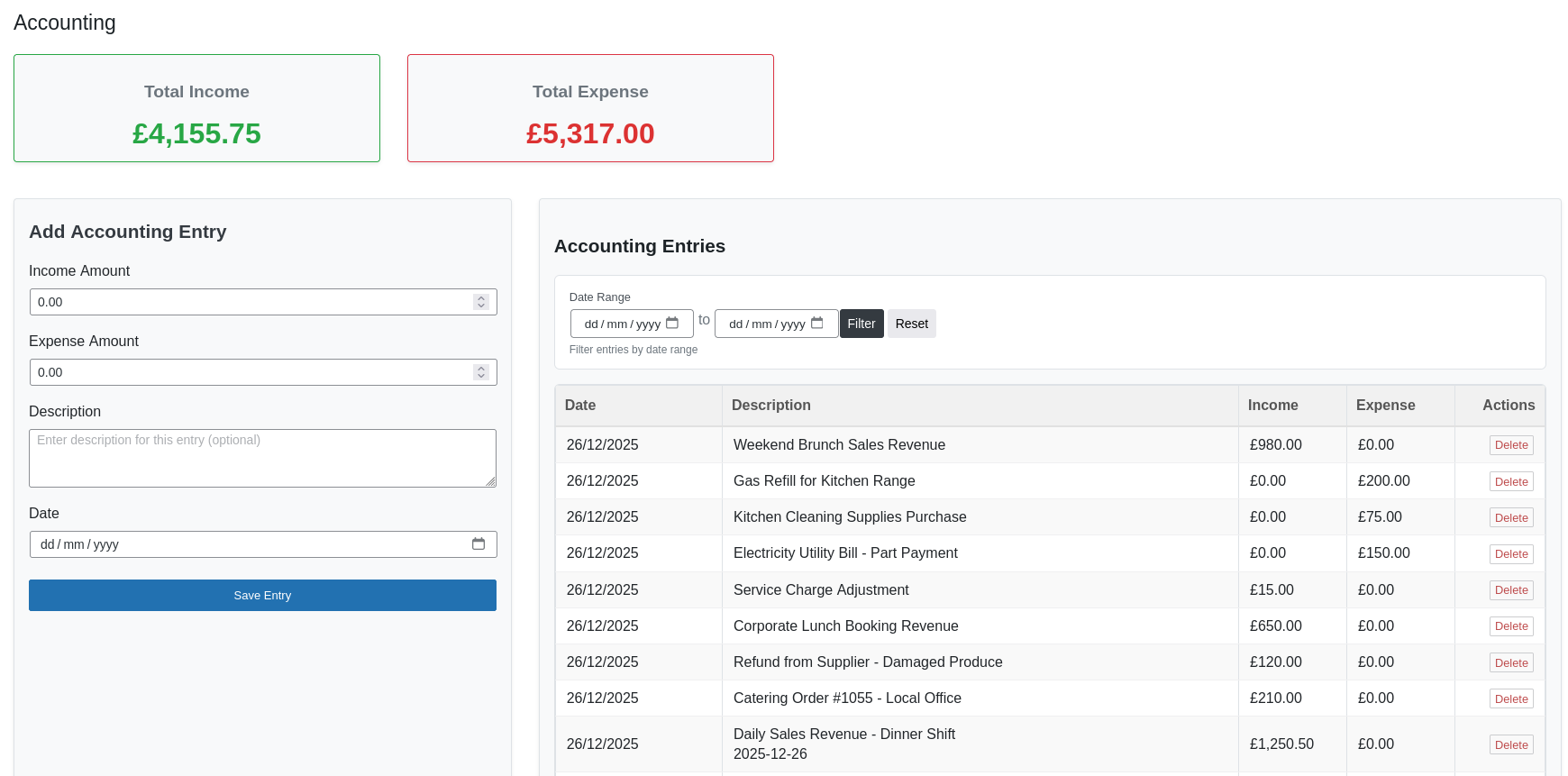
Accounting Module
- Income and expense tracking
- Date-based filtering
- Financial summaries
- Manual accounting entries
-
Settings & Configuration
- Shop information (name, address, phone)
- Currency settings (symbol, position)
- Tax and VAT configuration
- Date format customization
-
Performance & Security
- AJAX-powered interface for smooth operation
- Caching for improved performance
- Nonce verification and input sanitization
Perfect For
- Restaurants and cafes
- Food trucks and stalls
- Coffee shops
- Bakeries and patisseries
- Pizza shops and takeaways
- Any food service business
- Small to medium-sized food establishments
Requirements
- WordPress 6.0 or higher
- PHP 8.0 or higher (recommended PHP 8.3+)
- MySQL 5.6 or higher / MariaDB 10.0 or higher
- WordPress Administrator access for setup
Additional Notes
- Support: For support requests, please visit the support forum
- Contributions: Found a bug or have a feature request? Please submit it on our GitHub repository
- Documentation: Full user and setup documentation is available here: Documentation
- Translations: Help translate the plugin on our translation platform
License
This plugin is licensed under the GPL v2 or later.
This program is free software; you can redistribute it and/or modify it under the terms of the GNU General Public License as published by the Free Software Foundation; either version 2 of the License, or (at your option) any later version.
This program is distributed in the hope that it will be useful, but WITHOUT ANY WARRANTY; without even the implied warranty of MERCHANTABILITY or FITNESS FOR A PARTICULAR PURPOSE. See the GNU General Public License for more details.
Privacy Notice
This plugin collects and stores:
* Customer information (name, email, phone, address) entered during orders
* Sales transaction data (products, quantities, prices, totals)
* Inventory data (products, stock levels, costs)
* Accounting records (income, expenses)
All data is stored in the plugin’s database tables within your WordPress installation and is not transmitted to external servers. You are responsible for complying with data protection regulations applicable to your region.
Installation
Minimum Requirements
- WordPress 6.0 or higher
- PHP 8.0 or higher
- MySQL 5.6 or higher
Automatic Installation
- Navigate to Plugins → Add New in your WordPress admin
- Search for “Obydullah Restaurant POS Lite”
- Click Install Now
- Click Activate
Manual Installation
- Download the plugin ZIP file
- Go to Plugins → Add New in your WordPress admin
- Click Upload Plugin and select the ZIP file
- Click Install Now and then Activate
Setup
- After activation, go to OBY Restaurant POS in your WordPress admin menu
- Start by configuring your shop settings in OBY Restaurant POS → Settings
- Add your product categories in OBY Restaurant POS → Categories
- Add your menu items in OBY Restaurant POS → Products
- Set up your initial stock in OBY Restaurant POS → Stocks
- You’re ready to start taking orders in OBY Restaurant POS → POS
Frequently asked questions
How do I add menu items?
Go to OBY Restaurant POS → Products in your WordPress admin to add menu items and organize them by categories.
Can I track inventory?
Yes! The plugin includes complete inventory management with stock tracking and automatic low stock alerts. It automatically updates stock levels when sales are completed.
Does it support different order types?
Yes, it supports dine-in, takeaway, and pickup orders with specific options for each type (table numbers for dine-in, addresses for takeaway, etc.).
Can I print receipts/invoices?
Yes, the plugin includes professional receipt and invoice printing for completed orders with customizable shop information. You can print directly from the browser.
Is customer data stored?
Yes, customer information can be stored in the Customer Management section for repeat orders and better service. Customer emails must be unique to avoid duplicates.
How do I set up taxes and VAT?
Go to OBY Restaurant POS → Settings to configure tax rates, VAT rates, currency, and other shop settings. You can enable/disable these features as needed.
Can I save orders for later completion?
Yes, you can save orders in the POS and complete them later. Saved orders appear in the “Saved Sales” section and can be loaded, edited, or deleted.
Is there accounting/financial tracking?
Yes, the plugin automatically tracks sales income and creates accounting entries. You can also manually add income/expense entries for other transactions.
How do I view sales reports?
Go to OBY Restaurant POS → Dashboard for an overview of today’s and monthly sales, income, expenses, and profits. The Sales section provides detailed transaction history.
Can multiple users access the POS?
Yes, any WordPress user with the manage_options capability (typically Administrators) can access and use the POS system.
Is the plugin translation-ready?
Yes, the plugin is fully translation-ready and includes .pot file for translators. Text domain: obydullah-restaurant-pos-lite.
Changelog
Recommended update for all users. No database changes required. Backward compatible with version 1.0.5.
1.0.6
- Added Requires PHP header to readme.
1.0.5
- Enhanced pagination UI for a smoother user experience.
- Simplified the dashboard top-selling products display.
- Refined net income calculation from sales.
1.0.4
- Items with zero quantity are now hidden in the POS.
- Improved and simplified the accounting workflow.
1.0.3
- Updated admin menu name for improved clarity
- Improved Stock In functionality to only increase stock quantity
- Fixed accounting table description display issue
1.0.2
- Dashboard UI improvements
- Simplified accounting workflow
- Performance improvements
- No database changes
1.0.1
- Fixed: UI layout improvements for better responsiveness
- Fixed: Improved form validation and error messages
- Fixed: Enhanced pagination and table display
- Fixed: Minor bug fixes and performance optimizations
- Fixed: Better mobile compatibility for POS interface
- Fixed: Improved caching mechanisms for better performance
Screenshots
For developers
Is this your plugin? Show off the numbers.
Add a live badge to your site, docs or GitHub README. It updates on its own — no account needed.
Best Obydullah Restaurant POS Lite alternatives
All inventory plugins →





FAQ
Obydullah Restaurant POS Lite: quick answers
Straight answers, pulled from live WordPress.org data.
Live data from WordPress.org · checked Oct 11, 2026
Is Obydullah Restaurant POS Lite free?
Yes. Obydullah Restaurant POS Lite is free to download and use from the official WordPress.org plugin directory.
Is Obydullah Restaurant POS Lite safe to use in 2026?
Obydullah Restaurant POS Lite is a solid plugin choice in 2026, with a few things worth checking first. Was last updated 2 days ago, and scores 64/100 on our health check.
How many websites use Obydullah Restaurant POS Lite?
Obydullah Restaurant POS Lite is active on <10 WordPress websites and has been downloaded 940 times since it launched in December 2025. It was downloaded 116 times in the last 30 days.
Does Obydullah Restaurant POS Lite work with WordPress 7.1?
Yes. The developer has tested Obydullah Restaurant POS Lite up to WordPress 7.1.3, the latest release. It requires WordPress 6.0 or newer.
What PHP version does Obydullah Restaurant POS Lite need?
Obydullah Restaurant POS Lite requires PHP 8.0 or higher. Most hosts run PHP 8.x today, so it works on any modern WordPress hosting.
When was Obydullah Restaurant POS Lite last updated?
The latest version, 1.0.6, was released on October 9, 2026 (2 days ago).
Who makes Obydullah Restaurant POS Lite?
Obydullah Restaurant POS Lite is developed and maintained by obydullah.
What are the best alternatives to Obydullah Restaurant POS Lite?
The most popular alternatives to Obydullah Restaurant POS Lite are Smart Manager (10K+ installs), WCPOS (5K+ installs) and PayPal POS for WooCommerce (4K+ installs).
Powered by PageForge
Want thousands of pages that rank like these? Build them in an afternoon.
This directory runs on the same engine as PageForge. Turn any spreadsheet, CSV or API into thousands of fast, SEO-ready WordPress pages — with schema, internal links and AI-written copy baked in.
- CSV, Google Sheets & API data sources
- AI content, schema & internal links per page
- Works with Elementor, Gutenberg, Yoast & Rank Math
- Free on WordPress.org — no credit card


