


WP Inventory Manager
Manage inventory in WordPress without WooCommerce. Unlimited items, custom fields, shortcode display. Trusted by 120,000+ sites since 2013.

Safe pick
Yes — WP Inventory Manager is a safe, well-maintained plugin to use in 2026. It runs on 1K+ sites, is rated 4.6/5 and was last updated 1 day ago, and scores 85/100 on our health check.
- Loved by users — 4.6/5 from 32 reviews
- Actively developed — last update 1 day ago
- Tested with the latest WordPress (7.1)
How does it stack up?
Side-by-side on installs, updates, ratings & support



Daily downloads
Download spikes usually follow a new release — each site that auto-updates counts as a download.
Rankings
Where WP Inventory Manager stands todayWordPress.org search rankings
Live position in the plugin search, top 100| Keyword | Position |
|---|---|
| inventory | #5 |
| inventory manager | #1 |
| product catalog | >100 |
| stock management | #29 |
| woocommerce alternative | #62 |
Version adoption
Share of active sites per release.
Rating breakdown
★★★★★★★★★★ 4.6 from 32 reviews
About WP Inventory Manager
From the official readme · v2.5.11Description
🚀 Manage inventory in WordPress. No WooCommerce required.
WP Inventory Manager is the most flexible inventory and catalog management plugin for WordPress. Whether you are tracking equipment, parts, artwork, vehicles, or any collection, you can manage and display it all directly from your WordPress dashboard – without installing WooCommerce.
Trusted by 120,000+ websites since 2013, across retail, manufacturing, nonprofits, education, and more.
💡 Why WP Inventory Manager?
Most inventory plugins for WordPress are built on top of WooCommerce, which adds bloat, complexity, and features you do not need if you are not running an e-commerce store. WP Inventory Manager works independently, keeping your site fast and simple.
No WooCommerce. No subscriptions required to get started. No item limits.
✅ What You Can Do
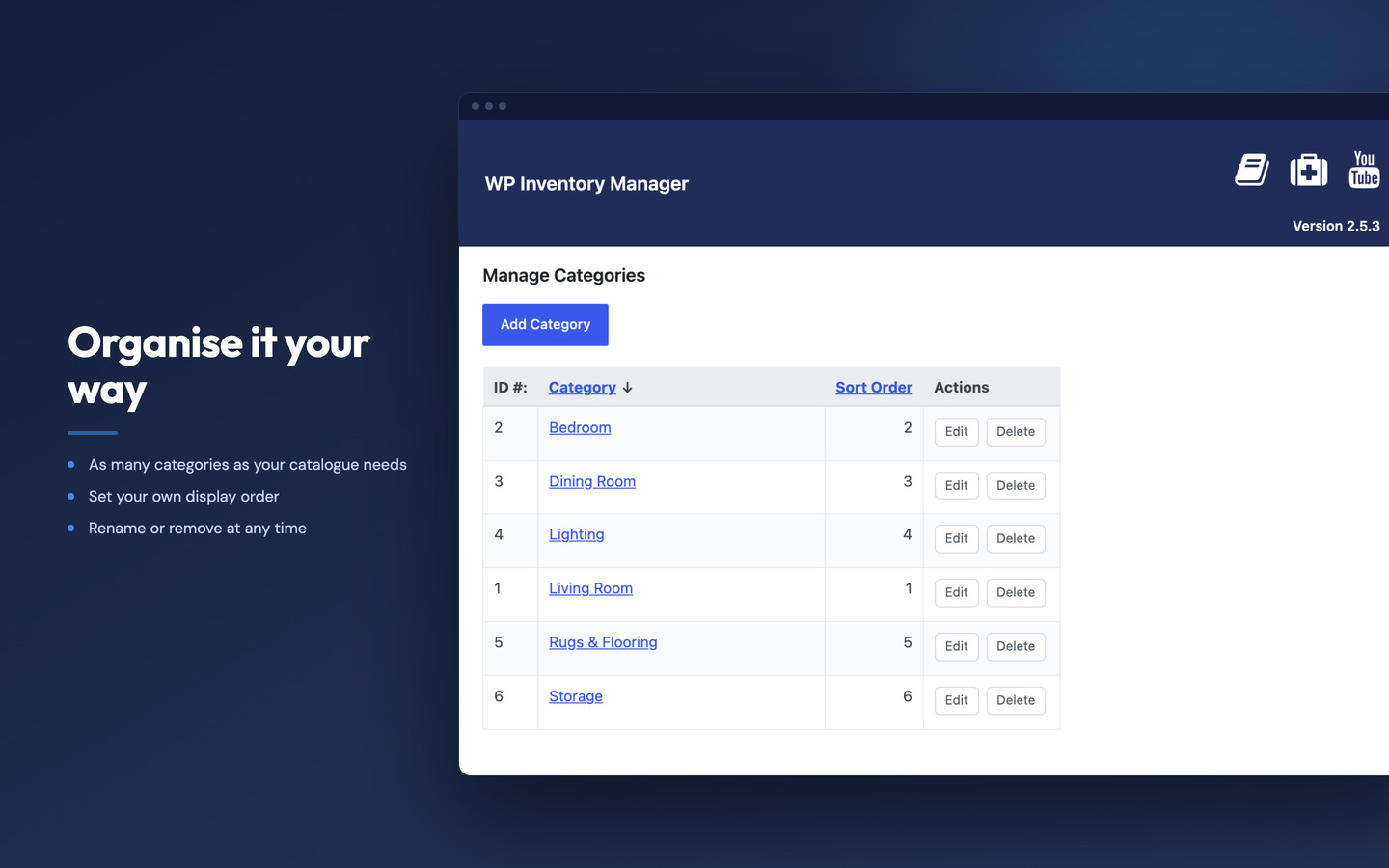
- Add unlimited inventory items with custom fields, images, and categories
- Display your inventory on any page using simple shortcodes
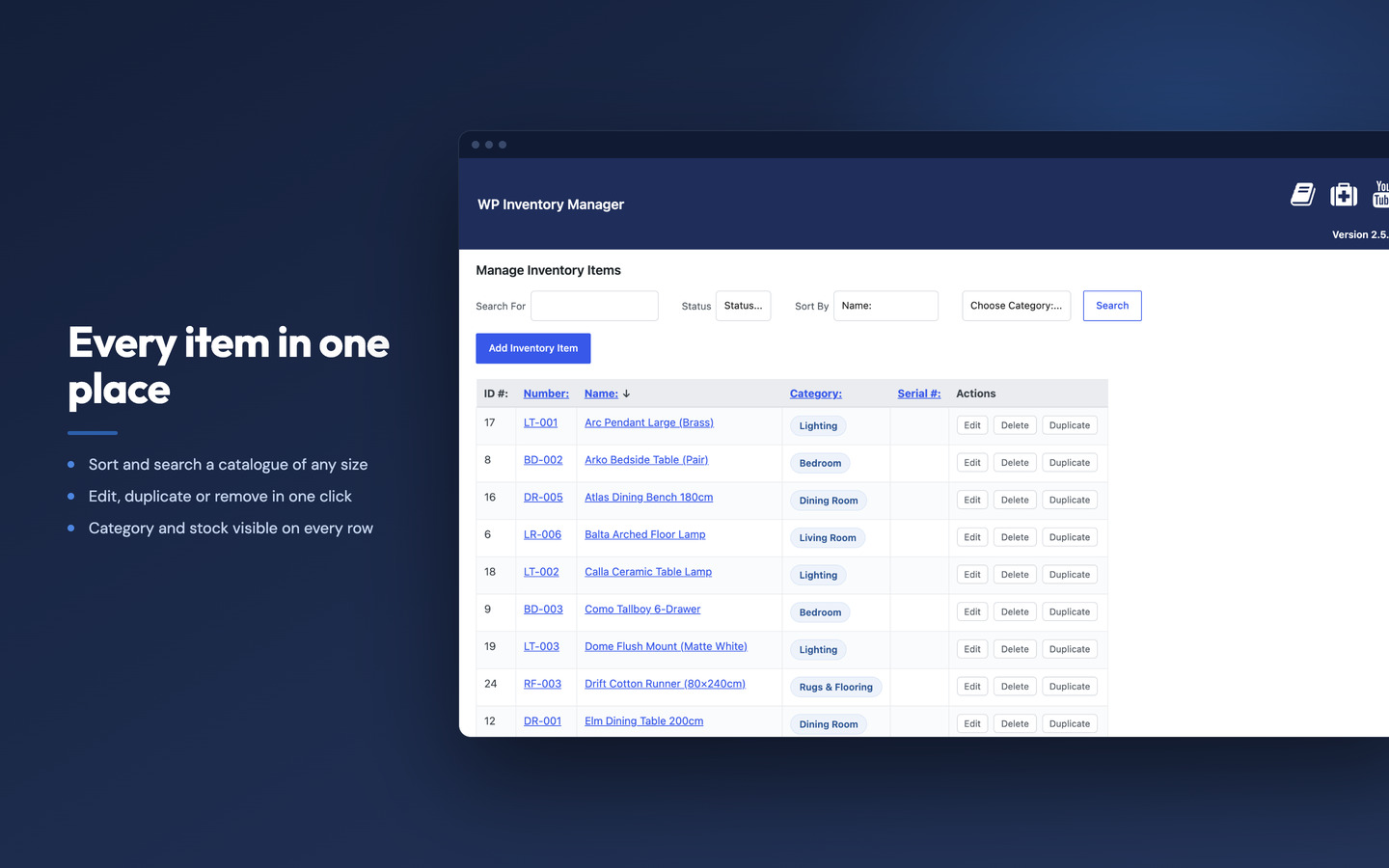
- Let visitors search, filter, and browse your catalog on the front end
- Track quantity, status, pricing, and custom attributes
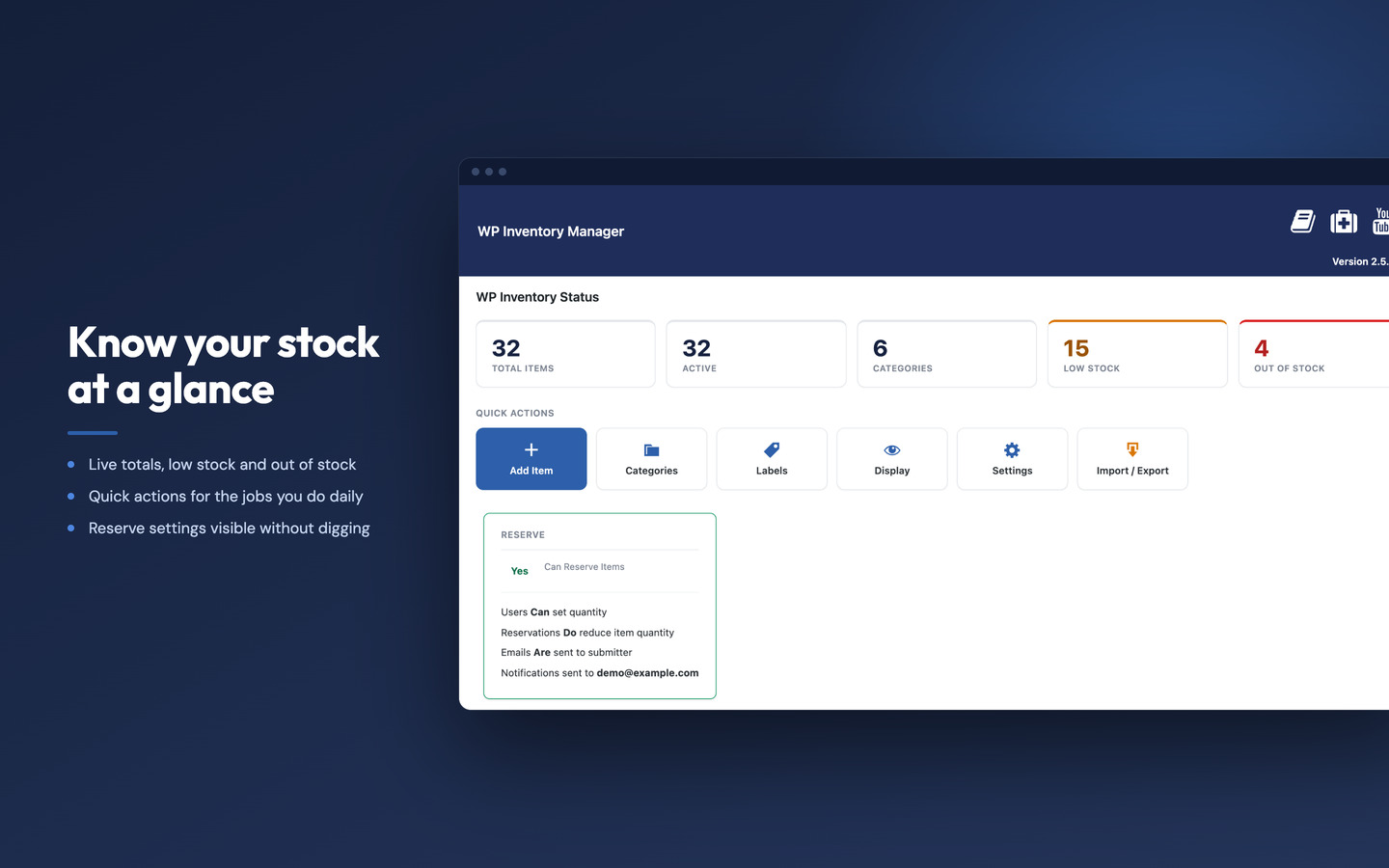
- Send low-stock alerts and reservation requests by email
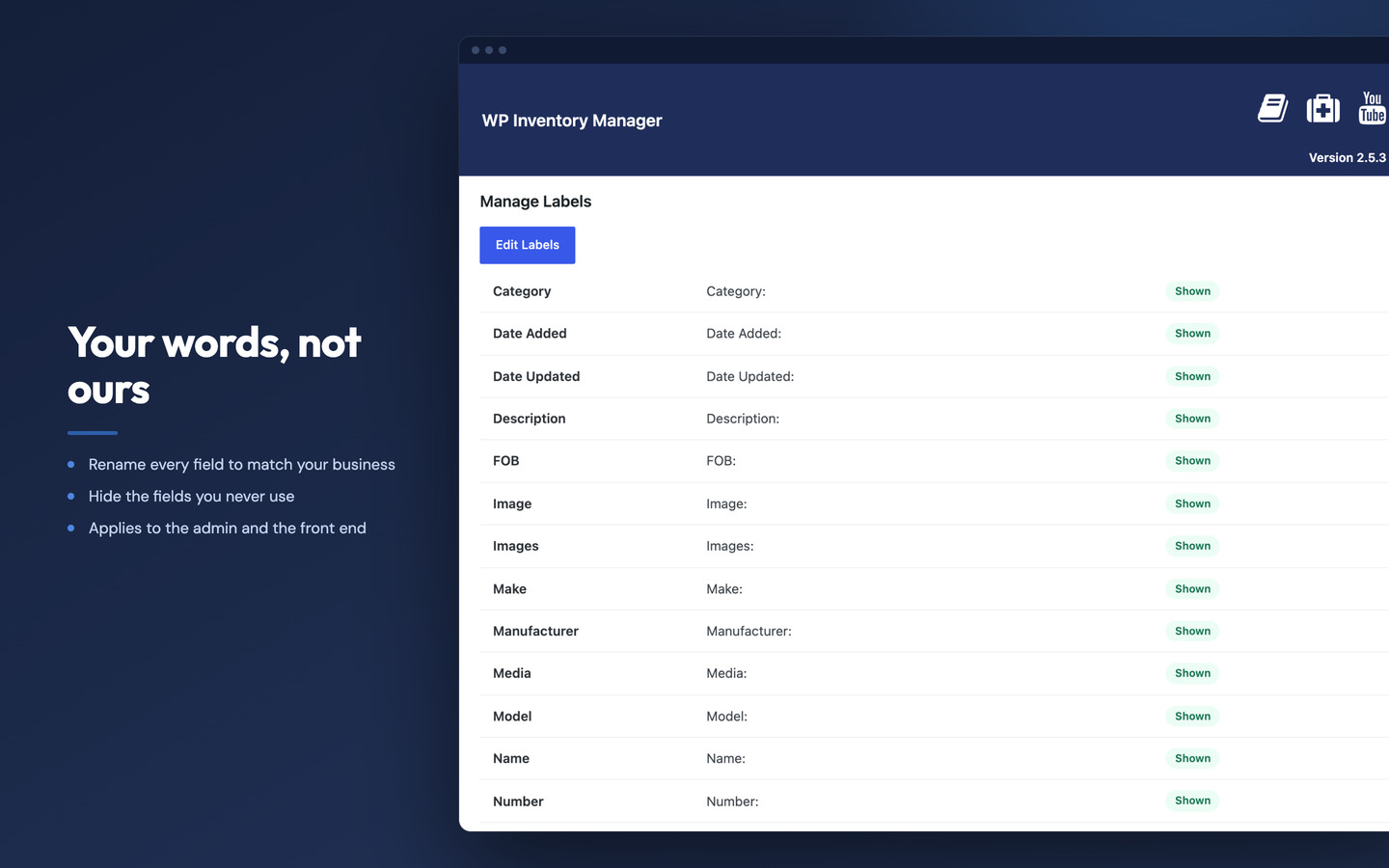
- Fully customize labels, fields, and display templates
- Multilingual support: Arabic, Chinese, Dutch, French, German, Hindi, Russian, Spanish
🏭 Use Cases
Equipment Rental
Track what is out, what is coming back, and what is available – all from your WordPress dashboard. Set up reservation workflows, availability tracking, and return management without a separate system.
See the equipment rental use case
Parts Suppliers and Manufacturers
Build a searchable parts catalog with custom fields for SKU, specs, compatibility, and stock levels. Let customers or staff find what they need instantly.
See the parts supplier use case
Museums, Galleries and Collections
Create a searchable digital catalog of artwork, artifacts, or collectibles. Add images, descriptions, provenance, and custom metadata for each item.
See the galleries use case
Internal Asset Tracking
Track company equipment, tools, or assets across departments or locations. Know what you own, where it is, and who has it.
See the asset tracking use case
🆓 Free Version
The core plugin is free with no item limits. You get:
- Unlimited inventory items
- Custom categories and tags
- Shortcode display on any page
- Frontend search and sort
- Admin dashboard management
⭐ Pro Version
Unlock plugin updates and priority support with a Pro license.
Get WP Inventory Pro
🔌 Add-Ons Available with WP Inventory Pro
- Advanced Inventory Manager – Create multiple inventory types, each with their own custom fields
- Advanced Search – Filter inventory by any field with a frontend search widget
- Import and Export – Bulk import and export via CSV
- Reserve Cart – Let visitors reserve multiple items at once
- Location Manager – Manage inventory across multiple locations
- Ledger – Track inventory movement, generate PDF invoices, view history
- Per Item Low Quantity Notifications – Email alerts for low stock and inventory changes
- Advanced User Control – Restrict access by user role, enable frontend submission
- Bulk Item Manager – Update hundreds of items at once
🛟 Support
All support requests are handled through our website.
If you have a support request, we are happy to help, but you need to submit your request here:
https://www.wpinventory.com/support/ (This is the only way we are notified of your support request).
🌐 Website
📖 Documentation
Installation
- Upload ‘wpinventory’ to the ‘/wp-content/plugins/’ directory
- Activate the plugin through the ‘Plugins’ menu in WordPress
- Click on the new menu item “WP Inventory” and follow the fast-start directions
- Watch this tutorial video to get your inventory up and running in under 10 minutes: https://www.youtube.com/watch?v=3a72VtNFmWw
Full setup documentation: https://www.wpinventory.com/documentation/user/
Changelog
Adds dismissible add-on tips on the screens where they apply.
2.5.11
- Hardening: shortcode attributes set on a page can no longer be changed from the URL. Visitors can still search, sort, page and pick a category within what the page allows.
- Improved: the Upgrade page now highlights All Access as the best value.
2.5.10
- Security: reservation confirmation and error messages are now cleaned before they are shown. This closes a reflected cross-site scripting (XSS) issue where a crafted link could run a script in a visitor’s browser. Reported through Patchstack; thanks to pnn219.
- Fix: the translations that ship with the plugin (French, German, Spanish, Dutch, Russian, Chinese, Arabic and Hindi) load again. Since WordPress 6.7 the inventory listing, search form and reservation form showed in English whatever the site language. Translation files you keep in wp-content/languages/plugins/ still take priority.
- Fix: no more “Translation loading for the wpinventory domain was triggered too early” notice when debugging is on.
- Fix: on add-on screens such as Locations Activity and Advanced Search, the page title no longer runs into “WP Inventory Manager” in the header.
- Fix: short admin fields such as Quantity, Sort Order and the add-on cost and order fields are wide enough to show their whole value again.
2.5.9
- Updated Freemius SDK to the latest version.
2.5.8
- Improved: each add-on tip now names the add-on, says that add-ons run on WP Inventory Pro, and links to both the add-on and Pro.
- Improved: All Access opens a checkout linked to your site, so you come straight back to WP Inventory after paying.
- Improved: after a purchase, WP Inventory explains the next steps in plain words: install WP Inventory Pro, then any add-ons from your purchase email.
2.5.7
- New: short, dismissible tips on the screens where an add-on can help, such as importing a spreadsheet into an empty inventory, adding custom fields, tracking stock across locations, per-item low-stock alerts, a reservation cart and visitor search filters. Each opens the add-on’s details on the Add-Ons page, and “No thanks, hide this” hides it for good.
2.5.6
- Security: fixed an authenticated (Contributor+) SQL injection in the
sort_orderattribute of the[wpinventory_categories]shortcode (CVE-2026-76005). The sort order is now checked against the list of category columns, with an optional ASC or DESC, and anything else falls back to sorting by name. Legitimate sort orders continue to work unchanged.
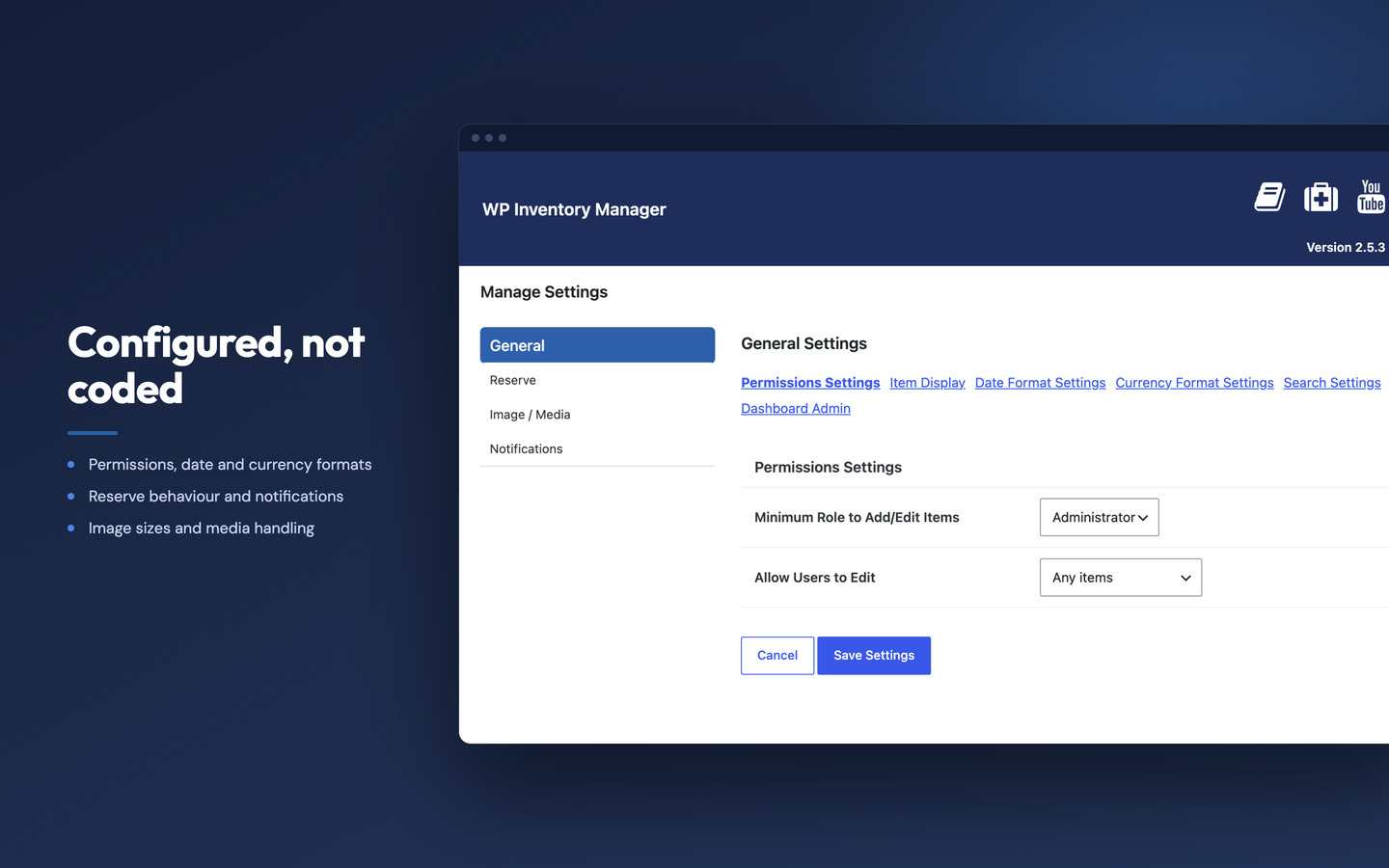
Screenshots
For developers
Is this your plugin? Show off the numbers.
Add a live badge to your site, docs or GitHub README. It updates on its own — no account needed.
Best WP Inventory Manager alternatives
All inventory plugins →





FAQ
WP Inventory Manager: quick answers
Straight answers, pulled from live WordPress.org data.
Source: WordPress.org
Is WP Inventory Manager free?
Yes. WP Inventory Manager is free to download and use from the official WordPress.org plugin directory.
Is WP Inventory Manager safe to use in 2026?
Yes — WP Inventory Manager is a safe, well-maintained plugin to use in 2026. It runs on 1K+ sites, is rated 4.6/5 and was last updated 1 day ago, and scores 85/100 on our health check.
How many websites use WP Inventory Manager?
WP Inventory Manager is active on 1K+ WordPress websites and has been downloaded 145,201 times since it launched in September 2015. It was downloaded 3,049 times in the last 30 days.
Does WP Inventory Manager work with WordPress 7.1?
Yes. The developer has tested WP Inventory Manager up to WordPress 7.1.5, the latest release. It requires WordPress 3.5.0 or newer.
When was WP Inventory Manager last updated?
The latest version, 2.5.11, was released on November 18, 2026 (1 day ago).
Who makes WP Inventory Manager?
WP Inventory Manager is developed and maintained by WP Inventory.
What are the best alternatives to WP Inventory Manager?
The most popular alternatives to WP Inventory Manager are Smart Manager (10K+ installs), WCPOS (5K+ installs) and PayPal POS for WooCommerce (4K+ installs).
Powered by PageForge
One template and a spreadsheet. A real page for every search.
PageForge turns each row of a CSV into a WordPress page with its own title, URL, SEO fields and schema, built on the layout you already designed. Free on WordPress.org.
- CSV and XLSX, plus Google Sheets on Professional and Enterprise
- Its own title, URL, SEO fields and schema for every page
- Works with the block editor, Elementor, Divi and Avada
- Free on WordPress.org, no credit card