



Npcink Device Inventory
Manage device assets in WordPress with a v3 asset registry, signed client observations, identity matching, and an admin inventory workspace.

Use with caution
Npcink Device Inventory works, but test it on a staging site before relying on it in 2026. Was last updated 1 month ago, and scores 60/100 on our health check.
- Tested with the latest WordPress (7.1)
- Small user base (<10 active installs)
- Very few reviews so far
How does it stack up?
Side-by-side on installs, updates, ratings & support



Daily downloads
Download spikes usually follow a new release — each site that auto-updates counts as a download.
Rankings
Where Npcink Device Inventory stands todayWordPress.org search rankings
Live position in the plugin search, top 100| Keyword | Position |
|---|---|
| admin | >100 |
| assets | >100 |
| device management | >100 |
| inventory | >100 |
| rest-api | >100 |
About Npcink Device Inventory
From the official readme · v3.2.2Description
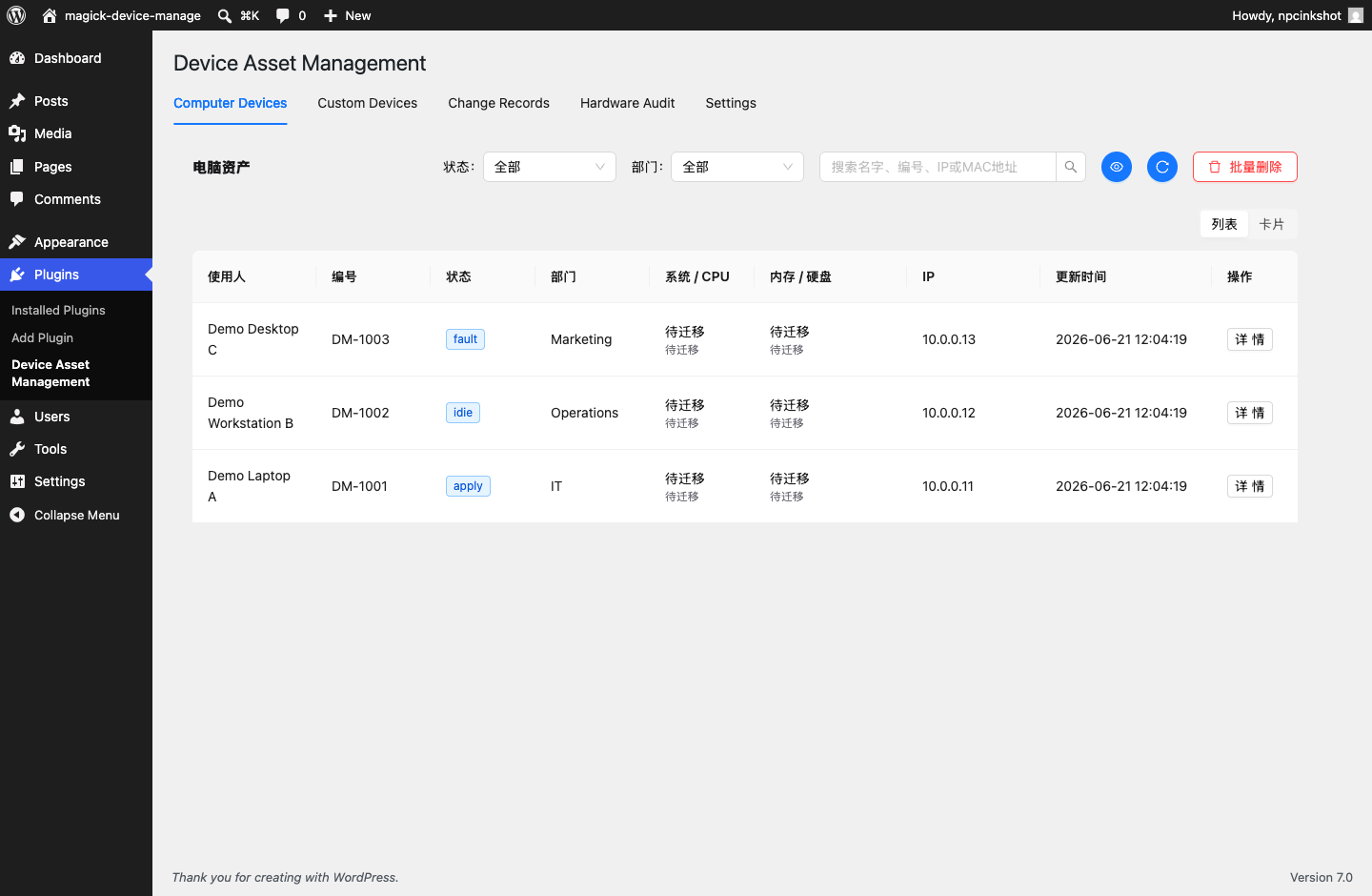
Npcink Device Inventory is a device asset management plugin for small teams that want to keep hardware inventory inside WordPress.
The current admin workspace and desktop client are provided in Simplified Chinese. WordPress plugin metadata remains translatable, but a complete English application interface is not yet included.
The plugin provides:
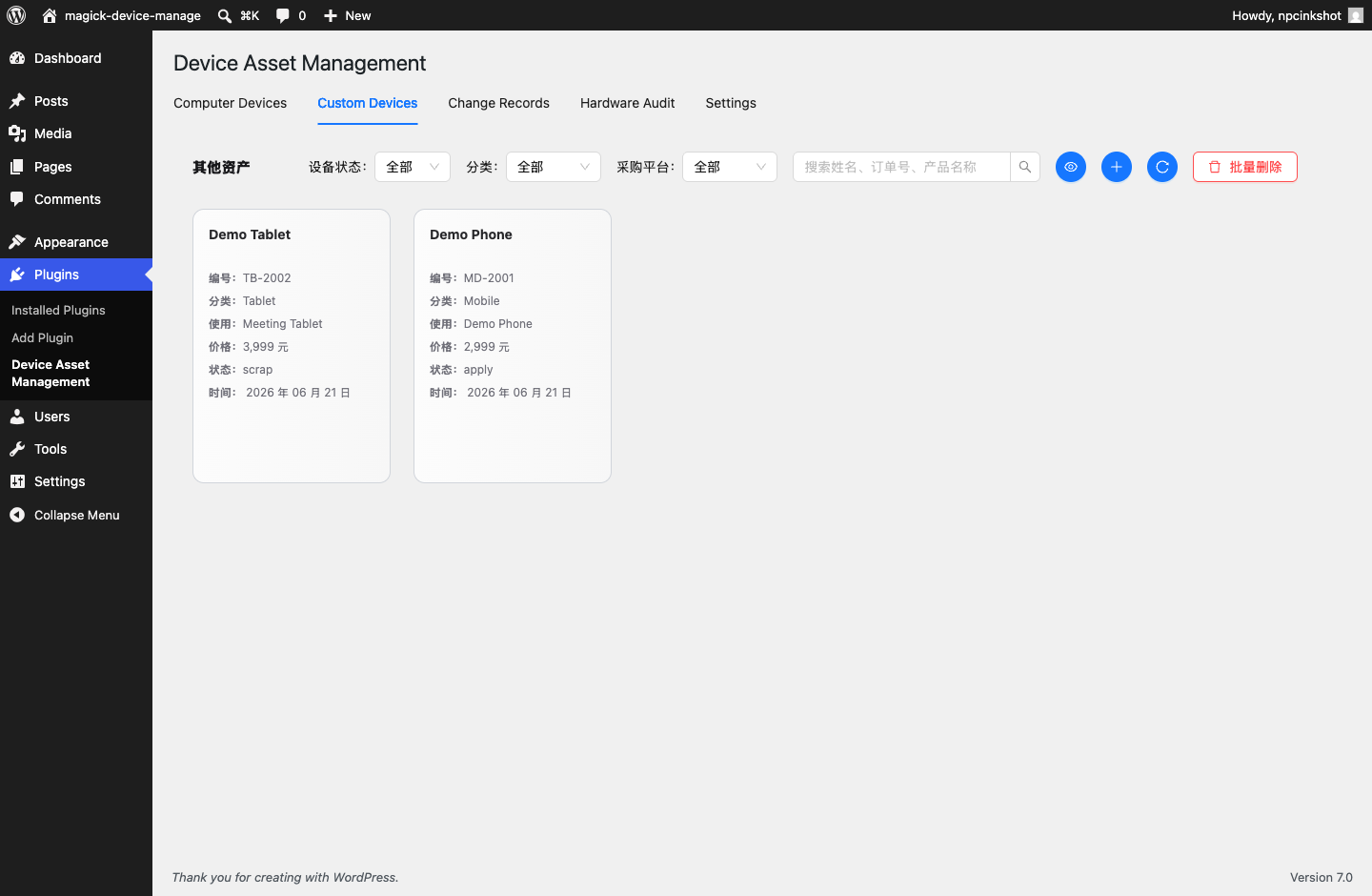
- A unified asset registry.
- Asset identities for matching repeated client observations to the same physical device.
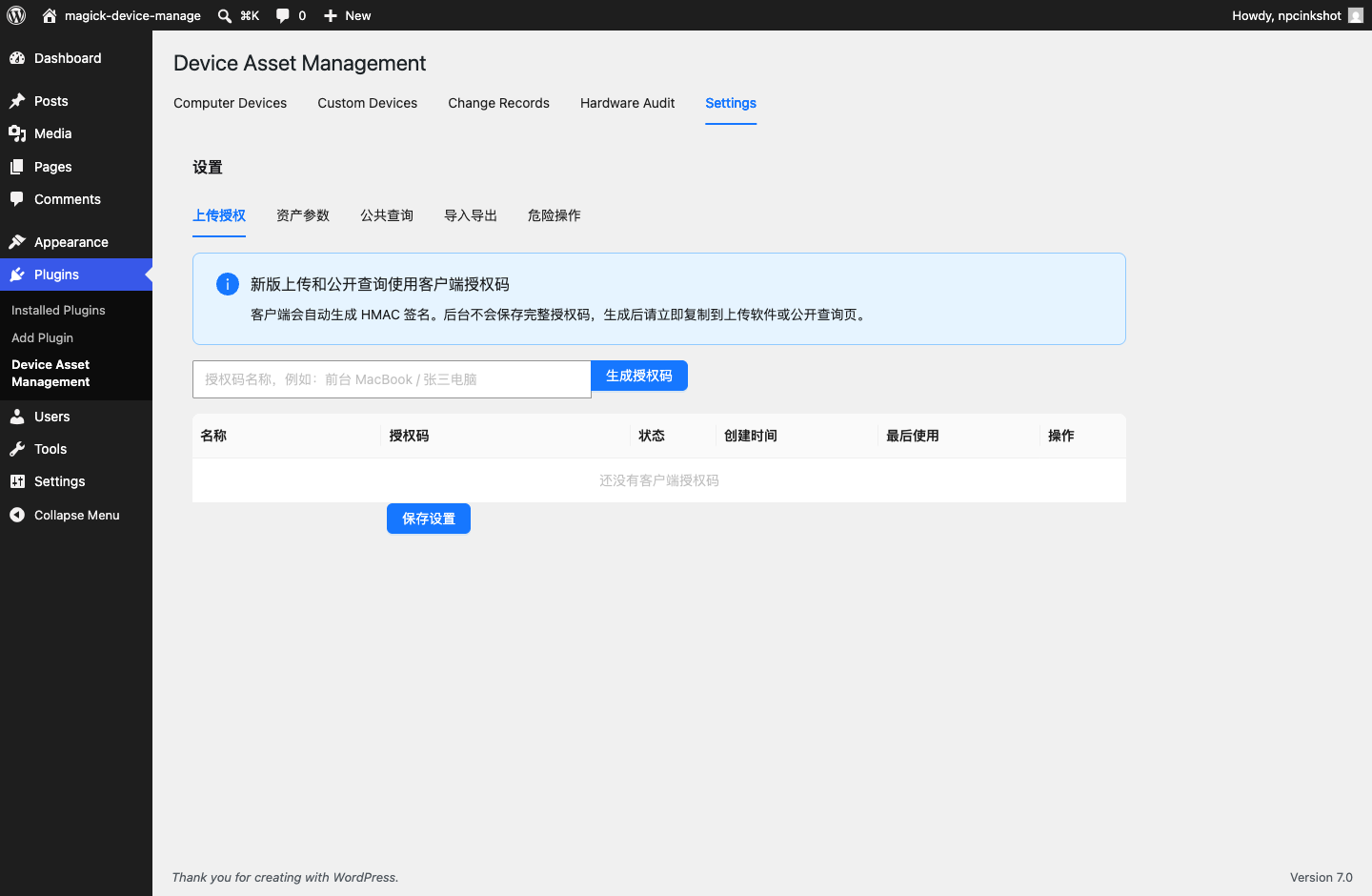
- Signed REST uploads for optional desktop collection clients.
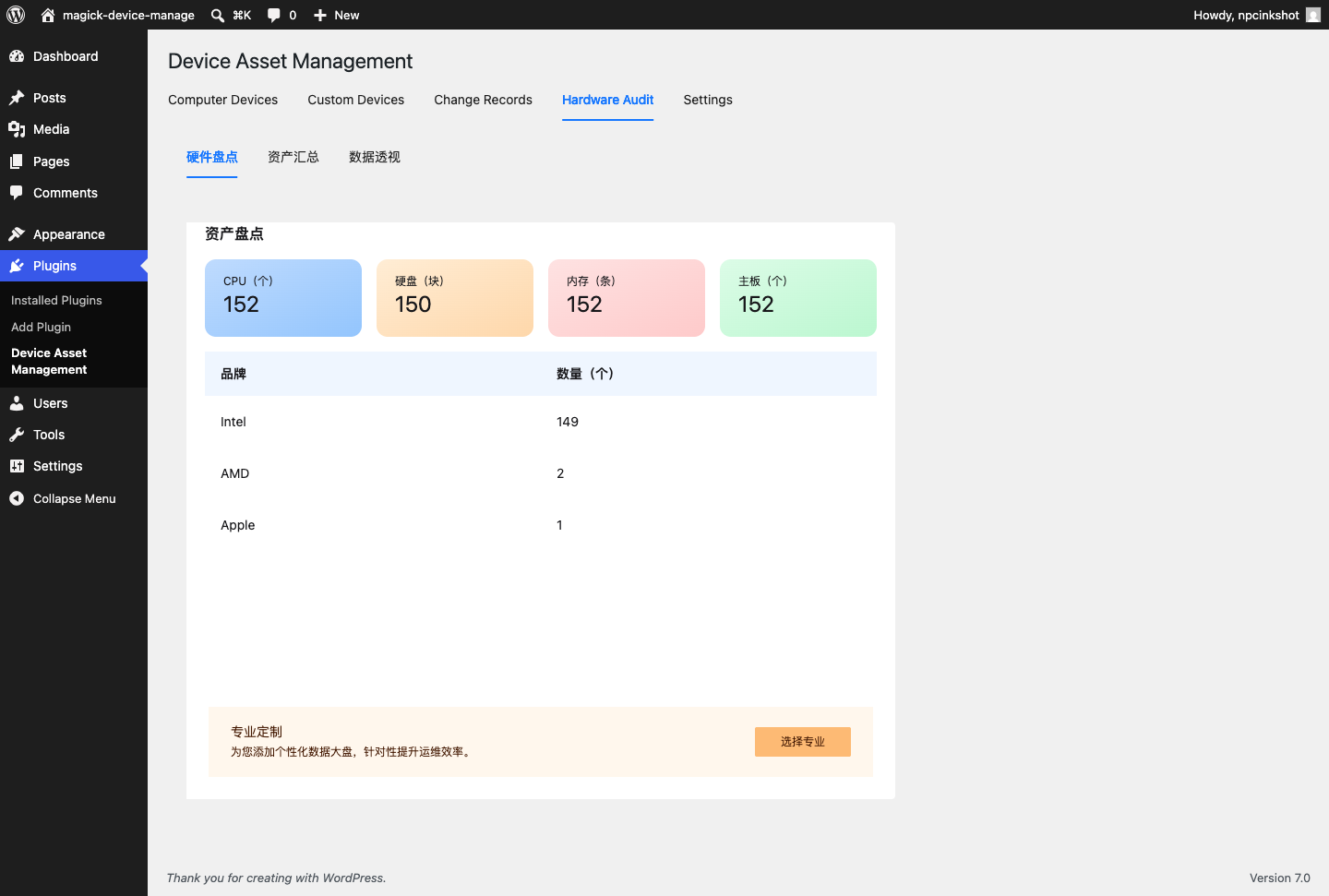
- Observation snapshots for collected hardware facts.
- Event timelines for asset creation, updates, observations, and notes.
- A bundled React admin workspace for asset review and client token management.
The WordPress plugin does not load JavaScript or CSS from third-party CDNs. Built React assets are bundled locally in the plugin package. The corresponding React/TypeScript source and build configuration are maintained in the project repository under vite-admin.
Privacy
Npcink Device Inventory stores device asset data in the local WordPress database. Depending on how the site owner configures and uses the plugin, stored data may include device names, assigned users or locations, departments, status values, IP addresses, hardware identifiers, hardware details, and event history.
The plugin does not transmit this data to Npcink or any third-party server during normal plugin operation. Site administrators are responsible for informing users and employees about their own device inventory policies.
Installation
- Upload the
npcink-device-inventoryfolder to/wp-content/plugins/. - Activate the plugin from the WordPress Plugins screen.
- Open Plugins > Device Inventory.
- Generate a client authorization token before using the optional desktop uploader.
- Download the matching Windows x64 or macOS Apple Silicon client from the latest GitHub Release, then verify it against SHA256SUMS before importing the generated configuration. Desktop installers are currently intended for trusted internal environments until platform signing is complete.
Frequently asked questions
Does this plugin send data to a third-party service?
No. The WordPress plugin stores device asset data in the site’s own WordPress database and does not contact a third-party service for normal operation.
What data is stored?
The plugin can store asset names, numbers, ownership fields, departments, statuses, IP and MAC addresses, hardware identifiers, raw collected hardware observations, and event history. The default observation retention value is 0, which means observations are not automatically deleted. Site administrators must define and enforce an appropriate retention policy for their organization.
Are device upload endpoints open to anonymous users?
No. Device upload endpoints require a client authorization token and HMAC signature. Admin endpoints require a WordPress user with manage_options.
What happens on uninstall?
The plugin only deletes its custom tables and settings when the stored v3 uninstall option explicitly allows data deletion.
Can I restore a JSON backup on another site?
Yes. Use the admin JSON backup preview first, review planned creates, updates, skipped rows, conflicts, and warnings, then confirm the import. The restore process merges plugin business data and does not clear existing inventory rows. Client upload secrets and the client upload base URL are not restored from backups and must be configured again on the target site.
Where is the source for bundled JavaScript?
The project repository includes the built files and the corresponding React/TypeScript source: Admin app source: vite-admin/src Build configuration: vite-admin/package.json and vite-admin/vite.config.ts Run npm install && npm run build inside vite-admin to rebuild the bundled assets.
Changelog
Upgrade the WordPress plugin before deploying Device Agent 0.3.0. Existing v1 assets are matched once and gain v2 identities on their next upload.
3.2.2
- Add a clear standalone department-creation control with visible unsaved-change guidance.
- Use lightweight device collection for normal uploads while reserving full hardware scans for diagnostics.
- Reuse the current device snapshot during upload and cache recent snapshots for faster application startup.
- Reduce normal upload payload size and reuse the HTTP client to improve upload responsiveness.
3.2.1
- Normalize desktop release asset filenames before integrity verification and publication.
3.2.0
- Add transactional asset table imports that roll back the full batch on any write failure.
- Add persistent admin error states, scoped saved filters, and guarded settings forms.
- Add desktop download guidance, configuration validation, signed connection checks, and configuration removal.
- Store desktop upload tokens in the macOS Keychain or Windows Credential Manager instead of configuration JSON.
- Add observation retention cleanup while preserving each asset’s latest hardware snapshot.
- Improve desktop upload error guidance, keyboard navigation, focus visibility, and small-window layouts.
3.1.4
- Complete computer device-type editing, filtering, importing, exporting, and batch-update workflows.
- Default legacy and newly collected computer assets to the desktop-computer type.
- Simplify asset cards with date-only update labels while retaining full timestamps in asset details.
- Ignore known virtual remote-display adapters when choosing the displayed primary graphics controller.
- Present straight-line depreciation results as estimated carrying amounts while retaining terminal residual-rate settings.
- Preserve purchase cost while setting second-hand market value and estimated carrying amount to zero for retired assets.
3.1.3
- Separate second-hand market value from accounting residual value while preserving legacy API and backup compatibility.
- Add automatic straight-line financial residual calculation with manual exceptions and configurable depreciation settings.
- Add financial-data completeness filters and a read-only completion list for missing purchase or second-hand prices.
- Add configurable Excel and CSV asset exports with ordered fields, presets, status colors, and a WordPress-aware preview.
3.1.2
- Return an explicit 409 duplicate_number response when an active or archived asset already owns an asset number.
- Display collected battery health, physical disk details, monitor identity, and real network route information in the admin asset detail view.
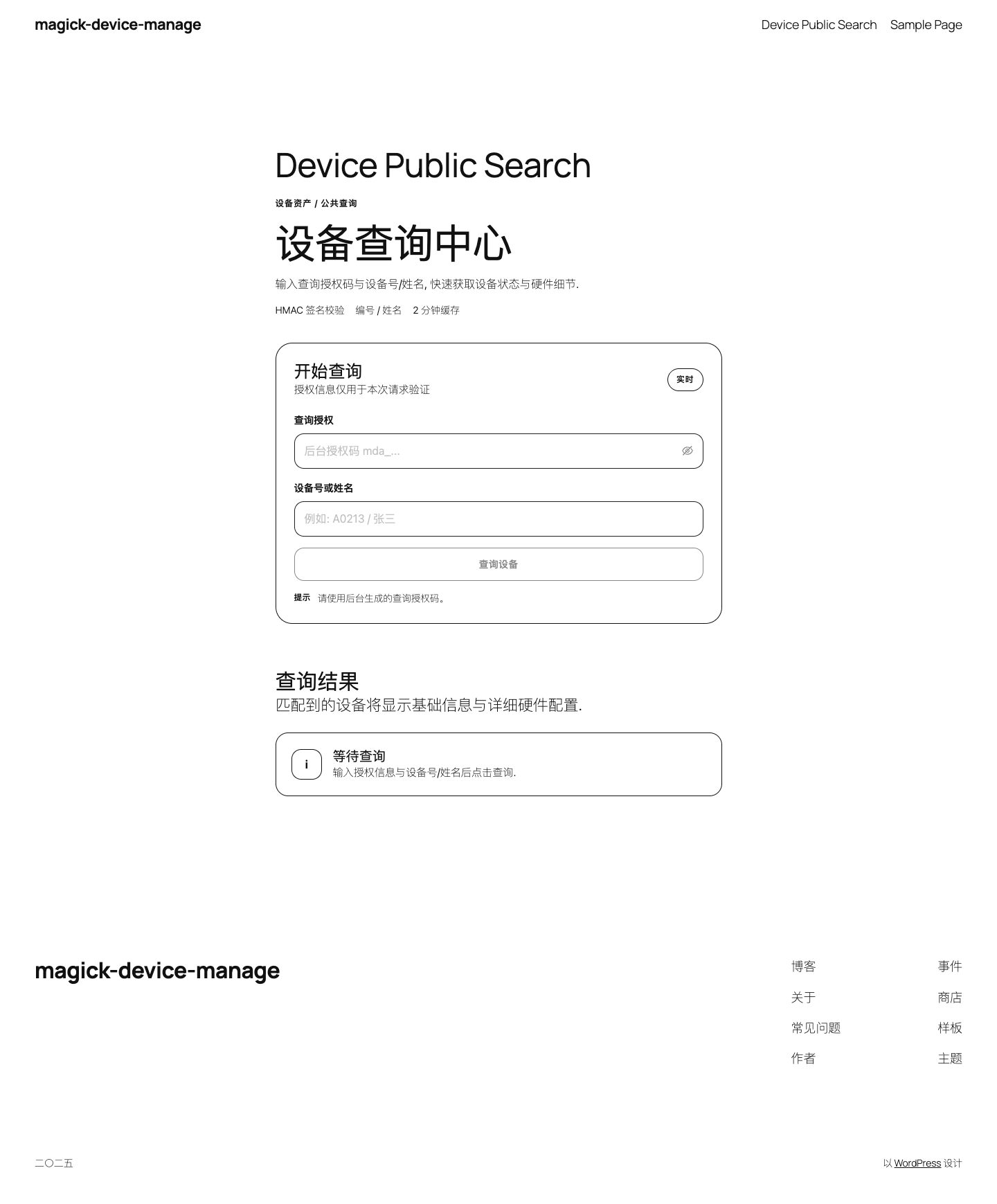
Screenshots
For developers
Is this your plugin? Show off the numbers.
Add a live badge to your site, docs or GitHub README. It updates on its own — no account needed.
Best Npcink Device Inventory alternatives
All admin plugins →




FAQ
Npcink Device Inventory: quick answers
Straight answers, pulled from live WordPress.org data.
Live data from WordPress.org · checked Oct 1, 2026
Is Npcink Device Inventory free?
Yes. Npcink Device Inventory is free to download and use from the official WordPress.org plugin directory.
Is Npcink Device Inventory safe to use in 2026?
Npcink Device Inventory works, but test it on a staging site before relying on it in 2026. Was last updated 1 month ago, and scores 60/100 on our health check.
How many websites use Npcink Device Inventory?
Npcink Device Inventory is active on <10 WordPress websites and has been downloaded 476 times since it launched in June 2026. It was downloaded 62 times in the last 30 days.
Does Npcink Device Inventory work with WordPress 7.1?
Yes. The developer has tested Npcink Device Inventory up to WordPress 7.1.2, the latest release. It requires WordPress 6.5 or newer.
What PHP version does Npcink Device Inventory need?
Npcink Device Inventory requires PHP 7.4 or higher. Most hosts run PHP 8.x today, so it works on any modern WordPress hosting.
When was Npcink Device Inventory last updated?
The latest version, 3.2.2, was released on August 21, 2026 (1 month ago).
Who makes Npcink Device Inventory?
Npcink Device Inventory is developed and maintained by Npcink.
What are the best alternatives to Npcink Device Inventory?
The most popular alternatives to Npcink Device Inventory are Loginizer (1M+ installs), Redux Framework (900K+ installs) and Admin Menu Editor (300K+ installs).
Powered by PageForge
Want thousands of pages that rank like these? Build them in an afternoon.
This directory runs on the same engine as PageForge. Turn any spreadsheet, CSV or API into thousands of fast, SEO-ready WordPress pages — with schema, internal links and AI-written copy baked in.
- CSV, Google Sheets & API data sources
- AI content, schema & internal links per page
- Works with Elementor, Gutenberg, Yoast & Rank Math
- Free on WordPress.org — no credit card


