



Form Builder Blocks
Build powerful, custom forms directly inside the WordPress Block Editor with drag-and-drop ease and built-in entry management.

Solid choice
Form Builder Blocks is a solid plugin choice in 2026, with a few things worth checking first. It runs on 500+ sites and was last updated 4 weeks ago, and scores 70/100 on our health check.
- Actively developed — last update 4 weeks ago
- Tested with the latest WordPress (7.1)
- Small user base (500+ active installs)
- Very few reviews so far
How does it stack up?
Side-by-side on installs, updates, ratings & support



Daily downloads
Download spikes usually follow a new release — each site that auto-updates counts as a download.
Rankings
Where Form Builder Blocks stands todayWordPress.org search rankings
Live position in the plugin search, top 100| Keyword | Position |
|---|---|
| block-editor | >100 |
| contact form | >100 |
| drag-and-drop | >100 |
| forms | >100 |
| gutenberg | >100 |
Version adoption
Share of active sites per release.
About Form Builder Blocks
From the official readme · v1.1.1Description
Form Builder Blocks is a professional-grade tool designed for the modern WordPress era. Say goodbye to complex shortcodes and external configuration pages—build, style, and manage your forms exactly where they live: in the Gutenberg editor.
This plugin provides a comprehensive suite of blocks that allow you to create anything from a simple contact form to complex job applications. With integrated database storage, you can manage submissions directly from your WordPress dashboard without needing any third-party services.
Core Features:
- Visual Drag-and-Drop: Intuitive block-based interface.
- Full Input Library: Text, Email, Textarea, Select, Radio, Checkbox, and File Uploads.
- Smart Templates: Launch quickly with pre-built layouts for common use cases.
- Real-time Preview: See your form exactly as it will appear to visitors.
Entry Management & Analytics:
- Automatic Storage: Every submission is saved securely to your local database.
- Admin Dashboard: A dedicated space to view, search, and filter entries.
- Status Tracking: Keep track of “Read” vs “Unread” submissions.
- Data Export: Download your data in CSV or JSON formats.
- Submission Analytics: Get a bird’s-eye view of your form performance.
Advanced Features
- Custom Notifications: Send emails to multiple recipients with full entry details.
- Secure File Uploads: Drag-and-drop file uploads with strict file-type validation.
- Developer Friendly: Support for custom endpoints and advanced hooks.
Security
We prioritize the integrity of your site and data. This plugin follows WordPress security best practices:
* Full sanitization and validation of all user inputs
* Integrated Honeypot protection to stop spam bots without annoying CAPTCHAs.
* Nonce verification to prevent CSRF attacks.
* Admin-only capability checks for accessing sensitive entry data.
* Restricted file upload permissions to prevent malicious scripts.
Privacy
By default, this plugin stores submission data in your local WordPress database. This includes:
* Form field data provided by the user.
* Submitter IP addresses and User Agent strings.
* Timestamps of the submission.
No data is transmitted to external servers or third-party services unless you explicitly configure a custom endpoint. All data is fully exportable and erasable via the WordPress Admin panel.
Installation
- Upload the
ninja-chandel-form-builder-blocksfolder to the/wp-content/plugins/directory. - Activate the plugin through the ‘Plugins’ menu in WordPress.
- Open any Page or Post and click the “+” icon to add a “Form Builder” block.
Frequently asked questions
Where are the files stored after upload?
Files are stored in a secure, restricted subdirectory within your WordPress uploads folder.
Screenshots
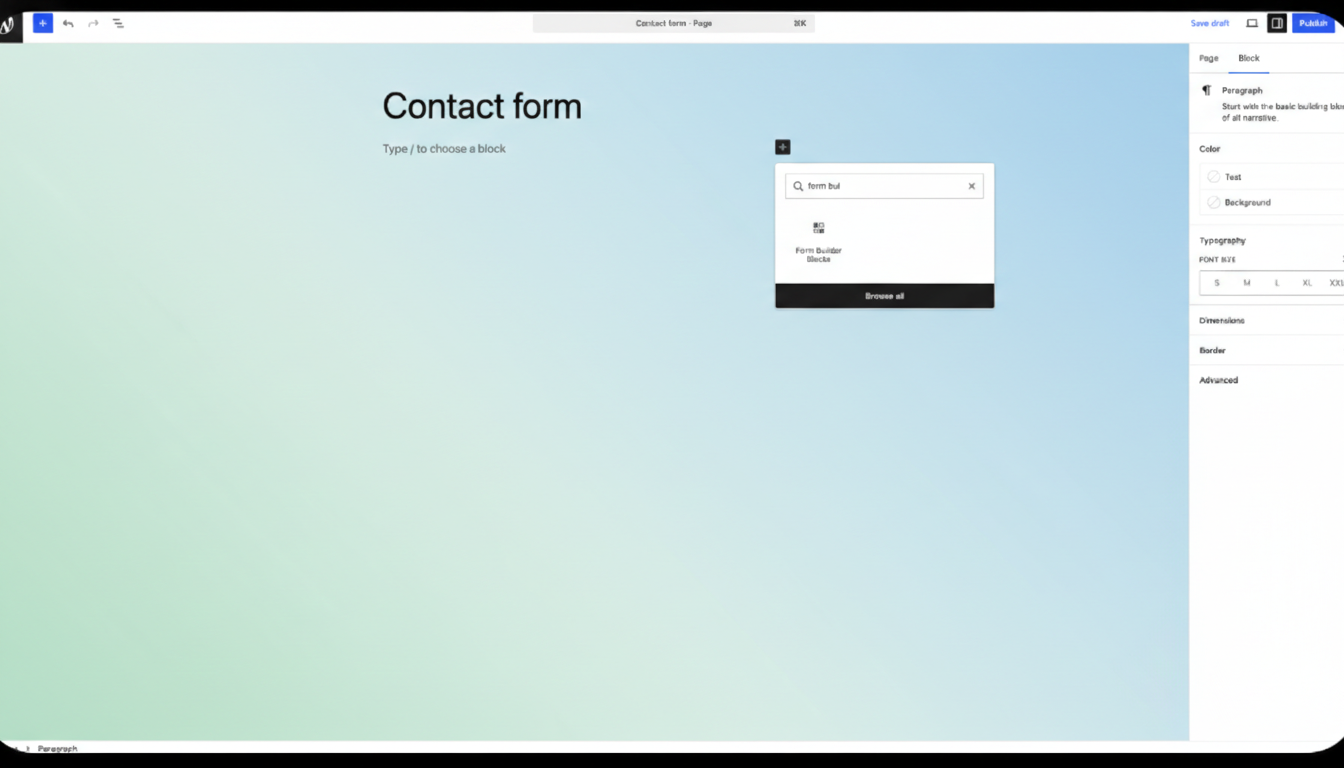
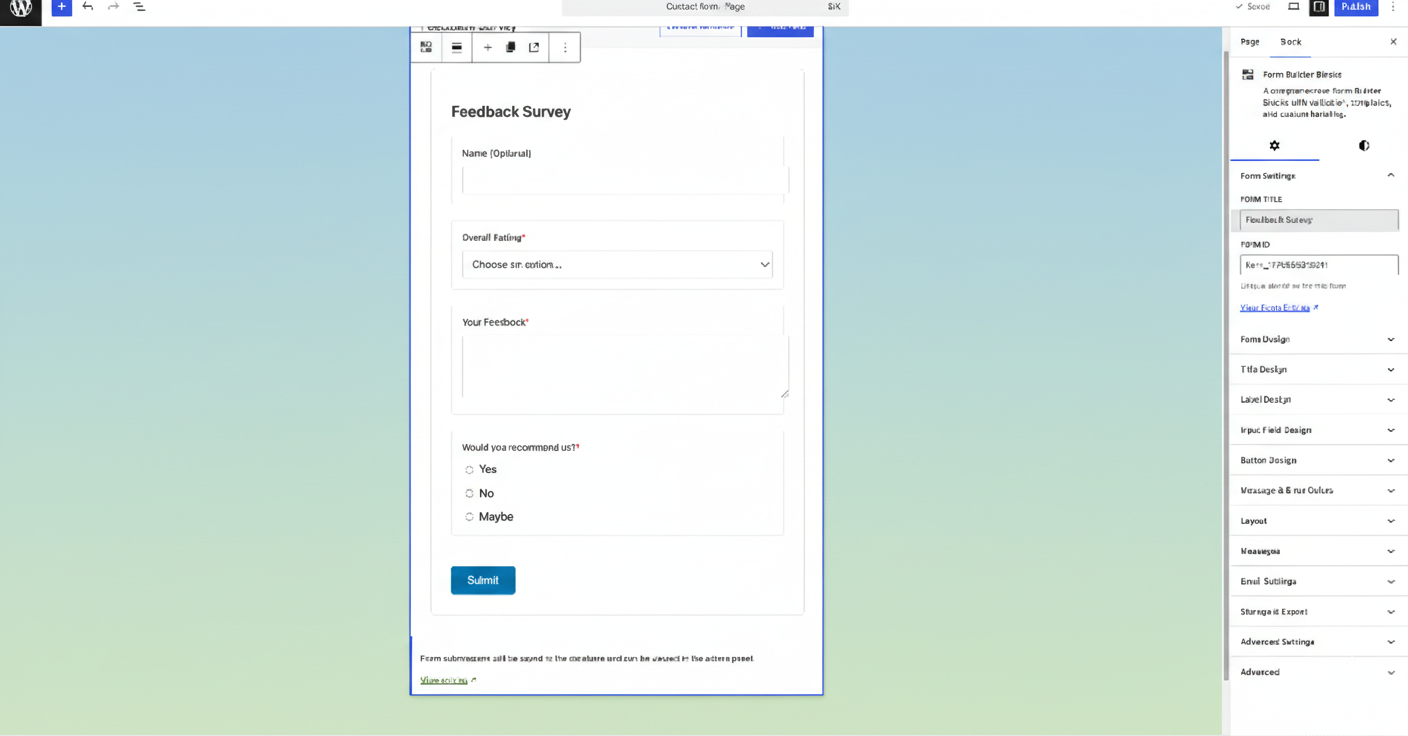
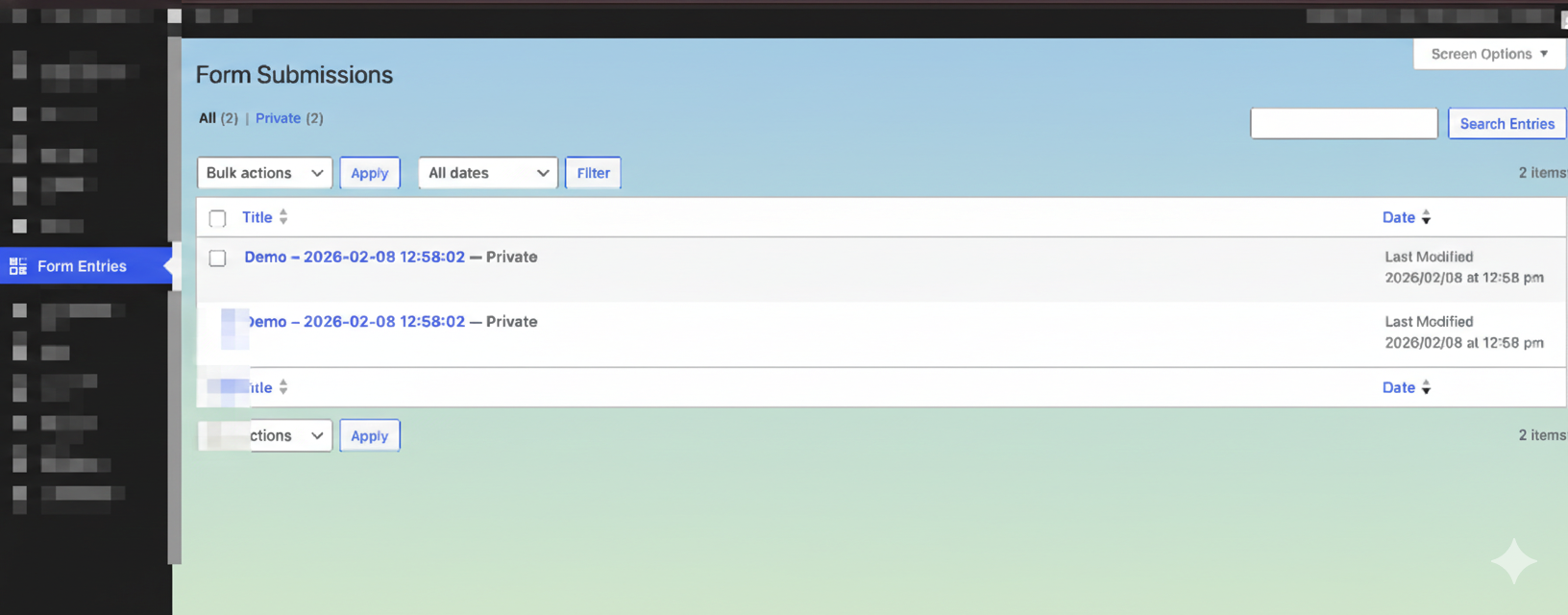
For developers
Is this your plugin? Show off the numbers.
Add a live badge to your site, docs or GitHub README. It updates on its own — no account needed.
Best Form Builder Blocks alternatives
All block-editor plugins →





FAQ
Form Builder Blocks: quick answers
Straight answers, pulled from live WordPress.org data.
Live data from WordPress.org · checked Oct 17, 2026
Is Form Builder Blocks free?
Yes. Form Builder Blocks is free to download and use from the official WordPress.org plugin directory.
Is Form Builder Blocks safe to use in 2026?
Form Builder Blocks is a solid plugin choice in 2026, with a few things worth checking first. It runs on 500+ sites and was last updated 4 weeks ago, and scores 70/100 on our health check.
How many websites use Form Builder Blocks?
Form Builder Blocks is active on 500+ WordPress websites and has been downloaded 2,613 times since it launched in February 2026. It was downloaded 412 times in the last 30 days.
Does Form Builder Blocks work with WordPress 7.1?
Yes. The developer has tested Form Builder Blocks up to WordPress 7.1.3, the latest release. It requires WordPress 6.0 or newer.
What PHP version does Form Builder Blocks need?
Form Builder Blocks requires PHP 7.4 or higher. Most hosts run PHP 8.x today, so it works on any modern WordPress hosting.
When was Form Builder Blocks last updated?
The latest version, 1.1.1, was released on September 20, 2026 (4 weeks ago).
Who makes Form Builder Blocks?
Form Builder Blocks is developed and maintained by Ninja.
What are the best alternatives to Form Builder Blocks?
The most popular alternatives to Form Builder Blocks are Classic Editor (8M+ installs), Advanced Editor Tools (1M+ installs) and Disable Gutenberg (500K+ installs).
Powered by PageForge
Want thousands of pages that rank like these? Build them in an afternoon.
This directory runs on the same engine as PageForge. Turn any spreadsheet, CSV or API into thousands of fast, SEO-ready WordPress pages — with schema, internal links and AI-written copy baked in.
- CSV, Google Sheets & API data sources
- AI content, schema & internal links per page
- Works with Elementor, Gutenberg, Yoast & Rank Math
- Free on WordPress.org — no credit card


