



NGM Content AI
Generate high-quality WordPress posts and images with AI-powered content using Google Gemini and Pollinations.ai.

Consider an alternative
NGM Content AI shows warning signs in 2026 — compare the alternatives below before installing. It runs on 20+ sites and was last updated 8 months ago, and scores 39/100 on our health check.
- Small user base (20+ active installs)
- Very few reviews so far
- Only tested up to WordPress 6.9 (latest is 7.1)
How does it stack up?
Side-by-side on installs, updates, ratings & support



Daily downloads
Download spikes usually follow a new release — each site that auto-updates counts as a download.
Rankings
Where NGM Content AI stands todayWordPress.org search rankings
Live position in the plugin search, top 100| Keyword | Position |
|---|---|
| AI | >100 |
| AI writing | >100 |
| content generator | >100 |
| Gemini | >100 |
| image-generation | >100 |
Version adoption
Share of active sites per release.
About NGM Content AI
From the official readme · v1.0.0Description
NGM Content AI is a powerful WordPress plugin that helps you create professional blog posts and stunning images using free-tier AI services from Google Gemini and Pollinations.ai. Generate content easily with third-party AI APIs.
🚀 Key Features
- Free-Tier AI Services – Uses Google Gemini’s free tier for text and Pollinations.ai for images (subject to third-party terms and limits)
- Smart Content Generation – Create full blog posts with proper HTML formatting
- AI Image Generation – Generate custom images with detailed prompts
- Multiple Writing Tones – Professional, casual, friendly, technical, creative, and formal
- Flexible Word Counts – Short (300-500), Medium (500-800), Long (800-1200), or Very Long (1200-2000 words)
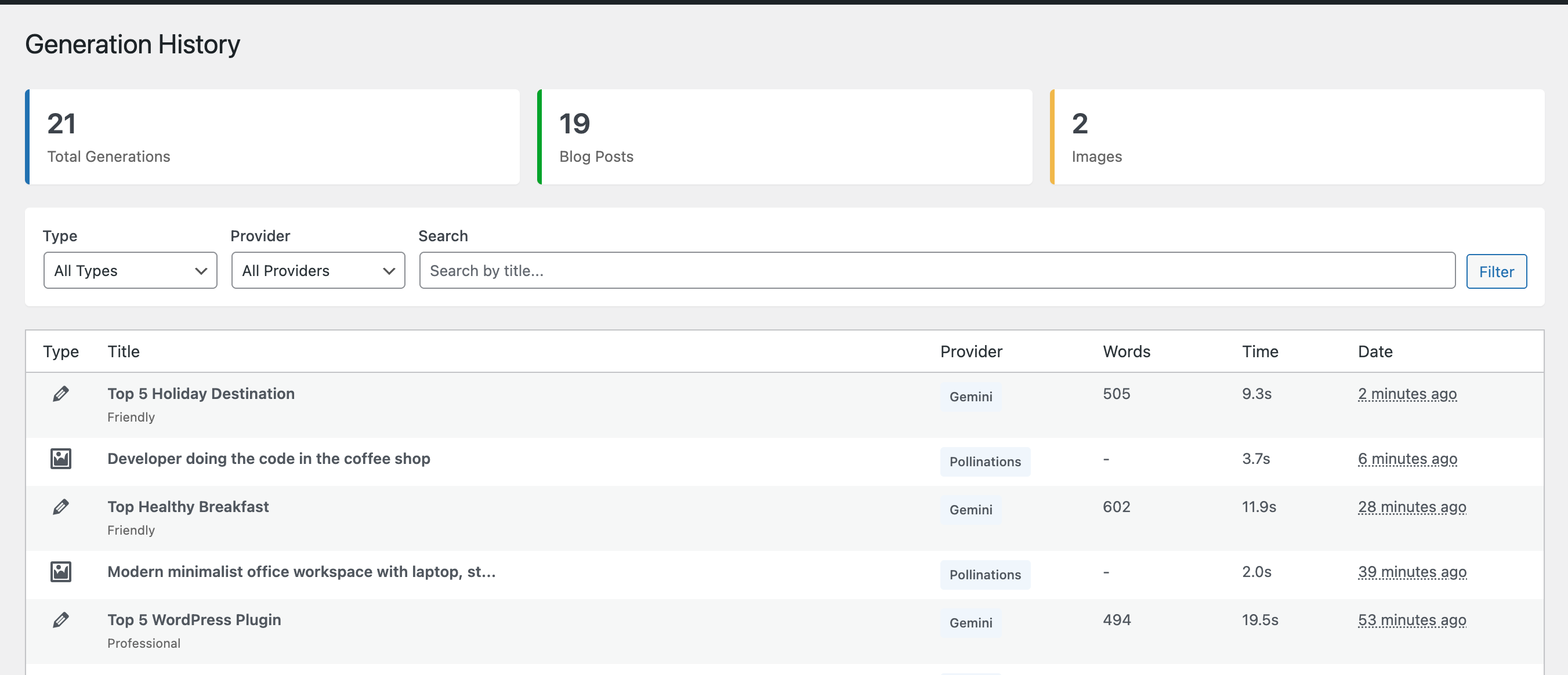
- Generation History – Track all your AI-generated content and images
- Rate Limiting – Configurable daily limits to manage API usage
- Media Library Integration – Upload generated images directly to WordPress media library
- User-Friendly Interface – Clean, intuitive admin dashboard
🎯 Perfect For
- Bloggers who need fresh content regularly
- Content marketers looking to scale production
- Website owners who want to save time writing
- Agencies managing multiple client websites
- Anyone who needs high-quality content quickly
🤖 AI Services Used
Google Gemini 2.5 Flash
* Free tier available (see Google’s terms for current limits)
* Fast, high-quality text generation
* Supports multiple writing styles and tones
* Get your free API key at Google AI Studio
Pollinations.ai
* Free image generation service (subject to their terms)
* Automatic Craiyon backup for reliability
* 1024×1024 image resolution
* No API key required
🔒 Privacy & Data
This plugin sends content prompts to third-party AI services:
* Google Gemini API – For text content generation
* Pollinations.ai – For image generation
Your prompts and titles are sent to these services to generate content. Please review their privacy policies:
* Google AI Terms
* Pollinations.ai
No content is stored on external servers beyond the generation process.
🌍 Third-Party Services
This plugin relies on the following external services:
Google Gemini API
* Service: https://generativelanguage.googleapis.com/
* Purpose: Generate AI-powered text content
* Terms of Service: https://ai.google.dev/terms
* Privacy Policy: https://policies.google.com/privacy
Pollinations.ai
* Service: https://image.pollinations.ai/
* Purpose: Generate AI-powered images
* Website: https://pollinations.ai/
Craiyon API (Backup)
* Service: https://api.craiyon.com/
* Purpose: Backup image generation service
* Website: https://www.craiyon.com/
Data sent to these services includes:
– Text prompts and titles for content generation
– Image descriptions for image generation
Please review each service’s terms and privacy policy before using this plugin.
📝 How It Works
- Install and activate the plugin
- Get your free Gemini API key from Google AI Studio
- Enter your API key in Settings
- Start generating content and images!
🎨 Features in Detail
Content Generation
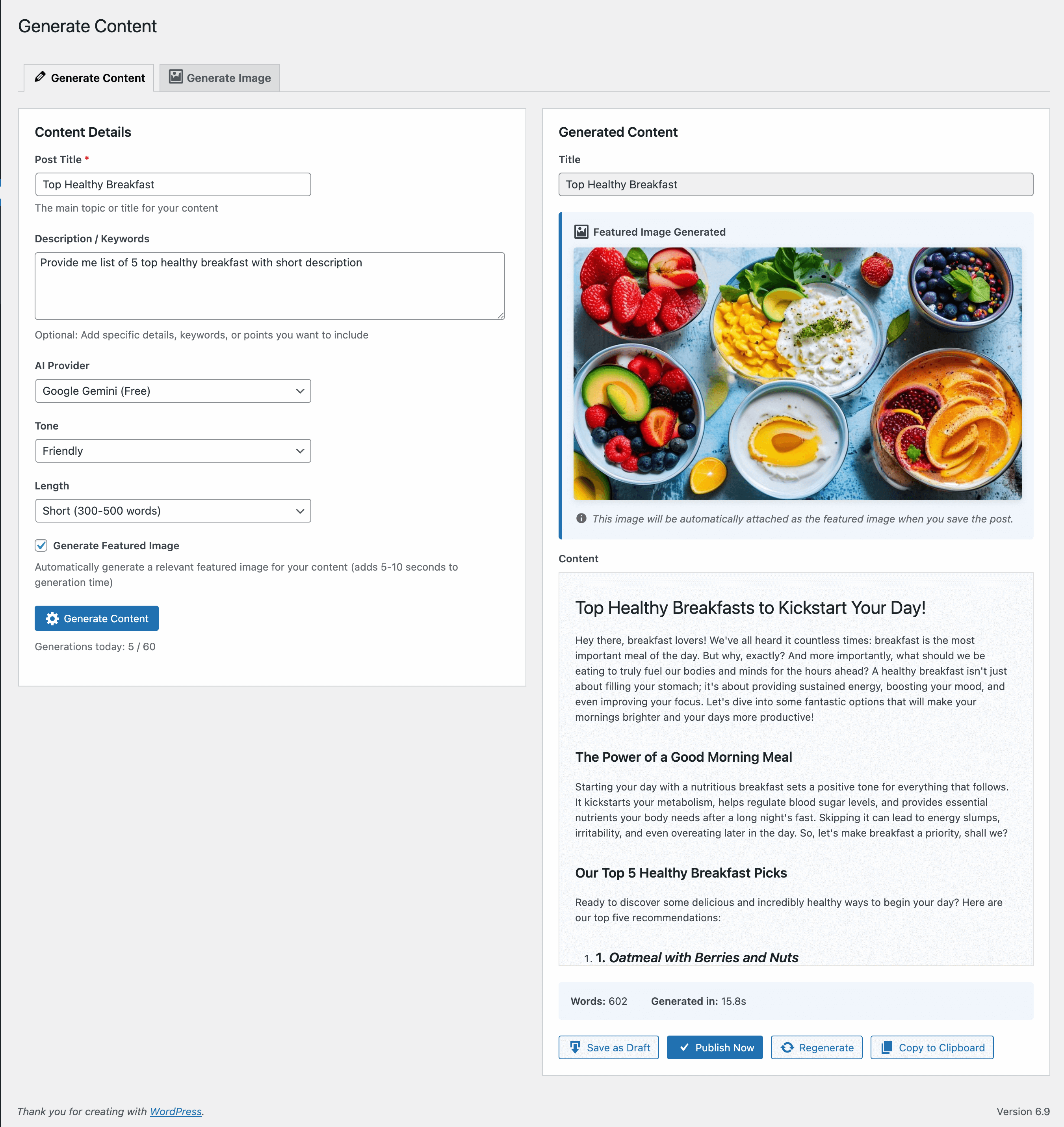
* Write a title and optional description
* Choose your preferred tone and word count
* Generate SEO-friendly, well-structured content
* Edit generated content before publishing
* Save as draft or publish immediately
Image Generation
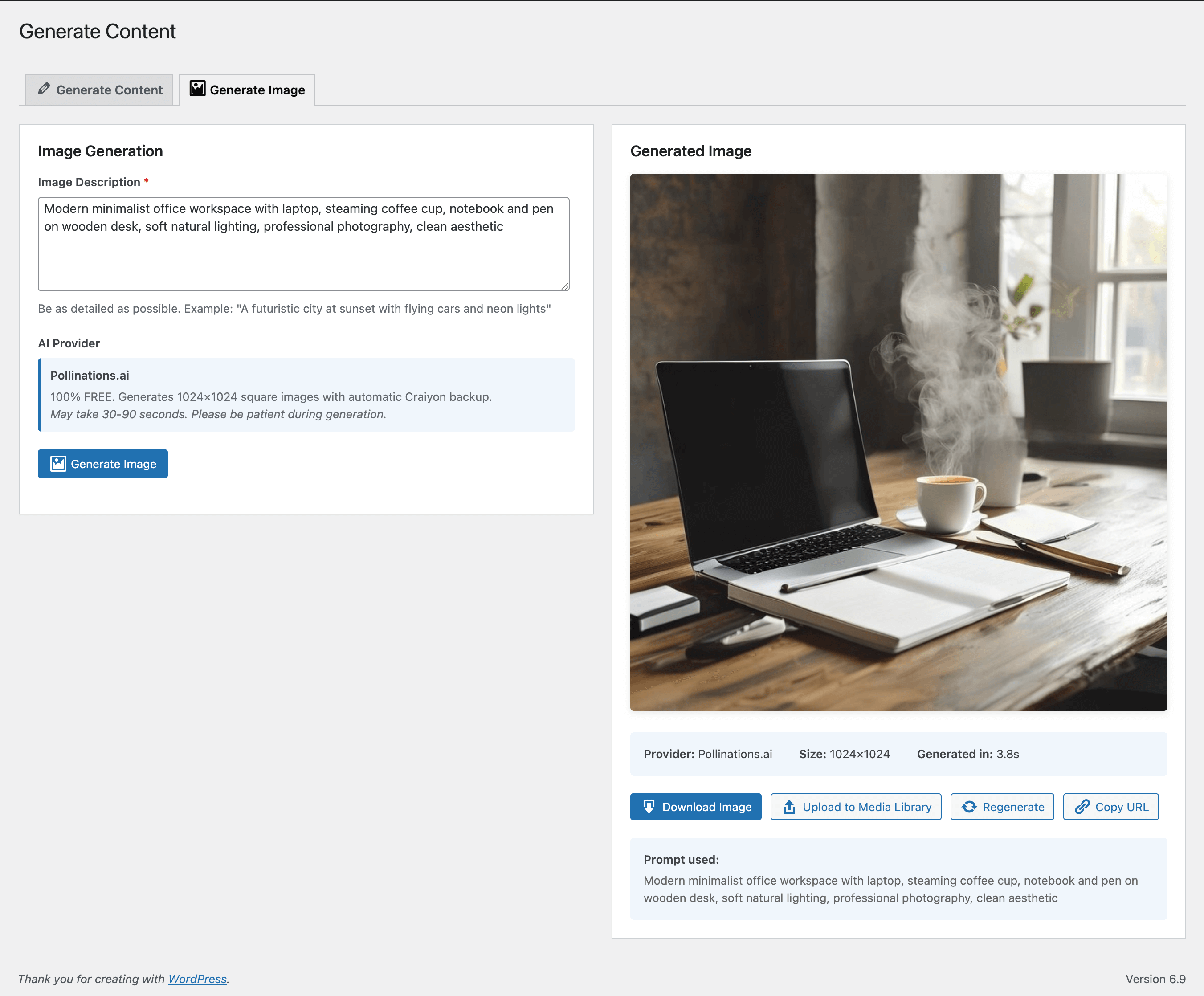
* Describe your desired image in detail
* Free generation with Pollinations.ai
* Automatic backup with Craiyon if needed
* Download or upload to media library
* View generation history
Dashboard
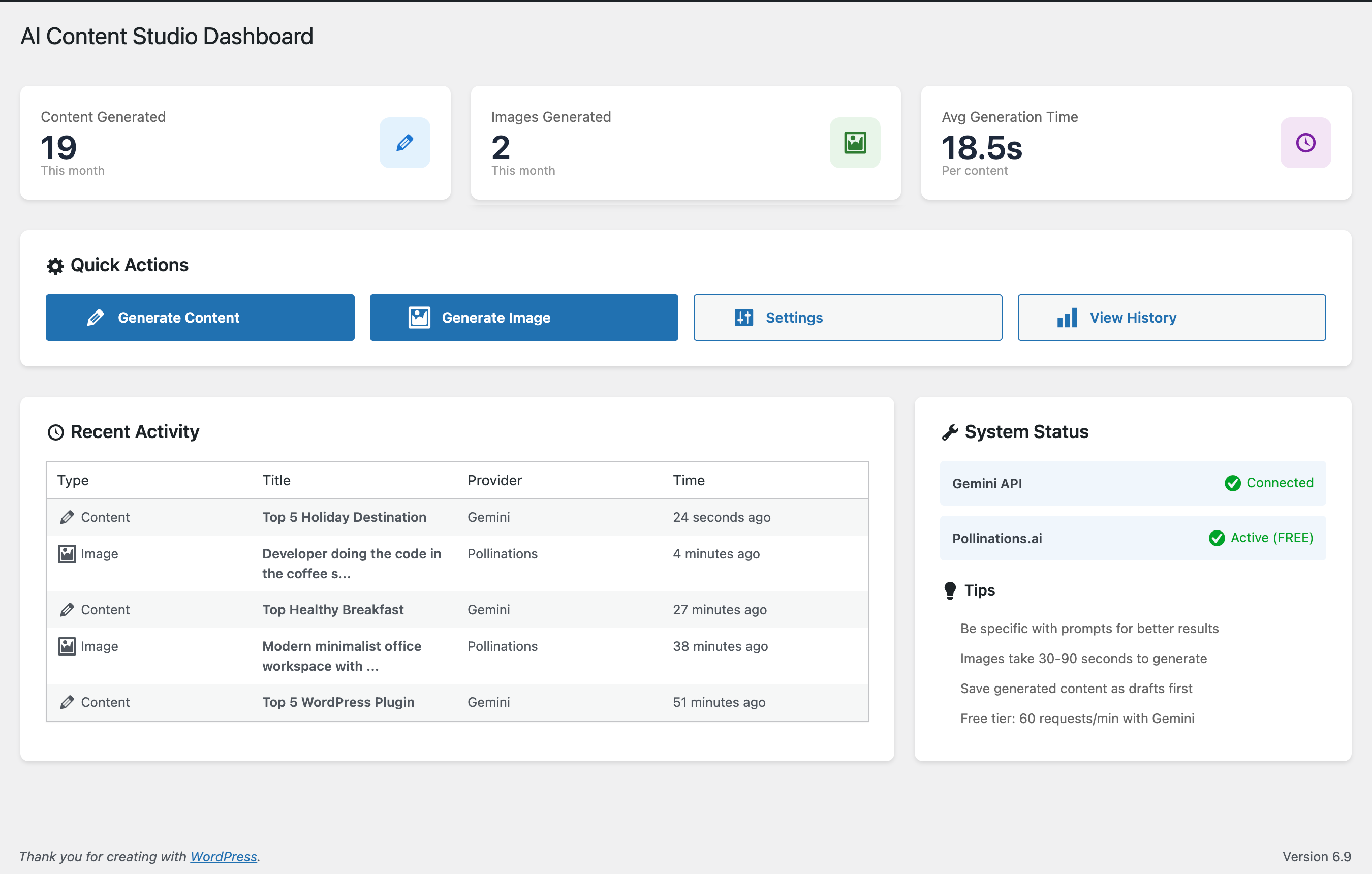
* Track monthly content/image generation
* View average generation time
* Monitor API status
* Quick access to recent generations
History & Analytics
* Complete generation history
* Filter by provider and type
* Search by title
* Pagination support
🛠️ Requirements
- WordPress 5.8 or higher
- PHP 7.4 or higher
- Google Gemini API key (free from Google AI Studio)
🔗 Useful Links
Privacy Policy
NGM Content AI sends data to third-party services to generate content:
Data Sent:
* Content titles and descriptions (to Google Gemini)
* Image prompts (to Pollinations.ai and Craiyon)
Data Storage:
* Generated content is stored in your WordPress database
* Generation history (metadata only) is stored locally
* No API keys are transmitted to our servers
* API keys are stored in your WordPress database
Third-Party Services:
* Google Gemini API – Privacy Policy
* Pollinations.ai – Website
* Craiyon – Website
Support
For support, feature requests, or bug reports:
* Visit our GitHub repository
* Contact: https://nabinmagar.com
Credits
- Developed by Nabin Gharti Magar
- Powered by Google Gemini AI
- Image generation by Pollinations.ai and Craiyon
- Icons from WordPress Dashicons
Disclaimer
This plugin is not affiliated with, endorsed by, or sponsored by:
* Google LLC or Google Gemini
* Pollinations.ai
* Craiyon
All trademarks belong to their respective owners.
Installation
Automatic Installation
- Log in to your WordPress admin panel
- Navigate to Plugins > Add New
- Search for “NGM Content AI”
- Click “Install Now” and then “Activate”
Manual Installation
- Download the plugin ZIP file
- Log in to your WordPress admin panel
- Navigate to Plugins > Add New > Upload Plugin
- Choose the downloaded ZIP file and click “Install Now”
- Click “Activate Plugin”
Configuration
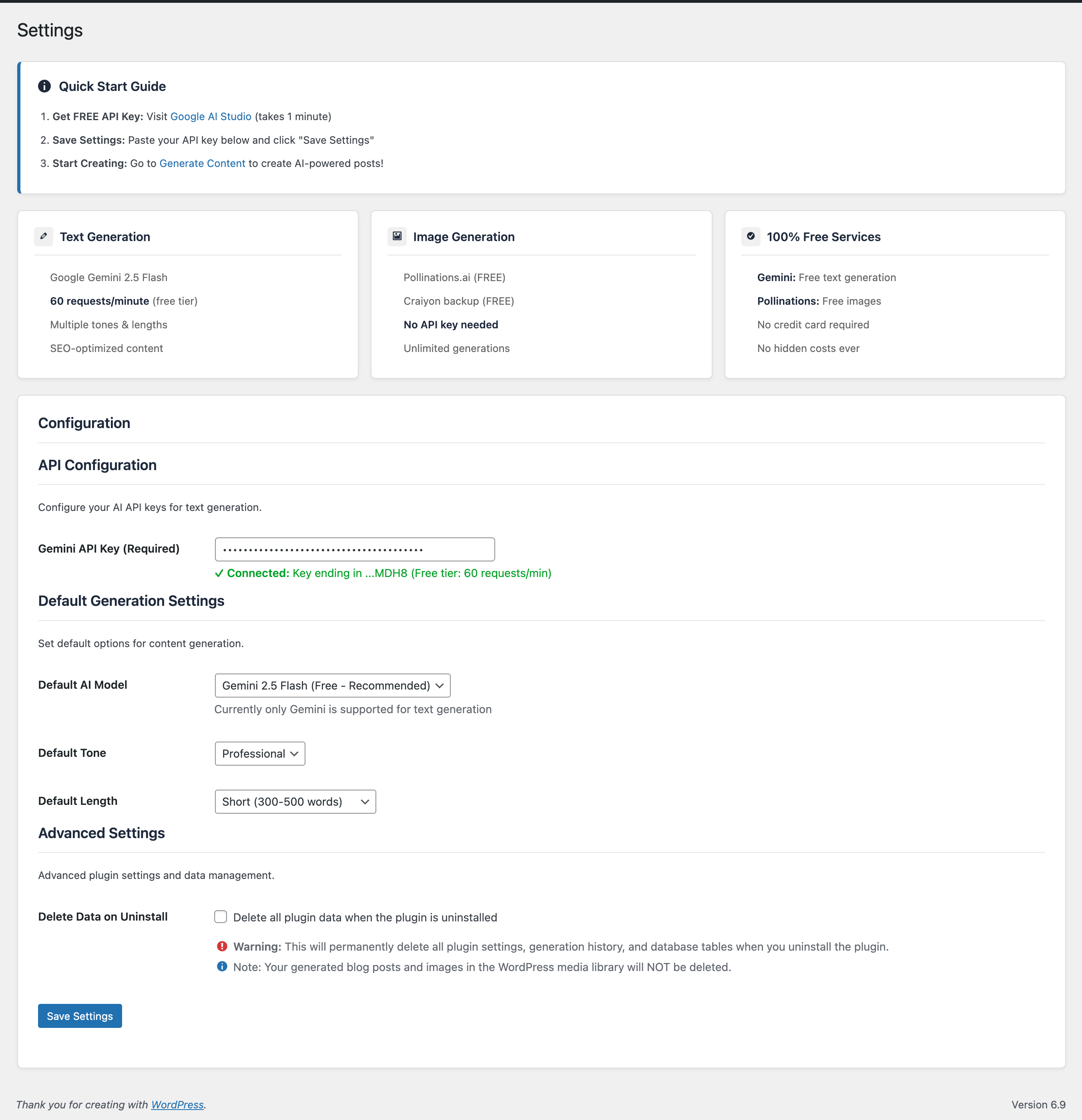
- After activation, go to NGM Content AI > Settings
- Visit Google AI Studio to get your free API key
- Copy your Gemini API key
- Paste it into the “Gemini API Key” field in Settings
- Click “Save Changes”
- You’re ready to generate content!
Frequently asked questions
Is this plugin really free?
Yes! The plugin itself is free, and it uses free-tier AI services: * Google Gemini API has a free tier (check Google’s current terms for limits) * Pollinations.ai is a free service with no API key required Please note these are third-party services with their own terms and conditions.
Do I need an API key?
You need a free Gemini API key from Google AI Studio for text generation. Image generation with Pollinations.ai requires no API key.
How do I get a Gemini API key?
Visit Google AI Studio Sign in with your Google account Click “Get API Key” Create a new API key Copy and paste it into NGM Content AI settings It takes less than 2 minutes!
What are the rate limits?
Rate limits depend on the third-party services: * Gemini Free Tier: Check Google’s current terms for up-to-date limits * Plugin Default: 60 generations per user per day (configurable in settings) * Pollinations.ai: Please use reasonably as per their terms
Can I use this for commercial projects?
The plugin is GPL licensed, but usage depends on the third-party services’ terms. Please review Google Gemini’s terms of service and Pollinations.ai’s terms for commercial use policies.
What languages are supported?
The plugin interface is in English, but Gemini AI can generate content in multiple languages. Simply write your prompt in your desired language.
How long does generation take?
Text Content: Usually 5-15 seconds Images: 30-90 seconds (Pollinations.ai may take longer during peak times)
Can I edit generated content before publishing?
Yes! Generated content appears in an editor where you can review and edit before saving as a draft or publishing.
What if image generation fails?
The plugin automatically tries Pollinations.ai first, then falls back to Craiyon if needed. If both fail, you’ll get a helpful error message. Simply wait 30 seconds and try again.
Is my data private?
Your prompts are sent to Google Gemini and Pollinations.ai to generate content. These services process your requests but don’t store them long-term. Generated content is stored only in your WordPress database.
Can I delete generation history?
Currently, history is stored in your WordPress database. You can manually delete records from the history page in a future update.
Does this work with Gutenberg?
Yes! Generated content can be saved as posts and edited in any WordPress editor, including Gutenberg.
Can I generate content in bulk?
The current version generates one piece of content at a time. Bulk generation may be added in a future update.
Changelog
Initial release of NGM Content AI. Start generating high-quality content with AI services!
1.0.0 – 2025-01-21
- Initial release
- Google Gemini AI integration for text content
- Pollinations.ai integration for image generation
- Craiyon backup for image generation
- Dashboard with statistics
- Generation history with filtering
- Customizable writing tones and word counts
- Media library integration
- Rate limiting system
- Internationalization ready
- Security: Nonce verification and capability checks
Screenshots
For developers
Is this your plugin? Show off the numbers.
Add a live badge to your site, docs or GitHub README. It updates on its own — no account needed.
Best NGM Content AI alternatives
All AI plugins →





FAQ
NGM Content AI: quick answers
Straight answers, pulled from live WordPress.org data.
Live data from WordPress.org · checked Sep 29, 2026
Is NGM Content AI free?
Yes. NGM Content AI is free to download and use from the official WordPress.org plugin directory.
Is NGM Content AI safe to use in 2026?
NGM Content AI shows warning signs in 2026 — compare the alternatives below before installing. It runs on 20+ sites and was last updated 8 months ago, and scores 39/100 on our health check.
How many websites use NGM Content AI?
NGM Content AI is active on 20+ WordPress websites and has been downloaded 539 times since it launched in February 2026. It was downloaded 70 times in the last 30 days.
Does NGM Content AI work with WordPress 7.1?
NGM Content AI is officially tested up to WordPress 6.9.9, while the latest release is 7.1.2. It may still work, but try it on a staging site first.
What PHP version does NGM Content AI need?
NGM Content AI requires PHP 7.4 or higher. Most hosts run PHP 8.x today, so it works on any modern WordPress hosting.
When was NGM Content AI last updated?
The latest version, 1.0.0, was released on February 15, 2026 (8 months ago).
Who makes NGM Content AI?
NGM Content AI is developed and maintained by Nabin Gharti Magar.
What are the best alternatives to NGM Content AI?
The most popular alternatives to NGM Content AI are Elementor Website Builder (10M+ installs), All in One SEO (2M+ installs) and AI Agent by SiteGround (1M+ installs).
Powered by PageForge
Want thousands of pages that rank like these? Build them in an afternoon.
This directory runs on the same engine as PageForge. Turn any spreadsheet, CSV or API into thousands of fast, SEO-ready WordPress pages — with schema, internal links and AI-written copy baked in.
- CSV, Google Sheets & API data sources
- AI content, schema & internal links per page
- Works with Elementor, Gutenberg, Yoast & Rank Math
- Free on WordPress.org — no credit card


