


Next Active Directory Integration
Next Active Directory Integration allows WordPress to authenticate, authorize, create and update users against Microsoft Active Directory.

Solid choice
Next Active Directory Integrati… is a solid plugin choice in 2026, with a few things worth checking first. It runs on 2K+ sites, is rated 4.8/5 and was last updated 3 months ago, and scores 67/100 on our health check.
- Tested with the latest WordPress (7.1)
- Momentum — downloads up 64.4% vs the previous 30 days
How does it stack up?
Side-by-side on installs, updates, ratings & support


Daily downloads
Download spikes usually follow a new release — each site that auto-updates counts as a download.
Rankings
Where Next Active Directory Integ… stands todayWordPress.org search rankings
Live position in the plugin search, top 100| Keyword | Position |
|---|---|
| active directory | #1 |
| authentication | >100 |
| ldap | #8 |
| sso | #22 |
| windows | #16 |
Version adoption
Share of active sites per release.
Rating breakdown
★★★★★★★★★★ 4.8 from 16 reviews
About Next Active Directory Integration
From the official readme · v3.2.4Description
Next Active Directory Integration allows WordPress to authenticate, authorize, create and update users against Microsoft Active Directory. NADI ist a complete rewrite of its predecessor Active Directory Integration and therefore an own plugin.
You can easily import users from your Active Directory into your WordPress instance and keep both synchronized through Next Active Directory Integration’s features.
Even if NADI is available for free we hope you purchase a plan to let us continue the work on Next Active Directory Integration.
You can purchase commercial support plans at https://www.active-directory-wp.com/shop-overview/. The support plans give you access to our premium extensions and guarantee an ongoing development of the plug-in.
Features
- Authenticating WordPress users against one or multiple AD Server
- Authorizing users by Active Directory group memberships
- Managing Active Directory authentication for WordPress Multisite installations
- Single Sign On with Kerberos sponsored by Colt Technology Services and Digital Elite
- Automatically create and update WordPress users based upon their Active Directory membership
- Mapping of Active Directory security groups to WordPress roles
- Protection against brute force password hacking attacks
- User and/or admin e-mail notification on failed login attempts
- Multi-language support (at the moment only English is included)
- Determining WordPress display name from Active Directory attributes
- Synchronizing Active Directory attributes and WordPress user meta information in both ways
- Embed customized Active Directory attributes in WordPress user’s profile
- Enable/disable password changes for local (non-Active Directory) WordPress users
- Disable user accounts in WordPress if they are disabled in Active Directory.
- Set users local WordPress password on first and/or on every successful login
- Option to disable fallback to local (WordPress) authentication.
- Support for Active Directory forest environments.
- and much much more
Premium Extensions
As an owner of a valid support plan you have access to the following premium extensions:
- Profile Pictures: Synchronize profile photos from Active Directory to WordPress without a 3rd party plug-in
- BuddyPress profile photo: Synchronize profile photos from Active Directory to BuddyPress
- Buddy Press simple attributes: Synchronize attributes from Active Directory/NADI to BuddyPress’ custom profiles
- Login with Ultimate Member: Let UM users log in by using NADI
- Login with WooCommerce: Let WooCommerce users log in by using NADI
- WP-CLI: Execute common NADI tasks (Sync to WordPress, Sync to AD) with help of WP-CLI
- Active Directory Forest: Be able to use one WordPress instance with your whole Active Directory forest environment
Requirements
- WordPress since 6.0
- PHP >= 8.2
- LDAP support
- OpenSSL Support for TLS (recommended)
Installation
Requirements
To install Next Active Directory Integration you need at least WordPress 6.0 and PHP 8.2.
Although only tested with Apache 2.2 and 2.4 NADI should work with all other common web servers like nginx and IIS.
Next Active Directory Integration requires a few PHP modules to be enabled. Please verify in your php.ini that ldap and openssl are activated.
; required by *NADI*
extension=php_ldap.dll
extension=php_openssl.dll
Important
NADI requires PHP 8.2 or later. The reason is that security support for PHP version prior 8.2 have been dropped by the maintainers as you can see in the official PHP documentation http://php.net/supported-versions.php.
For security reasons and in order to use NADI in 2024 we hereby politely encourage you to migrate your environments to at least PHP 8.2 until then.
Thank you all for your support and understanding.
Best regards,
your NADI team.
Installation
NADI can be easily installed from the WordPress Plugin Directory.
It is also possible to download the latest version from https://downloads.wordpress.org/plugin/next-active-directory-integration.zip” and unpack the folder to your wordpress/wp-content/plugins directory.
Developers can clone the Git Repository inside their wordpress/wp-content/plugins directory and download the dependencies with composer.
Single Site
- Visit your WordPress blog and login into your WordPress dashboard as Administrator
- Click on the Plugins in the left the navigation bar
- Activate the Next Active Directory Integration plug-in
Network installation
- Visit your WordPress network dashboard as Super Admin
- Click on the Plugins link in the left the navigation bar
- Activate the Next Active Directory Integration plug-in. In a WordPress network installation NADI should be Network activated.
You can enable/disable NADI for specific blogs by using the Profiles feature of NADI.
It is not possible to activate NADI for a site inside a network.
Changelog
For detailed information you can visit the official GitHub repository of Next Active Directory Integration
3.2.4
- CHANGED: WordPress 7.1 compatibility has been checked
- CHANGED: Update to twig/twig:3.28.0
3.2.3
- CHANGED: WordPress 7.0 compatibility has been checked
- CHANGED: Minimum supported WordPress version is now 6.0
- CHANGED: Update to twig/twig:3.26.0
3.2.2
- FIXED: Validation of Base DNs with PHP 8.5 fails with PPH 8.5 (#216)
- CHANGED: Minimum supported PHP version is now 8.2
- CHANGED: Update to PHPUnit 11.5.55
3.2.1
- CHANGED: WordPress 6.9 compatibility has been checked
- CHANGED: Update to twig/twig:3.22.0 to fix security issues with Twig <= 3.19.x
3.2.0
- FIXED: Restore paginated user sync support for PHP >= 8.0 (#211)
- FIXED: Field ‘wp_users.users_email’ does not get updated even if settings therefore are enabled (#213)
3.1.10
- FIXED: Lazy loading of option descriptions/title to prevent E_NOTICEs in WordPress 6.8 with debugging enabled (#209)
Screenshots


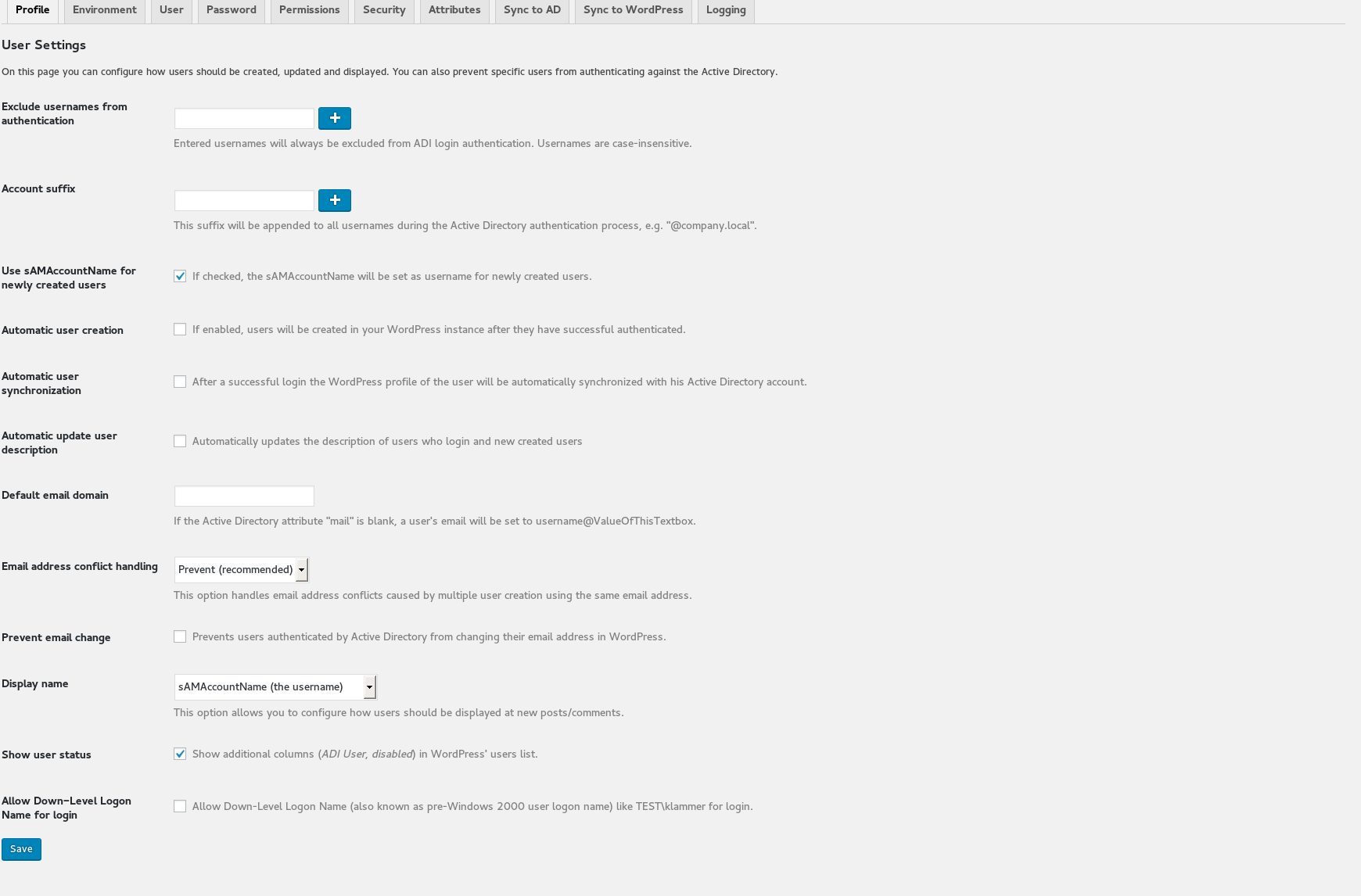
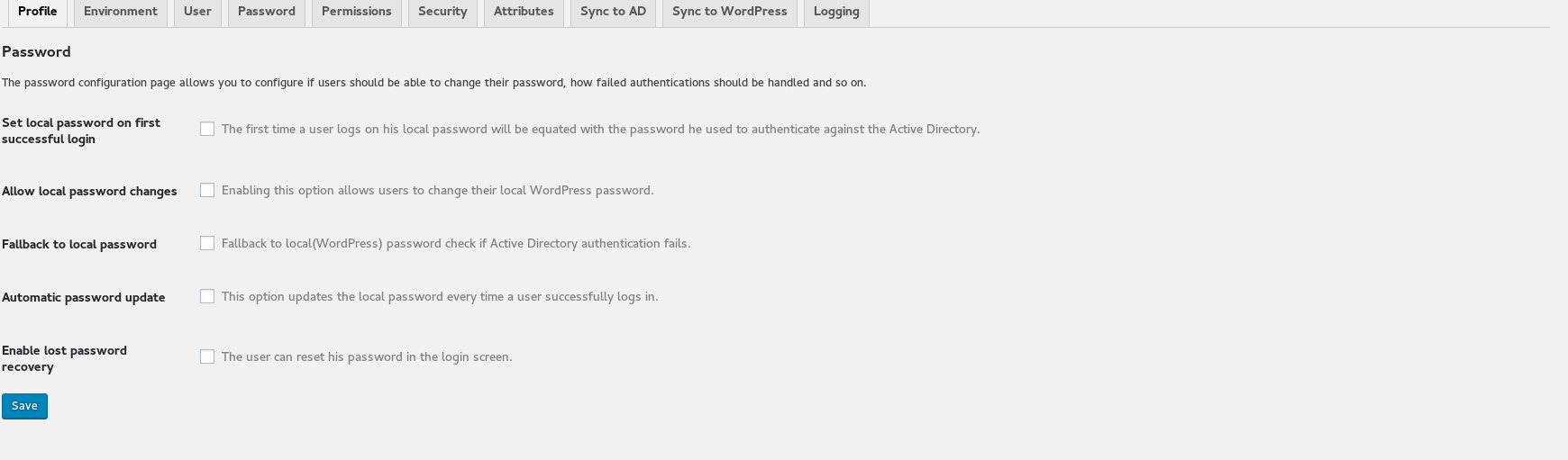


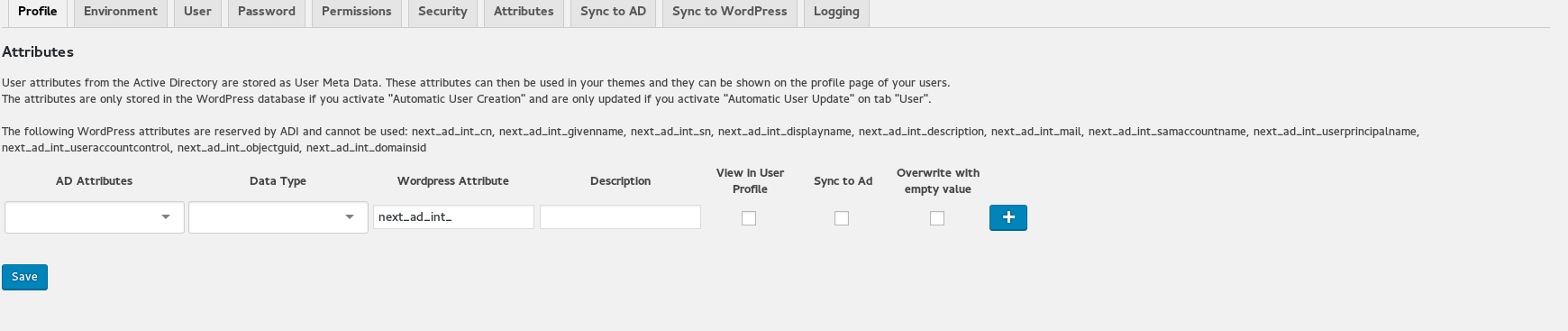

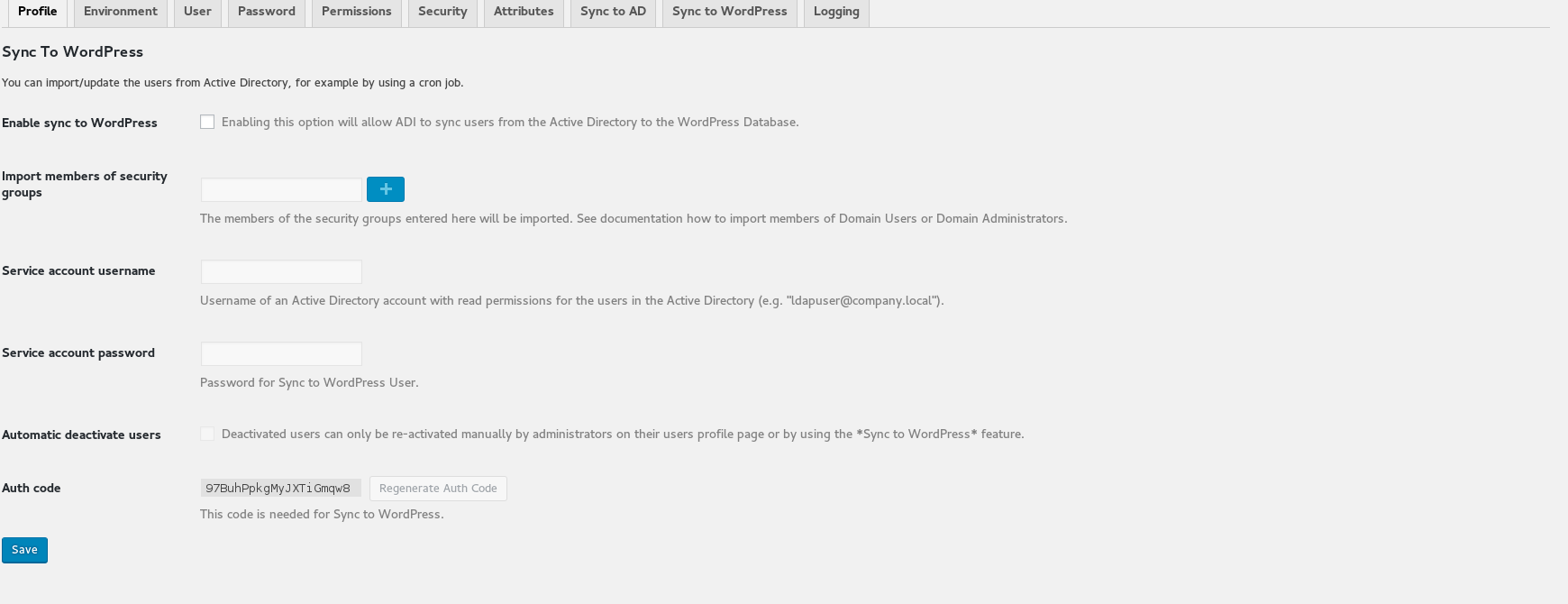
For developers
Is this your plugin? Show off the numbers.
Add a live badge to your site, docs or GitHub README. It updates on its own — no account needed.
Best Next Active Directory Integra… alternatives
All active directory plugins →



FAQ
Next Active Directory Integration: quick answers
Straight answers, pulled from live WordPress.org data.
Source: WordPress.org
Is Next Active Directory Integrati… free?
Yes. Next Active Directory Integrati… is free to download and use from the official WordPress.org plugin directory.
Is Next Active Directory Integrati… safe to use in 2026?
Next Active Directory Integrati… is a solid plugin choice in 2026, with a few things worth checking first. It runs on 2K+ sites, is rated 4.8/5 and was last updated 3 months ago, and scores 67/100 on our health check.
How many websites use Next Active Directory Integrati…?
Next Active Directory Integrati… is active on 2K+ WordPress websites and has been downloaded 171,743 times since it launched in September 2016. It was downloaded 1,948 times in the last 30 days.
Does Next Active Directory Integrati… work with WordPress 7.1?
Yes. The developer has tested Next Active Directory Integrati… up to WordPress 7.1.5, the latest release. It requires WordPress 6.0 or newer.
When was Next Active Directory Integrati… last updated?
The latest version, 3.2.4, was released on August 26, 2026 (3 months ago).
Who makes Next Active Directory Integrati…?
Next Active Directory Integrati… is developed and maintained by neosit.
What are the best alternatives to Next Active Directory Integrati…?
The most popular alternatives to Next Active Directory Integrati… are authLdap (4K+ installs), Active Directory Integratio… (4K+ installs) and Simple LDAP Login (1K+ installs).
Powered by PageForge
One template and a spreadsheet. A real page for every search.
PageForge turns each row of a CSV into a WordPress page with its own title, URL, SEO fields and schema, built on the layout you already designed. Free on WordPress.org.
- CSV and XLSX, plus Google Sheets on Professional and Enterprise
- Its own title, URL, SEO fields and schema for every page
- Works with the block editor, Elementor, Divi and Avada
- Free on WordPress.org, no credit card