


Employee Directory – Staff & Team Directory
Employee Directory is a searchable staff and team directory plugin for WordPress. Display employees with photos, job titles, departments, and bios in a clean, filterable layout that visitors can browse or search by…

Solid choice
Employee Directory is a solid plugin choice in 2026, with a few things worth checking first. It runs on 100+ sites, is rated 4.1/5 and was last updated 2 months ago, and scores 67/100 on our health check.
- Small user base (100+ active installs)
How does it stack up?
Side-by-side on installs, updates, ratings & support



Daily downloads
Download spikes usually follow a new release — each site that auto-updates counts as a download.
Rankings
Where Employee Directory stands todayWordPress.org search rankings
Live position in the plugin search, top 100| Keyword | Position |
|---|---|
| active directory | #12 |
| employee directory | #1 |
| entra-id | #7 |
| ldap | #11 |
| staff directory | #6 |
Version adoption
Share of active sites per release.
Rating breakdown
★★★★★★★★★★ 4.1 from 16 reviews
About Employee Directory
From the official readme · v4.5.6Description
Employee Directory is a searchable staff and team directory plugin for WordPress. Display employees with photos, job titles, departments, and bios in a clean, filterable layout that visitors can browse or search by name, title, or department.
Built to scale from small teams to large organizations, Employee Directory supports enterprise use cases like company intranets, org charts, and centralized identity sync with Microsoft Entra ID, Active Directory, and LDAP, available through official add-ons and the Professional version. Custom fields, advanced layouts, and reporting hierarchies are also available with Professional.
Employee Directory supports a modular architecture designed for growing organizations. Start with a simple directory and extend it as your needs evolve.
Advanced Features & Integrations
Employee Directory supports advanced organizational and intranet use cases through official add-ons and the Professional version.
Available capabilities include:
- Organizational hierarchies and org charts
- LDAP / Active Directory integration
- Microsoft Entra ID (Azure AD) integration
- Bidirectional JSON sync with any external system via EMD Integrator, including syncing two Employee Directory sites with each other
- Bulk employee data synchronization
- Workflow automation (optional, customizable feature)
See Employee Directory in action → Explore Employee Directory
LIVE DEMO SITE
Employee Directory Starter Demo Site
Employee Directory Professional Demo Site
Built for teams of 100 to 1,000+
Getting Started
Watch our introduction video to quickly get started with Employee Directory.
Employee Directory YouTube Playlist
A collection of videos explaining Employee Directory concepts, features, and setup:
RELATED PLUGINS YOU MAY LIKE
- Employee Spotlight: Display and manage staff profiles.
- Campus Directory: All-in-one directory for higher education institutions.
- Knowledge Center: Knowledge base software for helping customers and employees find answers.
- WP Ticket: Customer support and helpdesk ticketing.
- YouTube Showcase: Beautiful YouTube video galleries for WordPress.
- Request a Quote: Sales quoting solution for WordPress.
- Software Issue Manager: Issue and project management solution.
- WP Easy Contact: Contact management solution for WordPress.
- WP Easy Events: Event planning, ticketing, and insights for WordPress.
Credits
This plugin was generated using WP App Studio.
Installation
The simplest way to install is to click on ‘Plugins’ then ‘Add’ and type ‘Employee Directory’ in the search field.
Manual Installation Type 1
- Login to your website and go to the Plugins section of your admin panel.
- Click the Add New button.
- Under Install Plugins, click the Upload link.
- Select the plugin zip file from your computer then click the Install Now button.
- You should see a message stating that the plugin was installed successfully.
- Click the Activate Plugin link.
Manual Installation Type 2
- You should have access to the server where WordPress is installed. If you don’t, see your system administrator.
- Copy the plugin zip file up to your server and unzip it somewhere on the file system.
- Copy the “empd-com” folder into the /wp-content/plugins directory of your WordPress installation.
- Login to your website and go to the Plugins section of your admin panel.
- Look for “Employee Directory” and click Activate.
Frequently asked questions
Can I create a searchable employee directory?
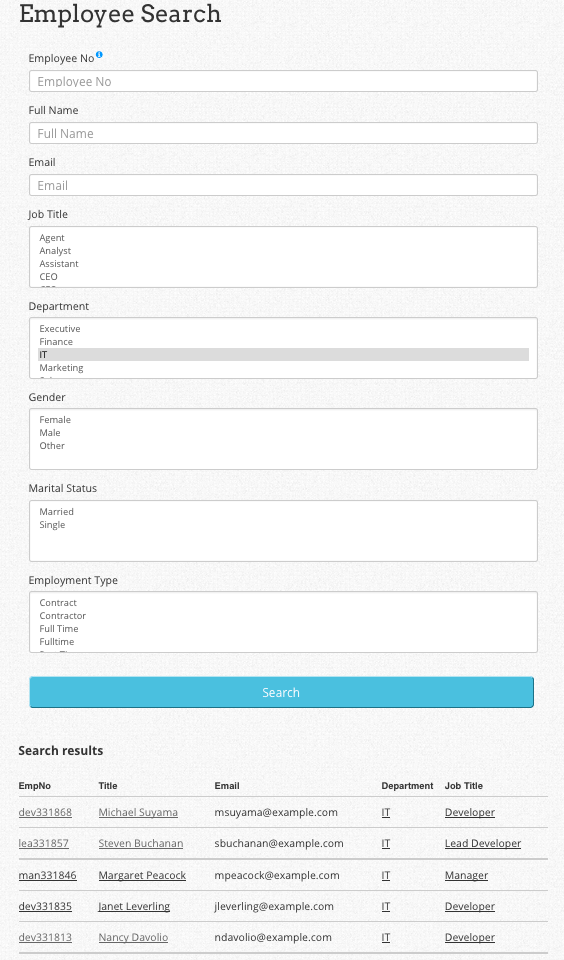
Yes! Employee Directory includes built-in search and optional filters by department, role, or location.
What information can I display for each employee?
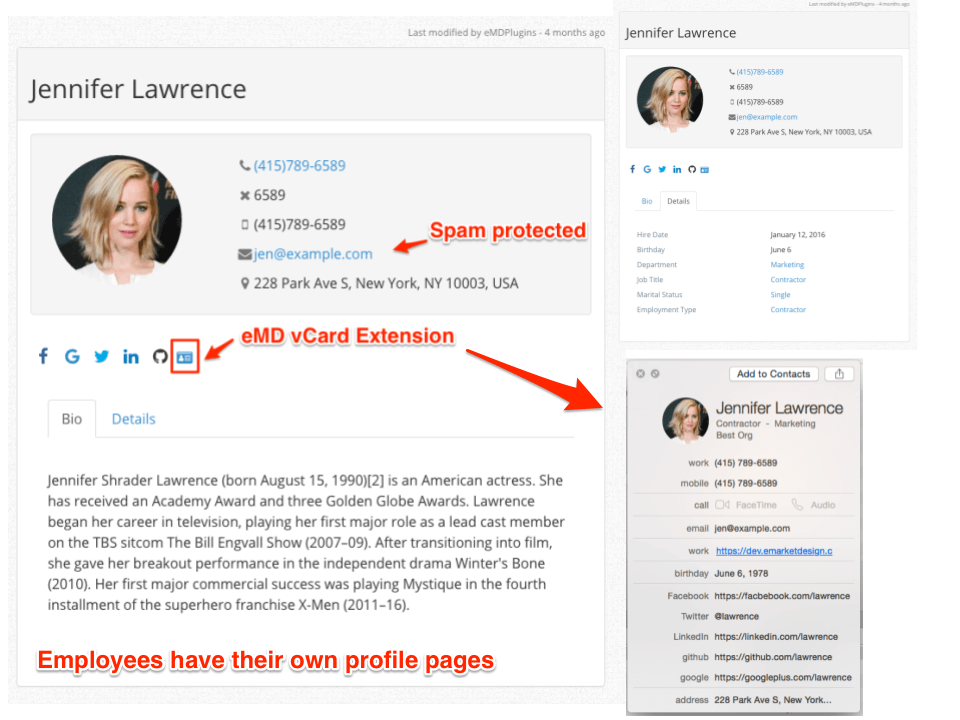
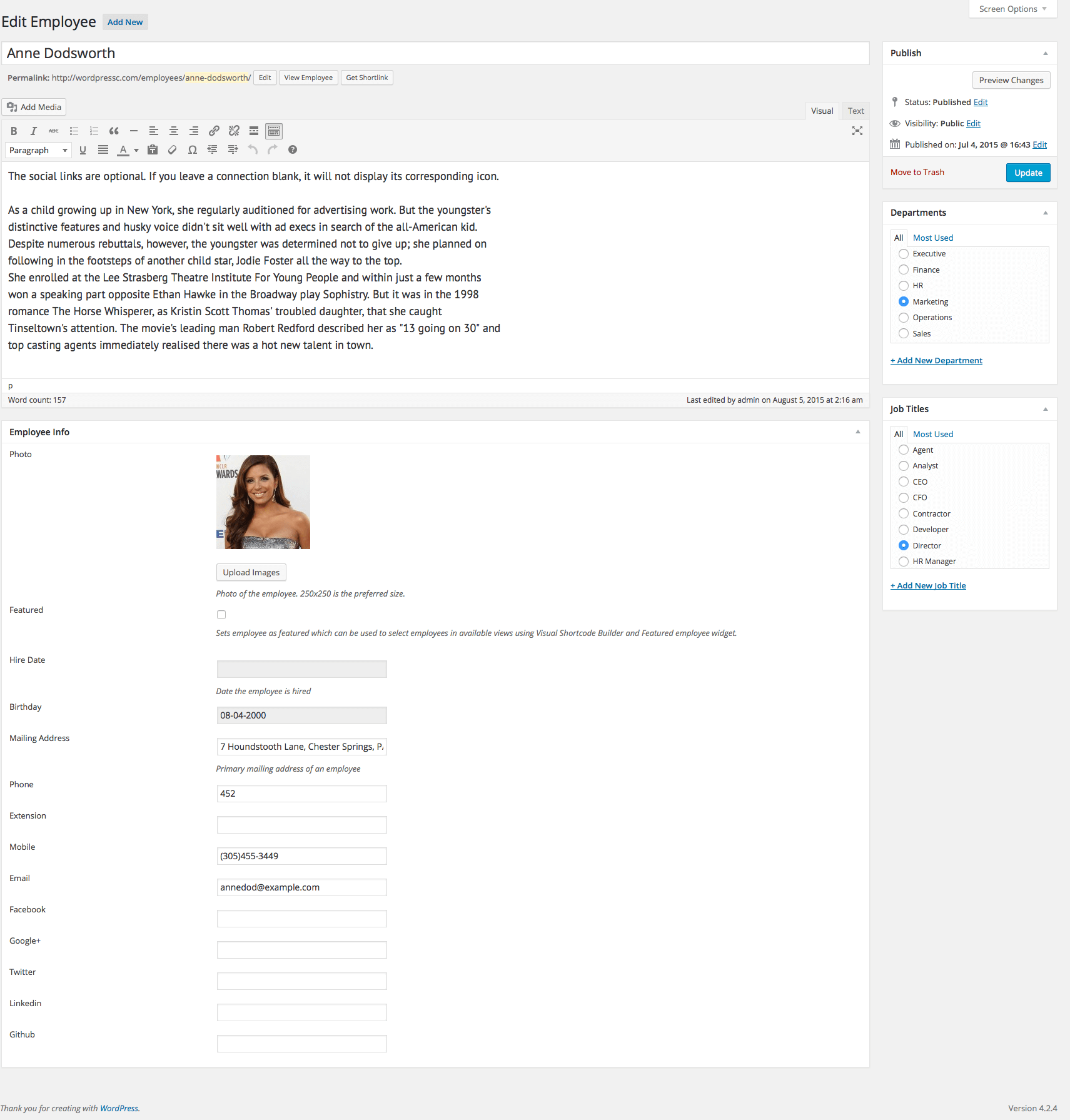
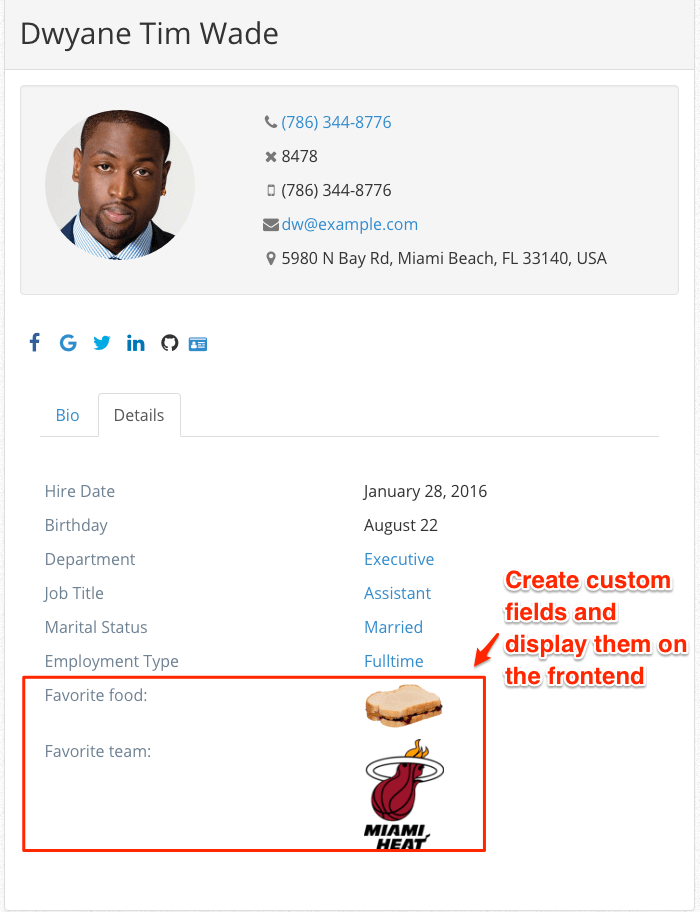
You can show name, photo, job title, department, and bio. Adding custom fields is available in the Professional version.
Can I group employees by department, team, or role?
Yes. Categories or tags can be used to organize employees and display them accordingly.
Is the directory mobile-friendly?
Yes. All layouts are fully responsive and work on phones, tablets, and desktops.
Can I use this plugin for a company intranet?
Yes. Employee Directory is ideal for internal staff listings on company intranets or private sites.
Does it support LDAP, Active Directory, or Microsoft Entra ID integration?
Yes. Integration is available via official add-ons, letting you sync users from centralized identity systems so employee data stays consistent across platforms. See our guides: How to Sync with Microsoft Entra ID and How to Sync with Active Directory or LDAP.
What if my employee data lives somewhere other than Entra ID or Active Directory?
EMD Integrator syncs employee data with any external system that can output JSON, in either direction, including syncing two separate Employee Directory sites with each other.
Are workflow automation or other advanced features included?
Workflow automation is available as an optional, customizable feature. Professional version users also get advanced features such as organizational charts, reporting hierarchies, and custom fields. Smart Search & Reporting and Bulk Import & Export are included at no extra cost with Professional.
Which employee directory plugin is right for my organization?
It depends on your size and use case. See our comparison of employee directory plugins for WordPress to find the right fit.
Changelog
4.5.6
- FIXED XSS vulnerability for emd_mb_meta function
4.5.5
- FIXED An issue where non-admin users were blocked from wp-admin due to an incorrect wp_die() call in show_optin()
= 4.5.4= - TWEAK tested with WP 6.9
- FIXED Missing authorization and nonce check in callback function for check_optin
= 4.5.3= - FIXED Validate input for emd_form_builder_lite_pagenum function
= 4.5.2= - FIXED XSS vulnerability for noaccess_msg
- FIXED Resolved an issue where deleted taxonomy terms were being unintentionally recreated.
- FIXED Removed repeated initialization of default taxonomy terms.
- FIXED Vulnerability related to emd_get_widg_pagenum
= 4.5.1= - TWEAK tested with WP 6.8
- FIXED XSS vulnerability when using custom fields
= 4.5.0= - FIXED WordPress dashboard accordions issue on setting and glossary pages due to changes in core code on WP 6.7.1
4.4.1
- FIXED issue with employee images
4.4.0
- TWEAK tested with WP 6.5
- FIXED Translation to one textdomain
- FIXED Add sanitization and fix CSRF vulnerability
4.3
- TWEAK tested with WP 6.2
- FIXED Employee Search results table
4.2.6
- TWEAK tested with WP 6.0
Screenshots


For developers
Is this your plugin? Show off the numbers.
Add a live badge to your site, docs or GitHub README. It updates on its own — no account needed.
Best Employee Directory alternatives
All active directory plugins →


FAQ
Employee Directory: quick answers
Straight answers, pulled from live WordPress.org data.
Live data from WordPress.org · checked Sep 28, 2026
Is Employee Directory free?
Yes. Employee Directory is free to download and use from the official WordPress.org plugin directory.
Is Employee Directory safe to use in 2026?
Employee Directory is a solid plugin choice in 2026, with a few things worth checking first. It runs on 100+ sites, is rated 4.1/5 and was last updated 2 months ago, and scores 67/100 on our health check.
How many websites use Employee Directory?
Employee Directory is active on 100+ WordPress websites and has been downloaded 44,845 times since it launched in August 2015. It was downloaded 255 times in the last 30 days.
Does Employee Directory work with WordPress 7.1?
Employee Directory is officially tested up to WordPress 7.0.6, while the latest release is 7.1.2. It may still work, but try it on a staging site first.
When was Employee Directory last updated?
The latest version, 4.5.6, was released on August 12, 2026 (2 months ago).
Who makes Employee Directory?
Employee Directory is developed and maintained by emarket-design.
What are the best alternatives to Employee Directory?
The most popular alternatives to Employee Directory are OneLogin SAML SSO (7K+ installs), authLdap (4K+ installs) and Active Directory Integratio… (4K+ installs).
Powered by PageForge
Want thousands of pages that rank like these? Build them in an afternoon.
This directory runs on the same engine as PageForge. Turn any spreadsheet, CSV or API into thousands of fast, SEO-ready WordPress pages — with schema, internal links and AI-written copy baked in.
- CSV, Google Sheets & API data sources
- AI content, schema & internal links per page
- Works with Elementor, Gutenberg, Yoast & Rank Math
- Free on WordPress.org — no credit card


