


Modern Comments
Modern Comments restyles and enhances the comment area you already have. It builds on top of WordPress’s own comment functions rather than swapping in a separate system, so your comments, moderation, spam filtering, and…

Use with caution
Modern Comments works, but test it on a staging site before relying on it in 2026. Was last updated 3 months ago, and scores 55/100 on our health check.
- Small user base (<10 active installs)
- Very few reviews so far
How does it stack up?
Side-by-side on installs, updates, ratings & support



Daily downloads
Download spikes usually follow a new release — each site that auto-updates counts as a download.
Rankings
Where Modern Comments stands todayWordPress.org search rankings
Live position in the plugin search, top 100| Keyword | Position |
|---|---|
| ajax comments | >100 |
| comments | >100 |
| dark mode | >100 |
| elementor | >100 |
| woocommerce | >100 |
About Modern Comments
From the official readme · v1.0.0Description
Modern Comments restyles and enhances the comment area you already have. It builds on top of WordPress’s own comment functions rather than swapping in a separate system, so your comments, moderation, spam filtering, and data stay exactly where they are — they just look and behave better.
Because it hooks WordPress at the comment layer (the comments block and the comment template), it is builder-agnostic by design: the same enhancement applies whether your site uses a block theme, a classic theme, or a page builder.
Tested and supported
Support is claimed only for environments that have been directly verified: WordPress block themes (verified with Twenty Twenty-Five) and classic themes (verified with Twenty Twenty-One), the bundled Elementor widget, and WooCommerce product reviews. The plugin is designed to work with any standards-compliant block or classic theme. Bricks, Beaver Builder, and Oxygen are not yet officially tested; the plugin is expected to enhance any builder that renders the native comment template, and verified support for those will be added based on testing or confirmed user reports rather than assumption.
Key features
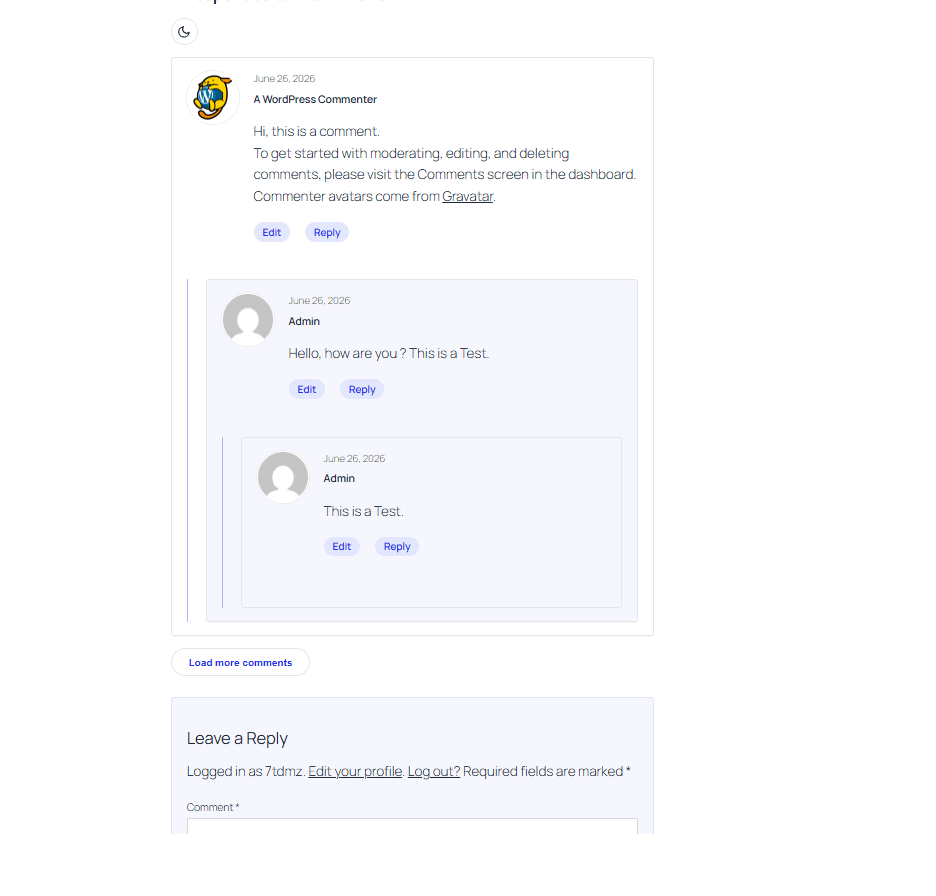
- Modern comment cards with avatars, clean typography, and threaded-reply rails — on both block (FSE) and classic themes.
- AJAX comment submission: post without a page reload, with inline validation and correct “awaiting moderation” handling for held comments.
- AJAX load-more: load comments in batches instead of pagination.
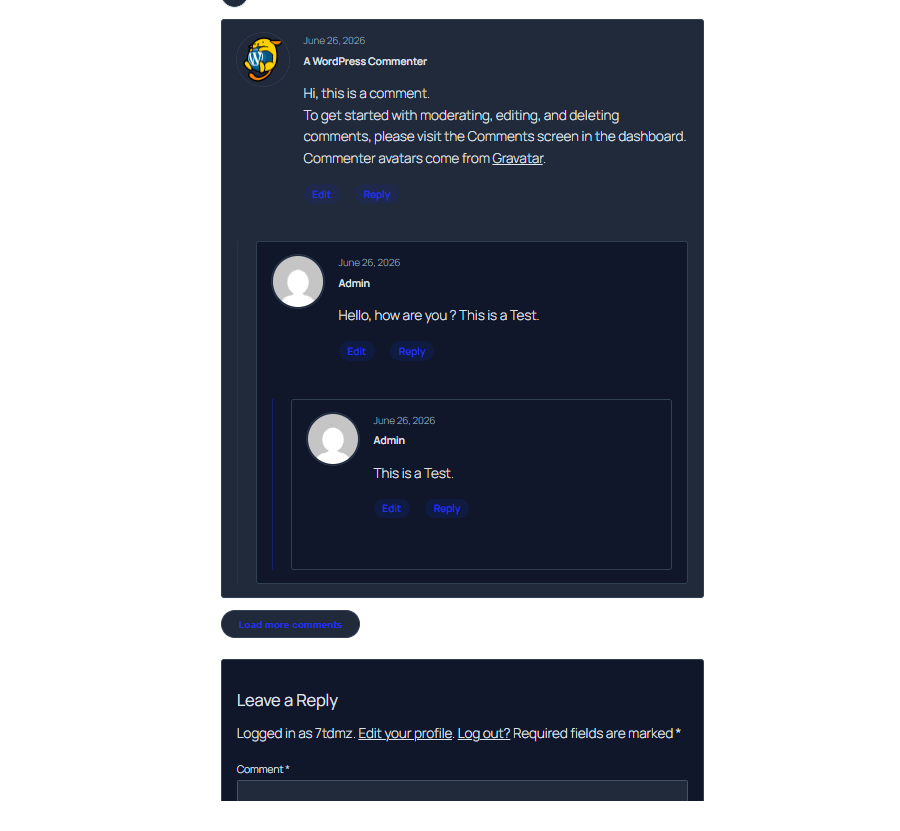
- Dark mode: automatic (follows the visitor’s OS) plus an optional manual toggle that remembers the choice per device.
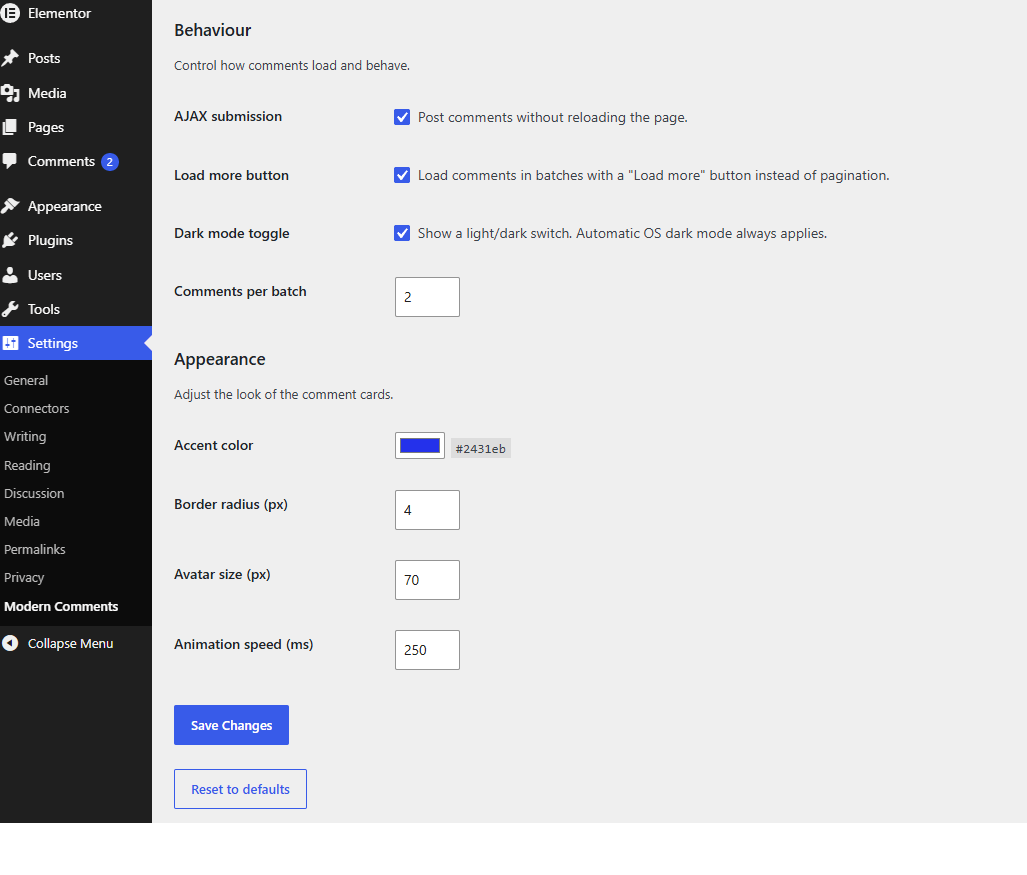
- A settings page for accent color, border radius, avatar size, batch size, and feature toggles.
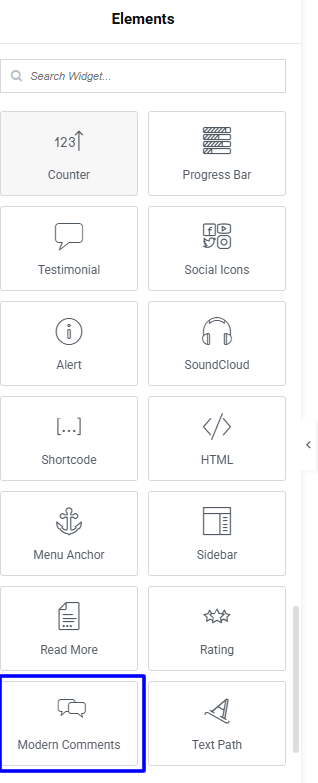
- A native Elementor widget that renders the real WordPress comments, with per-instance styling overrides.
- Accessibility-minded: keyboard focus styles, ARIA live regions for status messages, reduced-motion support.
- Lightweight: no jQuery, assets load only where comments appear.
What it does not do
This free version focuses on a beautiful, fast, native comment experience. It does not add reactions, mentions, notifications, media uploads, or social login.
Installation
- Upload the
modern-commentsfolder to/wp-content/plugins/, or install the ZIP via Plugins → Add New → Upload Plugin. - Activate the plugin through the Plugins menu.
- Visit any single post or page that has comments enabled — the comment area is enhanced automatically.
- Adjust options under Settings → Modern Comments.
Frequently asked questions
Does this replace the WordPress comment system?
No. It enhances the native system. All comments are stored, moderated, and filtered by WordPress exactly as before.
Will it work with my theme?
It is built to work with any standards-compliant block or classic theme, because it targets WordPress’s own comment output rather than any specific theme.
Does it work with page builders?
It includes a native, tested Elementor widget. Bricks, Beaver Builder, and Oxygen have not yet been officially tested. Because the plugin enhances WordPress’s native comment output, it is expected to work with any builder that renders the standard comment template — but please confirm in your own setup before relying on it. Verified support for additional builders will be added over time.
Is comment submission still secure?
Yes. AJAX submissions are processed by WordPress’s own comment pipeline (the same one the standard form uses), with a verification nonce added on top. Held comments are never displayed as if approved.
Does dark mode change my whole site?
No. It styles the comment area only. Full-page dark mode is the responsibility of your theme.
Changelog
First public release of Modern Comments.
1.0.0
- First public release.
- Modern comment cards for block themes and classic themes.
- AJAX comment submission with safe moderation handling.
- AJAX load-more for comments.
- Automatic and manual dark mode (per-device).
- Settings page: accent color, border radius, avatar size, batch size, and feature toggles.
- Native Elementor widget with per-instance styling.
- WooCommerce product review styling, including dark mode and accent.
- Production hardening: WordPress Coding Standards clean, security/performance/accessibility reviewed, and translation-ready (.pot included).
0.9.4
- WooCommerce product reviews verified and added to officially supported environments.
- WooCommerce reviews: accent color now applies to the star rating and review Submit button; review form styled as a card so labels stay readable in dark mode.
0.9.3
- WooCommerce reviews: fix leftover inner border on review cards (specificity), and defer review loading to WooCommerce’s native pagination on product pages.
0.9.2
- Add styling for WooCommerce product reviews (CSS-only, scoped to #reviews). Maps the card design and dark mode onto WooCommerce’s review markup.
0.9.1
- Compatibility claims revised to verified-only: official support is stated solely for environments that have been directly tested (block themes, classic themes, Elementor). Release candidate for 1.0.0.
0.9.0
- Production-readiness pass: WordPress Coding Standards (PHPCS) clean, security/performance/accessibility audit, translation template (.pot), and removal of development artifacts.
Screenshots
For developers
Is this your plugin? Show off the numbers.
Add a live badge to your site, docs or GitHub README. It updates on its own — no account needed.
Best Modern Comments alternatives
All ajax comments plugins →



FAQ
Modern Comments: quick answers
Straight answers, pulled from live WordPress.org data.
Live data from WordPress.org · checked Sep 27, 2026
Is Modern Comments free?
Yes. Modern Comments is free to download and use from the official WordPress.org plugin directory.
Is Modern Comments safe to use in 2026?
Modern Comments works, but test it on a staging site before relying on it in 2026. Was last updated 3 months ago, and scores 55/100 on our health check.
How many websites use Modern Comments?
Modern Comments is active on <10 WordPress websites and has been downloaded 205 times since it launched in June 2026. It was downloaded 64 times in the last 30 days.
Does Modern Comments work with WordPress 7.1?
Modern Comments is officially tested up to WordPress 7.0.6, while the latest release is 7.1.2. It may still work, but try it on a staging site first.
What PHP version does Modern Comments need?
Modern Comments requires PHP 8.0 or higher. Most hosts run PHP 8.x today, so it works on any modern WordPress hosting.
When was Modern Comments last updated?
The latest version, 1.0.0, was released on June 30, 2026 (3 months ago).
Who makes Modern Comments?
Modern Comments is developed and maintained by thisisvince.
What are the best alternatives to Modern Comments?
The most popular alternatives to Modern Comments are Comments – wpDiscuz (60K+ installs), AnyComment (5K+ installs) and Simple Comment Editing (2K+ installs).
Powered by PageForge
Want thousands of pages that rank like these? Build them in an afternoon.
This directory runs on the same engine as PageForge. Turn any spreadsheet, CSV or API into thousands of fast, SEO-ready WordPress pages — with schema, internal links and AI-written copy baked in.
- CSV, Google Sheets & API data sources
- AI content, schema & internal links per page
- Works with Elementor, Gutenberg, Yoast & Rank Math
- Free on WordPress.org — no credit card


