


MilesWeb Tools
MilesWeb Tools is a powerful WordPress plugin designed to enhance your site’s functionality and security. It helps you manage security settings, maintenance mode, enforce HTTPS, disable file editing, log user activity…

Consider an alternative
MilesWeb Tools shows warning signs in 2026 — compare the alternatives below before installing. It runs on 10K+ sites and was last updated 1 year ago, and scores 39/100 on our health check.
- Proven at scale on 10K+ active sites
- Very few reviews so far
- No update in over a year
- Only tested up to WordPress 6.8 (latest is 7.1)
How does it stack up?
Side-by-side on installs, updates, ratings & support



Daily downloads
Download spikes usually follow a new release — each site that auto-updates counts as a download.
Rankings
Where MilesWeb Tools stands todayWordPress.org search rankings
Live position in the plugin search, top 100| Keyword | Position |
|---|---|
| maintenance | >100 |
| plugin info | >100 |
| security | >100 |
| storage usage | #48 |
| user logging | >100 |
Version adoption
Share of active sites per release.
About MilesWeb Tools
From the official readme · v1.0.2Description
MilesWeb Tools is a powerful WordPress plugin designed to enhance your site’s functionality and security. It helps you manage security settings, maintenance mode, enforce HTTPS, disable file editing, log user activity, track storage usage, and provides detailed insights into active and inactive themes and plugins.
Features:
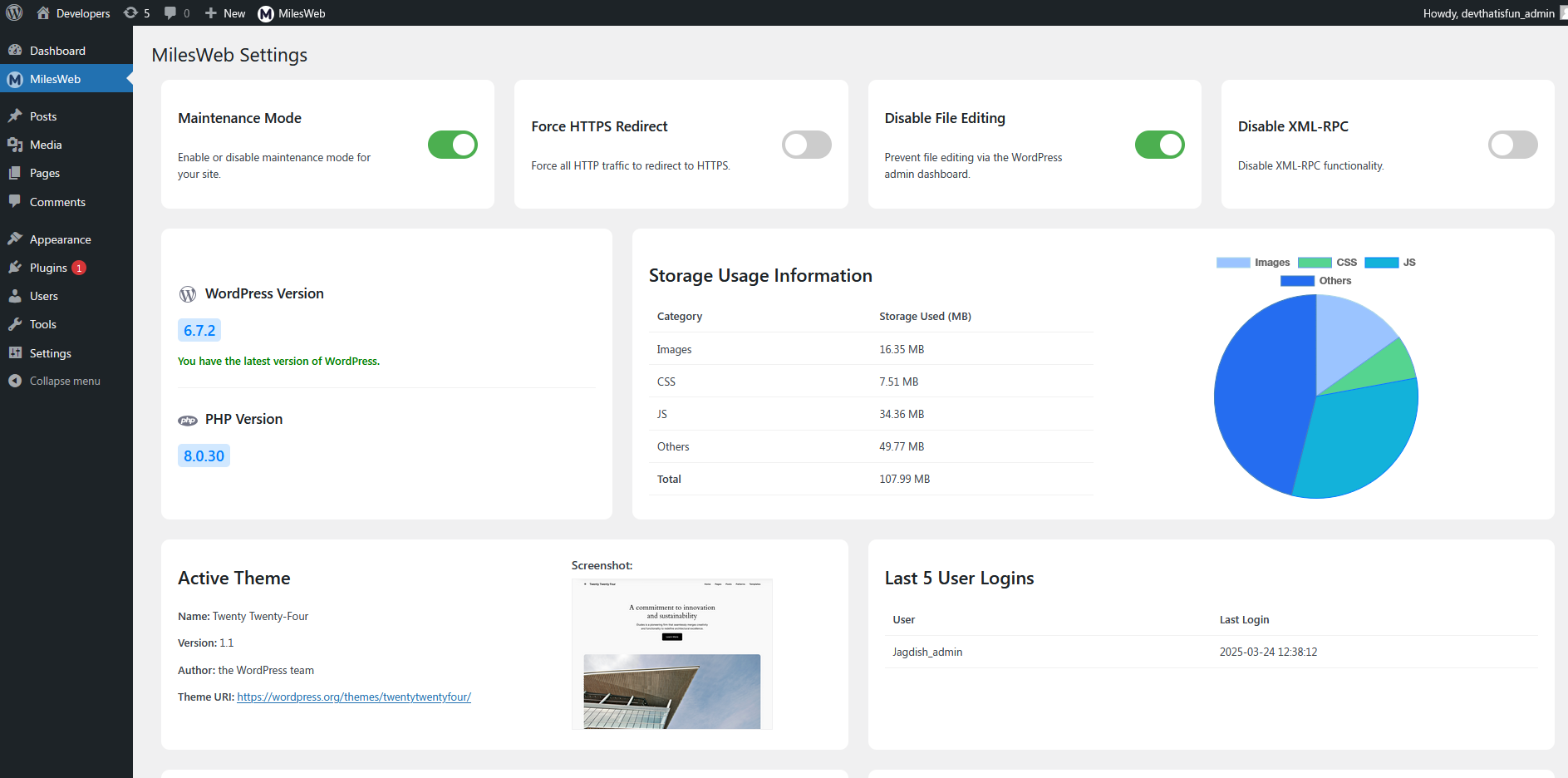
- Enable/disable maintenance mode.
- Force HTTPS redirection.
- Disable file editing in the WordPress admin panel.
- Disable XML-RPC to prevent security vulnerabilities.
- Track user logins.
- Display active theme details and inactive theme storage usage.
- Show active/inactive plugins, including their size, and memory usage.
- Identify outdated plugins and themes.
Short Description
Manage security, maintenance, and user logging while monitoring storage usage in one plugin.
License & Credits
This plugin is licensed under GPLv2 or later. Contributions from the WordPress community are appreciated.
Support
For support, visit MilesWeb Support or the WordPress support forums.
Installation
Minimum Requirements:
– WordPress 5.6 or higher
– PHP 7.4 or higher
Automatic Installation:
– This plugin will be automatically installed if you set up a WordPress site on MilesWeb’s managed WordPress hosting account.
Install via WordPress Admin:
1. In your WordPress admin panel, navigate to ‘Plugins’ > ‘Add New’.
2. Search for “MilesWeb Tools” in the search bar.
3. Click ‘Install Now’ next to the plugin.
4. Once the installation is complete, click ‘Activate’.
5. Access the plugin settings via the ‘MilesWeb’ menu in the WordPress admin panel.
Manual Installation:
1. Download the plugin ZIP file from WordPress.org.
2. Extract the ZIP file and upload the milesweb-tools folder to the /wp-content/plugins/ directory on your server.
3. Go to the ‘Plugins’ menu in your WordPress admin panel and activate the plugin.
4. Access the plugin settings via the ‘MilesWeb’ menu in the WordPress admin panel.
Changelog
Bug fix release – resolves maintenance mode issues and improves UI consistency.
1.0.2
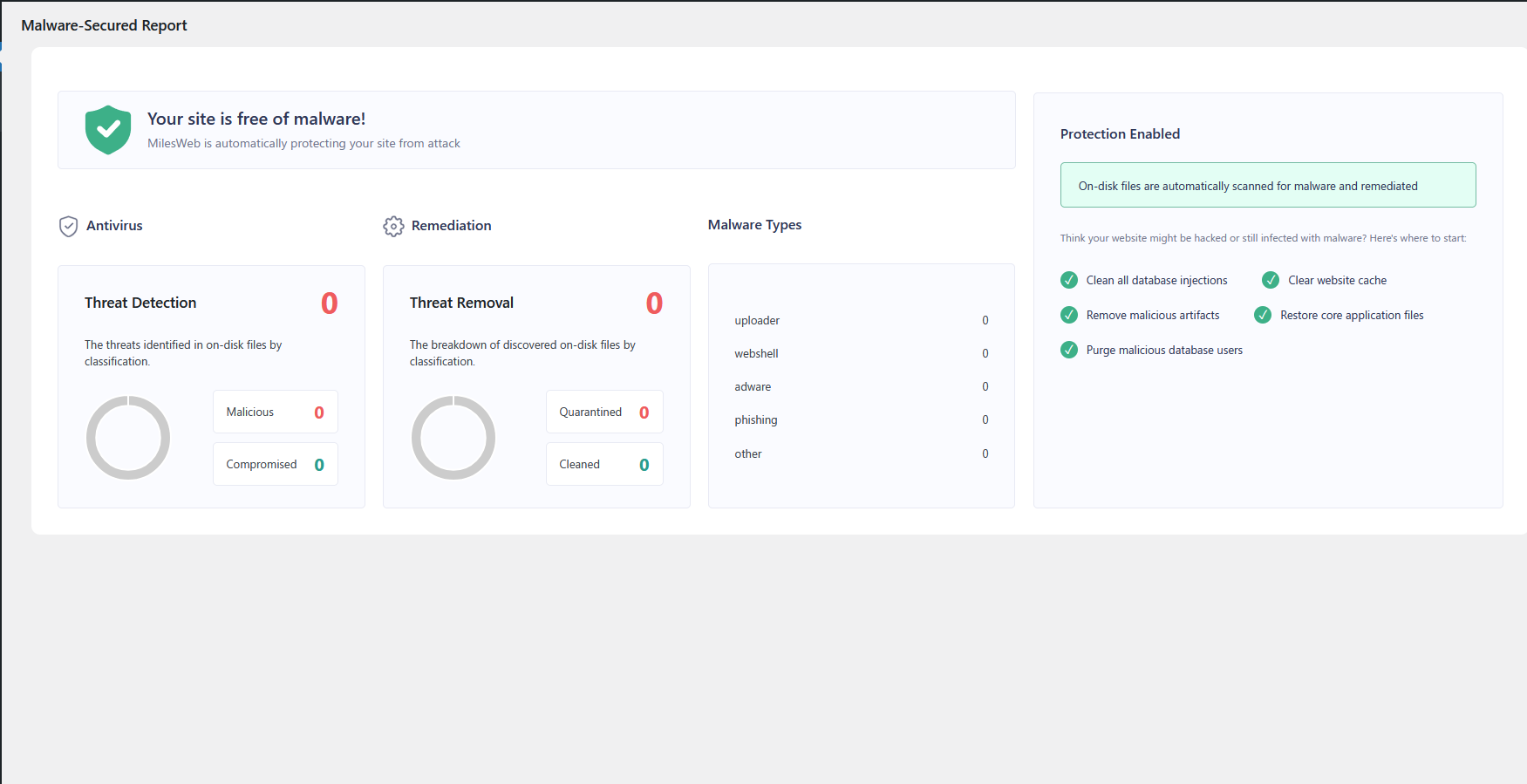
- Added Malware-Secured Report to identify and resolve potential security issues.
- Fixed maintenance mode issues that affected some users during updates.
1.0.1
- Fixed issues related to maintenance mode display and behavior.
- Minor UI improvements for the admin panel.
1.0
- Initial release.
- Added maintenance mode.
- Implemented HTTPS redirection.
- Disabled file editing & XML-RPC.
- Logged user activity.
- Added theme and plugin information tracking.
Screenshots

For developers
Is this your plugin? Show off the numbers.
Add a live badge to your site, docs or GitHub README. It updates on its own — no account needed.
Best MilesWeb Tools alternatives
All maintenance plugins →





FAQ
MilesWeb Tools: quick answers
Straight answers, pulled from live WordPress.org data.
Source: WordPress.org
Is MilesWeb Tools free?
Yes. MilesWeb Tools is free to download and use from the official WordPress.org plugin directory.
Is MilesWeb Tools safe to use in 2026?
MilesWeb Tools shows warning signs in 2026 — compare the alternatives below before installing. It runs on 10K+ sites and was last updated 1 year ago, and scores 39/100 on our health check.
How many websites use MilesWeb Tools?
MilesWeb Tools is active on 10K+ WordPress websites and has been downloaded 33,413 times since it launched in March 2025. It was downloaded 1,903 times in the last 30 days.
Does MilesWeb Tools work with WordPress 7.1?
MilesWeb Tools is officially tested up to WordPress 6.8.13, while the latest release is 7.1.5. It may still work, but try it on a staging site first.
What PHP version does MilesWeb Tools need?
MilesWeb Tools requires PHP 7.4 or higher. Most hosts run PHP 8.x today, so it works on any modern WordPress hosting.
When was MilesWeb Tools last updated?
The latest version, 1.0.2, was released on July 25, 2025 (1 year ago).
Who makes MilesWeb Tools?
MilesWeb Tools is developed and maintained by MilesWeb.
What are the best alternatives to MilesWeb Tools?
The most popular alternatives to MilesWeb Tools are Hostinger Tools (3M+ installs), Maintenance (1M+ installs) and WP Maintenance (60K+ installs).
Powered by PageForge
One template and a spreadsheet. A real page for every search.
PageForge turns each row of a CSV into a WordPress page with its own title, URL, SEO fields and schema, built on the layout you already designed. Free on WordPress.org.
- CSV and XLSX, plus Google Sheets on Professional and Enterprise
- Its own title, URL, SEO fields and schema for every page
- Works with the block editor, Elementor, Divi and Avada
- Free on WordPress.org, no credit card