



Micropayments Paywall
Micropayments Paywall allows you to monetize your content by setting up a paywall. Users pay to access individual posts or pay for a lifetime membership (Premium Plugin only), allowing you to generate revenue directly…

Consider an alternative
Micropayments Paywall shows warning signs in 2026 — compare the alternatives below before installing. Was last updated 3 years ago, and scores 21/100 on our health check.
- Small user base (<10 active installs)
- Very few reviews so far
- No update in 2 years
- Only tested up to WordPress 6.3 (latest is 7.1)
How does it stack up?
Side-by-side on installs, updates, ratings & support



Daily downloads
Download spikes usually follow a new release — each site that auto-updates counts as a download.
Rankings
Where Micropayments Paywall stands todayWordPress.org search rankings
Live position in the plugin search, top 100| Keyword | Position |
|---|---|
| credit card | >100 |
| membership | >100 |
| micropayments | #43 |
| paywall | >100 |
| restricted content | >100 |
About Micropayments Paywall
From the official readme · v4.0.2Description
Micropayments Paywall allows you to monetize your content by setting up a paywall. Users pay to access individual posts or pay for a lifetime membership (Premium Plugin only), allowing you to generate revenue directly from your website.
Getting Started
- Install the Micropayments Paywall plugin.
- Activate the plugin.
- Go to your WordPress dashboard and click on ‘Paywall’ on the left hand menu.
- Configure the Stripe payment gateway.
- From “Posts” on the left hand menu, create or edit a post. Enable the paywall by checking the “Enable Paywall” box.
- Set the price for the post in the “Product Price” field.
- Publish or Save the post.
- That’s it! Your post will now be paywalled.
Configuring Stripe Payment Gateway
If you have a Stripe account, you can allow customers to pay you via card by purchasing the Premium plugin.
Stripe fees typically include a flat fee (often 30c) plus a fixed percentage over 2.5%. In certain cases, you can request micropayment fee rates which allow for a lower fixed fee.
!!! Stripe does not allow for payments below 0.5 Euro. For this reason, if you enable the Stripe payment gateway, the minimum you can charge for a post is $0.75.
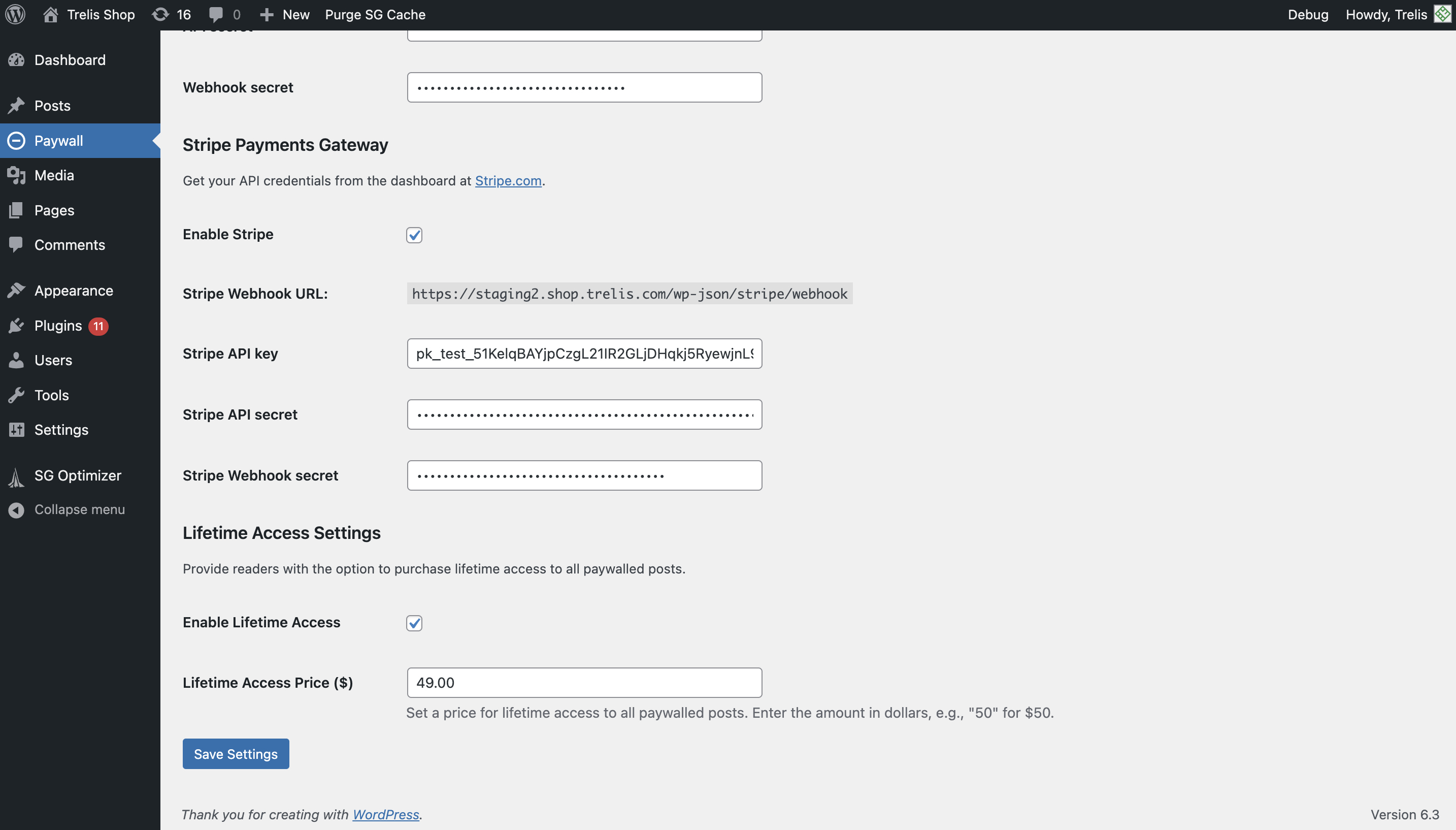
To configure Stripe within Micropayments Paywall Settings (accessible via “Paywall” on your WordPress dashboard):
- Copy the Stripe Webhook URL.
- Navigate to Stripe.com and log into your account. This account will receive payments.
- Search for “webhooks” in the developer section of the site and create a new webhook for the Stripe Webhook URL you copied over from WordPress. You can set the webhook to receive all events.
- Again, on your Stripe dashboard, find your api keys in the developer setting. Set up a new key and get the public key and the secret.
- Enter the public key (which is the API key) and the secret (API secret) into Micropayments Paywall Settings (acessible via “Paywall” on your WordPress admin dashboard).
- Press “Save Settings” on WordPress to confirm changes.
Configuring Life-time Access (Premium Plug-in Only)
- Navigate to WordPress -> Settings -> Micropayments Paywall Settings (see ‘Paywall’ on the left menu)
- Scroll down and tick the box to enable Lifetime access to posts
- Set a price
- Save Settings
- Purchase the premium plugin here
Frequently asked questions
How do users pay for the content?
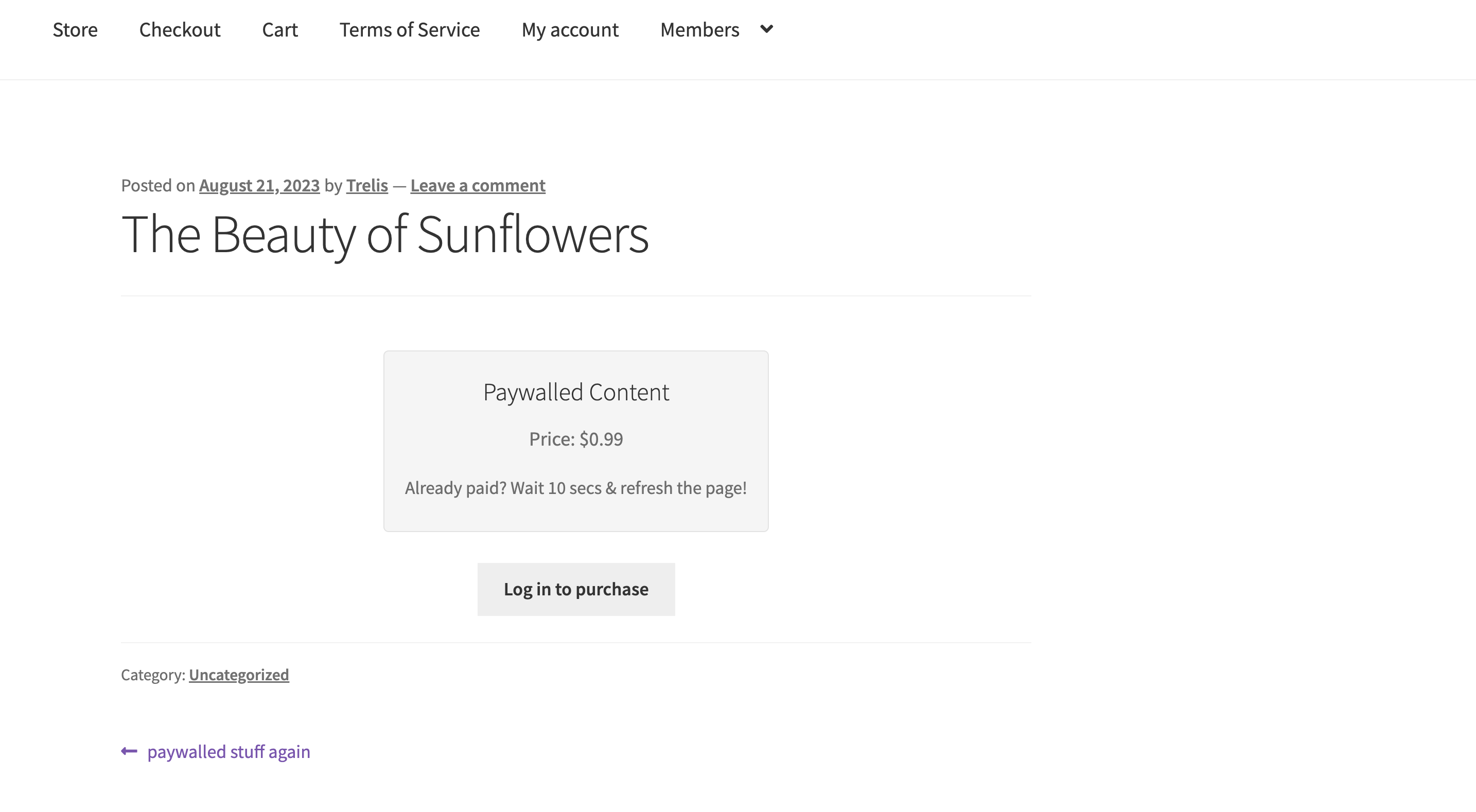
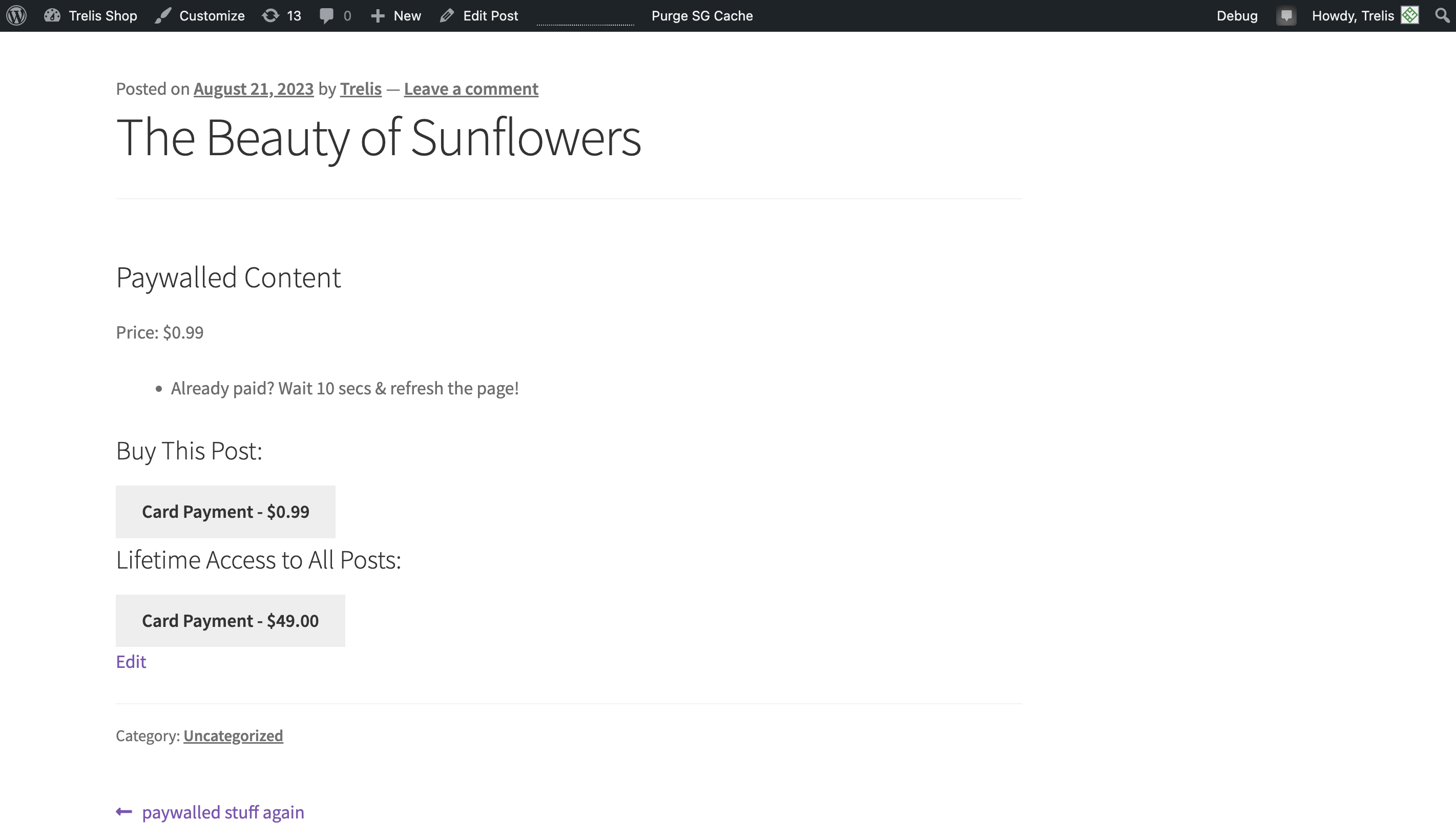
Users can pay for the content by clicking the “Purchase this post” button that appears when the content is paywalled. If a user is not logged in, they will be prompted to log in before they can pay. They can pay using their credit or debit card (Stripe).
Can I set different prices for different posts?
Yes, you can set different prices for each post by editing the “Product Price” field in the paywall meta box. If you enable Stripe, you cannot set the price below 75c.
What payment methods are supported?
Card payments via Stripe.
What is the pricing?
This plugin does not charge for payments made via credit/debit card. Fees are managed by Stripe. Upgrade to the premium plugin to be able to charge a flat fee for lifetime access buy here.
Changelog
There are no active upgrade notices.
Open issues
None.
4.0.2
Fix paywall payment button alignment
4.0.0
Enable Stripe onthe free plug-in.
Remove Trelis payment gateway (USDC), as it has been discontinued.
3.0.0
Allow for lifetime access to all posts via credit/debit card in the Premium plugin.
2.5
Cosmetic fixes
2.4.1
Release on WordPress.org
Screenshots


For developers
Is this your plugin? Show off the numbers.
Add a live badge to your site, docs or GitHub README. It updates on its own — no account needed.
Best Micropayments Paywall alternatives
All credit card plugins →





FAQ
Micropayments Paywall: quick answers
Straight answers, pulled from live WordPress.org data.
Live data from WordPress.org · checked Sep 30, 2026
Is Micropayments Paywall free?
Yes. Micropayments Paywall is free to download and use from the official WordPress.org plugin directory.
Is Micropayments Paywall safe to use in 2026?
Micropayments Paywall shows warning signs in 2026 — compare the alternatives below before installing. Was last updated 3 years ago, and scores 21/100 on our health check.
How many websites use Micropayments Paywall?
Micropayments Paywall is active on <10 WordPress websites and has been downloaded 1,373 times since it launched in August 2023. It was downloaded 43 times in the last 30 days.
Does Micropayments Paywall work with WordPress 7.1?
Micropayments Paywall is officially tested up to WordPress 6.3.12, while the latest release is 7.1.2. It may still work, but try it on a staging site first.
What PHP version does Micropayments Paywall need?
Micropayments Paywall requires PHP 7.4 or higher. Most hosts run PHP 8.x today, so it works on any modern WordPress hosting.
When was Micropayments Paywall last updated?
The latest version, 4.0.2, was released on October 3, 2023 (3 years ago).
Who makes Micropayments Paywall?
Micropayments Paywall is developed and maintained by Trelis.
What are the best alternatives to Micropayments Paywall?
The most popular alternatives to Micropayments Paywall are WooPayments: Integrated Woo… (800K+ installs), WooCommerce PayPal Payments (800K+ installs) and WooCommerce Stripe Payment… (700K+ installs).
Powered by PageForge
Want thousands of pages that rank like these? Build them in an afternoon.
This directory runs on the same engine as PageForge. Turn any spreadsheet, CSV or API into thousands of fast, SEO-ready WordPress pages — with schema, internal links and AI-written copy baked in.
- CSV, Google Sheets & API data sources
- AI content, schema & internal links per page
- Works with Elementor, Gutenberg, Yoast & Rank Math
- Free on WordPress.org — no credit card


