


Media Cleaner: Clean your WordPress!
Clean your WordPress! Eliminate unused and broken media files. For a faster, and better website.

Safe pick
Yes — Media Cleaner: Clean your WordP… is a safe, well-maintained plugin to use in 2026. It runs on 90K+ sites, is rated 4.6/5 and was last updated 1 hour ago, and scores 88/100 on our health check.
- Proven at scale on 90K+ active sites
- Loved by users — 4.6/5 from 775 reviews
- Actively developed — last update 1 hour ago
- Tested with the latest WordPress (7.1)
- Momentum — downloads up 24.1% vs the previous 30 days
- Needs PHP 8.1 or newer
How does it stack up?
Side-by-side on installs, updates, ratings & support



Daily downloads
Download spikes usually follow a new release — each site that auto-updates counts as a download.
Rankings
Where Media Cleaner: Clean your W… stands todayWordPress.org search rankings
Live position in the plugin search, top 100| Keyword | Position |
|---|---|
| clean | #2 |
| files | #33 |
| images | >100 |
| library | #42 |
| media | #5 |
Version adoption
Share of active sites per release.
Rating breakdown
★★★★★★★★★★ 4.6 from 775 reviews
About Media Cleaner: Clean your WordPress!
From the official readme · v7.2.9Description
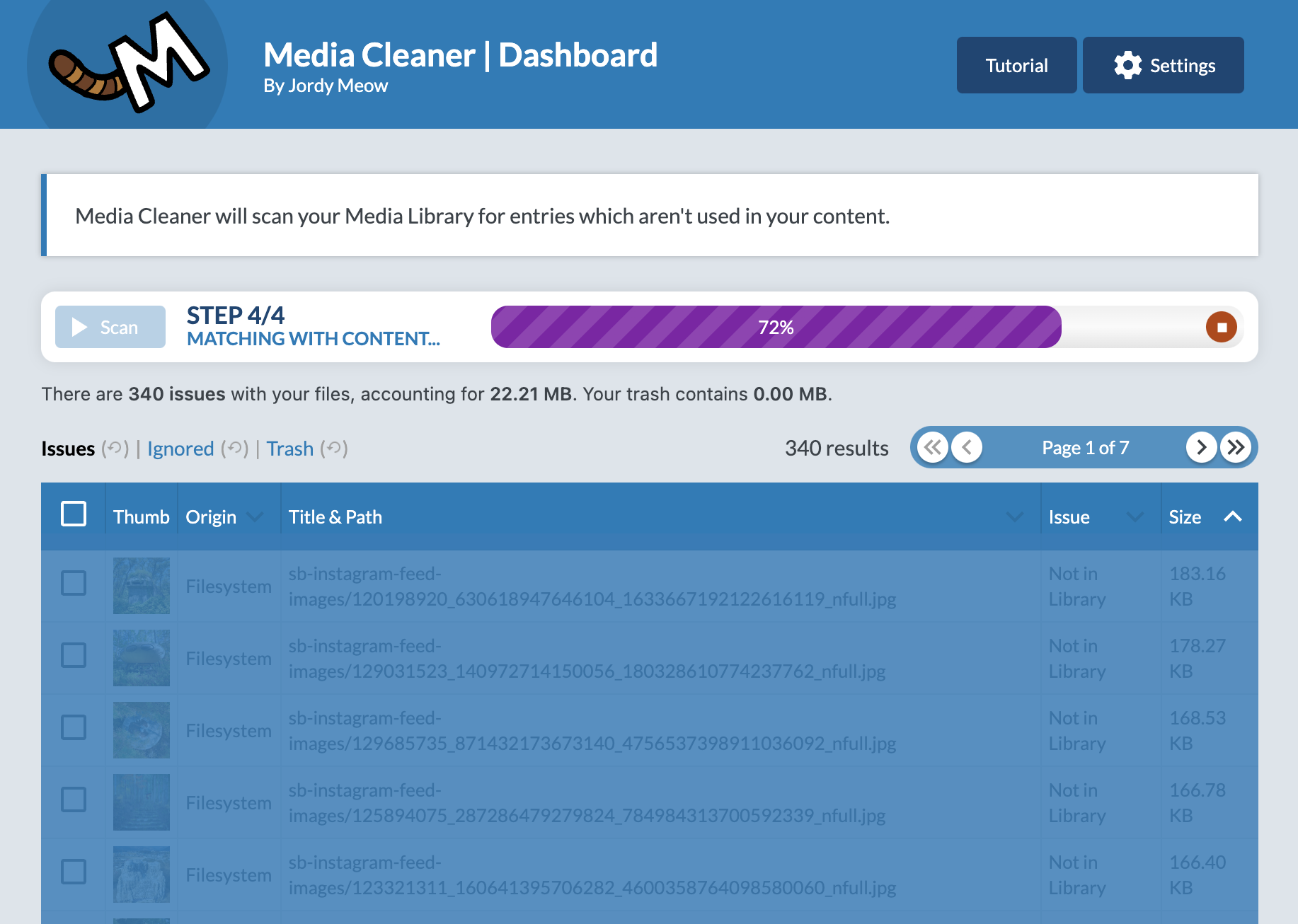
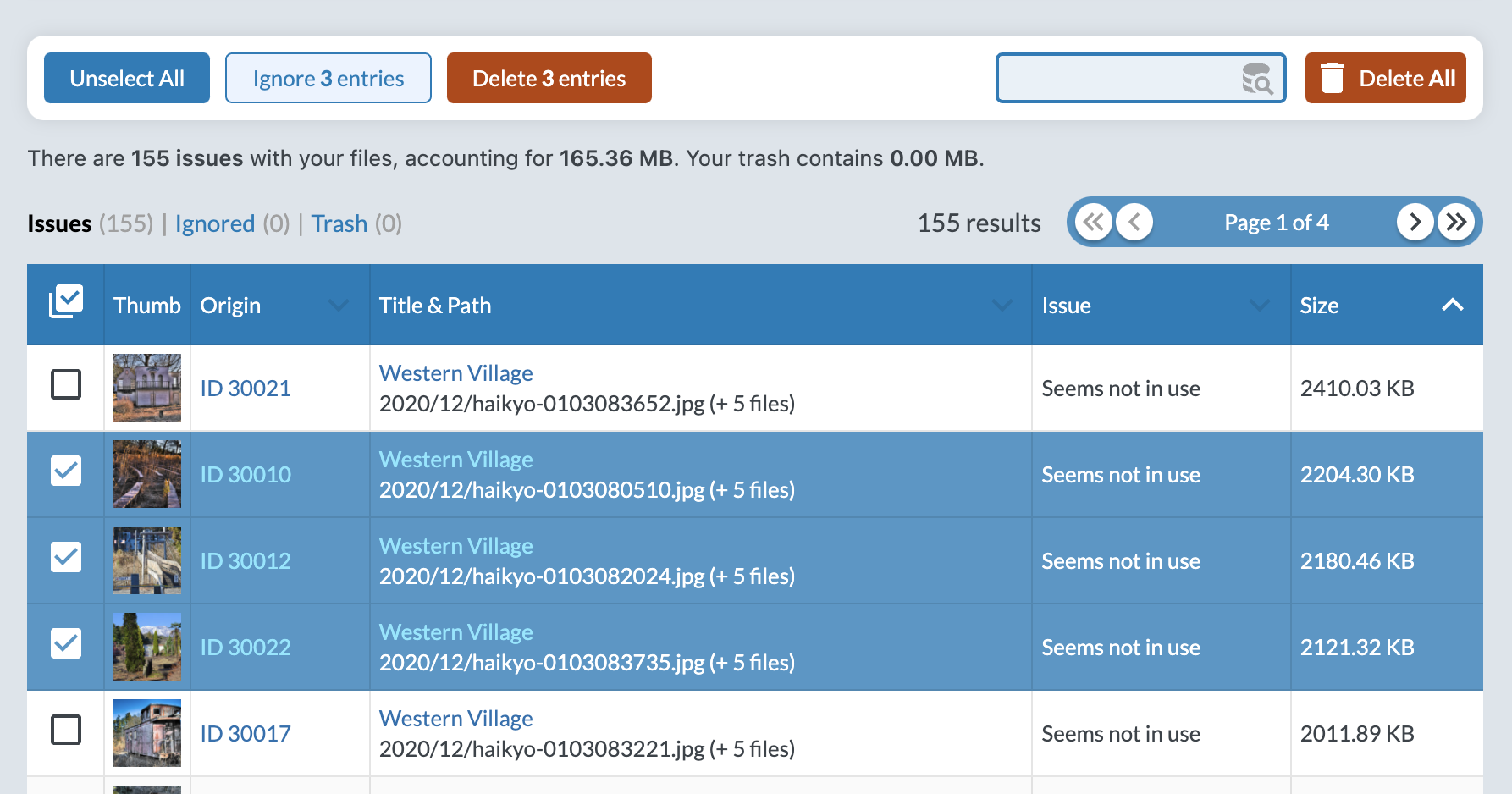
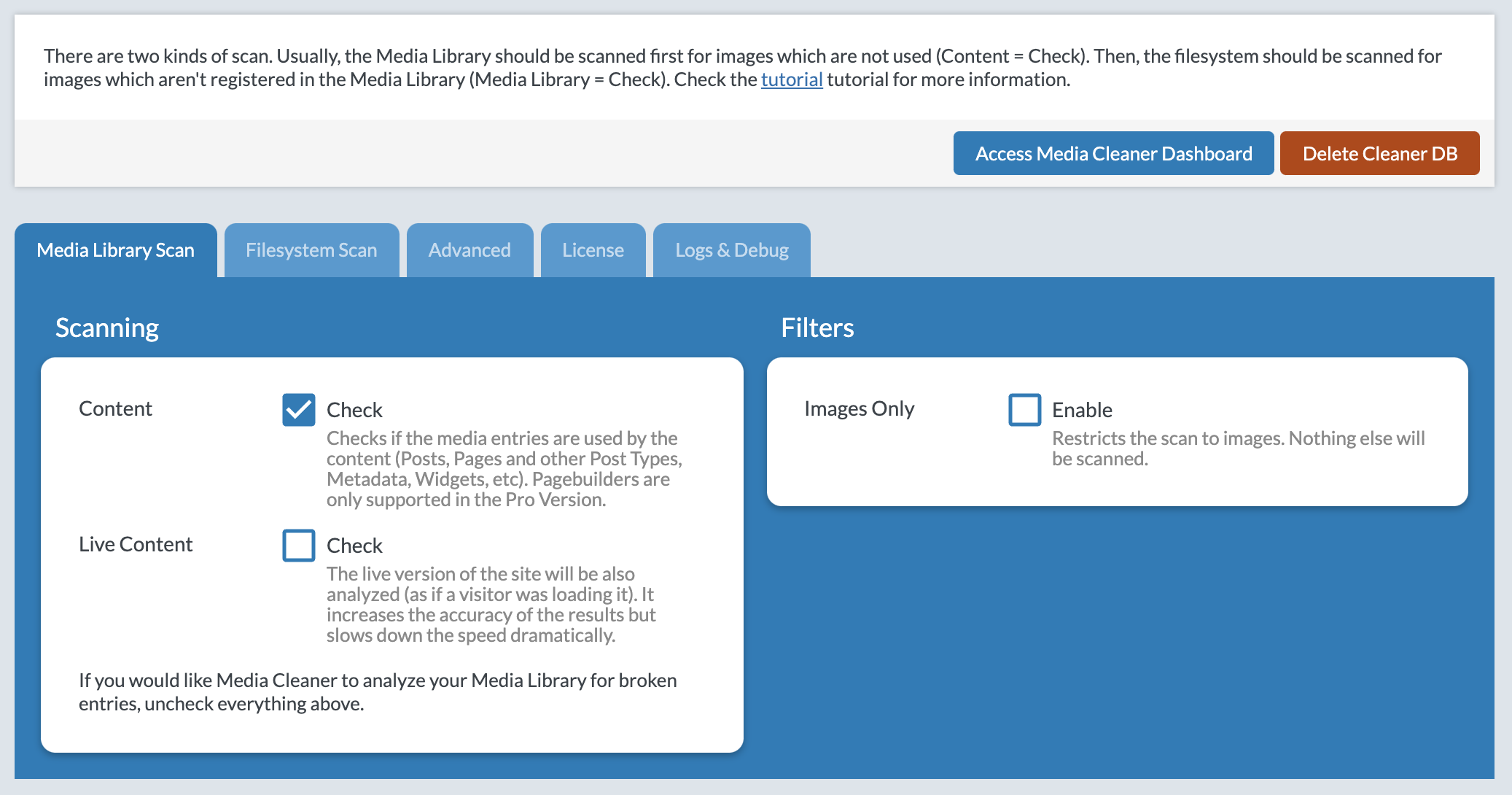
Media Cleaner is a powerful plugin that helps you clean up your WordPress media library by deleting unused media entries and files, as well as fixing broken entries. With an internal trash feature, you can preview and confirm changes before permanently deleting anything. Plus, Media Cleaner uses smart analysis to ensure compatibility with specific plugins and themes.
Use it alongside Database Cleaner for the ultimate clean-up experience.
Media Cleaner is like a ninja assassin for your Media Library – it’ll stealthily take out all the unnecessary media and broken entries that are cluttering up the place. Just make sure you have a solid backup plan in place before you let this bad boy loose.
To learn more about compatibility, features, and the Pro version, check out the tutorial on the official website.
AI ASSISTANTS (MCP)
Media Cleaner can be driven by an AI assistant, through the MCP server of AI Engine. Enable MCP in the Media Cleaner settings, and your assistant (Claude, ChatGPT, and the others) is able to run a scan, read the results, explain why a media was reported, ignore the false positives, and clean up. It is not a black box: the tools tell the assistant which builders and plugins are supported on your site, which ones are not, and what the scan cannot see, so it can warn you and check the doubtful cases instead of trusting the results blindly. Deleted files still go to the trash, and a permanent deletion always requires your explicit confirmation.
COMPATIBILITY
This plugin is compatible with all media types, including retina and WebP versions. It has been tested on a wide range of WordPress versions, including the latest version with Gutenberg, as well as on various themes with a large community of users. It also supports WooCommerce. For users with more complex plugins for handling website content, the Pro version may be necessary for optimal compatibility. We are constantly working to increase compatibility with other plugins.
PRO VERSION
Media Cleaner Pro adds extra features to the free version of Media Cleaner:
- Filesystem Analysis: Scans your physical /uploads directory and matches it against the Media Library.
- Extra support for complex plugins, such as ACF, Metabox, Divi Builder, Fusion Builder (Avada), WPBakery Page Builder, Visual Composer, Elementor, Beaver Builder, Brizy Builder, Oxygen Builder, Slider Revolution, Justified Image Grid, Avia Framework, and many more!
- Live Site Scan: Analyzes the online version of your website, potentially improving accuracy in some cases.
- WP-CLI support: Allows you to run the plugin at a higher speed or automatically with direct server access (via SSH).
Installation
- Upload the plugin to WordPress.
- Activate the plugin through the ‘Plugins’ menu in WordPress
- Go to Meow Apps -> Cleaner in the sidebar and check the appropriate options.
- Go to Media -> Cleaner.
Changelog
7.2.9 (2026/09/26)
- Add: Live Logs panel on the scan dashboard showing scan, trash and delete activity in real time.
- Add: Detailed timing and error tracking for the deletion process.
- Add: Log history linked to the support ID in the Support Bundles section.
- Update: Multilingual references are now resolved in their own scan step instead of during the references extraction.
- Update: Failed items during deletion are now grouped in a single summary instead of opening an error modal right away.
- Update: The license screen now explains the exact reason a license check failed.
- Fix: A server that cannot reach the license server no longer freezes the admin for minutes.
- Fix: Temporary errors while processing a media file no longer cause an endless retry loop.
- Fix: Attachment lookup for multilingual references is faster on large sites.
- Fix: SiteOrigin Page Builder parser no longer registers the same reference several times.
- Fix: Meta Box parser now collects term meta in the scan once step using the paged parser.
7.2.8 (2026/09/14)
- Fix: Resolved a PHP warning that could appear during scans.
- 🎵 Discuss with others about Media Cleaner on the Discord.
- 🌴 Keep us motivated with a little review here. Thank you!
- 🥰 If you want to help us, check our Patreon. Thank you!
7.2.7 (2026/09/07)
- Add: “Inspect” button for duplicates to compare and resolve issues from a unified view.
- Add: Unlock Scan maintenance tool.
- Add: Soliloquy parser.
- Fix: Duplicates scan skips unreadable files instead of stopping, and duplicates are no longer protected from checks.
- Fix: Loading bar now completes on each batch.
- Fix: Force Clean Trash handles the trash inventory and checks both physical and database leftovers.
- Update: SiteOrigin parser supports the gallery widget and extracts HTML content.
- Update: Divi parser handles base64-encoded JSON references.
7.2.6 (2026/08/17)
- Add: Support for SiteOrigin Page Builder.
- Add: Auto Buffer helper that sets the advanced buffer value from server tests, with warnings for slow items.
- Add: Plugin board and AI site analysis to the dashboard.
- Fix: Query handling and logging for unbounded database queries.
- Fix: MCP tools were initialised before the plugin load check.
- Update: Minimum PHP version is now 8.1.
7.2.5 (2026/07/25)
- Fix: Document size validation no longer stops scans, and the size limit is now configurable.
- Add: Force Clean Trash option in the settings for trash items that cannot be removed normally.
- Add: Dashboard warning when the manifest contains unsafe entries.
- Update: Error messages for failed items are now grouped in scan results.
- Update: Files are marked as unsafe instead of aborting the scan when fingerprinting fails.
7.2.4 (2026/07/18)
- Fix: Stopped a single oversized media reference from aborting the whole scan.
- Update: Moved the unsupported plugins warning into the free version box as a compact note next to the Pro button.
Screenshots
For developers
Is this your plugin? Show off the numbers.
Add a live badge to your site, docs or GitHub README. It updates on its own — no account needed.
Best Media Cleaner: Clean your Wor… alternatives
All clean plugins →




FAQ
Media Cleaner: Clean your WordPress!: quick answers
Straight answers, pulled from live WordPress.org data.
Live data from WordPress.org · checked Sep 26, 2026
Is Media Cleaner: Clean your WordP… free?
Yes. Media Cleaner: Clean your WordP… is free to download and use from the official WordPress.org plugin directory.
Is Media Cleaner: Clean your WordP… safe to use in 2026?
Yes — Media Cleaner: Clean your WordP… is a safe, well-maintained plugin to use in 2026. It runs on 90K+ sites, is rated 4.6/5 and was last updated 1 hour ago, and scores 88/100 on our health check.
How many websites use Media Cleaner: Clean your WordP…?
Media Cleaner: Clean your WordP… is active on 90K+ WordPress websites and has been downloaded 5,098,862 times since it launched in May 2016. It was downloaded 102,215 times in the last 30 days.
Does Media Cleaner: Clean your WordP… work with WordPress 7.1?
Yes. The developer has tested Media Cleaner: Clean your WordP… up to WordPress 7.1.2, the latest release. It requires WordPress 6.0 or newer.
What PHP version does Media Cleaner: Clean your WordP… need?
Media Cleaner: Clean your WordP… requires PHP 8.1 or higher. Most hosts run PHP 8.x today, so it works on any modern WordPress hosting.
When was Media Cleaner: Clean your WordP… last updated?
The latest version, 7.2.9, was released on September 26, 2026 (1 hour ago).
Who makes Media Cleaner: Clean your WordP…?
Media Cleaner: Clean your WordP… is developed and maintained by Jordy Meow.
What are the best alternatives to Media Cleaner: Clean your WordP…?
The most popular alternatives to Media Cleaner: Clean your WordP… are Advanced Database Cleaner (100K+ installs), Advanced WordPress Reset (10K+ installs) and Database Cleaner (10K+ installs).
Powered by PageForge
Want thousands of pages that rank like these? Build them in an afternoon.
This directory runs on the same engine as PageForge. Turn any spreadsheet, CSV or API into thousands of fast, SEO-ready WordPress pages — with schema, internal links and AI-written copy baked in.
- CSV, Google Sheets & API data sources
- AI content, schema & internal links per page
- Works with Elementor, Gutenberg, Yoast & Rank Math
- Free on WordPress.org — no credit card


