


MainWP Child – Securely Connects to the MainWP Dashboard to Manage Multiple Sites
MainWP Child establishes a secure link between your WordPress sites and your self-hosted MainWP Dashboard, simplifying site management.

Safe pick
Yes — MainWP Child is a safe, well-maintained plugin to use in 2026. It runs on 700K+ sites, is rated 5/5 and was last updated 3 weeks ago, and scores 98/100 on our health check.
- Proven at scale on 700K+ active sites
- Loved by users — 5/5 from 70 reviews
- Actively developed — last update 3 weeks ago
- Tested with the latest WordPress (7.1)
How does it stack up?
Side-by-side on installs, updates, ratings & support



Daily downloads
Download spikes usually follow a new release — each site that auto-updates counts as a download.
Rankings
Where MainWP Child stands todayWordPress.org search rankings
Live position in the plugin search, top 100| Keyword | Position |
|---|---|
| backups | #17 |
| monitoring | #12 |
| security | #90 |
| site management | #4 |
| update | #21 |
Version adoption
Share of active sites per release.
Rating breakdown
★★★★★★★★★★ 5 from 70 reviews
About MainWP Child
From the official readme · v6.2Description
The MainWP Child Plugin securely connects the WordPress sites you want to manage to the MainWP Dashboard.
The MainWP Child plugin creates a secure connection between your WordPress sites and your self-hosted MainWP Dashboard, enabling you to efficiently manage WP installations from a single, centralized location.
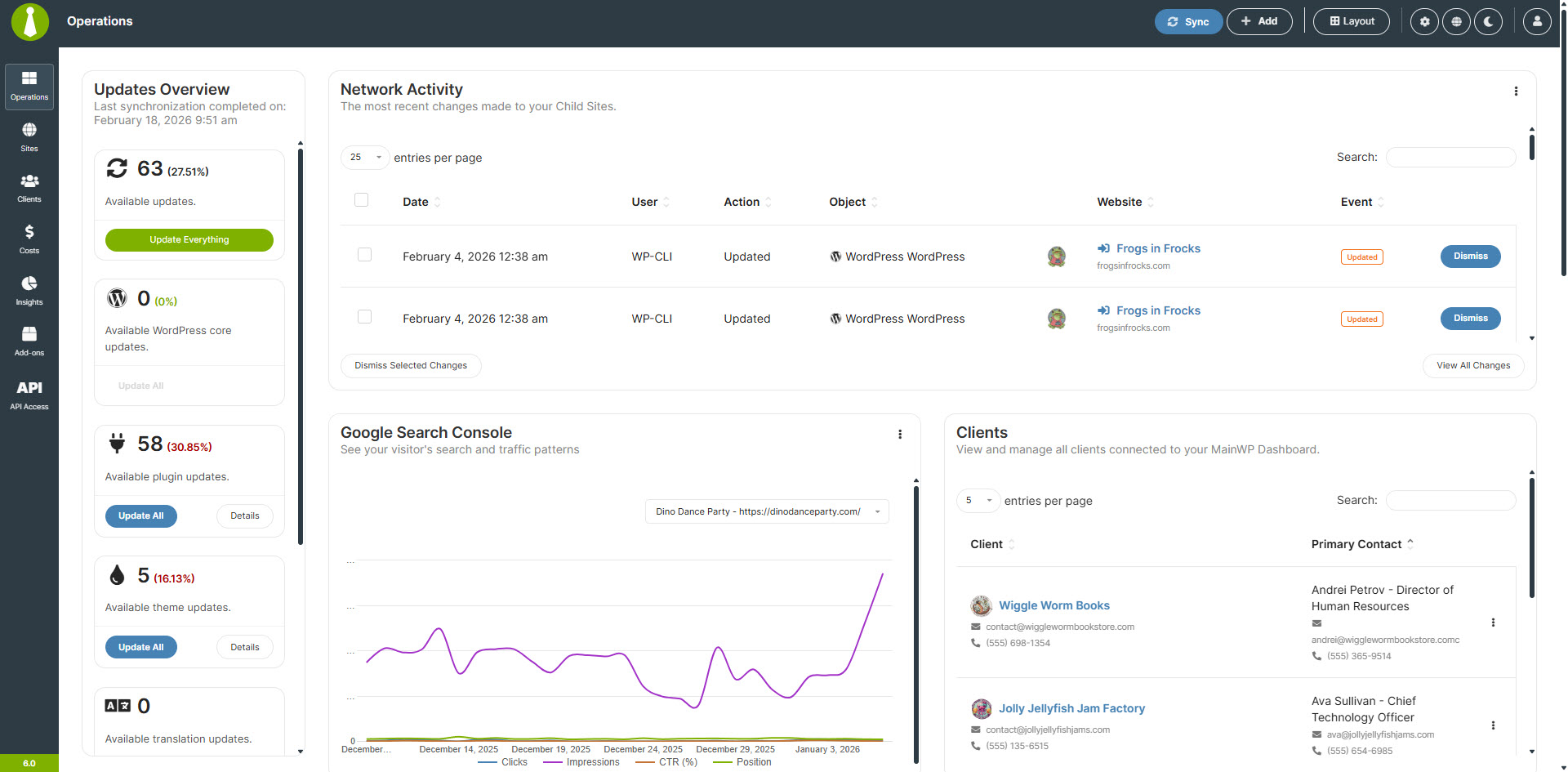
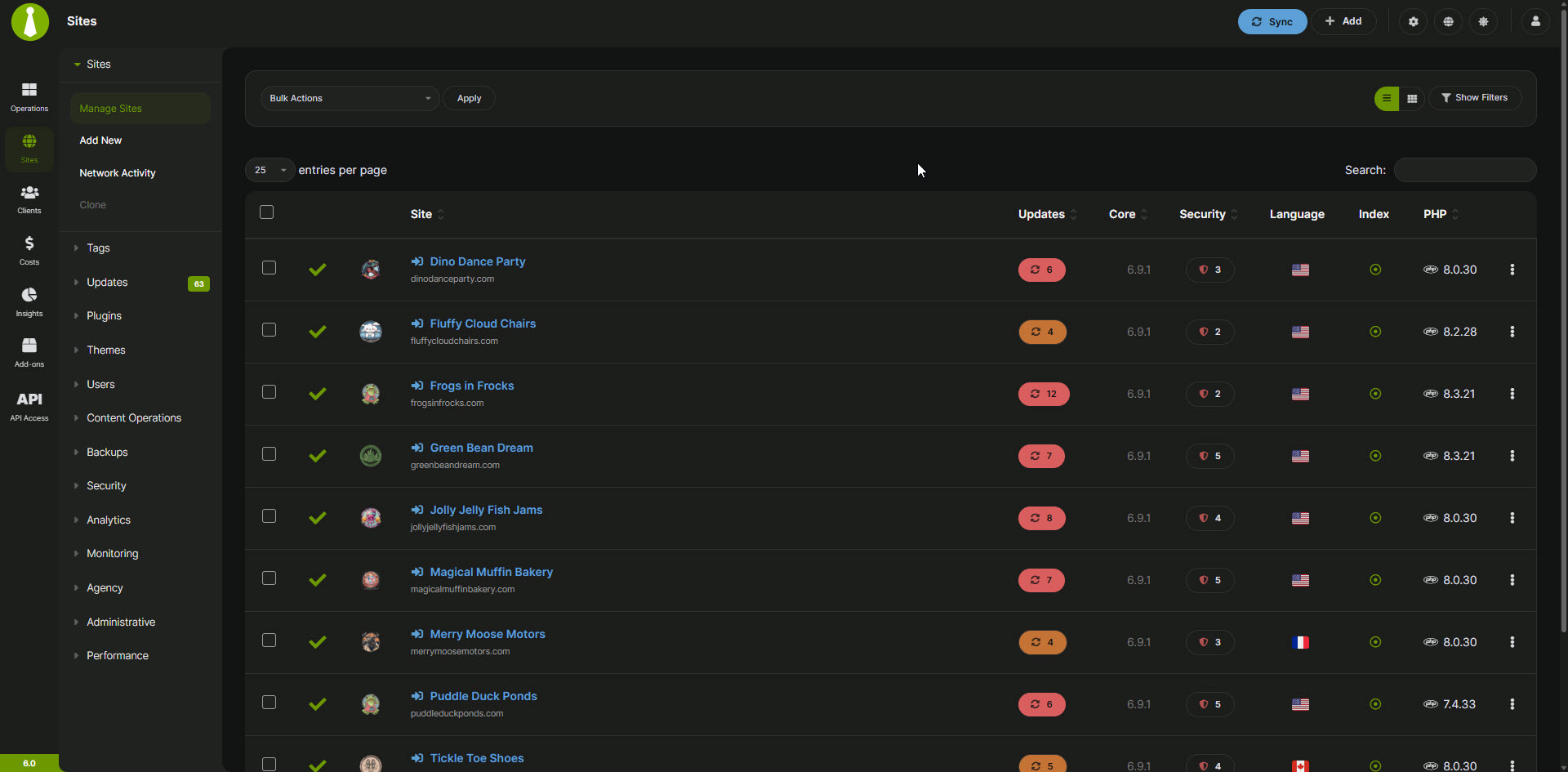
With MainWP Child and the MainWP Dashboard, you can update themes, plugins, and WordPress core across all connected sites, perform backups and security scans, manage posts, pages, users, and comments in bulk, and integrate with popular plugins like WooCommerce, Yoast SEO, and Wordfence.
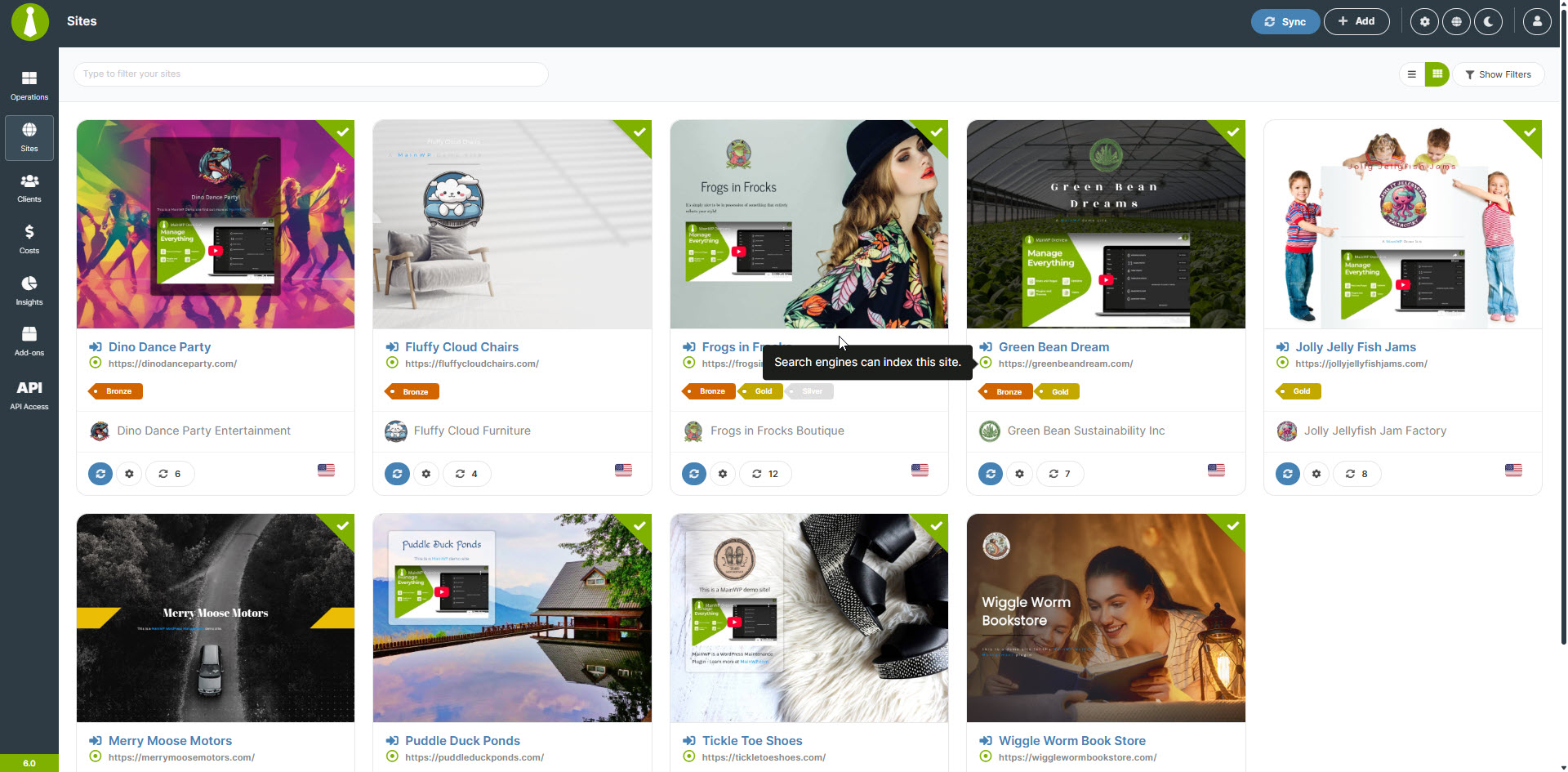
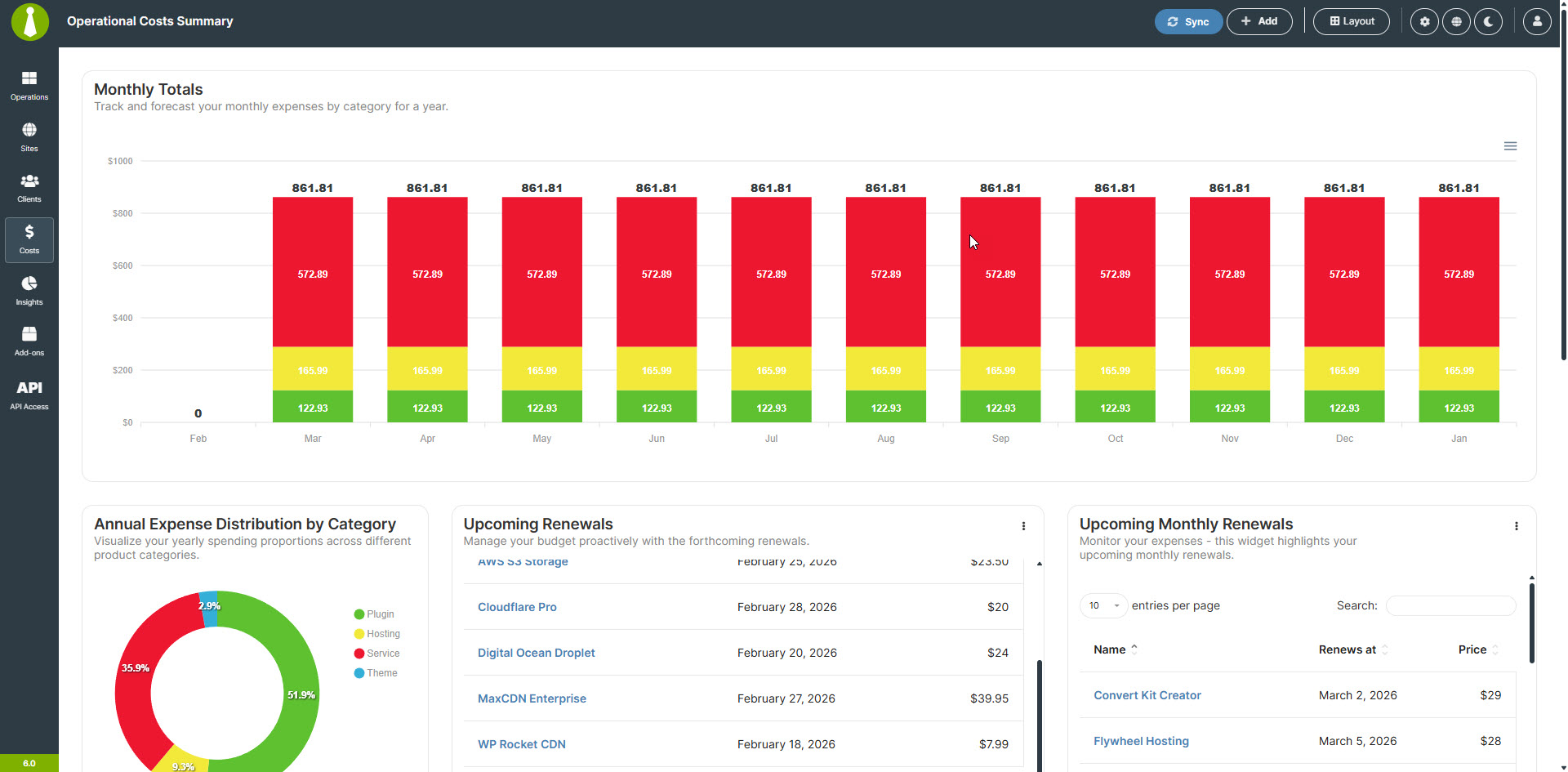
The MainWP Dashboard also offers features for cost tracking and client management, making it an all-in-one solution for agencies and freelancers looking to manage WP sites efficiently. The functionality can be further extended with a growing library of MainWP Add-ons.
MainWP is the ideal solution for freelancers and agencies managing client sites, developers and designers working on multiple projects, marketers and content managers overseeing various websites, and anyone responsible for maintaining multiple WordPress sites.
Why Choose MainWP for WordPress Management?
MainWP is 100% free and open-source, with no monthly fees, even for unlimited sites.
As a self-hosted solution, it offers maximum control and privacy. MainWP provides comprehensive site management features and is highly customizable with add-ons and developer hooks. The MainWP Child plugin even comes with its own privacy policy to guarantee your privacy while using MainWP.
All of this makes MainWP the best non-SaaS alternative to ManageWP, InfiniteWP, WPRemote, and WP Umbrella.
Key Features
MainWP Child, combined with the MainWP Dashboard, offers secure management of unlimited WordPress sites, one-click updates for plugins, themes, and WordPress core, automated backups and security monitoring, bulk management of posts, pages, users, and comments, white-labeling and custom branding options, and powerful add-ons for WooCommerce, Yoast SEO, Wordfence, and more.
Expand Your MainWP Dashboard with Add-ons
MainWP offers a growing library of add-ons that add advanced functionality to your Dashboard. From client reporting to SEO management, MainWP add-ons provide the tools you need to deliver top-notch service to your clients.
Join the MainWP Community
MainWP is more than just a plugin; it’s a thriving community of WordPress professionals. Join our MainWP Users Facebook Group to connect with other users, share advice, and stay updated on the latest features and add-ons.
Developer-Friendly
MainWP is built with developers in mind. We provide extensive documentation, hooks, and an API to help you create custom extensions and integrations for the MainWP platform. We have a site at MainWP.dev dedicated to MainWP developers.
Get Started with MainWP Today
Take control of your WordPress site management with MainWP and the MainWP Child plugin. With its powerful features, unlimited site connections, and user-friendly interface, MainWP is the smart choice for anyone managing multiple WordPress sites.
Learn More About MainWP
Installation
How the MainWP Child Plugin Works
Install and activate the MainWP Dashboard plugin on a dedicated WordPress site.
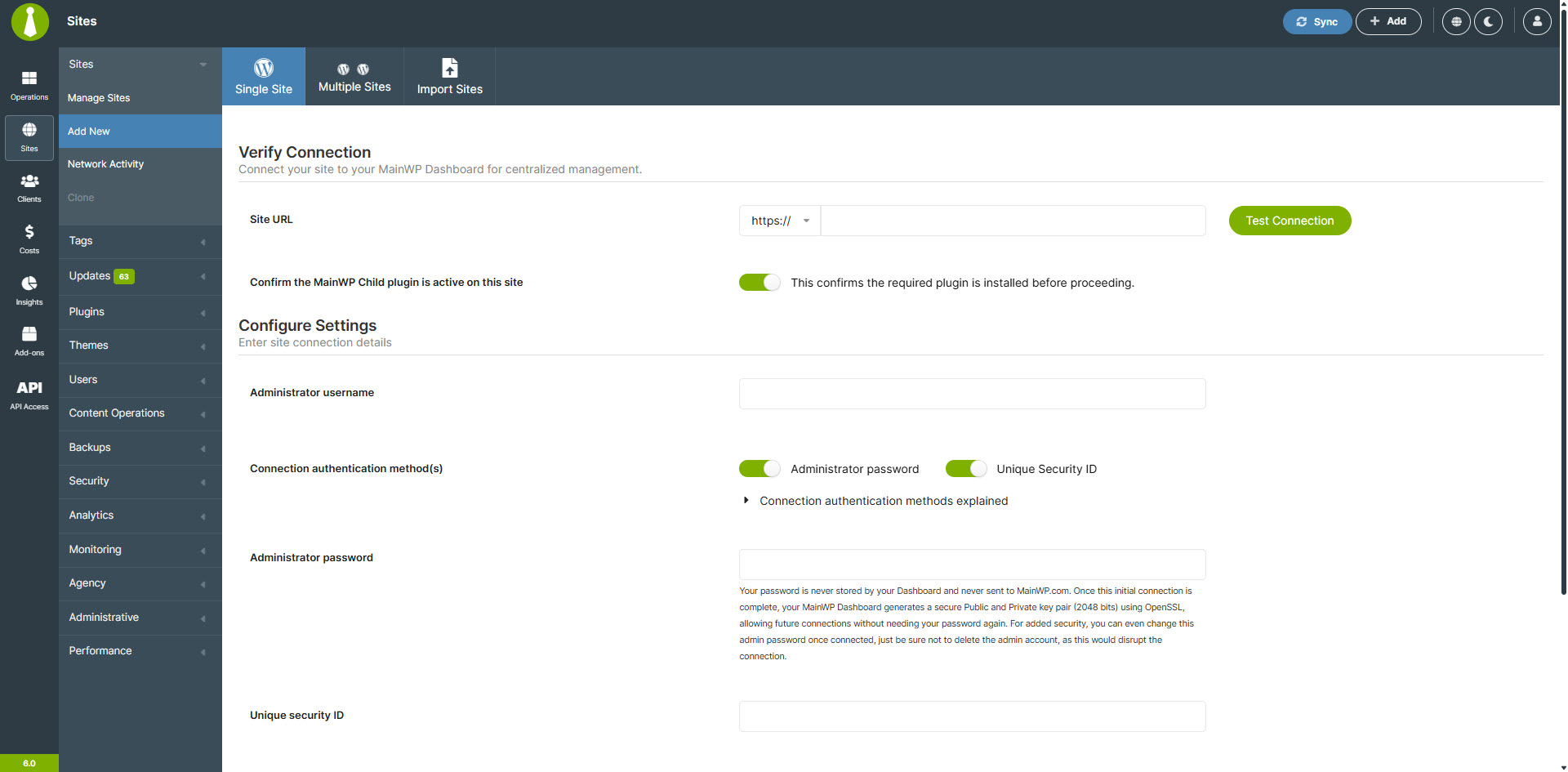
Install the MainWP Child plugin (this plugin) on the WordPress sites you want to connect to your MainWP Dashboard.
Activate the plugin.
Follow the Getting Started Guide to connect your sites to your MainWP Dashboard.
Frequently asked questions
Is the MainWP Child Plugin required to use MainWP?
Yes, the MainWP Child plugin must be installed on each WordPress site you want to connect to your MainWP Dashboard.
Can I hide the MainWP Child plugin from the WordPress admin?
Yes, you can use the MainWP White Label extension to hide the MainWP Child plugin from the WordPress admin on your connected sites.
How does MainWP compare to ManageWP?
While MainWP and ManageWP offer similar features, MainWP is self-hosted and open-source, providing more control and flexibility. Learn more about the differences between MainWP and ManageWP.
How does MainWP compare to WP Umbrella?
Both MainWP and WP Umbrella offer features for managing multiple WordPress sites, but MainWP is self-hosted and open-source, while WP Umbrella is a SaaS platform hosted on their servers. MainWP’s open architecture provides greater control and flexibility. Discover more differences between MainWP and WP Umbrella.
How does MainWP compare to InfiniteWP?
MainWP and InfiniteWP are both self-hosted WordPress management solutions. However, MainWP is open-source, allowing for code review and extensibility, while InfiniteWP’s Admin Panel is not open-source and obfuscates its code. MainWP also offers a comprehensive set of features tailored for agencies and freelancers managing client sites. Explore the differences between MainWP and InfiniteWP.
How does MainWP compare to WPRemote?
MainWP and WPRemote are both WordPress management solutions, but they differ in their approach and feature set. MainWP is a self-hosted, open-source plugin that gives you full control over your data and offers a wide range of features. WP Remote is a cloud-based service that stores your data on its servers, which may be a concern for some users who prioritize data ownership, security, and GDPR. Learn more about the differences between MainWP and WPRemote.
Is MainWP secure?
Yes, security is a top priority for MainWP. We adhere to WordPress security best practices, and our code is open-source and available for review on GitHub. We also offer a bug bounty program to encourage responsible disclosure of any security issues. Read more about MainWP Security practices.
Can I contribute to MainWP?
Absolutely! MainWP is open-source, and we welcome community contributions. Visit our GitHub repository to get started.
How can I submit an idea for MainWP?
Please follow the steps outlined in the MainWP Feature Requests to submit your idea and allow the MainWP Community to vote on it.
Where can I find more information about MainWP?
We have an extensive FAQ with more questions and answers here.
Where do I report security bugs found in this plugin?
Please report security bugs found in the source code of the MainWP Child plugin through the Patchstack Vulnerability Disclosure Program. The Patchstack team will assist you with verification, CVE assignment, and notify the developers of this plugin.
Changelog
6.2 – 9-9-2026
- Added: Version 2 capabilities and operations across backups, staging, security, vulnerability scanning, SEO, branding, maintenance, WooCommerce, caching, and other integrations.
- Added: Safer file deployment, plugin and theme installation, artifact delivery, page management, comment moderation, custom post importing, and database optimization.
- Added: Previews, status tracking, pagination, rollback, cancellation, and replay-safe operation handling for MainWP Abilities.
- Added: System Monitor for WordPress cron health, including scheduled checks, fallback execution, and manual triggering.
- Added: Support for pCloud remote storage settings in the UpdraftPlus integration.
- Added: Optional signed request payload authentication with expiration and one-time-use validation.
- Updated: Improved compatibility with older WordPress and plugin versions.
6.1.8 – 8-25-2026
- Fixed: “Download” and “Hide” buttons in the System Report are now clickable.
- Fixed: Theme updates performed through WP Admin are now correctly logged in Network Activity.
- Fixed: Improved BackWPup backup job handling across modern and legacy versions, including validation, progress reporting, and backup start and stop actions.
- Updated: Improved Clone session authentication and validation for stronger session security.
6.1.7 – 8-18-2026
- Updated: Improved backup report tracking for BackupBuddy, BackWPup, Time Capsule, and UpdraftPlus.
- Updated: WooCommerce Status add-on now includes sales from the previous seven days.
6.1.6 – 8-5-2026
- Fixed: Ensured consistent timezone handling for backup timestamps in the BackWPup integration.
- Updated: Improved error handling and response processing in the BackWPup integration for more reliable backup operations.
6.1.5 – 7-28-2026
- Fixed: Corrected Network Activity relationship tracking so previous field values are recorded only when the related post exists.
- Updated: Expanded support for Wordfence settings, including audit logging, scan controls, IPv4 scanning, remote IP detection, and trusted proxy configuration.
6.1.4 – 7-21-2026
- Added: Added support for the FastPixel Cache plugin in the “Cache Control” feature.
- Updated: Improved the handling of report limit selections so saved values are processed more consistently.
Screenshots
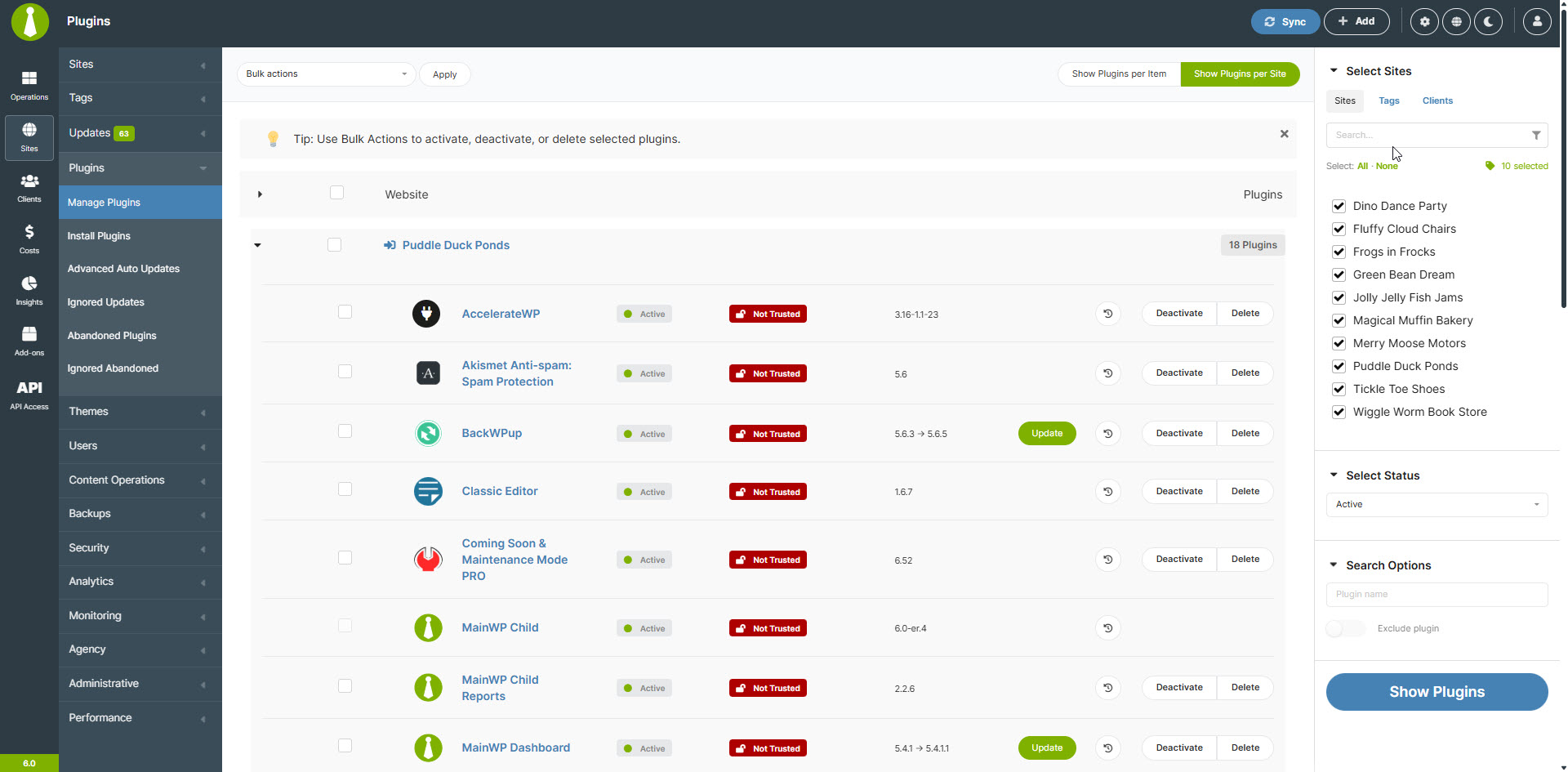
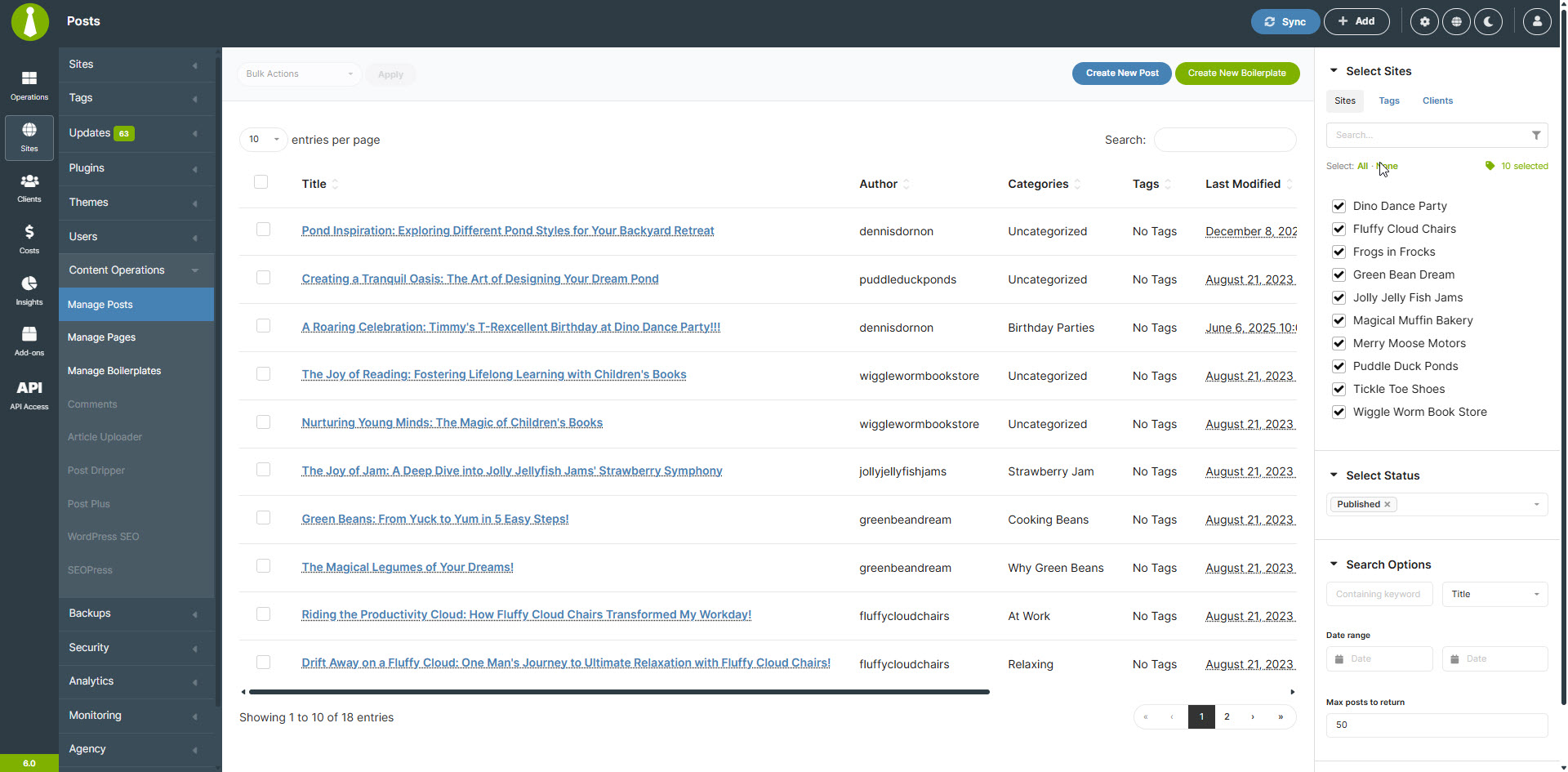
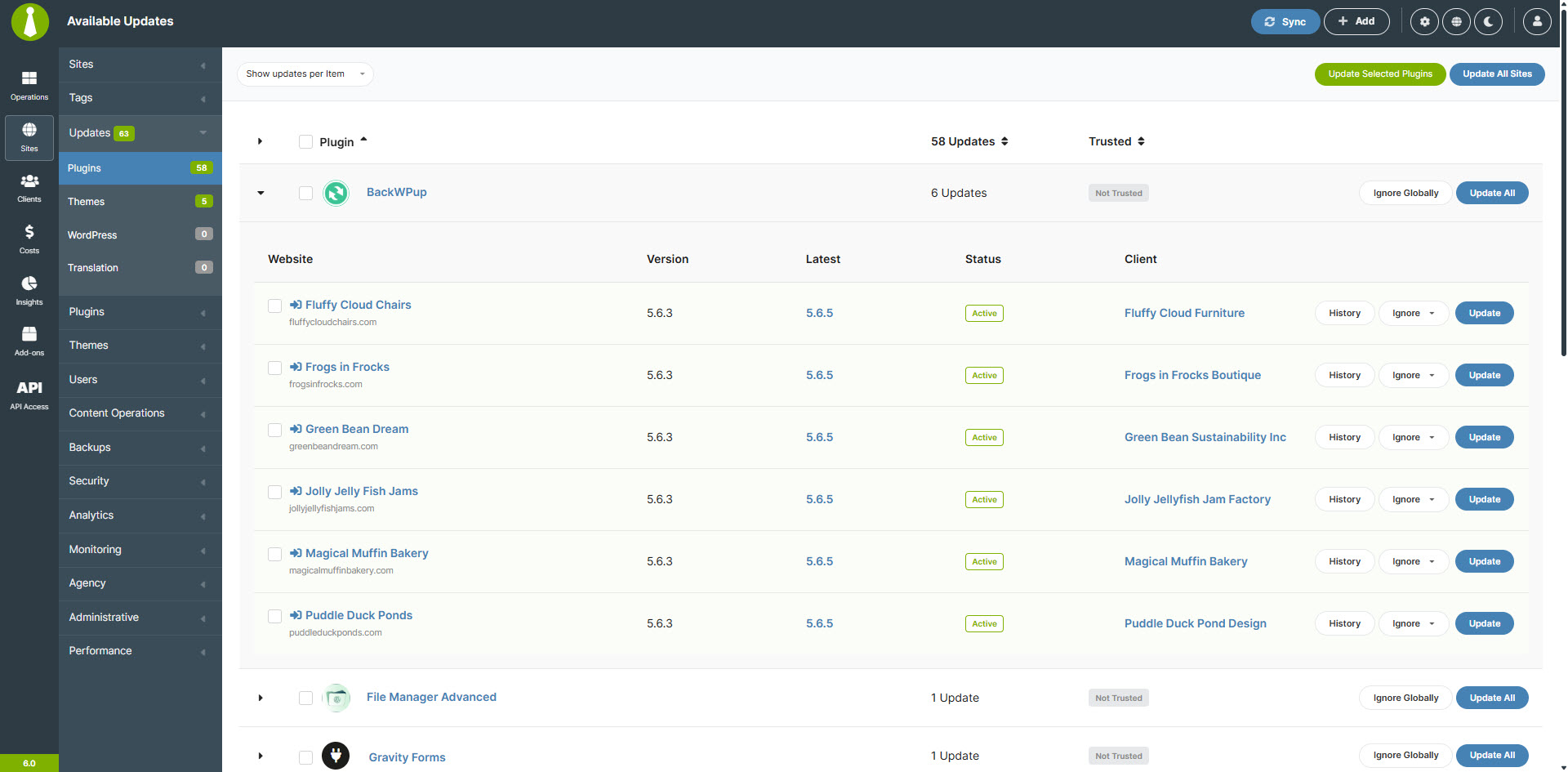
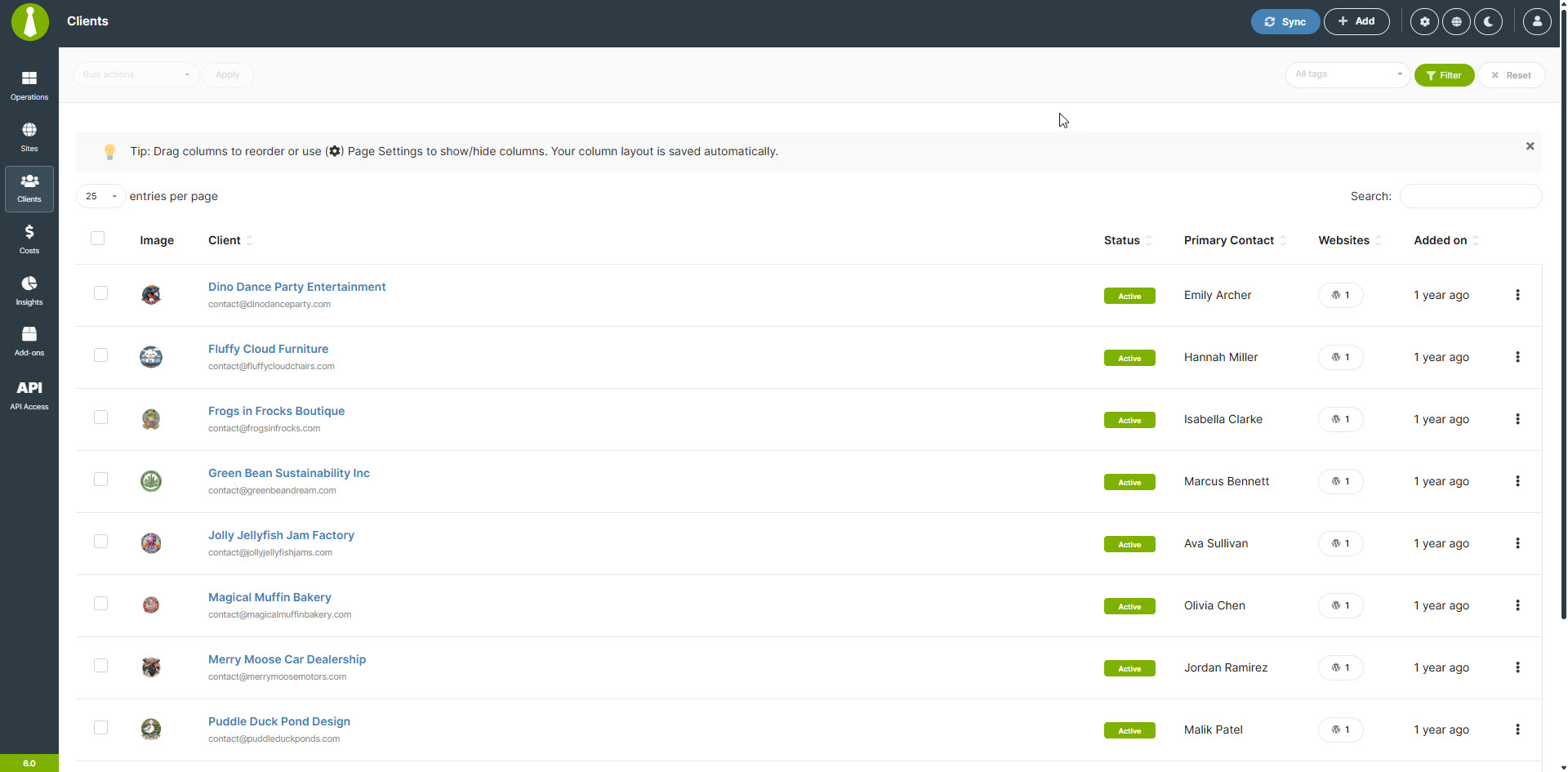
For developers
Is this your plugin? Show off the numbers.
Add a live badge to your site, docs or GitHub README. It updates on its own — no account needed.
Best MainWP Child alternatives
All backups plugins →




FAQ
MainWP Child: quick answers
Straight answers, pulled from live WordPress.org data.
Live data from WordPress.org · checked Sep 27, 2026
Is MainWP Child free?
Yes. MainWP Child is free to download and use from the official WordPress.org plugin directory. The developer also sells premium add-ons or a Pro version with extra features.
Is MainWP Child safe to use in 2026?
Yes — MainWP Child is a safe, well-maintained plugin to use in 2026. It runs on 700K+ sites, is rated 5/5 and was last updated 3 weeks ago, and scores 98/100 on our health check.
How many websites use MainWP Child?
MainWP Child is active on 700K+ WordPress websites and has been downloaded 49,774,514 times since it launched in August 2013. It was downloaded 739,521 times in the last 30 days.
Does MainWP Child work with WordPress 7.1?
Yes. The developer has tested MainWP Child up to WordPress 7.1.2, the latest release. It requires WordPress 6.2 or newer.
What PHP version does MainWP Child need?
MainWP Child requires PHP 7.4 or higher. Most hosts run PHP 8.x today, so it works on any modern WordPress hosting.
When was MainWP Child last updated?
The latest version, 6.2, was released on September 9, 2026 (3 weeks ago).
Who makes MainWP Child?
MainWP Child is developed and maintained by mainwp.
What are the best alternatives to MainWP Child?
The most popular alternatives to MainWP Child are WP Umbrella: Security Backu… (80K+ installs), BackUpWordPress (80K+ installs) and Backup Migration (80K+ installs).
Powered by PageForge
Want thousands of pages that rank like these? Build them in an afternoon.
This directory runs on the same engine as PageForge. Turn any spreadsheet, CSV or API into thousands of fast, SEO-ready WordPress pages — with schema, internal links and AI-written copy baked in.
- CSV, Google Sheets & API data sources
- AI content, schema & internal links per page
- Works with Elementor, Gutenberg, Yoast & Rank Math
- Free on WordPress.org — no credit card


