


LumaSwitch
Light and dark mode controls with customizable colors, a floating switch, saved preferences, and an optional admin theme switcher.

Use with caution
LumaSwitch works, but test it on a staging site before relying on it in 2026. Was last updated 1 month ago, and scores 60/100 on our health check.
- Tested with the latest WordPress (7.1)
- Small user base (<10 active installs)
- Very few reviews so far
How does it stack up?
Side-by-side on installs, updates, ratings & support


Daily downloads
Download spikes usually follow a new release — each site that auto-updates counts as a download.
Rankings
Where LumaSwitch stands todayWordPress.org search rankings
Live position in the plugin search, top 100| Keyword | Position |
|---|---|
| accessibility | >100 |
| color scheme | >100 |
| dark mode | >100 |
| Night Mode | #87 |
| Theme Switcher | >100 |
About LumaSwitch
From the official readme · v1.4.2Description
LumaSwitch provides a lightweight light/dark mode experience for WordPress sites. Visitors can switch between light and dark themes, follow their operating-system preference, and optionally remember their choice in the browser.
Administrators can configure the frontend switch, colors, positions, sizes, transitions, and a strong theme override. An optional administrator-only switch can also change the WordPress dashboard between light and dark mode.
The plugin does not require an external service, CDN, analytics platform, tracking script, or remote executable code.
Features
- Light, dark, and system modes.
- Optional remembered visitor preference using browser localStorage.
- Twelve fixed frontend toggle styles.
- Eight toggle positions and three sizes.
- Separate light and dark color controls.
- Background, surface, heading, text, muted, link, border, input, placeholder, button, hover, and accent colors.
- Strong theme override for common WordPress, Elementor, WooCommerce, form, card, navigation, and layout surfaces.
- Optional WordPress administrator light/dark theme switcher.
- AJAX settings saving without a full page reload.
- AJAX settings-tab navigation.
- Keyboard accessible frontend and administrator switches.
- Reduced-motion support.
- No external services or tracking.
Privacy
LumaSwitch does not send visitor data to external services. When Remember Visitor Choice is enabled, the visitor’s selected theme is stored locally in the visitor’s browser using localStorage. No personal information is collected by the plugin.
Support
Website: https://www.arifulrazib.com/
Email: smarifulrazib@gmail.com
WhatsApp: https://wa.me/8801717080638
Installation
- Upload the plugin ZIP through Plugins > Add New > Upload Plugin.
- Activate LumaSwitch.
- Open LumaSwitch in the WordPress admin menu.
- Configure General, Toggle, Colors, Display, and Advanced settings.
- Save your settings and test the frontend switch.
Changelog
1.4.2
- Fixed Plugin Check input sanitization findings.
- Removed deprecated manual text-domain loading.
- Added the current WordPress tested-up-to header.
- Added a Settings link to the Installed Plugins screen.
- Removed the package marker file that was not allowed in WordPress.org plugin packages.
1.4.0
- Reworked the plugin architecture and settings sanitization.
- Added AJAX settings-tab navigation and robust AJAX saving.
- Added twelve fixed frontend toggle styles.
- Added separate light and dark accent colors.
- Improved admin dashboard accessibility and responsive layout.
- Improved frontend theme initialization and theme override coverage.
- Added administrator theme switching across WordPress admin screens.
- Removed the oversized custom WordPress menu icon implementation.
- Prepared plugin metadata, documentation, licensing and assets for WordPress.org review.
1.3.1
- Improved admin menu icon sizing and frontend theme override behavior.
Screenshots
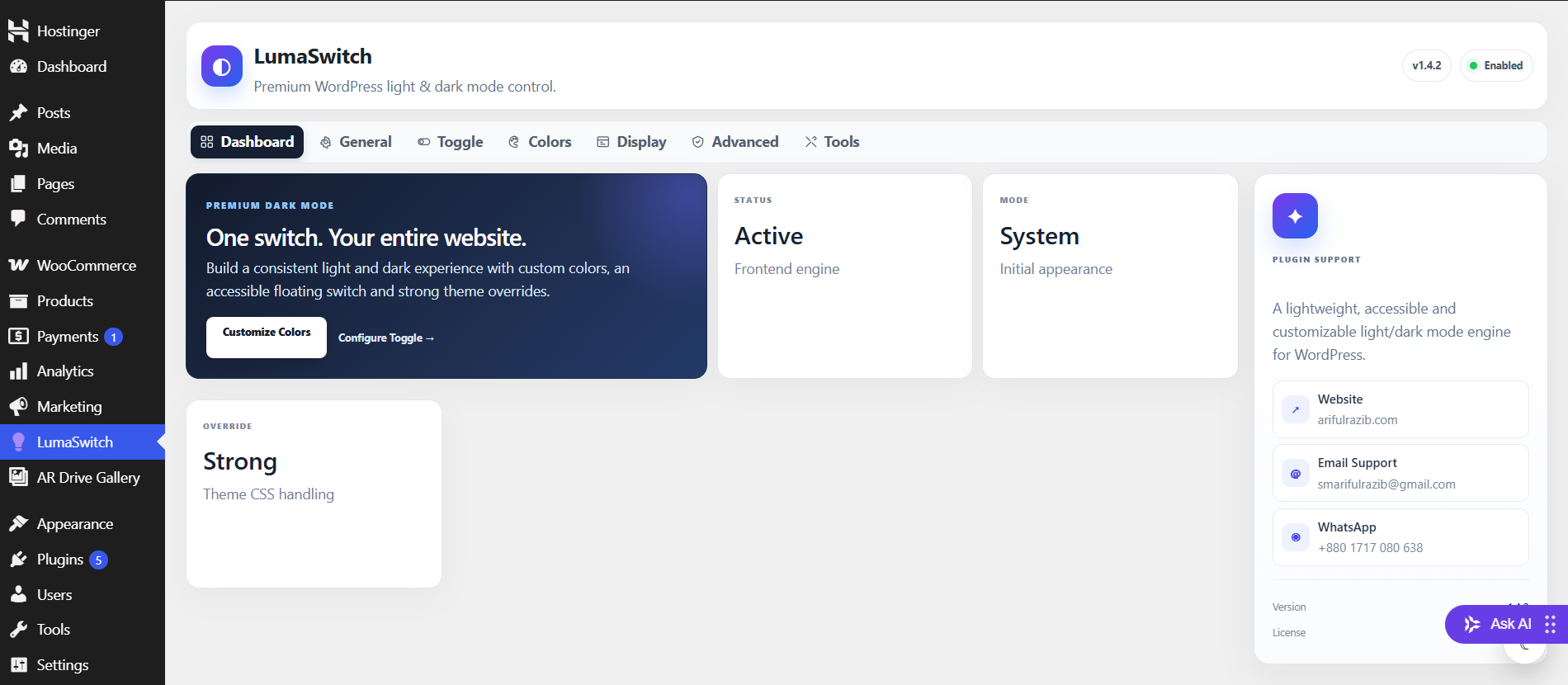
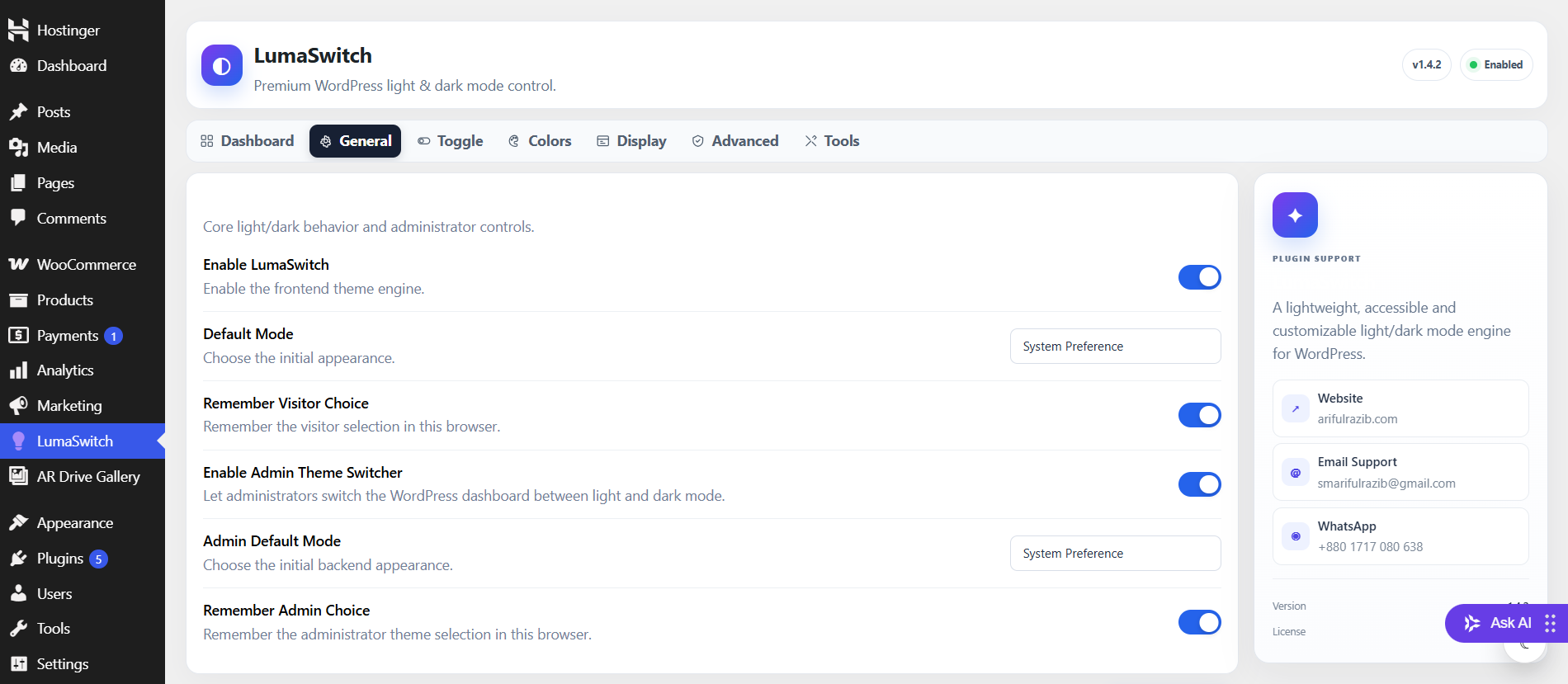
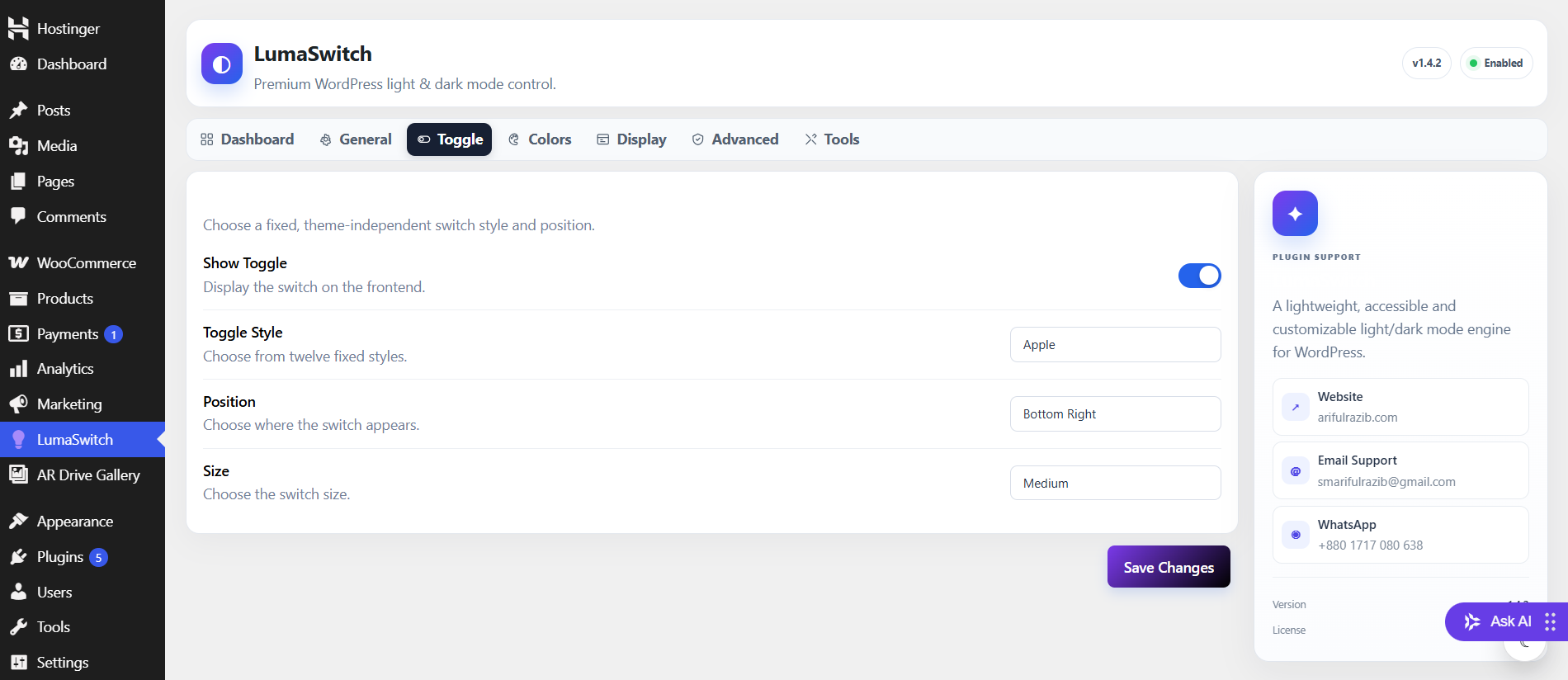
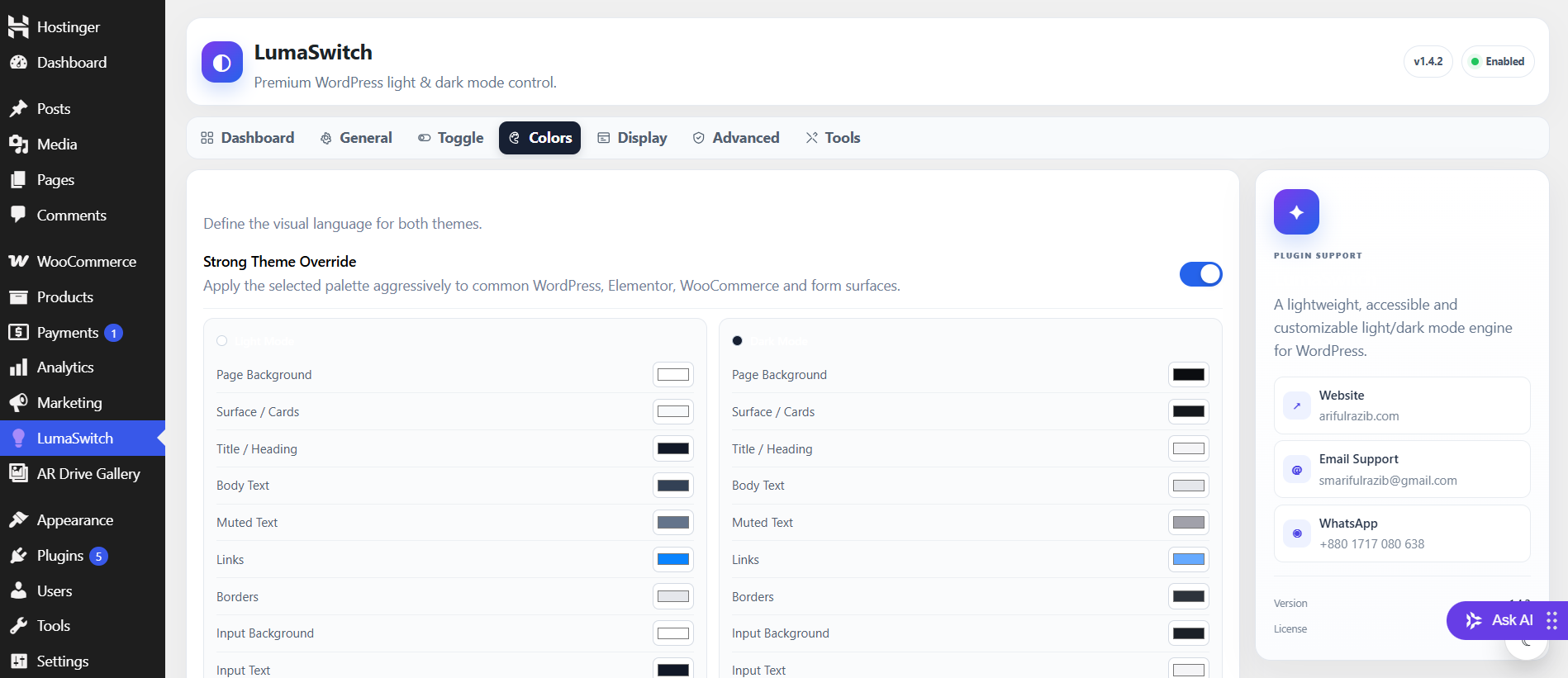
For developers
Is this your plugin? Show off the numbers.
Add a live badge to your site, docs or GitHub README. It updates on its own — no account needed.
Best LumaSwitch alternatives
All accessibility plugins →





FAQ
LumaSwitch: quick answers
Straight answers, pulled from live WordPress.org data.
Source: WordPress.org
Is LumaSwitch free?
Yes. LumaSwitch is free to download and use from the official WordPress.org plugin directory.
Is LumaSwitch safe to use in 2026?
LumaSwitch works, but test it on a staging site before relying on it in 2026. Was last updated 1 month ago, and scores 60/100 on our health check.
How many websites use LumaSwitch?
LumaSwitch is active on <10 WordPress websites and has been downloaded 214 times since it launched in October 2026. It was downloaded 88 times in the last 30 days.
Does LumaSwitch work with WordPress 7.1?
Yes. The developer has tested LumaSwitch up to WordPress 7.1.5, the latest release. It requires WordPress 6.0 or newer.
What PHP version does LumaSwitch need?
LumaSwitch requires PHP 7.4 or higher. Most hosts run PHP 8.x today, so it works on any modern WordPress hosting.
When was LumaSwitch last updated?
The latest version, 1.4.2, was released on October 17, 2026 (1 month ago).
Who makes LumaSwitch?
LumaSwitch is developed and maintained by Ariful Razib.
What are the best alternatives to LumaSwitch?
The most popular alternatives to LumaSwitch are Web Accessibility (formally… (500K+ installs), Auto Image Attributes From… (100K+ installs) and Accessibility by UserWay (80K+ installs).
Powered by PageForge
One template and a spreadsheet. A real page for every search.
PageForge turns each row of a CSV into a WordPress page with its own title, URL, SEO fields and schema, built on the layout you already designed. Free on WordPress.org.
- CSV and XLSX, plus Google Sheets on Professional and Enterprise
- Its own title, URL, SEO fields and schema for every page
- Works with the block editor, Elementor, Divi and Avada
- Free on WordPress.org, no credit card