


LolaCore for FSE
Edit your block theme by talking to Lola: templates, parts, patterns, navigation, global styles in one reviewed change. From wp-admin or over MCP.

Use with caution
LolaCore for FSE works, but test it on a staging site before relying on it in 2026. It runs on 20+ sites and was last updated 3 months ago, and scores 57/100 on our health check.
- Tested with the latest WordPress (7.1)
- Small user base (20+ active installs)
- Very few reviews so far
- Needs PHP 8.1 or newer
How does it stack up?
Side-by-side on installs, updates, ratings & support


Daily downloads
Download spikes usually follow a new release — each site that auto-updates counts as a download.
Rankings
Where LolaCore for FSE stands todayWordPress.org search rankings
Live position in the plugin search, top 100| Keyword | Position |
|---|---|
| block-theme | >100 |
| full-site-editing | >100 |
| mcp | >100 |
| site editor | >100 |
| templates | >100 |
Version adoption
Share of active sites per release.
About LolaCore for FSE
From the official readme · v1.5.0Description
You build WordPress sites for a living. The design is what clients pay for. The clicking through the Site Editor is not.
LolaCore for FSE adds Lola to wp-admin: an AI agent that edits your block theme by conversation and remembers each client site between visits. A normal afternoon with her looks like this:
You: lola, that work we were doing last week. i want to make some changes.
Lola: We were on the Riverside Bakery site. You customized the category template and we sketched a seasonal look for it. It is still a sketch. Want to build it out? Tell me what you have in mind.
You: refresh the category template for autumn. warmer palette, and a seasonal banner in the header.
Lola: That spans three layers of your block theme. Here is what I would change:
1. Global styles: swap to the warmer palette. Typography and spacing stay as they are.
2. Header part: add the seasonal banner above the navigation.
3. Category template: keeps its structure and picks up the new palette on its own.
Apply all three, or start with the palette?You: all three.
Lola: Saved. Each change rolls back from Site Editor, then Revisions. Want me to keep this warmer palette as the client’s autumn set, so next year it is one sentence?
She picked up last week’s thread without you re-explaining it, read the active theme, found the three places that change, edited them after you confirmed, and left you an undo for each. That is the whole product in one exchange: she remembers, and she does the work.
A seasonal refresh on a client’s block theme means the category template on one screen, the header part on another, the color palette in a third panel, a navigation link in a fourth. Multiply that across every client site you maintain, every “quick change,” every theme you have not opened in three weeks and have to re-learn from scratch before you can touch it. That is the work that never lands on an invoice, and it eats the hours you would rather spend on the build.
LolaCore for FSE turns that work into a sentence. You describe the change. Lola reads the active block theme, shows you exactly what will change, and edits the template, part, pattern, navigation menu, or global styles once you confirm. Every write rolls back from the Site Editor’s own revision history.
Same WordPress. Same blocks. The theme you built, structure intact. Your team stopped clicking through panels and got the hours back.
This is for the people who live in Full Site Editing: developers, freelancers, and agencies maintaining real client sites. The people whose week is template tweaks, theme.json edits, and “can you just move the menu” tickets. Lola handles the menu-hunting so billable hours go to architecture and design.
One sentence, three layers, one reviewed change
No screen in the Site Editor touches more than one layer. “Refresh the category page for autumn” is a template edit, a palette change, and a header banner: three panels, three trips. Lola reads the active theme, shows you the three edits together, and saves them as one reviewed change. The confirmation points you to the revision that rolls it back.
One addon, two surfaces: wp-admin and your code editor
Every ability Lola uses in the wp-admin chat is also registered over MCP. Your developer edits the same theme from Claude Code, Cursor, or any MCP client; the designer and the account manager work in the Lola chat inside WordPress admin. One addon, one client site, both surfaces.
The developer stays in the terminal. Read the category template, edit the header part, merge a new palette into theme.json, reorder the navigation, without opening wp-admin. For someone who thinks in a code editor, that is the difference between a context switch and a line they type without breaking flow.
You: read the category template and summarize the header part it uses
Lola: The category template renders the query loop at the “Wide” content width. Its header part is “header-primary”: site logo, primary navigation, then a search block.
You: move the search block to the end of the nav, after the last link
Lola: Here is the new block order for header-primary. Confirm and I save it. Undo stays in Site Editor revisions, same as from wp-admin.
What Lola does with a block theme
See where the site stands
- Site Editor status: block-theme detection, active stylesheet, template and part counts, and whether custom global styles already exist. Lola checks this before proposing any change.
- On every FSE ability, Lola loads the
fse-anatomyplaybook automatically: a distilled map of templates, parts, patterns, global styles, and navigation so she reasons about structure with context.
Templates and parts
- List block templates with slug, title, and whether each one is the theme default or a customization.
- Read one template, including a plain-language summary of its block tree, so you re-learn a site in seconds instead of scrolling the editor.
- Edit a template’s markup, with a preview of the change and confirmation before it saves.
- Reset a template back to the theme default when a customization went wrong.
- List template parts by area: header, footer, sidebar, uncategorized.
- Edit a part such as the header or footer, the same preview-and-confirm way.
Global styles (theme.json)
- Read user global styles: palette, typography, spacing, and custom styles.
- Merge a change into global styles. A palette edit changes the palette and keeps your typography and spacing as they are, because Lola merges into your theme.json.
- List the style variations the active theme ships with.
- Apply a named variation by merging it into the global styles.
Patterns and page context
- List synced patterns (reusable blocks) with a block summary and where each one is used.
- Create a synced pattern from block markup.
- Update a synced pattern, with a heads-up that the change propagates everywhere it is used.
- Read a page or post block tree for context. Page content editing lives in LolaCore core’s content tools.
Navigation
- List block Navigation menus with their link labels and URLs.
- Add, remove, or reorder links in a Navigation menu, with confirmation and revision-based undo.
Custom blocks (FSE Studio)
- Design a custom block by conversation. Core Block Builder writes the files; Lola tests in Playground and installs when you confirm.
- List blocks in your Block Builder library and whether each one is ready to place in a template or part.
- Update a block spec after the first design pass.
- Place an installed block in a template or template part, with preview and confirmation before it saves.
Safe to say yes to
Every edit to a template, part, pattern, global styles, or navigation menu shows what changes and waits for your confirmation. It writes only what you confirm. Because templates, parts, and global styles keep WordPress core’s native revision history, the confirmation tells you exactly where to undo: Site Editor, then revisions.
Memory that survives the gap between visits
Her memory lives inside each WordPress install: the brand tokens, the templates your team customized, the decisions you made last time. Open a client site you have not touched in a month and Lola already carries its context, so you start from where you left off. The more client sites you run, the more that gap costs you.
You: i have not opened this site in weeks. what is going on with the front page template?
Lola: It is a customization of the theme default. It stacks a hero pattern, a three-column feature row, then the latest-posts loop. Last time here you pulled the hero into its own synced pattern called “home-hero” so you could reuse it. It is still in use on two other pages.
Configure once
Your AI provider is configured once in WordPress (Settings -> Connectors, WordPress 7.0+). This addon runs on that same connection: one key, one place.
Requirements
- WordPress 7.0+
- PHP 8.1+
- LolaCore 2.0.0 or newer, active (Block Builder required for custom blocks)
- A block theme, for template, part, and global-style editing
For walkthroughs and example conversations, see lolacore.com/lolacore-for-fse.
Installation
- Install and activate LolaCore.
- Upload the
lolacore-for-fsefolder towp-content/plugins/, or install the ZIP from Plugins -> Add New -> Upload Plugin. - Activate LolaCore for FSE from the Plugins screen.
- Open the Lola chat in wp-admin. The FSE domain appears in the panel, ready to use.
Zero extra setup. It runs on the AI provider LolaCore already uses.
Changelog
Adds FSE Studio custom block orchestration. Requires LolaCore 2.0.0 with Block Builder.
1.5.0
- Compatibility: Tested up to WordPress 7.1.
- New: every Site Editor tool now ships a hand-written summary, so AI clients connected through LolaCore (Claude, Cursor, and others) pick the right tool faster and burn less context reading the catalog.
- Improved: the addon identifies its abilities to LolaCore directly, making the connection between the addon and the AI clients more robust.
- Improved: every ability now returns the standard LolaCore response envelope (action id, mode, message), so any AI client can audit exactly what ran — same shape as core and WooCommerce Pro.
- Requires LolaCore 2.7.0 or newer.
1.4.0
- FSE Studio orchestration: four new abilities (designCustomBlock, getCustomBlocks, updateCustomBlock, placeCustomBlock) co-design custom blocks via core Block Builder and place installed blocks in templates or template parts.
- Row actions on the Block Builder library (“Place in template” / “Place in template part”) with an FSE Studio badge when this addon is active. Requires LolaCore 2.0.0.
1.3.0
- Added system playbook
fse-anatomy: distilled FSE layer map (templates, parts, patterns, global styles, navigation) attached automatically when anylolacore-fseability runs. Requires LolaCore 1.9.0 or newer with Playbooks enabled.
1.2.1
- Every template, part, pattern, and navigation write now saves structured blocks only. Scripts, inline stylesheets, iframes, event handlers, javascript: URLs, and raw-HTML blocks are turned away with a clear message.
- Global styles keep saving structured theme.json properties, with any free-form CSS left out.
1.2.0
- Initial WordPress.org release.
- 17 abilities across five layers of Full Site Editing: Site Editor status, templates and parts, global styles, synced patterns and page reads, and block navigation menus.
- The same abilities work in the wp-admin chat and over MCP, so your developers can drive site architecture from a code editor or terminal while the rest of the team works in WordPress admin.
- Every write shows a preview, asks for confirmation, and points to native Site Editor revisions for undo.
- Global styles merge into the existing theme.json, so a palette change keeps typography and spacing as they are.
- Honest behavior on classic themes: pattern and read abilities keep working, and template and style editing apply to block themes.
- Cross-domain affinity with Statistics and content, plus memory for brand tokens and customized templates that survives between visits to a client site.
For developers
Is this your plugin? Show off the numbers.
Add a live badge to your site, docs or GitHub README. It updates on its own — no account needed.
Best LolaCore for FSE alternatives
All block-theme plugins →



FAQ
LolaCore for FSE: quick answers
Straight answers, pulled from live WordPress.org data.
Source: WordPress.org
Is LolaCore for FSE free?
Yes. LolaCore for FSE is free to download and use from the official WordPress.org plugin directory.
Is LolaCore for FSE safe to use in 2026?
LolaCore for FSE works, but test it on a staging site before relying on it in 2026. It runs on 20+ sites and was last updated 3 months ago, and scores 57/100 on our health check.
How many websites use LolaCore for FSE?
LolaCore for FSE is active on 20+ WordPress websites and has been downloaded 625 times since it launched in July 2026. It was downloaded 91 times in the last 30 days.
Does LolaCore for FSE work with WordPress 7.1?
Yes. The developer has tested LolaCore for FSE up to WordPress 7.1.5, the latest release. It requires WordPress 7.0 or newer.
What PHP version does LolaCore for FSE need?
LolaCore for FSE requires PHP 8.1 or higher. Most hosts run PHP 8.x today, so it works on any modern WordPress hosting.
When was LolaCore for FSE last updated?
The latest version, 1.5.0, was released on August 20, 2026 (3 months ago).
Who makes LolaCore for FSE?
LolaCore for FSE is developed and maintained by Fran Barbero.
What are the best alternatives to LolaCore for FSE?
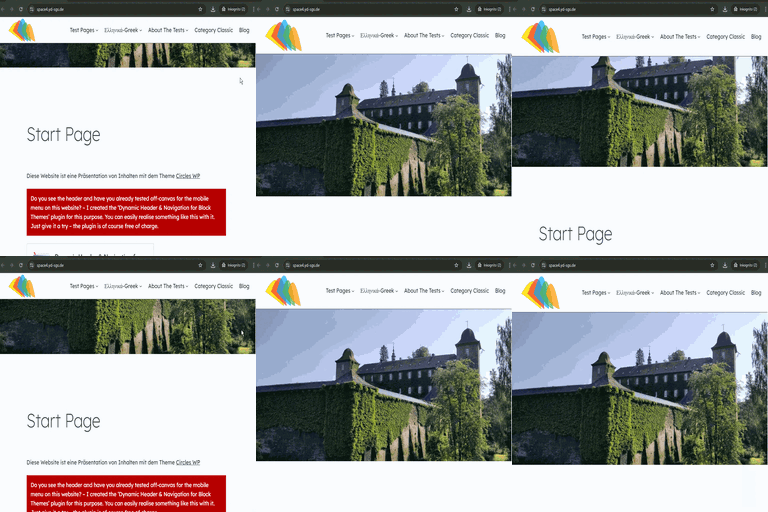
The most popular alternatives to LolaCore for FSE are Create Block Theme (20K+ installs), Dynamic Header & Navigation… (200+ installs) and Enable bbPress for Block Th… (200+ installs).
Powered by PageForge
One template and a spreadsheet. A real page for every search.
PageForge turns each row of a CSV into a WordPress page with its own title, URL, SEO fields and schema, built on the layout you already designed. Free on WordPress.org.
- CSV and XLSX, plus Google Sheets on Professional and Enterprise
- Its own title, URL, SEO fields and schema for every page
- Works with the block editor, Elementor, Divi and Avada
- Free on WordPress.org, no credit card