


LinkMaster – Link Management, SEO, Broken Links & Redirects
LinkMaster: Manage links with custom permalinks, SEO redirects, link cloaking, auto link injection and a broken link checker for WordPress.

Consider an alternative
LinkMaster shows warning signs in 2026 — compare the alternatives below before installing. It runs on 100+ sites, is rated 5/5 and was last updated 2 years ago, and scores 41/100 on our health check.
- Small user base (100+ active installs)
- Very few reviews so far
- No update in over a year
- Only tested up to WordPress 6.8 (latest is 7.1)
How does it stack up?
Side-by-side on installs, updates, ratings & support



Daily downloads
Download spikes usually follow a new release — each site that auto-updates counts as a download.
Rankings
Where LinkMaster stands todayWordPress.org search rankings
Live position in the plugin search, top 100| Keyword | Position |
|---|---|
| broken links | #73 |
| custom | >100 |
| internal links | >100 |
| redirect url | >100 |
| seo | >100 |
Version adoption
Share of active sites per release.
Rating breakdown
★★★★★★★★★★ 5 from 2 reviews
About LinkMaster
From the official readme · v2.5.0Description
LinkMaster is your complete solution for WordPress URL management, offering advanced permalink customization, smart redirection, and a powerful broken link scanner.
Perfect for site administrators who need precise control over their URLs to optimize for SEO, enhance user experience, and manage complex URL structures.
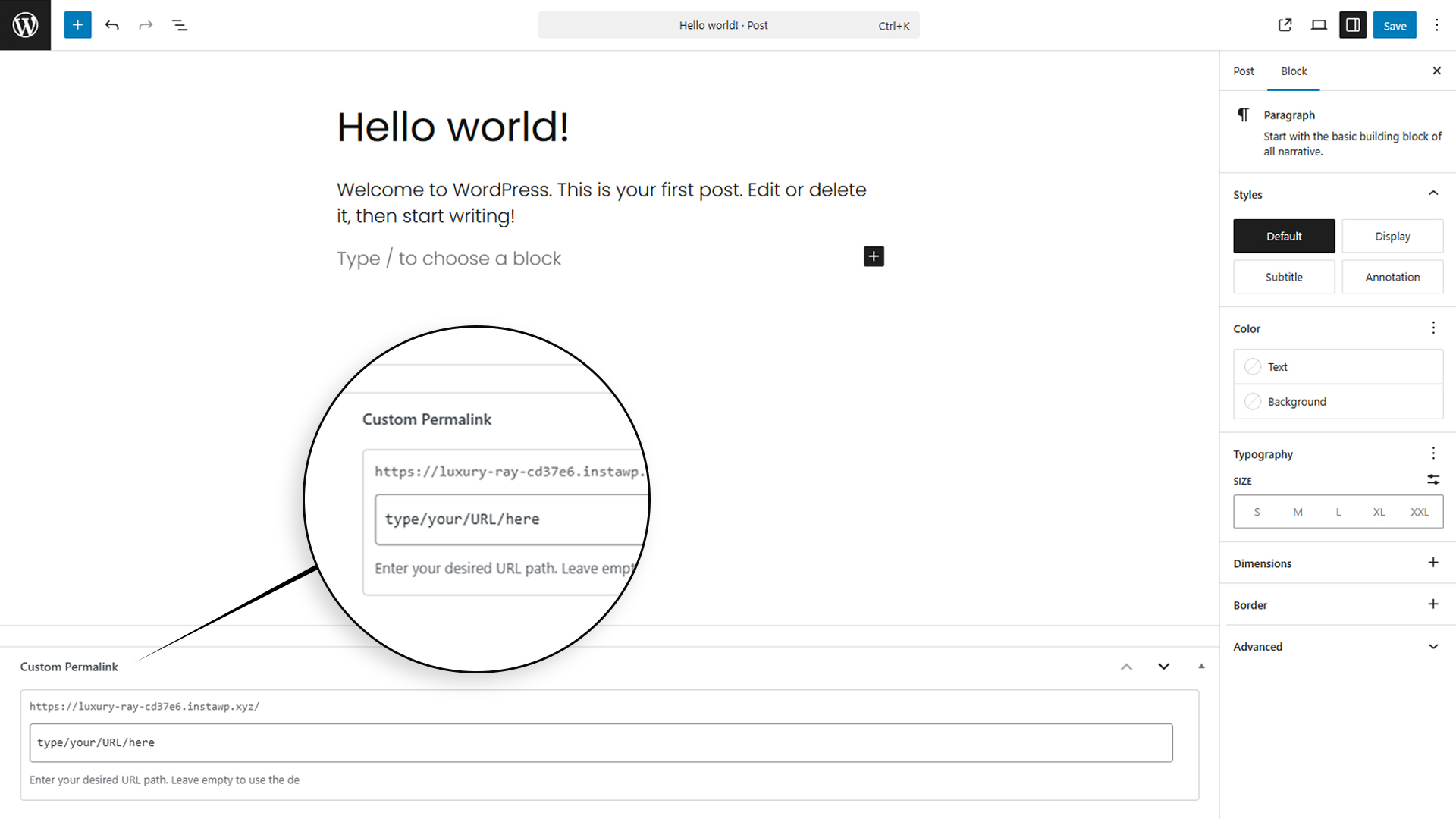
Unlike WordPress’s default permalink system, LinkMaster allows you to create unique, custom URLs for individual posts, pages, and custom post types without affecting your site’s overall URL structure.
This flexibility is crucial for SEO, as it enables you to craft clean, descriptive URLs that search engines love.
By using LinkMaster, you can ensure that your website’s URLs are SEO-friendly and properly redirected, which can improve your site’s search engine rankings and user navigation.
For future updates and feedback, visit our website: getlinkmaster.com.
Features
-
Advanced Permalink Customization
- Create custom permalinks for individual posts and pages
- Full support for query parameters (e.g., /search?category=shoes) in URLs
- Support for all file extensions (.html, .php, .xhtml, etc.)
- Support for special characters in URLs
Pro - Bulk permalink management tools with CSV import/export
- URL pattern templates for consistent naming
-
Smart Redirection System
- 301, 302, and 307 redirect support
- Query parameter handling
Pro - SEO-friendly link attributes (nofollow, sponsored)
- Export/import feature for bulk redirects
- Link expiration feature for temporary access links
- Advanced click analytics and reporting
-
Broken Link Scanner
- Scan for broken links across posts, pages, and custom post types
- Detect 404 errors and missing URLs
- Generate a detailed report of broken links
Pro - Export broken links for easy management
- Scheduled automatic scanning to proactively find broken links
-
Link Cloaking
- Create branded short URLs for affiliate links
- Hide affiliate IDs and long URLs
- Manage all cloaked links from a central dashboard
Pro - IP protection to block specific IPs from accessing links
- Password protection for exclusive access to links
- Link expiration dates for time-limited offers
- Click limits to restrict the number of times a link can be accessed
-
Link Click Statistics
- Track click counts for all redirected links
Pro - Detailed analytics on link performance
- Export statistics for reporting
- Track click counts for all redirected links
-
Custom 404 Page Setup
- Create custom 404 error pages
- Redirect 404 errors to specific pages
- Customize 404 page content and design
- Log 404 errors for analysis
-
Auto Link Injection (Premium Feature)
- Automatically link keywords to specified URLs across your site
- Set priority and linking rules for keywords
- Control the maximum number of auto links per page
- Exclude specific posts or pages from auto linking
-
SEO-Focused Features
- Clean URL structures
- Automatic canonical URL management
- Search engine friendly redirects
- Integration with popular SEO plugins like Yoast SEO
-
Performance Optimized
- Lightweight redirect handling
- Cached URL lookups
- Minimal database queries
- No .htaccess modifications required
-
User Experience Enhancements
- Interactive onboarding tour for new users
- Link Health Score for visual feedback on link quality
- Quick Help sections with best practices
- Intuitive dashboard with clear feature explanations
-
No Server Configuration Required
The plugin requires no modifications to.htaccessor server settings, ensuring hassle-free setup and usage.Start managing your URLs with LinkMaster today and take control of your WordPress site’s URL structure for better SEO and user experience.
For future updates and feedback, visit our website: getlinkmaster.com.
Installation
-
Direct Installation
- Go to your WordPress dashboard.
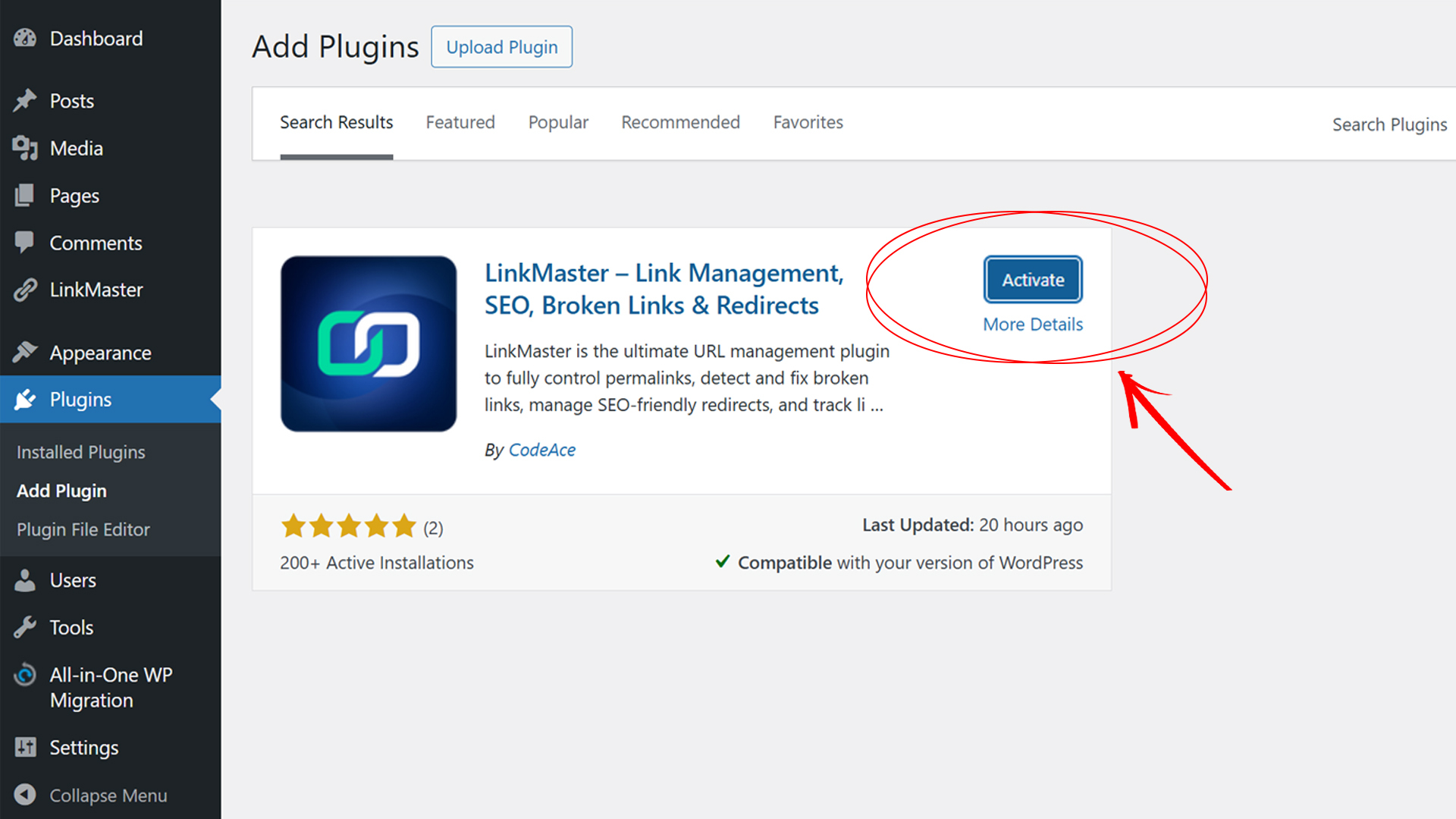
- Navigate to the Plugins menu and click on Add New.
- In the search bar, type LinkMaster.
- Click Install Now and then Activate the plugin.
-
Manual Installation
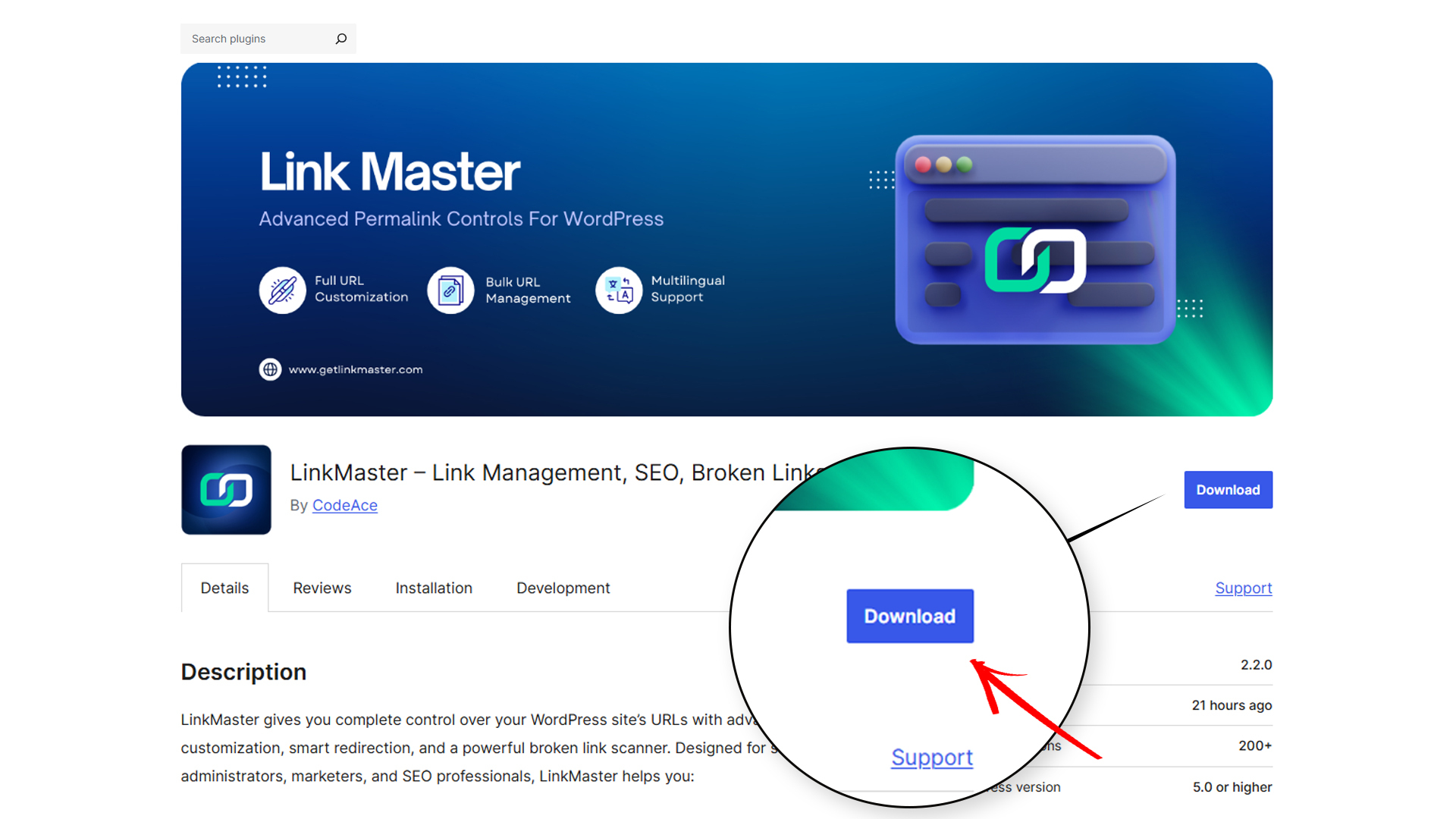
- Download the plugin’s ZIP file from the WordPress plugin repository.
- Go to your WordPress dashboard.
- Navigate to Plugins > Add New and click Upload Plugin at the top of the screen.
- Choose the downloaded ZIP file and click Install Now.
- Once installed, click Activate Plugin to enable it on your site.
-
Once installed and activated, navigate to any post or page edit screen to define custom permalinks directly.
Changelog
Major update with enhanced onboarding experience, Link Health Score feature, improved custom permalink handling, link expiration functionality, scheduled broken link scanning, SEO link attributes (nofollow/sponsored), and comprehensive click statistics.
2.5.0
- Added: Custom 404 page setup and management
- Improved: Broken link scanning capabilities
- Enhanced: Click tracking and statistics
- Improved: User interface and overall plugin experience
- Enhanced: Performance and compatibility with latest WordPress versions
- Improved: UI/UX across all plugin sections
- Fixed: Various minor bugs and stability improvements
- Fixed: Bug with trailing slash handling in custom permalinks
2.2.0
- Added: Enhanced onboarding tour with specific guidance for custom permalinks feature
- Added: Link Health Score feature to provide visual feedback on link quality
- Added: Comprehensive Quick Help section in the custom permalinks admin page
- Added: SEO link attribute options (nofollow, sponsored, UGC) for redirects
- Improved: Custom permalink handling to fully support URLs with query parameters (e.g., /search?category=shoes)
- Improved: Support for all permalink types including file extensions (.html, .xhtml, etc.)
- Fixed: Bug with query parameter handling in custom permalinks
- Enhanced: Dashboard UI with clearer feature explanations
2.1.0
- Added export/import feature to custom permalink and link redirection.
- Now you can set your own custom permalink and link redirection in bulk in an easy way.
2.0.1
- Fixed minor bug with the scanner and added export feature to the broken links.
2.0.0
- Added: LinkMaster now support Custom post type as well as WooCommerce.
1.2.0
- Added: Broken Link Scanner feature to scan and display broken links along with their HTTP status codes.
- Added: Link Redirection feature supporting HTTP status codes 301, 302, 303, 307, and 308.
- Improved: Performance optimizations for large sites
- Fixed: Various minor bugs and compatibility issues
Screenshots



For developers
Is this your plugin? Show off the numbers.
Add a live badge to your site, docs or GitHub README. It updates on its own — no account needed.
Best LinkMaster alternatives
All broken links plugins →





FAQ
LinkMaster: quick answers
Straight answers, pulled from live WordPress.org data.
Live data from WordPress.org · checked Nov 17, 2026
Is LinkMaster free?
Yes. LinkMaster is free to download and use from the official WordPress.org plugin directory.
Is LinkMaster safe to use in 2026?
LinkMaster shows warning signs in 2026 — compare the alternatives below before installing. It runs on 100+ sites, is rated 5/5 and was last updated 2 years ago, and scores 41/100 on our health check.
How many websites use LinkMaster?
LinkMaster is active on 100+ WordPress websites and has been downloaded 3,503 times since it launched in November 2024. It was downloaded 152 times in the last 30 days.
Does LinkMaster work with WordPress 7.1?
LinkMaster is officially tested up to WordPress 6.8.12, while the latest release is 7.1.4. It may still work, but try it on a staging site first.
What PHP version does LinkMaster need?
LinkMaster requires PHP 7.2 or higher. Most hosts run PHP 8.x today, so it works on any modern WordPress hosting.
When was LinkMaster last updated?
The latest version, 2.5.0, was released on May 15, 2025 (2 years ago).
Who makes LinkMaster?
LinkMaster is developed and maintained by CodeAce.
What are the best alternatives to LinkMaster?
The most popular alternatives to LinkMaster are Broken Link Checker (500K+ installs), Broken Link Checker by AIOS… (200K+ installs) and 404 to 301 (100K+ installs).
Powered by PageForge
Want thousands of pages that rank like these? Build them in an afternoon.
This directory runs on the same engine as PageForge. Turn any spreadsheet, CSV or API into thousands of fast, SEO-ready WordPress pages — with schema, internal links and AI-written copy baked in.
- CSV, Google Sheets & API data sources
- AI content, schema & internal links per page
- Works with Elementor, Gutenberg, Yoast & Rank Math
- Free on WordPress.org — no credit card


