


LingoToggle
A lightweight plugin that toggles between pre-written language versions of text without external translation services.

Use with caution
LingoToggle works, but test it on a staging site before relying on it in 2026. Was last updated 3 months ago, and scores 55/100 on our health check.
- Small user base (<10 active installs)
- Very few reviews so far
How does it stack up?
Side-by-side on installs, updates, ratings & support



Daily downloads
Download spikes usually follow a new release — each site that auto-updates counts as a download.
Rankings
Where LingoToggle stands todayWordPress.org search rankings
Live position in the plugin search, top 100| Keyword | Position |
|---|---|
| language switcher | >100 |
| language toggler | #4 |
| multilingual | >100 |
| translation | >100 |
About LingoToggle
From the official readme · v1.0.0Description
LingoToggle allows you to display multiple language versions of the same text using a custom separator. No duplicate pages, custom post types, or language-specific content management is required. Simply write all language versions in the same content block.
Example:
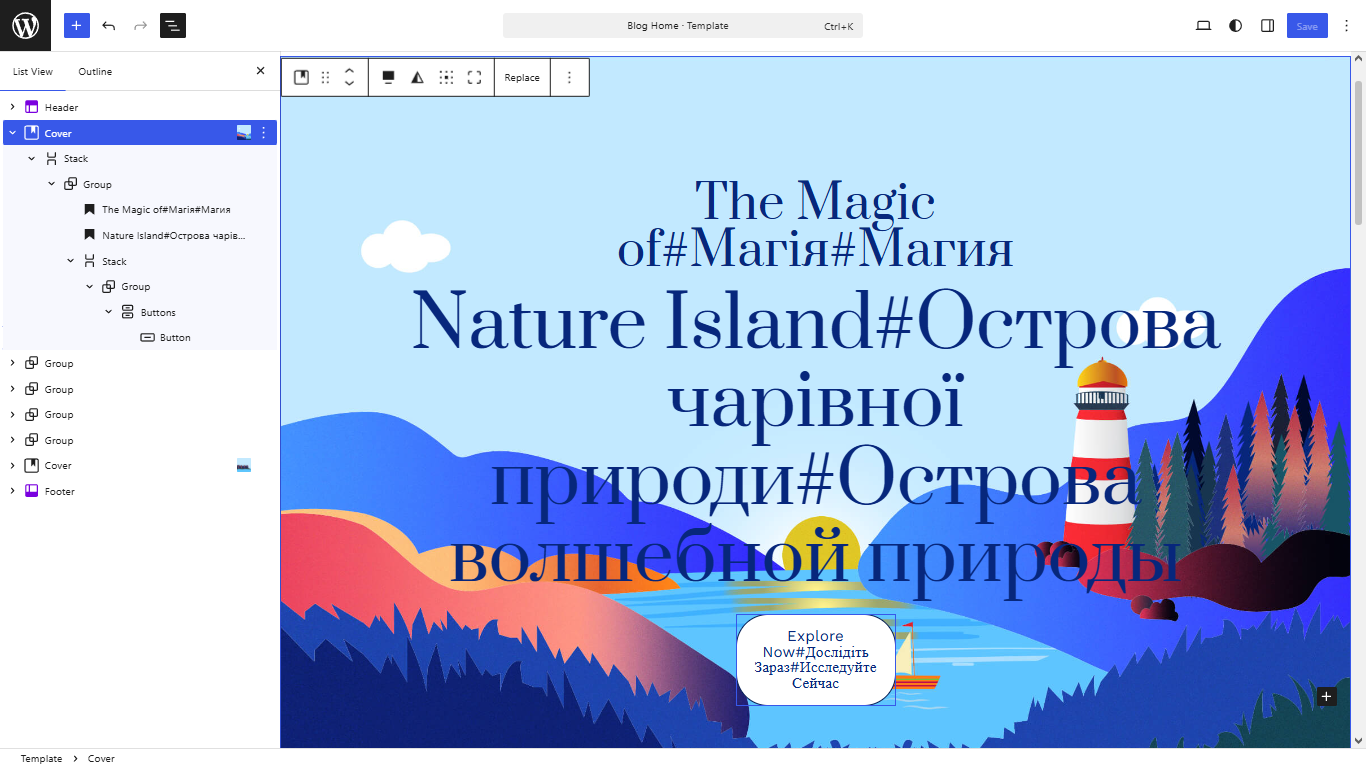
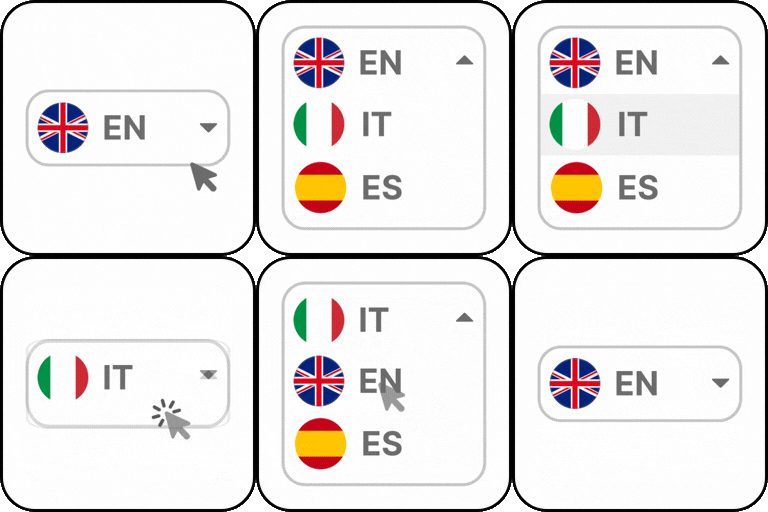
The plugin automatically detects such text, shows only the selected language, and adds a fixed language switch button in the upper-right corner of the page.
In the WordPress editor:
Heading

Hello everyone! # Привіт усім! # Привет всем!

Paragraph

Welcome. # Ласкаво просимо. # Добро пожаловать.
In HTML:
<h1>
    Hello everyone! # Привіт усім! # Привет всем!
</h1>

<p>
    Welcome. # Ласкаво просимо. # Добро пожаловать.
</p>
Features:
- Lightweight and fast.
- No external translation services.
- No API keys required.
- Does not create additional pages.
- Does not create custom database tables.
- Compatible with most WordPress themes.
- Supports any number of languages.
- Works directly with standard WordPress Heading and Paragraph blocks.
- No custom blocks or shortcodes required.
- Custom language labels (RU, EN, UA, etc.).
- Custom separator (## $$ @#@ etc.).
- Optional text animation.
- Falls back to the first language if a translation is missing.
Why LingoToggle?
Unlike automatic translation plugins, LingoToggle lets you write your own translations directly in the content.
This gives you complete control over wording, style and accuracy while keeping the plugin lightweight and easy to use.
Installation
- Upload the plugin folder to the /wp-content/plugins/ directory.
- Activate the plugin.
- Open Settings → LingoToggle.
- Enter language labels separated by spaces.
- Choose the separator (default: #).
- Enable or disable animation if desired.
- Write your multilingual content using the selected separator.
Example:
Enter your multilingual text using the selected separator.
Welcome # Ласкаво просимо # Добро пожаловать
In the languages label, write the names of the languages separated by spaces.
Each language label is automatically shortened to a maximum of three characters and displayed in uppercase on the switch button.
english ukrainian russian
↓
ENG UKR RUS
Plugin Settings:
- Languages: names of languages separated by spaces(default: EN).
- Separator: any custom separator (default: #).
- Animation: enable or disable text animation (default: Enabled).
Frequently asked questions
Does the plugin translate my website automatically?
No. You write and manage all translations yourself.
How many languages are supported?
As many as you define in the plugin settings.
What happens if a translation is missing?
The plugin displays the first available language.
Does it work with special characters?
Yes, the script handles standard and most UTF-8 characters without issues.
Can I write multilingual text directly in the WordPress editor?
Yes. Simply enter your translations directly into any Heading, Paragraph, or other supported text block using the configured separator.
Screenshots


For developers
Is this your plugin? Show off the numbers.
Add a live badge to your site, docs or GitHub README. It updates on its own — no account needed.
Best LingoToggle alternatives
All language switcher plugins →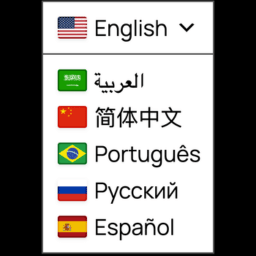




FAQ
LingoToggle: quick answers
Straight answers, pulled from live WordPress.org data.
Live data from WordPress.org · checked Oct 9, 2026
Is LingoToggle free?
Yes. LingoToggle is free to download and use from the official WordPress.org plugin directory.
Is LingoToggle safe to use in 2026?
LingoToggle works, but test it on a staging site before relying on it in 2026. Was last updated 3 months ago, and scores 55/100 on our health check.
How many websites use LingoToggle?
LingoToggle is active on <10 WordPress websites and has been downloaded 206 times since it launched in July 2026. It was downloaded 53 times in the last 30 days.
Does LingoToggle work with WordPress 7.1?
LingoToggle is officially tested up to WordPress 7.0.7, while the latest release is 7.1.3. It may still work, but try it on a staging site first.
What PHP version does LingoToggle need?
LingoToggle requires PHP 7.4 or higher. Most hosts run PHP 8.x today, so it works on any modern WordPress hosting.
When was LingoToggle last updated?
The latest version, 1.0.0, was released on July 22, 2026 (3 months ago).
Who makes LingoToggle?
LingoToggle is developed and maintained by petrolytvyn.
What are the best alternatives to LingoToggle?
The most popular alternatives to LingoToggle are Connect Polylang for Elemen… (100K+ installs), Universally (30K+ installs) and Tranzly™ (7K+ installs).
Powered by PageForge
Want thousands of pages that rank like these? Build them in an afternoon.
This directory runs on the same engine as PageForge. Turn any spreadsheet, CSV or API into thousands of fast, SEO-ready WordPress pages — with schema, internal links and AI-written copy baked in.
- CSV, Google Sheets & API data sources
- AI content, schema & internal links per page
- Works with Elementor, Gutenberg, Yoast & Rank Math
- Free on WordPress.org — no credit card


