



Tranzly™ – AI Translation & Multilingual
Multilingual WordPress, one post per language: linked translations of posts, pages, terms, media, widgets and the site title.

Solid choice
Tranzly™ is a solid plugin choice in 2026, with a few things worth checking first. It runs on 7K+ sites, is rated 5/5 and was last updated 6 hours ago, and scores 79/100 on our health check.
- Actively developed — last update 6 hours ago
- Tested with the latest WordPress (7.1)
- Momentum — downloads up 6603.6% vs the previous 30 days
- Very few reviews so far
- Needs PHP 8.2 or newer
How does it stack up?
Side-by-side on installs, updates, ratings & support


Daily downloads
Download spikes usually follow a new release — each site that auto-updates counts as a download.
Rankings
Where Tranzly™ stands todayWordPress.org search rankings
Live position in the plugin search, top 100| Keyword | Position |
|---|---|
| language switcher | #19 |
| languages | #29 |
| multilingual | #12 |
| translation | #12 |
Version adoption
Share of active sites per release.
Rating breakdown
★★★★★★★★★★ 5 from 1 reviews
About Tranzly™ – AI Translation & Multilingual
From the official readme · v3.25.14Description
Tranzly rebuilt from the ground up. Each translation is a real WordPress post (or category, or tag) linked to its original, which is the approach themes, page builders and SEO plugins handle best.
What this release does
- AI agents (MCP) and REST. Claude, Cursor, VS Code and other MCP-compatible AI assistants can translate your site through its own MCP server, signed in as you with an application password and allowed only what you are allowed. Turn it off in Tranzly, AI agents (MCP).
- One post per language, linked together. Create the German version of a post, page or custom post type and Tranzly links the two. A new translation starts as a draft copy of the original’s title, content, excerpt, featured image, template and categories (or their translations).
- Categories, tags and custom taxonomies get linked translations with their own names, descriptions and slugs.
- Media, widgets, site title and tagline. Image alt text, captions and titles, widget text and the site title and tagline can each carry a translation per language, shown to visitors of that language.
- Unlimited languages, in the free edition as well, added by their WordPress locale code (for example
fr_FR). The first one is the language your content is written in. - Your old Tranzly translations come with you. On a site that ran Tranzly 2.x, the old language links, languages and DeepL key are imported in the background without changing the old data, and anything that cannot be imported is reported rather than stopping it.
wp tranzly legacy dry-runshows what it would do first. - Machine translation with your own account. DeepL (free and paid API keys), AI models with your own key, and with Pro Google Cloud Translation and Microsoft Translator. See the cost before you start.
- Translations that read like a native writer’s. Every translation follows its language’s house style, whichever engine wrote it: French « » with the right spaces, German „…“, Japanese spacing, and the quotation marks, apostrophes and punctuation of 15 languages (links, code and placeholders untouched). AI models also get each language’s tone and form of address (26 languages) from its WordPress.org translation team’s style guide.
- Pick the best AI for each language (Pro). Choose the AI provider and model per language (Gemini for Japanese, Claude for German) plus one for all others. Estimates, fallback and per-provider monthly caps follow each language’s choice.
- Translate in the background. Translate a whole post type into several languages as one job that keeps going after you close the browser; a report shows what failed and why, with one-click retry.
- Words that are never translated (brand and product names) in every edition; with Pro, preferred translations, tone per language, translation memory (a text already translated is never paid for again), a different engine per language, automatic fallback and monthly spending caps.
- For developers:
tranzly_languages(),tranzly_current_language(),tranzly_language_url()andtranzly_get_translation()(read-only undertranzly/v1too), hooks, an interface for your own translation engine, a REST API and WP-CLI (wp tranzly translate --lang=de --post-type=page). Pro adds Polylang and WPML function compatibility; the Agency plan adds multisite network set-up. - Fast: a translated page adds at most two database queries and no cookie, so page caches keep working.
- Security by design. Every change needs the right permission and a valid request token; API keys are stored encrypted; the old version’s “AI translated by Tranzly” link is off.
- The language in the address: /de/, /fr/. Translated pages keep their own translated address (/about/ becomes /de/ueber-uns/), including category, tag and product bases. Old addresses and 3.0’s
?lang=links redirect permanently, so no ranking is lost. With Pro, a subdomain (de.example.com) or a separate domain (example.de) per language. - Multilingual SEO done right. Reciprocal hreflang links with x-default, the page’s
langand right-to-leftdir,og:locale, canonical addresses per language, and every language in your sitemap (WordPress, Yoast SEO, Rank Math, SEOPress or All in One SEO). With Pro, untranslated copies can be kept out of search results, and a per-language SEO audit finds missing descriptions, broken hreflang and duplicate content. - Suggest the visitor’s language. A small, dismissible banner offers a reader the page in their own language, written in that language. It never redirects anybody, so search engines see every page at its own address.
- Search in the visitor’s language. Site search, archives, the blog and category lists show the language being read.
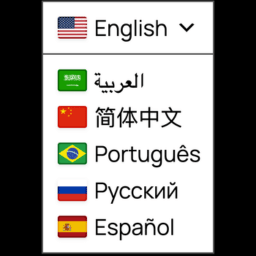
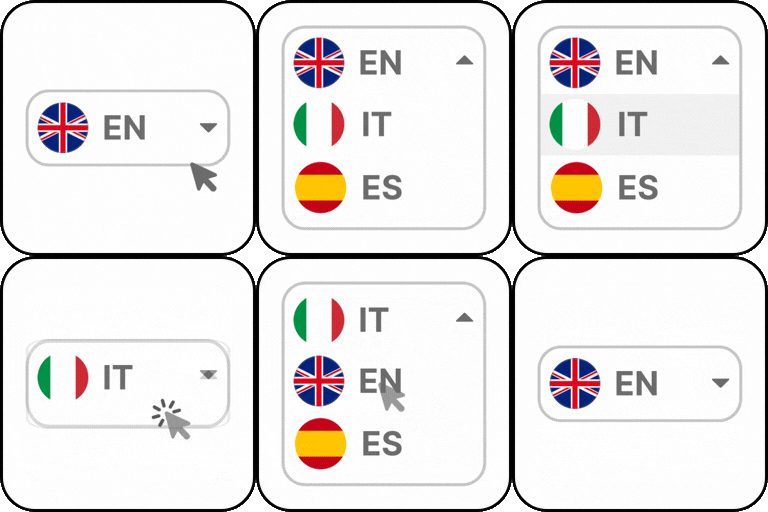
- Language switchers everywhere. A block for the block and site editors in five designs with your own colours, a native Page Builder Sandwich element, a menu item, a widget, a shortcode and a floating button that works on any theme. Each links to this page’s own translation. With Pro, native Elementor and Bricks widgets.
- Accessible switchers. Each switcher is a named navigation landmark, every language is read in its own language, the current one is marked, and the dropdown works from the keyboard. Flags are optional and off by default: a flag is a country, not a language.
- Translation that keeps your blocks intact. Posts are translated block by block: only words change, while structure, code, HTML, shortcodes, links and image addresses stay exactly as they were. Tested on every core block.
- Your corrections are protected. When a person edits a translation, background jobs and re-translation leave it alone until you unlock it.
- Translate from the editor. The block editor’s Translations panel, and the admin bar’s Translations menu, translate into the languages you tick with one click and link to every version. Products and anything else edited in the classic editor have a Translations box that does the same, and categories and tags have one on their edit screen.
- Side-by-side editor. Correct a translation piece by piece next to the original, each piece marked machine or human. With Pro, click any translated text on the page itself and correct it there.
- Blocks and images per language. Show any block only in some languages (a German-only offer in the footer), and with Pro use a different image per language.
- Menus and shared text. Menus are translated automatically (their links lead to the translated pages), or use a separate menu per language. With Pro, the text in your block theme’s headers, footers, templates and patterns too.
- Page Builder Sandwich, deeply. Every Page Builder Sandwich block translates, including the text inside repeated items (tabs, cards, price rows), widgets placed on a page, saved sections and synced patterns, which show in the visitor’s language.
- Translation status at a glance. For every language: what is translated, missing, out of date or corrected by a person, with one click to translate everything missing or out of date in the background.
- Other page builders (Pro). Elementor, Beaver Builder, Bricks, Divi (4 and 5), Oxygen and WPBakery: only visible text is translated; every setting, link and layout stays as it was. (Bricks, Divi, Oxygen, WPBakery and Gravity Forms: tested against stand-ins.)
- WooCommerce products, complete. A product translates like any other content, in every edition, from its own edit screen: title, description, short description, categories and tags, and the new translation carries the product’s price, sale price, SKU, stock, tax settings, gallery and downloads, so it can be bought straight away. With Pro: price and stock kept in step across languages after that, variations, attributes, the shop, cart, checkout and account pages, the checkout and payment texts, and every customer e-mail, sent in the language the order was placed in.
- Prices in the visitor’s currency (Pro). Per language, per country or chosen by the visitor, with your own rounding, and rates you set or the European Central Bank’s, updated daily.
- SEO fields (Pro). Titles, descriptions, social titles and focus keywords of Yoast SEO, Rank Math, SEOPress and All in One SEO, for posts and categories; their variables (%%sitename%%, %title%, #site_title) are kept.
- Custom fields (Pro). ACF, Meta Box and Pods fields, with a choice per field: translate it, copy it, or leave it empty.
- Theme and plugin text (Pro). Read your theme’s or a plugin’s own words (“Read more”, “Add to cart”) and translate them in one place.
- Forms (Pro). Contact Form 7, WPForms, Gravity Forms and Fluent Forms: labels, buttons, messages and their e-mails, in the visitor’s language, with one list of entries.
- Comments and reviews (Pro, optional). Show the comments and product reviews of every language on every version, optionally translated into the reader’s language.
- Workflow (Pro). Bulk translate the whole site with an estimate first; translate new and updated content automatically; Translator and Reviewer roles with approval before publishing; XLIFF and CSV export and import; switch from WPML, Polylang or TranslatePress with languages and links kept; and an AI quality check that names what a person should review.
- Footprint-free front end. The switcher uses neutral class names with a short prefix (
zdby default), no HTML comments or generator tags, and styles served fromwp-content/uploads/<prefix>-assets/rather than the plugin’s folder.
The admin screens stay clearly branded; only what your visitors see is neutral.
Build from source
The admin screen and editor script are built from the human-readable sources in src/ with @wordpress/scripts:
npm ci && npm run build
External services
AI apps you connect (MCP sign-in)
Only when an AI app such as Claude or ChatGPT starts connecting to the site’s MCP server does the site fetch that app’s public OAuth client metadata from the address the app gives, for example https://claude.ai/oauth/mcp-oauth-client-metadata or https://chatgpt.com/oauth/client.json. No site content is sent. Anthropic’s and OpenAI’s terms and privacy policies are listed under AI features below.
Zinn Digital® hosting-customer discount (only on sites Zinn Digital® hosts)
On a WordPress site hosted by Zinn Digital®, the plugin’s screen shows administrators a card offering hosting customers a personal discount code for the Pro edition. Nothing is sent when the page loads. Only when an administrator presses the card’s button does the site send one request to Zinn Digital® at https://api.zinndigital.com/v1/wp/pro-discount/<site id>, containing the plugin’s slug, the word issue and the administrator’s WordPress language, signed with the site’s own key. The site’s address and key come from constants the platform writes into wp-config.php on the sites it hosts; the card reuses only the host and site id of the address, which ends in /v1/wp/plugin-update/<site id>, and never sends anything to that address itself; on any other site they do not exist and the card is never shown. The answer is the customer’s code and a Freemius checkout link, to which the browser is then sent. Terms: https://zinndigital.com/legal/terms · Privacy policy: https://zinndigital.com/legal/privacy
Translation services you choose (DeepL, Google Cloud Translation, Microsoft Translator)
Tranzly translates through the services you set up in Tranzly → Engines, with your own account and key. Nothing is sent to any of them until you save a key and start a translation, and nothing is ever sent to Zinn Digital®. What is sent is the text being translated (post titles, excerpts and content, term names and descriptions), the source and target language, and your key; the answer is the translation.
- DeepL:
https://api.deepl.com(paid DeepL API keys) orhttps://api-free.deepl.com(keys ending in:fx). Tranzly calls/v2/translateto translate,/v2/languagesto learn which languages your account supports,/v2/usagewhen you check your usage, and/v2/glossarieswhen you use a glossary (Pro). Terms: https://www.deepl.com/pro-license · Privacy policy: https://www.deepl.com/privacy - Google Cloud Translation (Pro):
https://translation.googleapis.com/language/translate/v2. Terms: https://cloud.google.com/terms · Privacy policy: https://policies.google.com/privacy - Microsoft Translator (Pro):
https://api.cognitive.microsofttranslator.com/translate. Terms: https://azure.microsoft.com/support/legal/ · Privacy policy: https://privacy.microsoft.com/privacystatement
Exchange rates (European Central Bank), Pro only, off by default
Only when you choose “European Central Bank” as the source of exchange rates for WooCommerce currencies, Tranzly downloads https://www.ecb.europa.eu/stats/eurofxref/eurofxref-daily.xml once a day (and when you press “Update the rates now”). The request sends nothing about your site or its visitors. Terms and privacy: https://www.ecb.europa.eu/services/disclaimer/html/index.en.html
Licensing and updates (Freemius)
The plugin bundles the Freemius SDK, which handles licences and updates for the Pro edition and, only if you agree, product usage data.
Nothing is sent until you opt in on the screen shown after activation, or activate a licence. When you do, the SDK sends your site’s URL, WordPress, PHP and plugin versions, language, and the administrator’s name and email address to Freemius, and checks it periodically for licence status and updates. Before connecting it checks that the service is reachable by requesting https://api.freemius.com/v1/ping.json, which sends nothing about your site. You can opt out at any time from the plugin’s Account page.
- Service: https://freemius.com
- Terms: https://freemius.com/terms/
- Privacy policy: https://freemius.com/privacy/
AI features use the AI provider you choose, with your own API key. Nothing is sent to any AI provider until you add a key under Settings → AI providers and use an AI feature. When you do, the text the feature needs (for example, the content being written or translated) and your key are sent to that one provider, and to no one else. Keys are stored encrypted in your database and are never sent to Zinn Digital®. The “Save and test” button sends one short test request to the provider.
- OpenAI: https://api.openai.com/v1 (terms: https://openai.com/policies/services-agreement/, privacy policy: https://openai.com/policies/privacy-policy/)
- Anthropic (Claude): https://api.anthropic.com/v1 (terms: https://www.anthropic.com/legal/commercial-terms, privacy policy: https://www.anthropic.com/legal/privacy)
- Google Gemini: https://generativelanguage.googleapis.com/v1beta (terms: https://ai.google.dev/gemini-api/terms, privacy policy: https://policies.google.com/privacy)
- Mistral AI: https://api.mistral.ai/v1 (terms: https://legal.mistral.ai/terms/commercial-terms-of-service/, privacy policy: https://legal.mistral.ai/terms/privacy-policy/)
- DeepSeek: https://api.deepseek.com (terms: https://cdn.deepseek.com/policies/en-US/deepseek-open-platform-terms-of-service.html, privacy policy: https://cdn.deepseek.com/policies/en-US/deepseek-privacy-policy.html)
- OpenRouter: https://openrouter.ai/api/v1 (terms: https://openrouter.ai/terms, privacy policy: https://openrouter.ai/privacy)
- A service you run yourself (any OpenAI-compatible address you enter): only that address is contacted.
Recommended models list (off unless you turn it on). If you turn on the daily check for a newer recommended models list under Settings → AI providers, the plugin requests https://api.zinndigital.com/v1/ai-model-catalogue once a day. The request is a plain download: it carries no key, no site address and nothing about your content, and the list is signed so a changed copy is ignored.
- Service: https://zinndigital.com
- Terms: https://zinndigital.com/legal/terms
- Privacy policy: https://zinndigital.com/legal/privacy
Help and support from Zinn Digital® (off until you use it)
The plugin’s Get help screen can send a support request to Zinn Digital®, the plugin’s developer. Nothing is sent until you connect the site or send a request yourself.
- Connecting the site (Get help → Connect) calls
https://api.zinndigital.com/v1/plugin-support/connectionswith the email address and name you type, the plugin’s name and version, this site’s address and title, the WordPress and PHP versions and your language. The answer is a connection token, stored encrypted in your database. The screen checks it with/v1/plugin-support/connection; Disconnect deletes it there and here. - Sending a request calls
https://api.zinndigital.com/v1/plugin-support/ticketswith what you type (subject, message, your name), the plugin’s name, your language, and your licence’s plan and ids. Only if you tick “Include site details” does it add the site details the screen shows you before sending (site address, WordPress, PHP, theme and plugin versions, a few server settings and the last lines of the PHP error log).
Installation
- Upload the
tranzlyfolder to/wp-content/plugins/, or install the zip from Plugins → Add New → Upload Plugin. - Activate the plugin.
- Open Tranzly in the admin menu and add your languages.
Frequently asked questions
Does it translate my content automatically?
Yes, with a translation service you choose and your own key: DeepL (Free or Pro) or an AI model in the free edition, and Google Cloud Translation or Microsoft Translator with Pro. Add a key under Tranzly → Engines, then translate one post from the editor or a whole post type as a background job. You can also write translations by hand, or keep the text imported from Tranzly 2.x.
What happens to my Tranzly 2.x translations?
They are imported in the background the first time the new version runs. The old data is left untouched. To preview or reverse it: wp tranzly legacy dry-run, wp tranzly legacy undo, and wp tranzly legacy run to import again.
How is the current language chosen?
From the address. With language folders (the default) /de/… is German and an address with no folder is your default language; with Pro, the subdomain or domain decides. A visitor’s browser language never changes the page they get: it only lets Tranzly offer them their language in a small banner, which you can switch off under Tranzly → Addresses and SEO. Sites that prefer the older ?lang=de style can choose it there; the language then comes from that parameter, then the post being viewed, then a cookie named after the class prefix (zd_lang by default), then the first listed language.
Can I move from WPML, Polylang or TranslatePress?
Yes, with Pro. Switch the other plugin off, then Tranzly → Workflow → Switch reads its data where it left it: languages, the links between translations (posts, pages and categories) and translated site texts. From TranslatePress, which keeps no translated pages, Tranzly builds each translation from its saved translations. Nothing of the other plugin is changed, and Undo removes exactly what the import added.
Will translation break my blocks or page builder layouts?
No. Tranzly sends a translation service only the words of each block and writes the answer back into the same place, so the layout, links, image addresses, code and HTML blocks are untouched and every block still opens in the editor. A text a person corrected is never overwritten by a later machine translation unless you unlock it.
Does it work with my SEO plugin?
Yes. Tranzly adds the multilingual parts (hreflang, language and direction, per-language addresses and every language in the sitemap) and leaves schema to your SEO plugin. With Pro, the SEO titles, descriptions, social titles and focus keywords you wrote in Yoast SEO, Rank Math, SEOPress or All in One SEO are translated too. It is tested with WordPress’s own sitemap and all four.
Can an AI assistant translate my site?
Yes. Tranzly adds WordPress abilities and its own MCP server at /wp-json/tranzly/v1/mcp (WordPress 6.9 or later): languages, engines, translating posts, categories, media, menus and site texts, jobs, status, review, SEO addresses and more — everything the Tranzly screens do, with the same permission checks. In Pro, AI agents can also translate the whole site in the background, run the AI quality check, manage the glossary and export files for human translators. Create an application password under Users, Profile, then follow Tranzly, AI agents (MCP). The same actions are available over the…
Changelog
3.25.14
- Maintenance update of the shared admin screens: the setup can continue where it stopped, and tables fit narrow screens.
3.25.13
- Updated Freemius SDK to the latest version.
3.25.12
- The settings screen shows the Page Builder Sandwich Pro + Tranzly Pro bundle with its saving, linked to the bundle on the plugin’s own pricing page.
3.25.11
- Security: build toolchain dependencies patched (postcss-selector-parser, smol-toml, shell-quote, source-map-js, katex). No change to the shipped plugin code.
3.25.10
- The plugin’s name now carries its trade mark sign: Tranzly™ (UK trade mark application UK00004455746); same folder, settings and updates. The readme’s External services section now lists the AI-app sign-in (MCP client metadata) request.
3.25.9
- Build tooling: a dependency of the admin build (source-map-js) is updated; no change to what the plugin does.
For developers
Is this your plugin? Show off the numbers.
Add a live badge to your site, docs or GitHub README. It updates on its own — no account needed.
Best Tranzly™ alternatives
All language switcher plugins →



FAQ
Tranzly™: quick answers
Straight answers, pulled from live WordPress.org data.
Live data from WordPress.org · checked Oct 9, 2026
Is Tranzly™ free?
Yes. Tranzly™ is free to download and use from the official WordPress.org plugin directory.
Is Tranzly™ safe to use in 2026?
Tranzly™ is a solid plugin choice in 2026, with a few things worth checking first. It runs on 7K+ sites, is rated 5/5 and was last updated 6 hours ago, and scores 79/100 on our health check.
How many websites use Tranzly™?
Tranzly™ is active on 7K+ WordPress websites and has been downloaded 18,219 times since it launched in October 2020. It was downloaded 1,877 times in the last 30 days.
Does Tranzly™ work with WordPress 7.1?
Yes. The developer has tested Tranzly™ up to WordPress 7.1.3, the latest release. It requires WordPress 6.8 or newer.
What PHP version does Tranzly™ need?
Tranzly™ requires PHP 8.2 or higher. Most hosts run PHP 8.x today, so it works on any modern WordPress hosting.
When was Tranzly™ last updated?
The latest version, 3.25.14, was released on October 9, 2026 (6 hours ago).
Who makes Tranzly™?
Tranzly™ is developed and maintained by Zinn Digital®.
What are the best alternatives to Tranzly™?
The most popular alternatives to Tranzly™ are Connect Polylang for Elemen… (100K+ installs), Universally (30K+ installs) and Multilanguage by BestWebSoft (3K+ installs).
Powered by PageForge
Want thousands of pages that rank like these? Build them in an afternoon.
This directory runs on the same engine as PageForge. Turn any spreadsheet, CSV or API into thousands of fast, SEO-ready WordPress pages — with schema, internal links and AI-written copy baked in.
- CSV, Google Sheets & API data sources
- AI content, schema & internal links per page
- Works with Elementor, Gutenberg, Yoast & Rank Math
- Free on WordPress.org — no credit card


