


LanzNav – Visual Navigation Builder
Build responsive, accessible WordPress navigation with live preview, device layouts, logo support, themes, and optional theme-menu replacement.

Solid choice
LanzNav is a solid plugin choice in 2026, with a few things worth checking first. Was last updated 3 weeks ago, and scores 64/100 on our health check.
- Actively developed — last update 3 weeks ago
- Tested with the latest WordPress (7.1)
- Small user base (<10 active installs)
- Very few reviews so far
How does it stack up?
Side-by-side on installs, updates, ratings & support



Daily downloads
Download spikes usually follow a new release — each site that auto-updates counts as a download.
Rankings
Where LanzNav stands todayWordPress.org search rankings
Live position in the plugin search, top 100| Keyword | Position |
|---|---|
| mega menu | >100 |
| menu | >100 |
| navbar | #21 |
| navigation | >100 |
| responsive menu | >100 |
About LanzNav – Visual Navigation Builder
From the official readme · v1.0.6Description
LanzNav turns a semantic WordPress menu into a responsive navigation experience without replacing your menu content or locking locally implemented features.
Included features:
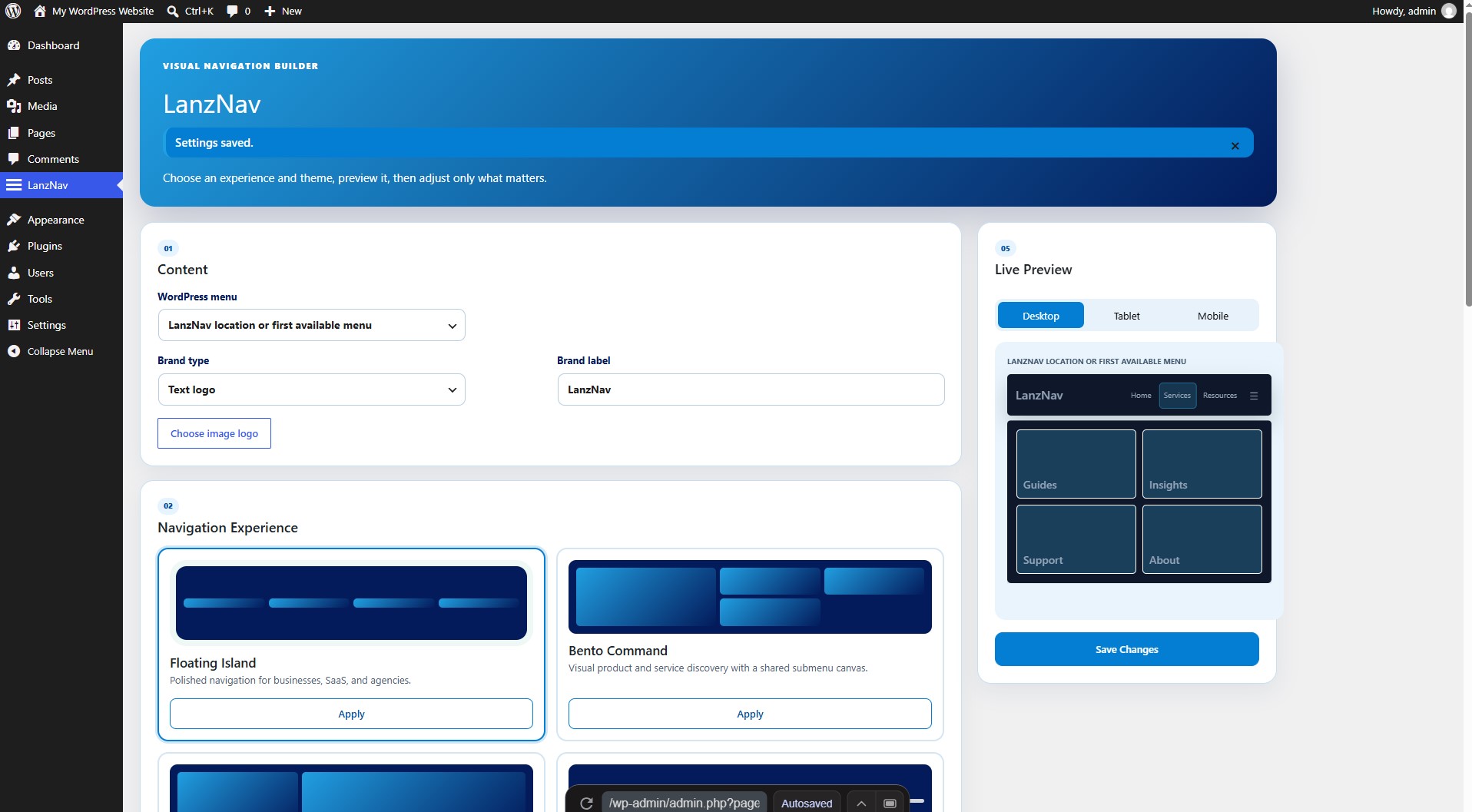
- Floating Island, Bento Command, Editorial Split, and Minimal Precision experiences
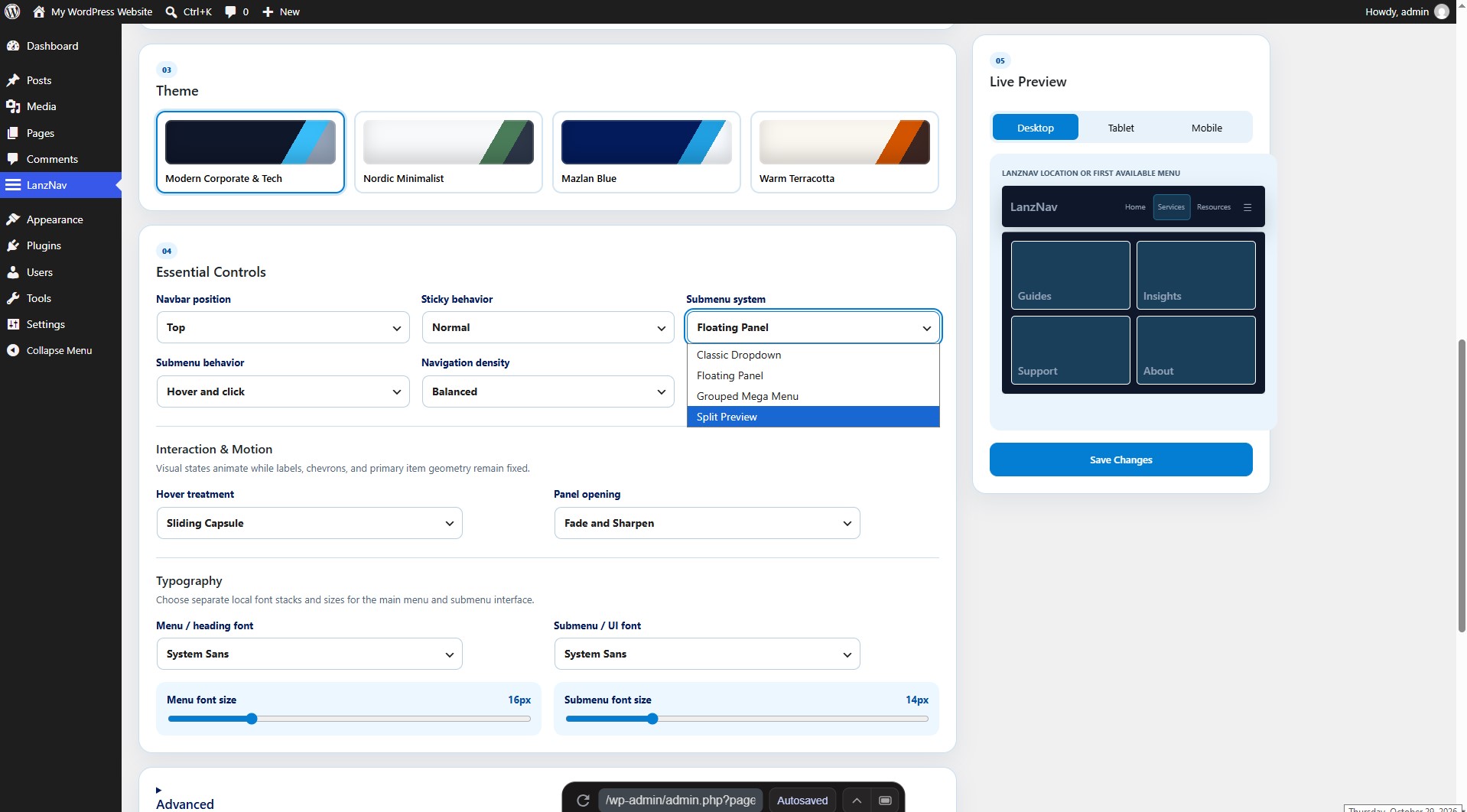
- Classic Dropdown, Floating Panel, Grouped Mega Menu, and Split Preview submenus
- Accessible nested mobile accordion navigation
- Modern Corporate & Tech, Nordic Minimalist, Mazlan Blue, and Warm Terracotta themes
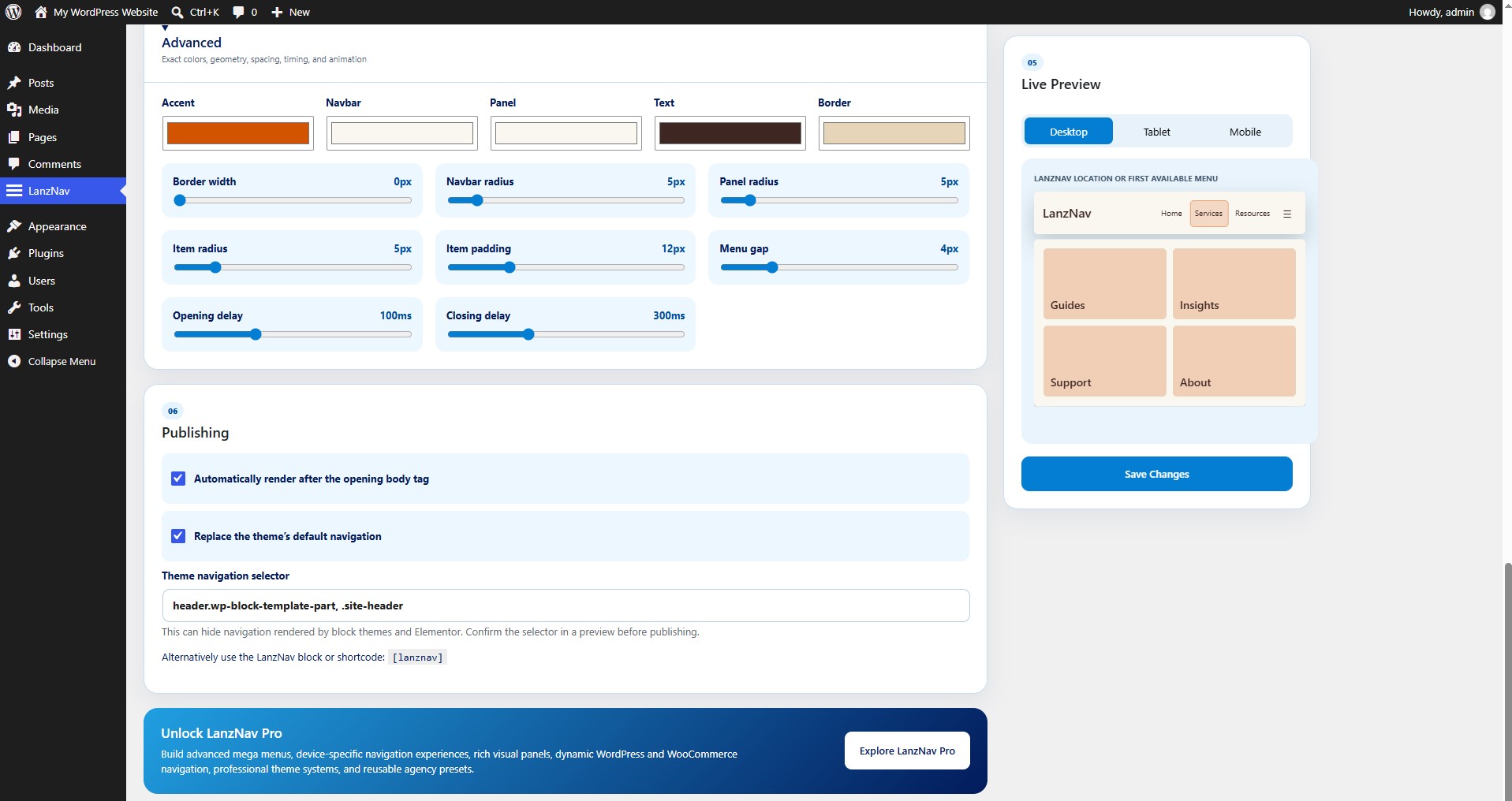
- Custom accent, navbar, panel, text, and border colors
- Adjustable typography, density, spacing, timing, radius, and border sizing
- Separate local font-family and size controls for menus and submenus
- Preset-first visual builder with desktop, tablet, and mobile preview modes
- Hover-and-click or click-only submenu behavior
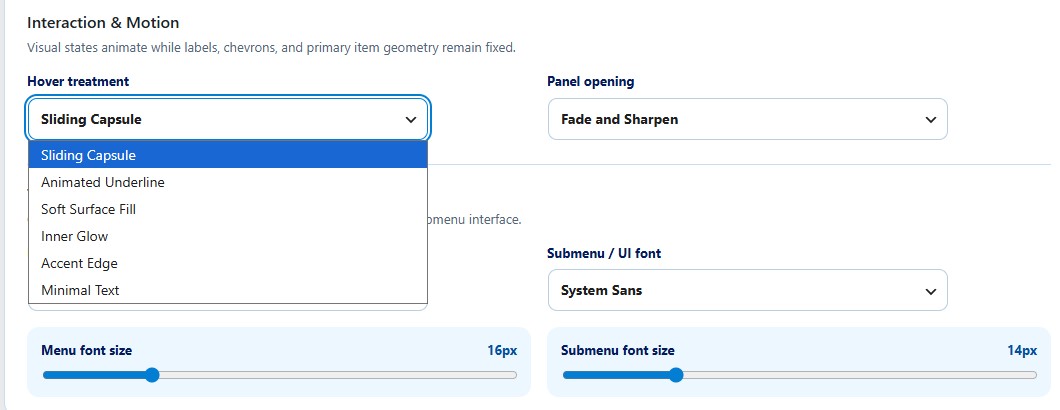
- Six geometry-stable hover treatments and four restrained panel-opening styles
- Optional sticky navigation
- Text logos and uncropped rectangular image logos
- Live preview in the settings screen
- Automatic placement, dynamic block, shortcode, and registered menu location
- Optional, reversible theme-navigation replacement
- Keyboard, touch, RTL, and reduced-motion support
The JavaScript and CSS distributed with LanzNav are directly maintained, human-readable source files. No compilation or build step is required.
Upgrade
Explore LanzNav Pro for advanced mega menus, device-specific navigation experiences, rich visual panels, dynamic WordPress and WooCommerce navigation, professional theme systems, and reusable agency presets. LanzNav Pro is a separately distributed product; its implementation is not bundled in this plugin.
Installation
- Upload the
lanznavfolder to/wp-content/plugins/, or install the ZIP from Plugins → Add New. - Activate LanzNav.
- Open LanzNav from the main WordPress dashboard menu.
- Choose an existing WordPress menu and configure the navigation.
- Save your changes.
Changelog
1.0.6
- Corrected WordPress Coding Standards formatting found during the directory pre-submission audit.
1.0.5
- Removed the obsolete manual translation-domain loader now handled automatically by WordPress.org.
1.0.4
- Updated the LanzNav admin identity to the Mazlan blue logo palette.
- Replaced Cyberpunk Night with the Mazlan Blue navigation theme while preserving customized legacy colors.
- Fixed clipped third-level menus in Floating Island and Minimal Precision.
- Confirmed the Advanced border-width default remains 0px.
1.0.3
- Stabilized primary menu geometry across hover, focus, current, and expanded states.
- Added Sliding Capsule, Animated Underline, Soft Surface Fill, Inner Glow, Accent Edge, and Minimal Text treatments.
- Added Fade and Sharpen, Clip Reveal, Gentle Scale, and Instant panel opening choices.
- Added a stationary shared Bento panel with content crossfades and improved Escape focus restoration.
- Expanded live preview and browser geometry regression coverage.
- Replaced the legacy theme set with four coordinated palettes and migrated old theme names without overwriting saved custom colors.
- Changed new-install and reset geometry to 5px radii and a 0px border while preserving existing saved geometry.
- Made closed submenus inert and visually empty, kept all opened content sharp, and added top, bottom, left, and right mobile placement behavior.
- Updated LanzNav admin branding to the green-to-orange gradient and refreshed live-preview theme and position behavior.
1.0.2
- Added clearly labeled menu and submenu typography controls with four privacy-friendly local font stacks.
- Added immediate font-family updates to the Live Preview.
1.0.1
- Renamed the public product identity to LanzNav – Visual Navigation Builder.
- Rebuilt the WordPress.org package around its fully functional Free feature set.
- Removed dormant commercial feature implementations and artificial Free-edition limits.
- Preserved compatible settings, shortcode, block, and menu-location identifiers for existing sites.
- Added four coordinated navigation experiences, four submenu systems, four themes, and a preset-first builder.
- Fixed submenu pointer gaps with delayed hover closing, click-open persistence, viewport positioning, and a shared Bento submenu canvas.
Screenshots
For developers
Is this your plugin? Show off the numbers.
Add a live badge to your site, docs or GitHub README. It updates on its own — no account needed.
Best LanzNav alternatives
All mega menu plugins →





FAQ
LanzNav – Visual Navigation Builder: quick answers
Straight answers, pulled from live WordPress.org data.
Source: WordPress.org
Is LanzNav free?
Yes. LanzNav is free to download and use from the official WordPress.org plugin directory.
Is LanzNav safe to use in 2026?
LanzNav is a solid plugin choice in 2026, with a few things worth checking first. Was last updated 3 weeks ago, and scores 64/100 on our health check.
How many websites use LanzNav?
LanzNav is active on <10 WordPress websites and has been downloaded 206 times since it launched in October 2026. It was downloaded 207 times in the last 30 days.
Does LanzNav work with WordPress 7.1?
Yes. The developer has tested LanzNav up to WordPress 7.1.5, the latest release. It requires WordPress 6.5 or newer.
What PHP version does LanzNav need?
LanzNav requires PHP 7.4 or higher. Most hosts run PHP 8.x today, so it works on any modern WordPress hosting.
When was LanzNav last updated?
The latest version, 1.0.6, was released on October 29, 2026 (3 weeks ago).
Who makes LanzNav?
LanzNav is developed and maintained by Mazlan Halim.
What are the best alternatives to LanzNav?
The most popular alternatives to LanzNav are HappyAddons for Elementor (400K+ installs), Max Mega Menu (300K+ installs) and The Plus Addons for Element… (100K+ installs).
Powered by PageForge
One template and a spreadsheet. A real page for every search.
PageForge turns each row of a CSV into a WordPress page with its own title, URL, SEO fields and schema, built on the layout you already designed. Free on WordPress.org.
- CSV and XLSX, plus Google Sheets on Professional and Enterprise
- Its own title, URL, SEO fields and schema for every page
- Works with the block editor, Elementor, Divi and Avada
- Free on WordPress.org, no credit card