


KaTracker
The only full and all powerful, complete bittorrent tracker and torrent file management integration for wordpress.

Consider an alternative
KaTracker shows warning signs in 2026 — compare the alternatives below before installing. It runs on 10+ sites, is rated 5/5 and was last updated 9 years ago, and scores 30/100 on our health check.
- Small user base (10+ active installs)
- Very few reviews so far
- No update in 8 years
- Only tested up to WordPress 4.9 (latest is 7.1)
How does it stack up?
Side-by-side on installs, updates, ratings & support



Daily downloads
Download spikes usually follow a new release — each site that auto-updates counts as a download.
Rankings
Where KaTracker stands todayWordPress.org search rankings
Live position in the plugin search, top 100| Keyword | Position |
|---|---|
| file | >100 |
| media | >100 |
| torrent | #4 |
| tracker | >100 |
Version adoption
Share of active sites per release.
Rating breakdown
★★★★★★★★★★ 5 from 1 reviews
About KaTracker
From the official readme · v1.1.12Description
A complete bittorrent tracker and torrent management integration for wordpress, make a bittorrent tracker within 5 minutes!
The tracker engine is based uppon the mysql version of peertracker (https://github.com/JonnyJD/peertracker), and was changed to match wordpress standards and functions.
The plugin includes as well as tracker functionality, a torrent management system for wordpress, allowing to upload and manage torrent files inside wordpress directly.
Due to wordpress limitations the cleanup system works hourly (without an option to change) for now.
Main Features
- Upload and manage torrent files
- Use a private tracker to tracks only uploaded torrents, or an open tracker to tracks every torrent announced to the tracker
- Use shortcodes to include a torrent in post, or to list all available torrents
- Recent torrent widget
- Torrent thumbnails
- And more…
For Theme Developers
- an option to include your own implementation and css of the widget and the shortcode in your theme directory.
License Notes
- Most of the tracker is licensed under GPLv2 License, but the tracker core and the torrent file class are licensed under GPLv3 or later license.
I’ve included that license file as well as GPLv3 in the main plugin directory, and added a special notes in the header of every file using that license.
Installation
- Upload the plugin files to the
/wp-content/plugins/katrackerdirectory, or install the plugin through the WordPress plugins screen directly. - Activate the plugin through the ‘Plugins’ screen in WordPress
- Use the Settings-)Katracker screen to configure the tracker and torrent management settings
Note that torrents view best in list view and not in grid view.
Requirements
- php 5.3 or later
View uploaded torrents
To view a single torrent use the [torrent] shortcode, you can tweak the shortcode with the following attributes:
- id=(torrent id) *required
- stats=(1 or 0, shows torrent stats)
- files=(1 or 0, shows a torrent file list)
To view a list of uploaded torrents, use the [torrents] shortcode:
- id=(list of torrent ids seperated by commas)
- category=(if set, lists the torrents in a specific category, otherwise lists all categories)
- stats=(1 or 0, shows torrent stats)
- files=(1 or 0, shows a torrent file list)
By default shows all enabled torrents.
For wordpress theme developers
- If you want to override the widget or the shortcode implementations and stylesheets, don’t edit the files in the plugin directory as they will revert every time the plugin is updated. Include in your theme directory a copy of the following files, and edit them instead:
- For the widget: katracker-widget.php and katracker-widget.css
- For the shortcode: katracker-shortcode.php and katracker-shortcode.css
Changelog
1.1.12
- Fixed default torrent post titles on upload (torrent will use internal name instead of hash for default post titles)
1.1.1
- Fixed ‘append’ options for torrent announces and comments
1.1.0
- Fixed torrent file type upload for wordpress 4.8+
1.0.9
- Fixed statistics in admin page
- Minor bug fixes
1.0.8
- Bug fixes (note to self: do not commit after 2AM)
1.0.7
- Simplified magnet links support
- Bug fixes and minor improvements
Screenshots
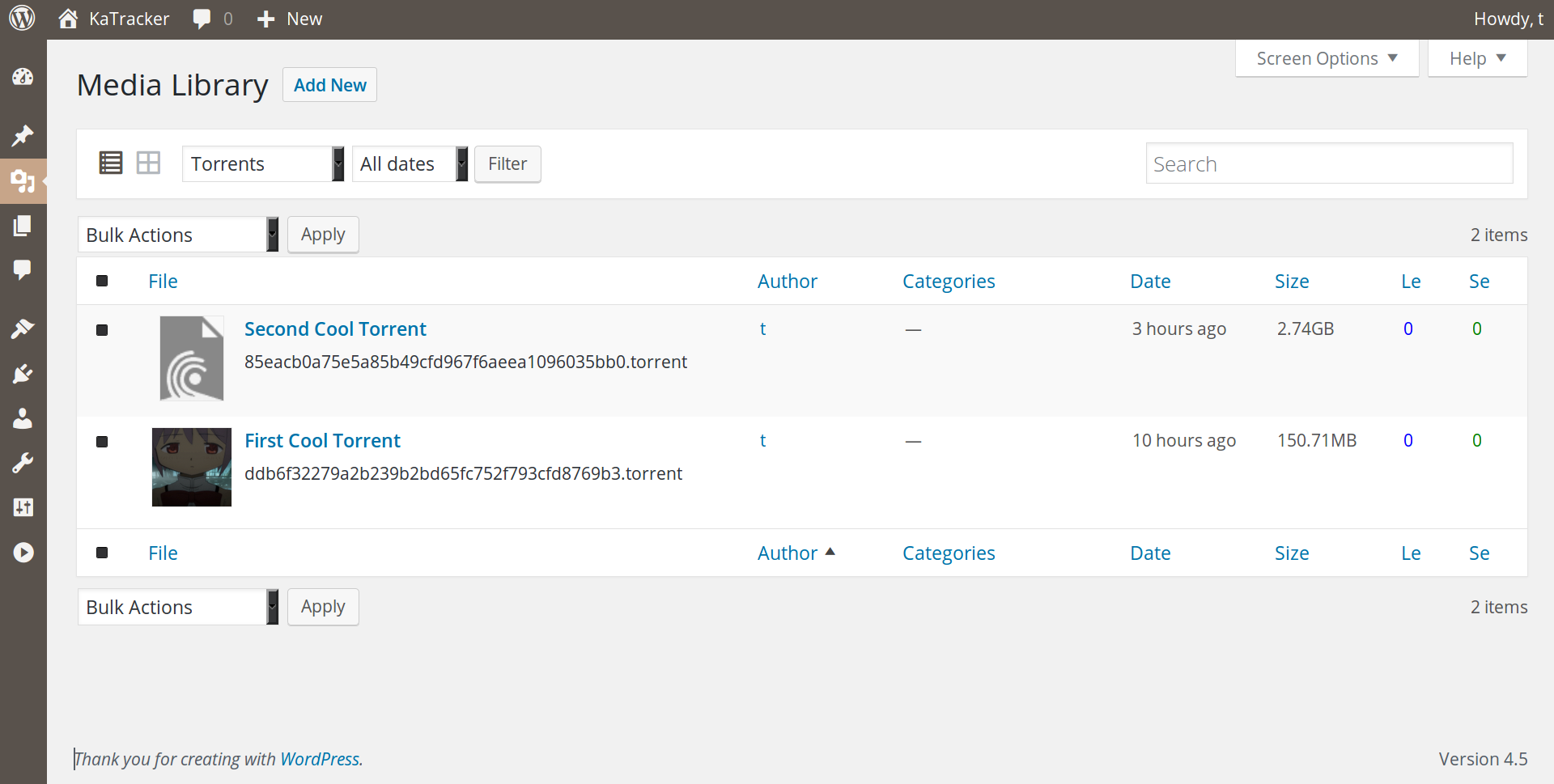


For developers
Is this your plugin? Show off the numbers.
Add a live badge to your site, docs or GitHub README. It updates on its own — no account needed.
Best KaTracker alternatives
All file plugins →





FAQ
KaTracker: quick answers
Straight answers, pulled from live WordPress.org data.
Source: WordPress.org
Is KaTracker free?
Yes. KaTracker is free to download and use from the official WordPress.org plugin directory.
Is KaTracker safe to use in 2026?
KaTracker shows warning signs in 2026 — compare the alternatives below before installing. It runs on 10+ sites, is rated 5/5 and was last updated 9 years ago, and scores 30/100 on our health check.
How many websites use KaTracker?
KaTracker is active on 10+ WordPress websites and has been downloaded 4,943 times since it launched in April 2016. It was downloaded 43 times in the last 30 days.
Does KaTracker work with WordPress 7.1?
KaTracker is officially tested up to WordPress 4.9.36, while the latest release is 7.1.5. It may still work, but try it on a staging site first.
When was KaTracker last updated?
The latest version, 1.1.12, was released on February 12, 2018 (9 years ago).
Who makes KaTracker?
KaTracker is developed and maintained by nicoco.
What are the best alternatives to KaTracker?
The most popular alternatives to KaTracker are Phoenix Media Rename (50K+ installs), Theme Editor (50K+ installs) and What The File (40K+ installs).
Powered by PageForge
One template and a spreadsheet. A real page for every search.
PageForge turns each row of a CSV into a WordPress page with its own title, URL, SEO fields and schema, built on the layout you already designed. Free on WordPress.org.
- CSV and XLSX, plus Google Sheets on Professional and Enterprise
- Its own title, URL, SEO fields and schema for every page
- Works with the block editor, Elementor, Divi and Avada
- Free on WordPress.org, no credit card