


Live updates from Excel
Display live updating data from your desktop Microsoft Excel spreadsheets in your WordPress blog. No file saving or importing required.

Consider an alternative
Live updates from Excel shows warning signs in 2026 — compare the alternatives below before installing. It runs on 100+ sites, is rated 4.2/5 and was last updated 3 years ago, and scores 34/100 on our health check.
- Small user base (100+ active installs)
- No update in 2 years
- Only tested up to WordPress 6.4 (latest is 7.1)
How does it stack up?
Side-by-side on installs, updates, ratings & support



Daily downloads
Download spikes usually follow a new release — each site that auto-updates counts as a download.
Rankings
Where Live updates from Excel stands todayWordPress.org search rankings
Live position in the plugin search, top 100| Keyword | Position |
|---|---|
| cloud | >100 |
| collaboration | >100 |
| data | >100 |
| excel | >100 |
| live | >100 |
Version adoption
Share of active sites per release.
Rating breakdown
★★★★★★★★★★ 4.2 from 5 reviews
About Live updates from Excel
From the official readme · v2.4.0Description
The ipushpull WordPress plugin makes it easy to automate updates from your desktop Excel spreadsheets into your WordPress pages.
Push data from Excel
- Push your data and formats at the click of a button from your existing spreadsheets with our Excel add-in. No file uploads required.
Live updates
- Update your webpages automatically as data changes in your spreadsheet. Share only the latest information with your site visitors.
Live charts too!
- Push your Excel charts automatically to WordPress too.
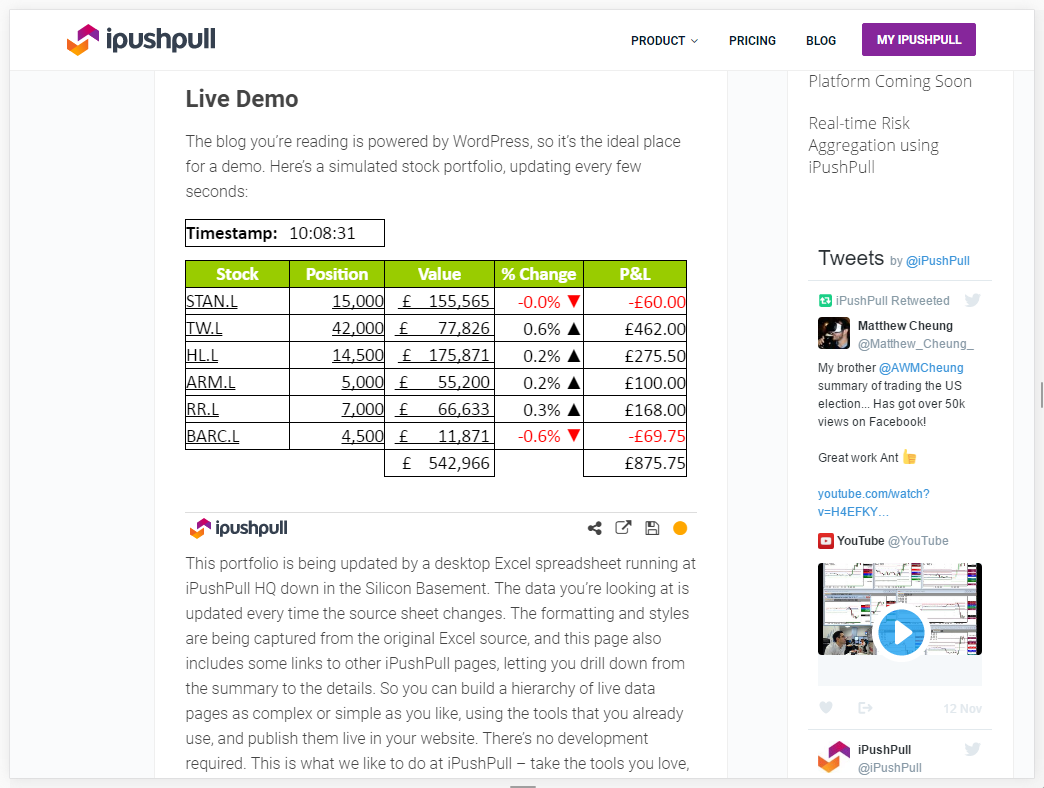
Take a look at this page on the ipushpull blog to see the plugin in action.
You’ll need an ipushpull account to use the plugin – sign up for a free trial here!
Features
- Display the latest data from your desktop spreadsheets in your WordPress pages
- You don’t need to save the source spreadsheet to update the data
- Your content updates automatically – the reader does not need to refresh their browser to get the latest update
- You choose the range of cells that gets displayed
- You control the update frequency – every few seconds, every hour, every day
- Data can be public or password protected
Examples
Take a look at this page on the ipushpull blog to see the plugin in action.
For more information please visit the ipushpull website and the ipushpull Help and Support Centre.
User Guide
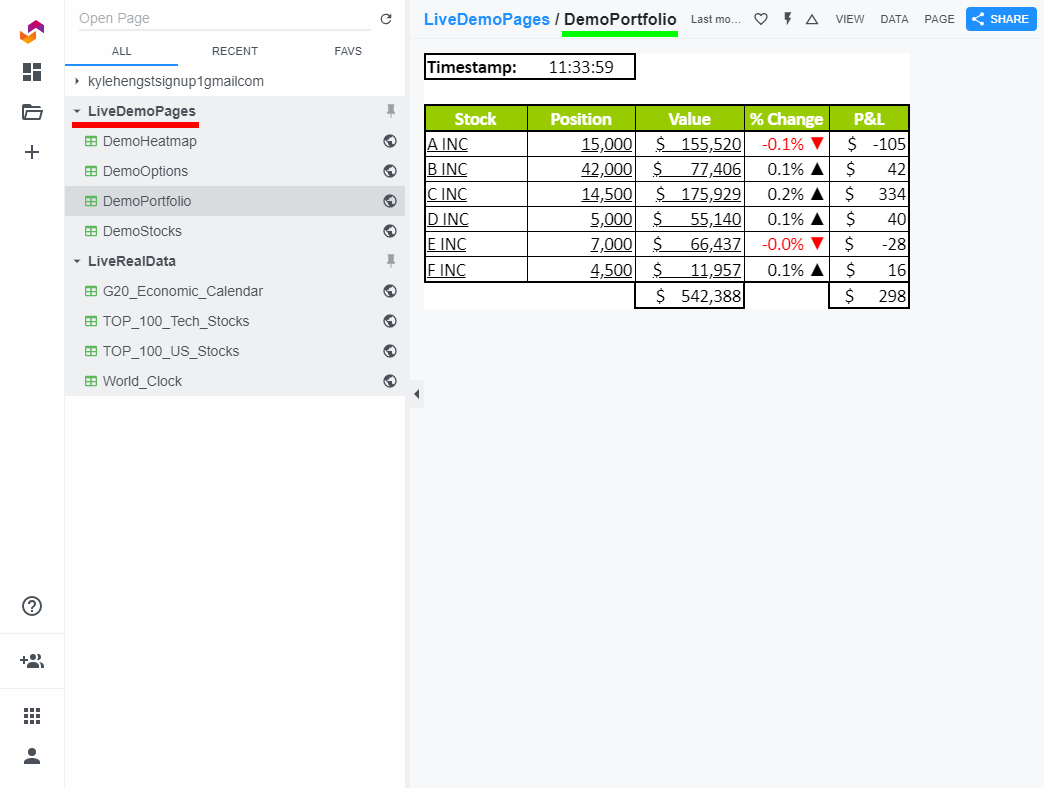
When you sign up to ipushpull we create a Folder for you, containing live data Pages. You can then push data to these pages from desktop Excel spreadsheets, databases or any of the other applications we support.
Installation
You can install the ipushpull WordPress plugin using any of these standard methods:
Install using WordPress administrator panel
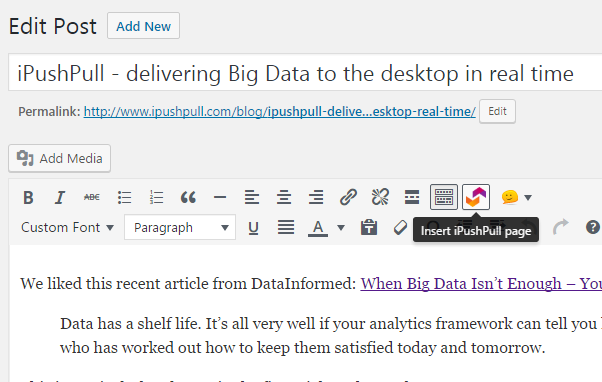
- In your WordPress admin panel, go to Plugins -> Add New
- Type ipushpull in the search box
- Click on the Install Now link below the plugin title
- After installation is finished, click on the Activate Plugin link
Upload using WordPress administrator panel
- Download the plugin ZIP file
- In the WordPress admin panel navigate to Plugins -> Add New
- Click on the Upload link
- Select the zip file you downloaded and confirm submission
- After installation is finished, click on the Activate Plugin link
Manual Upload
- Download the plugin ZIP file
- Upload the contents of the ZIP file into ‘wp-content/plugins’
- Open your WordPress administration panel
- Navigate to Plugins -> Installed Plugins
- Click on Activate Plugin link below the plugin title
After installation
- Sign up for a free ipushpull account and download and install our Excel add-in
- Create an ipushpull Page and start pushing data to it from your desktop Excel
- Make the Page Public if you want all visitors to your site to see it
-
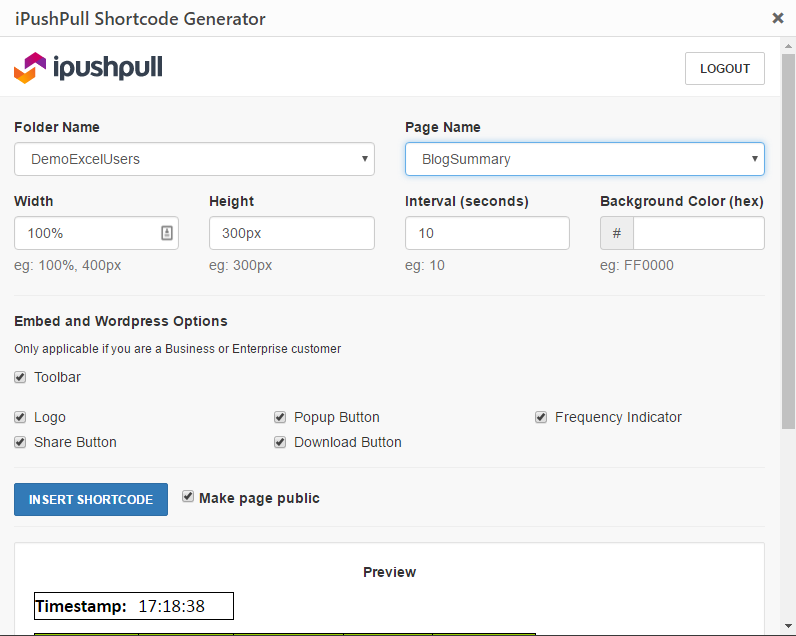
Embed the page in your WordPress site using the following shortcode:
[ipushpull_page folder=”my_folder_name” page=”my_page_name” height=”300px”]
Frequently asked questions
How do I embed live Excel spreadsheet data in my WordPress site?
Sign up for a free ipushpull account and download and install our Excel add-in Install the WordPress Plugin and Display live data From Excel Make the Page Public if you want all visitors to your site to see it Embed the page in your WordPress site using a shortcode. Use our shortcode generator or write one like this: [ipushpull_page folder=”my_folder_name” page=”my_page_name” height=”300px”]
How do I find out more?
More documentation can be found at the ipushpull Support Centre.
Can I see some live examples of Excel data updating in a blog post?
Sure – this page on the ipushpull WordPress blog includes several examples.
Is there some test data that I can use without having to sign up to ipushpull first?
Yes – we have a demo ipushpull page that is constantly being updated. It’s in the folder DemoExcelUsers and is called BlogSummary. You can embed this in your WordPress page using the following shortcode: [ipushpull_page folder="DemoExcelUsers" page="BlogSummary" height="325px"]
Can I control which functions are displayed on the ipushpull toolbar?
ipushpull users with a Business or Enterprise account can control the appearance of the toolbar. For more details about these packages please see our Pricing Page.
Instead of my data, my visitors see the error message “You don’t have access to this page”
This means that the ipushpull Page has not been set to Public. A Page has to be Public if you want every visitor to your website to be able to see it. See this support article for instructions.
Instead of my data, my visitors see the error message “Requested page was not found”
This means that you have made a mistake with the Folder or Page name in your shortcode. Correct the problem and try again.
Where can I get more support?
Support pages haven’t answered your question? Email support@ipushpull.com for further help.
Changelog
1.0
- ipushpull shortcode is available to embed live pages
1.2
- Improving item displays
- Adding help widget with support information
1.3
- Readme updates
1.4
- Adding useful links and shortcuts to support
1.5
- Adding extra shortcode parameters to control toolbar appearance
- Adding extra shortcode parameter to control update interval
- Making sure plugin will work on older PHP versions
1.6
- Readme updates
- Asset updates
Screenshots



For developers
Is this your plugin? Show off the numbers.
Add a live badge to your site, docs or GitHub README. It updates on its own — no account needed.
Best Live updates from Excel alternatives
All cloud plugins →





FAQ
Live updates from Excel: quick answers
Straight answers, pulled from live WordPress.org data.
Live data from WordPress.org · checked Sep 28, 2026
Is Live updates from Excel free?
Yes. Live updates from Excel is free to download and use from the official WordPress.org plugin directory.
Is Live updates from Excel safe to use in 2026?
Live updates from Excel shows warning signs in 2026 — compare the alternatives below before installing. It runs on 100+ sites, is rated 4.2/5 and was last updated 3 years ago, and scores 34/100 on our health check.
How many websites use Live updates from Excel?
Live updates from Excel is active on 100+ WordPress websites and has been downloaded 19,865 times since it launched in July 2015. It was downloaded 122 times in the last 30 days.
Does Live updates from Excel work with WordPress 7.1?
Live updates from Excel is officially tested up to WordPress 6.4.12, while the latest release is 7.1.2. It may still work, but try it on a staging site first.
When was Live updates from Excel last updated?
The latest version, 2.4.0, was released on December 4, 2023 (3 years ago).
Who makes Live updates from Excel?
Live updates from Excel is developed and maintained by ipushpull.
What are the best alternatives to Live updates from Excel?
The most popular alternatives to Live updates from Excel are Media Cloud Sync (1K+ installs), Offload Media (1K+ installs) and WFatture for WooCommerce Fa… (700+ installs).
Powered by PageForge
Want thousands of pages that rank like these? Build them in an afternoon.
This directory runs on the same engine as PageForge. Turn any spreadsheet, CSV or API into thousands of fast, SEO-ready WordPress pages — with schema, internal links and AI-written copy baked in.
- CSV, Google Sheets & API data sources
- AI content, schema & internal links per page
- Works with Elementor, Gutenberg, Yoast & Rank Math
- Free on WordPress.org — no credit card


