



Image Text Wrap
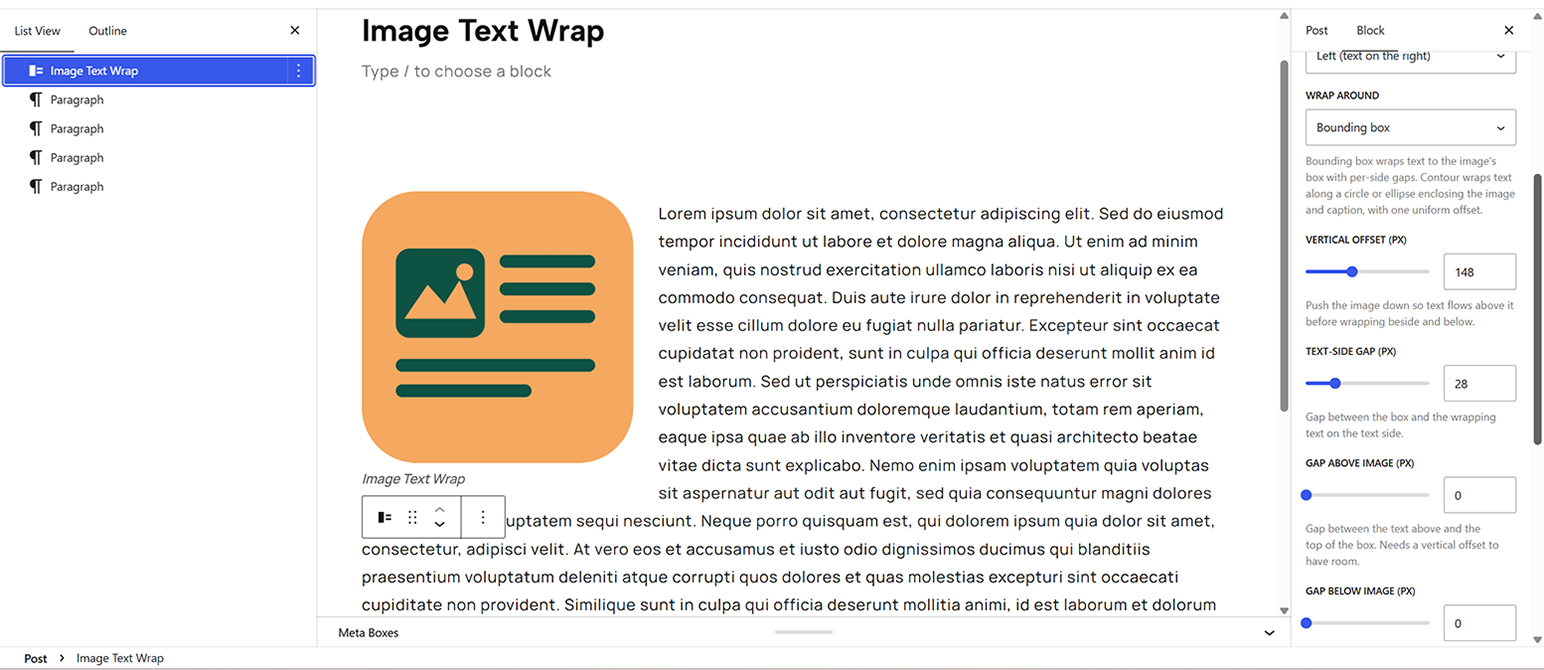
Image Text Wrap adds a Gutenberg block that flows your body text around an image the way a page-layout program does. Drop the block into a post, type your paragraphs after it, and the text reflows around the image.

Solid choice
Image Text Wrap is a solid plugin choice in 2026, with a few things worth checking first. It runs on 10+ sites and was last updated 1 month ago, and scores 62/100 on our health check.
- Tested with the latest WordPress (7.1)
- Small user base (10+ active installs)
- Very few reviews so far
How does it stack up?
Side-by-side on installs, updates, ratings & support



Daily downloads
Download spikes usually follow a new release — each site that auto-updates counts as a download.
Rankings
Where Image Text Wrap stands todayWordPress.org search rankings
Live position in the plugin search, top 100| Keyword | Position |
|---|---|
| block | >100 |
| float | #81 |
| image | >100 |
| text wrap | #10 |
| wrap text | #13 |
Version adoption
Share of active sites per release.
About Image Text Wrap
From the official readme · v1.3.4Description
Image Text Wrap adds a Gutenberg block that flows your body text around an image the way a page-layout program does. Drop the block into a post, type your paragraphs after it, and the text reflows around the image.
You get real control over the wrap instead of the all-or-nothing float the core Image block gives you:
- Float left or right, with the image aligned to your content column (not thrown into the page gutter).
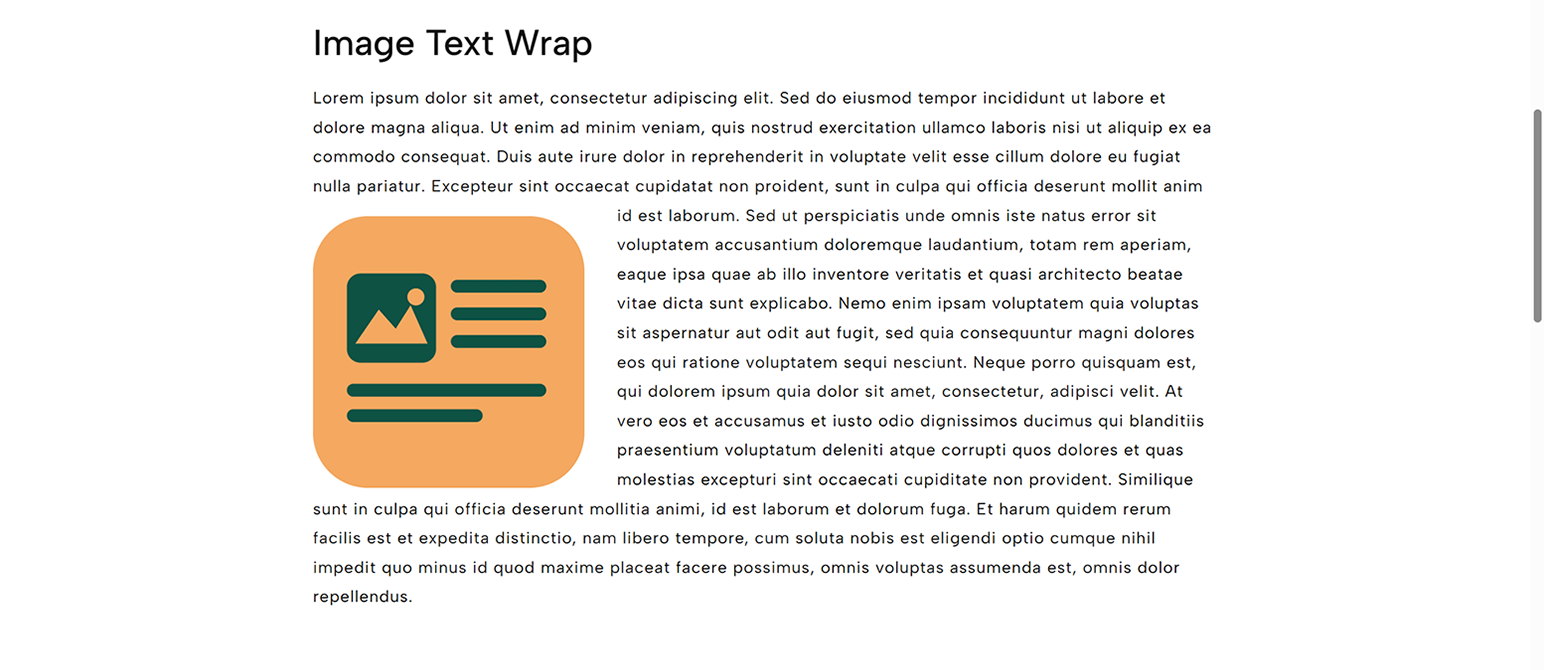
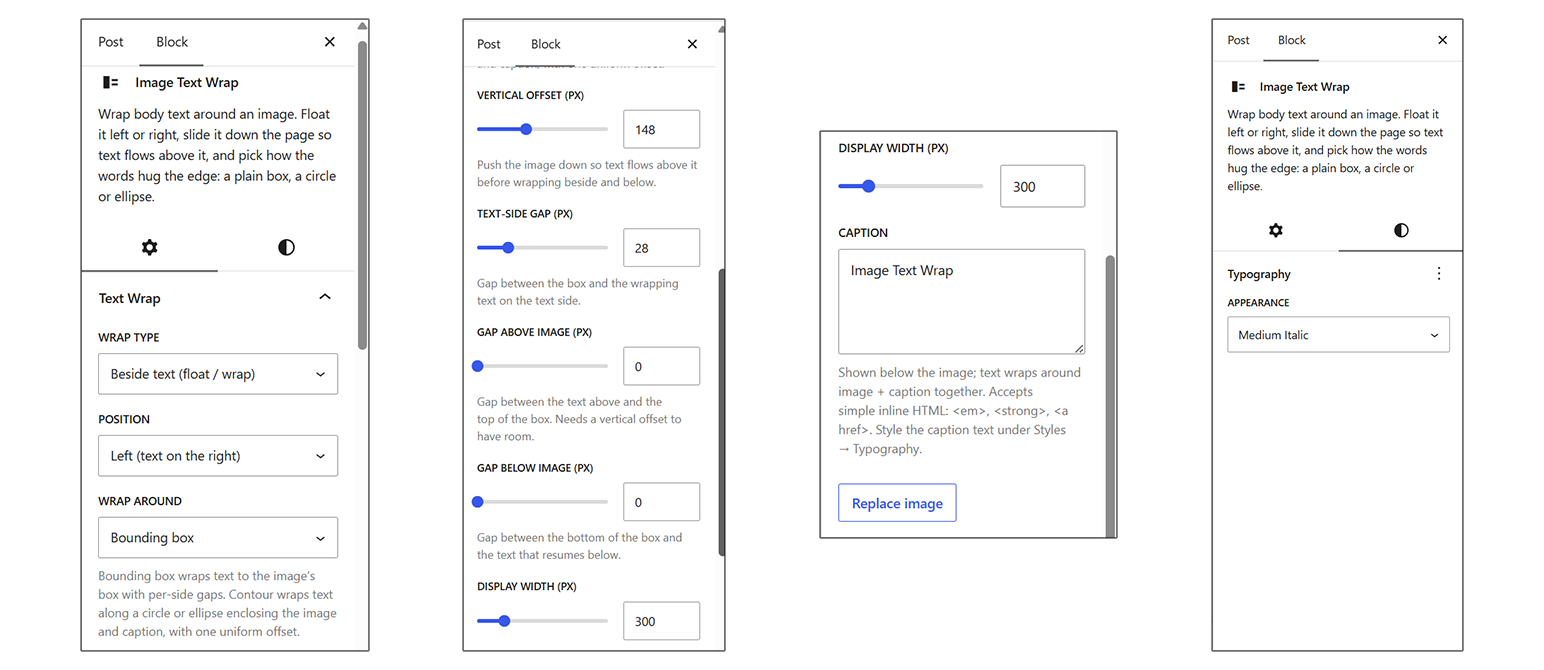
- Vertical offset slides the image down into the copy so text flows above it, then wraps beside and below.
- Bounding box wrap flows text around the image’s box, with independent gaps for the text side, above, and below, like a page-layout program’s box wrap.
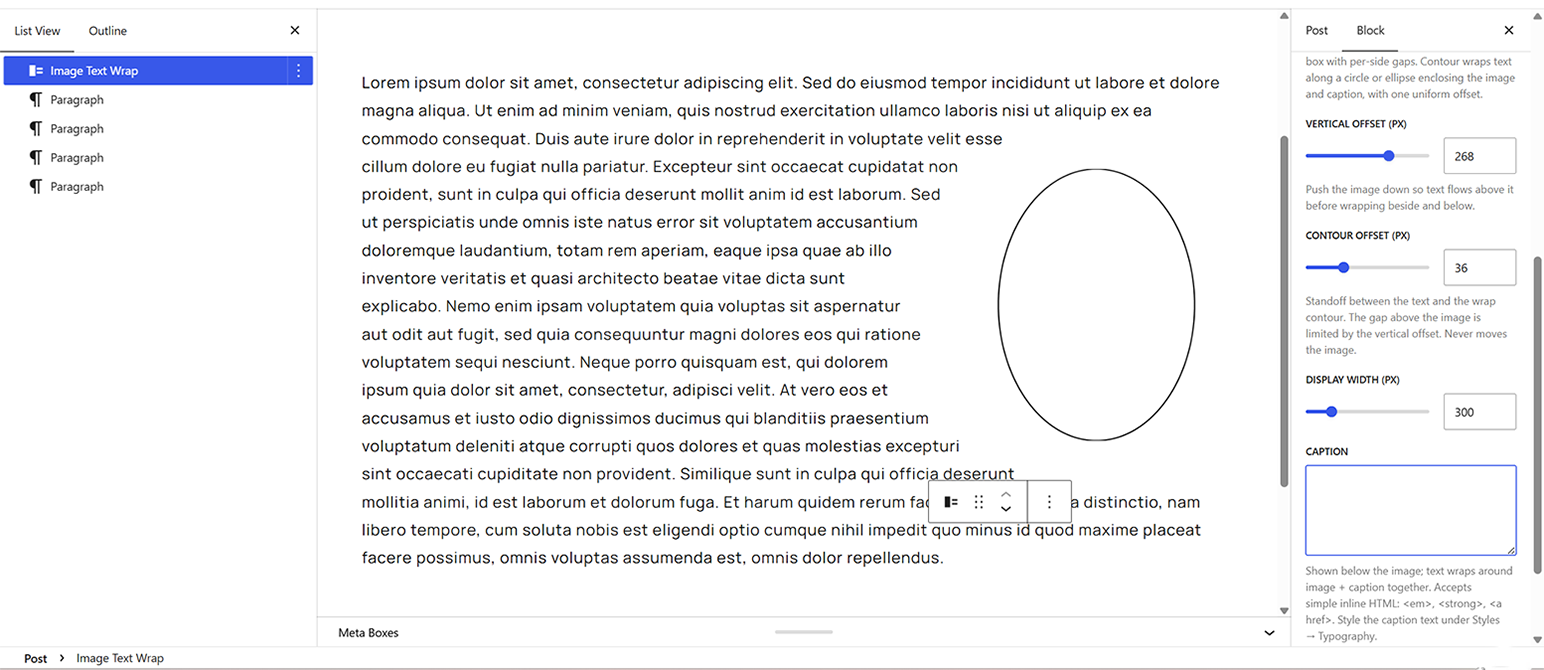
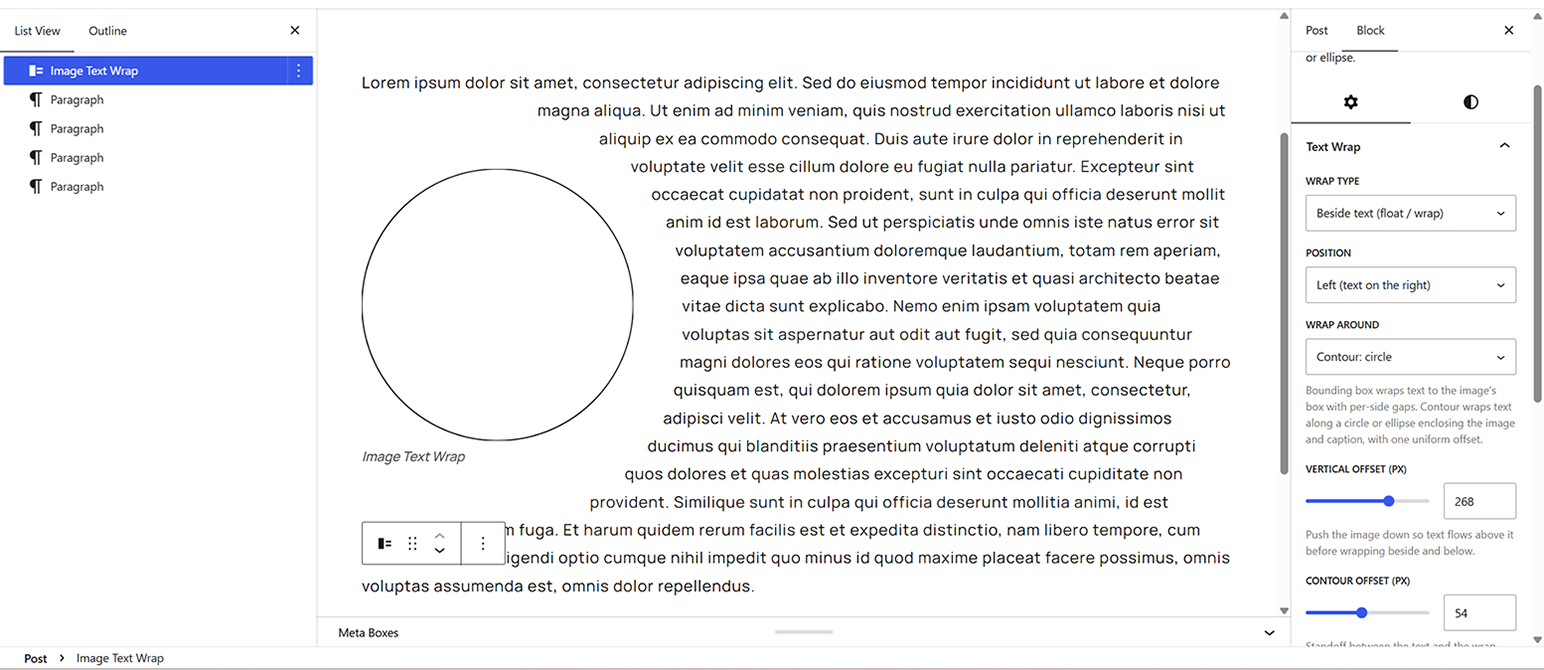
- Contour wrap flows text along a circle or ellipse enclosing the image and its caption, with a single contour offset controlling the standoff (the gap above the image is limited by the vertical offset).
- Top & bottom mode drops the image into its own band with text above and below only.
- Captions appear below the image, edited from the sidebar, with the body text wrapping around image and caption together. They accept simple inline HTML (em, strong, links), and the standard WordPress Typography panel (font size, line height, appearance, letter spacing, letter case, decoration) styles the caption text.
The block saves as plain HTML with inline styles, so published posts keep rendering even across editor updates. There is no build step and no external dependencies.
A note on wrapping: text flows above, beside (one side), and below the image. Text hugging both sides of a centered image at once is not supported, because the browser feature required for it (CSS Exclusions) does not exist in current browsers.
Installation
- Upload the
image-text-wrapfolder to/wp-content/plugins/, or install the plugin through the Plugins screen in WordPress. - Activate the plugin through the Plugins screen.
- In the post editor, add the Image Text Wrap block, choose an image, and type your paragraphs after it. Adjust the wrap in the block’s Text Wrap panel.
Frequently asked questions
How do I get text above the image?
Raise the Vertical offset slider. The text that flows above the image comes from the block placed immediately after it, so make sure a paragraph follows the image block.
Can text wrap around all four sides of a centered image?
No. Text flows above, below, and on one side. Simultaneous wrapping on both sides of a mid-column image requires CSS Exclusions, which no current browser supports.
Does it work on mobile?
Yes. Below 600px the image drops to full width with text above and below, so a narrow column never gets squeezed. Above that it keeps the float and wrap.
Does it need a build step?
No. The block is authored in plain JavaScript against the WordPress editor APIs, with no compile step, bundler, or external libraries.
Changelog
Documentation cleanup only; no functional changes.
1.3.4
- Documentation only: brought the Upgrade Notice section in line with 1.3.3 (the 1.3.1 notice no longer advertises the reverted in-canvas caption editing) and added notices for 1.3.2 and 1.3.3. No code changes.
1.3.3
- Restored the Caption field in the block sidebar, removed by mistake in 1.3.1, and removed the in-canvas caption editing that replaced it. The caption in the canvas is a display-only preview again, now sanitized (scripts and event attributes stripped) so the 1.3.1 hardening is preserved.
1.3.2
- Blocks using the silhouette contour wrap removed in 1.2.0 (shape-outside from the image’s alpha channel) now validate and migrate instead of showing “unexpected or invalid content”: deprecated save formats for 1.0.0 and 1.1.x now include the contour branch, and those blocks convert to the enclosing ellipse contour, the closest modern equivalent.
- Legacy migrations now scrub generated wrap classes (has-shape, shape-*) that earlier block recoveries had captured into the block’s custom class name, which would have wrongly restyled migrated blocks.
1.3.1
- Blocks published under any earlier version now upgrade cleanly: deprecated save formats for 1.0.0 through 1.3.0 are registered, so existing posts no longer show “unexpected or invalid content”, and the old vertical gap’s top spacing carries over into the new Gap above image setting.
- Captions are now written directly under the image in the editor canvas (like the core Image block), with bold, italics, and links via the formatting toolbar. This also hardens the caption against markup injection and against server-side filters rewriting it out from under the editor.
- The caption is read from the saved markup rather than duplicated in the block comment, so security filters (KSES, link rel rewriting) can no longer make the stored post invalid.
- Allowed the wrap’s shape-outside and box-sizing styles through KSES, so authors without the unfiltered_html capability keep their wrap when saving.
- Fixed the Typography panel’s line height having no effect on the caption.
- Fixed a stale Gap below image value distorting the contour geometry after switching from Bounding box to Contour mode.
- On narrow viewports the wrap box now stays inside the content column instead of overflowing it; a clamped image gets a proportionally wider standoff and never overlaps text.
- The editor script’s strings are now translatable (wp_set_script_translations).
- Copy cleanup: the contour offset help now notes the gap above the image is limited by the vertical offset, and the screenshot description matches the 1.3.0 controls.
1.3.0
- Reworked text wrapping around the two wrap models used in page-layout programs: Bounding box (wrap to the image’s box with independent per-side gaps) and Contour (wrap along a circle or ellipse with one uniform offset).
- Contour wrap: new Contour offset control, a uniform standoff between the text and the wrap contour, holding evenly all the way around the shape, including its widest point. Adjusting it never moves the image.
- Contour wrap: the contour always encloses the image and its caption, at any caption height, so the caption is never overrun and never dropped. (A perfect circle cannot enclose a caption, so with a caption the contour is the enclosing ellipse.)
- Fixed: circle and ellipse wraps were silently dropped to a rectangular wrap whenever a vertical offset or vertical gap was set, or when the image had a caption.
- Bounding box wrap: independent Text-side gap, Gap above image, and Gap below image controls.
- The image now stays flush with the content column on its non-text side in all wrap modes.
- Added the standard WordPress Typography panel to the block (font size, line height, appearance, letter spacing, letter case, decoration), using the theme’s own presets; it styles the caption text, which stays proportionally smaller than the chosen size.
1.2.0
- Removed the contour (silhouette) wrap shape. Rectangle, circle, and ellipse wraps remain.
Screenshots
For developers
Is this your plugin? Show off the numbers.
Add a live badge to your site, docs or GitHub README. It updates on its own — no account needed.
Best Image Text Wrap alternatives
All block plugins →





FAQ
Image Text Wrap: quick answers
Straight answers, pulled from live WordPress.org data.
Live data from WordPress.org · checked Oct 7, 2026
Is Image Text Wrap free?
Yes. Image Text Wrap is free to download and use from the official WordPress.org plugin directory.
Is Image Text Wrap safe to use in 2026?
Image Text Wrap is a solid plugin choice in 2026, with a few things worth checking first. It runs on 10+ sites and was last updated 1 month ago, and scores 62/100 on our health check.
How many websites use Image Text Wrap?
Image Text Wrap is active on 10+ WordPress websites and has been downloaded 158 times since it launched in August 2026. It was downloaded 77 times in the last 30 days.
Does Image Text Wrap work with WordPress 7.1?
Yes. The developer has tested Image Text Wrap up to WordPress 7.1.3, the latest release. It requires WordPress 6.4 or newer.
What PHP version does Image Text Wrap need?
Image Text Wrap requires PHP 7.4 or higher. Most hosts run PHP 8.x today, so it works on any modern WordPress hosting.
When was Image Text Wrap last updated?
The latest version, 1.3.4, was released on August 24, 2026 (1 month ago).
Who makes Image Text Wrap?
Image Text Wrap is developed and maintained by cmtkennyb.
What are the best alternatives to Image Text Wrap?
The most popular alternatives to Image Text Wrap are Spectra Legacy (1M+ installs), Breadcrumb NavXT (800K+ installs) and PDF Embedder (300K+ installs).
Powered by PageForge
Want thousands of pages that rank like these? Build them in an afternoon.
This directory runs on the same engine as PageForge. Turn any spreadsheet, CSV or API into thousands of fast, SEO-ready WordPress pages — with schema, internal links and AI-written copy baked in.
- CSV, Google Sheets & API data sources
- AI content, schema & internal links per page
- Works with Elementor, Gutenberg, Yoast & Rank Math
- Free on WordPress.org — no credit card


