



HTML Forms – Simple WordPress Forms Plugin
A simpler, faster, and smarter WordPress forms plugin.

Safe pick
Yes — HTML Forms is a safe, well-maintained plugin to use in 2026. It runs on 10K+ sites, is rated 4.9/5 and was last updated 4 days ago, and scores 94/100 on our health check.
- Proven at scale on 10K+ active sites
- Loved by users — 4.9/5 from 57 reviews
- Actively developed — last update 4 days ago
- Tested with the latest WordPress (7.1)
- Momentum — downloads up 48.8% vs the previous 30 days
How does it stack up?
Side-by-side on installs, updates, ratings & support



Daily downloads
Download spikes usually follow a new release — each site that auto-updates counts as a download.
Rankings
Where HTML Forms stands todayWordPress.org search rankings
Live position in the plugin search, top 100| Keyword | Position |
|---|---|
| contact form | >100 |
| email form | #39 |
| form | #48 |
| html form | #3 |
| upload form | #19 |
Version adoption
Share of active sites per release.
Rating breakdown
★★★★★★★★★★ 4.9 from 57 reviews
About HTML Forms
From the official readme · v1.7.1Description
With HTML Forms, you can easily add multi-purpose forms to your WordPress site.
The idea behind HTML Forms is different than most other form builder plugins: You manage the form HTML. The plugin manages the PHP and a tiny bit of JavaScript.
That’s right. No “intuitive” drag & drop interface. We believe that dynamic form builders can be great, but they also severely limit your options. Also, they’re slow and overly complicated from a technical point of view.
HTML Forms aims to be simpler, faster and smarter. It’s the ideal plugin solution for developers looking for a simple way to create a contact form or other HTML form.
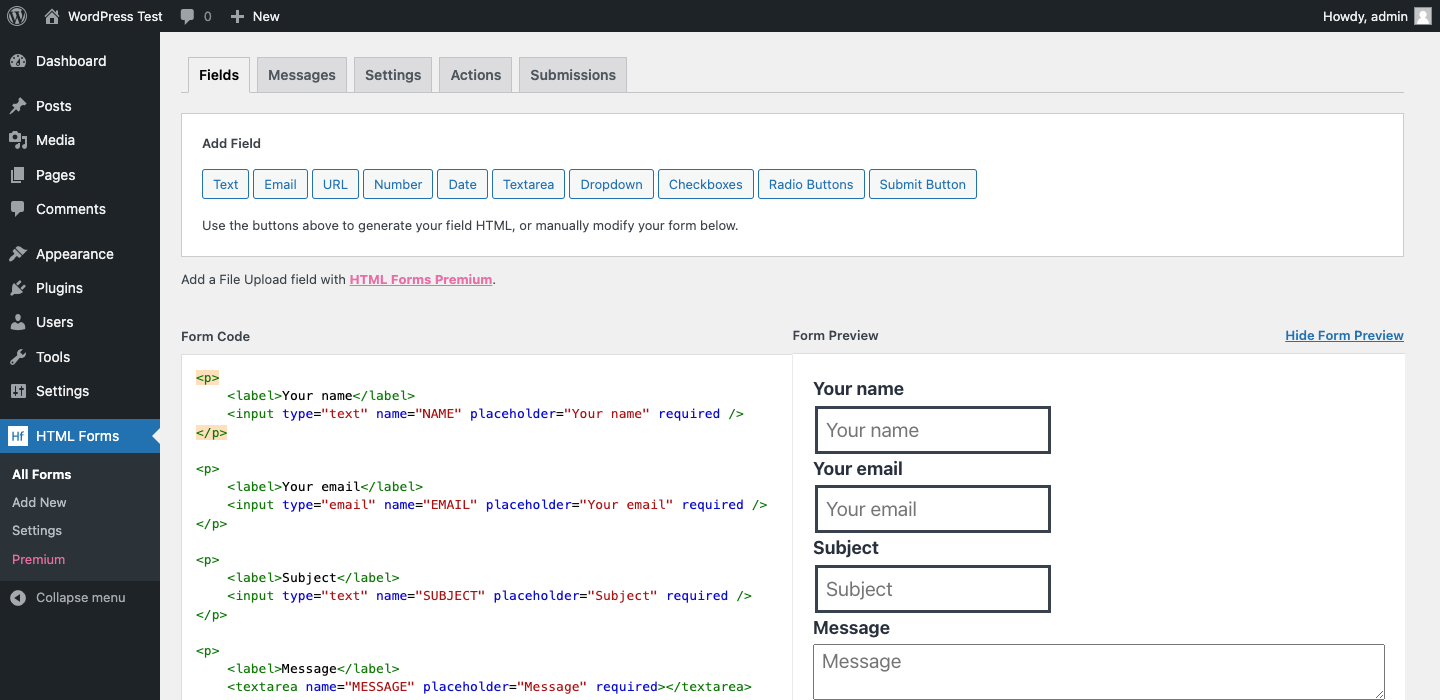
You define your form fields in HTML and the plugin takes care of submitting the form, saving the data and running a configurable set of form actions.
1. Define your form fields
You can use anything that is valid HTML. Just ensure all
inputelements in your form have anameattribute to save the data entered in that field.2. Configure your form actions
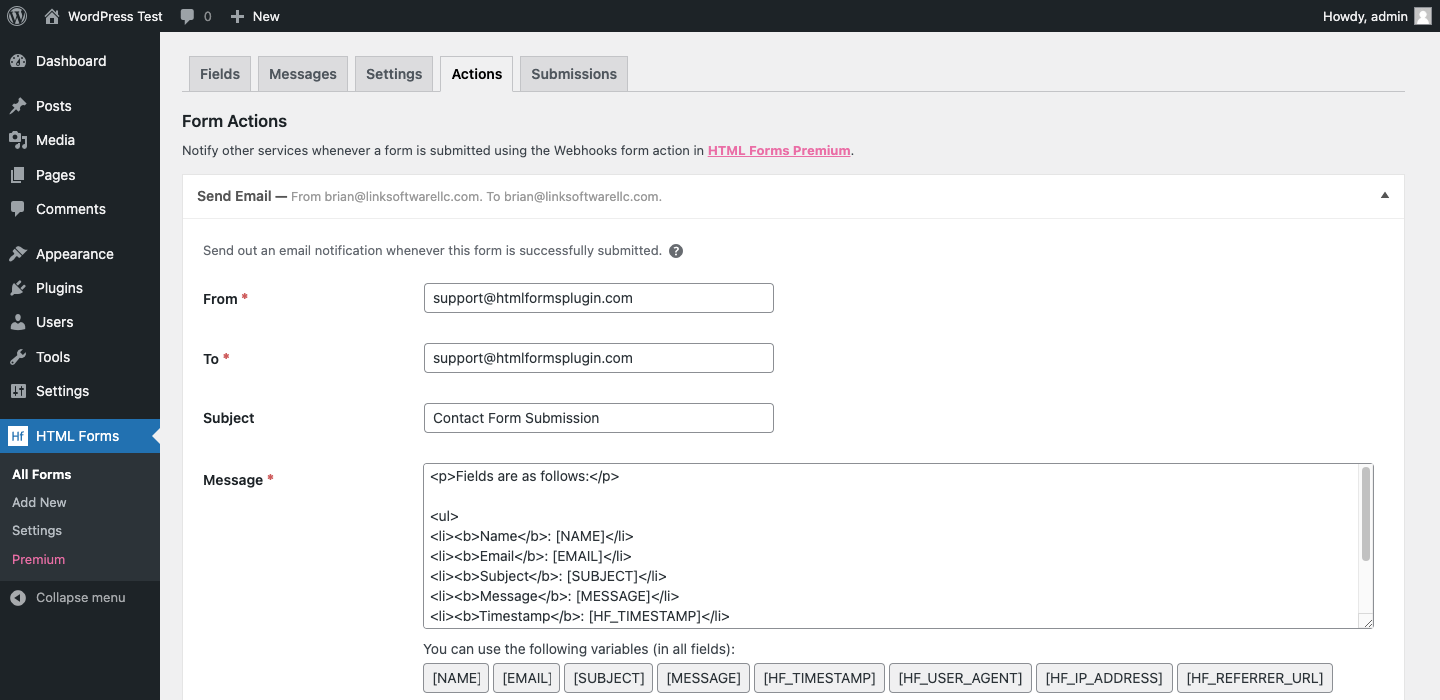
By default, form submissions are automatically saved for you. You can configure several other actions to run when a form is submitted, like sending an email notification or subscribing to Mailchimp.
3. Show the form somewhere on your site
Show your form by using the
[hf_form]shortcode in your WordPress posts, pages or widget areas.
HTML Forms Features
- Full control over the HTML for the form fields. If you want, we’ll help you in generating the field HTML though.
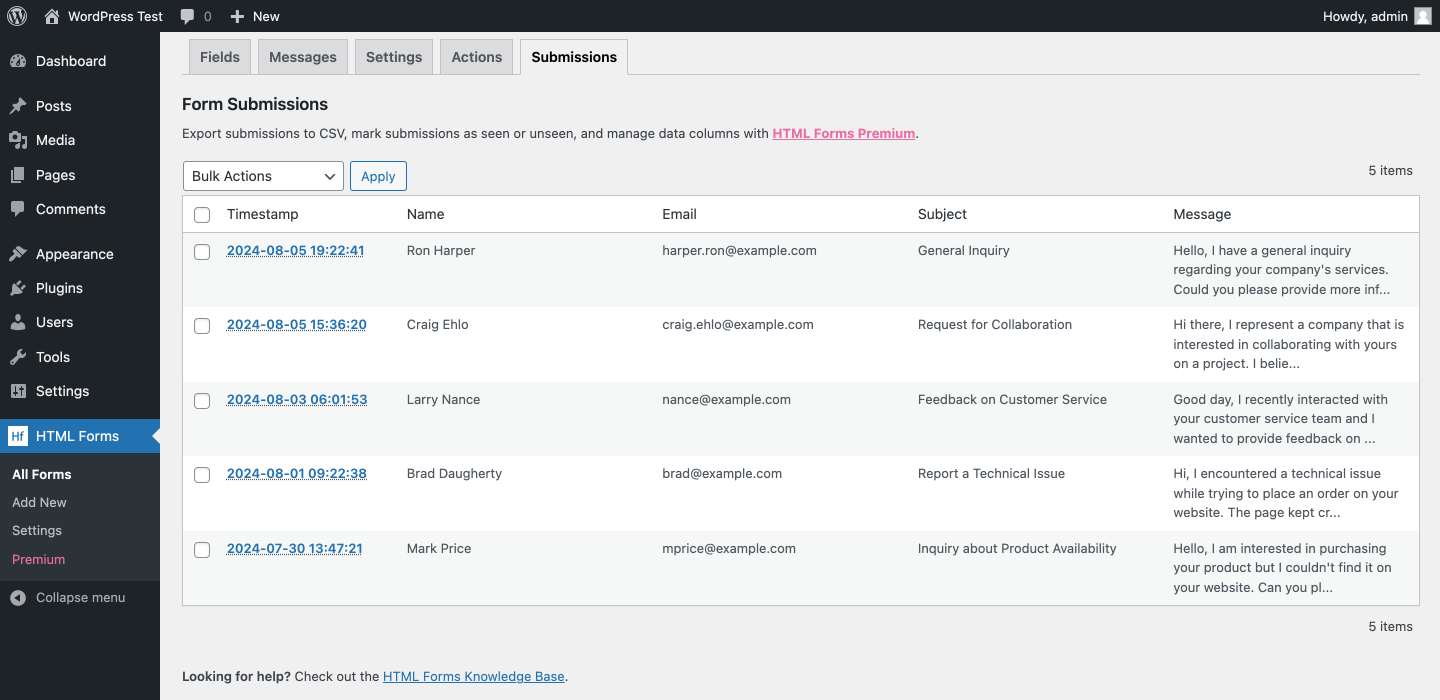
- Each form submission is automatically saved in your database and can be viewed in a simple table format.
- Configure an unlimited amount of actions to run when a form is successfully submitted. For example, sending out email notifications.
- Access form field values by referencing the field name, eg
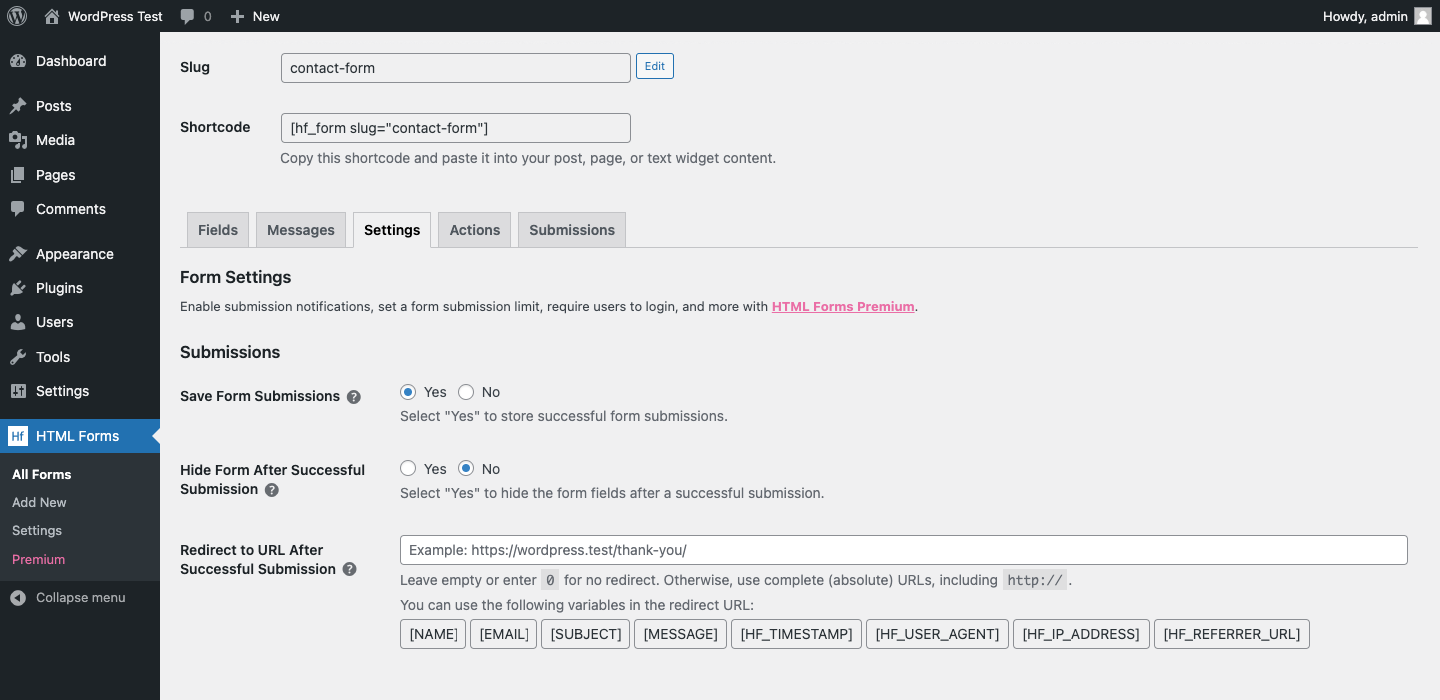
[NAME]or[EMAIL]. - Hide form or redirect to URL after a successful submission.
- Configurable & translatable form messages.
- Field validation.
- Developer friendly. HTML Forms comes with a myriad of JavaScript events and WordPress hooks that allow you to modify or extend the plugin’s default behavior.
The Perfect WordPress Form Plugin For Everyone
HTML Forms is for everyone that wants a flexible & high performing form solution.
- Users. Managing your own site? With HTML Forms, you don’t need any technical knowledge to setup a contact form.
- Developers. Building a site for your client? You supply the form HTML, HTML Forms takes care of validating and processing the form.
- Theme developers. Shipping a theme? HTML Forms allows for complete blend-in with your theme, and you don’t have to write yet another contact form plugin.
With HTML Forms you can create any type of form. A contact form, email form, registration form, price quote form, you name it.
For more information, please visit htmlformsplugin.com.
HTML Forms Premium
HTML Forms Premium is a paid add-on that extends the functionality of the free plugin. It includes:
- Submission Notifications
- File Uploads
- Webhooks
- Submission Export
- Submission Limits
- Require Users to Log In
- Data and Column Management
- and more…
For additional information, please visit htmlformsplugin.com/premium.
Support
The HTML Forms knowledge base covers a wide range of frequently asked questions.
Use the WordPress.org plugin forums for community support where we try to help all of our users.
Contributing
You can contribute to HTML Forms in various ways. For example:
- Write about the plugin on your blog or share it on social media.
- Translate the plugin into your language using your WordPress.org account.
Installation
- In your WordPress admin panel, go to Plugins > New Plugin, search for HTML Forms and click “Install now“
- Alternatively, download the plugin and upload the contents of
html-forms.zipto your plugins directory, which usually is/wp-content/plugins/. - Activate the plugin
For more information, please refer to the HTML Forms Knowledge Base.
Frequently asked questions
Where can I find help?
Start by going through the HTML Forms knowledge base where we cover a wide range of frequently asked questions.
How to display a form in posts or pages?
Use the [hf_form] shortcode or the included block, in the block editor, to embed your form.
How to display a form in widget areas like the sidebar or footer?
Go to Appearance > Widgets, add the “Text Widget” to any of your widget areas and use the [hf_form] shortcode.
How do I show a form in a pop-up?
We recommend the Boxzilla pop-up plugin for this. You can use the [hf_form] shortcode in your pop-up box to render any of your forms.
Can I send an email when the form is submitted?
Yes! You can configure this by opening up the “Actions” tab when editing your form and clicking the “Email” button under “Available actions”.
Does the plugin include anti-spam measures?
We currently recommend using Google reCAPTCHA v3 or the hCaptcha plugin.
Changelog
1.7.1
- Improvements to the Submissions list display.
1.7.0
- Improvements to the Submissions tab including sorting by Timestamp, searching and pagination.
1.6.5
- Bug fixes.
- Code improvements.
1.6.4
- Minor change to Google reCAPTCHA v3 implementation for features in HTML Forms Premium 1.7.0.
1.6.3
- Bug fix for File Uploads field display.
1.6.2
- Bug fix for PHP deprecation notice.
Screenshots



For developers
Is this your plugin? Show off the numbers.
Add a live badge to your site, docs or GitHub README. It updates on its own — no account needed.
Best HTML Forms alternatives
All contact form plugins →





FAQ
HTML Forms: quick answers
Straight answers, pulled from live WordPress.org data.
Live data from WordPress.org · checked Sep 26, 2026
Is HTML Forms free?
Yes. HTML Forms is free to download and use from the official WordPress.org plugin directory.
Is HTML Forms safe to use in 2026?
Yes — HTML Forms is a safe, well-maintained plugin to use in 2026. It runs on 10K+ sites, is rated 4.9/5 and was last updated 4 days ago, and scores 94/100 on our health check.
How many websites use HTML Forms?
HTML Forms is active on 10K+ WordPress websites and has been downloaded 282,926 times since it launched in October 2017. It was downloaded 10,996 times in the last 30 days.
Does HTML Forms work with WordPress 7.1?
Yes. The developer has tested HTML Forms up to WordPress 7.1.2, the latest release. It requires WordPress 4.6 or newer.
What PHP version does HTML Forms need?
HTML Forms requires PHP 5.3 or higher. Most hosts run PHP 8.x today, so it works on any modern WordPress hosting.
When was HTML Forms last updated?
The latest version, 1.7.1, was released on September 22, 2026 (4 days ago).
Who makes HTML Forms?
HTML Forms is developed and maintained by Link Software LLC.
What are the best alternatives to HTML Forms?
The most popular alternatives to HTML Forms are Contact Form 7 (10M+ installs), Akismet Anti-spam: Spam Pro… (5M+ installs) and WPForms (5M+ installs).
Powered by PageForge
Want thousands of pages that rank like these? Build them in an afternoon.
This directory runs on the same engine as PageForge. Turn any spreadsheet, CSV or API into thousands of fast, SEO-ready WordPress pages — with schema, internal links and AI-written copy baked in.
- CSV, Google Sheets & API data sources
- AI content, schema & internal links per page
- Works with Elementor, Gutenberg, Yoast & Rank Math
- Free on WordPress.org — no credit card


