



Tag Pilot FREE – Google Tag Manager Integration for WooCommerce
Complete GTM plugin for WooCommerce (Consent Mode v2 and Server-Side). Ready for GA4 and FB Pixel. Product feed for Google Merchant Center.

Solid choice
Tag Pilot FREE is a solid plugin choice in 2026, with a few things worth checking first. It runs on 1K+ sites, is rated 5/5 and was last updated 4 months ago, and scores 67/100 on our health check.
- Momentum — downloads up 32.7% vs the previous 30 days
How does it stack up?
Side-by-side on installs, updates, ratings & support



Daily downloads
Download spikes usually follow a new release — each site that auto-updates counts as a download.
Rankings
Where Tag Pilot FREE stands todayWordPress.org search rankings
Live position in the plugin search, top 100| Keyword | Position |
|---|---|
| consent mode | #61 |
| Facebook Pixel | #36 |
| ga4 | #37 |
| google tag manager | #19 |
| woocommerce | >100 |
Version adoption
Share of active sites per release.
Rating breakdown
★★★★★★★★★★ 5 from 8 reviews
About Tag Pilot FREE
From the official readme · v1.13.3Description
Tracking eCommerce events via Google Tag Manager and DataLayer makes adding new growth channels a straighforward task. Regardless of a number of connected platforms the data quality and events coverage stays the same.
This plugin, once activated, starts pushing standard GA4 eCommerce events into GTM DataLayer. Once the data is there you can leverage Google Tag Manager containers to connect virtually any analytics o marketing platform, even if you’re still undecided on your choice.
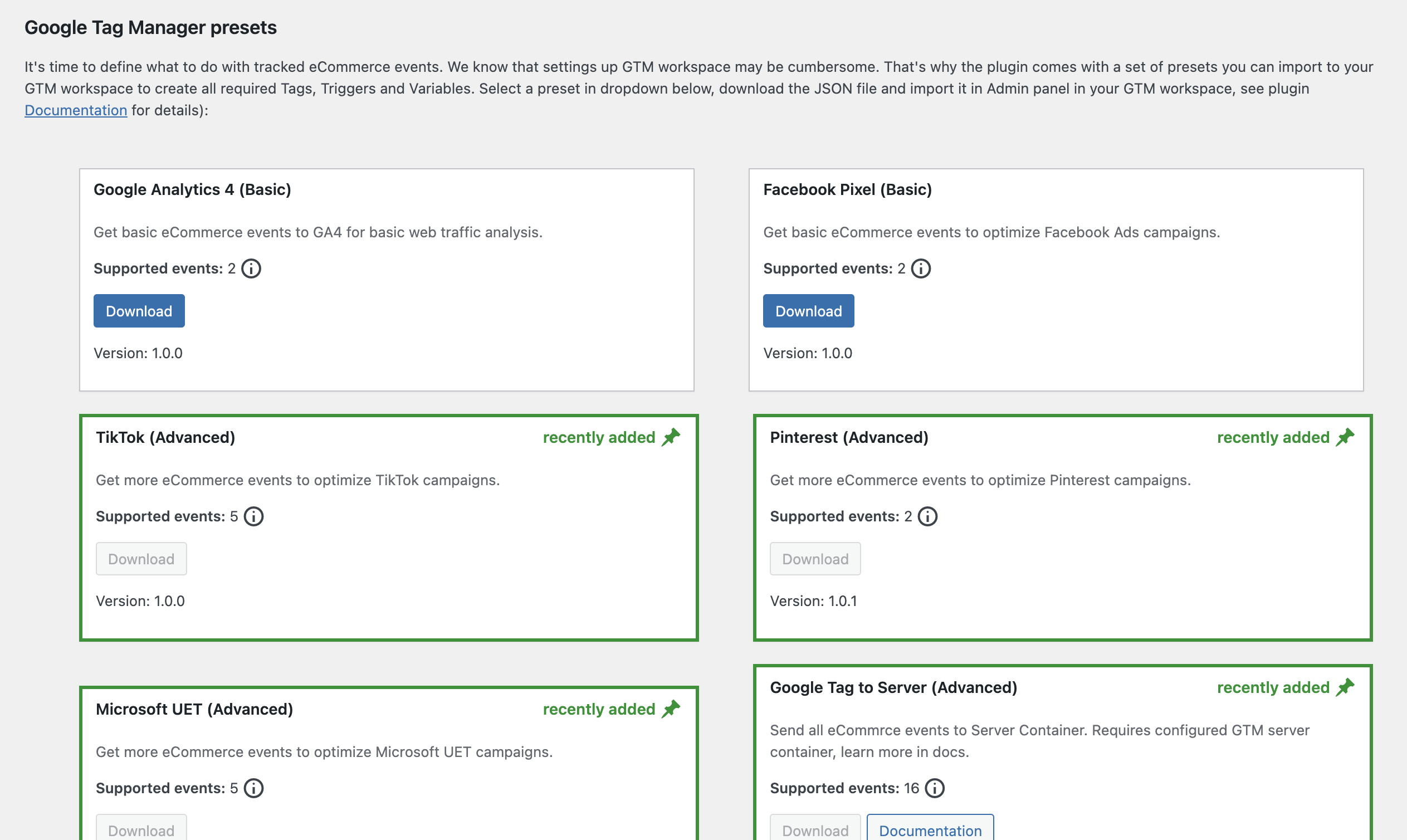
To speed up the process, our plugin offers pre-packaged integrations for GA4 and Facebook Pixel. You can be up and running in minutes, bypassing the need for time-consuming GTM configuration. See how it works here:
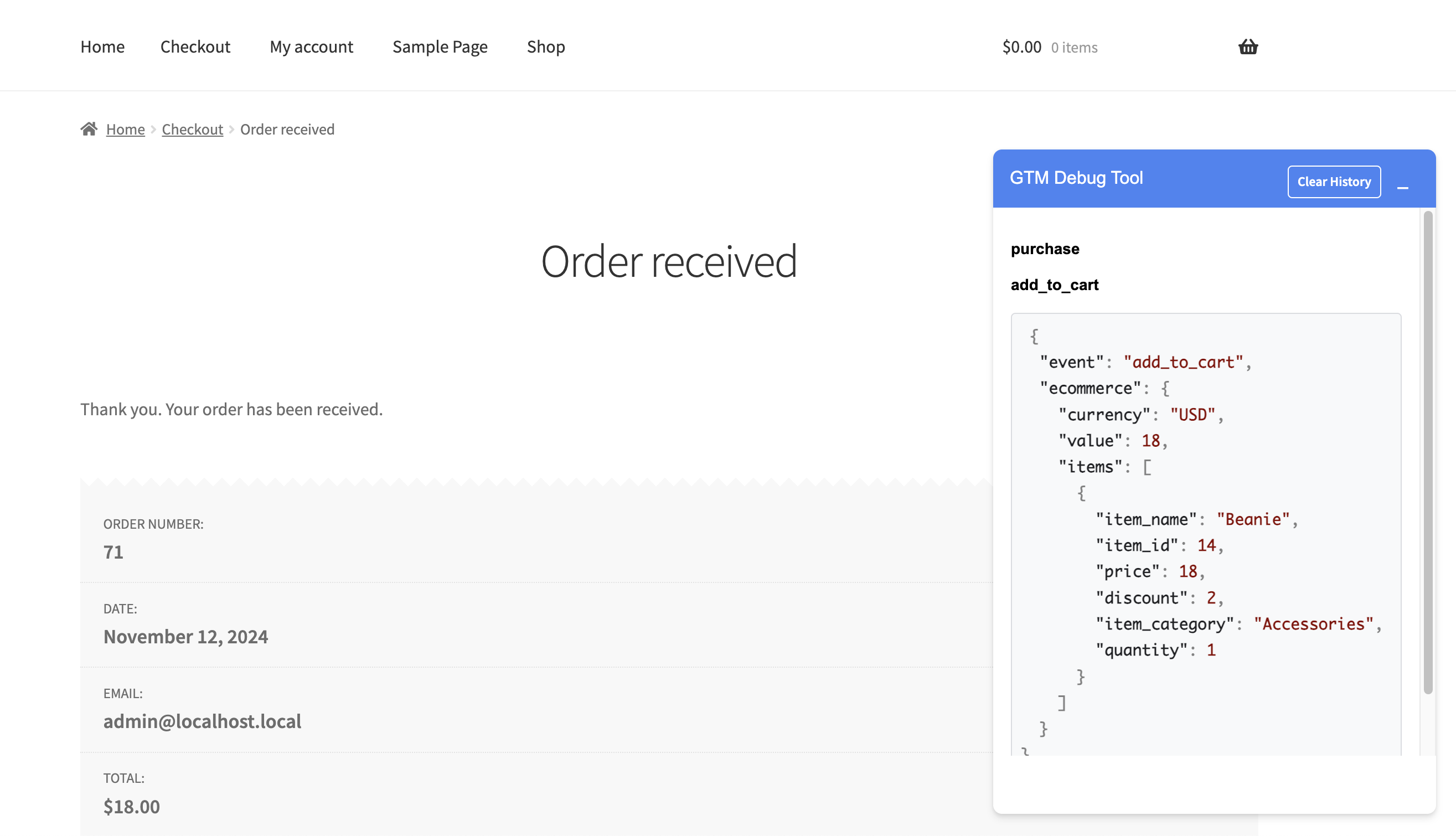
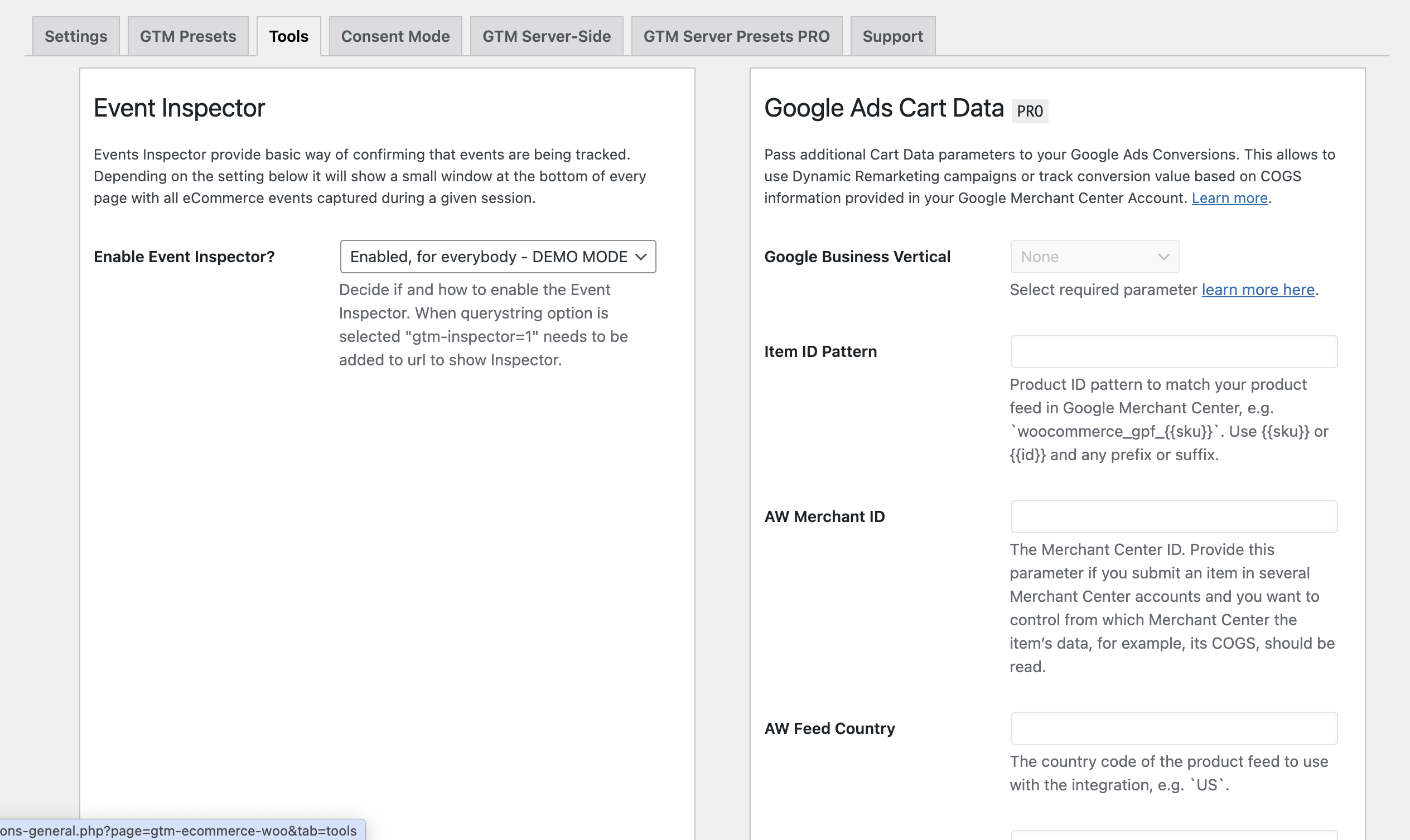
Check live demo here (perform typical shop activities – add to cart, purchase – to see how events are triggered). This demo showcase all PRO plugin features – FREE version is limited to 2 events listed below.
More information and documentation can be found here.
Example scenarios
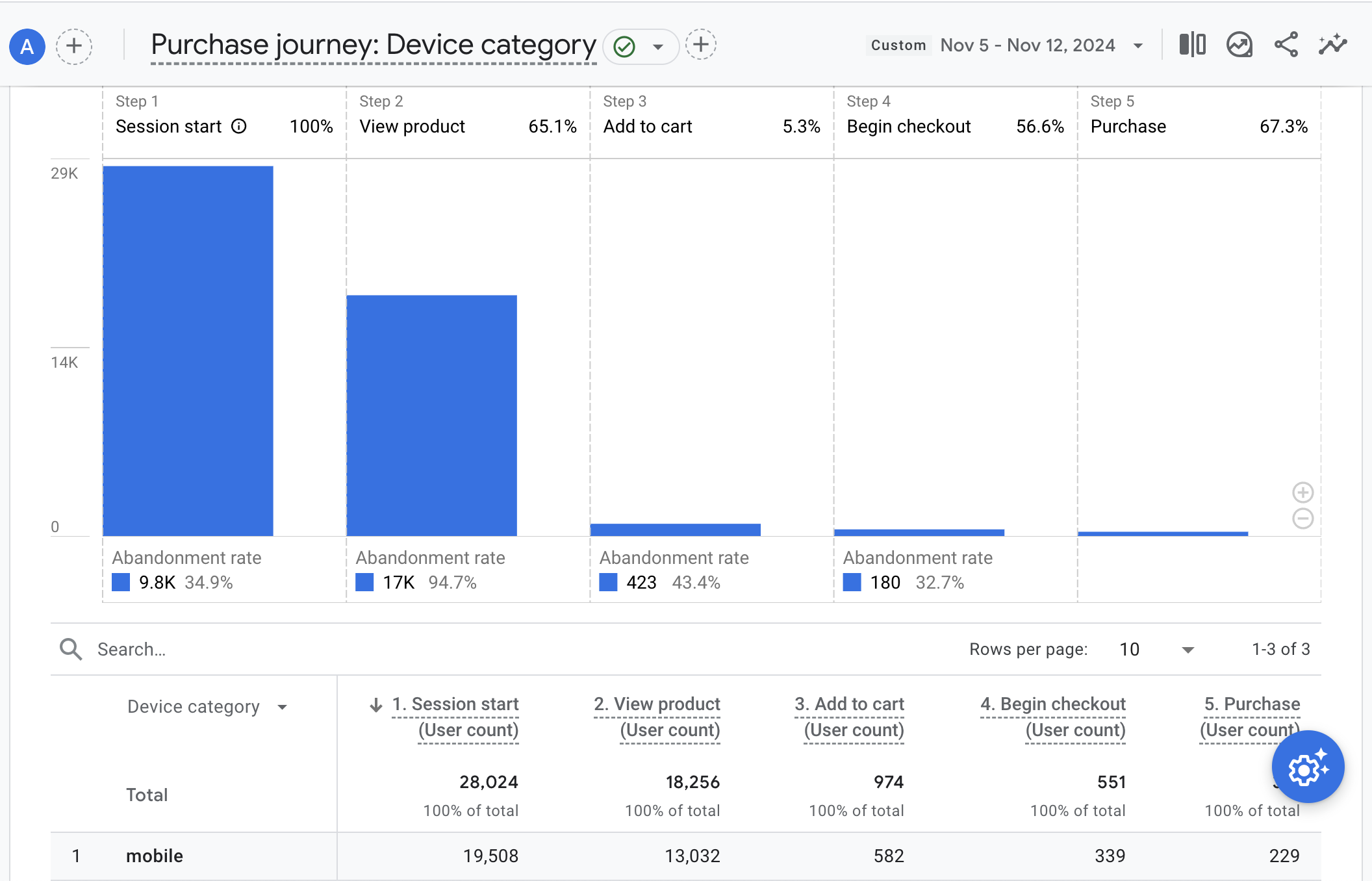
- Analyse eCommerce behaviors and study your sales funnel in Google Analytics 4
- Get most out of Facebook and Instagram paid campaigns with conversion tracking
- Optimise your Google Ads campaigns with Enhanced Conversion (requires PRO version)
- Expand to new platforms with TikTok, Pinterest and Microsoft UET presets (requires PRO version)
Supported events
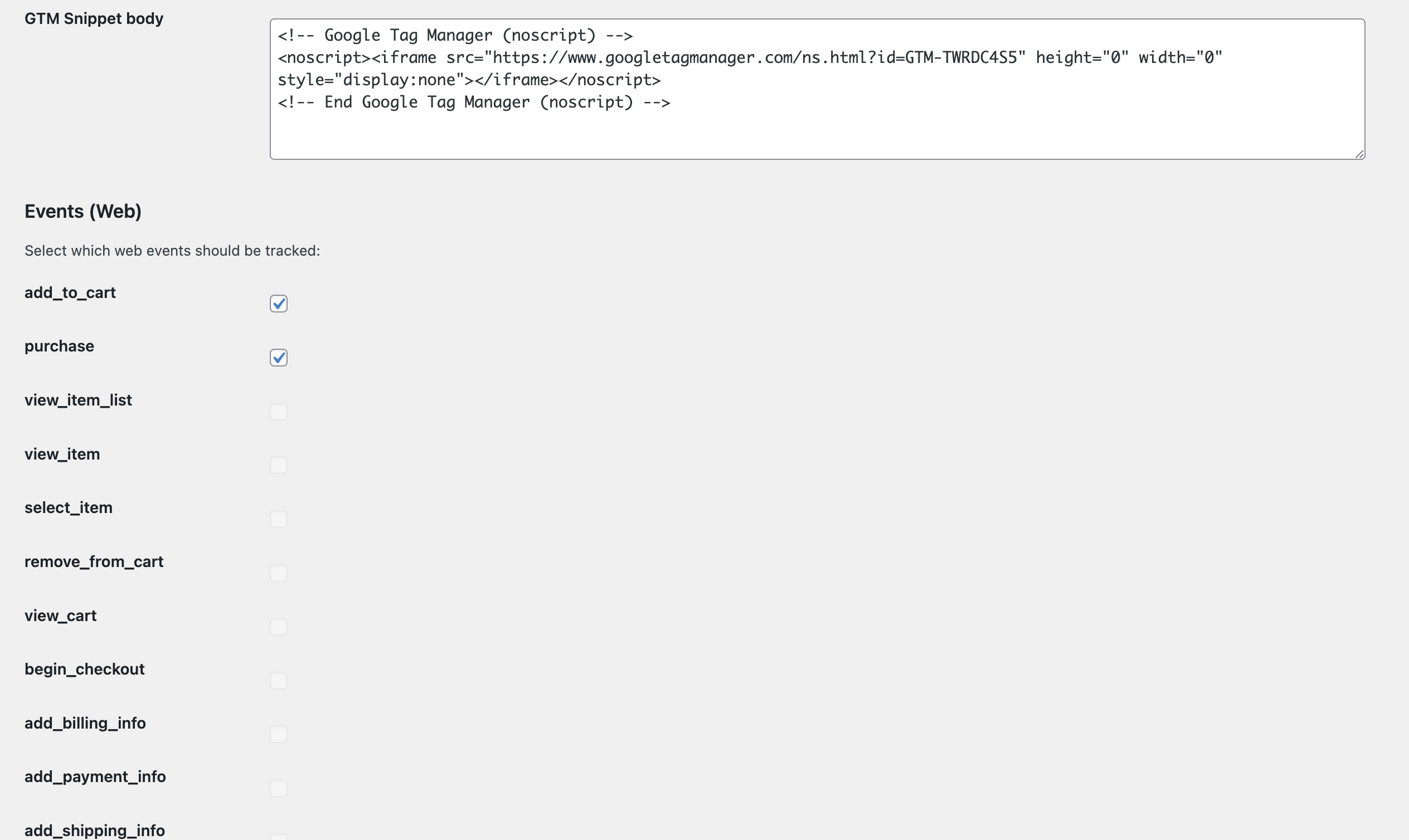
After the plugin is installed it automatically tracks the following events:
- Add To Cart
- Purchase
Which are a great base for conversion measurements and analysing sales funnels related to cart behavior.
For full eCommerce events coverage, improved handling and professional support, buy PRO version. You can also subscribe to our Tag Pilot Care support service for ongoing assistance, expert guidance, and priority help whenever you need it.
PRO Version
The paid version covers following events:
- view_item_list
- select_item
- view_item
- add_to_cart
- view_cart
- remove_from_cart
- begin_checkout
- add_billing_info
- add_payment_info
- add_shipping_info
- purchase
- user_data
Comes with presets for:
- Google Ads (Enhanced Conversions)
- Google Ads Dynamic Remarketing
- Facebook Pixel (Advanced Matching)
- Microsoft UET / Bing Ads
- TikTok
- Consent Mode
- Server-side GTM
Additonally, works with 3rd party plugins:
- WooCommerce Brands
- Yith Brands
- WooCommerce Quick View
- WooCommerce Wishlists
- WPC Smart Wishlist
- WooCommerce Multilingual
- WPML
- Polylang
Advantage over alternative solutions
Only one plugin needed
Without a GTM plugin, you would need a separate plugin for each of those integrations. Each plugin can track events differently. They can cause conflicts and slow-down on the front-end
With a dedicated GTM plugin, all data is sent in standardized Google format to Google Tag Manager which forwards events to multiple destination services.
Reporting consistency
A common problem when trying to use other GTM and Google Analytics plugins is that data can be sent twice corrupting analytics reporting. Using DataLayer is a standard way to ensure your tracking information stays consistent across all connected tools.
Google Consent Mode v2
Using GTM and dataLayer allows to build more complex scenarios, such as only processing the data after obtaining user consent. Other plugin directly pipe events into target system no matter if required permission was given or not.
Installation
- Upload or install GTM for WooCommerce plugin from WordPress plugins directory.
- Activate the plugin through the
Pluginsmenu in WordPress. - That’s it! If GTM is already implemented in your WordPress your eCommerce data will be pushed to GTM DataLayer. If not head to
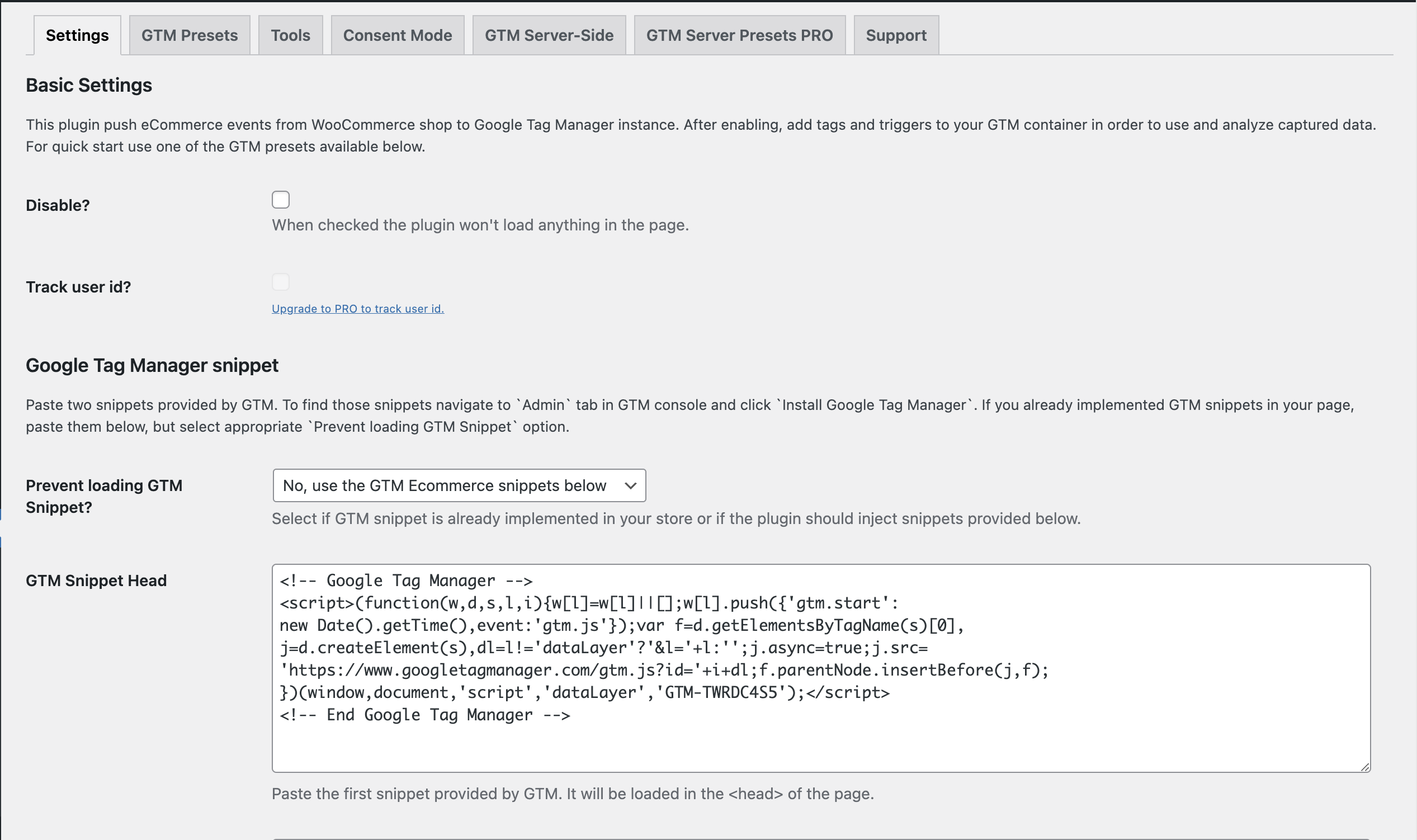
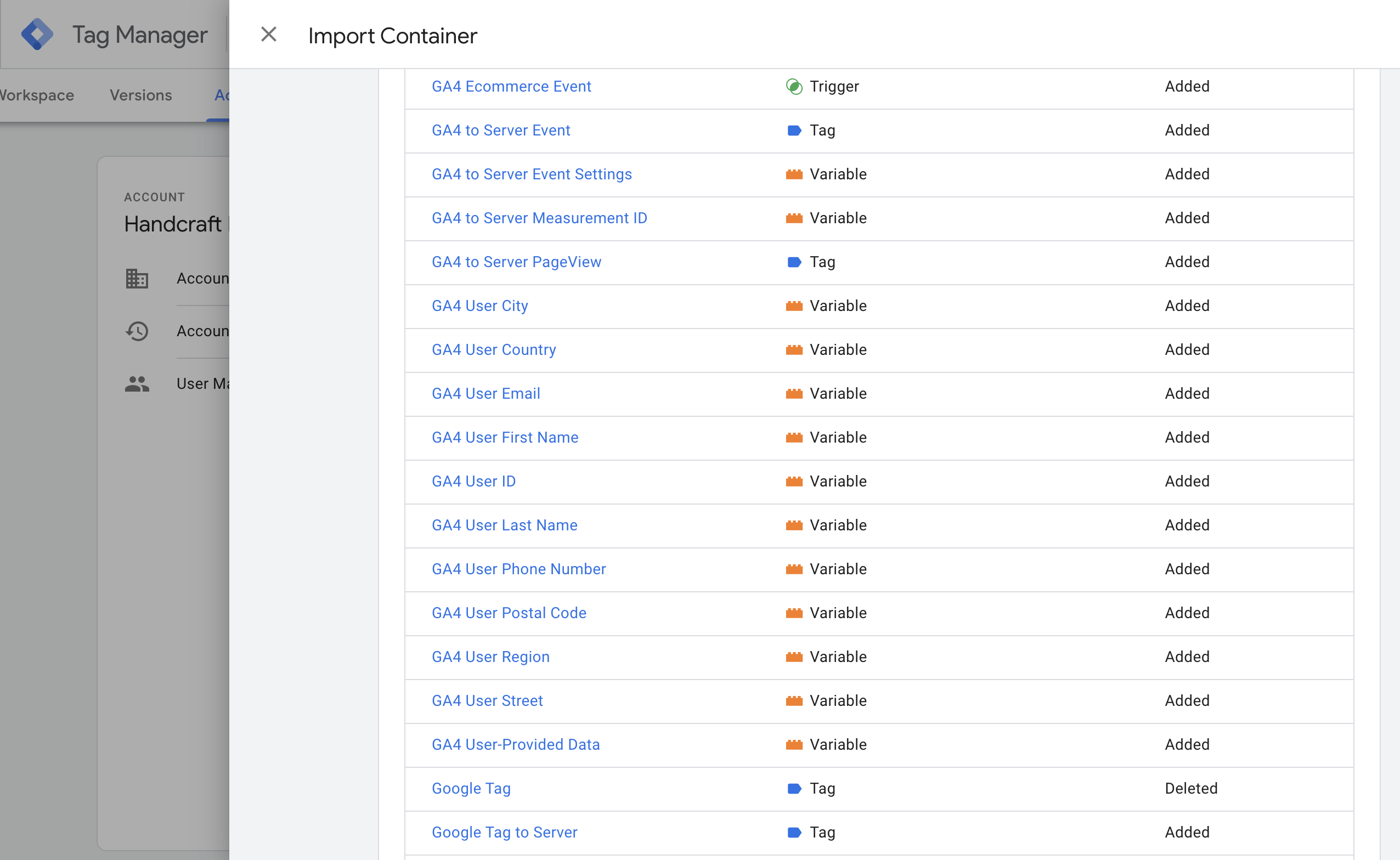
Settings > Google Tag Managerand paste in GTM snippets. - Go to your Google Tag Manager workspace and define what you want to do with the tracked data. We know that settings up the GTM workspace may be cumbersome. That’s why the plugin comes with a GTM container presets that you can import to your GTM workspace to create all required Tags, Triggers, and Variables in few simple clicks.
How to use JSON file with GTM container?
In order to perform such import go to Settings > Google Tag Manager and click GTM Presets tab. Look for GTM Preset that you would like to install. Save it as a JSON file on your computer.
Then in GTM go to the Admin panel of your workspace. Click Import Container. Choose the container file you have just downloaded. Decide which workspace it should go to. Then select Merge and Overwrite conflicting tags, triggers and variables. as import options.
Hit Confirm to create tags, variables, and triggers for pushing Ecommerce events to the GA4 property.
The last step is to define GA4 Measurement ID. Go to Variables find a variable with the GA4 Measurement ID name, click to edit it. Then paste your GA4 Measurement ID in the Value field.
If you are importing Facebook Pixel preset you can find the tracking ID in FBP Pixel ID variable.
Save and submit all the changes to make it live.
You can find more detailed guides here.
Changelog
1.13.3
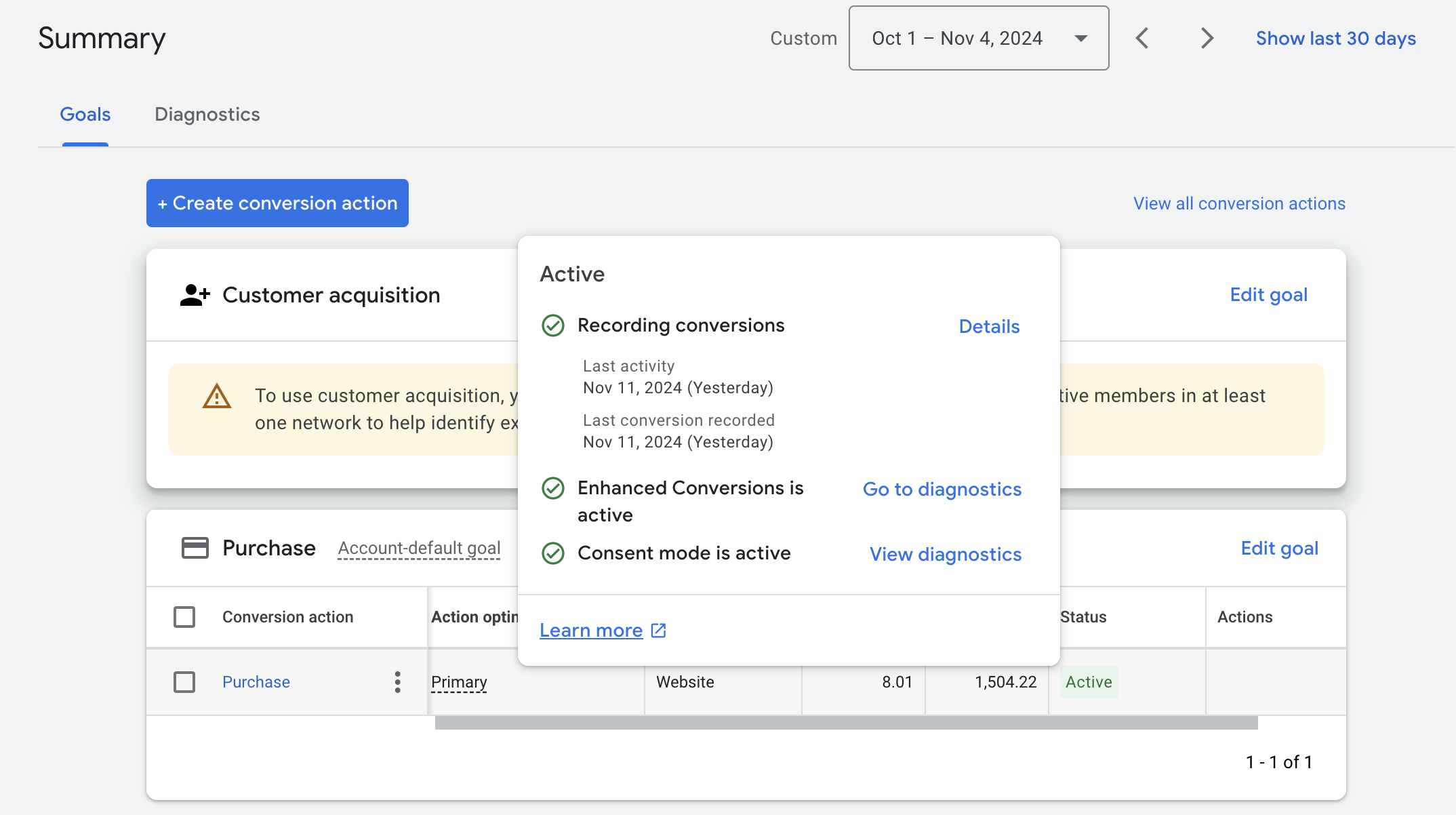
- fix Conversion Tracking diagnostics
- fix Conversion Tracking diagnostics metabox
1.13.2
- added explicit rounding for product prices and event values
- tested against the latest versions of WordPress and WooCommerce
1.13.1
- tested against the latest versions of WordPress and WooCommerce
1.13.0
- add
content_typeproperty to event’s items - tested against the latest versions of WordPress and WooCommerce
1.12.12
- dedicated Conversion Tracking monitoring box
- hide low-level tracking metadata parameters
- tested with WooCommerce 10!
1.12.11
- fix
valueproperty inadd_to_cartevent - tested against the latest version of WooCommerce
Screenshots
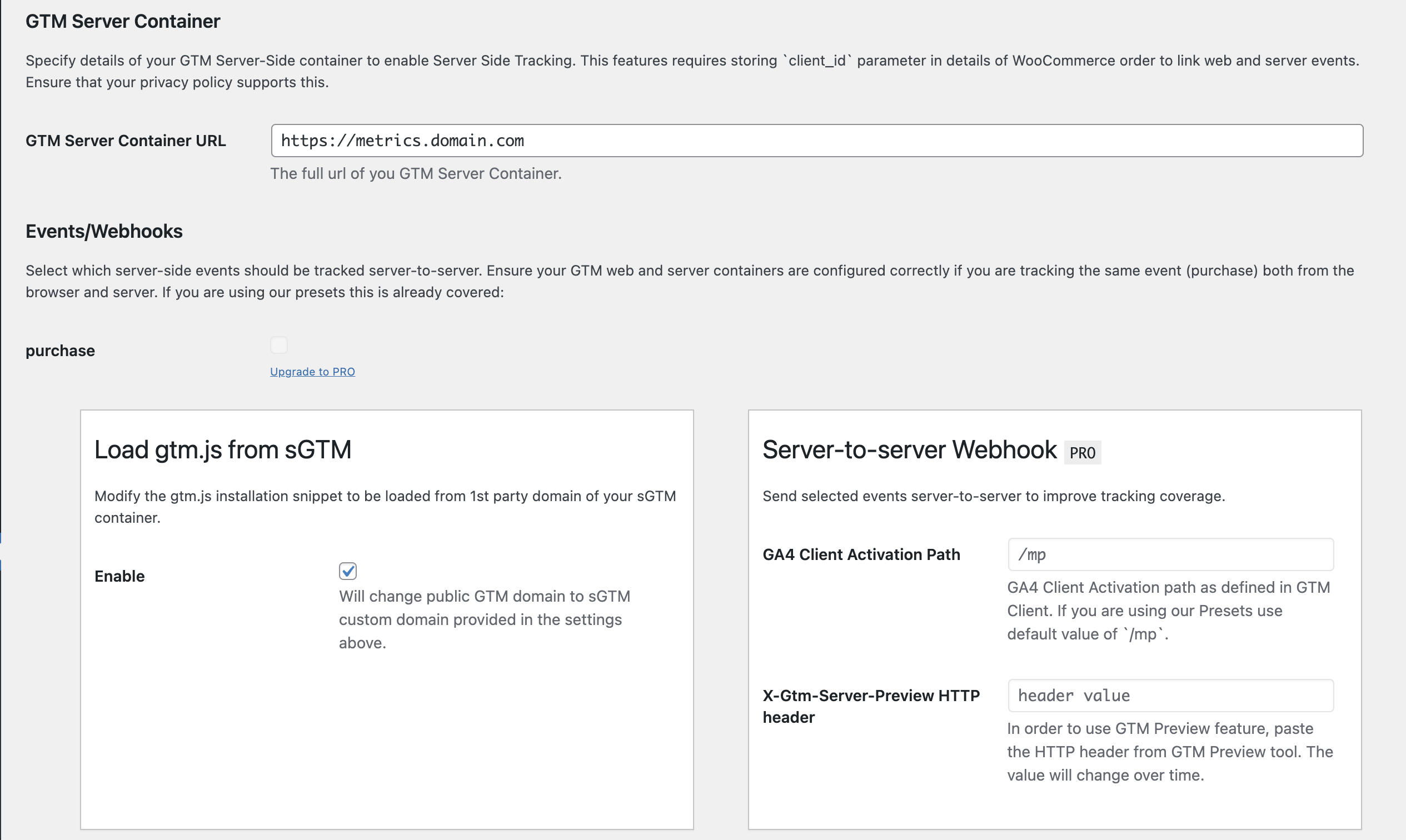
For developers
Is this your plugin? Show off the numbers.
Add a live badge to your site, docs or GitHub README. It updates on its own — no account needed.
Best Tag Pilot FREE alternatives
All consent mode plugins →





FAQ
Tag Pilot FREE: quick answers
Straight answers, pulled from live WordPress.org data.
Live data from WordPress.org · checked Nov 16, 2026
Is Tag Pilot FREE free?
Yes. Tag Pilot FREE is free to download and use from the official WordPress.org plugin directory.
Is Tag Pilot FREE safe to use in 2026?
Tag Pilot FREE is a solid plugin choice in 2026, with a few things worth checking first. It runs on 1K+ sites, is rated 5/5 and was last updated 4 months ago, and scores 67/100 on our health check.
How many websites use Tag Pilot FREE?
Tag Pilot FREE is active on 1K+ WordPress websites and has been downloaded 114,307 times since it launched in November 2020. It was downloaded 759 times in the last 30 days.
Does Tag Pilot FREE work with WordPress 7.1?
Tag Pilot FREE is officially tested up to WordPress 7.0.8, while the latest release is 7.1.4. It may still work, but try it on a staging site first.
What PHP version does Tag Pilot FREE need?
Tag Pilot FREE requires PHP 7.0 or higher. Most hosts run PHP 8.x today, so it works on any modern WordPress hosting.
When was Tag Pilot FREE last updated?
The latest version, 1.13.3, was released on July 14, 2026 (4 months ago).
Who makes Tag Pilot FREE?
Tag Pilot FREE is developed and maintained by Tag Concierge.
What are the best alternatives to Tag Pilot FREE?
The most popular alternatives to Tag Pilot FREE are tarteaucitron.io (10K+ installs), Cookie Choices (for EU Cook… (9K+ installs) and GAinWP Google Analytics Int… (7K+ installs).
Powered by PageForge
Want thousands of pages that rank like these? Build them in an afternoon.
This directory runs on the same engine as PageForge. Turn any spreadsheet, CSV or API into thousands of fast, SEO-ready WordPress pages — with schema, internal links and AI-written copy baked in.
- CSV, Google Sheets & API data sources
- AI content, schema & internal links per page
- Works with Elementor, Gutenberg, Yoast & Rank Math
- Free on WordPress.org — no credit card


