


Event Tracking for Gravity Forms
Gravity Forms has launched an official Google Analytics Add-on. It is the successor to this plugin.

Use with caution
Event Tracking for Gravity Forms works, but test it on a staging site before relying on it in 2026. It runs on 10K+ sites, is rated 5/5 and was last updated 2 years ago, and scores 47/100 on our health check.
- Proven at scale on 10K+ active sites
- Loved by users — 5/5 from 37 reviews
- Momentum — downloads up 18.7% vs the previous 30 days
- No update in 2 years
- Only tested up to WordPress 6.7 (latest is 7.1)
How does it stack up?
Side-by-side on installs, updates, ratings & support



Daily downloads
Download spikes usually follow a new release — each site that auto-updates counts as a download.
Rankings
Where Event Tracking for Gravity… stands todayWordPress.org search rankings
Live position in the plugin search, top 100| Keyword | Position |
|---|---|
| google analytics | >100 |
| google tag manager | >100 |
| gravity forms | >100 |
| matomo | #46 |
| piwik | #16 |
Version adoption
Share of active sites per release.
Rating breakdown
★★★★★★★★★★ 5 from 37 reviews
About Event Tracking for Gravity Forms
From the official readme · v2.5.0Description
Gravity Forms has launched an official Google Analytics Add-on. It is the successor to this plugin.
This plugin provides an easy way to add event tracking to your Gravity Forms using Google Analytics and Google Tag Manager.
This plugin support Google Analytics 3 and Google Analytics 4.
Also supports:
- Pagination events
- JS only events
- Google Tag Manager
Setup Guide
Looking for help setting things up? Read Our Setup Guide
Minimum Requirements
- Gravity Forms 2.5
- Google Analytics Universal Analytics v3
- Google Tag Manager (optional)
Features
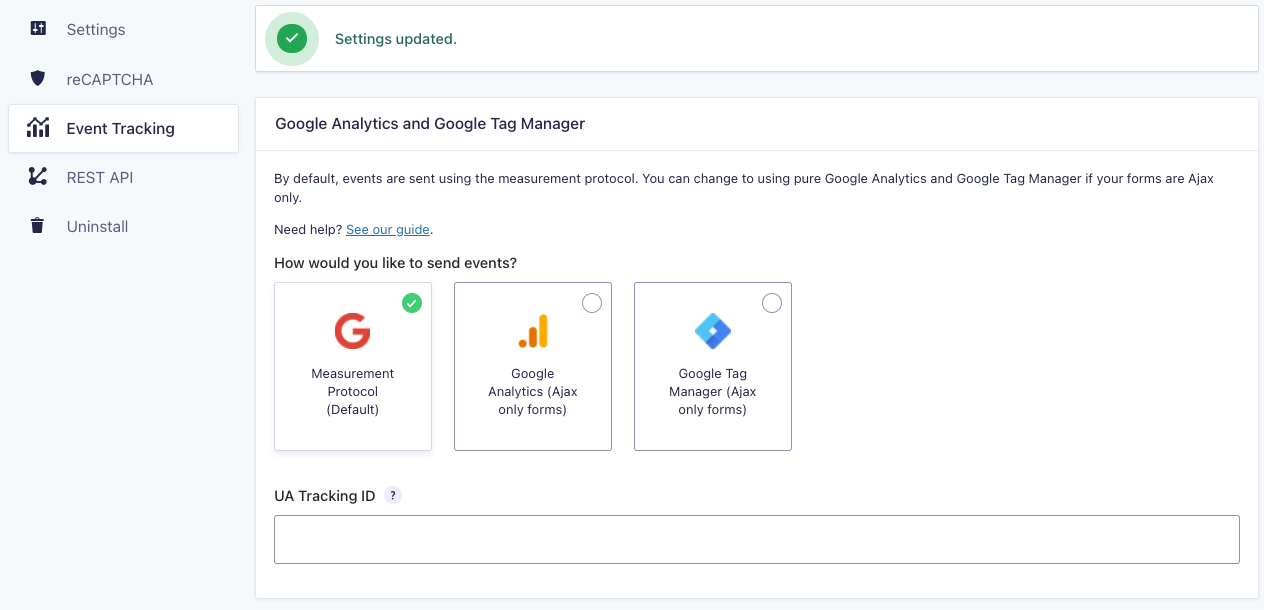
- Submit events to Google Analytics using the Measurement Protocol, JavaScript, or using Google Tag Manager
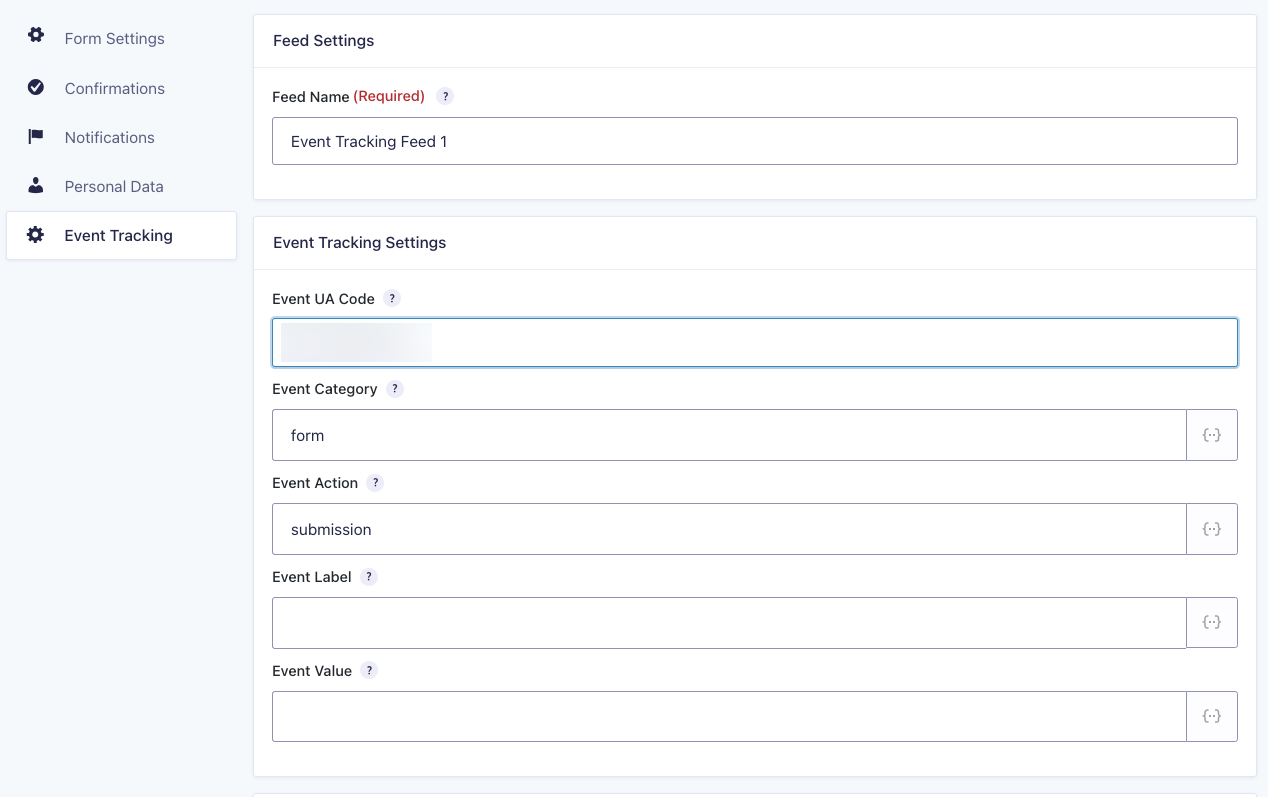
- Add multiple event feeds with conditionals
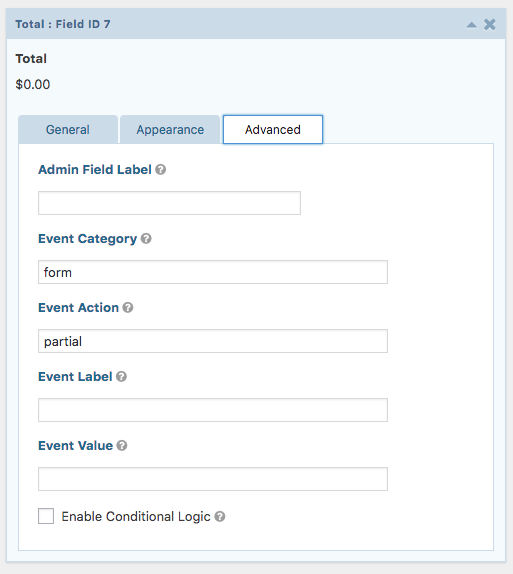
- Custom event categories, actions, labels and even values
- Track form pagination events
- Dynamic event value on payment forms (integration with the payment add-ons including Paypal Standard, PayPal Pro, Stripe, etc…)
For payment based forms, you can leave the value blank to convert using the total payment amount.
Development happens on GitHub.
Please Rate the Plugin or Give Back to show support.
Get the official Gravity Forms Google Analytics Add-on
The official Gravity Forms add-on is here and is the successor to this plugin.
Find out more details about the Gravity Forms Google Analytics Add-on.
Installation
Minimum Requirements
- Gravity Forms 2.5+
Using The WordPress Dashboard
- Navigate to the ‘Add New’ in the plugins dashboard
- Search for Event Tracking for Gravity Forms
- Click ‘Install Now’
- Activate the plugin on the Plugin dashboard
Uploading in WordPress Dashboard
- Navigate to the ‘Add New’ in the plugins dashboard
- Navigate to the ‘Upload’ area
- Select
gravity-forms-event-tracking.zipfrom your computer - Click ‘Install Now’
- Activate the plugin in the Plugin dashboard
Using FTP
- Download
gravity-forms-event-tracking.zip - Extract the
gravity-forms-event-trackingdirectory to your computer - Upload the
gravity-forms-event-trackingdirectory to the/wp-content/plugins/directory - Activate the plugin in the Plugin dashboard
Changelog
Deprecating GA3 options (Measurement Protocol and GA3 Analytics). Deprecating Matomo support. Removing form information from datalayer for privacy reasons.
2.5.0
- Released 2024-11-03
- Deprecating GA3 options (Measurement Protocol and GA3 Analytics).
- Deprecating Matomo support.
- Removing form information from datalayer for privacy reasons.
2.4.14
- Released 2022-12-02
- Minifying UTM script for performance.
- Only load UTM script when UTM variables are present or a form is present.
2.4.12
- Released 2022-11-09
- Updating Google Analytics Add-on banners.
- Cleaning up documentation.
- Testing with latest Gravity Forms and WordPress 6.1.
2.4.11
- Released 2022-01-28
- WordPress 5.9 testing/compatibility
- Testing with Gravity Forms 2.6 beta
- Add option to disable beta banner under Advanced settings.
2.4.10
- Released 2021-08-23
- Fixing a bug caused another. Fixing GTM not sending any events.
2.4.9
- Released 2021=08-22
- Prevent GTM from sending events more than once (props @zahadum).
Screenshots

For developers
Is this your plugin? Show off the numbers.
Add a live badge to your site, docs or GitHub README. It updates on its own — no account needed.
Best Event Tracking for Gravity Fo… alternatives
All google analytics plugins →





FAQ
Event Tracking for Gravity Forms: quick answers
Straight answers, pulled from live WordPress.org data.
Live data from WordPress.org · checked Nov 16, 2026
Is Event Tracking for Gravity Forms free?
Yes. Event Tracking for Gravity Forms is free to download and use from the official WordPress.org plugin directory. The developer also sells premium add-ons or a Pro version with extra features.
Is Event Tracking for Gravity Forms safe to use in 2026?
Event Tracking for Gravity Forms works, but test it on a staging site before relying on it in 2026. It runs on 10K+ sites, is rated 5/5 and was last updated 2 years ago, and scores 47/100 on our health check.
How many websites use Event Tracking for Gravity Forms?
Event Tracking for Gravity Forms is active on 10K+ WordPress websites and has been downloaded 692,725 times since it launched in December 2014. It was downloaded 3,396 times in the last 30 days.
Does Event Tracking for Gravity Forms work with WordPress 7.1?
Event Tracking for Gravity Forms is officially tested up to WordPress 6.7.11, while the latest release is 7.1.4. It may still work, but try it on a staging site first.
What PHP version does Event Tracking for Gravity Forms need?
Event Tracking for Gravity Forms requires PHP 5.6 or higher. Most hosts run PHP 8.x today, so it works on any modern WordPress hosting.
When was Event Tracking for Gravity Forms last updated?
The latest version, 2.5.0, was released on November 3, 2024 (2 years ago).
Who makes Event Tracking for Gravity Forms?
Event Tracking for Gravity Forms is developed and maintained by Rocketgenius.
What are the best alternatives to Event Tracking for Gravity Forms?
The most popular alternatives to Event Tracking for Gravity Forms are MonsterInsights (2M+ installs), GTM4WP (700K+ installs) and WP Statistics (500K+ installs).
Powered by PageForge
Want thousands of pages that rank like these? Build them in an afternoon.
This directory runs on the same engine as PageForge. Turn any spreadsheet, CSV or API into thousands of fast, SEO-ready WordPress pages — with schema, internal links and AI-written copy baked in.
- CSV, Google Sheets & API data sources
- AI content, schema & internal links per page
- Works with Elementor, Gutenberg, Yoast & Rank Math
- Free on WordPress.org — no credit card


