


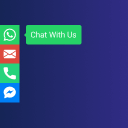
Sticky Social Buttons – Floating Chat, Call, Contact, SMS, Email & 50+ Social Icons
Sticky Social Buttons helps you engage and convert your visitors by adding beautiful, customizable floating buttons to your WordPress website. With support for 50+ popular social channels, chat apps, call, SMS, and…

Consider an alternative
Sticky Social Buttons shows warning signs in 2026 — compare the alternatives below before installing. It runs on 100+ sites and was last updated 1 year ago, and scores 28/100 on our health check.
- Small user base (100+ active installs)
- Very few reviews so far
- No update in over a year
- Only tested up to WordPress 6.6 (latest is 7.1)
How does it stack up?
Side-by-side on installs, updates, ratings & support



Daily downloads
Download spikes usually follow a new release — each site that auto-updates counts as a download.
Rankings
Where Sticky Social Buttons stands todayWordPress.org search rankings
Live position in the plugin search, top 100| Keyword | Position |
|---|---|
| messenger | >100 |
| social | >100 |
| sticky buttons | >100 |
| telegram | >100 |
| >100 |
Version adoption
Share of active sites per release.
About Sticky Social Buttons
From the official readme · v1.0.4Description
Sticky Social Buttons helps you engage and convert your visitors by adding beautiful, customizable floating buttons to your WordPress website. With support for 50+ popular social channels, chat apps, call, SMS, and email, your visitors can connect with you instantly—leading to more conversations, leads, and sales.
Unlike static links, sticky buttons stay visible as users scroll, making it easier for them to reach you anytime. You can display different buttons on desktop or mobile, adjust their size, style, color, and position, and even add animations for maximum impact. Whether you want to boost engagement with WhatsApp, Messenger, Telegram, Instagram, or offer quick contact via phone and email, Sticky Social Buttons keeps you always within reach.
Benefits
- Give visitors the freedom to connect with you on 50+ popular social and chat channels.
- Turn conversations into authentic leads and improve your ROI.
- Stay available 24/7 with floating buttons always visible on your site.
- Boost the visibility of your social media profiles and grow your audience.
- Provide a seamless, mobile-friendly contact experience for your customers.
Features
- 50+ free social and communication channels including WhatsApp, Messenger, Telegram, Instagram, Viber, and more.
- Add custom links to any service or platform not included by default.
- Choose button placement on the top, bottom, left, or right side of your site.
- Show buttons on desktop only, mobile only, or both.
- Set different positions, styles, and sizes for desktop vs. mobile.
- Select from multiple button shapes: Default, Round, Rounded, Diamond, or Arrow.
- Adjust button size (small, medium, large).
- Customize background colors and tooltip text for each button.
- Apply global font settings for button text.
- Add smooth animations: None, Slide, or Fade.
- Reorder buttons easily with drag-and-drop.
- Enable or disable individual buttons anytime.
- Choose when to display buttons: on scroll, after a set timeout, or on visitor inactivity.
Supported Buttons
Sticky Social Buttons provides 50+ popular social, chat, and contact channels that you can add to your website:
Social Media & Content Platforms
– Facebook, Instagram, Twitter, LinkedIn, Pinterest, Reddit, Tumblr, Flickr, Quora, Medium, Behance, Dribbble, Vimeo, YouTube, SoundCloud, Spotify
Messaging & Chat Apps
– WhatsApp, Facebook Messenger, Telegram, Viber, WeChat, Line, Snapchat, Slack, QQ, Qzone, OK.ru
E-commerce & Business Platforms
– Amazon, eBay, Etsy, Shopify, Gumroad, Fiverr, Printful
App Stores & Services
– App Store, Google Play Store, iTunes
Contact & Communication
– Phone, SMS, Email, Calendar, Map, Tripadvisor, Yelp, Waze, RSS, Custom Link
Free Features
Sticky Social Buttons includes everything you need to add floating, customizable buttons to your WordPress site:
- 50+ Channels Included: WhatsApp, Messenger, Telegram, Instagram, Twitter, LinkedIn, YouTube, Viber, WeChat, SMS, Email, Phone, and many more.
- Unlimited Buttons: Add as many buttons as you want, all free of cost.
- Per-Device Control: Show buttons on desktop only, mobile only, or both.
- Flexible Positioning: Place button groups on the left, right, top, or bottom of your website.
- Custom Styling: Choose from multiple button shapes (Default, Round, Rounded, Diamond, Arrow) and sizes (small, medium, large).
- Color Customization: Pick global colors or set a unique background color for each button to match your site’s theme.
- Tooltips & Fonts: Customize button tooltip text and change the font of all button labels.
- Animations: Display buttons with smooth effects like None, Slide, or Fade.
- Drag & Drop Ordering: Easily reorder your buttons from the settings panel.
- Triggers: Control when buttons appear: on scroll, after a set timeout, or on visitor inactivity.
- Enable/Disable: Turn individual buttons on or off anytime.
- Responsive by Default: Buttons automatically adapt to all screen sizes for a seamless user experience.
Pro Features
Upgrade to Sticky Social Buttons Pro and unlock advanced targeting and scheduling options to maximize engagement:
- Multiple Button Groups: Create and manage unlimited button groups, each with its own style, size, position, and display rules.
- Page Rules: Show or hide specific buttons on selected pages, posts, or custom post types.
- Time Schedules: Control exactly when your buttons appear by setting start and end times during the day.
- Date Schedules: Schedule buttons for specific dates or time ranges, perfect for campaigns, promotions, or seasonal offers.
- Country Targeting: Show buttons only to visitors from selected countries for precise geo-targeting.
With Pro, you get complete flexibility to decide who sees your buttons, when they appear, and where they display – helping you optimize conversions and create smarter user experiences.
Supported Buttons with Description
- Amazon: Link to your Amazon store or product page.
- App Store: Direct users to your iOS app in the Apple App Store.
- Behance: Showcase your creative portfolio on Behance.
- Bitbucket: Share your code repositories hosted on Bitbucket.
- Calendar: Let visitors schedule meetings or view events via calendar links.
- Dribbble: Display your design work on Dribbble.
- eBay: Connect users to your eBay store or listings.
- Etsy: Promote your Etsy shop and handmade products.
- Facebook: Link to your Facebook business page or profile.
- Facebook Messenger: Start a direct chat with your Facebook Messenger.
- Fiverr: Showcase your Fiverr gigs and services.
- Flickr: Share your photo collections hosted on Flickr.
- GitHub: Point users to your GitHub repositories or profile.
- Google Play Store: Direct users to your Android app in the Play Store.
- Gumroad: Sell digital products with a link to your Gumroad page.
- Instagram: Drive traffic to your Instagram profile.
- iTunes: Share music, podcasts, or apps available on iTunes.
- Line: Start a conversation with you via Line messaging app.
- LinkedIn: Connect with your business or professional LinkedIn profile.
- Mail: Allow visitors to email you directly with one click.
- Map: Share your business location using Google Maps or similar.
- Medium: Drive readers to your Medium blog or publication.
- OK.ru: Link to your OK.ru (Odnoklassniki) social network profile.
- Phone: Add a click-to-call button for instant phone calls.
- Pinterest: Share your Pinterest boards and pins.
- Printful: Direct users to your Printful store.
- QQ: Let users connect via the QQ messenger platform.
- Quora: Link to your Quora profile or space.
- Qzone: Share your Qzone social profile.
- Reddit: Direct users to your Reddit profile or community.
- RSS: Allow visitors to subscribe to your RSS feed.
- Shopify: Promote your Shopify store.
- Slack: Invite users to your Slack community.
- SMS: Enable click-to-text functionality for direct messaging.
- Snapchat: Share your Snapchat profile for quick add.
- SoundCloud: Showcase your audio tracks on SoundCloud.
- Spotify: Promote your playlists, albums, or artist profile.
- Telegram: Start a Telegram chat with your business or group.
- TikTok: Drive traffic to your TikTok profile or videos.
- Tripadvisor: Share your Tripadvisor reviews or business profile.
- Tumblr: Promote your Tumblr blog.
- Twitter: Link to your Twitter (X) profile or tweets.
- Viber: Start conversations via Viber messenger.
- Vimeo: Share your Vimeo video channel or portfolio.
- VK: Link to your VK (VKontakte) social network profile.
- Waze: Share directions to your location using Waze.
- WeChat: Connect with your visitors through WeChat.
- WhatsApp: Start a chat instantly on WhatsApp or WhatsApp Business.
- Yelp: Showcase your Yelp business profile and reviews.
- YouTube: Drive subscribers to your YouTube channel.
- Custom Link: Add any external or internal link of your choice.
Installation
- Click Plugins/Add New from the WordPress admin panel
- Search for “GP Sticky Buttons” and install
-or-
- Download the .zip package
- Unzip into the subdirectory ‘gp-sticky-buttons’ within your local WordPress plugins directory
- Refresh plugin page and activate plugin
Frequently asked questions
GP Sticky Buttons and GDPR compliance?
This plugin doesn’t collect any personal information.
Changelog
1.0.4
- New Design
1.0.3
- New UI Design
1.0.2
- Slide animation issue
1.0.1
- Initial release
For developers
Is this your plugin? Show off the numbers.
Add a live badge to your site, docs or GitHub README. It updates on its own — no account needed.
Best Sticky Social Buttons alternatives
All messenger plugins →





FAQ
Sticky Social Buttons: quick answers
Straight answers, pulled from live WordPress.org data.
Live data from WordPress.org · checked Oct 5, 2026
Is Sticky Social Buttons free?
Yes. Sticky Social Buttons is free to download and use from the official WordPress.org plugin directory.
Is Sticky Social Buttons safe to use in 2026?
Sticky Social Buttons shows warning signs in 2026 — compare the alternatives below before installing. It runs on 100+ sites and was last updated 1 year ago, and scores 28/100 on our health check.
How many websites use Sticky Social Buttons?
Sticky Social Buttons is active on 100+ WordPress websites and has been downloaded 4,089 times since it launched in May 2022. It was downloaded 96 times in the last 30 days.
Does Sticky Social Buttons work with WordPress 7.1?
Sticky Social Buttons is officially tested up to WordPress 6.6.9, while the latest release is 7.1.2. It may still work, but try it on a staging site first.
What PHP version does Sticky Social Buttons need?
Sticky Social Buttons requires PHP 5.4 or higher. Most hosts run PHP 8.x today, so it works on any modern WordPress hosting.
When was Sticky Social Buttons last updated?
The latest version, 1.0.4, was released on September 20, 2025 (1 year ago).
Who makes Sticky Social Buttons?
Sticky Social Buttons is developed and maintained by gingerplugins.
What are the best alternatives to Sticky Social Buttons?
The most popular alternatives to Sticky Social Buttons are Facebook Chat Plugin (70K+ installs), Live Chat with Messenger Cu… (3K+ installs) and Yivic Easy Live Chat (1K+ installs).
Powered by PageForge
Want thousands of pages that rank like these? Build them in an afternoon.
This directory runs on the same engine as PageForge. Turn any spreadsheet, CSV or API into thousands of fast, SEO-ready WordPress pages — with schema, internal links and AI-written copy baked in.
- CSV, Google Sheets & API data sources
- AI content, schema & internal links per page
- Works with Elementor, Gutenberg, Yoast & Rank Math
- Free on WordPress.org — no credit card


