


GDPR
This plugin is meant to assist with the GDPR obligations of a Data processor and Controller.

Solid choice
GDPR is a solid plugin choice in 2026, with a few things worth checking first. It runs on 10K+ sites, is rated 4.3/5 and was last updated 4 months ago, and scores 72/100 on our health check.
- Proven at scale on 10K+ active sites
- Momentum — downloads up 47.5% vs the previous 30 days
How does it stack up?
Side-by-side on installs, updates, ratings & support



Daily downloads
Download spikes usually follow a new release — each site that auto-updates counts as a download.
Rankings
Where GDPR stands todayWordPress.org search rankings
Live position in the plugin search, top 100| Keyword | Position |
|---|---|
| compliance | #82 |
| GDPR | #4 |
| general data protection regulation | #4 |
| law | #27 |
| privacy | >100 |
Version adoption
Share of active sites per release.
Rating breakdown
★★★★★★★★★★ 4.3 from 58 reviews
About GDPR
From the official readme · v2.1.2Description
This plugin is meant to assist a Controller, Data Processor, and Data Protection Officer (DPO) with efforts to meet the obligations and rights enacted under the GDPR.
Documentation
https://github.com/trewknowledge/GDPR/wiki
Collaboration
You can send your pull request at https://github.com/trewknowledge/gdpr
Shortcodes & helper functions
https://github.com/trewknowledge/GDPR/wiki/Functions-&-Shortcodes
Features
- Consent management
- Privacy Preference management for Cookies with front-end preference UI & banner notifications
- Privacy Policy page configurations with version control and re-consent management
- Rights to erasure & deletion of website data with a double opt-in confirmation email
- Re-assignment of user data on erasure requests & pseudonymization of user website data
- Data Processor settings and publishing of contact information
- Right to access data by admin dashboard with email look up and export
- Right to access data by Data Subject with front-end requests button & double opt-in confirmation email
- Right to portability & export of data by Admin or Data Subject in XML or JSON formats
- Encrypted audit logs for the lifetime of Data Subject compliance activity
- Data Subject Secret Token for two-factor decryption and recovery of data
- Data breach notification logs and batch email notifications to Data Subjects
- Telemetry Tracker for visualizing plugins and website data
Settings
General
From the Settings options in the dashboard, you can select the Privacy Policy page for tracking and logging consent.
On login, the user must consent to the Privacy Policy outlined on the site. If the user does not consent, the user will not be registered or logged in.
If the site owner updates the Privacy Policy page content, the change will be logged and flagged to the admin that they must notify users on next login to seek re-consent. Additionally, the warning message can be dismissed in the event of a minor correction or mistake.
Additionally, under General Settings the Admin can set the outgoing email limitation which would set the batch notification email limit per hour in the event of a Breach Notification.
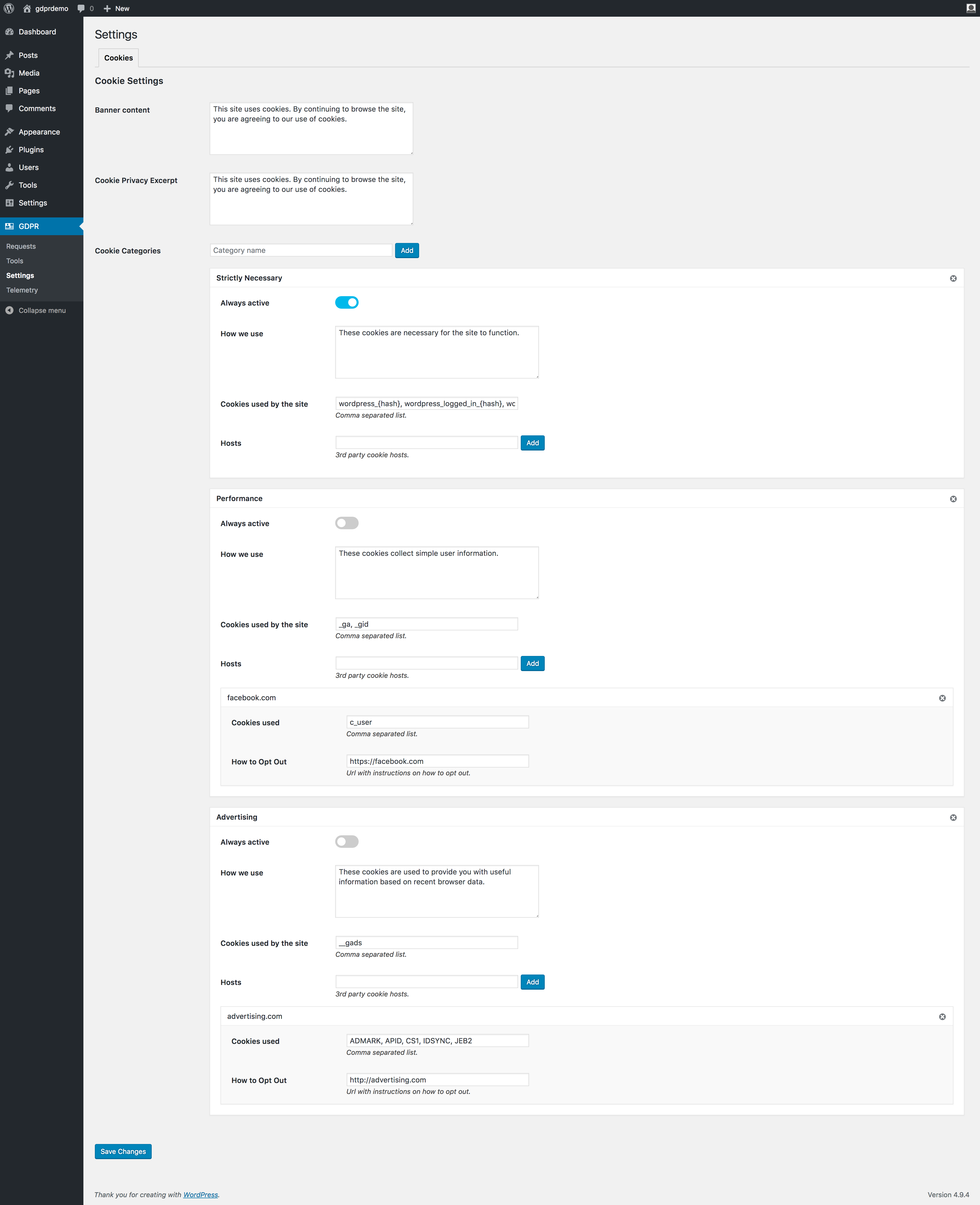
Cookie Preference Management
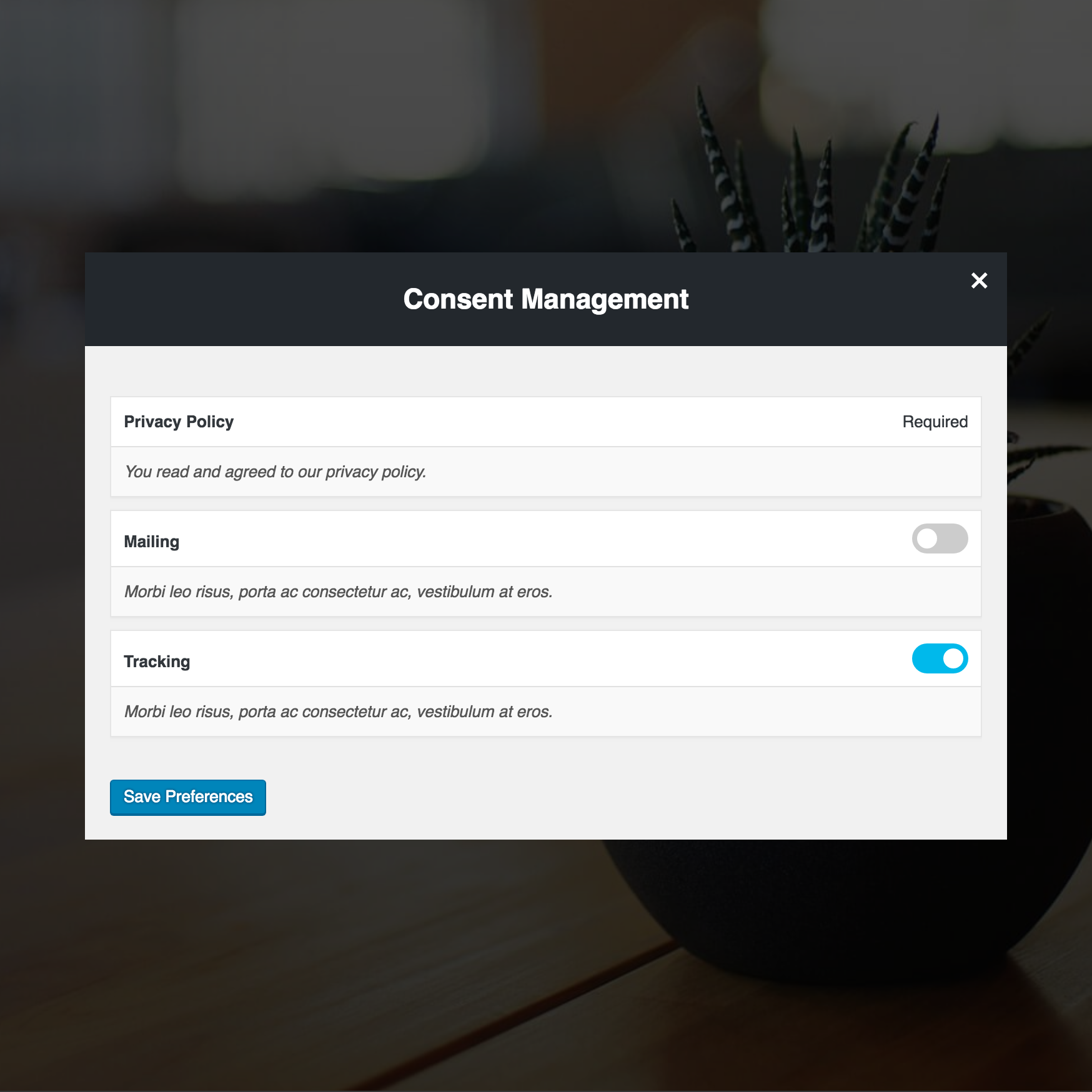
Similar to consent management, users can opt in or out of cookies that are being used on the site. There are 3 formats of cookies that can be created which include:
- Always Active: Cookies that are always active or are required for the site to function.
- Toggled: Cookies that can be activated or blocked based on the user preference
- Opt-Out Link: Cookies that require configuration from a third-party source in order to opt-out
Depending on the user preference setting, you can use the is_allowed_cookie( $cookie ) function to save and set the cookies. The cookie with the user approved cookies can be found at another cookie named gdpr_approved_cookies. There’s also a helper function called is_allowed_cookie( $cookie ) that you can use to prevent setting up a cookie.
Consent Management
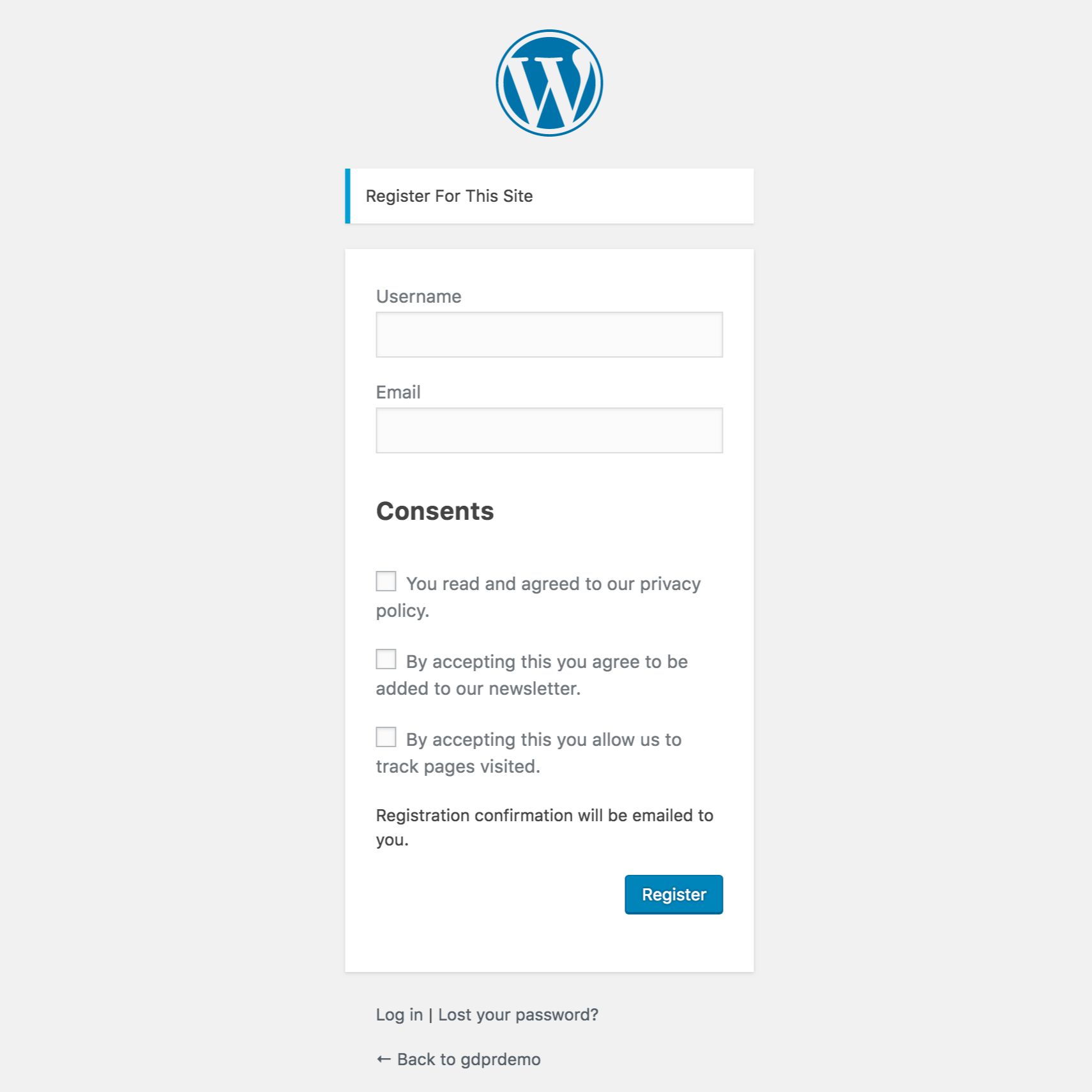
Consents can be registered on the settings page. They can be optional or not. By default, this plugin comes with a Privacy Policy consent that users need to agree with on registration.
For optional consents, there’s a wrapper function have_consent( $consent_id ) to help you display or hide something on the site depending if the user gave consent or not.
Consents are logged to the user record for auditing or for access purposes.
Requests Table & Rights of Data Subject
Right to Erasure Requests
- The Data Subject is able to submit a request to be erased from the site using a shortcode.
-
When a request is made, the Data Subject will receive an email confirmation to confirm the deletion request.
- After email confirmation, the user request is added to the requests table for review by the Administrator. The Administrator can also add a user manually with an email look up and review.
- If the Data Subject has content published on the site for any post types or comments, they will be added to this table. If they do not have any content, they will receive a confirmation of erasure request and be provided a 6 digit Token for safekeeping after erasure in case of recover data needs.
- The requests table allows the Administrator to reassign any content to another user or delete it.
- In the event of comments, the Data Subject’s content would be made anonymous.
-
Admin can also manually add users to the erasure requests table with a manual email search
Right to Access Data Request & User Data Portability
- The Data Subject can place a request to download their data with the shortcode.
- After requesting their data, the user will receive a double opt-in confirmation email then the plugin will generate an XML or JSON file, which will be emailed to them for download with an expiration time of 48 hours.
Right to Rectify & Complaint Requests
- The Data Subject can place a request to rectify data or file a complaint with the shortcode.
- After making their request, the user will receive a double opt-in confirmation email and then add them to the table for admin to handle the request.
Tools
Access Data
The Access Data tool allows the Admin to look up a user email and view the data of a particular user. The Admin can download and export the data in a JSON or XML format and provide to the Data Subject if manually requested.
NOTE: This method should not be used without the Data Subject confirming their identity.
Audit Log
Everything the Data Subject does from registration, providing consent to the privacy policy, terms of service and other requests are logged and encrypted in a database. Data breach notifications are also logged to all Data Subjects upon confirmation by Controller.
- Using the Data Subject’s email, you can look up and retrieve the user information and display it.
- If the Data Subject has been removed from the site, this encrypted log is deleted from the database and saved as an encrypted file inside the plugin folder.
If in the future, the Data Subject makes a complaint or there is a need to recover the data, the user can provide their email address and the 6 digit token they received from the deletion confirmation email to decrypt and retrieve the file.
Data Breach & Notifications
In case of a data breach, the Admin can generate a Data Breach Notification to users by logging the information and confirm the breach through a double opt-in confirmation email. The following information would be recorded in the audit log:
- Nature of the personal data breach
- Name and contact details of the data protection officer
- Likely consequences of the personal data breach
- Measures were taken or proposed to be taken
Once the confirmation of the breach has been confirmed via email, the website will begin a batch email notification process to all users every hour until all users receive the notification.
Telemetry Tracker
The Telemetry Tracker feature will display all data that is being sent outside of your server to another destination. It will indicate the plugin or theme responsible, file and line where the data is being sent.
WordPress Core and some plugins gather data from your install and send this data to an outside server.
WordPress Plugin Repository does not allow plugins to do that, but premium plugins are able to do this because they are not bound by the Plugin repository rules. If you did not explicitly opt-in for this feature you should make a complaint.
Important!
Activating this plugin does not guarantee that an organization is successfully meeting its responsibilities and obligations of GDPR. Individual organizations should assess their unique responsibilities and ensure extra measures are taken to meet any obligations required by law and based on a data protection impact assessment (DPIA).
Installation
- Upload the plugin to the
/wp-content/plugins/directory - Activate the plugin through the ‘Plugins’ menu in WordPress
- Fill out all sections of the settings page.
Changelog
We have added a few new options which must be reviewed before continuing to use the plugin. For cookies, we have added a status which allows you to set them as ON, OFF or Required. For consents, we moved the policy selector into each consent. All policies can now be tracked through this. Please keep in mind the plugin might not work as intended until these settings are reviewed.
2.1.1
Release Date: May 13, 2020
* Updating dependencies.
* Fixing some code standards errors.
* Fix tooltip styles affecting other parts of the admin panel.
* Fixed a W3C validation error.
* Fixed a “Headers Already Sent” error while doing cron jobs.
* Added more accents to the array of replacements
* Made possible to sort by consent in the admin users page.
* Added “move up” and “move down” buttons for each cookies category.
* Detect current language code and load correct recaptcha based on it.
* Moved partials to templates so they can be overwritten by themes.
* Fix issue where some modals would not close.
* Fix issue where tapping the X on modals would jump.
2.1.0
Release Date: June 5, 2018
* Wrapping checkboxes in labels so they stay in the same line.
* Adding initial WPML and Polylang translation config file.
* A few text changes.
* Change email sender. This hopefully fixes the SMTP issue.
* Added an ON/OFF indicator next to toggles.
* Added close buttons to bars so they don’t stop users from accessing footer links.
* Removed checkmark icon from the bar buttons. This checkmark was confusing some users.
* Added an extra parameter to the [gdpr_preferences] shortcode. You can use tab=”target” to open the privacy preference window in a specific tab. Check plugin settings for available targets.
* Updating request error messages to not disclose if the user is a member of the site or not based on his email. This change is to protect users privacy.
* Added soft-optin option for cookies. This will allow these cookies on first landing just like required but it will allow for users to opt-out.
* Added an option to use a reconsent-modal screen instead of the bar. This modal has been reworked since v1 to look nicer. ( Highly requested after v2 update )
* Minor bug fixes.
2.0.10
Release Date: June 5, 2018
* Fix new re-consent bar not showing if users had no prior consent.
* Added a PHP version check on activation.
2.0.9
Release Date: June 1, 2018
* Fix a syntax error introduced after cleaning code with PHPCS.
* Fix functions that were not checking if registered consents were empty before running.
2.0.8
Release Date: May 29, 2018
* Adding a setting to hide plugin generated markup from bots such as Googlebot.
* Fix cookie category dismiss button not showing up after adding a new category. A save was required before the button would appear.
* Display cookie categories that do not have anything in the cookies used option.
* Fix warnings when no consent is registered.
* Small style and markup enhancement.
* A little cleanup to reduce WP server stress.
Screenshots




For developers
Is this your plugin? Show off the numbers.
Add a live badge to your site, docs or GitHub README. It updates on its own — no account needed.
Best GDPR alternatives
All compliance plugins →





FAQ
GDPR: quick answers
Straight answers, pulled from live WordPress.org data.
Live data from WordPress.org · checked Nov 16, 2026
Is GDPR free?
Yes. GDPR is free to download and use from the official WordPress.org plugin directory.
Is GDPR safe to use in 2026?
GDPR is a solid plugin choice in 2026, with a few things worth checking first. It runs on 10K+ sites, is rated 4.3/5 and was last updated 4 months ago, and scores 72/100 on our health check.
How many websites use GDPR?
GDPR is active on 10K+ WordPress websites and has been downloaded 376,951 times since it launched in February 2018. It was downloaded 1,146 times in the last 30 days.
Does GDPR work with WordPress 7.1?
GDPR is officially tested up to WordPress 7.0.8, while the latest release is 7.1.4. It may still work, but try it on a staging site first.
What PHP version does GDPR need?
GDPR requires PHP 5.6 or higher. Most hosts run PHP 8.x today, so it works on any modern WordPress hosting.
When was GDPR last updated?
The latest version, 2.1.2, was released on July 21, 2026 (4 months ago).
Who makes GDPR?
GDPR is developed and maintained by Trew Knowledge.
What are the best alternatives to GDPR?
The most popular alternatives to GDPR are Cookie Compliance for WordP… (800K+ installs), WP Consent API (300K+ installs) and Cookiez (50K+ installs).
Powered by PageForge
Want thousands of pages that rank like these? Build them in an afternoon.
This directory runs on the same engine as PageForge. Turn any spreadsheet, CSV or API into thousands of fast, SEO-ready WordPress pages — with schema, internal links and AI-written copy baked in.
- CSV, Google Sheets & API data sources
- AI content, schema & internal links per page
- Works with Elementor, Gutenberg, Yoast & Rank Math
- Free on WordPress.org — no credit card


