


FrontPup
Your AWS CloudFront companion. Clear cache and optimize your CloudFront distribution for your WordPress website

Solid choice
FrontPup is a solid plugin choice in 2026, with a few things worth checking first. It runs on 10+ sites and was last updated 3 months ago, and scores 62/100 on our health check.
- Tested with the latest WordPress (7.1)
- Small user base (10+ active installs)
- Very few reviews so far
- Needs PHP 8.1 or newer
How does it stack up?
Side-by-side on installs, updates, ratings & support



Daily downloads
Download spikes usually follow a new release — each site that auto-updates counts as a download.
Rankings
Where FrontPup stands todayWordPress.org search rankings
Live position in the plugin search, top 100| Keyword | Position |
|---|---|
| amazon | >100 |
| aws | >100 |
| cdn | >100 |
| cloudfront | #54 |
| lightsail | #4 |
Version adoption
Share of active sites per release.
About FrontPup
From the official readme · v1.8Description
Welcome to FrontPup, your CloudFront companion.
FrontPup allows you to maximize your WordPress website using the AWS CloudFront Content Delivery Network (CDN).
REQUIREMENTS
You must be using the Amazon Web Services (AWS) CloudFront service to utilize this plugin.
FrontPup Features
- Non-intrusive Clear Cache (new) admin bar menu option, now you can clear the cache in any view without impacting other work.
- Clear CloudFront Cache (creates an Invalidation request)
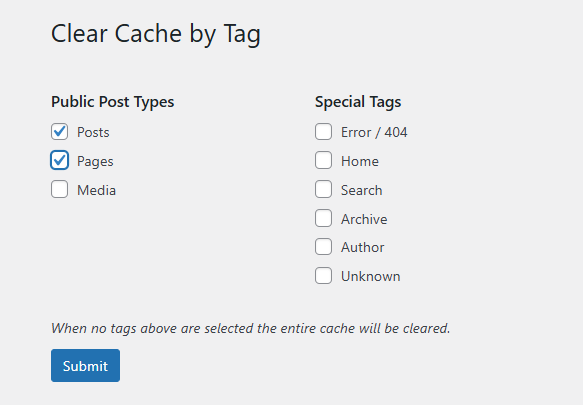
- Utilize the new Cache Tags feature by WordPress post-type
- Set no-cache headers for all pages (great for development or testing)
- Set public and private Cache-Control headers for caching in CloudFront and Browsers
- Set separate max-age (browser) and s-maxage (CloudFront) cache duration values
Non-intrusive Clear Cache (new)
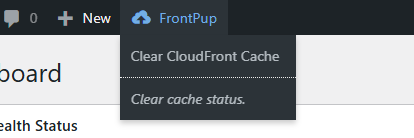
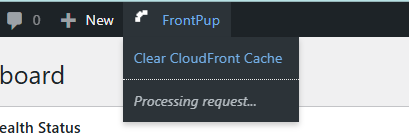
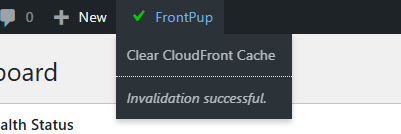
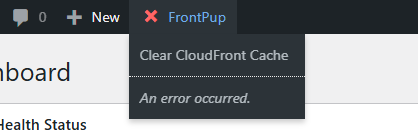
The Non-intrusive Clear Cache admin bar menu option can clear your cache in any view without causing any disruption to your work. The Clear CloudFront Cache option is found under the “FrontPup” menu. Requests are performed behind the scenes. The returned status is added to the menu bar as an italics message in the menu. Feedback is reported with the icon to the left of the FrontPup menu option.
Turbocharge your WordPress Website with CloudFront
Using Amazon CloudFront in front of your WordPress website offers significant benefits by improving performance, security, and scalability. CloudFront is a Delivery Network (CDN) with over 750+ Points of Presence (PoPs) around the world plus over 1,100 PoPs within ISP networks. This highly optimized network makes it extremely efficient at delivering your website to your visitors anywhere around the world. “PoP” locations are designed to reduce latency by caching content closer to your site’s visitors.
Cache Tags by Post Type
The new Cache Tags in CloudFront paired with WordPress’s Post Types is a killer combination! If you have a lot of pages to your site and you only want to clear specific areas, this is the perfect option for you. For example, if you are using a custom post type for your shopping cart and you want to purge the cache for product pages but want your post and pages to not be impacted, this new feature is for you!
Performance
- Faster Loading Times, static content (pages, images, CSS, JavaScript) is cached at “edge locations” around the world
- Improved User Experience, Faster load times lead to higher user engagement, reduced bounce rates, and improved search engine optimization (SEO) rankings
- Reduced Server Load, by serving cached content from edge locations, CloudFront minimizes requests to your WordPress website
When your website is optimized for performance your PageSpeed Lighthouse scores should improve.
Enhanced Security
- DDoS Protection, includes AWS Shield Standard
- SSL/TLS Security, force https only and includes free SSL Certificates
- AWS WAF, a Web Application Firewall with a depth of options including specific WordPress protections (may incur additional costs)
You should achieve a grade of “A” on Qualys SSL Server Test when CloudFront is configured with the recommended TLSv1.2_2021 or newer security policy.
Scalability and Reliability
- Global Reach with over 750 PoPs plus over 1,100 PoPs within ISP networks
- High Availability, can serve cached content when site is down
- Cost Efficiency, can be cost-effective, especially for websites with high traffic with the new CloudFront flat-rate pricing plans
Technology
- IPv6, a superior protocol to IPv4 and in some regions of the world is the only protocol that is available
- HTTP/2 and HTTP/3 improve web performance through faster loading speeds, enhanced security, and better resource handling
- Gzip and Brotli compression, smaller file sizes improve application performance by delivering your content faster to visitors
- Multi-Proxy, route specific path patterns to other web applications easily by adding additional “Origins”, allowing you to host more than just WordPress with the same hostname
Learn more about AWS CloudFront.
Developed by an AWS Community Builder
FrontPup is developed and maintained by Angelo Mandato, an AWS Community Builder. Angelo has been developing WordPress plugins and themes since 2005 and has been architecting applications including WordPress hosted on Amazon Web Services since 2007.
Installation
Installation from within WordPress
- Visit Plugins > Add New.
- Search for FrontPup.
- Install and activate the FrontPup plugin.
Manual installation
- Upload the entire
frontpupfolder to the/wp-content/plugins/directory. - Visit Plugins.
- Activate the FrontPup plugin.
After activation
- Visit the new FrontPup menu.
- Enable the options you would like to use.
If you configure Clear Cache Settings, you can now use the FrontPup admin bar menu option to quickly clear the cache. This action uses AJAX and will perform the action without leaving the page or disrupting your work.
Changelog
Nothing to update, this is the first version.
The FrontPup plugin is maintained on GitHub https://github.com/painlessanalytics/frontpup. Code contributions are welcome.
The FrontPup plugin is developed with assistance from Kiro, an AI-powered agentic IDE.
Changelog
1.8
Add IAM Policy Generator page.
- Released: 2026-08-31
- Tested with WordPress 7.1
- Added new “Policy Generator” submenu to generate a least-privilege IAM policy for CloudFront cache invalidation
- Accepts an AWS Account ID and optional Distribution ID (blank = wildcard for all distributions)
- Generated policy grants CreateInvalidation, GetInvalidation, and ListInvalidations actions
- Includes a copy-to-clipboard button and link to online instructions
1.7
Add AsyncAws as a new CloudFront SDK option.
- Released: 2026-07-08
- Added “AsyncAws SDK” option to the Clear Cache SDK settings, a trimmed bundle of the AsyncAws CloudFront client for a smaller footprint than the Full AWS SDK
- NOTE: We will be removing the Full AWS SDK option in version 2.0. If you are using the full version please switch to the Lightweight AWS SDK or the AsyncAws SDK.
1.6.1
WordPress 7.0.
- Released: 2026-05-24
- Tested with WordPress 7.0
1.6
Released: 2026-05-13
Add support for the new CloudFront cache tags associated by WordPress post types.
- Added new “Clear Cache by Post Type” submenu option to clear the site cache by post type using CloudFront cache tags
- Added new header
x-amz-meta-cache-tagfor post type pages - Special pages not post type specific also have tags: ‘error’ (for error and 404 pages), ‘home’, ‘search’, ‘archive’, and ‘author’.
- Unknown pages use the tag ‘unknown’
1.5
Released: 2026-04-16
Added new Cache Unique Visitors option.
- Added settings for Cache Unique Visitors option
- Added logic to set a special cache cookie for unique visitors
- Included Commenters with the Cache Unique Visitors option
1.4
Released: 2026-03-27
Added Lightweight AWS SDK as the default method to contact AWS to clear cache.
- Added option to switch between the new Lightweight AWS SDK and the Full AWS SDK.
- Fixed FrontPup defines not fully being used.
- Added new LightAWS library files.
Screenshots
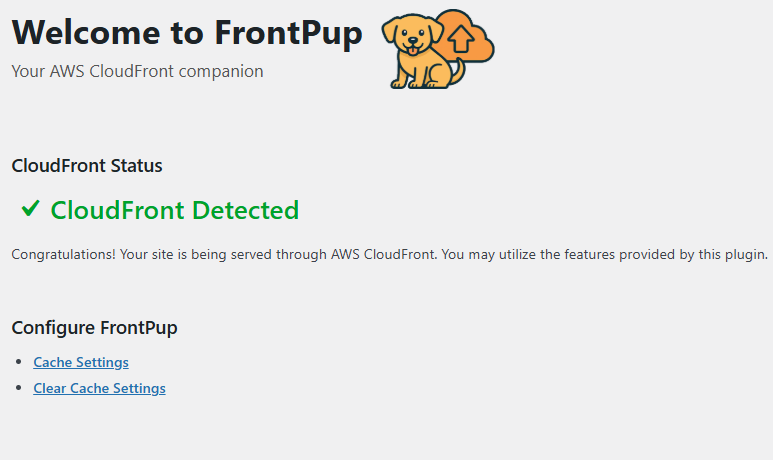
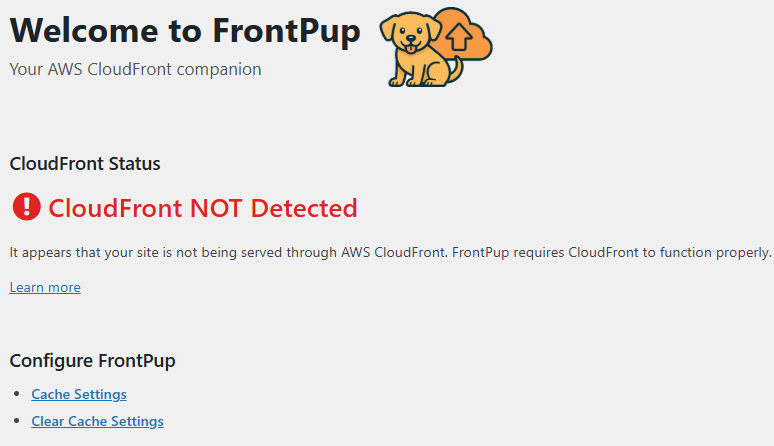
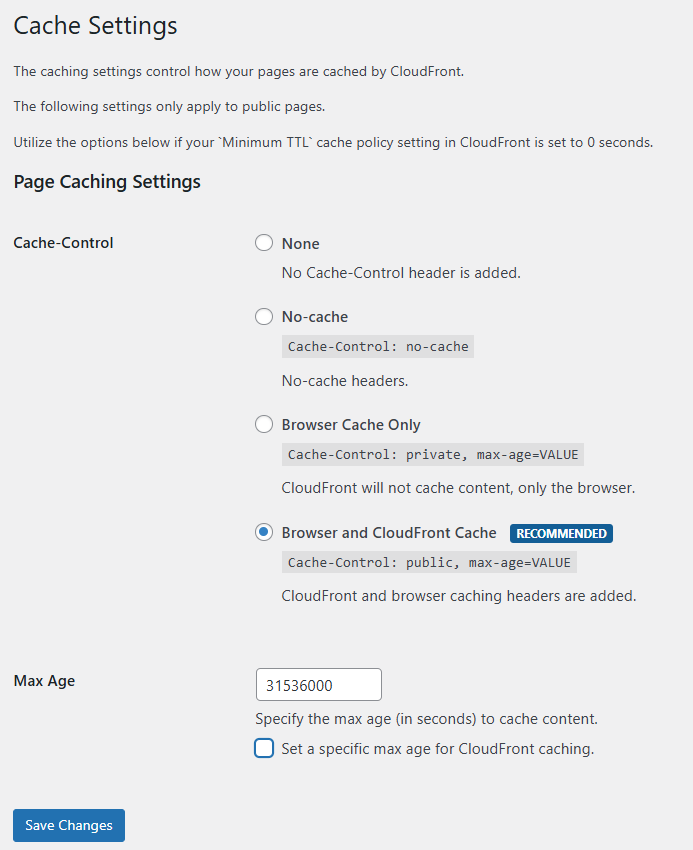
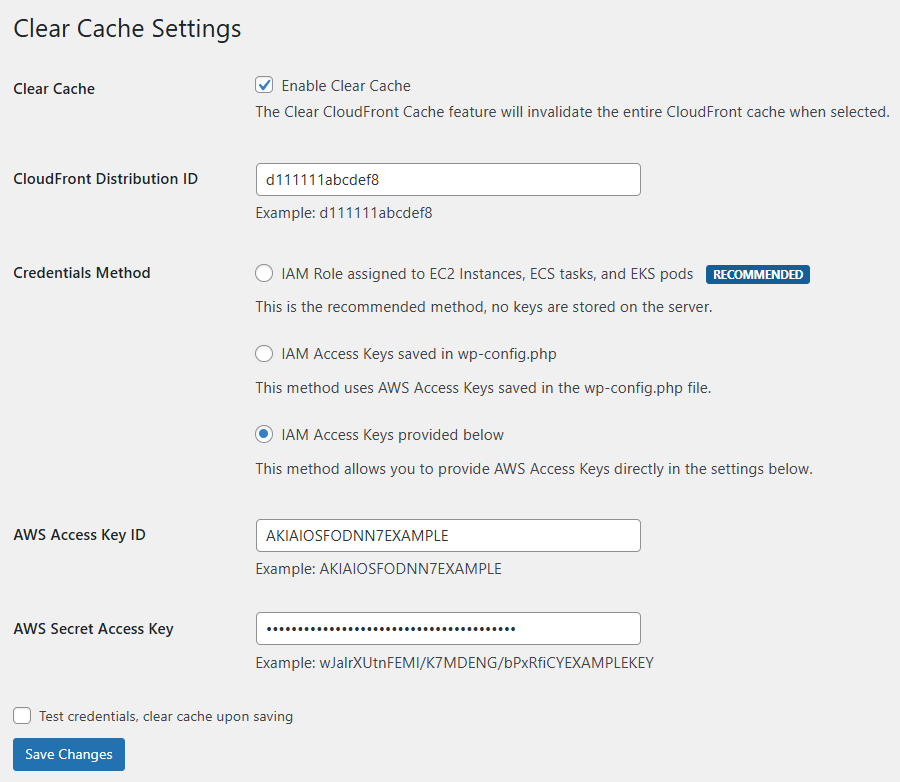
For developers
Is this your plugin? Show off the numbers.
Add a live badge to your site, docs or GitHub README. It updates on its own — no account needed.
Best FrontPup alternatives
All amazon plugins →





FAQ
FrontPup: quick answers
Straight answers, pulled from live WordPress.org data.
Source: WordPress.org
Is FrontPup free?
Yes. FrontPup is free to download and use from the official WordPress.org plugin directory.
Is FrontPup safe to use in 2026?
FrontPup is a solid plugin choice in 2026, with a few things worth checking first. It runs on 10+ sites and was last updated 3 months ago, and scores 62/100 on our health check.
How many websites use FrontPup?
FrontPup is active on 10+ WordPress websites and has been downloaded 1,167 times since it launched in January 2026. It was downloaded 103 times in the last 30 days.
Does FrontPup work with WordPress 7.1?
Yes. The developer has tested FrontPup up to WordPress 7.1.5, the latest release. It requires WordPress 6.0 or newer.
What PHP version does FrontPup need?
FrontPup requires PHP 8.1 or higher. Most hosts run PHP 8.x today, so it works on any modern WordPress hosting.
When was FrontPup last updated?
The latest version, 1.8, was released on August 31, 2026 (3 months ago).
Who makes FrontPup?
FrontPup is developed and maintained by Painless Analytics.
What are the best alternatives to FrontPup?
The most popular alternatives to FrontPup are WP Offload Media Lite for A… (30K+ installs), Amazon Pay for WooCommerce (10K+ installs) and Amazon Web Services (5K+ installs).
Powered by PageForge
One template and a spreadsheet. A real page for every search.
PageForge turns each row of a CSV into a WordPress page with its own title, URL, SEO fields and schema, built on the layout you already designed. Free on WordPress.org.
- CSV and XLSX, plus Google Sheets on Professional and Enterprise
- Its own title, URL, SEO fields and schema for every page
- Works with the block editor, Elementor, Divi and Avada
- Free on WordPress.org, no credit card