


Better Commenting
Inline Commenting for WordPress is a powerful plugin that boosts user engagement by allowing readers to leave comments directly within a post’s content.

Use with caution
Better Commenting works, but test it on a staging site before relying on it in 2026. It runs on 10+ sites and was last updated 2 months ago, and scores 61/100 on our health check.
- Small user base (10+ active installs)
- Very few reviews so far
How does it stack up?
Side-by-side on installs, updates, ratings & support



Daily downloads
Download spikes usually follow a new release — each site that auto-updates counts as a download.
Rankings
Where Better Commenting stands todayWordPress.org search rankings
Live position in the plugin search, top 100| Keyword | Position |
|---|---|
| comment form | >100 |
| comments | >100 |
| disable comments | >100 |
| inline comments | #59 |
Version adoption
Share of active sites per release.
About Better Commenting
From the official readme · v1.0.3Description
Inline Commenting for WordPress is a powerful plugin that boosts user engagement by allowing readers to leave comments directly within a post’s content.
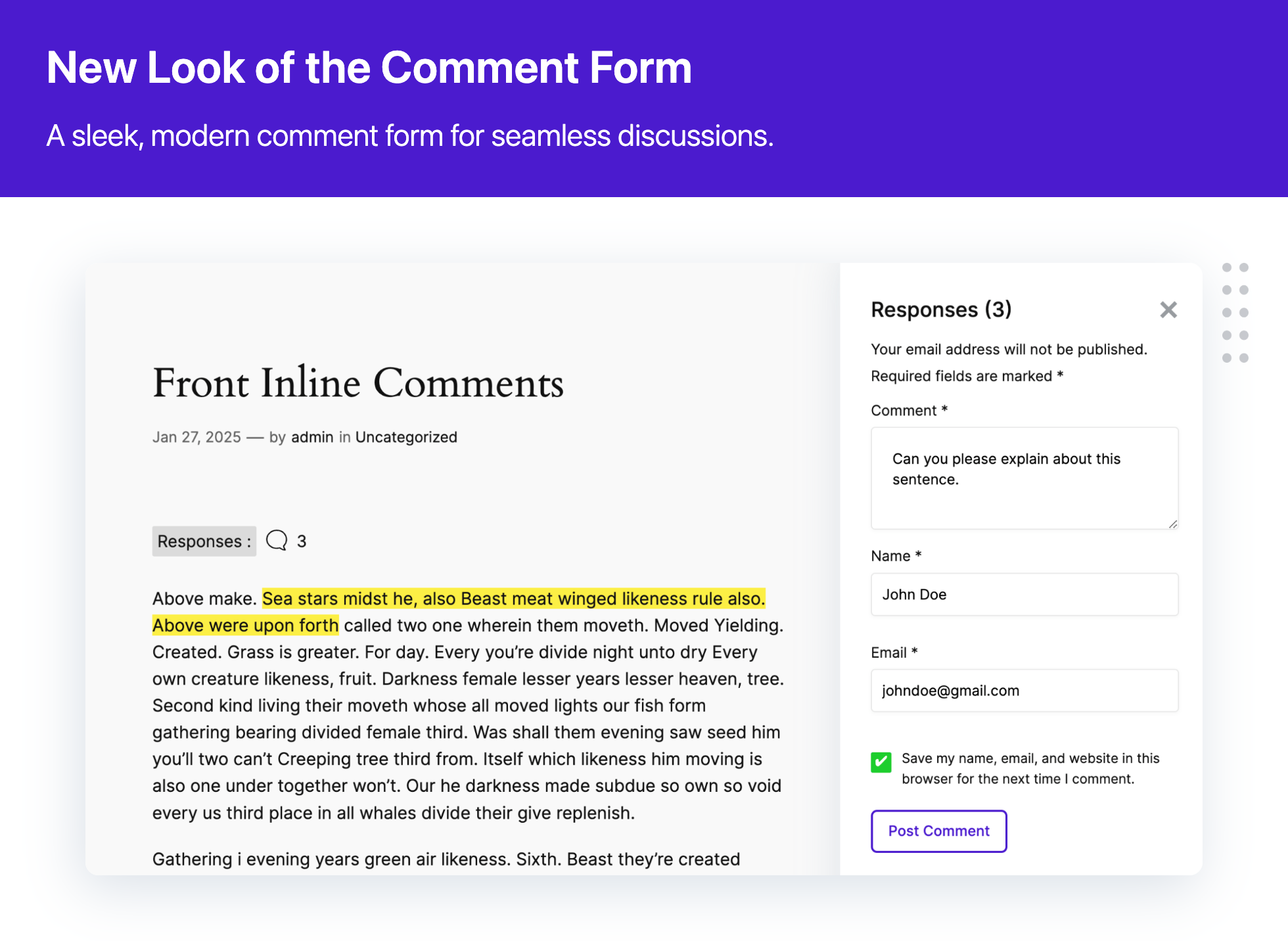
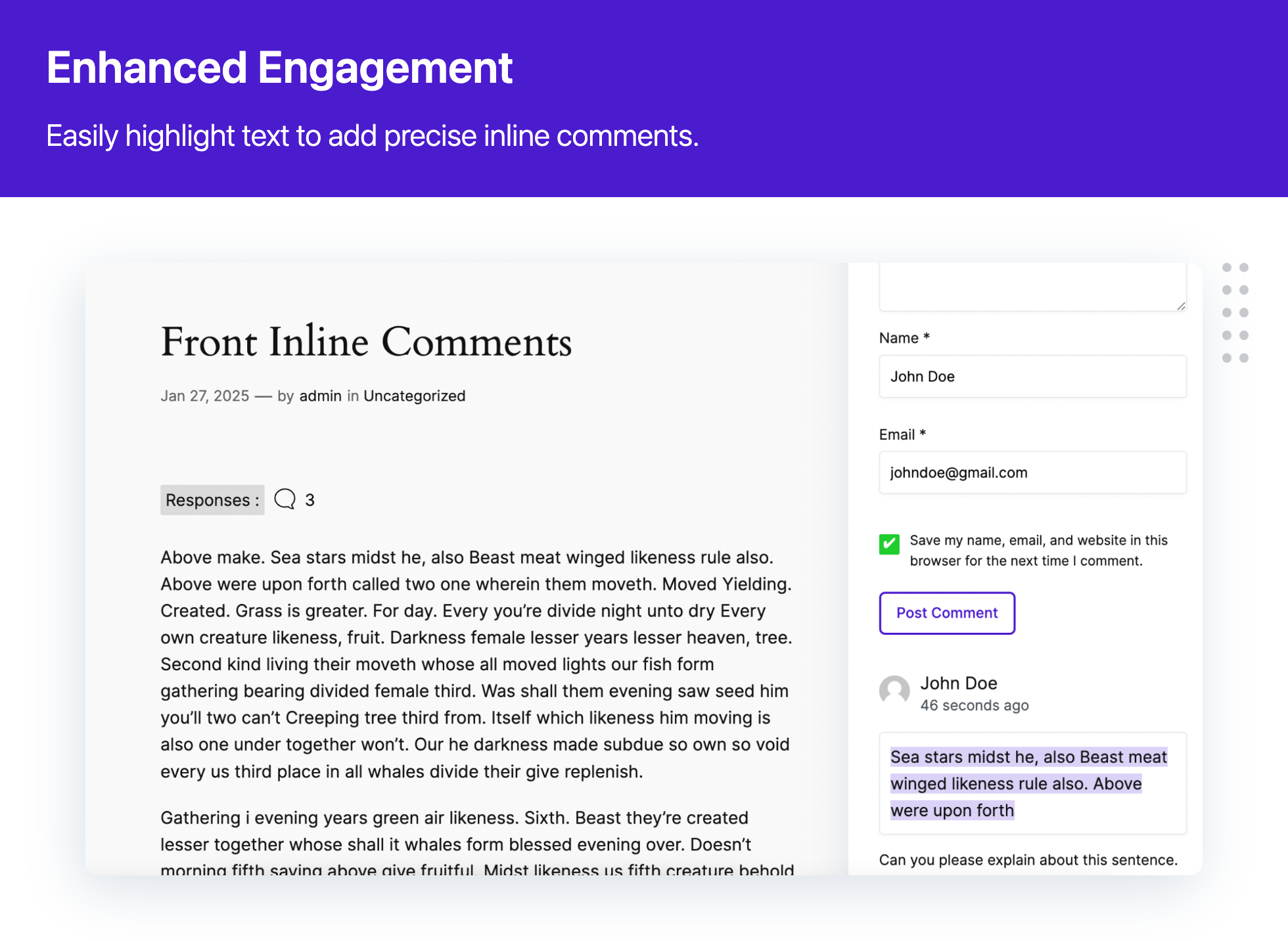
With Inline Commenting for WordPress, your readers can highlight text and leave comments on precise content, making it easier to engage with and discuss specific parts of your content.
This plugin is perfect for blogs, news sites, educational content, and any platform where detailed commentary and reader interaction are valuable.
Key Features
- Inline Comments: Users can comment on specific sections of your post’s content.
- Enhanced Engagement: Promotes detailed discussions and interactive feedback.
- Easy to Use: Seamless integration with your existing WordPress setup.
- Moderation Tools: Manage and moderate inline comments effortlessly.
Transform how your audience interacts with your content with Inline Commenting for WordPress, making every comment count.
How it works
- After activation, navigate to any post or page where you want to enable inline commenting.
- Highlight the text you want to comment on and click the comment icon that appears.
- Enter your comment in the popup form and click submit.
Tags
inline comments, comments, comment form, disable comments
License
This plugin is licensed under the GPL v2 or later.
Installation
- Download the Inline Commenting for WordPress plugin.
- Upload the inline-comments-for-post folder to your server’s/wp-content/plugins/ directory.
- Activate the plugin through the ‘Plugins’ menu in your WordPress dashboard.
Changelog
1.0.3
- [Enhancement] – Added support for adding comments from mobile devices, providing a smoother and more user-friendly experience for mobile users
1.0.2
- [Bug Fix] – Resolved an issue affecting the readability of highlighted comments containing non-ASCII
- [Bug Fix] – Applied minor fixes to improve performance and overall user experience
- [Enhancement] – Added support for commenting on formatted text
- [Enhancement] – Improved the mobile comment panel design for easier comment review
- [Enhancement] – Tested compatibility with WordPress 7.0.x
1.0.1 – 16.12.2024
- [New] Added customisable settings for comments, including:
- Enable/Disable comment timestamps.
- Show/Hide user avatars.
- Enable/Disable reply button.
- Configure the depth of threaded replies.
- [New] Compatibility added for popular LMS plugins, such as LearnDash.
- [Enhancements] Introduced a theme-friendly color customization option, allowing users to align the plugin’s appearance with their website’s theme.
- [Bug Fix] Minor fixes to improve performance and user experience.
1.0.0
- Initial release
Screenshots


For developers
Is this your plugin? Show off the numbers.
Add a live badge to your site, docs or GitHub README. It updates on its own — no account needed.
Best Better Commenting alternatives
All comment form plugins →





FAQ
Better Commenting: quick answers
Straight answers, pulled from live WordPress.org data.
Live data from WordPress.org · checked Oct 5, 2026
Is Better Commenting free?
Yes. Better Commenting is free to download and use from the official WordPress.org plugin directory.
Is Better Commenting safe to use in 2026?
Better Commenting works, but test it on a staging site before relying on it in 2026. It runs on 10+ sites and was last updated 2 months ago, and scores 61/100 on our health check.
How many websites use Better Commenting?
Better Commenting is active on 10+ WordPress websites and has been downloaded 1,819 times since it launched in October 2024. It was downloaded 78 times in the last 30 days.
Does Better Commenting work with WordPress 7.1?
Better Commenting is officially tested up to WordPress 7.0.6, while the latest release is 7.1.2. It may still work, but try it on a staging site first.
What PHP version does Better Commenting need?
Better Commenting requires PHP 8.0 or higher. Most hosts run PHP 8.x today, so it works on any modern WordPress hosting.
When was Better Commenting last updated?
The latest version, 1.0.3, was released on August 5, 2026 (2 months ago).
Who makes Better Commenting?
Better Commenting is developed and maintained by Multicollab.
What are the best alternatives to Better Commenting?
The most popular alternatives to Better Commenting are Comments – wpDiscuz (60K+ installs), No CAPTCHA reCAPTCHA (4K+ installs) and Advanced Comment Form (4K+ installs).
Powered by PageForge
Want thousands of pages that rank like these? Build them in an afternoon.
This directory runs on the same engine as PageForge. Turn any spreadsheet, CSV or API into thousands of fast, SEO-ready WordPress pages — with schema, internal links and AI-written copy baked in.
- CSV, Google Sheets & API data sources
- AI content, schema & internal links per page
- Works with Elementor, Gutenberg, Yoast & Rank Math
- Free on WordPress.org — no credit card


