



Power Captcha reCAPTCHA
Protect WordPress/WooCommerce/Contact Form 7 forms from spam, brute-force attacks, fake comments, accounts, or registrations with Google reCAPTCHA.

Use with caution
Power Captcha reCAPTCHA works, but test it on a staging site before relying on it in 2026. It runs on 900+ sites, is rated 4.3/5 and was last updated 3 months ago, and scores 55/100 on our health check.
- Small user base (900+ active installs)
- Very few reviews so far
How does it stack up?
Side-by-side on installs, updates, ratings & support



Daily downloads
Download spikes usually follow a new release — each site that auto-updates counts as a download.
Rankings
Where Power Captcha reCAPTCHA stands todayWordPress.org search rankings
Live position in the plugin search, top 100| Keyword | Position |
|---|---|
| anti-spam security | #53 |
| captcha | #19 |
| comment form | >100 |
| google recaptcha | #19 |
| login security | >100 |
Version adoption
Share of active sites per release.
Rating breakdown
★★★★★★★★★★ 4.3 from 4 reviews
About Power Captcha reCAPTCHA
From the official readme · v1.2.0Description
Protect your WordPress, WooCommerce, and Contact Form 7 forms from spam, brute-force attacks, and fake accounts using Google reCAPTCHA.
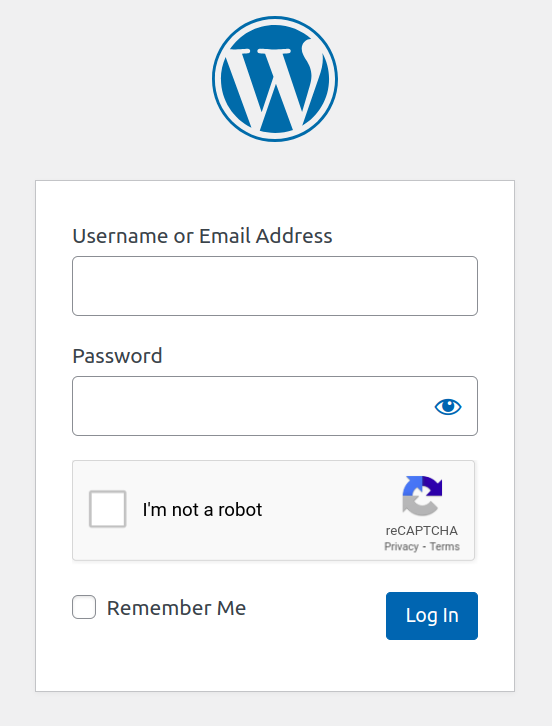
Power Captcha reCAPTCHA supports 3 Google reCAPTCHA types integrated into 6 common WordPress forms, including login and comment forms, 7 WooCommerce forms, and Contact Form 7.
3 CAPTCHA Types
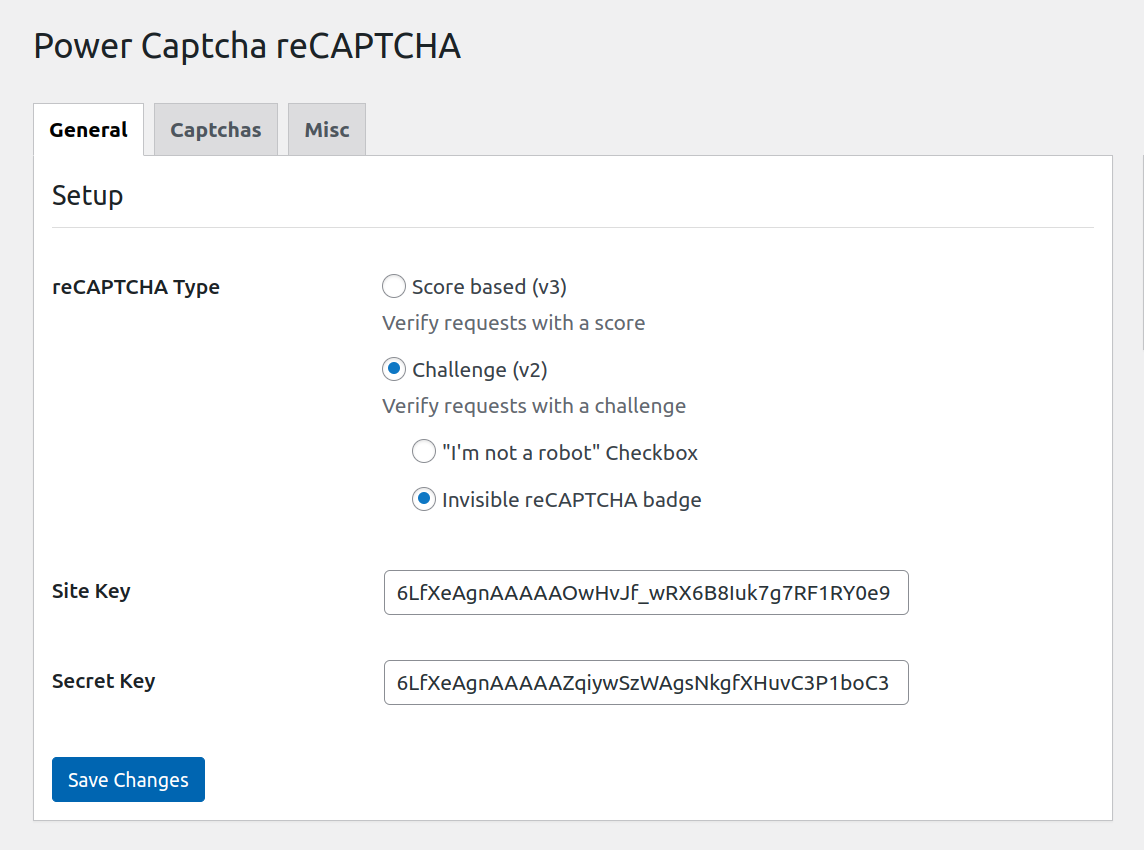
- Score-based (v3) CAPTCHA. Seamless detection.
- “I’m not a robot” CAPTCHA checkbox. Verification requests with a challenge.
- Invisible reCAPTCHA. Improved, challenge-based CAPTCHA without a checkbox.
6 WordPress Forms
- Login form
- Register form
- Comment form
- Lost password form
- Reset password form
- Register form
7 WooCommerce Forms
- Login form
- Register form
- Checkout form
- Review form
- Reset password form
- Lost password form
Contact Form 7
As of version 1.0.7, Power Captcha reCAPTCHA integrates with Contact Form 7. You can easily add the Power Captcha reCAPTCHA field to your Contact Form 7 forms.
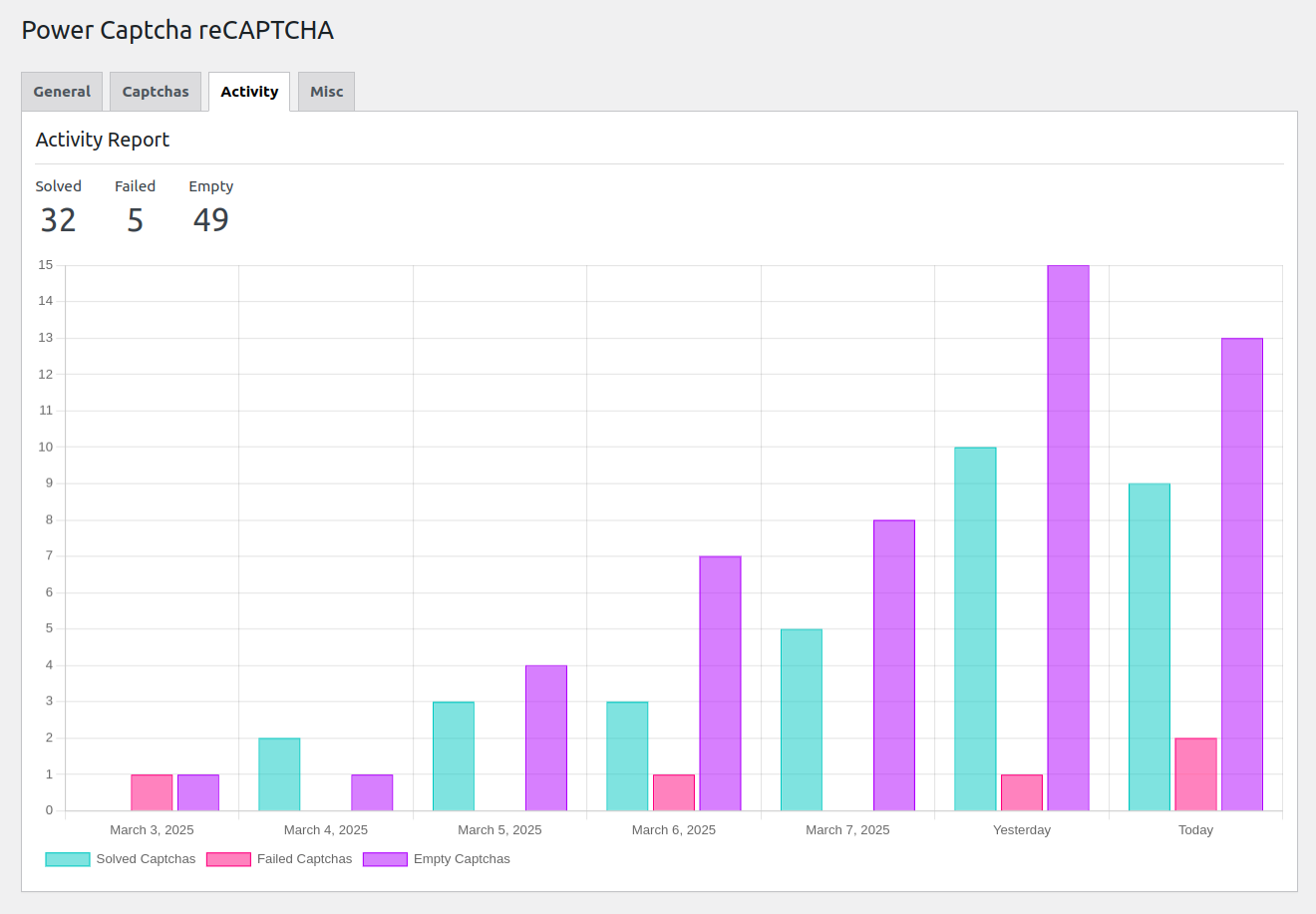
Activity Report
The Activity Report feature for the plugin provides users with a detailed overview of captcha interactions. It tracks and displays the number of solved, failed, and empty captchas, offering a daily breakdown to monitor performance trends. Stay informed with clear insights into your captcha performance.
Installation
- Upload the
power-captcha-recaptchafolder to the/wp-content/plugins/directory. - Activate the plugin through the ‘Plugins’ menu in WordPress.
- Sign up at Google reCAPTCHA console to get your Site Key and Secret Key (it’s FREE).
- Enter your Site Key and Secret Key in Settings -> Power Captcha menu in WordPress.
- Enable the desired CAPTCHA types.
Frequently asked questions
How do I use Power Captcha reCAPTCHA?
Power Captcha reCAPTCHA is an anti-spam solution that helps you secure forms and stop bots from submitting them. After completing the setup, go to the “Captcha” tab on the settings page and select the forms you want to protect. The CAPTCHA will be integrated into the selected forms.
Do I need to code to implement captchas?
No coding required. The plugin provides one-click integration for all supported WordPress and WooCommerce forms.
The plugin doesn’t support some forms I need. How can I get support added for them?
Please create a new topic with a feature request in our support forum.
Is the plugin relying on third-party services?
Yes. The functionality of the plugin relies on the integration of a third-party service, specifically Google reCAPTCHA. For a thorough understanding of the service, including its terms of service and privacy policy, please refer to the official documentation provided at Google reCAPTCHA.
Where can I get more information about Google reCAPTCHA?
Read the official documentation
Changelog
1.0.0
- Plugin released.
1.0.1 (2024-06-11)
- Tested up to 6.5.4
- WooCommerce tested up to 8.9.3
1.0.2 (2024-07-01)
- Tested up to 6.5.5
- Screenshots added.
1.0.3 (2024-07-18)
- Tested up to 6.6
- Typo fixed.
1.0.4 (2024-07-18)
- Added Spanish translations.
1.0.5 (2024-07-28)
- Tested up to 6.6.1
- Improved Spanish translations.
- Improved Readme.
- Fixed minor bugs.
Screenshots


For developers
Is this your plugin? Show off the numbers.
Add a live badge to your site, docs or GitHub README. It updates on its own — no account needed.
Best Power Captcha reCAPTCHA alternatives
All anti-spam security plugins →FAQ
Power Captcha reCAPTCHA: quick answers
Straight answers, pulled from live WordPress.org data.
Live data from WordPress.org · checked Oct 5, 2026
Is Power Captcha reCAPTCHA free?
Yes. Power Captcha reCAPTCHA is free to download and use from the official WordPress.org plugin directory.
Is Power Captcha reCAPTCHA safe to use in 2026?
Power Captcha reCAPTCHA works, but test it on a staging site before relying on it in 2026. It runs on 900+ sites, is rated 4.3/5 and was last updated 3 months ago, and scores 55/100 on our health check.
How many websites use Power Captcha reCAPTCHA?
Power Captcha reCAPTCHA is active on 900+ WordPress websites and has been downloaded 8,335 times since it launched in February 2024. It was downloaded 314 times in the last 30 days.
Does Power Captcha reCAPTCHA work with WordPress 7.1?
Power Captcha reCAPTCHA is officially tested up to WordPress 7.0.6, while the latest release is 7.1.2. It may still work, but try it on a staging site first.
What PHP version does Power Captcha reCAPTCHA need?
Power Captcha reCAPTCHA requires PHP 5.5 or higher. Most hosts run PHP 8.x today, so it works on any modern WordPress hosting.
When was Power Captcha reCAPTCHA last updated?
The latest version, 1.2.0, was released on July 19, 2026 (3 months ago).
Who makes Power Captcha reCAPTCHA?
Power Captcha reCAPTCHA is developed and maintained by Denis Alemán.
What are the best alternatives to Power Captcha reCAPTCHA?
The most popular alternatives to Power Captcha reCAPTCHA are reCaptcha by BestWebSoft (100K+ installs), WP reCaptcha (100+ installs) and GNA Google reCAPTCHA (10+ installs).
Powered by PageForge
Want thousands of pages that rank like these? Build them in an afternoon.
This directory runs on the same engine as PageForge. Turn any spreadsheet, CSV or API into thousands of fast, SEO-ready WordPress pages — with schema, internal links and AI-written copy baked in.
- CSV, Google Sheets & API data sources
- AI content, schema & internal links per page
- Works with Elementor, Gutenberg, Yoast & Rank Math
- Free on WordPress.org — no credit card


