


Forge TrueConversion Lead Tracking for Google Ads
Track where your form leads come from, mark real enquiries as conversions, and send them back to Google Ads so it stops optimising for junk.

Use with caution
Forge TrueConversion Lead Track… works, but test it on a staging site before relying on it in 2026. Was last updated 1 month ago, and scores 60/100 on our health check.
- Tested with the latest WordPress (7.1)
- Small user base (<10 active installs)
- Very few reviews so far
How does it stack up?
Side-by-side on installs, updates, ratings & support



Daily downloads
Download spikes usually follow a new release — each site that auto-updates counts as a download.
Rankings
Where Forge TrueConversion Lead T… stands todayWordPress.org search rankings
Live position in the plugin search, top 100| Keyword | Position |
|---|---|
| form tracking | >100 |
| google ads | >100 |
| lead source | >100 |
| offline conversions | >100 |
| utm tracking | >100 |
About Forge TrueConversion Lead Tracking for…
From the official readme · v2.0.1Description
TrueConversion tracks the traffic source of every form submission on your WordPress site and lets you mark only the real commercial enquiries as conversions. Those conversions are then sent back to Google Ads via the offline conversion API, so Google can optimise your ad spend for leads that actually matter.
The Problem
Google Ads counts every form submission as a conversion — including spam, sales pitches, job seekers, and people who clicked the wrong button. This means Google optimises your campaigns to find more of these junk leads, wasting your budget.
The Solution
TrueConversion captures the Google Click ID (gclid) along with UTM parameters and other ad platform click IDs. When a form is submitted, you can mark genuine commercial enquiries as conversions and send them back to Google Ads. Google then learns what a real lead looks like and optimises accordingly.
Key Features
- Automatic UTM & Click ID Capture — Captures utm_source, utm_medium, utm_campaign, utm_term, utm_content, gclid, fbclid, msclkid, and more.
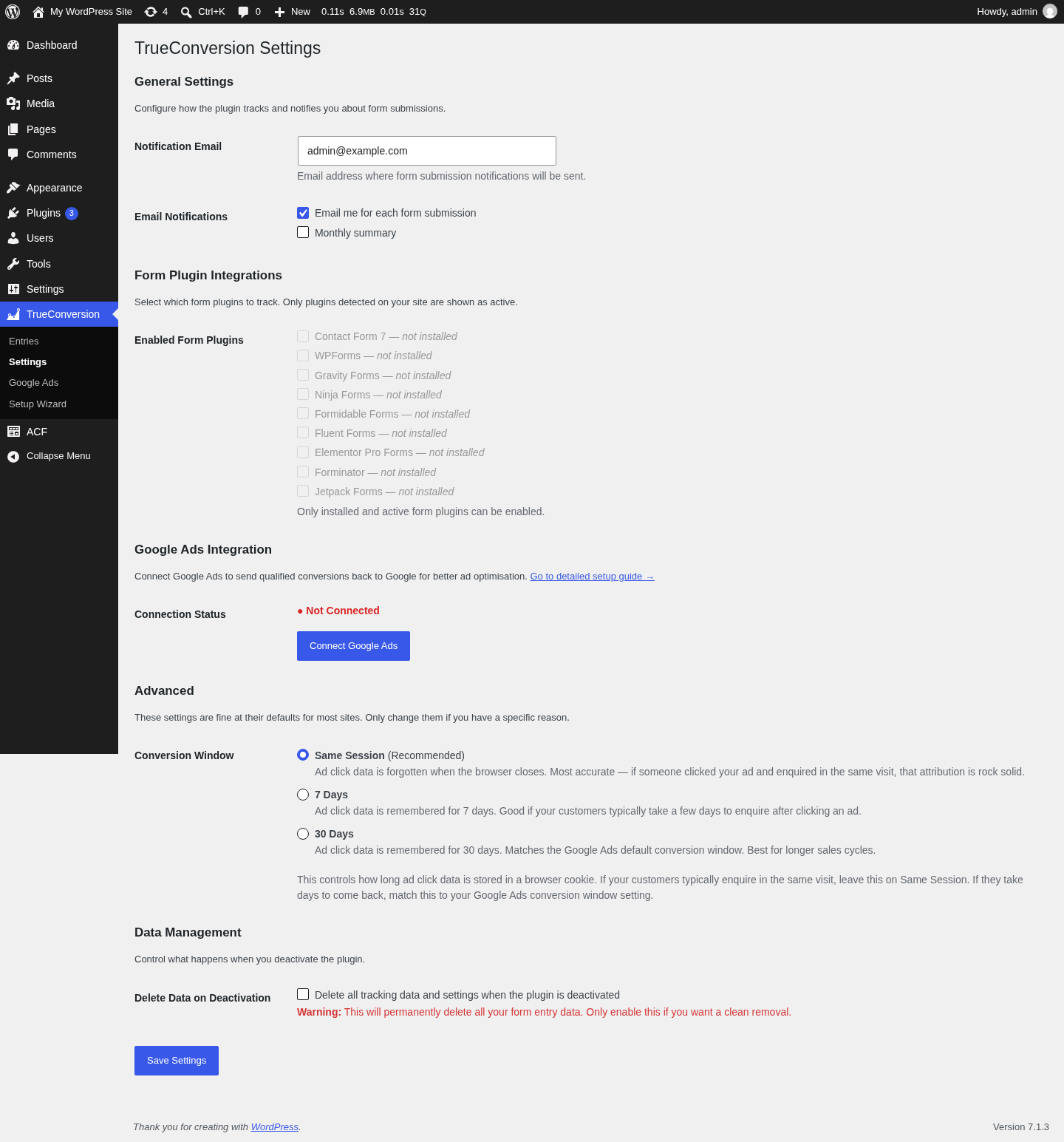
- Works With All Major Form Plugins — Contact Form 7, WPForms, Gravity Forms, Ninja Forms, Formidable Forms, Fluent Forms, Elementor Pro Forms, Forminator, and Jetpack Forms.
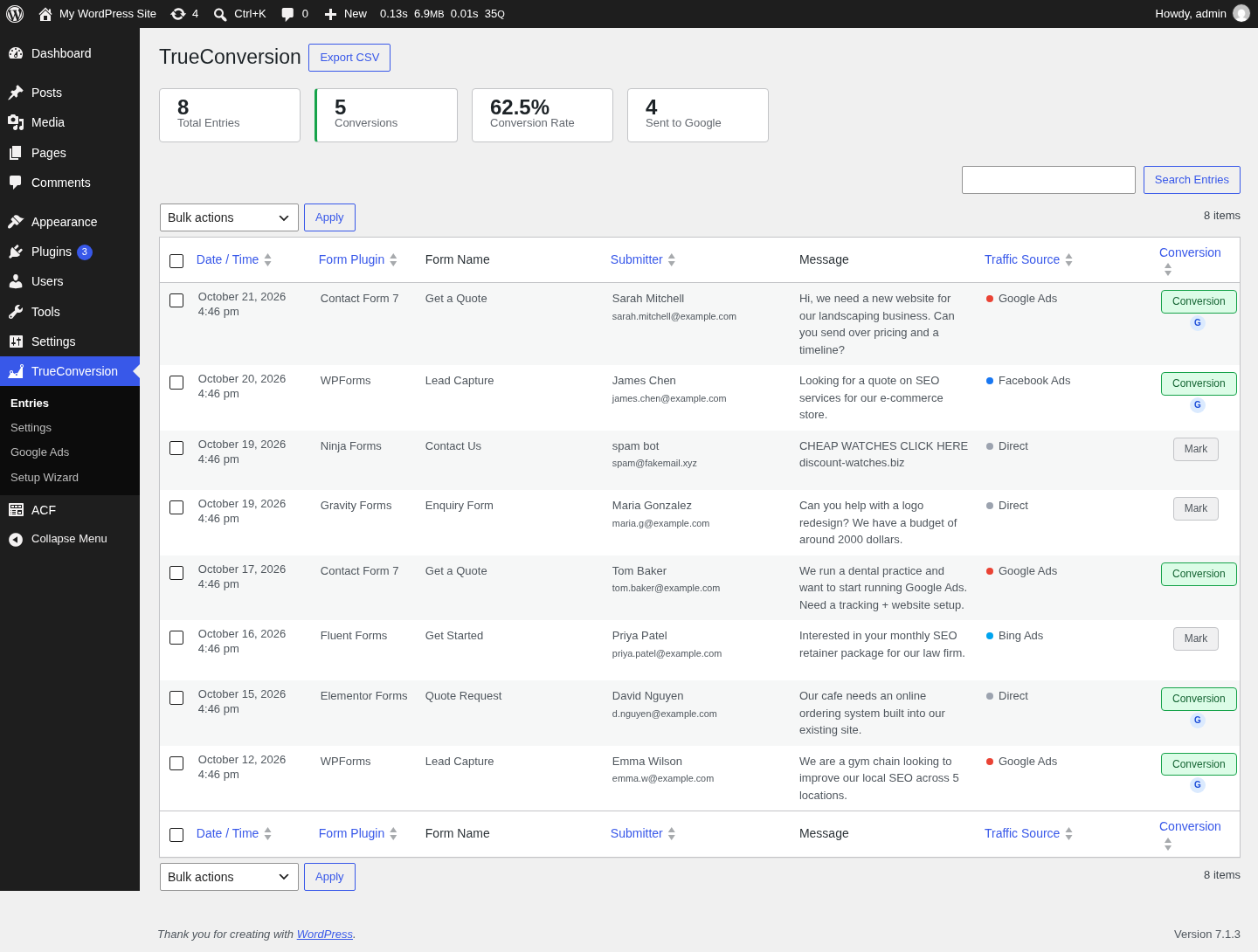
- Conversion Marking — Mark real enquiries as conversions with one click.
- Google Ads Upload — Automatically send conversions to Google Ads via the offline conversion API.
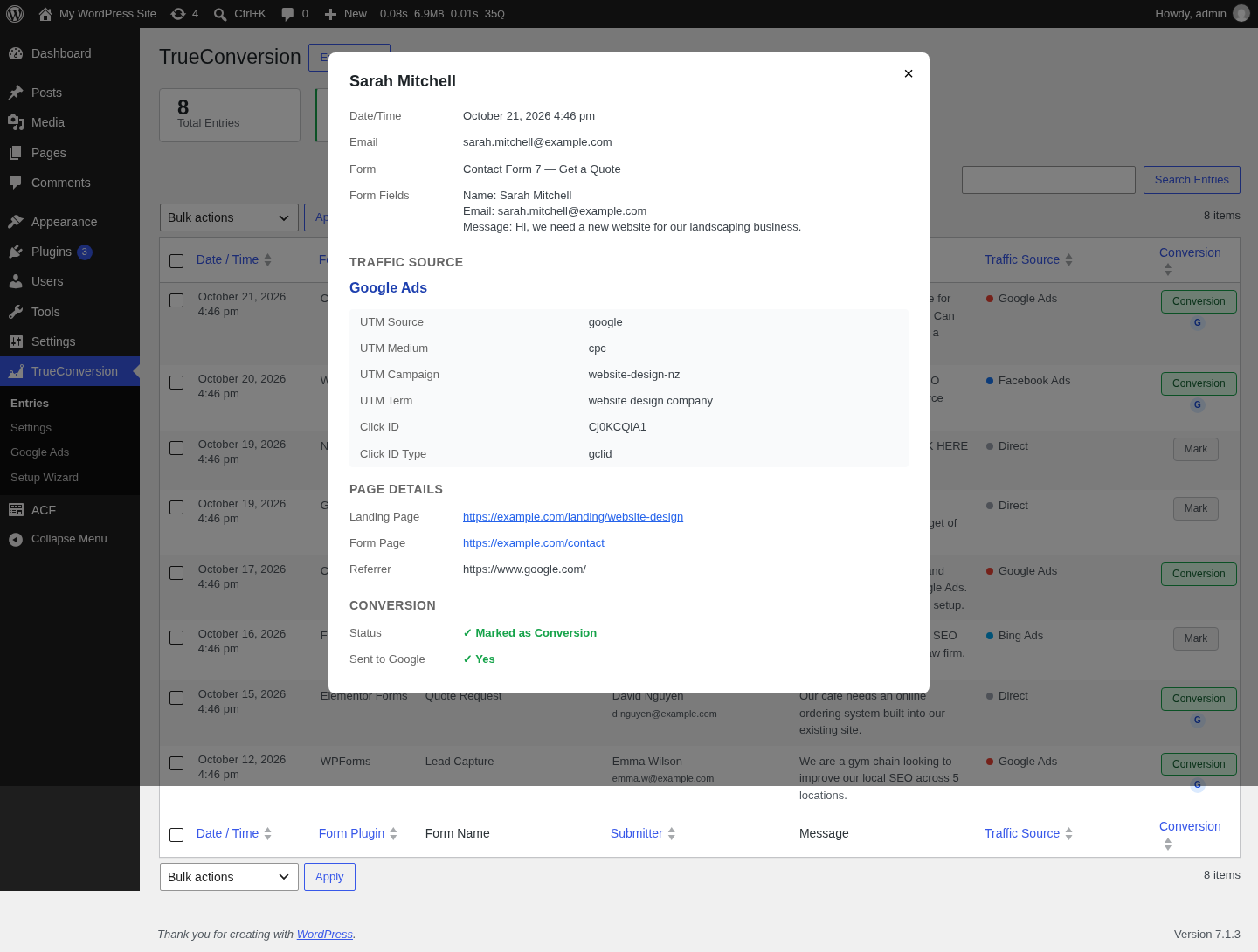
- Dashboard — View all form submissions with traffic source, UTM data, and conversion status.
- CSV Export — Export all entries including conversion data.
- Email Notifications — Per-submission alerts and a monthly summary email.
- Privacy Friendly — IP addresses are anonymised. No data sent to third parties beyond Google Ads (only when you connect it).
Want AI to automatically classify leads for you, plus daily/weekly summary emails? See TrueConversion Pro, a separate add-on plugin.
Supported Form Plugins
- Contact Form 7
- WPForms (Lite & Pro)
- Gravity Forms
- Ninja Forms
- Formidable Forms
- Fluent Forms
- Elementor Pro Forms
- Forminator
- Jetpack Forms
- Any form via the
[tc_fields]shortcode
Free vs. Pro
This plugin (Free) includes all form integrations, the dashboard, CSV export, email notifications, conversion marking, and Google Ads offline conversion upload — unlimited entries, no time limit.
TrueConversion Pro is a separate add-on plugin that layers on top of this one and adds AI-powered lead classification plus daily/weekly summary emails.
Third-Party Services
This plugin connects to the following third-party services:
Google Ads API
- When: When uploading offline conversions or fetching conversion actions (all plans, when Google Ads is connected).
- What is sent: Google Click ID (gclid), conversion action ID, conversion timestamp.
- Service: Google Ads API
- Privacy Policy: Google Privacy Policy
- Terms: Google Ads API Terms and Conditions
TrueConversion Relay Server
- When: During Google Ads OAuth connection flow, token refresh, and API requests.
- What is sent: OAuth state token, site URL, refresh token (for token refresh), Google Ads API requests (proxied with developer token).
- Service: trueconversion.net/wp-json/tc-relay/v1
- Purpose: Securely handles Google OAuth and API requests without exposing the client secret or developer token in the plugin code.
- Privacy Policy: TrueConversion Privacy Policy
Installation
- Upload the
trueconversionfolder to the/wp-content/plugins/directory, or install directly from the WordPress plugin repository. - Activate the plugin through the ‘Plugins’ menu in WordPress.
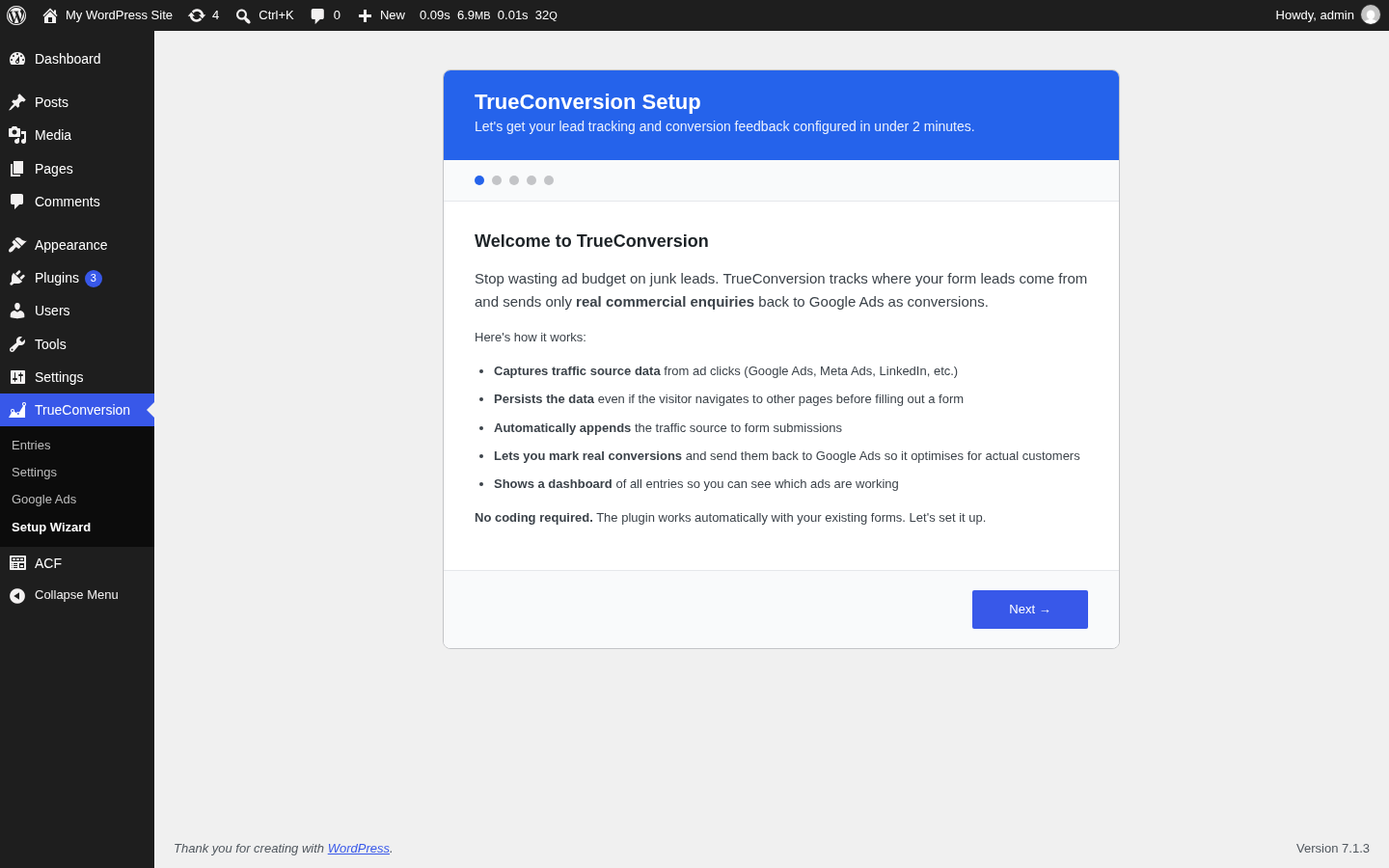
- Follow the setup wizard to select your form plugins and configure notifications.
- (Optional) Connect Google Ads to start sending conversions.
Changelog
This plugin no longer includes AI lead classification or Freemius licensing — install the separate TrueConversion Pro plugin if you want those. Everything else is unchanged.
2.0.1
- Fix: the setup wizard rendered as a completely blank step, and the Previous/Next buttons didn’t advance correctly —
wp_localize_script()always sends numbers as strings, and the step-matching logic used strict comparison (===) against the un-cast string, so no step ever matched.
2.0.0
- Split into two plugins: TrueConversion (this plugin, free) and TrueConversion Pro (separate add-on for AI classification and daily/weekly summaries).
- Removed Freemius licensing SDK from this plugin — it now ships with zero third-party licensing dependencies.
- Fix: the “Mark as Conversion” button was gated behind a Pro-plan check in the admin JS even though conversion marking is a free/all-plans feature — this silently disabled it for non-Pro installs. Removed the check.
1.3.2
- Fix: upgraded Google Ads API from v20 (deprecated/blocked) to v24, resolving the “Version v20 is deprecated” error when creating conversion actions and uploading offline conversions.
1.3.1
- Privacy: internal tracking fields (utm_*, tc_*) and uploaded file names are no longer included in the data sent for AI classification.
- Fix: the full message and form-field details are now stored and shown in View Details; the dashboard list shows a short preview only.
- Fix: duplicate form field labels are preserved instead of silently overwriting each other.
- Fix: multi-select / checkbox values now display consistently as comma-separated lists across all form plugins.
- Fix: last-click attribution no longer loses an ad click ID when a later visit carries only UTM parameters.
- Maintenance: distribution build script and packaging improvements; readme stable tag corrected.
1.1.0
- Fix: Safari ITP / private browsing no longer blocks tracking after ad click redirects.
- Added hidden form field injection as cookie fallback for all supported form plugins.
- Added MutationObserver for dynamically-loaded forms (popups, AJAX content).
- Improved localStorage backup with form-level data injection.
1.0.0
- Initial release.
- UTM parameter and click ID capture for 10 form plugins.
- Admin dashboard with search, sort, and CSV export.
- Manual conversion marking with Google Ads offline conversion upload.
- Per-submission email notifications and periodic summary emails.
- Setup wizard with Google Ads connection step.
- AES-256-CBC encryption for stored tokens.
Screenshots

For developers
Is this your plugin? Show off the numbers.
Add a live badge to your site, docs or GitHub README. It updates on its own — no account needed.
Best Forge TrueConversion Lead Tra… alternatives
All form tracking plugins →





FAQ
Forge TrueConversion Lead Tracking…: quick answers
Straight answers, pulled from live WordPress.org data.
Source: WordPress.org
Is Forge TrueConversion Lead Track… free?
Yes. Forge TrueConversion Lead Track… is free to download and use from the official WordPress.org plugin directory.
Is Forge TrueConversion Lead Track… safe to use in 2026?
Forge TrueConversion Lead Track… works, but test it on a staging site before relying on it in 2026. Was last updated 1 month ago, and scores 60/100 on our health check.
How many websites use Forge TrueConversion Lead Track…?
Forge TrueConversion Lead Track… is active on <10 WordPress websites and has been downloaded 188 times since it launched in October 2026. It was downloaded 99 times in the last 30 days.
Does Forge TrueConversion Lead Track… work with WordPress 7.1?
Yes. The developer has tested Forge TrueConversion Lead Track… up to WordPress 7.1.5, the latest release. It requires WordPress 6.0 or newer.
What PHP version does Forge TrueConversion Lead Track… need?
Forge TrueConversion Lead Track… requires PHP 7.4 or higher. Most hosts run PHP 8.x today, so it works on any modern WordPress hosting.
When was Forge TrueConversion Lead Track… last updated?
The latest version, 2.0.1, was released on October 22, 2026 (1 month ago).
Who makes Forge TrueConversion Lead Track…?
Forge TrueConversion Lead Track… is developed and maintained by forgecreative.
What are the best alternatives to Forge TrueConversion Lead Track…?
The most popular alternatives to Forge TrueConversion Lead Track… are WhatConverts (6K+ installs), LocaliQ – Tracking Code (2K+ installs) and LeadSource (100+ installs).
Powered by PageForge
One template and a spreadsheet. A real page for every search.
PageForge turns each row of a CSV into a WordPress page with its own title, URL, SEO fields and schema, built on the layout you already designed. Free on WordPress.org.
- CSV and XLSX, plus Google Sheets on Professional and Enterprise
- Its own title, URL, SEO fields and schema for every page
- Works with the block editor, Elementor, Divi and Avada
- Free on WordPress.org, no credit card