



Fluid Font Forge
Advanced fluid typography calculator with CSS clamp() generation for responsive font scaling across all device sizes.

Use with caution
Fluid Font Forge works, but test it on a staging site before relying on it in 2026. It runs on 10+ sites, is rated 5/5 and was last updated 2 months ago, and scores 61/100 on our health check.
- Small user base (10+ active installs)
- Very few reviews so far
- Only tested up to WordPress 6.9 (latest is 7.1)
- Needs PHP 8.2 or newer
How does it stack up?
Side-by-side on installs, updates, ratings & supportDaily downloads
Download spikes usually follow a new release — each site that auto-updates counts as a download.
Rankings
Where Fluid Font Forge stands todayWordPress.org search rankings
Live position in the plugin search, top 100| Keyword | Position |
|---|---|
| clamp | #3 |
| fluid | #4 |
| fonts | >100 |
| responsive | >100 |
| typography | >100 |
Version adoption
Share of active sites per release.
Rating breakdown
★★★★★★★★★★ 5 from 1 reviews
About Fluid Font Forge
From the official readme · v5.4.1Description
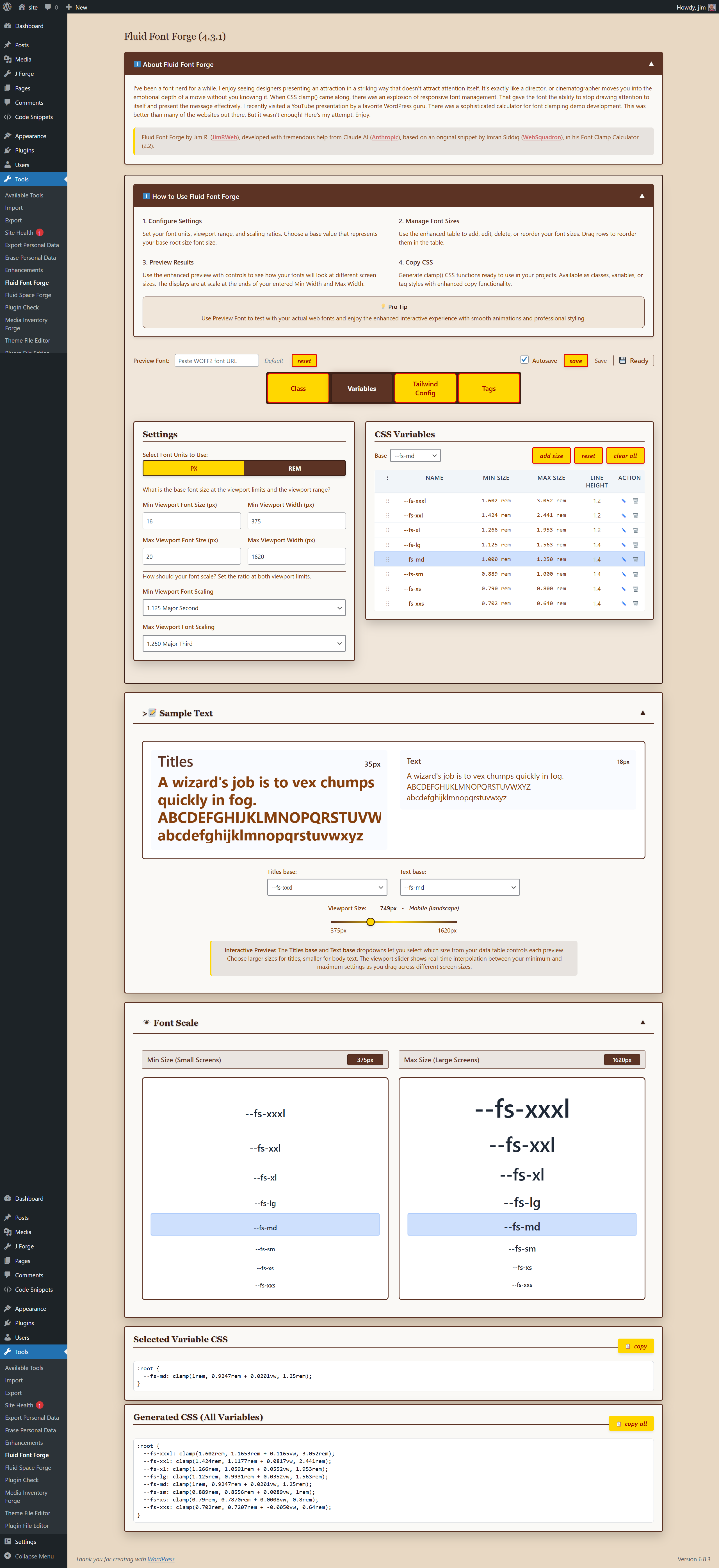
Fluid Font Forge is a comprehensive WordPress plugin that simplifies responsive typography management. Generate CSS clamp() functions with mathematical precision for perfectly scaled fonts across all devices.
Key Features:
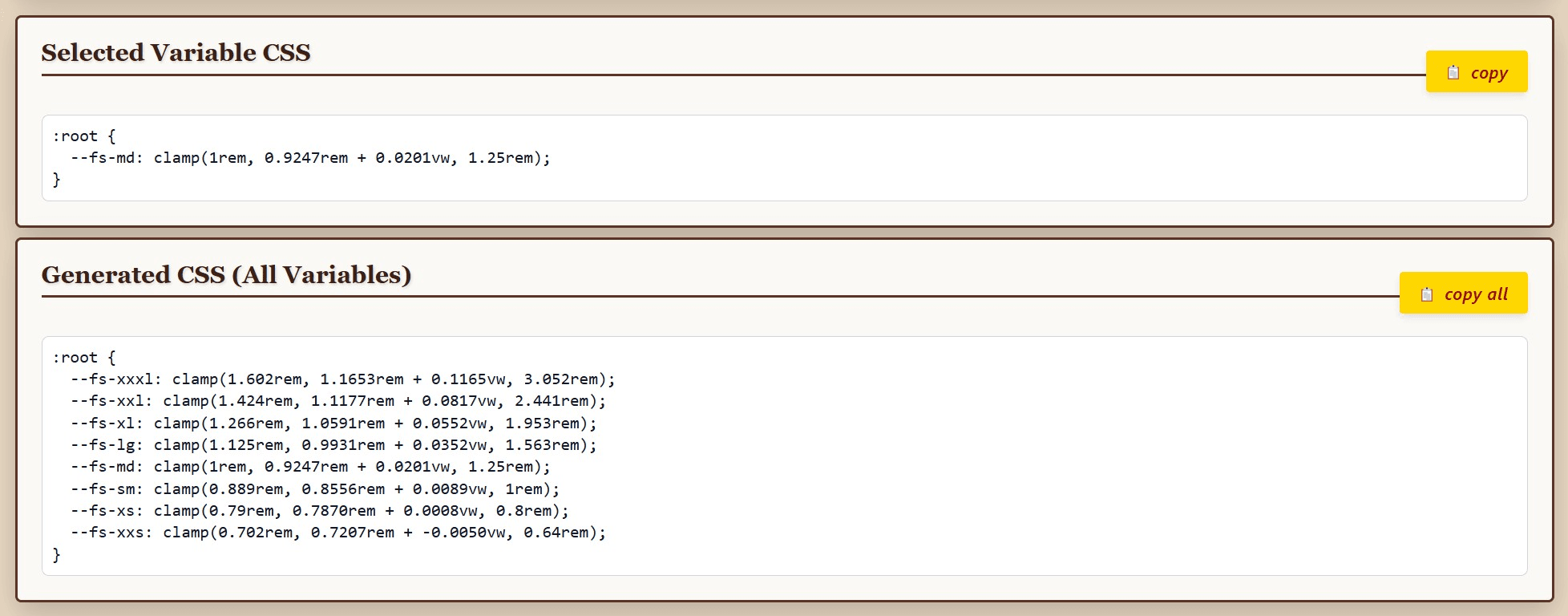
- Real-time CSS clamp() generation – See your responsive font sizes calculated instantly
- Skip entries for custom spacing – Exclude font sizes from CSS output while maintaining scale progression
- Multiple output formats – CSS classes, custom properties, HTML tags, and Tailwind config
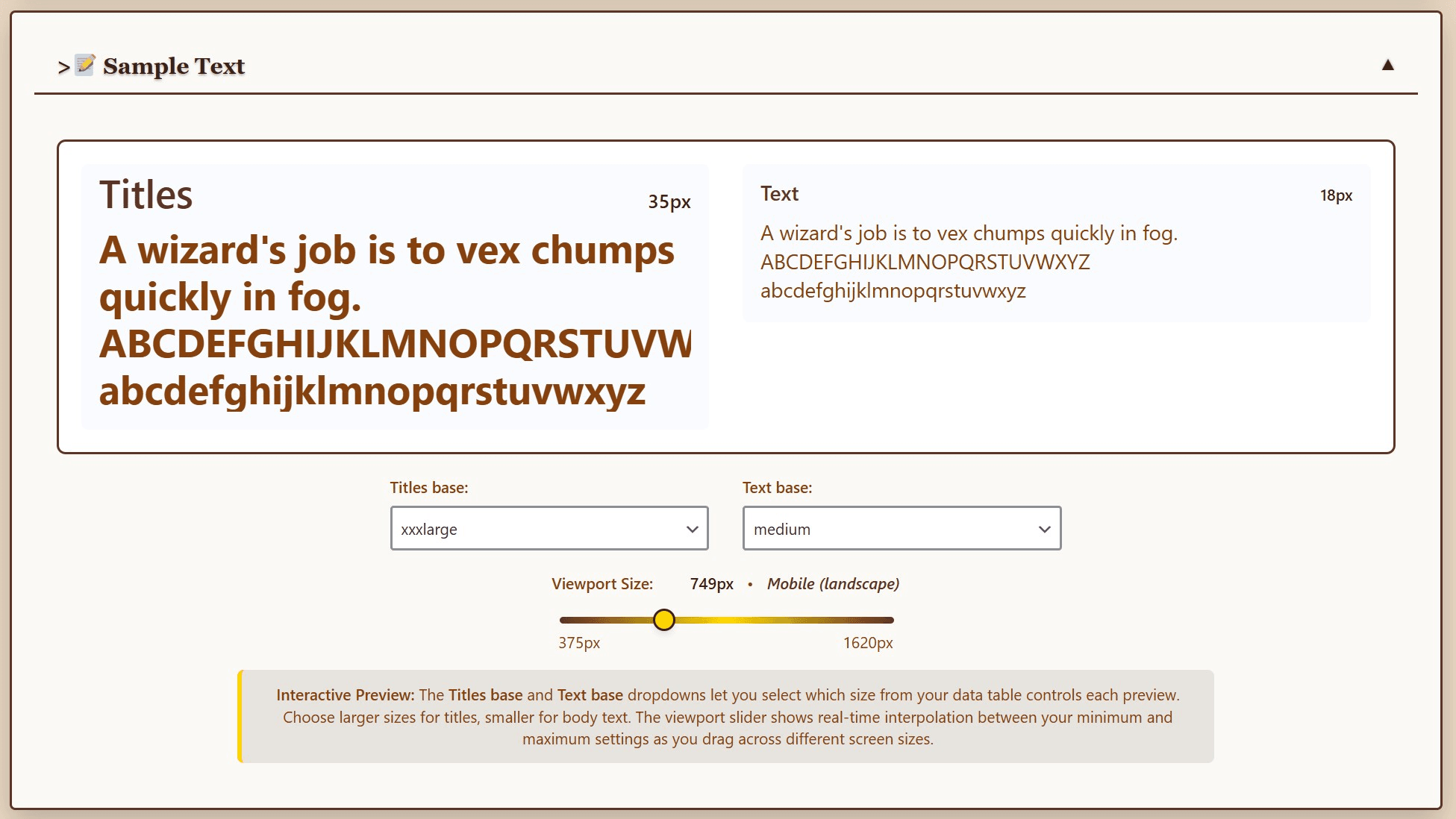
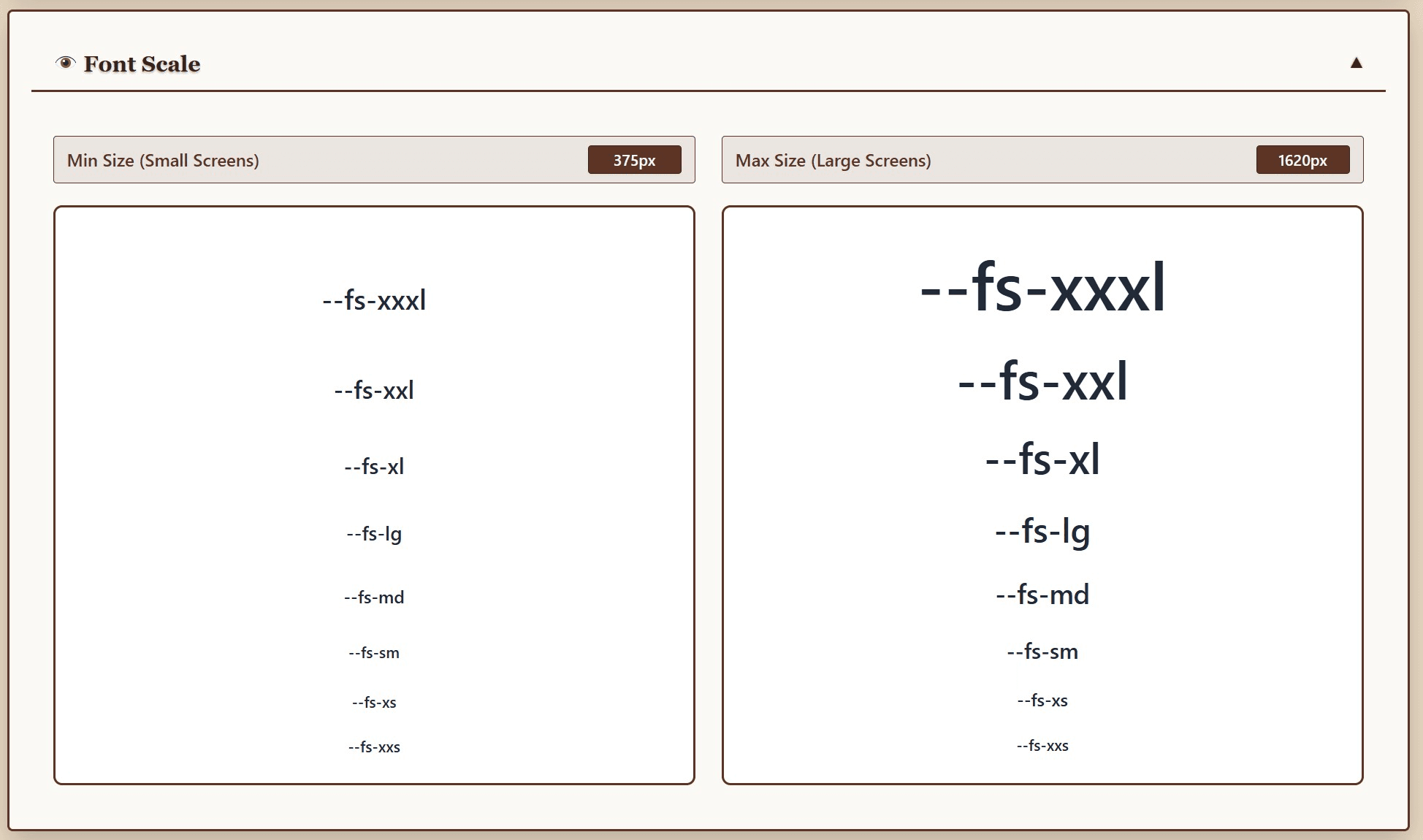
- Interactive preview system – Visual comparison of font sizes at different viewport widths
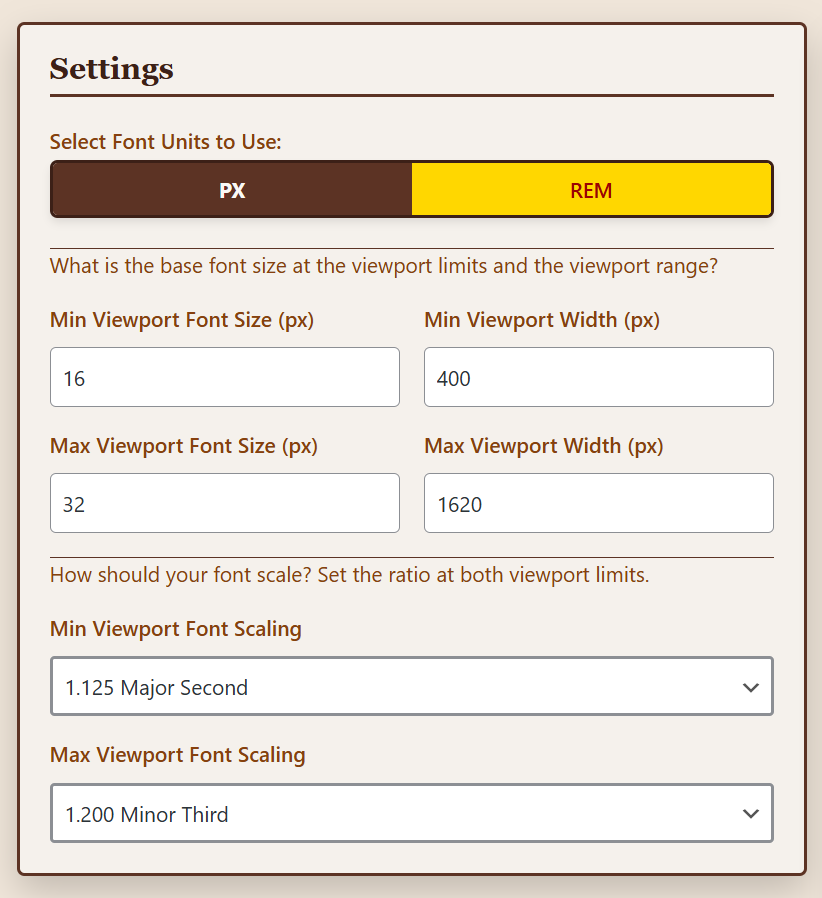
- Mathematical scaling ratios – Based on musical harmony principles (Major Second, Perfect Fourth, Golden Ratio, etc.)
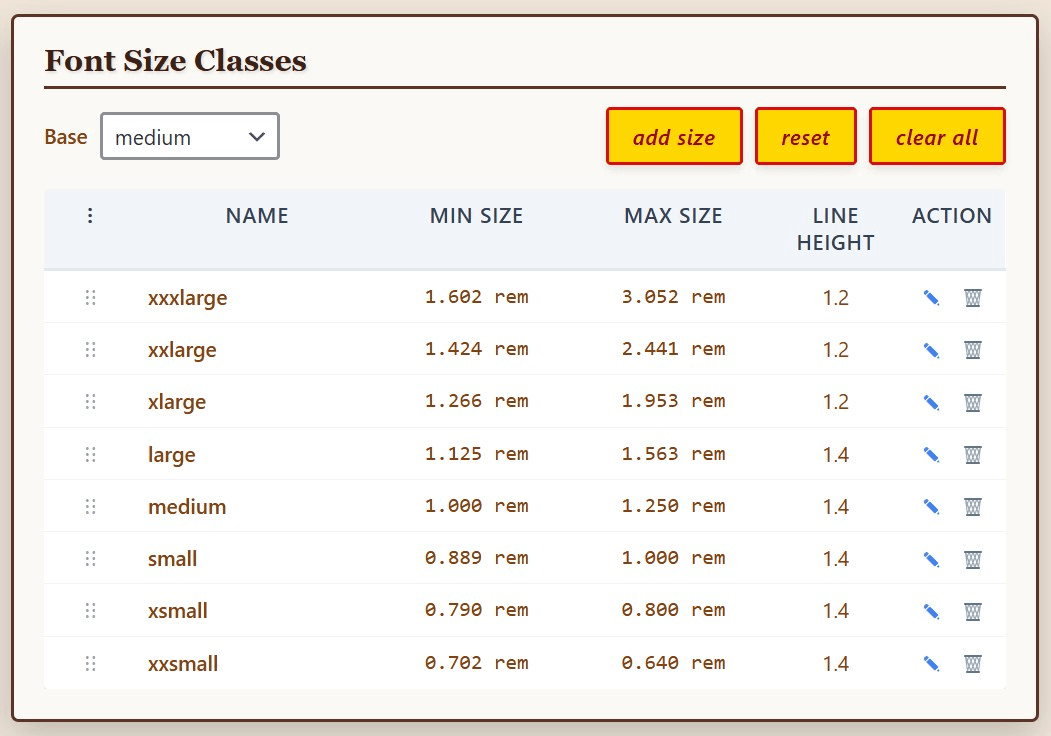
- Drag-and-drop size management – Reorder your font scale with intuitive interface
- Custom font preview – Test with your actual web fonts using WOFF2 URLs
- Copy-to-clipboard functionality – One-click CSS copying for immediate use
- Professional admin interface – Clean, modern design that integrates seamlessly with WordPress
Perfect for:
* Web designers creating responsive typography systems
* Developers implementing fluid font scaling
* Theme creators needing consistent font hierarchies
* Anyone wanting professional typography without complex CSS calculations
Technical Highlights:
* Uses CSS clamp() for true fluid scaling between viewport breakpoints
* Supports both px and rem units with automatic conversion
* Mathematical progression ensures consistent visual hierarchy
* Accessibility-compliant with WCAG guidelines for readability
* Clean, semantic CSS output ready for production use
Transform your typography workflow with Fluid Font Forge – where responsive design meets mathematical precision.
Accessibility Features:
- WCAG 2.1 compliant interface
- Keyboard navigation support
- Screen reader friendly
- High contrast mode compatible
- Minimum font size recommendations for readability
Mathematical Ratios Explained
- Minor Second (1.067): Subtle progression, ideal for dense content
- Major Second (1.125): Gentle scaling for readable body text
- Minor Third (1.200): Balanced hierarchy for most designs
- Major Third (1.250): Clear distinction between sizes
- Perfect Fourth (1.333): Strong contrast for headlines
- Golden Ratio (1.618): Dramatic scaling for hero sections
Installation
- Upload the plugin files to the
/wp-content/plugins/fluid-font-forgedirectory, or install the plugin through the WordPress plugins screen directly. - Activate the plugin through the ‘Plugins’ screen in WordPress.
- Navigate to Tools > Fluid Font Forge in your WordPress admin menu to configure your typography settings and use the application.
- Set your viewport range, root font sizes, and scaling ratios.
- Add, edit, or reorder your font sizes using the interactive table.
- Copy the generated CSS and paste it into your theme’s stylesheet.
Frequently asked questions
What is CSS clamp() and why should I use it?
CSS clamp() creates truly responsive typography that scales smoothly between minimum and maximum sizes based on viewport width. This eliminates the need for multiple media queries and creates more fluid, accessible designs.
Can I use this with any WordPress theme?
Yes! Fluid Font Forge generates standard CSS that works with any theme. You can use the generated classes, custom properties, or tag styles depending on your implementation preference.
Does this work with custom fonts?
Absolutely. The preview system supports WOFF2 font URLs so you can see exactly how your custom fonts will look at different sizes before implementing them.
Is the generated CSS production-ready?
Yes. The plugin generates clean, optimized CSS using best practices. The clamp() functions are supported in all modern browsers with automatic fallbacks.
What browsers support CSS clamp()?
All modern browsers support clamp() (Chrome 79+, Firefox 75+, Safari 13.1+, Edge 79+).
How do I choose the right scaling ratio?
Start with Major Third (1.250) for body text or Perfect Fourth (1.333) for headlines. The Golden Ratio (1.618) creates dramatic size differences perfect for hero sections.
Can I use different scales for mobile and desktop?
The clamp() function automatically adjusts between your minimum and maximum viewport settings, creating a smooth scale across all devices.
Can I export my settings?
The plugin saves all your configurations in the WordPress database. For backup or migration, use WordPress’s standard export/import tools or copy the generated CSS for manual implementation.
Changelog
Architecture modernization with PHP namespaces. No functional changes - purely internal improvements for code quality and WordPress standards compliance.
5.4.1
- Added: Tooltip positioning (data-tooltip-position) support in SimpleTooltips
- Fixed: Stale global/event names breaking core-interface data sync
- Fixed: Tooltip inconsistencies across the admin interface; removed redundant native tooltips/icons from Copy CSS buttons
- Fixed: Missing aria-label on icon-only row buttons
- Fixed: Undefined CSS custom properties breaking two rules
- Fixed: AJAX handler bugs and dead code in the FluidFontForge class
- Changed: Reworked Community and Tools panel to match Fluid Space Forge’s pattern
- Changed: Modernized project structure to match AFF/FSF conventions
- Changed: Tested up to WordPress 7.1
5.4.0
- New: Project / Customer identification field in Settings — tag any configuration with a project or customer name (up to 16 characters). The identifier is embedded in the exported JSON filename (e.g. fluid-font-forge-settings-acme-corp-2026-05-10.json) and in the header comment of every generated CSS block, making it practical to build a named library of settings files — one per client or project. Thanks to @hughes888 for suggesting this feature.
- Added: Non-FFF JSON rejection — export files now carry an fff_format identifier; import rejects any JSON missing this marker and export_info.plugin_version
- Fixed: Import failure messages (including non-FFF file rejection) now appear as a blocking modal instead of an inline admin notice banner
- Fixed: Double requestAnimationFrame before the fetch call ensures the Importing button state paints before the AJAX request fires on fast local servers
- Fixed: Export button spinner now resets via cookie polling instead of a fixed 2-second timer — PHP sets fff_export_done cookie when the download response is sent; JS resets the button within 100ms
- Changed: Save button tooltip updated to clarify that Save persists settings for the next session; Export/Import should be used for named backups
5.3.4
- Fixed: Button text wrapping — white-space: nowrap added to .fff-btn prevents multi-word labels from wrapping to two lines
- Fixed: Stray closing div in header-controls.php caused Settings and Font Size Classes panels to render wider than panels above
- Fixed: Version text used -15vh margin — replaced with -80px to prevent layout shifts on production sites
- Changed: Controls row restructured — Preview Font/Reset/Export/Import on left, Autosave/Save/Ready pinned to right
- Changed: Autosave/Save/Ready now bottom-aligned with Export/Import buttons via align-items: flex-end
- Changed: Settings/Font Size Classes panels widened by removing extra padding from .fff-main-grid
- Changed: Base dropdown and action buttons now use consistent gap: 8px spacing
- Changed: Tab row has 16px margin below before the Settings panels
5.3.3
- Fixed: Forge header banner uses fixed 420px height instead of vh units — prevents layout corruption on production sites
- Fixed: About panel width overflow on narrow content areas
- Fixed: Missing CSS variables –clr-txt and –clr-shadow added
- Changed: Quick Start documentation updated
5.3.2
- Fixed: WordPress Plugin Check compliance – ABSPATH guard added to plugin bootstrap
- Fixed: I18n ordered placeholders (%1$d/%2$d, %1$.1f/%2$.1f) with translators comments
- Fixed: $_FILES sanitization with explicit isset() checks on individual array keys
- Fixed: Global variable renamed to properly prefixed $fluid_font_forge_import_export
5.3.1
- Changed: CSS variable consolidation – replaced hardcoded rgba(), hex colors, and pixel values in admin templates with CSS custom properties
- Changed: Tested up to WordPress 6.9
- Changed: Updated minimum PHP requirement to 8.2
- Fixed: Version string consistency
Screenshots

For developers
Is this your plugin? Show off the numbers.
Add a live badge to your site, docs or GitHub README. It updates on its own — no account needed.
Best Fluid Font Forge alternatives
All clamp plugins →| Rank | Plugin | Active installs |
|---|---|---|
| 2 |
 Fluid Space Forge
Generate responsive spacing systems using CSS clamp() functions. Perfect companion to Fluid…
Fluid Space Forge
Generate responsive spacing systems using CSS clamp() functions. Perfect companion to Fluid…
|
<10 |
FAQ
Fluid Font Forge: quick answers
Straight answers, pulled from live WordPress.org data.
Live data from WordPress.org · checked Oct 16, 2026
Is Fluid Font Forge free?
Yes. Fluid Font Forge is free to download and use from the official WordPress.org plugin directory.
Is Fluid Font Forge safe to use in 2026?
Fluid Font Forge works, but test it on a staging site before relying on it in 2026. It runs on 10+ sites, is rated 5/5 and was last updated 2 months ago, and scores 61/100 on our health check.
How many websites use Fluid Font Forge?
Fluid Font Forge is active on 10+ WordPress websites and has been downloaded 1,134 times since it launched in October 2025. It was downloaded 94 times in the last 30 days.
Does Fluid Font Forge work with WordPress 7.1?
Fluid Font Forge is officially tested up to WordPress 6.9.10, while the latest release is 7.1.3. It may still work, but try it on a staging site first.
What PHP version does Fluid Font Forge need?
Fluid Font Forge requires PHP 8.2 or higher. Most hosts run PHP 8.x today, so it works on any modern WordPress hosting.
When was Fluid Font Forge last updated?
The latest version, 5.4.1, was released on August 28, 2026 (2 months ago).
Who makes Fluid Font Forge?
Fluid Font Forge is developed and maintained by Jim Roberts.
What are the best alternatives to Fluid Font Forge?
The most popular alternatives to Fluid Font Forge are Fluid Space Forge (<10 installs).
Powered by PageForge
Want thousands of pages that rank like these? Build them in an afternoon.
This directory runs on the same engine as PageForge. Turn any spreadsheet, CSV or API into thousands of fast, SEO-ready WordPress pages — with schema, internal links and AI-written copy baked in.
- CSV, Google Sheets & API data sources
- AI content, schema & internal links per page
- Works with Elementor, Gutenberg, Yoast & Rank Math
- Free on WordPress.org — no credit card


