



Flexible Spacer Block
Add white space between blocks and customize its height for each device.

Safe pick
Yes — Flexible Spacer Block is a safe, well-maintained plugin to use in 2026. It runs on 4K+ sites, is rated 5/5 and was last updated 2 months ago, and scores 80/100 on our health check.
- Tested with the latest WordPress (7.1)
How does it stack up?
Side-by-side on installs, updates, ratings & support



Daily downloads
Download spikes usually follow a new release — each site that auto-updates counts as a download.
Rankings
Where Flexible Spacer Block stands todayWordPress.org search rankings
Live position in the plugin search, top 100| Keyword | Position |
|---|---|
| block | #50 |
| gutenberg | >100 |
| responsive | >100 |
| spacer | #1 |
Version adoption
Share of active sites per release.
Rating breakdown
★★★★★★★★★★ 5 from 8 reviews
About Flexible Spacer Block
From the official readme · v2.9.0Description
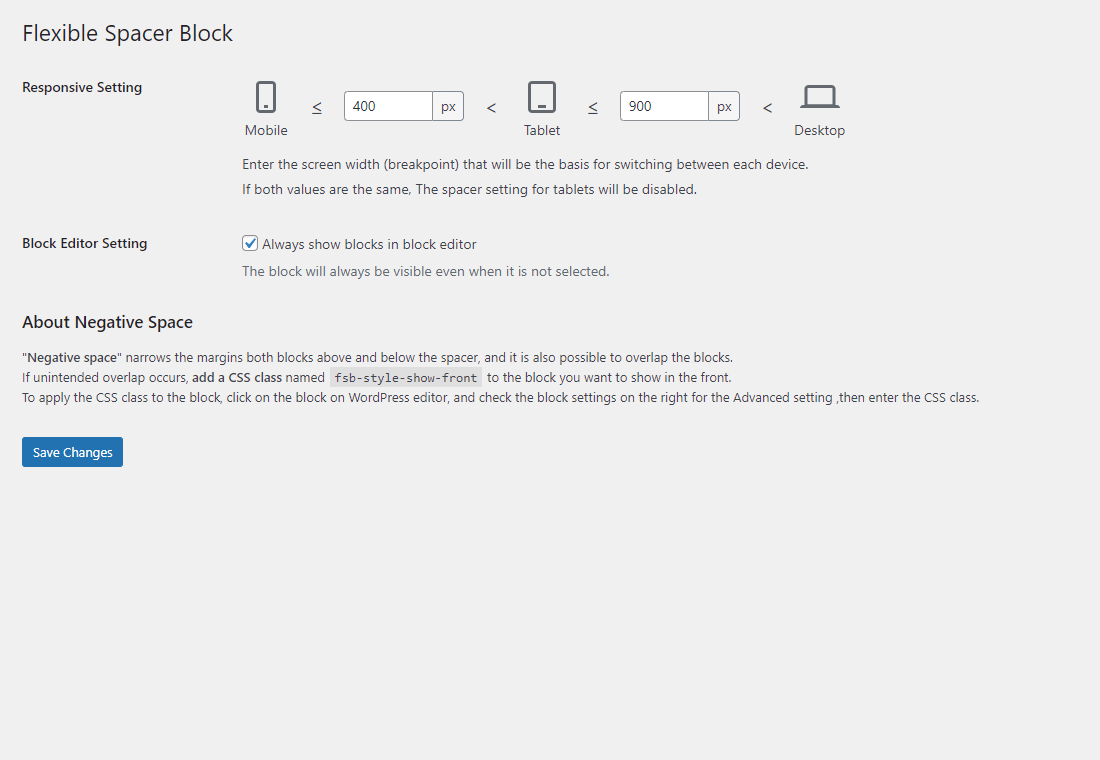
Flexible Spacer Block switches the height of the spacer according to the device screen width (breakpoints).
This block has two variable breakpoints, and you can adjust the height of the spacer for smartphones, tablets, and desktops respectively.
The height of the spacers can be changed individually or in batches.
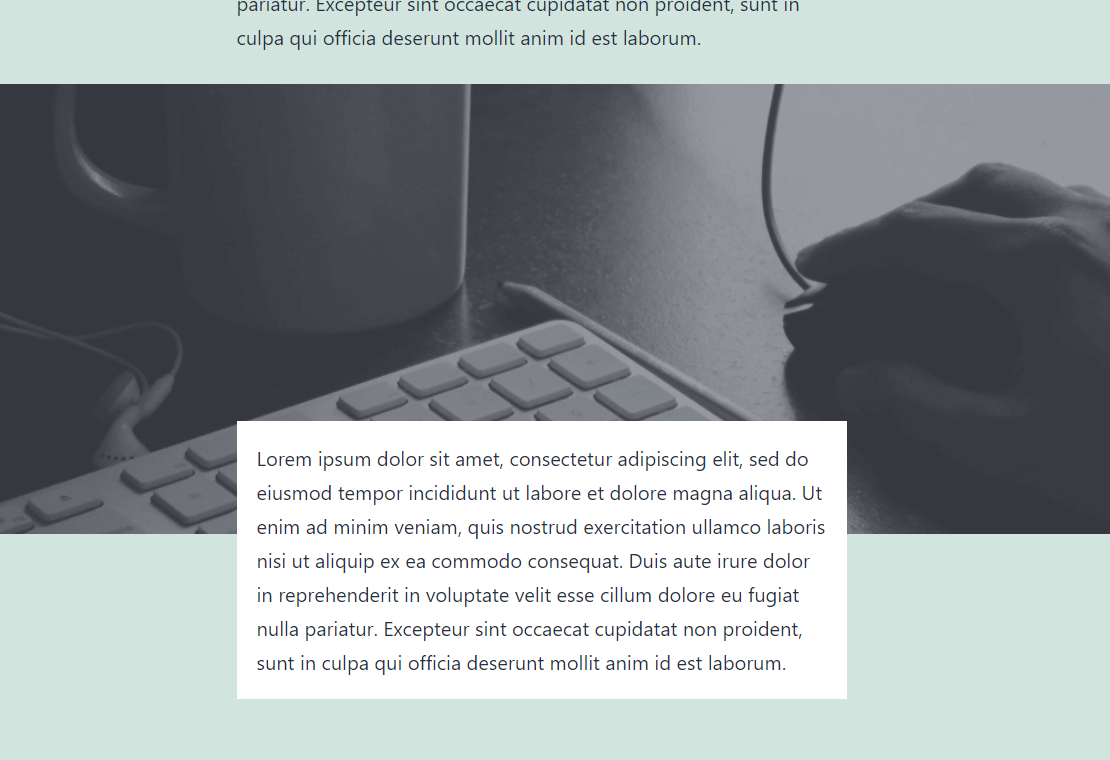
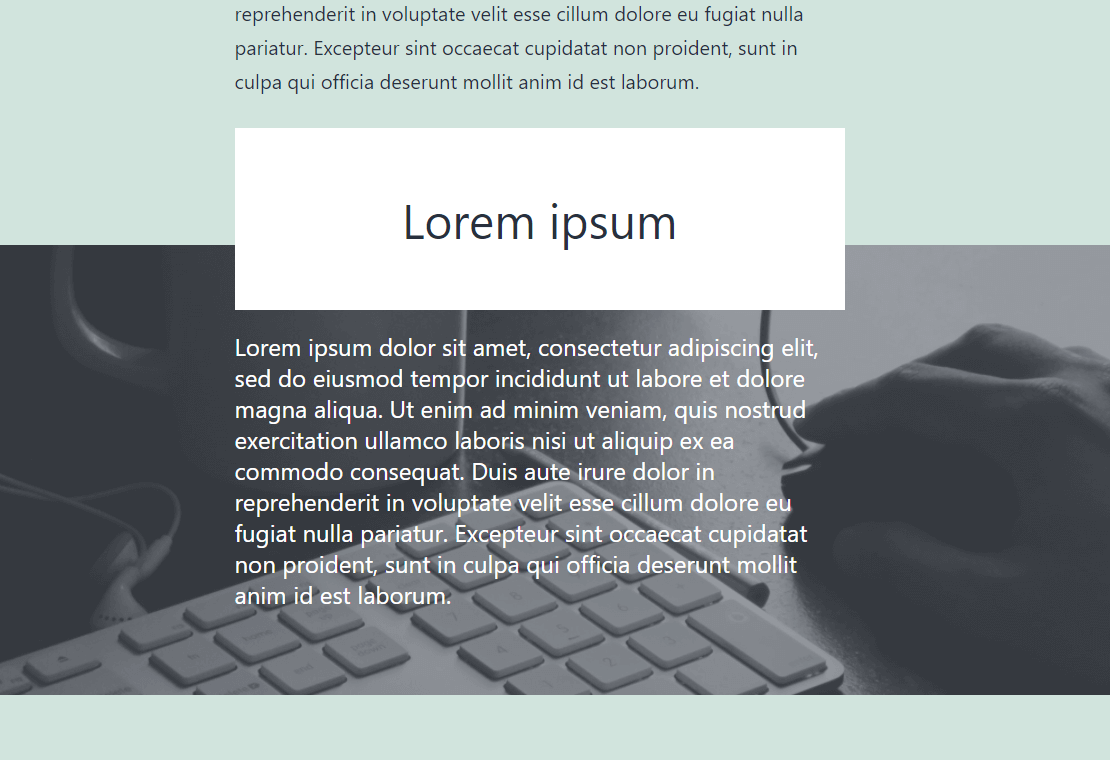
Also available to set “negative space (negative margin)” instead of the normal space.
And this block supports transform from and to core spacer block.
About negative space
“Negative space” narrows the margins both blocks above and below the spacer, and it is also possible to overlap the blocks.
If unintended overlap occurs, add a CSS class named “fsb-style-show-front” to the block you want to show in the front.
To apply the CSS class to the block, click on the block on WordPress editor, and check the block settings on the right for the Advanced setting ,then enter the CSS class.
Resources
Image for screenshot
License: CC0 Public Domain
Source: https://pxhere.com/ja/photo/245
Installation
- Upload the
flexible-spacer-blockfolder to the/wp-content/plugins/directory. - Activate the plugin through the \’Plugins\’ menu in WordPress.
Frequently asked questions
What filters can I use?
You can find a list of the available filters in the Github readme.
Changelog
2.9.0
- Tested to WordPress 7.1
- Drop support for WordPress 6.9
- Enhancement: Add spacing preset support
- Fix: Plugin default value setting is not deleted upon uninstallation
2.8.0
- Tested to WordPress 7.0
- Drop support for WordPress 6.8
- Enhancement: Polish settings page style
2.7.0
- Tested to WordPress 6.9
- Drop support for WordPress 6.6 and 6.7
- Update: block icon and toolbar icon
- Enhancement: Polish settings sidebar layout
- Enhancement: Highlight active spacer
- Accessibility: Add aria-label to controls
2.6.0
- Tested to WordPress 6.8
- Accessibility: Respect user preference for CSS transitions
- Drop support for WordPress 6.5
2.5.0
- Tested to WordPress 6.7
- Drop support for WordPress 6.4
2.4.0
- Tested to WordPress 6.6
- Drop support for WordPress 6.3
Screenshots

For developers
Is this your plugin? Show off the numbers.
Add a live badge to your site, docs or GitHub README. It updates on its own — no account needed.
Best Flexible Spacer Block alternatives
All block plugins →





FAQ
Flexible Spacer Block: quick answers
Straight answers, pulled from live WordPress.org data.
Live data from WordPress.org · checked Sep 27, 2026
Is Flexible Spacer Block free?
Yes. Flexible Spacer Block is free to download and use from the official WordPress.org plugin directory.
Is Flexible Spacer Block safe to use in 2026?
Yes — Flexible Spacer Block is a safe, well-maintained plugin to use in 2026. It runs on 4K+ sites, is rated 5/5 and was last updated 2 months ago, and scores 80/100 on our health check.
How many websites use Flexible Spacer Block?
Flexible Spacer Block is active on 4K+ WordPress websites and has been downloaded 46,474 times since it launched in January 2021. It was downloaded 1,126 times in the last 30 days.
Does Flexible Spacer Block work with WordPress 7.1?
Yes. The developer has tested Flexible Spacer Block up to WordPress 7.1.2, the latest release. It requires WordPress 7.0 or newer.
What PHP version does Flexible Spacer Block need?
Flexible Spacer Block requires PHP 8.0 or higher. Most hosts run PHP 8.x today, so it works on any modern WordPress hosting.
When was Flexible Spacer Block last updated?
The latest version, 2.9.0, was released on July 28, 2026 (2 months ago).
Who makes Flexible Spacer Block?
Flexible Spacer Block is developed and maintained by Aki Hamano.
What are the best alternatives to Flexible Spacer Block?
The most popular alternatives to Flexible Spacer Block are Spectra Legacy (1M+ installs), Breadcrumb NavXT (800K+ installs) and PDF Embedder (300K+ installs).
Powered by PageForge
Want thousands of pages that rank like these? Build them in an afternoon.
This directory runs on the same engine as PageForge. Turn any spreadsheet, CSV or API into thousands of fast, SEO-ready WordPress pages — with schema, internal links and AI-written copy baked in.
- CSV, Google Sheets & API data sources
- AI content, schema & internal links per page
- Works with Elementor, Gutenberg, Yoast & Rank Math
- Free on WordPress.org — no credit card


