


Flairr — AI Search Visibility (GEO, llms.txt & Schema for ChatGPT)
See which AI crawlers (GPTBot, ClaudeBot, PerplexityBot) visit your site — and make your content visible to them with schema + llms.txt.

Use with caution
Flairr works, but test it on a staging site before relying on it in 2026. Was last updated 3 months ago, and scores 55/100 on our health check.
- Small user base (<10 active installs)
- Very few reviews so far
How does it stack up?
Side-by-side on installs, updates, ratings & support



Daily downloads
Download spikes usually follow a new release — each site that auto-updates counts as a download.
Rankings
Where Flairr stands todayWordPress.org search rankings
Live position in the plugin search, top 100| Keyword | Position |
|---|---|
| AI Crawlers | >100 |
| ai seo | >100 |
| geo | >100 |
| llms.txt | >100 |
| schema | >100 |
About Flairr
From the official readme · v1.2.0Description
Your customers increasingly ask ChatGPT, Gemini and Perplexity instead of Google — “what’s the best tool for X?”. If the AI doesn’t understand who you are, it recommends your competitors instead of you. This is GEO (Generative Engine Optimization), the SEO of AI answers.
Flairr does two things, for free:
1. Shows you which AI crawlers actually visit your site. GPTBot (ChatGPT), ClaudeBot (Claude), PerplexityBot, Bytespider, CCBot and more — the plugin detects their visits from your server requests and shows them in a simple dashboard: which bots crawled you, how often over the last 30 days, and when each was last seen. It also flags whether your robots.txt is accidentally blocking them. If the AI engines aren’t reading your site, you’ll see it here.
2. Makes your content readable and citable by AI:
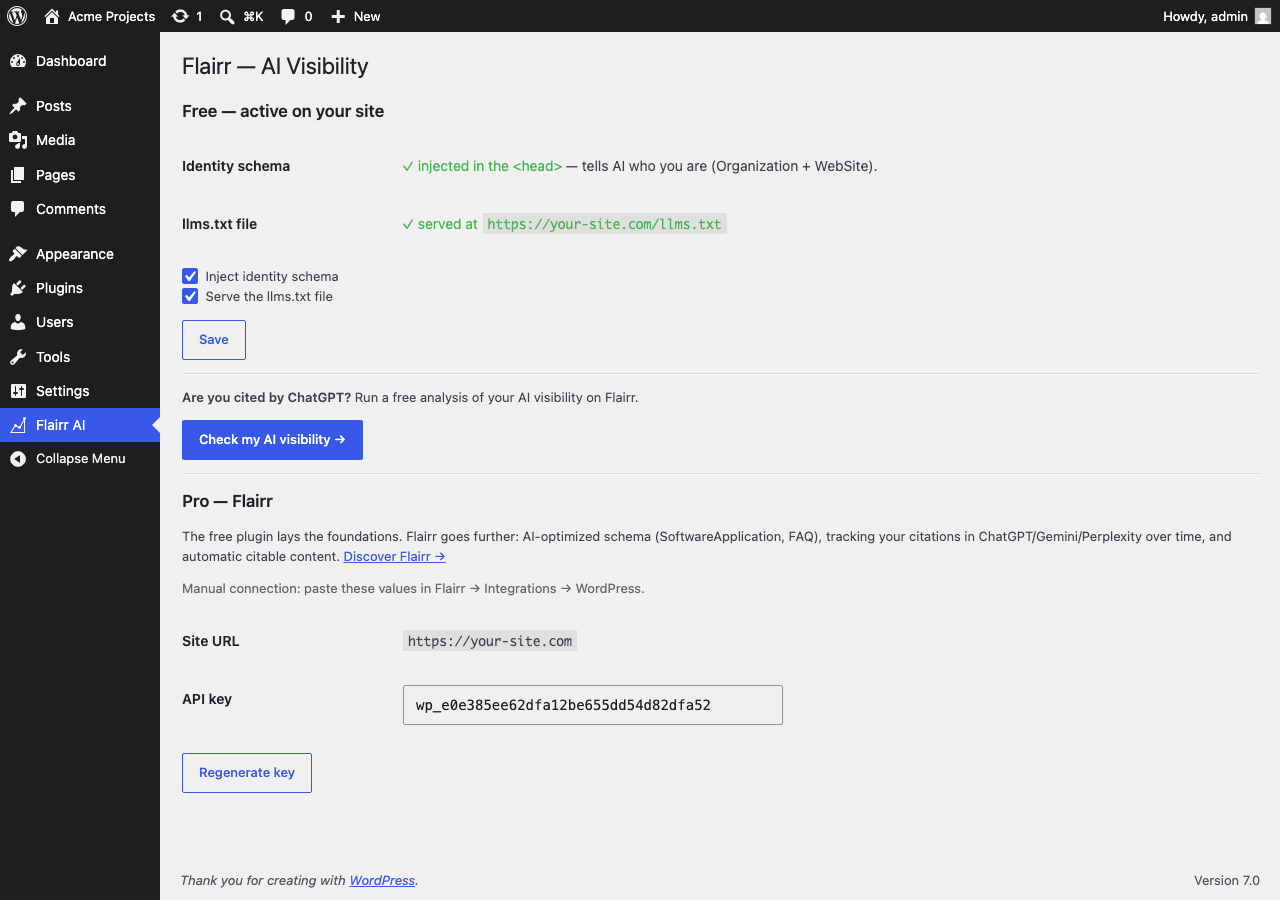
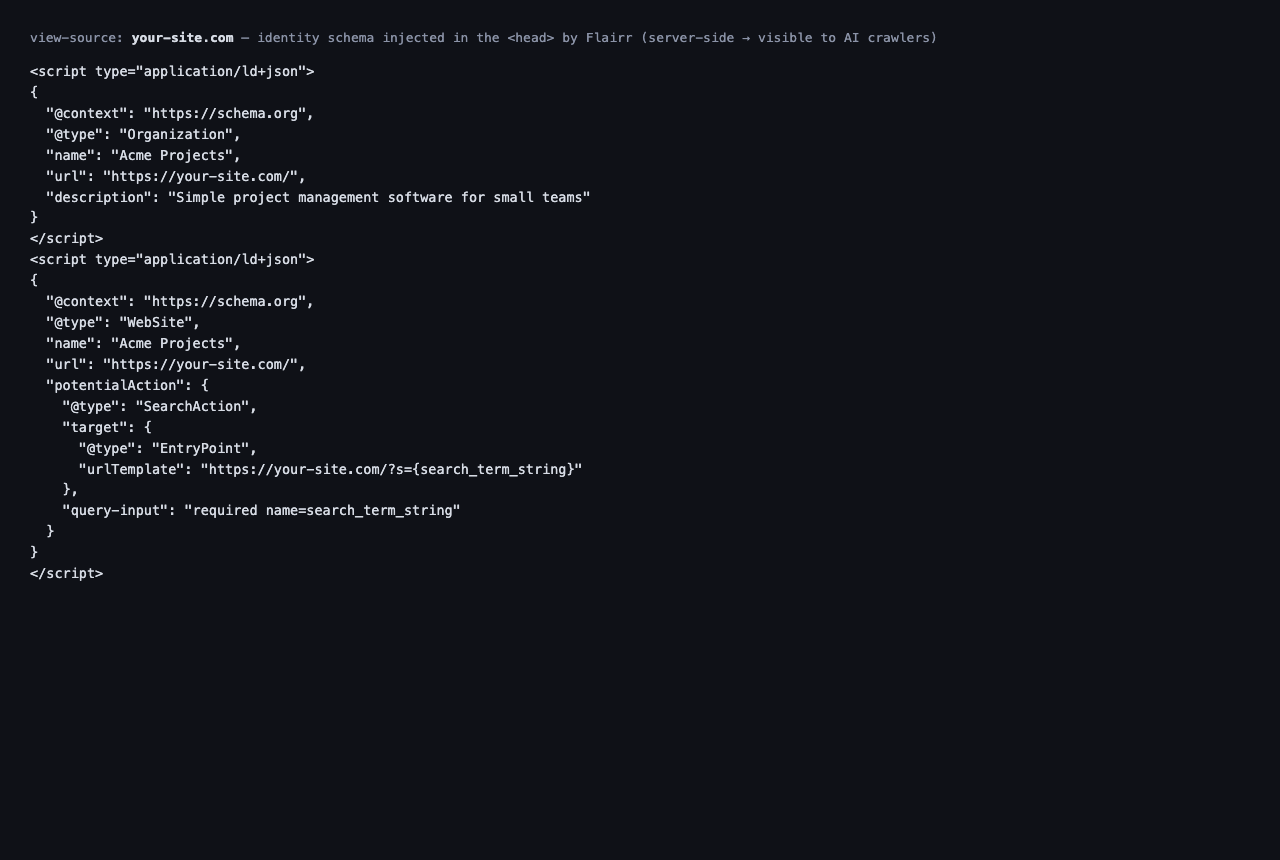
- Identity schema (JSON-LD) in your
<head>, site-wide — anOrganization+WebSiteblock that tells the AI (and Google) who you are and which category you belong to. Most sites have none, so the AI has to guess. - An
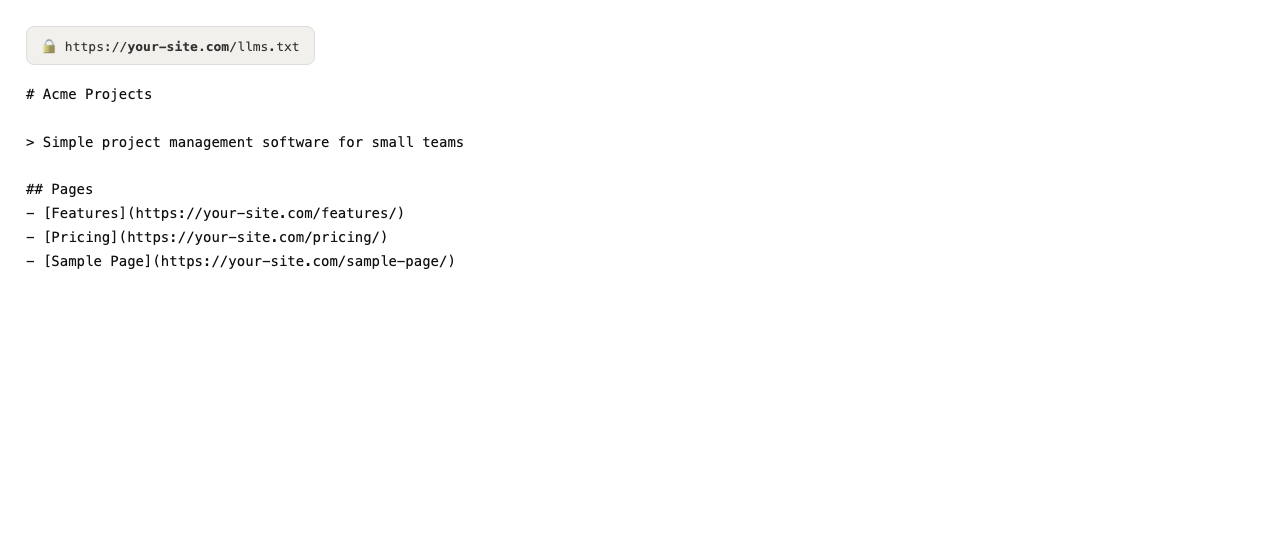
llms.txtfile at your root (yoursite.com/llms.txt) — the emerging standard that lists your key pages for AI assistants, generated automatically from your site.
No account, no copy-paste, no coding. Activate the plugin and your AI signals are live. Everything runs on your own server — the plugin sends nothing to any external service.
Want to know whether ChatGPT actually cites you today? Run a free visibility check at flairr.app.
Why it matters
- AI search is a fast-growing channel where most sites are invisible.
- Structured data is how AI engines understand and trust an entity.
llms.txtand clean schema are the on-page foundations of getting cited.
Free vs Pro
The free plugin covers the on-page basics (identity schema + llms.txt) that every site should have. Flairr Pro (paid, at flairr.app) goes further:
- AI-optimized schema (
SoftwareApplication,FAQPage) generated for your business. - Tracking your citations over time across ChatGPT, Gemini and Perplexity.
- Automatic generation and publishing of citable content.
- IndexNow + one-click pushes from your Flairr dashboard.
The free plugin works fully on its own — Pro is entirely optional.
External services
The free plugin does not connect to any external service: identity schema and llms.txt are generated and served entirely on your own server, and no data leaves your site.
Flairr Pro (optional, paid, at flairr.app) is a separate service you can connect to from your Flairr dashboard. Connecting it lets the Flairr dashboard push optimized schema and content to this site; it requires a Flairr account and an explicit connection on your part. Terms: https://flairr.app/terms — privacy: https://flairr.app/privacy
Installation
- Install and activate the plugin (Plugins → Add New → search “Flairr AI visibility”, or upload the zip).
- Done. Your identity schema is injected and
yoursite.com/llms.txtis served automatically. - Open Flairr AI in the admin menu to toggle the features on or off.
Frequently asked questions
Which AI crawlers does it track?
GPTBot, ChatGPT-User and OAI-SearchBot (OpenAI), ClaudeBot and Claude-User (Anthropic), PerplexityBot, Bytespider, Amazonbot, Applebot, CCBot, Meta AI and cohere-ai — detected locally from their user-agent on each request.
Why are my crawler counts low or empty?
Counts start from zero when you activate the plugin and cover the last 30 days. Also, if your site uses full-page caching (Cloudflare, WP Rocket, etc.), some crawler requests are served from cache and never reach PHP, so they can’t be counted.
Does it work without a Flairr account?
Yes. The crawler monitor, schema and llms.txt generation are 100% free and local — no account required.
Will it conflict with Yoast or Rank Math?
Flairr focuses on the entity/identity schema (Organization + WebSite) and llms.txt, which most SEO plugins don’t add. If you already inject Organization schema, you can turn off Flairr’s schema in one click from the settings page.
What is llms.txt?
An emerging plain-text standard, served at your site root, that lists your key pages for AI assistants — similar in spirit to robots.txt, but for LLMs.
How do I check whether ChatGPT cites me?
The free plugin lays the on-page foundations (schema + llms.txt) locally. To measure your actual AI visibility, run a free check on flairr.app — that analysis runs on Flairr’s side, not inside this plugin.
Does the plugin send my data anywhere?
No. The free schema and llms.txt features run entirely on your own server. The plugin makes no outbound calls to any external service.
Changelog
1.2.0
- New: AI crawler monitor — logs visits from GPTBot, ClaudeBot, PerplexityBot and other AI bots, with a 30-day dashboard and last-seen, entirely local (no external calls).
- New: robots.txt check — warns if your site is accidentally blocking AI crawlers.
1.1.0
- New: free standalone mode — local generation of identity schema (Organization + WebSite) and llms.txt, no account required, no external calls.
- New: full internationalization (English default, French translation included).
- Improved: settings page reorganized (free features first, Pro optional).
1.0.0
- Initial release: receive and render schema, llms.txt and IndexNow key pushed from the Flairr dashboard; publish posts.
Screenshots
For developers
Is this your plugin? Show off the numbers.
Add a live badge to your site, docs or GitHub README. It updates on its own — no account needed.
Best Flairr alternatives
All AI Crawlers plugins →




FAQ
Flairr: quick answers
Straight answers, pulled from live WordPress.org data.
Live data from WordPress.org · checked Oct 1, 2026
Is Flairr free?
Yes. Flairr is free to download and use from the official WordPress.org plugin directory.
Is Flairr safe to use in 2026?
Flairr works, but test it on a staging site before relying on it in 2026. Was last updated 3 months ago, and scores 55/100 on our health check.
How many websites use Flairr?
Flairr is active on <10 WordPress websites and has been downloaded 355 times since it launched in July 2026. It was downloaded 85 times in the last 30 days.
Does Flairr work with WordPress 7.1?
Flairr is officially tested up to WordPress 7.0.6, while the latest release is 7.1.2. It may still work, but try it on a staging site first.
What PHP version does Flairr need?
Flairr requires PHP 7.2 or higher. Most hosts run PHP 8.x today, so it works on any modern WordPress hosting.
When was Flairr last updated?
The latest version, 1.2.0, was released on July 12, 2026 (3 months ago).
Who makes Flairr?
Flairr is developed and maintained by flairr.
What are the best alternatives to Flairr?
The most popular alternatives to Flairr are Better Robots.txt (5K+ installs), Prime SEO (100+ installs) and SEO & AI Readiness Check (30+ installs).
Powered by PageForge
Want thousands of pages that rank like these? Build them in an afternoon.
This directory runs on the same engine as PageForge. Turn any spreadsheet, CSV or API into thousands of fast, SEO-ready WordPress pages — with schema, internal links and AI-written copy baked in.
- CSV, Google Sheets & API data sources
- AI content, schema & internal links per page
- Works with Elementor, Gutenberg, Yoast & Rank Math
- Free on WordPress.org — no credit card


