


Filter Posts With List
“Filter Posts with List” is a versatile WordPress plugin designed to help you display both default and custom post types with ease. It allows users to filter posts based on categories and tags, making it easier to…

Consider an alternative
Filter Posts With List shows warning signs in 2026 — compare the alternatives below before installing. It runs on 10+ sites and was last updated 2 years ago, and scores 26/100 on our health check.
- Small user base (10+ active installs)
- Very few reviews so far
- No update in over a year
- Only tested up to WordPress 6.7 (latest is 7.1)
How does it stack up?
Side-by-side on installs, updates, ratings & supportDaily downloads
Download spikes usually follow a new release — each site that auto-updates counts as a download.
Rankings
Where Filter Posts With List stands todayWordPress.org search rankings
Live position in the plugin search, top 100| Keyword | Position |
|---|---|
| blog filter | >100 |
| load more | >100 |
| post search | >100 |
| posts filter | >100 |
| posts listing | >100 |
Version adoption
Share of active sites per release.
About Filter Posts With List
From the official readme · v1.1.0Description
“Filter Posts with List” is a versatile WordPress plugin designed to help you display both default and custom post types with ease. It allows users to filter posts based on categories and tags, making it easier to navigate large amounts of content. With the grid view format, this plugin organizes your posts neatly and adds an option to load more posts, offering a smooth and dynamic user experience.
The plugin supports default WordPress post shortcodes, and you can also generate custom shortcodes for different post types. It comes with flexible filtering options, allowing you to show or hide search, category, and tag filters. You can even customize filter headings to match your website’s branding or content needs.
You have full control over what information is displayed for each post. Whether you want to show or hide the featured image, categories, publish date, author name, or post description, it’s all customizable. The plugin also lets you manage how many posts are shown initially and how many load when the “Load More” button is clicked.
Why Use Filter Posts with List?
If your website has a large number of posts or custom post types, this plugin offers a clean and organized way to present content, improving the user experience by providing relevant filters. It’s perfect for bloggers, businesses, or content-heavy sites that want more control over how posts are displayed without needing custom coding.
Features
Post Filtering:
Filter posts by category and tags to give users a better content browsing experience.
Custom Shortcodes:
Generate shortcodes for custom post types to display specific types of content.
Grid Layout:
Display posts in a visually appealing grid format.
Customizable Filters:
Show or hide filter options like search, category, and tag filters, and change filter headings to match your site’s design.
Post Data Control:
Choose to show or hide details such as post-featured image, category, author, publish date, and description.
Load More Functionality:
Set how many posts are shown initially and control the number of posts that load on user interaction.
Flexible Post Listings:
Easily manage both default and custom post listings, creating a streamlined experience for both content creators and visitors.
Installation
- Go to your WordPress dashboard and navigate to Plugins > Add New.
- Search for “Filter Posts with List by iFlair.”
- Install and activate the plugin.
- Once activated, head to the Filter Posts with list plugin’s settings page to configure the filter options, post visibility, and other preferences.
- Use the provided shortcodes in your posts or pages to display filtered lists.
Frequently asked questions
How do I display posts using this plugin?
After activating the plugin, you can use default WordPress post shortcodes or generate custom shortcodes to display posts with filters. Place the shortcode in any post or page to display a grid of posts with filtering options.
Can I use this plugin to filter custom post types?
Yes, you can generate shortcodes specifically for custom post types, allowing you to filter and display custom content alongside or separate from your default WordPress posts.
Can I customize the filter options displayed to users?
Customizing the Splash Screen icon and App icon is easy: Absolutely. You can choose which filter options to show or hide, including search, category, and tag filters. Additionally, you can customize the headings of these filters to match your website’s tone and style.
Is it possible to hide certain post details like the author or featured image?
Yes, the plugin gives you control over which post details are displayed. You can show or hide elements such as the featured image, publish date, author, category, and post description based on your preferences.
How can I set the number of posts shown initially and with the ‘Load More’ button?
You can configure how many posts are shown on the initial page load, as well as the number of posts loaded when the user clicks the “Load More” button, directly from the plugin’s settings.
Is this plugin compatible with the latest version of WordPress?
Yes, “Filter Posts with List” has been tested up to WordPress 6.4 and is regularly updated to ensure compatibility with the latest versions of WordPress and PHP.
Changelog
Version 1.0.0
- Plugin release and submit to wordPress.org
Version 1.1.0
- Fixed serachbox related issue.
Screenshots


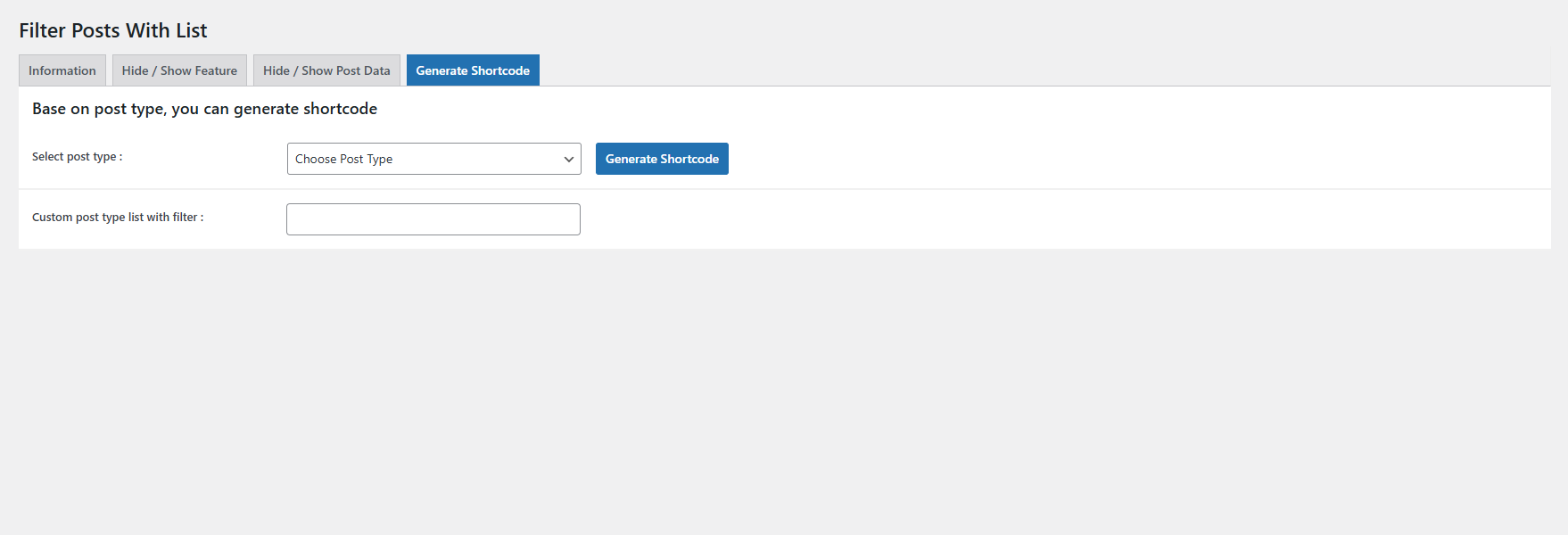
For developers
Is this your plugin? Show off the numbers.
Add a live badge to your site, docs or GitHub README. It updates on its own — no account needed.
Best Filter Posts With List alternatives
All blog filter plugins →| Rank | Plugin | Active installs |
|---|---|---|
| 1 |
 Blog Filter – Post Grid Filter by Category or Tag
Create a responsive Blog Filter Post Grid to showcase posts. Let visitors filter by…
Blog Filter – Post Grid Filter by Category or Tag
Create a responsive Blog Filter Post Grid to showcase posts. Let visitors filter by…
|
7K+ |
FAQ
Filter Posts With List: quick answers
Straight answers, pulled from live WordPress.org data.
Live data from WordPress.org · checked Sep 28, 2026
Is Filter Posts With List free?
Yes. Filter Posts With List is free to download and use from the official WordPress.org plugin directory.
Is Filter Posts With List safe to use in 2026?
Filter Posts With List shows warning signs in 2026 — compare the alternatives below before installing. It runs on 10+ sites and was last updated 2 years ago, and scores 26/100 on our health check.
How many websites use Filter Posts With List?
Filter Posts With List is active on 10+ WordPress websites and has been downloaded 852 times since it launched in December 2024. It was downloaded 47 times in the last 30 days.
Does Filter Posts With List work with WordPress 7.1?
Filter Posts With List is officially tested up to WordPress 6.7.9, while the latest release is 7.1.2. It may still work, but try it on a staging site first.
What PHP version does Filter Posts With List need?
Filter Posts With List requires PHP 5.6 or higher. Most hosts run PHP 8.x today, so it works on any modern WordPress hosting.
When was Filter Posts With List last updated?
The latest version, 1.1.0, was released on January 16, 2025 (2 years ago).
Who makes Filter Posts With List?
Filter Posts With List is developed and maintained by iflairwebtechnologies.
What are the best alternatives to Filter Posts With List?
The most popular alternatives to Filter Posts With List are Blog Filter (7K+ installs).
Powered by PageForge
Want thousands of pages that rank like these? Build them in an afternoon.
This directory runs on the same engine as PageForge. Turn any spreadsheet, CSV or API into thousands of fast, SEO-ready WordPress pages — with schema, internal links and AI-written copy baked in.
- CSV, Google Sheets & API data sources
- AI content, schema & internal links per page
- Works with Elementor, Gutenberg, Yoast & Rank Math
- Free on WordPress.org — no credit card


