


Filr – Secure document library
Easily Create a Secure Document Library with Filr

Safe pick
Yes — Filr – Secure document library is a safe, well-maintained plugin to use in 2026. It runs on 700+ sites, is rated 4.6/5 and was last updated 5 days ago, and scores 84/100 on our health check.
- Actively developed — last update 5 days ago
- Tested with the latest WordPress (7.1)
- Small user base (700+ active installs)
How does it stack up?
Side-by-side on installs, updates, ratings & support



Daily downloads
Download spikes usually follow a new release — each site that auto-updates counts as a download.
Rankings
Where Filr stands todayWordPress.org search rankings
Live position in the plugin search, top 100| Keyword | Position |
|---|---|
| digital downloads | #78 |
| document library | #6 |
| document management | #12 |
| file manager | >100 |
| secure file sharing | #2 |
Version adoption
Share of active sites per release.
Rating breakdown
★★★★★★★★★★ 4.6 from 17 reviews
About Filr – Secure document library
From the official readme · v1.2.18Description
Easily Create a Secure Document Library with Filr
Filr helps you safely upload, organize, and share documents on your site. Use direct links or show all files in a library for easy access.
Filr Pro – advanced features available after making a purchase
Enhanced File Security & Access Control
– Support for external files.
– Restrict file access by user email or user role.
– Encrypt filenames for extra privacy.
– Password-protected ZIP files.
Flexible File Expiry Options
– Expire uploads after a set number of downloads.
– Set an expiration date for files to auto-remove access.
Advanced Upload & Storage Management
– Upload multiple files at once and automatically zip them.
– Store files in custom directories for better organization.
– Manage folders efficiently with built-in folder management.
Extended Shortcode Customization
– More options to configure, style, and customize document library shortcodes.
Get it now on wpdocumentlibrary.com
Documentation
Learn more about this plugin [in our official documentation]](https://wpdocumentlibrary.com/kb/)
Support
- Free users: Ask in our forum
- Pro users: Get priority help
Installation
Default Method
- Go to Settings > Plugins in your administrator panel.
- Click
Add New - Search for Qr
- Click install.
Easy Method
- Download the zip file.
- Login to your
Dashboard - Open your plugins bar and click
Add New - Click the
upload tab - Choose
filr-protectionfrom your downloads folder - Click
Install Now - All done, now just activate the plugin
- Go to Filr and create restricted media links.
Old Method
- Upload
filr-protectionto the/wp-content/plugins/directory - Activate the plugin through the ‘Plugins’ menu in WordPress
Frequently asked questions
How do I use Filr
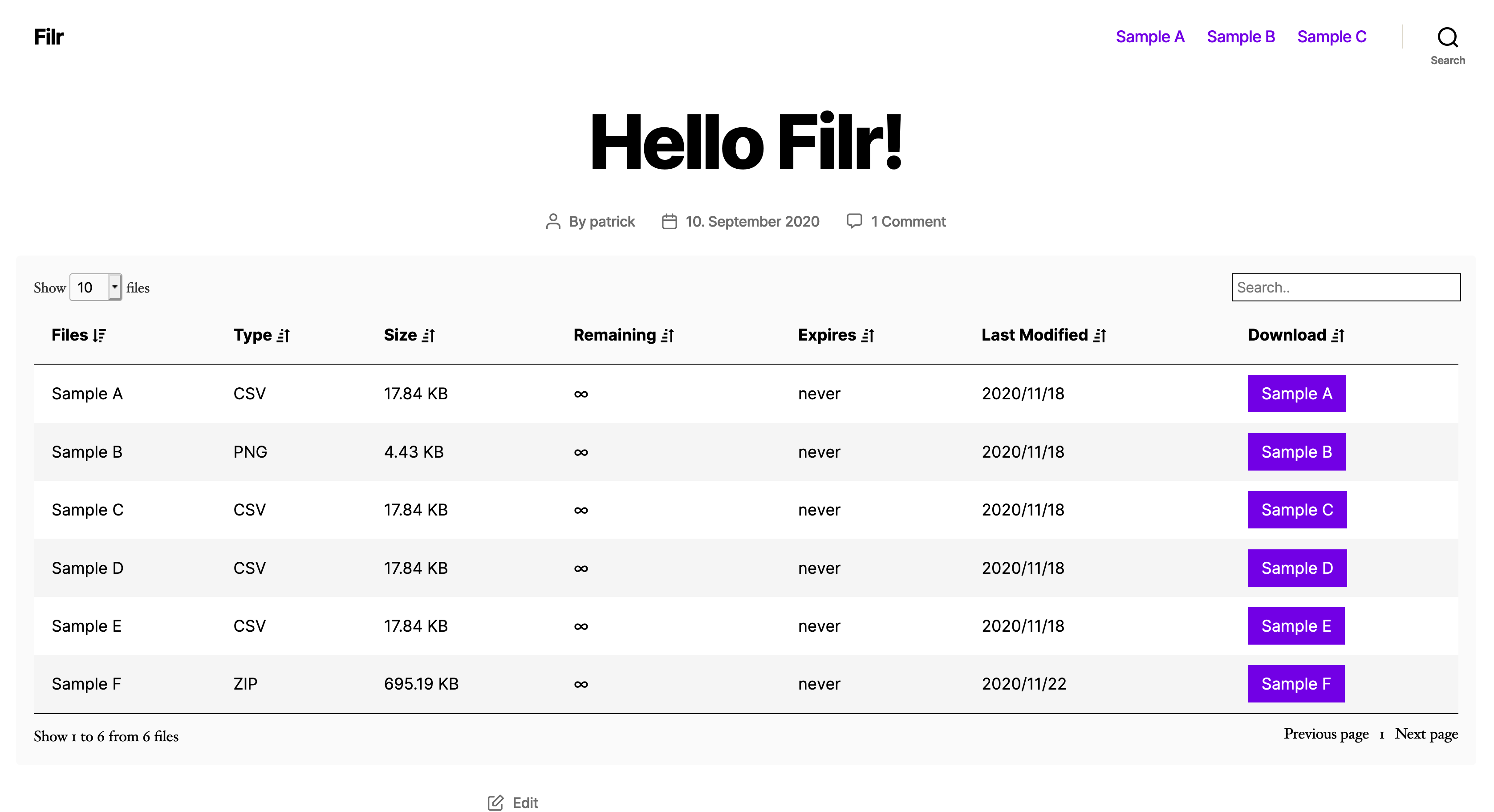
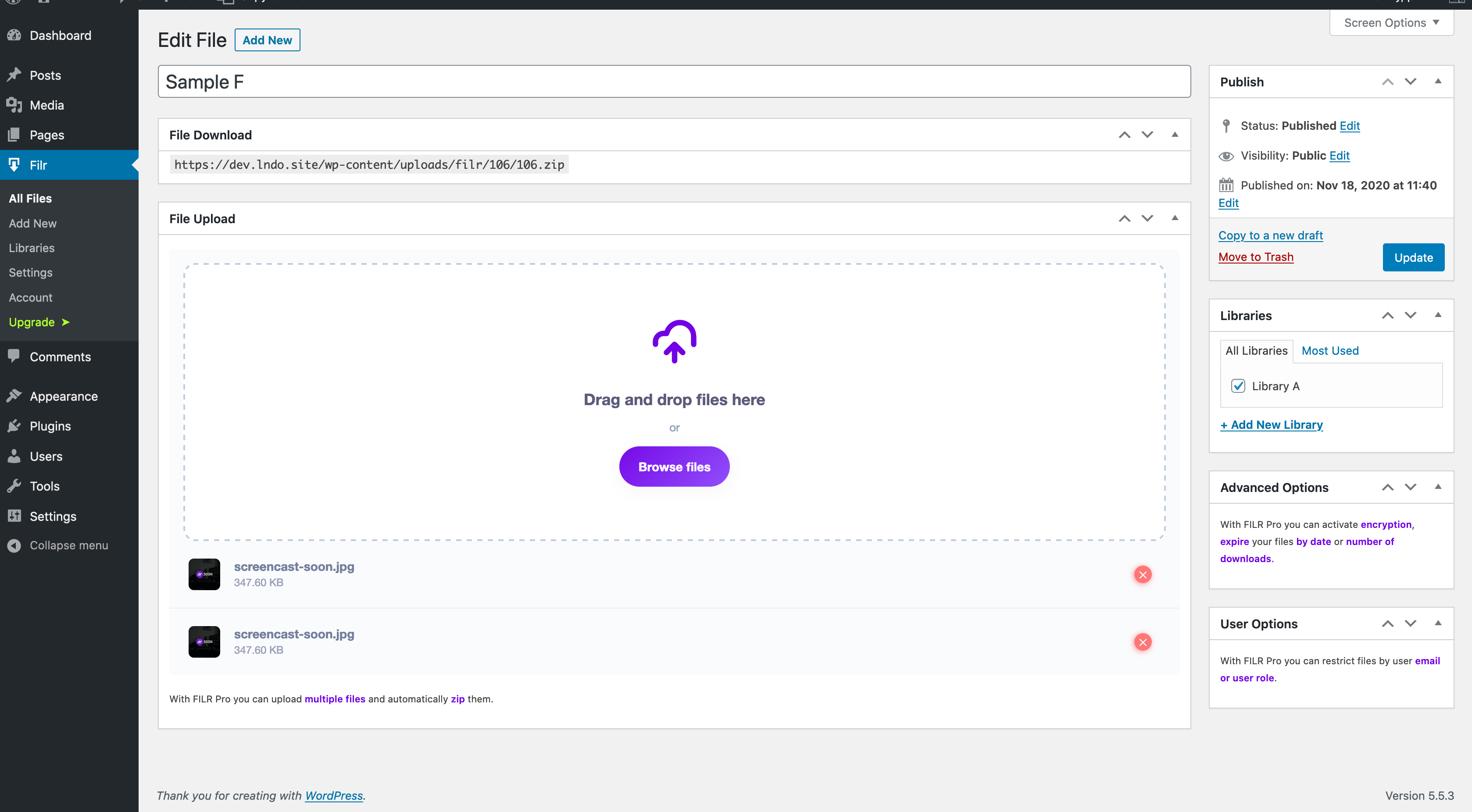
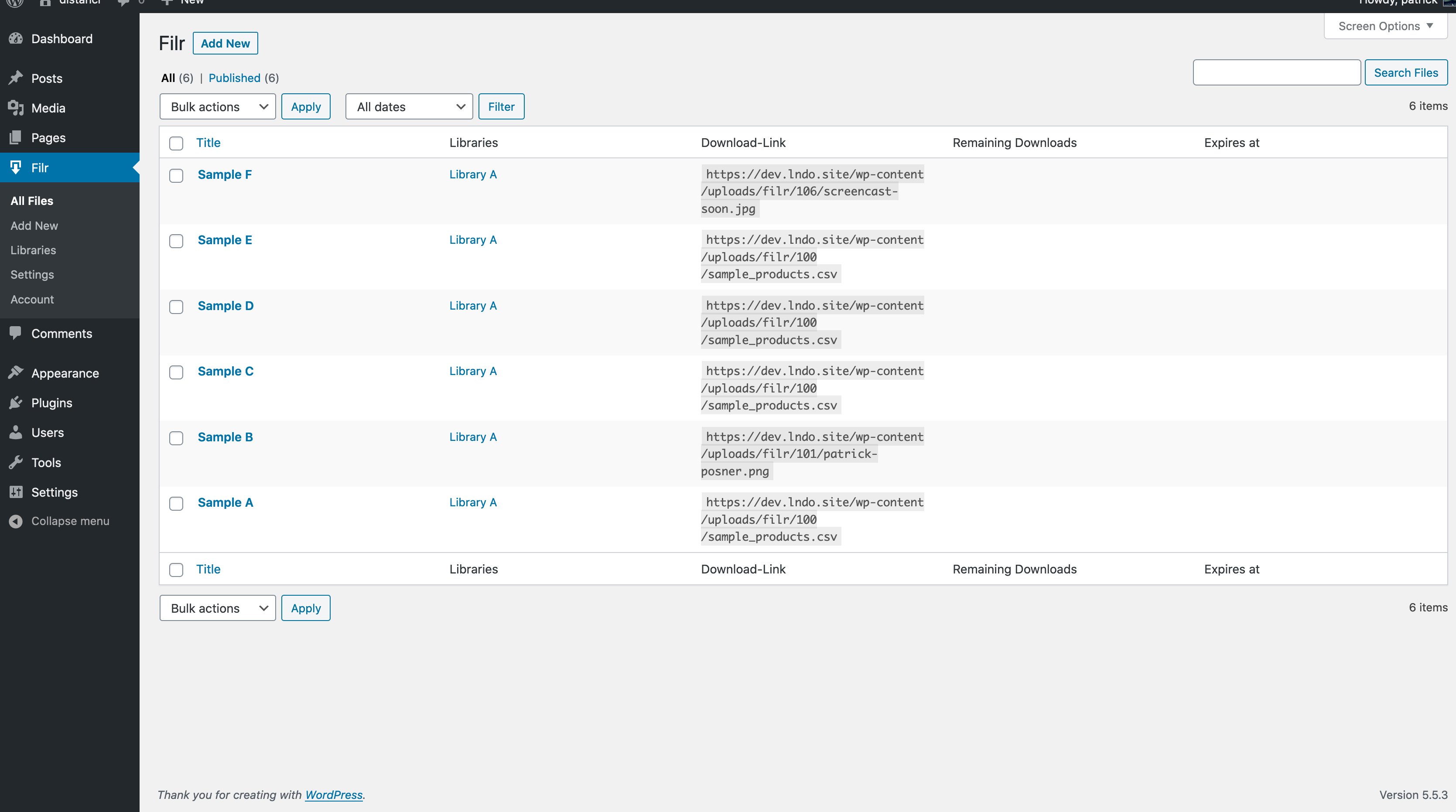
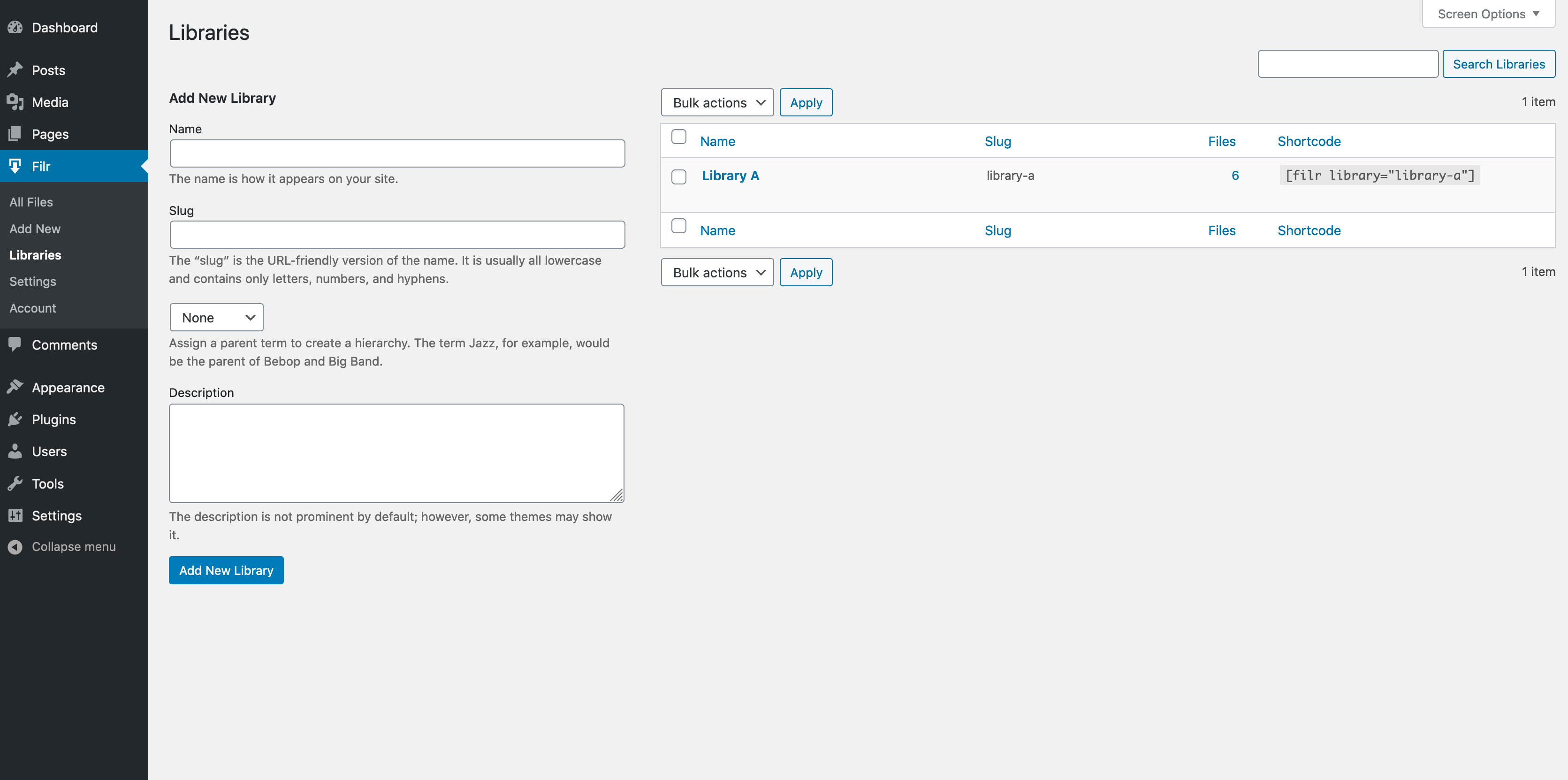
After installation and activation go to Filr -> Settings and configure your uploads folder and check the server settings. When you are done, create your first file with “New File”, give it a title, upload your file and after saving it you can copy the download link. Otherwise assign it to a library and copy the shortcode to display it on your website.
Can I use Filr in multiple languages
Filr is completely translatable with WPML and Polylang. Simply use the language switcher and translate all settings.
Where do I report security bugs found in this plugin?
Please report security bugs found in the source code of the Filr plugin through the Patchstack Vulnerability Disclosure Program. The Patchstack team will assist you with verification, CVE assignment, and notify the developers of this plugin.”
Changelog
1.2.18 – 23.09.2026
- Fix: Pagination showing incorrect results on libraries with many files.
- Fix: “File missing” warning shown by mistake for newly created files.
1.2.17 – 11.09.2026
- Add: Warning when a file is missing from disk.
- Fix: Download limit not enforced at 0 remaining downloads.
- Fix: Remaining downloads counter could go negative.
- Fix: Single files sometimes downloaded as zip.
- Fix: Stale zip files/meta not cleaned up.
1.2.16 – 21.08.2026
- Fix: Pagination issue with the file library shortcode.
1.2.15 – 30.07.2026
- Fix: Security issue with file permissions checks.
- Fix: Text domain changed from “filr” to “filr-protection” to match the plugin slug.
1.2.14 – 06.03.2026
- Fix: Security issue with file uploads.
1.2.13 – 05.03.2026
- Fix: Preview file with secure download link.
Screenshots
For developers
Is this your plugin? Show off the numbers.
Add a live badge to your site, docs or GitHub README. It updates on its own — no account needed.
Best Filr – Secure document library alternatives
All digital downloads plugins →



FAQ
Filr – Secure document library: quick answers
Straight answers, pulled from live WordPress.org data.
Live data from WordPress.org · checked Sep 27, 2026
Is Filr – Secure document library free?
Yes. Filr – Secure document library is free to download and use from the official WordPress.org plugin directory.
Is Filr – Secure document library safe to use in 2026?
Yes — Filr – Secure document library is a safe, well-maintained plugin to use in 2026. It runs on 700+ sites, is rated 4.6/5 and was last updated 5 days ago, and scores 84/100 on our health check.
How many websites use Filr – Secure document library?
Filr – Secure document library is active on 700+ WordPress websites and has been downloaded 34,912 times since it launched in April 2020. It was downloaded 1,695 times in the last 30 days.
Does Filr – Secure document library work with WordPress 7.1?
Yes. The developer has tested Filr – Secure document library up to WordPress 7.1.2, the latest release. It requires WordPress 3.5 or newer.
What PHP version does Filr – Secure document library need?
Filr – Secure document library requires PHP 7.4 or higher. Most hosts run PHP 8.x today, so it works on any modern WordPress hosting.
When was Filr – Secure document library last updated?
The latest version, 1.2.18, was released on September 23, 2026 (5 days ago).
Who makes Filr – Secure document library?
Filr – Secure document library is developed and maintained by WP Chill.
What are the best alternatives to Filr – Secure document library?
The most popular alternatives to Filr – Secure document library are Easy Media Download (9K+ installs), Premium Packages (2K+ installs) and PDF Ink Lite (2K+ installs).
Powered by PageForge
Want thousands of pages that rank like these? Build them in an afternoon.
This directory runs on the same engine as PageForge. Turn any spreadsheet, CSV or API into thousands of fast, SEO-ready WordPress pages — with schema, internal links and AI-written copy baked in.
- CSV, Google Sheets & API data sources
- AI content, schema & internal links per page
- Works with Elementor, Gutenberg, Yoast & Rank Math
- Free on WordPress.org — no credit card


