


FAQ Magic – AI powered FAQ generator
FAQ plugin for WordPress featuring FAQPage schema, modern layouts, and AI-powered FAQ generation including free credits.

Use with caution
FAQ Magic works, but test it on a staging site before relying on it in 2026. It runs on 80+ sites, is rated 5/5 and was last updated 5 months ago, and scores 57/100 on our health check.
- Small user base (80+ active installs)
- Very few reviews so far
- Only tested up to WordPress 6.9 (latest is 7.1)
How does it stack up?
Side-by-side on installs, updates, ratings & support



Daily downloads
Download spikes usually follow a new release — each site that auto-updates counts as a download.
Rankings
Where FAQ Magic stands todayWordPress.org search rankings
Live position in the plugin search, top 100| Keyword | Position |
|---|---|
| AI | >100 |
| Faq Accordion | #31 |
| faq schema | #27 |
| JSON-LD | #69 |
| schema | >100 |
Version adoption
Share of active sites per release.
Rating breakdown
★★★★★★★★★★ 5 from 3 reviews
About FAQ Magic – AI powered FAQ generator
From the official readme · v2.1.1Description
FAQ Magic is an easy-to-use FAQ schema plugin for WordPress that helps you create stylish, SEO-friendly FAQs with FAQPage schema, modern layouts, and AI-powered suggestions.
This FAQ plugin is built for performance, simplicity, and search visibility. Whether you need an accordion FAQ section, structured data for Google and AI Optimization, or an easy way to manage FAQs inside WordPress, FAQ Magic provides the solution.
Unlike bloated FAQ plugins, FAQ Magic focuses on what matters most: clean markup, valid schema, and an intuitive editing experience.
Start generating FAQs immediately using included free AI credits — no configuration or prompts required.
Why Choose FAQ Magic?
- True FAQ plugin for WordPress (not a multipurpose bloat plugin)
- Includes free AI credits to generate FAQs instantly (v2+)
- Save time by using the AI FAQ generator
- Proper FAQPage JSON-LD schema
- Gutenberg-friendly and shortcode-ready
- Lightweight and fast
- Designed with SEO in mind
Features
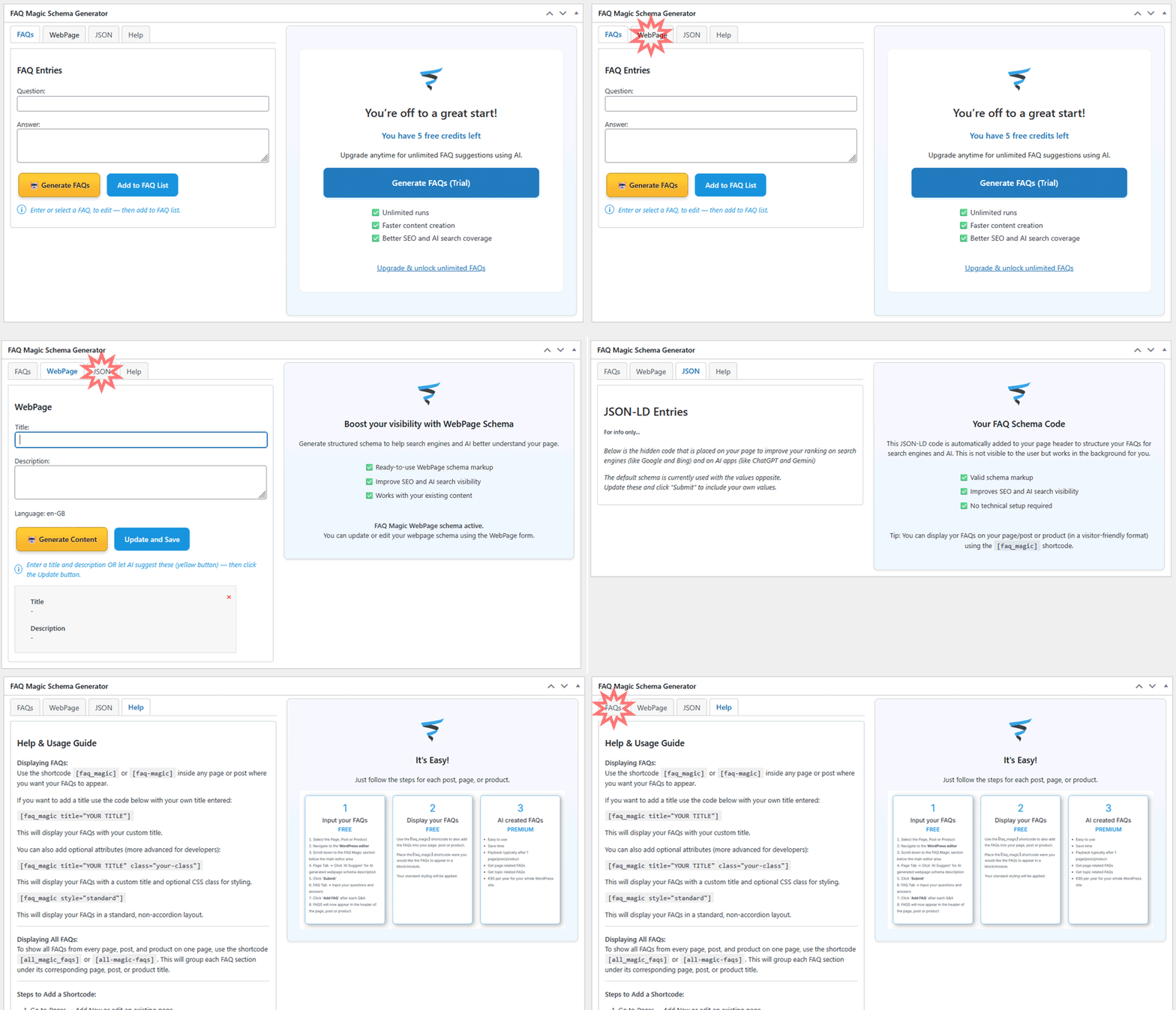
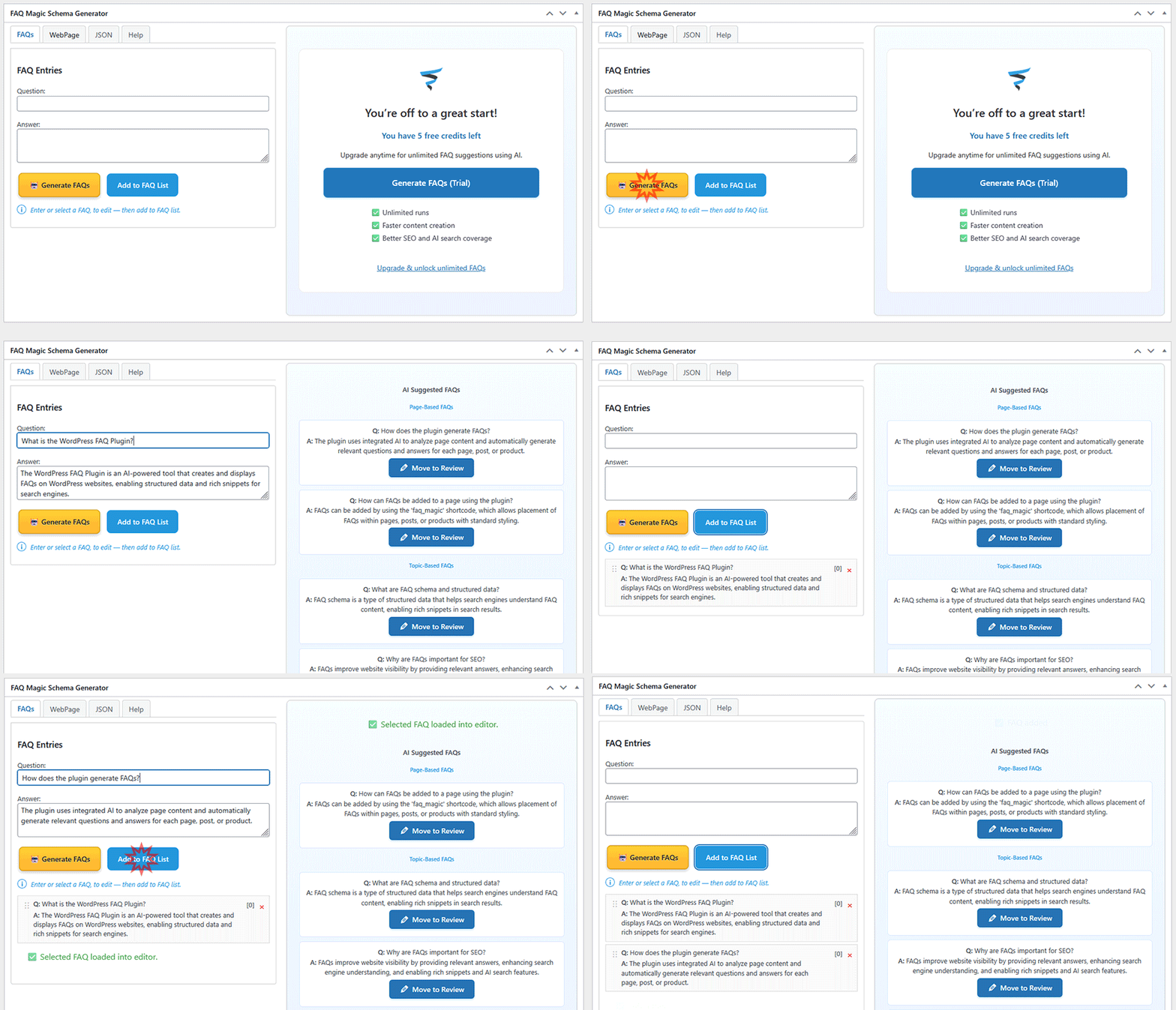
- Add FAQs via a simple meta box in the post editor.
- Use on WordPress Posts, Pages and Products.
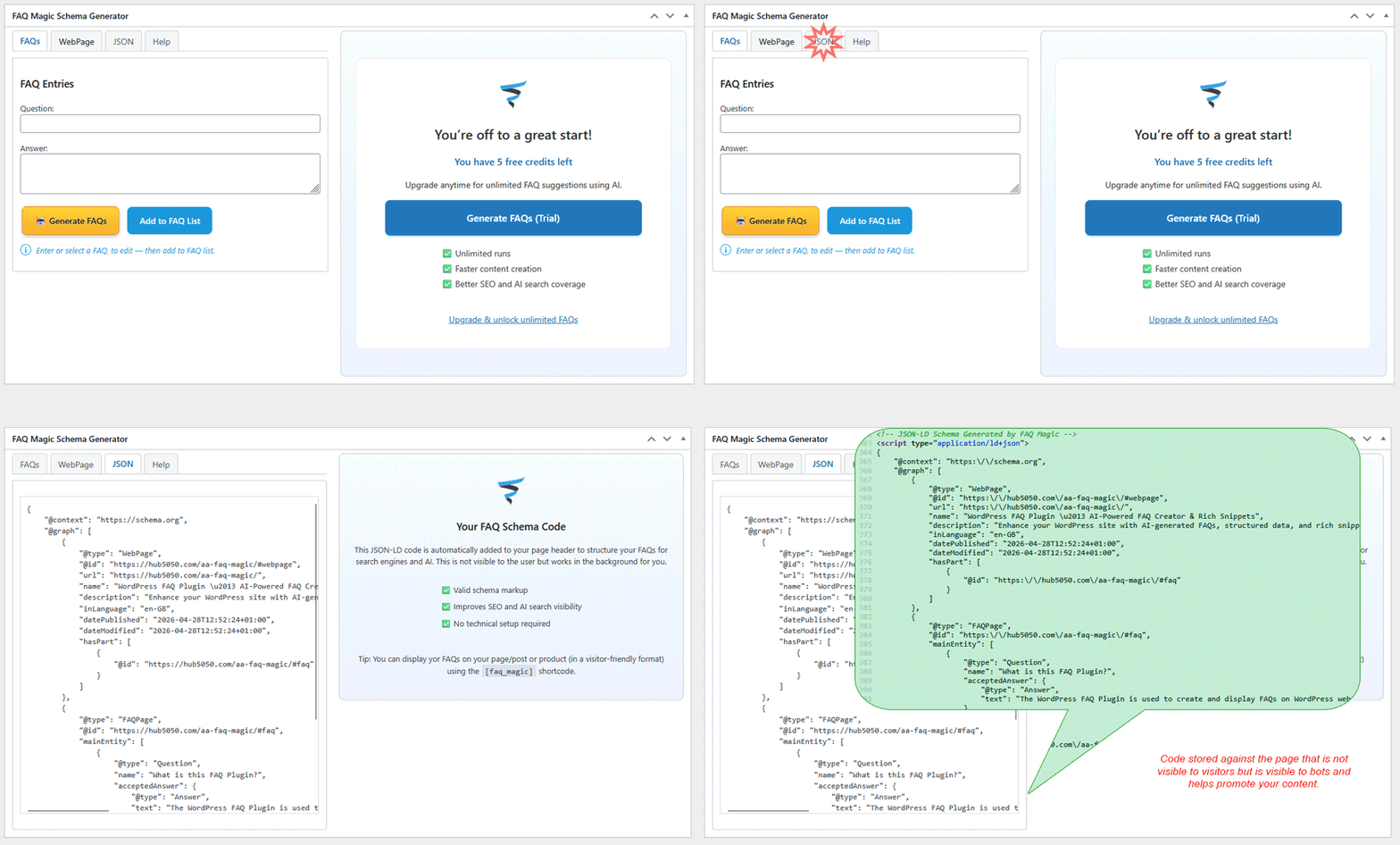
- Generate WebPage and FAQ schema for better AI and search engine visibility.
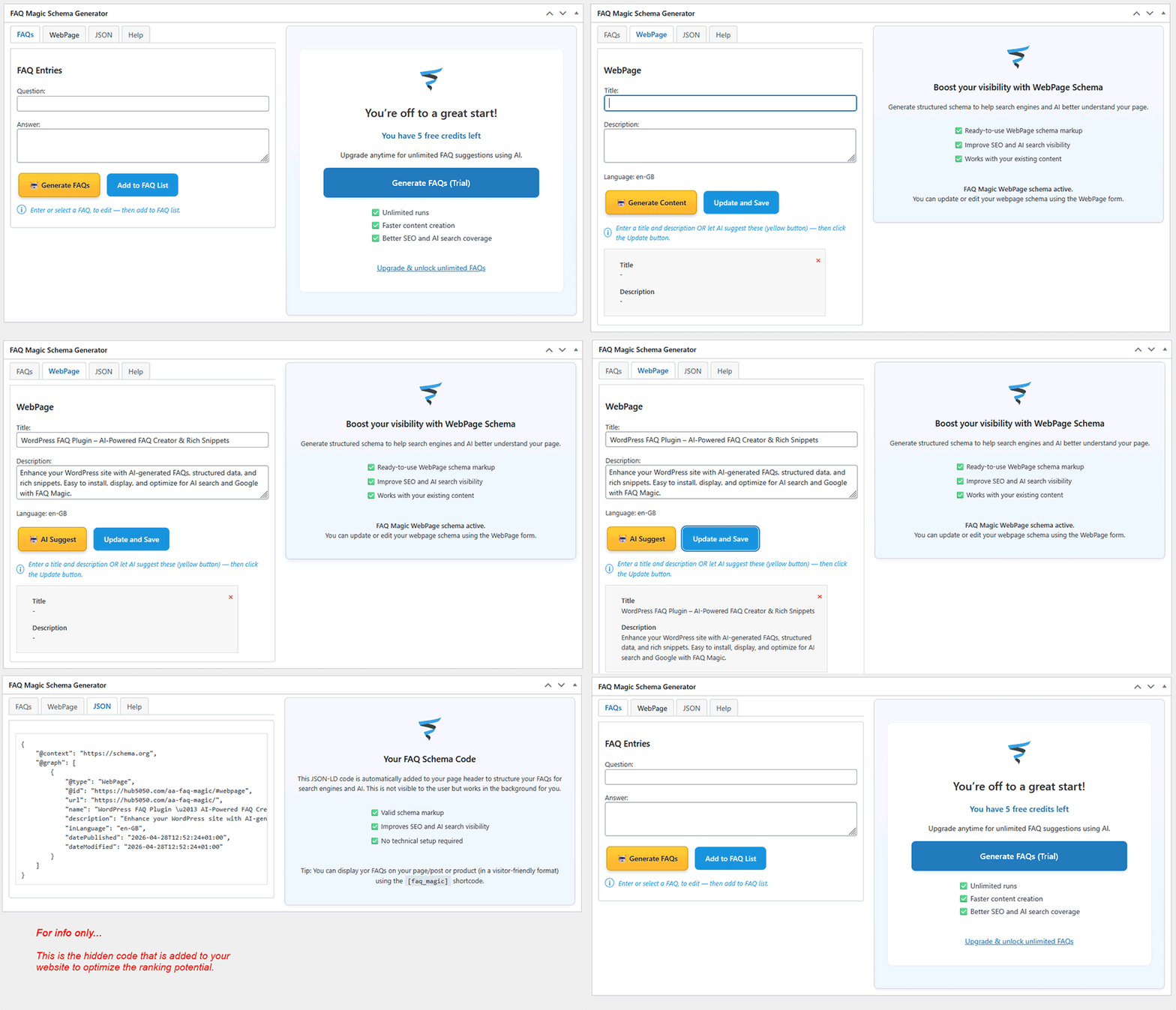
- Use the free AI Suggest feature to generate Page title and page description AI.
- Includes free AI credits to generate page titles, descriptions, and FAQs
- Save time using the AI FAQ generator to suggest your Frequently Asked Questions
- Display FAQs on the front end with the
[faq_magic]shortcode. - Choose between the standard layout or the accordion style for these FAQ’s.
- Show all Page | Post | Product FAQs combined for a site FAQ page using a shortcode.
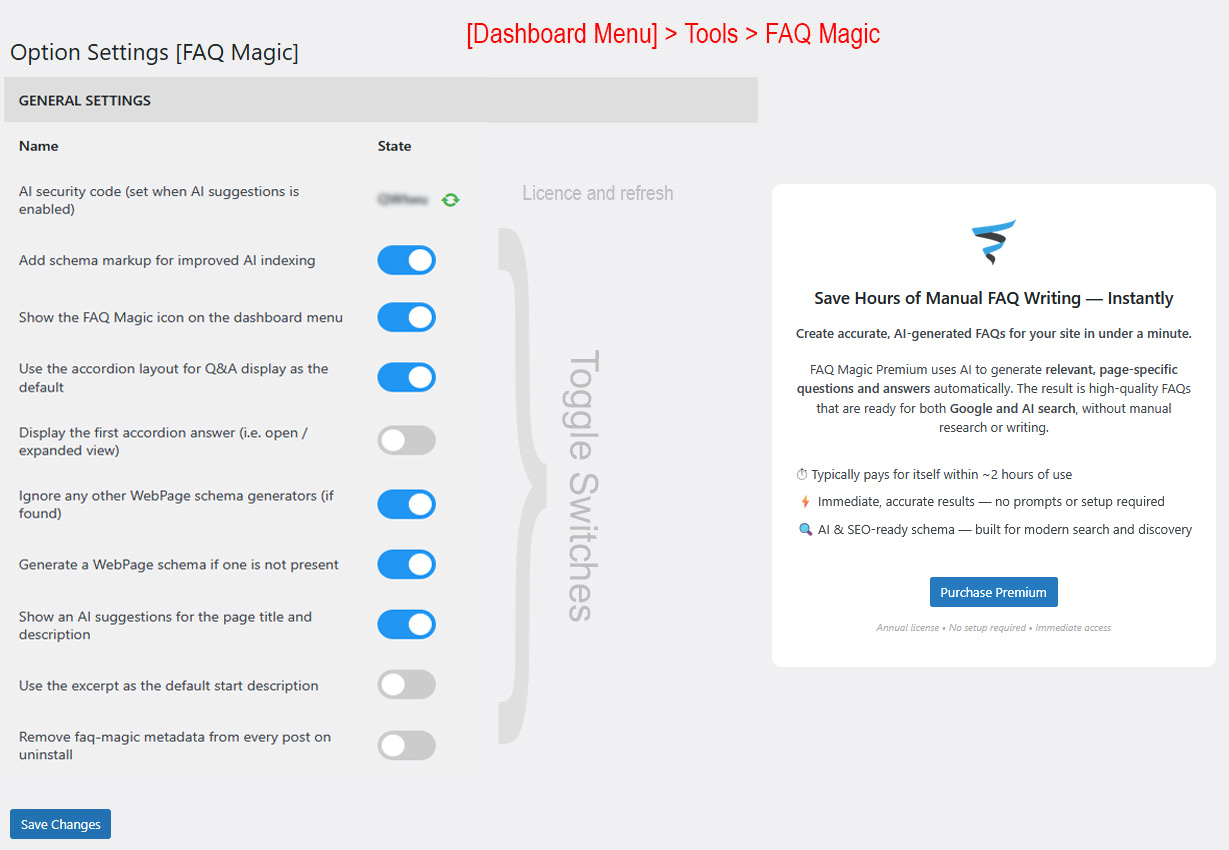
- Configure schema and display options in the Tools → FAQ Magic menu.
- Schema markup is in accurate JSON-LD format.
How this benefits your ranking
Search Engines and AI crawlers rely on structured information on your page to more effectively index the page.
The addition of FAQ’s into the page provides more structured information about the page for visitors and for AI or search engines to determine what the page is all about.
The benefit to you is that your website is much more likely to be found by people using AI or searching the web.
Use Cases
- Add FAQ sections to pages and blog posts
- Create FAQ pages for products or services
- Improve SEO with FAQ schema
- Answer common customer questions
- Replace shortcode-heavy or bloated FAQ plugins
External services
This plugin connects to an external service provided by Hub5050 (https://hub5050.com) in order to provide AI-generated suggestions for the “WebPage” form fields (specifically the suggested title and description for a page schema). The service is optional and is free to all users.
What the service is and what it is used for
The service is an API endpoint hosted at hub5050.com, which returns suggested values for the “Name” (title) and “Description” fields used in the WebPage JSON-LD schema. This feature is optional and is triggered only when the user clicks the “🤖 AI Suggest” button in the plugin’s metabox.
What data is sent and when
When the “🤖 AI Suggest” button is clicked, the plugin sends:
– The URL of the page being edited (base64 encoded).
– A fixed five-digit code string which identifies which Hub5050 service to use.
No personal data, user information, or other identifiers are ever sent. The page URL is used only to generate suggested content and is not stored on Hub5050 servers.
The request is only made when the button is clicked. The values returned are shown in the form for the user to review and edit or discard. Nothing is saved automatically on the site.
Control over this feature
This AI Suggest feature can be disabled from the plugin’s settings page. When disabled, no data is ever sent to hub5050.com.
Service provider
This service is provided by Hub5050 (https://hub5050.com), owned and operated by the plugin author.
– Terms of Service: https://hub5050.com/terms/
– Privacy Policy: https://hub5050.com/privacy/
– Specific information: https://hub5050.com/faq-magic-terms-and-privacy-policy/
Installation
- Upload the plugin files to the
/wp-content/plugins/faq-magic/directory, or install the plugin through the WordPress plugins screen directly. - Activate the plugin through the Plugins screen in WordPress.
- Go to Tools → FAQ Magic to configure the settings.
- Edit any post/page and add FAQs using the FAQ Magic Schema Generator meta box.
- Insert
[faq_magic]shortcode into your post/page content to display FAQs.
Frequently asked questions
How do I add FAQs?
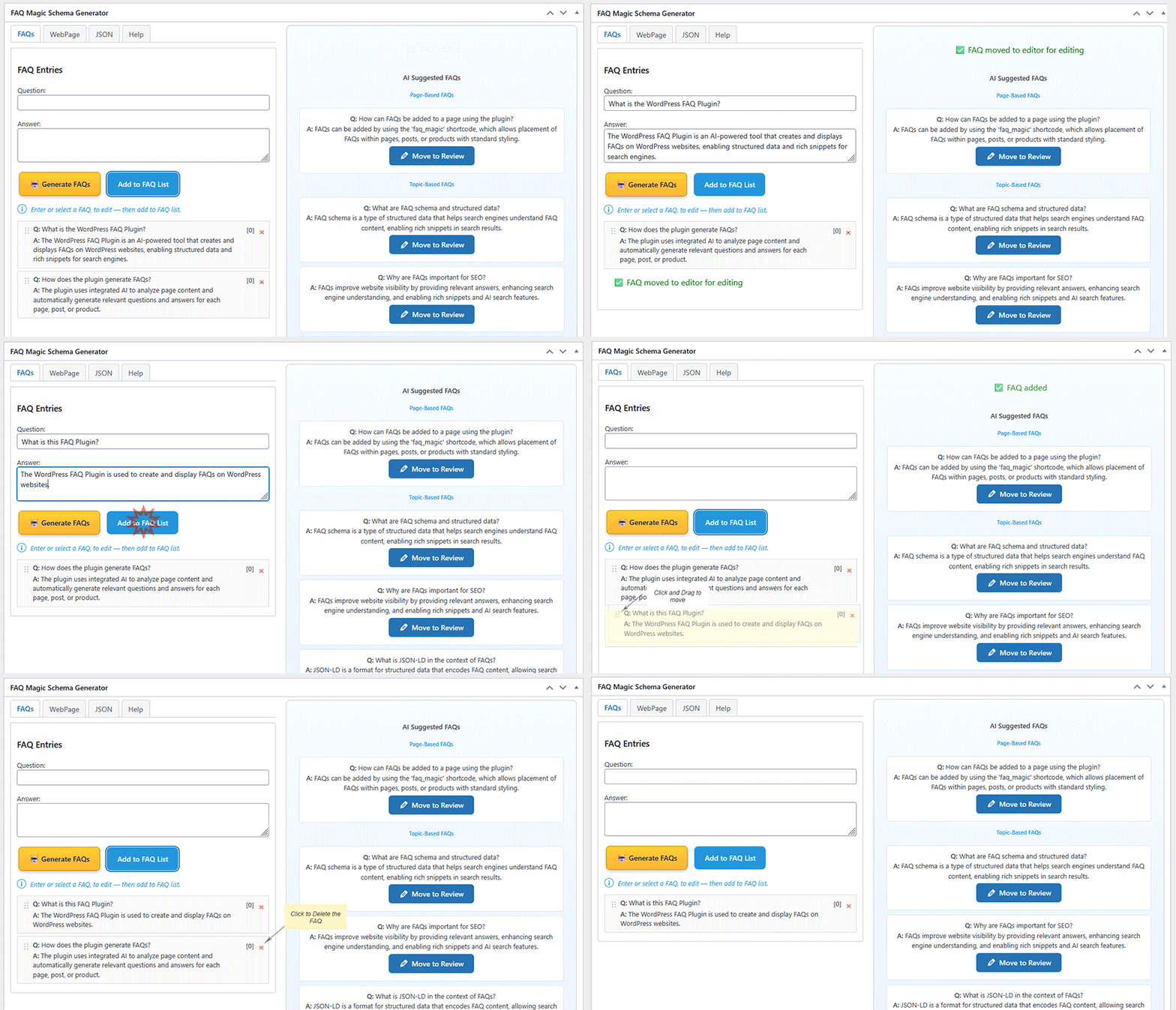
Edit a post or page, scroll to the “FAQ Magic Schema Generator” meta box, and use the interface to add questions and answers.
How do I display FAQs on my site?
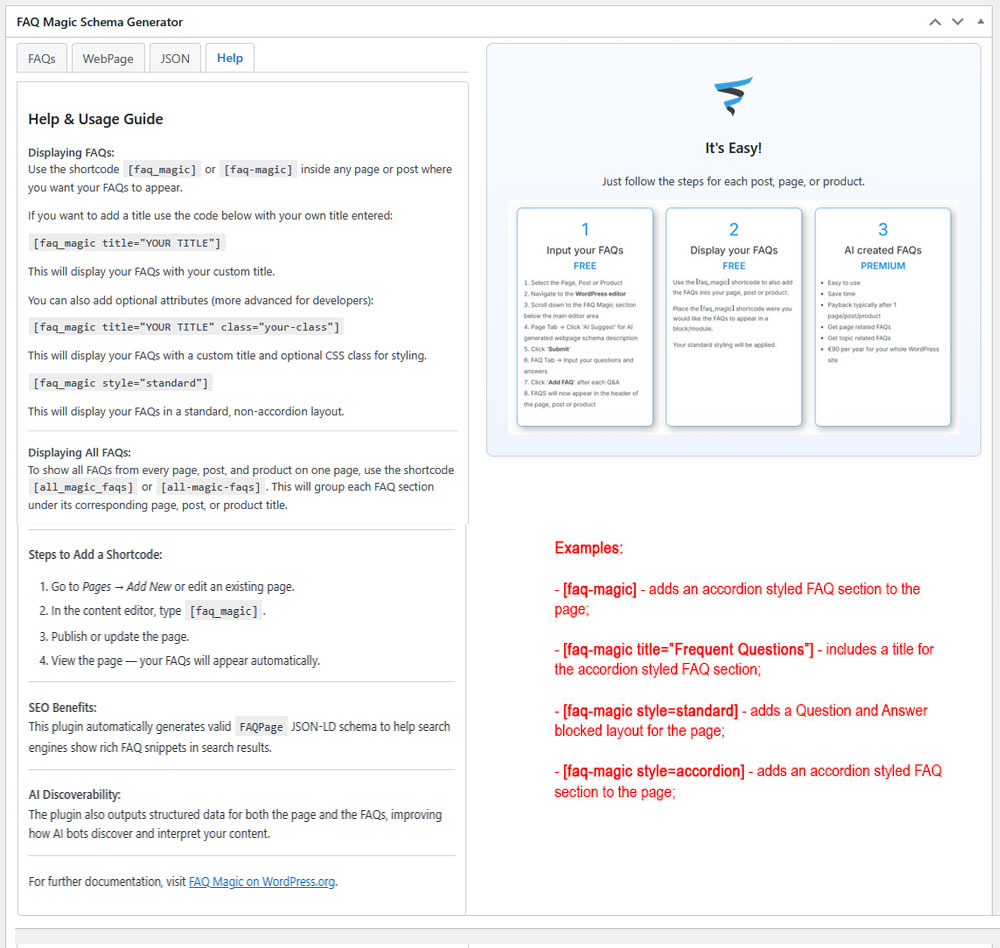
Use the [faq_magic] or [faq-magic] shortcode inside your content. You can also add attributes, for example: [faq_magic title=”My FAQs” class=”custom-faq”]
Will this improve my SEO?
Yes, this plugin generates valid FAQPage JSON-LD schema that can help search engines display rich FAQ snippets in search results.
Is there a benefit for AI indexing?
Yes, this plugin generates valid JSON-LD schema for the page and for the FAQ’s. These help AI Bots to discover and use your site information.
If AI bots use my information, will I get the credit?
Yes, AI results usually cite the source in the results when these come from the web.
Can I switch between standard layout and accordion?
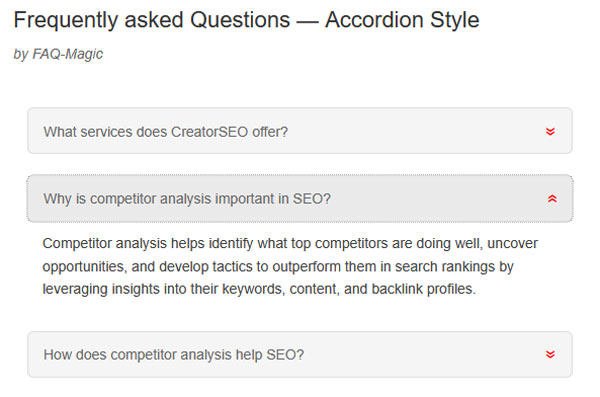
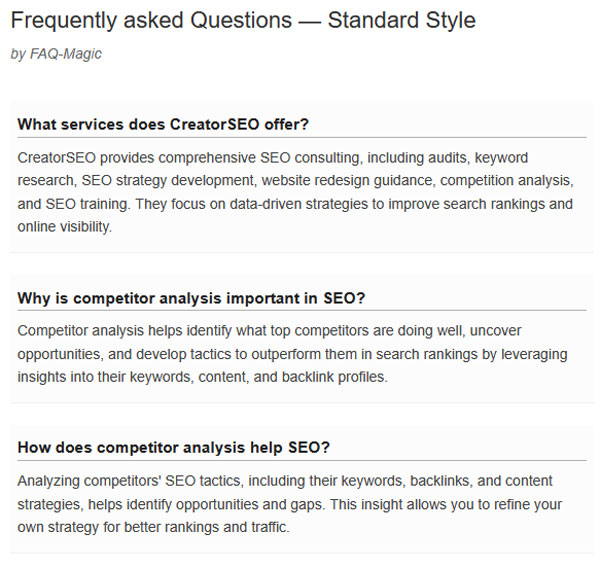
Yes, in the plugin settings, you can toggle between normal FAQ blocks and an accordion view. You can also change the layout in the shortcode as follows: – Use the attribute style=”standard” for the flat / non-accordion view in the shortcode. – Use the attribute style=”accordion” for the (animated) accordion view in the shortcode.
Will this Plugin work with any theme?
Yes, the plugin is theme independent.
Can the AI suggestions be switched off?
Yes, the AI suggestions are optional and can be switched off in the settings menu.
Does the AI suggestions write any information to my web page or database?
No, the AI Suggestions transfer directly to your input form and will only be accepted if you choose to use (submit) these.
Can the FAQs be re-ordered after adding these?
Yes, the FAQs shown in the metabox include drag-handles (⋮⋮) that allow you to drag-and-drop any FAQ to reorder the list.
Is there a way to show all the FAQs on my site together on a page?
Yes, add the [all_magic_faqs] or [all-magic-faqs] shortcode on you page or pages where you want these to appear.
Do I need to pay for Premium?
The plugin is fully operational without the Premium payment. However, the Premium option provides full AI functionality for FAQs saving you a lot of time. This charge is mainly for the use of AI.
What is the payback on the Premium?
If you value your time, we estimate that the payback is 2 hours for a full year of subscription.
How can I check whether my Schema are working
Google provides a utility for testing your schema. Just type the page URL in the Google Rich Results Test program.
Why is there a setting ‘Remove all metadata from every post on uninstall’?
A lot of work may be involved by the user in setting up FAQ’s and Page information. If the plugin is uninstalled for some reason, the user is given the option not to lose this work (the default). There is an option in the settings page called “Remove faq-magic metadata from every post on uninstall”. – If this switch is enabled, all FAQ Magic metadata (WebPage, FAQs, Schema) will also be deleted from your posts and pages. – If this switch is disabled, your metadata will remain in the database after uninstall (useful if you want to reinstall the plugin later).
Is this plugin available in other languages?
Sorry! This will be available in the next version, and we are working on it already. The first version could not include internationalization due to the need to get this to market due to demand for these essential AI features.
Changelog
Launch Edition - try it out it's free.
2.1.1
- Error fixed in the FAQ transfer
2.1.0
- Include an editor for FAQ answers so owners can add formatted text and hyperlinks
2.0.3
- Generate FAQs button link fixed
2.0.2
- Context based help added
- More intuitive button names used
- Title and description view added
- Title and description remove added
2.0.1
- Free tier FAQ AI offer added for new installations
- Improved Premium AI selections (tone, metrics)
- AI notifications improved
1.5.0
- Tracking added for Accordion
Screenshots
For developers
Is this your plugin? Show off the numbers.
Add a live badge to your site, docs or GitHub README. It updates on its own — no account needed.
Best FAQ Magic alternatives
All AI plugins →





FAQ
FAQ Magic – AI powered FAQ generator: quick answers
Straight answers, pulled from live WordPress.org data.
Live data from WordPress.org · checked Oct 21, 2026
Is FAQ Magic free?
Yes. FAQ Magic is free to download and use from the official WordPress.org plugin directory.
Is FAQ Magic safe to use in 2026?
FAQ Magic works, but test it on a staging site before relying on it in 2026. It runs on 80+ sites, is rated 5/5 and was last updated 5 months ago, and scores 57/100 on our health check.
How many websites use FAQ Magic?
FAQ Magic is active on 80+ WordPress websites and has been downloaded 2,383 times since it launched in September 2025. It was downloaded 303 times in the last 30 days.
Does FAQ Magic work with WordPress 7.1?
FAQ Magic is officially tested up to WordPress 6.9.10, while the latest release is 7.1.3. It may still work, but try it on a staging site first.
What PHP version does FAQ Magic need?
FAQ Magic requires PHP 8.0 or higher. Most hosts run PHP 8.x today, so it works on any modern WordPress hosting.
When was FAQ Magic last updated?
The latest version, 2.1.1, was released on May 19, 2026 (5 months ago).
Who makes FAQ Magic?
FAQ Magic is developed and maintained by Hub5050.
What are the best alternatives to FAQ Magic?
The most popular alternatives to FAQ Magic are Elementor Website Builder (10M+ installs), All in One SEO (2M+ installs) and AI Agent by SiteGround (1M+ installs).
Powered by PageForge
Want thousands of pages that rank like these? Build them in an afternoon.
This directory runs on the same engine as PageForge. Turn any spreadsheet, CSV or API into thousands of fast, SEO-ready WordPress pages — with schema, internal links and AI-written copy baked in.
- CSV, Google Sheets & API data sources
- AI content, schema & internal links per page
- Works with Elementor, Gutenberg, Yoast & Rank Math
- Free on WordPress.org — no credit card


