


Show Eventbrite Events – Event Feed for Eventbrite
Show Eventbrite events easily with the Eventbrite WordPress plugin. Eventbrite widget integration without imports or complicated setup.

Solid choice
Show Eventbrite Events is a solid plugin choice in 2026, with a few things worth checking first. It runs on 800+ sites, is rated 4.3/5 and was last updated 1 month ago, and scores 75/100 on our health check.
- Tested with the latest WordPress (7.1)
- Small user base (800+ active installs)
How does it stack up?
Side-by-side on installs, updates, ratings & support



Daily downloads
Download spikes usually follow a new release — each site that auto-updates counts as a download.
Rankings
Where Show Eventbrite Events stands todayWordPress.org search rankings
Live position in the plugin search, top 100| Keyword | Position |
|---|---|
| api | >100 |
| calendar | >100 |
| eventbrite | #5 |
| events | #66 |
| widget | >100 |
Version adoption
Share of active sites per release.
Rating breakdown
★★★★★★★★★★ 4.3 from 9 reviews
About Show Eventbrite Events
From the official readme · v1.4.2Description
🚀 No imports or complicated setup. Show Eventbrite events easily and attractively with just a few clicks.
📅 Try Demo | ⚡ Pro Version | 📃 Check Documentation
💎 The most user-friendly Eventbrite plugin
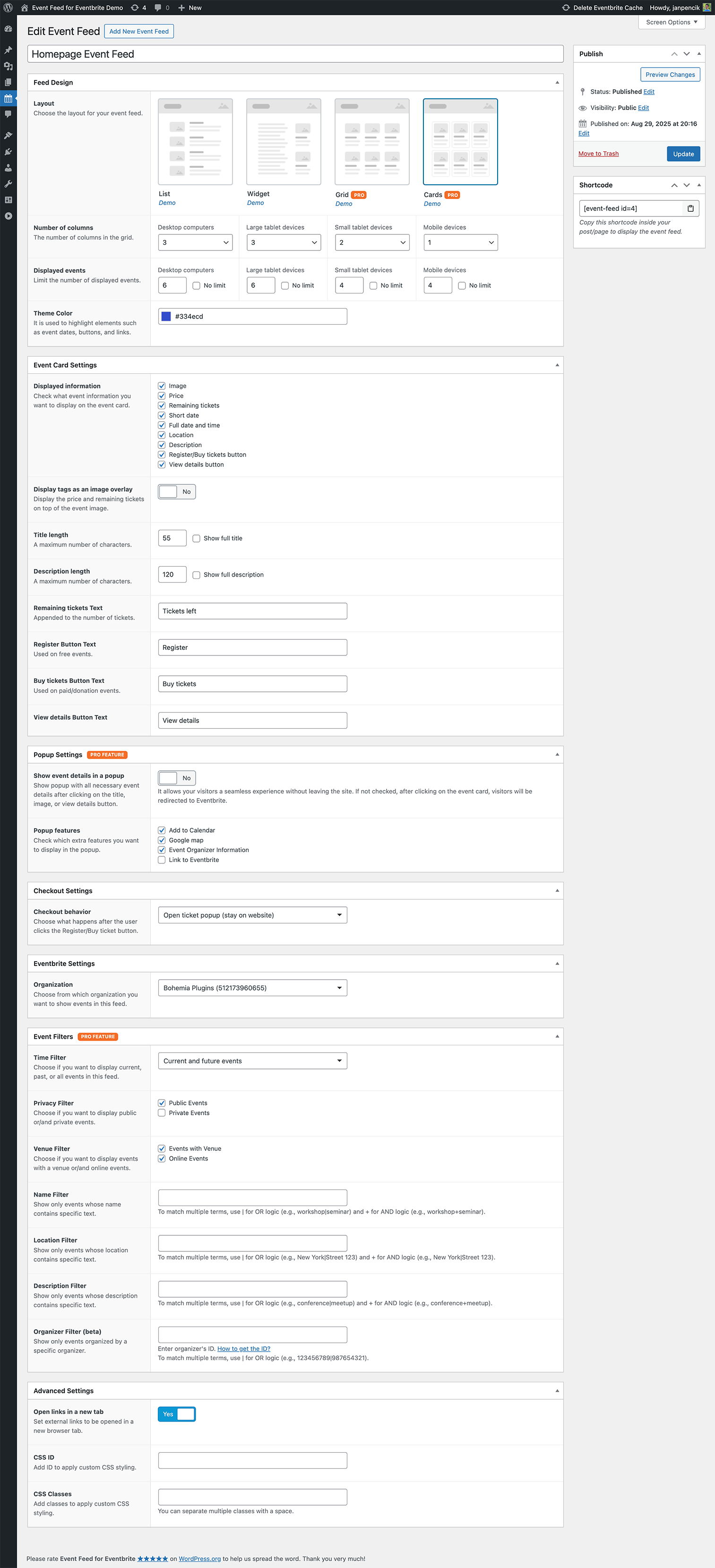
Event Feed for Eventbrite takes events from your Eventbrite organization and lets you display them on your WordPress website in various ways. Need a list of upcoming events? Choose from List, Grid, or Cards layout. Want to show your events as a Widget? No problem, we got you covered.
Customize from WordPress Dashboard – Customize event feed’s layout, color, font family, and displayed information to ensure it perfectly matches your website design. Control how your events are showing on mobile devices without the need to touch the code.
Integrated Ticket Checkout – Ticket Checkout seamlessly integrated into a popup lets users get their tickets from Eventbrite without leaving your website. Pro version goes even further, showing all necessary event details in a popup, so there is absolutely no need for a user to navigate away to the Eventbrite website.
Manage events on Eventbrite – The plugin is reading data directly from Eventbrite, which means less work from your side. You can manage your events on Eventbrite, how you are used to, and all the changes made there will be automatically synced to your event feeds.
🎉 Free Features
- Display an unlimited number of event feeds
- Display events in List or Widget layout
- Customize the color of the event feed
- Limit number of displayed events in the event feed (separately for a mobile, small tablet, large tablet, and desktop)
- Control which event details you want to show/hide – show title, image, date & time, price, location, description, and more
- Limit event title length
- Limit event description length
- Change the text of Buy tickets/Sign up, and View details buttons
- Open external links in the same/new window
- Open Ticket Checkout in a popup/on the Eventbrite website
- Choose Eventbrite organization from whose events are loaded
- Add a unique CSS ID to the event feed
- Add CSS classes to the event feed
- Cache-control for increased performance (specify cache period; you can use the button in the admin bar to manually clear the cache)
- Image placeholder (used when the event has no image on Eventbrite)
- Option to use Google Fonts instead of the theme’s default font
- Set event date and time format
- Set event address format
⚡ PRO Features
- Display events in Grid or Cards layout
- Specify the number of columns (separately for a mobile, small tablet, large tablet, and desktop breakpoints)
- Display Event Details in a popup
- Fully formatted event description, including images and videos
- Add to calendar button (import to Google Calendar, Outlook, Office365, Yahoo or download ICS file)
- Event location map using Google Maps
- Event organizer information (photo, name, description, social links, website link)
- Link to Eventbrite (useful if you are using the popup solution but still want a user to have the option to go to Eventbrite)
- Shareable popup URLs – each popup has a unique URL, making it easy to share event details with others
- Time Filter – display future/past events
- Privacy Filter – display only public/private events
- Venue Filter – display only online events/events with the venue
- Name Filter – display only events whose name contains specific text
- Location Filter – display only events whose location contains specific text
- Description Filter – display only events whose description contains specific text
- Organizer Filter – display only events organized by a specific organizer
Installation
From within WordPress’ dashboard:
- Go to Plugins -> Add New
- Search for Event Feed for Eventbrite
- Click Install
- Click Activate
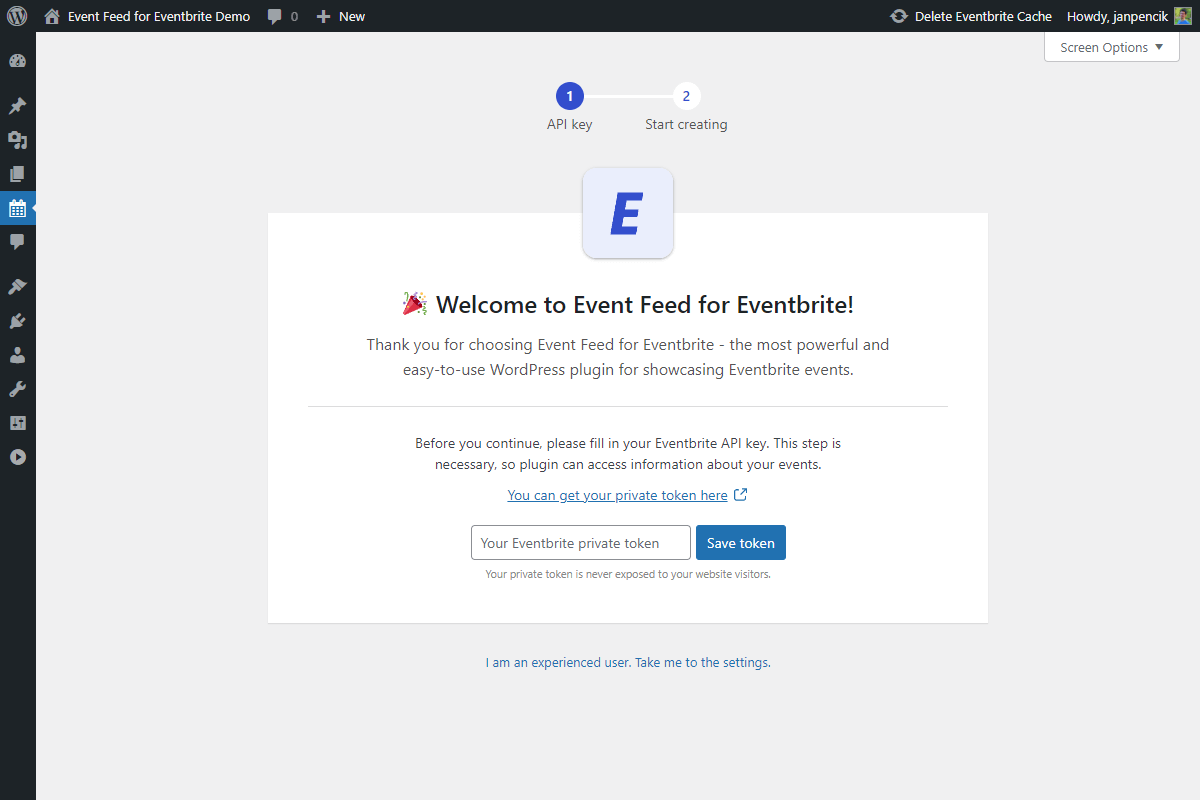
- Enter your Eventbrite API key.
Changelog
1.4.2
- Tweak – Updated Freemius SDK to the latest version
1.4.1
- Tweak – Updated Freemius SDK to the latest version
- Fix – Prevent popup images from using invalid media response objects as image URLs
- Fix – Aligned buttons and inputs with WordPress 7 styling changes
1.4.0
- Feature – Added multiple terms filtering capability
- Feature – Added “All events” option to display both past and future events
- Tweak – Improved UI for responsive settings in admin
- Tweak – Improved high-quality image handling for better performance
- Tweak – Added sales status CSS classes for better event styling
- Tweak – Enhanced compatibility with various WordPress themes and plugins
- Tweak – Removed minute cache period option and added alert for hour cache values
- Tweak – Updated Google Fonts list with latest available fonts
- Tweak – Updated Freemius SDK to the latest version
- Fix – Removed draft events from past events display
- Security – Improved security
1.3.2
- Tweak – Updated Freemius SDK to the latest version
1.3.1
- Feature – Added unique URL for each popup, you can now share a link to a popup with others
1.3.0
- Feature – Added WPML compatibility – event feeds are now translatable
- Feature – Better compatibility with WP Rocket and SiteGround Optimizer
- Tweak – Added explicit width and height to main images to improve Cumulative Layout Shift (CLS) metric
Screenshots





For developers
Is this your plugin? Show off the numbers.
Add a live badge to your site, docs or GitHub README. It updates on its own — no account needed.
Best Show Eventbrite Events alternatives
All api plugins →




FAQ
Show Eventbrite Events: quick answers
Straight answers, pulled from live WordPress.org data.
Source: WordPress.org
Is Show Eventbrite Events free?
Yes. Show Eventbrite Events is free to download and use from the official WordPress.org plugin directory.
Is Show Eventbrite Events safe to use in 2026?
Show Eventbrite Events is a solid plugin choice in 2026, with a few things worth checking first. It runs on 800+ sites, is rated 4.3/5 and was last updated 1 month ago, and scores 75/100 on our health check.
How many websites use Show Eventbrite Events?
Show Eventbrite Events is active on 800+ WordPress websites and has been downloaded 18,780 times since it launched in October 2021. It was downloaded 697 times in the last 30 days.
Does Show Eventbrite Events work with WordPress 7.1?
Yes. The developer has tested Show Eventbrite Events up to WordPress 7.1.5, the latest release. It requires WordPress 5.0 or newer.
What PHP version does Show Eventbrite Events need?
Show Eventbrite Events requires PHP 5.6 or higher. Most hosts run PHP 8.x today, so it works on any modern WordPress hosting.
When was Show Eventbrite Events last updated?
The latest version, 1.4.2, was released on October 20, 2026 (1 month ago).
Who makes Show Eventbrite Events?
Show Eventbrite Events is developed and maintained by Bohemia Plugins.
What are the best alternatives to Show Eventbrite Events?
The most popular alternatives to Show Eventbrite Events are WP Consent API (300K+ installs), Disable REST API (80K+ installs) and Mailgun for WordPress (70K+ installs).
Powered by PageForge
One template and a spreadsheet. A real page for every search.
PageForge turns each row of a CSV into a WordPress page with its own title, URL, SEO fields and schema, built on the layout you already designed. Free on WordPress.org.
- CSV and XLSX, plus Google Sheets on Professional and Enterprise
- Its own title, URL, SEO fields and schema for every page
- Works with the block editor, Elementor, Divi and Avada
- Free on WordPress.org, no credit card