



WP Delete Post Copies
Delete duplicate posts by title or content, including attachments, with powerful filters. Supports manual and scheduled cleanups.

Use with caution
WP Delete Post Copies works, but test it on a staging site before relying on it in 2026. It runs on 200+ sites, is rated 3.8/5 and was last updated 11 months ago, and scores 48/100 on our health check.
- Small user base (200+ active installs)
- Only tested up to WordPress 6.8 (latest is 7.1)
How does it stack up?
Side-by-side on installs, updates, ratings & support



Daily downloads
Download spikes usually follow a new release — each site that auto-updates counts as a download.
Rankings
Where WP Delete Post Copies stands todayWordPress.org search rankings
Live position in the plugin search, top 100| Keyword | Position |
|---|---|
| delete | #81 |
| duplicated posts | #20 |
| duplicates | >100 |
| posts | >100 |
| remove copies | #10 |
Version adoption
Share of active sites per release.
Rating breakdown
★★★★★★★★★★ 3.8 from 6 reviews
About WP Delete Post Copies
From the official readme · v6.0.3Description
WP Delete Post Copies is a powerful tool to search and delete duplicate posts by comparing their titles or content. You can filter results by category or post status, choose which post to keep, and remove the rest — including their media files.
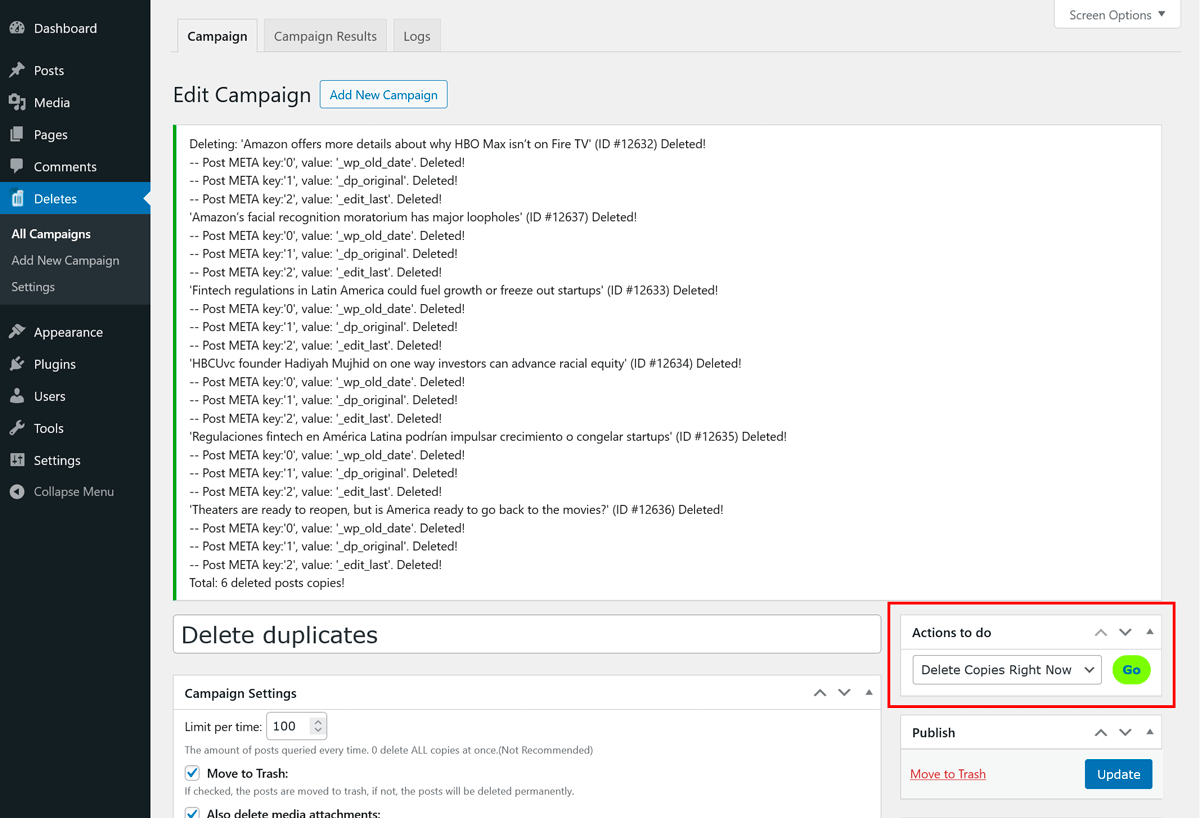
You can run deletions manually with previews or set up scheduled cleanups using WordPress cron jobs. This plugin also offers the unique feature of deleting locally hosted images from post content (<img> tags), in addition to attached media.
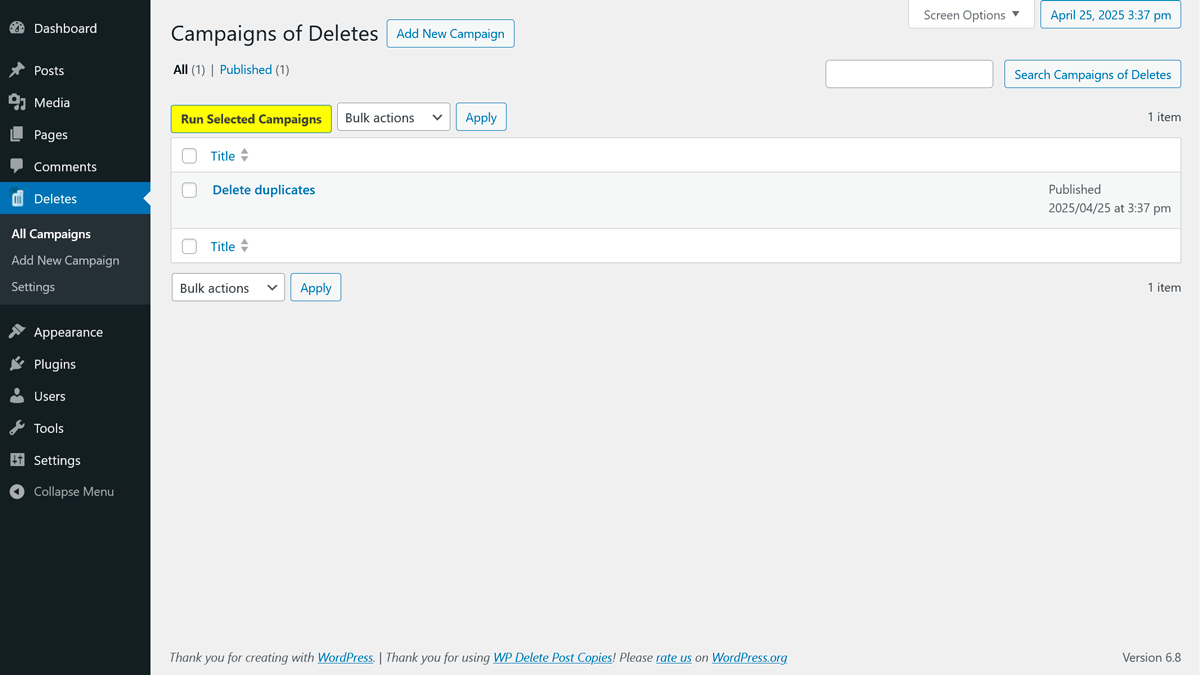
Maker of Campaigns of deletes. With every campaign can search and delete duplicated posts (types) by title or content on different categories and can permanently delete them with images or send them to the trash in manual mode or automatic squeduled with WordPress cron.
⚠️ Please backup your database and files before running deletions.
Key Features
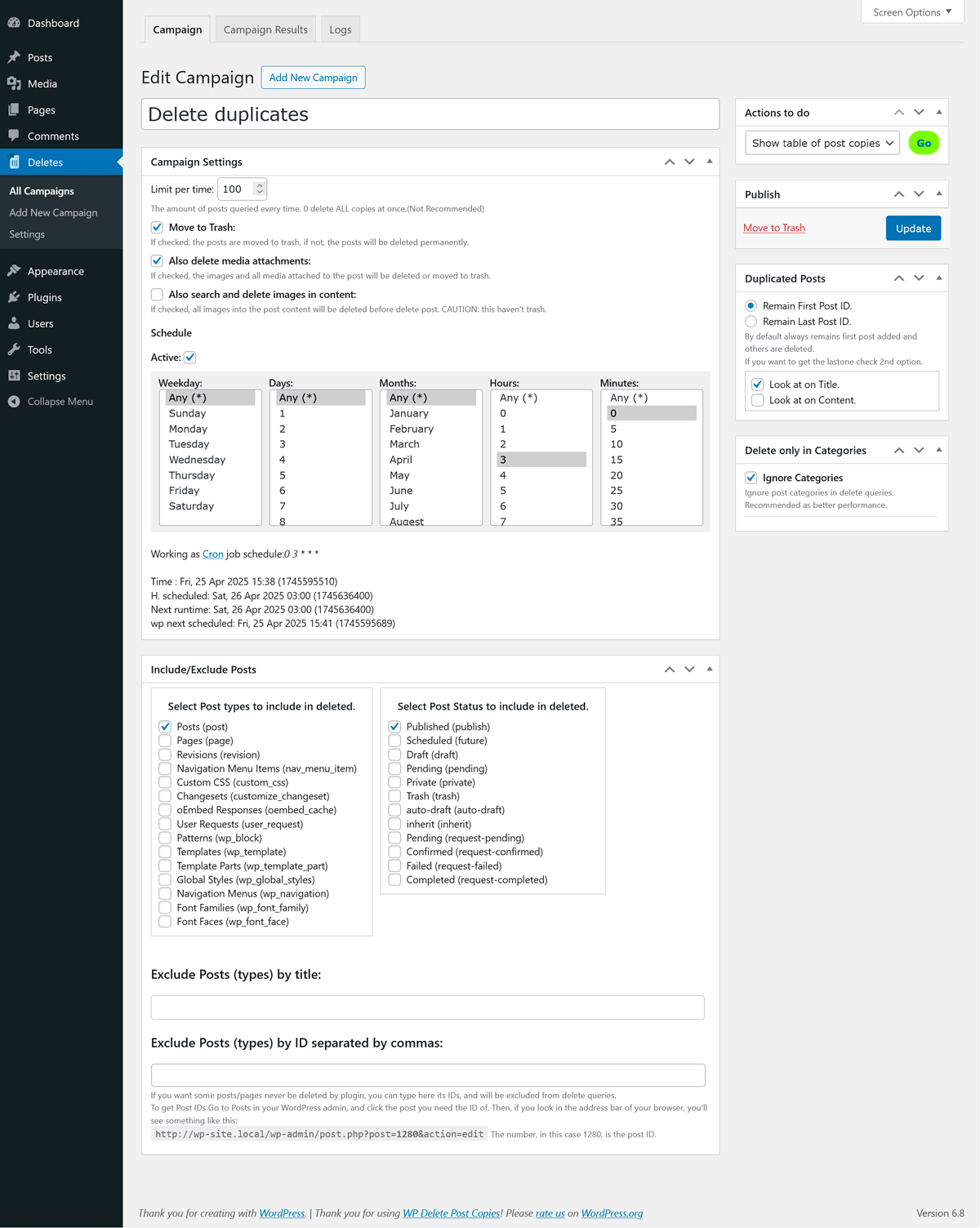
- Detects duplicates by title, content, or both.
- Supports manual or scheduled deletion via WordPress cron.
- Choose to keep the first or last post among duplicates.
- Filter by categories, post types, and post status (including revisions and inherit).
- Supports all post types (public or private).
- Choose to move posts to trash or delete them permanently, including attachments and images.
- Allows limiting queries to avoid server timeouts or heavy loads.
- It also deletes:
- Attachments (media files linked to posts).
- Locally hosted images found in
<img>HTML tags in post content. - Custom metadata from the
postmetatable.
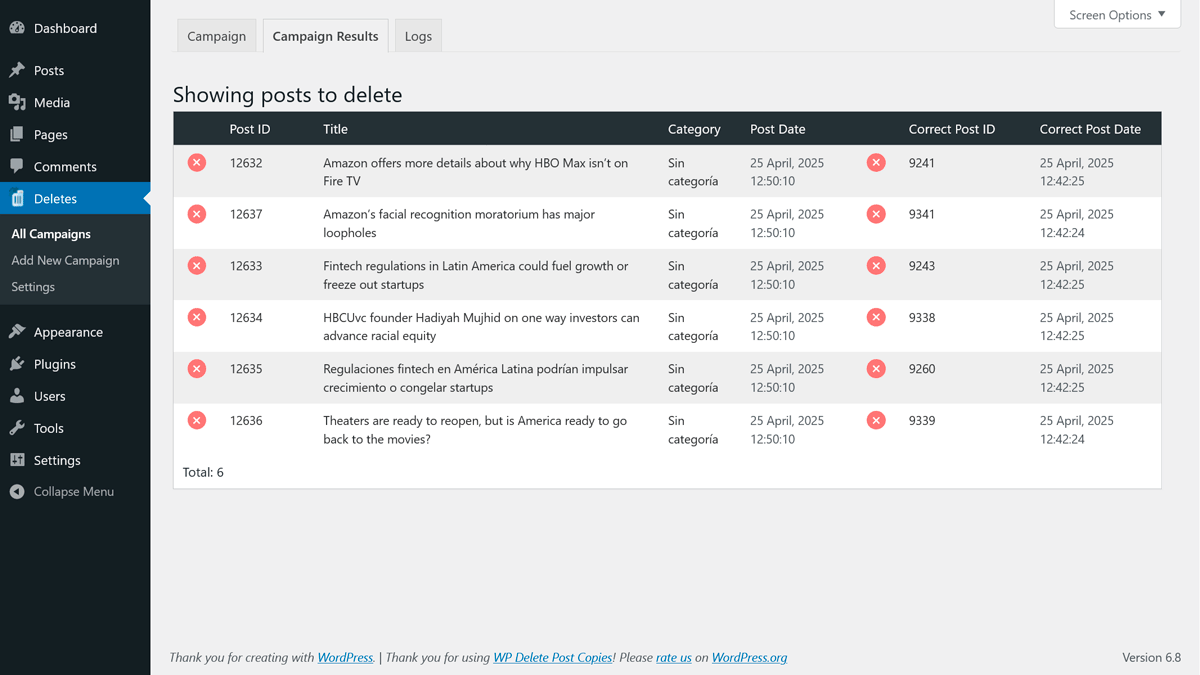
- Preview posts before deletion.
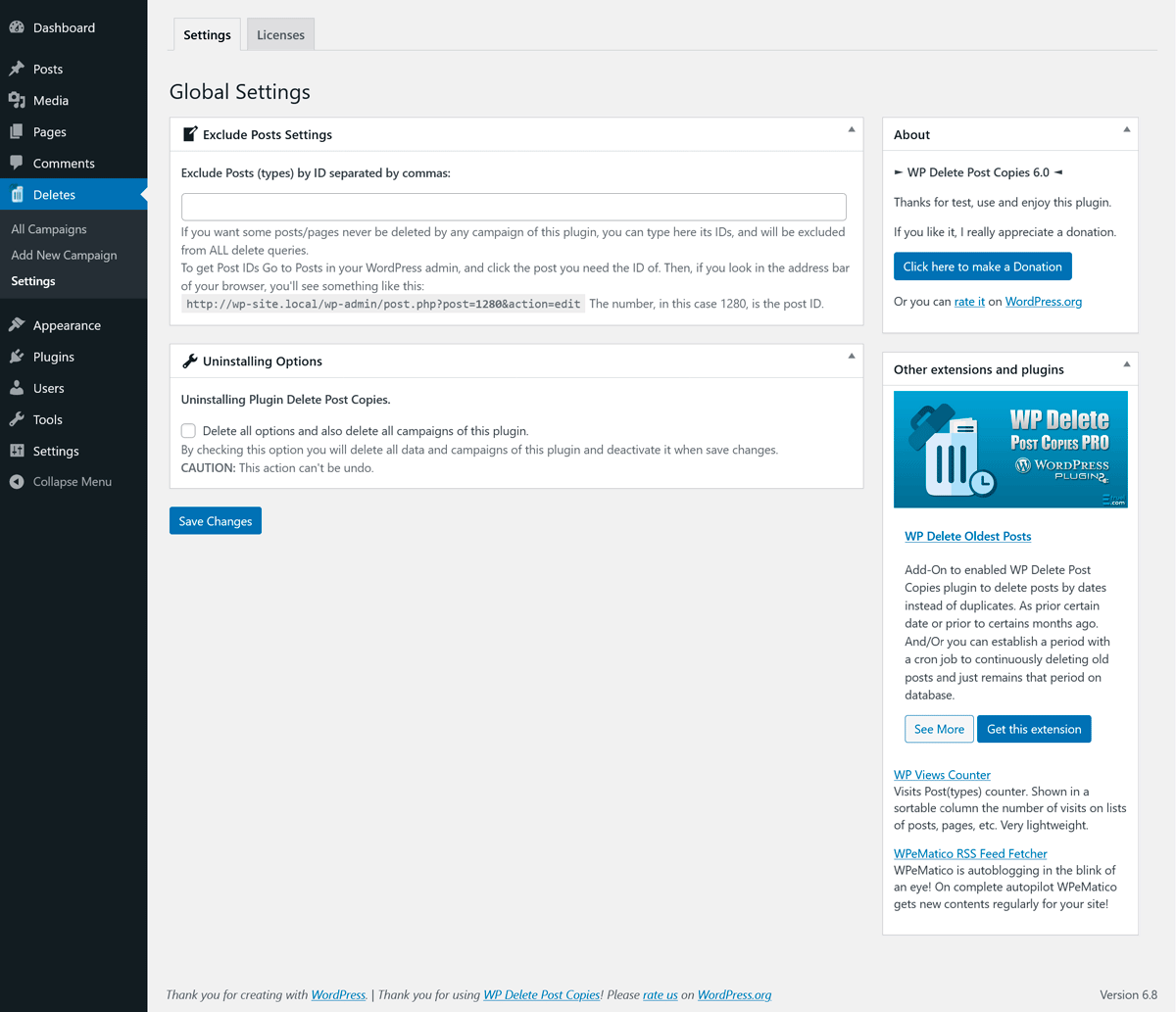
- Exclude posts by specific IDs.
- Manually delete single posts from the preview table.
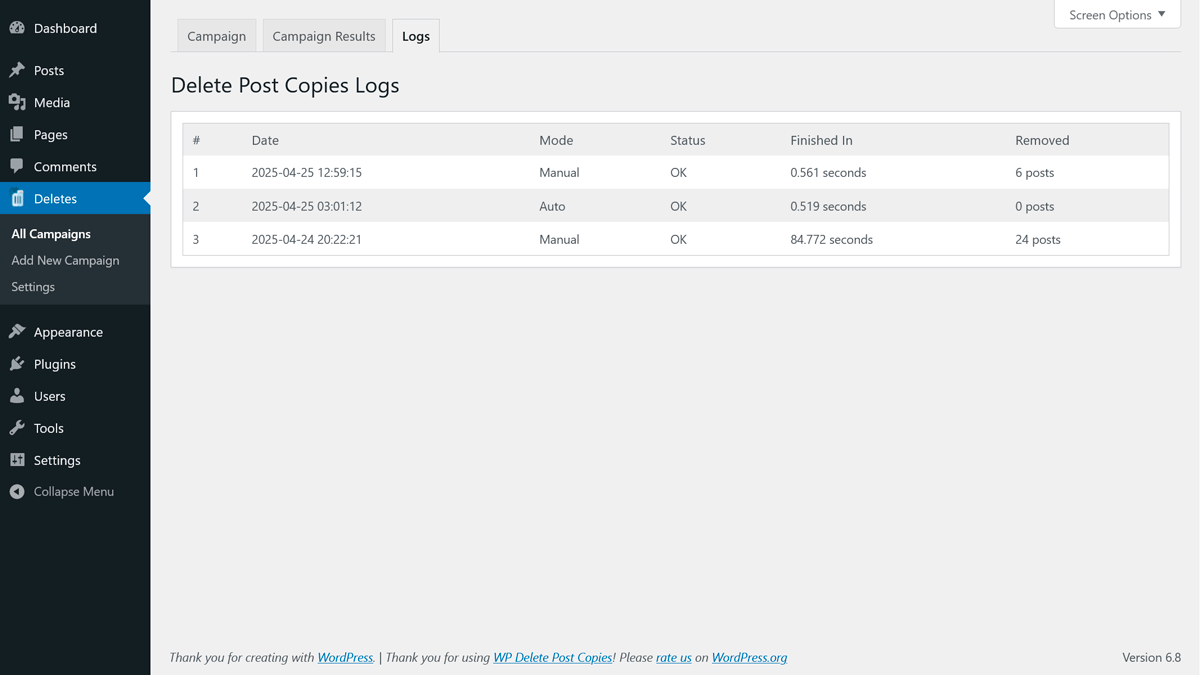
- Logs stored in tabs for better performance and quick reference.
Why use WP Delete Post Copies?
Cleaning up duplicate content is essential for:
✅ Improving SEO — Avoid penalties from search engines due to repeated content.
✅ Optimizing database performance — Fewer posts = faster queries.
✅ Reducing storage usage — Delete media files tied to duplicates and save space.
✅ Maintaining editorial quality — Keep your content clear and consistent.
✅ Saving time — Automate cleanups and avoid tedious manual checks.
Why use WP Delete Post Copies?
Is probable that if there is a large amount of duplicated posts, for the timeouts on each server, the query can be interrupted when is proceeding manually and therefore the log can’t be recorded. To avoid this decreases the “Limit per time” value. A value of 100 or 150 is suitable, but also with 10 at a time, works very well.
PLEASE MAKE BACKUPs OF YOUR DATABASE AND FILES BEFORE USE.
This will avoid you many problems if something goes wrong.
Add-On
🔌 WP Delete Post Copies PRO
Take your site cleanup to the next level.
With WP Delete Post Copies PRO, you can not only remove duplicates — you can also schedule campaigns to automatically delete old posts based on a selected date.
Perfect for:
✅ Implementing content retention policies (e.g., automatically delete posts older than 6 months).
✅ Keeping your database lean and optimized continuously.
✅ Improving SEO by removing outdated content.
✅ Saving server space by deleting old media linked to posts.
Additional PRO Features:
– Scheduled campaigns to delete old posts by selected date.
– More filters and advanced configuration options.
– Better performance on large sites with big databases.
– Priority support and ongoing updates.
📢 Many users already trust our tools to keep their sites fast and free of duplicate content!
Click here to learn more about WP Delete Post Copies PRO
DISCLAIMER:
This plugin is designed to permanently delete posts, images, and other data. Use it with extreme caution.
The use of this plugin and its extensions is entirely at your own risk. We will not be held responsible for any issues arising from its use, including but not limited to: difficulties in operation, inaccuracies or incomplete results, data loss, compatibility problems, computer viruses, malicious code, or any other technical problems.
We are not liable for any direct, indirect, incidental, special, consequential, or punitive damages (including but not limited to lost profits, lost data, costs of replacement services, or missed business opportunities) resulting from the use of this plugin or any related tools, services, or linked resources — regardless of the cause or legal theory, even if we have been advised of the possibility of such damages.
Installation
You can either install it automatically from the WordPress admin, or do it manually:
- Upload the plugin to
/wp-content/plugins/and unzip it. - Activate it from the Plugins menu in WordPress.
- Go to Deletes on menu to start using it.
Changelog
6.0.3 Fixes vulnerabilities. Must update version.
6.0.3 Nov 11, 2025
- Improvements to the CSS styles used for tabs on screens.
- Fixes a bug with cron on certain campaigns.
- Fixes Vulnerabilities in the settings page. Thanks to WordFence!
6.0.2 May 19, 2025
- Refreshed the Settings screen to better highlight the PRO features and license field — now cleaner and easier to use.
- Added improved version compatibility checks to prevent any mismatch between the free and PRO versions.
- Fixed an issue where the MIN/MAX Post ID filters weren’t working as expected in the last update.
- Improved post date comparison logic in queries for more accurate detection and cleanup.
6.0.1 Apr 28, 2025
- Rebranded the “WP Delete Oldest Post” addon to WP Delete Post Copies PRO.
- Introduced internal version control for better upgrade handling and future compatibility.
- Improved plugin structure and internal architecture for better performance and maintainability.
- General code cleanup and optimization across all modules.
- Enhanced compatibility with latest WordPress versions and plugins.
- Bump to WP 6.8
6.0 Mar 29, 2025
- Major version. Important release & must update version.
- First use should be in a test environment.
- Fixes Vulnerabilities report.
- Many security improvements.
- Nonce added on erase logs actions.
- Refactored all Ajax avoiding use of WP_Ajax_Response objects.
- Refactored all raw SQL queries to use WordPress standard query functions for improved compatibility and security.
- Many bug fixes.
- Bump to WP 6.7.2
5.5 Mar 20, 2023
- Bug fix for compatibility in php 8.
- Bump to WP 6.2.0
5.4 Oct 7, 2021
- Lot of tweaks for PHP notices and warnings.
- Added Select2 js and css files in local directory.
- Added pot catalog and Spanish translation files.
- Updated icons and banners. 😀
- Removed calls to external files.
- Improved security.
- Bump to WP 5.8.1
Screenshots
For developers
Is this your plugin? Show off the numbers.
Add a live badge to your site, docs or GitHub README. It updates on its own — no account needed.
Best WP Delete Post Copies alternatives
All delete plugins →





FAQ
WP Delete Post Copies: quick answers
Straight answers, pulled from live WordPress.org data.
Live data from WordPress.org · checked Oct 9, 2026
Is WP Delete Post Copies free?
Yes. WP Delete Post Copies is free to download and use from the official WordPress.org plugin directory.
Is WP Delete Post Copies safe to use in 2026?
WP Delete Post Copies works, but test it on a staging site before relying on it in 2026. It runs on 200+ sites, is rated 3.8/5 and was last updated 11 months ago, and scores 48/100 on our health check.
How many websites use WP Delete Post Copies?
WP Delete Post Copies is active on 200+ WordPress websites and has been downloaded 29,304 times since it launched in March 2010. It was downloaded 134 times in the last 30 days.
Does WP Delete Post Copies work with WordPress 7.1?
WP Delete Post Copies is officially tested up to WordPress 6.8.11, while the latest release is 7.1.3. It may still work, but try it on a staging site first.
When was WP Delete Post Copies last updated?
The latest version, 6.0.3, was released on November 12, 2025 (11 months ago).
Who makes WP Delete Post Copies?
WP Delete Post Copies is developed and maintained by etruel.
What are the best alternatives to WP Delete Post Copies?
The most popular alternatives to WP Delete Post Copies are WP Bulk Delete (90K+ installs), Bulk Delete (30K+ installs) and Simple Revisions Delete (10K+ installs).
Powered by PageForge
Want thousands of pages that rank like these? Build them in an afternoon.
This directory runs on the same engine as PageForge. Turn any spreadsheet, CSV or API into thousands of fast, SEO-ready WordPress pages — with schema, internal links and AI-written copy baked in.
- CSV, Google Sheets & API data sources
- AI content, schema & internal links per page
- Works with Elementor, Gutenberg, Yoast & Rank Math
- Free on WordPress.org — no credit card


