


Erriscope – Error Monitoring for WooCommerce
Monitor WordPress PHP and fatal errors as grouped incidents, with recovery tracking and WooCommerce checkout and payment signals.

Use with caution
Erriscope works, but test it on a staging site before relying on it in 2026. Was last updated 2 months ago, and scores 55/100 on our health check.
- Small user base (<10 active installs)
- Very few reviews so far
How does it stack up?
Side-by-side on installs, updates, ratings & support


Daily downloads
Download spikes usually follow a new release — each site that auto-updates counts as a download.
Rankings
Where Erriscope stands todayWordPress.org search rankings
Live position in the plugin search, top 100| Keyword | Position |
|---|---|
| error log | >100 |
| error monitoring | >100 |
| fatal error | >100 |
| php errors | >100 |
| woocommerce | >100 |
About Erriscope
From the official readme · v1.0.2Description
Find the cause, not just the error.
Erriscope is a WordPress error monitoring and incident diagnostics plugin for site owners, developers, agencies, and WooCommerce stores.
Instead of leaving you with raw log lines, Erriscope groups repeated failures into clear incidents, tracks severity and recurrence, records recovery, and identifies the likely plugin, theme, file, or request area when evidence is available.
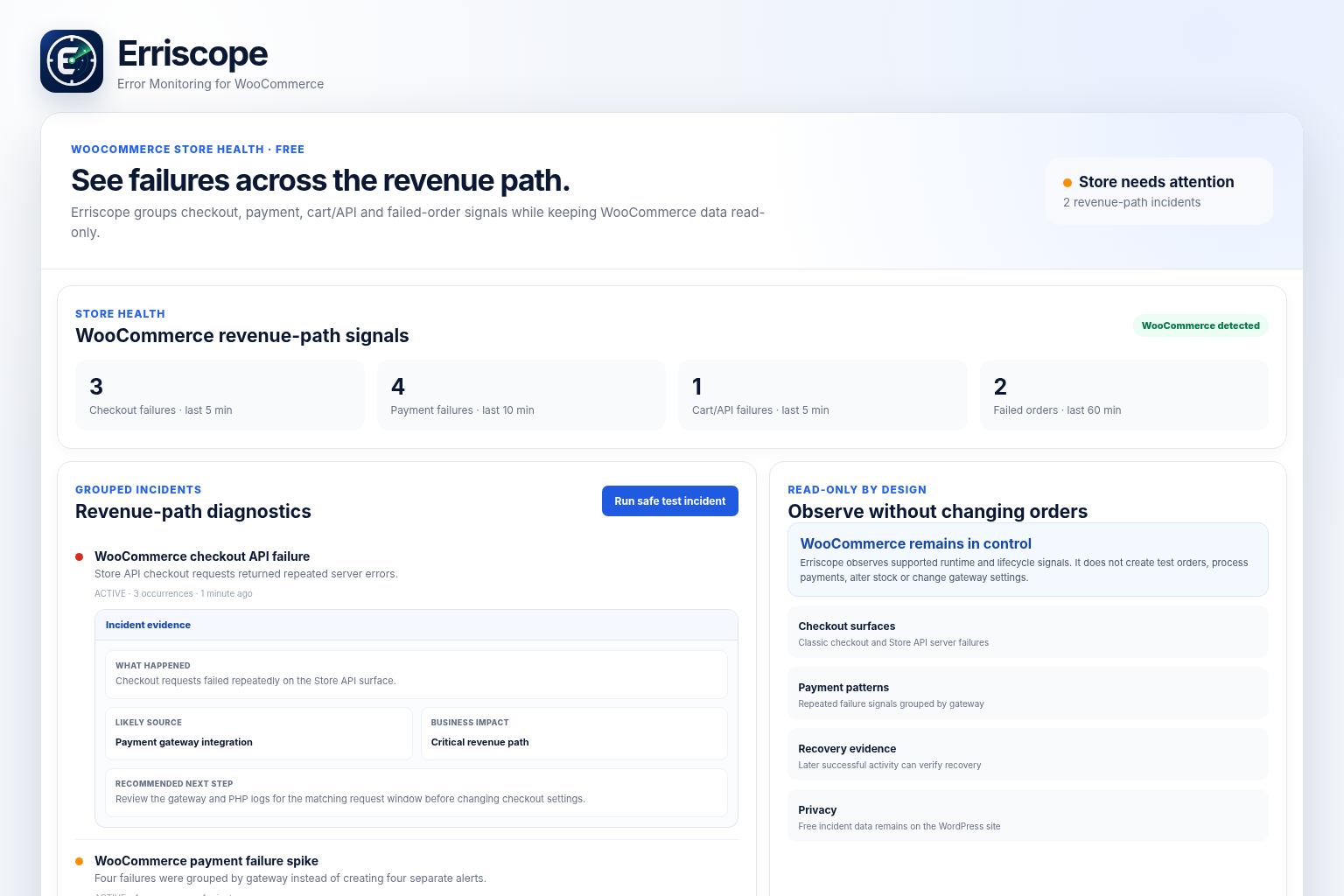
Erriscope works as a standalone WordPress monitoring plugin. When WooCommerce is active, it automatically adds read-only checkout, cart, payment, and failed-order monitoring without changing orders, stock, gateways, checkout settings, or customer sessions.
Core features
- Group repeated PHP warnings, fatal errors, and critical failures into incidents
- Track severity, occurrence count, verification, recovery, and recurrence
- Show incident evidence, likely source, file location, business impact, and recommended next steps when available
- Identify likely plugin, theme, WordPress Core, or file attribution when evidence is available
- Monitor frontend, REST API, admin AJAX, and WP-Cron execution paths
- Compare incidents with recent plugin, theme, and PHP file changes
- Receive grouped incident and recovery email digests
- Run local health checks and preserve resolved incident history
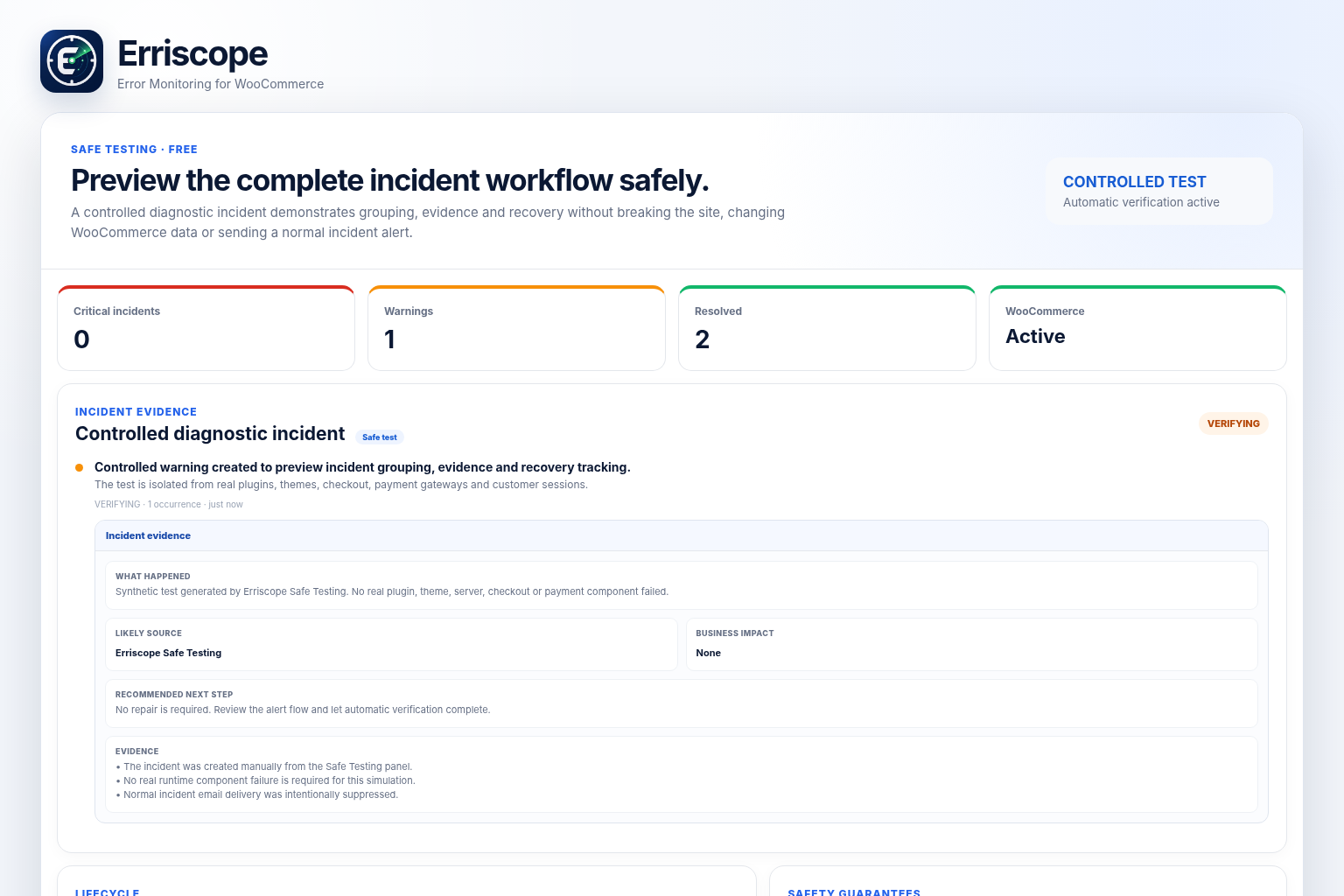
- Run a controlled Safe Test Incident without breaking the site or sending an incident alert
- Enable WooCommerce Store Health signals automatically when WooCommerce is active
- Use the complete Free plugin locally without an Erriscope account or license
Safe Test Incident
New users do not have to wait for a real failure to understand the incident workflow. The controlled Safe Test Incident creates a clearly labelled diagnostic warning, demonstrates grouping and incident evidence, sends no incident alert, changes no WooCommerce data, and resolves automatically after verification.
WordPress error monitoring
Erriscope monitors runtime failures while WordPress is executing requests and background work, including PHP warnings, fatal errors, critical runtime failures, local loopback health-check failures, and incident recurrence after recovery.
No runtime monitor can report an error before the affected code executes. Erriscope records supported failures when WordPress runs the relevant request path.
WooCommerce monitoring
When WooCommerce is active, Erriscope adds read-only signals for:
- Checkout exceptions and Store API server failures
- Cart Store API failures
- Repeated payment-failure patterns grouped by gateway
- Failed-order patterns and recovery signals
- Checkout and cart configuration health
Erriscope does not create test orders, process payments, modify stock, change gateway settings, or alter customer sessions. WooCommerce remains optional.
Incident lifecycle and email digests
Repeated occurrences with the same fingerprint remain grouped as one incident. Erriscope increases the occurrence count, verifies whether the signal is still failing, records recovery evidence, and can reopen the incident if the same problem returns.
Incident bursts can be combined into digest emails instead of generating one message for every repeated occurrence. Local email uses the existing WordPress wp_mail() transport, including an SMTP plugin when configured.
Safe fatal capture
Erriscope can install a managed wp-content/fatal-error-handler.php drop-in to preserve fatal-error context before WordPress Recovery Mode replaces it.
It never overwrites a fatal handler owned by another plugin or hosting provider. If another handler exists, Erriscope reports the conflict and continues using the monitoring paths that remain available.
Privacy by design
Erriscope Free stores incident data locally on the WordPress installation. It does not require an account, license, payment connection, or external monitoring service for local diagnostics.
The Free plugin does not send incident data to Erriscope servers. Local availability checks may request the site’s own URL and local Erriscope health endpoint.
Optional Pro add-on
Erriscope Free is a complete local monitoring and diagnostics plugin. A separately distributed commercial add-on can extend it with independent 24/7 remote monitoring, server-side downtime alerts, advanced notification channels, deeper WooCommerce payment diagnostics, longer history, and private commercial updates. The commercial add-on is not included in this WordPress.org package.
Trademark Notice
WooCommerce and its associated marks are trademarks of Automattic Inc. Erriscope is an independent product and is not affiliated with or endorsed by Automattic.
Installation
- Install Erriscope – Error Monitoring for WooCommerce from WordPress.org.
- Activate Erriscope.
- Open Erriscope in WordPress Admin.
- Run Safe Test Incident to preview incident evidence and recovery without breaking the site.
- Configure recipients, email preferences, local health checks, and resolved-history retention.
- WooCommerce Store Health monitoring appears automatically when WooCommerce is active.
- Review any fatal-handler conflict notice before relying on deep fatal capture.
Frequently asked questions
Does Erriscope work without WooCommerce?
Yes. WordPress and PHP incident monitoring works without WooCommerce. WooCommerce-specific signals appear only when WooCommerce is active.
Does the Free plugin require an external service?
No. Free monitoring, local incident storage, diagnostics, and email notifications run on your WordPress installation.
What does Safe Test Incident do?
It creates a controlled, clearly labelled warning so you can preview incident evidence and recovery tracking. It does not break the site, create an order, change WooCommerce data, or send a normal incident alert.
Is Erriscope a replacement for the PHP error log?
No. Erriscope complements server and PHP logs by turning supported runtime signals into grouped incidents with lifecycle and diagnostic context.
Will Erriscope detect code that never runs?
No. Runtime failures can be detected only after the affected code executes.
Does Erriscope change WooCommerce data?
No. It observes supported error and health signals without modifying orders, stock, gateways, carts, checkout settings, or customer sessions.
Why do repeated errors appear as one incident?
Occurrences with the same fingerprint are grouped so the dashboard and email remain useful while Erriscope tracks recurrence and recovery.
What happens when I deactivate or delete the plugin?
Deactivation preserves settings and incident history while removing managed scheduled hooks and fatal capture. Deletion removes stored data only when the uninstall deletion option was enabled.
Where can I get support?
Use the Erriscope support forum on WordPress.org. Include WordPress and PHP versions, whether WooCommerce is active, and a redacted incident description. Never post credentials, license keys, customer data, or private server information.
What is Erriscope Pro?
Erriscope Pro is a separate commercial add-on for remote monitoring and additional commercial capabilities. It is not required for Erriscope Free.
Changelog
Adds Safe Test Incident, expandable incident evidence, corrected notification links, and a clearer WordPress.org presentation.
1.0.2
- Renamed the display title to Erriscope – Error Monitoring for WooCommerce.
- Added a controlled Safe Test Incident for first-run validation without breaking the site or sending an incident alert.
- Added expandable incident evidence, likely source, file location, business impact, and recommended next steps to the Free dashboard.
- Fixed incorrect WordPress Admin links in Erriscope notification emails.
- Improved runtime compatibility guidance shown to Free users.
- Reordered and refreshed WordPress.org screenshots to show three Free views before the optional Pro add-on.
- Unified visible Erriscope naming in the directory presentation.
1.0.1
- Added WordPress.org plugin icon, banner, and product screenshots.
- Limited directory tags to five focused search terms.
- Updated screenshot captions and directory presentation.
- No monitoring behavior changed.
1.0.0
- Initial stable Free release.
- Added grouped PHP error and fatal incident monitoring.
- Added verification, recovery, recurrence tracking, and email digests.
- Added local health monitoring and WooCommerce Store Health signals.
- Added managed deep-fatal capture without overwriting another handler.
Screenshots

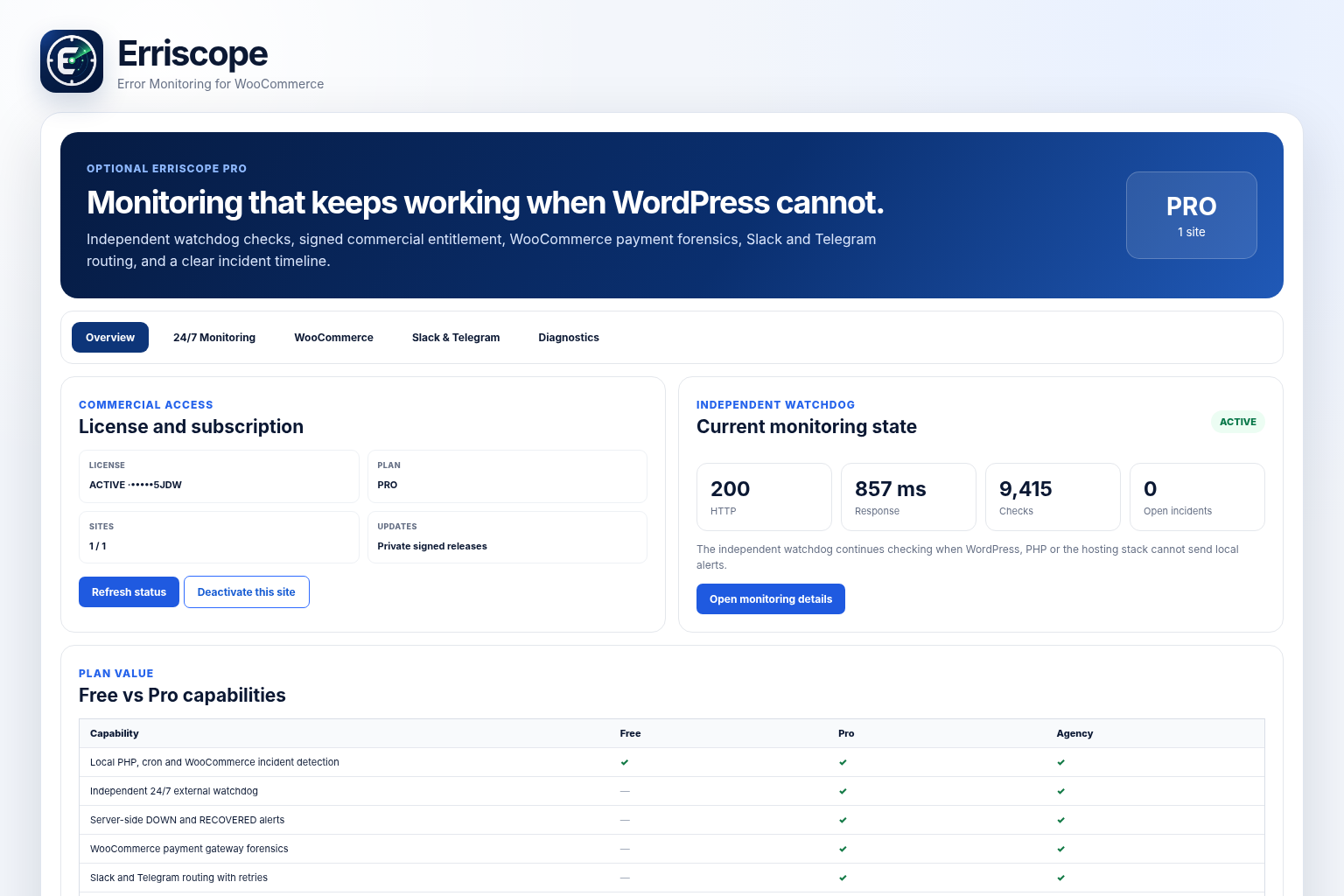
For developers
Is this your plugin? Show off the numbers.
Add a live badge to your site, docs or GitHub README. It updates on its own — no account needed.
Best Erriscope alternatives
All error log plugins →





FAQ
Erriscope: quick answers
Straight answers, pulled from live WordPress.org data.
Live data from WordPress.org · checked Sep 29, 2026
Is Erriscope free?
Yes. Erriscope is free to download and use from the official WordPress.org plugin directory.
Is Erriscope safe to use in 2026?
Erriscope works, but test it on a staging site before relying on it in 2026. Was last updated 2 months ago, and scores 55/100 on our health check.
How many websites use Erriscope?
Erriscope is active on <10 WordPress websites and has been downloaded 249 times since it launched in July 2026. It was downloaded 59 times in the last 30 days.
Does Erriscope work with WordPress 7.1?
Erriscope is officially tested up to WordPress 7.0.6, while the latest release is 7.1.2. It may still work, but try it on a staging site first.
What PHP version does Erriscope need?
Erriscope requires PHP 7.4 or higher. Most hosts run PHP 8.x today, so it works on any modern WordPress hosting.
When was Erriscope last updated?
The latest version, 1.0.2, was released on August 4, 2026 (2 months ago).
Who makes Erriscope?
Erriscope is developed and maintained by TinySharp.
What are the best alternatives to Erriscope?
The most popular alternatives to Erriscope are Error Log Viewer by BestWeb… (6K+ installs), Debug Log Manager Tool (3K+ installs) and Debug (2K+ installs).
Powered by PageForge
Want thousands of pages that rank like these? Build them in an afternoon.
This directory runs on the same engine as PageForge. Turn any spreadsheet, CSV or API into thousands of fast, SEO-ready WordPress pages — with schema, internal links and AI-written copy baked in.
- CSV, Google Sheets & API data sources
- AI content, schema & internal links per page
- Works with Elementor, Gutenberg, Yoast & Rank Math
- Free on WordPress.org — no credit card


