



Erident Custom Login and Dashboard
Fully customize the WordPress Login Screen.

Use with caution
Erident Custom Login and Dashbo… works, but test it on a staging site before relying on it in 2026. It runs on 7K+ sites, is rated 4.9/5 and was last updated 3 years ago, and scores 46/100 on our health check.
- Loved by users — 4.9/5 from 150 reviews
- No update in 2 years
- Only tested up to WordPress 6.4 (latest is 7.1)
How does it stack up?
Side-by-side on installs, updates, ratings & support



Daily downloads
Download spikes usually follow a new release — each site that auto-updates counts as a download.
Rankings
Where Erident Custom Login and Da… stands todayWordPress.org search rankings
Live position in the plugin search, top 100| Keyword | Position |
|---|---|
| admin | >100 |
| customisation | #99 |
| customise | >100 |
| dashboard | >100 |
| login | >100 |
Version adoption
Share of active sites per release.
Rating breakdown
★★★★★★★★★★ 4.9 from 150 reviews
About Erident Custom Login and Dashboard
From the official readme · v4.3Description
Caution: Erident Custom Login and Dashboard is now Ultimate Dashboard. Please install Ultimate Dashboard instead.
If you are an existing user of the Erident plugin you will be greeted with a 1-click migration to safely migrate from Erident to Ultimate Dashboard from your WordPress admin dashboard.
IMPORTANT! Please make sure you have the latest version of the Erident plugin (4.2 or above) installed before running the 1-click migration. The latest version fixes an earlier issue where non-admins were able to trigger the migration process which failed to install Ultimate Dashboard. If that’s been the case for you, please install Ultimate Dashboard manually. Your data was already migrated successfully.
Erident Custom Login and Dashboard is the #1 rated Plugin to customize the WordPress Login Screen. It’s a clean & minimalist way for you to fully customize almost all aspects of the WordPress Login Page.
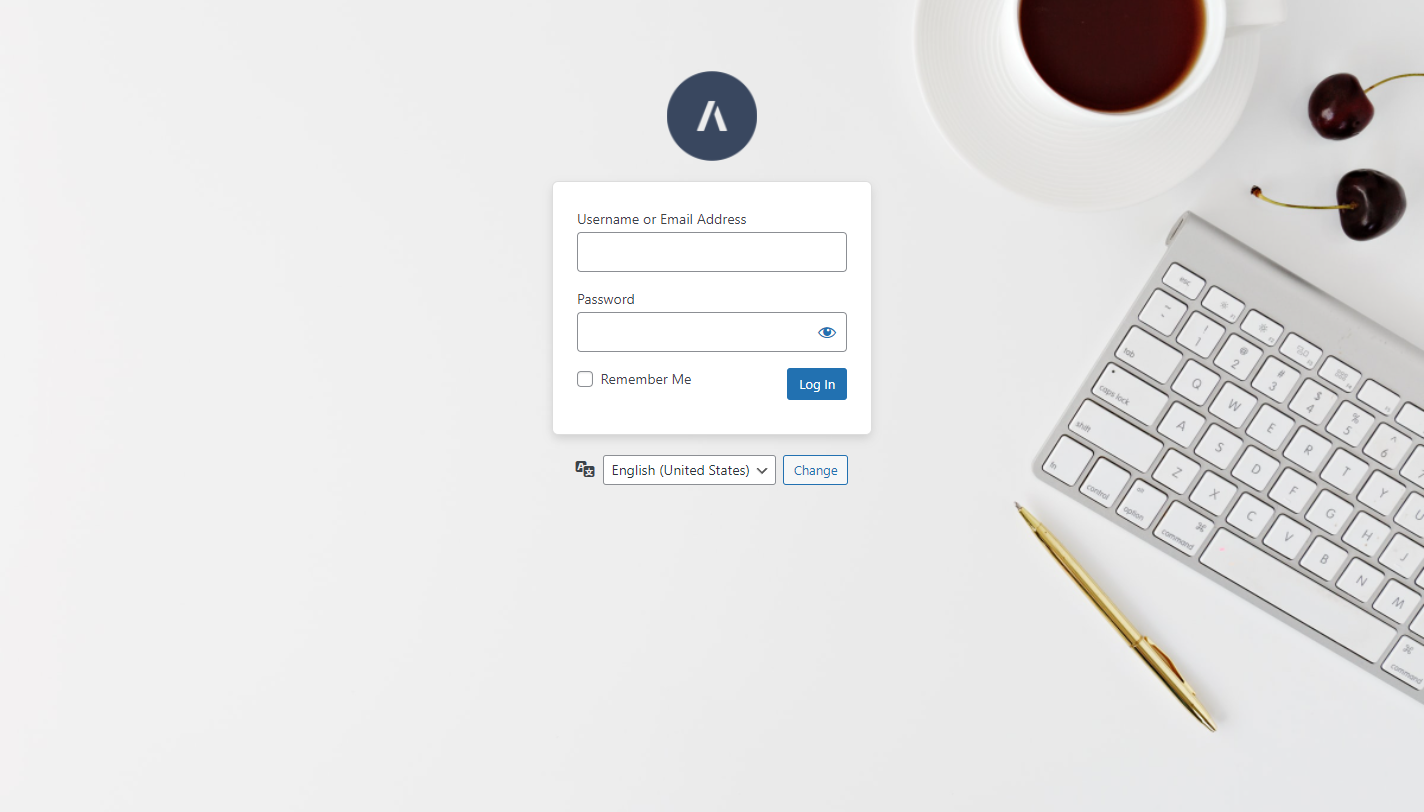
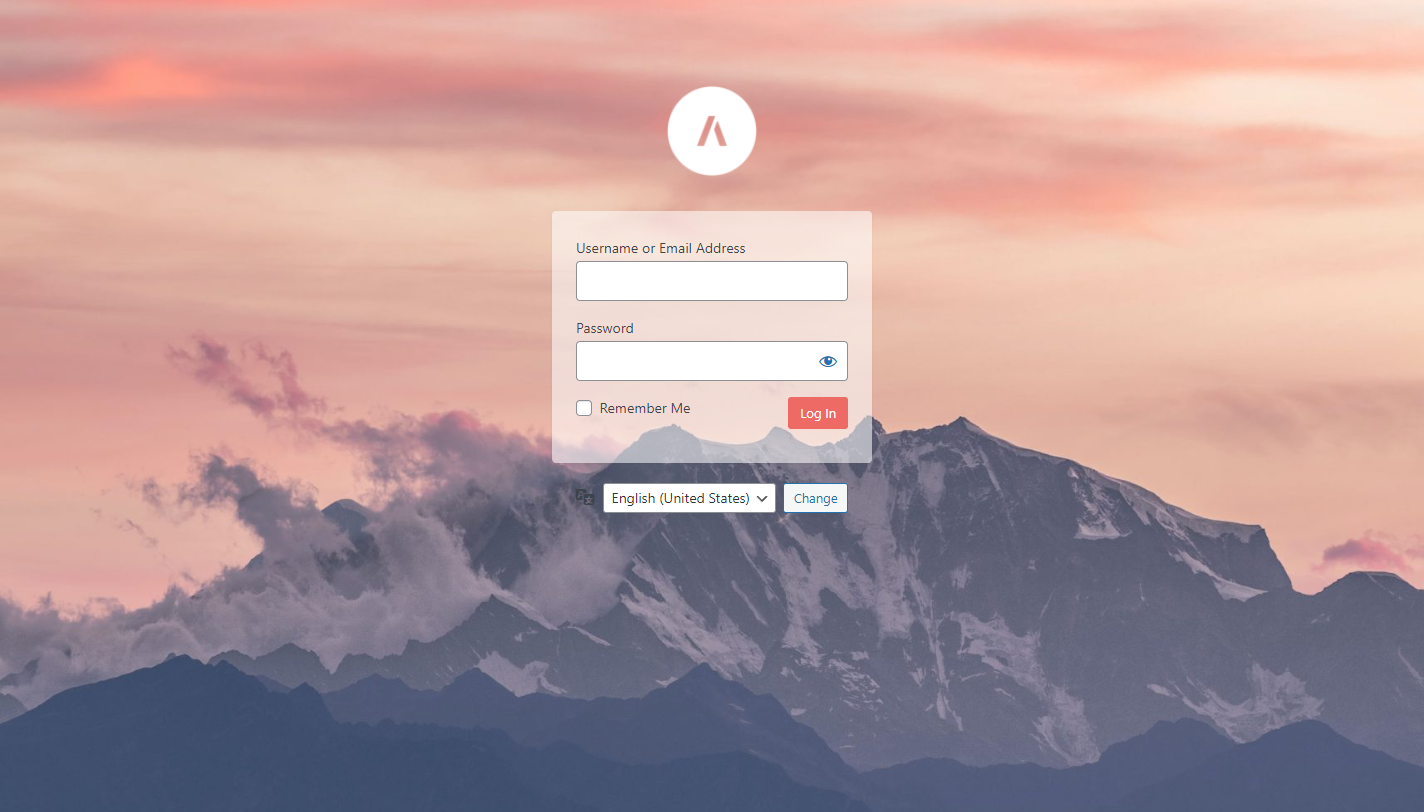
Create a custom WordPress login page with just a few clicks! All the settings to customize the WordPress login are located under Settings > Custom Login & Dashboard.
Features
Here is a list of some of the features available in Erident Custom Login & Dashboard:
- Add a custom Logo & Logo URL
- Change the Login Page Background Color
- Add a Background Image to your Login Screen
- Completely customize the WordPress Login Form
- Remove Footer links from the WordPress Login Page
- Change the WordPress Footer Text
- Change the WordPress Version Text
- Import/Export Feature
- & much more!
What’s next?
If you like Erident Custom Login and Dashboard, make sure to check out our other products:
- Ultimate Dashboard – The #1 WordPress plugin to customize your WordPress dashboard and admin area.
- Page Builder Framework – A fast & minimalistic WordPress theme designed for the new WordPress era.
- Better Admin Bar – The plugin to make your clients enjoy WordPress. It replaces the default admin bar to provide the best possible user experience when editing & navigating a website.
Installation
- Download the erident-custom-login-and-dashboard.zip file to your computer.
- Unzip the file.
- Upload the
erident-custom-login-and-dashboardfolder to your/wp-content/plugins/directory. - Activate the plugin through the Plugins menu in WordPress.
Frequently asked questions
Are there more options to customize the WordPress Dashboard?
Yes! For more options and to fully customize the WordPress dashboard, check out Ultimate Dashboard.
Changelog
Password Label field color fix Compatibility with latest WordPress version
4.3 | November 30, 2023
- Caution! Please follow the instructions on the admin notice and migrate to Ultimate Dashboard as this plugin is no longer actively supported.
- Tested up to WordPress 6.4
4.2 | July 21, 2022
- Fixed: Only show migration notice to users with the mandatory capabilities.
- Notice: This version fixes an issue where non-admins were able to trigger the migration process which fails to install Ultimate Dashboard. If that’s been the case for you, please install Ultimate Dashboard manually. Your data was already migrated successfully.
4.1.1 | July 20, 2022
- Fixed: Erident sets the logo URL to the site URL by default. This was skipped during the migration and is now fixed.
4.1 | July 19, 2022
- Announcement: Erident Custom Login & Dashboard is now Ultimate Dashboard! You will be greeted with a 1-click migration to safely migrate from Erident to Ultimate Dashboard. Learn more about why we have made this decision in the announcement post – https://ultimatedashboard.io/blog/erident-custom-login-dashboard-is-now-ultimate-dashboard/
- Fixed: Form background image button didn’t trigger the media popup
4.0.1 | April 29, 2022
- Tweak: Added sidebar layout
- Fixed: “Load Default Settings” button appeared on Tools page
- Fixed: Some settings were not mobile responsive
4.0 | April 29, 2022
- Version 4.0 is a complete refactor of Erident Custom Login & Dashboard with a modern look and a much improved user experience. For even more options, check out Ultimate Dashboard.
Screenshots


For developers
Is this your plugin? Show off the numbers.
Add a live badge to your site, docs or GitHub README. It updates on its own — no account needed.
Best Erident Custom Login and Dash… alternatives
All admin plugins →




FAQ
Erident Custom Login and Dashboard: quick answers
Straight answers, pulled from live WordPress.org data.
Live data from WordPress.org · checked Sep 26, 2026
Is Erident Custom Login and Dashbo… free?
Yes. Erident Custom Login and Dashbo… is free to download and use from the official WordPress.org plugin directory.
Is Erident Custom Login and Dashbo… safe to use in 2026?
Erident Custom Login and Dashbo… works, but test it on a staging site before relying on it in 2026. It runs on 7K+ sites, is rated 4.9/5 and was last updated 3 years ago, and scores 46/100 on our health check.
How many websites use Erident Custom Login and Dashbo…?
Erident Custom Login and Dashbo… is active on 7K+ WordPress websites and has been downloaded 539,361 times since it launched in July 2012. It was downloaded 476 times in the last 30 days.
Does Erident Custom Login and Dashbo… work with WordPress 7.1?
Erident Custom Login and Dashbo… is officially tested up to WordPress 6.4.12, while the latest release is 7.1.2. It may still work, but try it on a staging site first.
What PHP version does Erident Custom Login and Dashbo… need?
Erident Custom Login and Dashbo… requires PHP 5.6 or higher. Most hosts run PHP 8.x today, so it works on any modern WordPress hosting.
When was Erident Custom Login and Dashbo… last updated?
The latest version, 4.3, was released on November 30, 2023 (3 years ago).
Who makes Erident Custom Login and Dashbo…?
Erident Custom Login and Dashbo… is developed and maintained by David Vongries.
What are the best alternatives to Erident Custom Login and Dashbo…?
The most popular alternatives to Erident Custom Login and Dashbo… are Loginizer (1M+ installs), Redux Framework (900K+ installs) and Admin Menu Editor (300K+ installs).
Powered by PageForge
Want thousands of pages that rank like these? Build them in an afternoon.
This directory runs on the same engine as PageForge. Turn any spreadsheet, CSV or API into thousands of fast, SEO-ready WordPress pages — with schema, internal links and AI-written copy baked in.
- CSV, Google Sheets & API data sources
- AI content, schema & internal links per page
- Works with Elementor, Gutenberg, Yoast & Rank Math
- Free on WordPress.org — no credit card


