



Embed Repo for GitHub – showcase your open source projects
Show off your GitHub repositories anywhere on your WordPress site – in customizable, responsive layouts – with a simple Gutenberg block.

Solid choice
Embed Repo for GitHub is a solid plugin choice in 2026, with a few things worth checking first. It runs on 100+ sites and was last updated 5 days ago, and scores 63/100 on our health check.
- Actively developed — last update 5 days ago
- Small user base (100+ active installs)
- Very few reviews so far
How does it stack up?
Side-by-side on installs, updates, ratings & support



Daily downloads
Download spikes usually follow a new release — each site that auto-updates counts as a download.
Rankings
Where Embed Repo for GitHub stands todayWordPress.org search rankings
Live position in the plugin search, top 100| Keyword | Position |
|---|---|
| Github | #37 |
| github embed | #14 |
| github repository | #50 |
| Gutenberg block | >100 |
| repositories | >100 |
Version adoption
Share of active sites per release.
About Embed Repo for GitHub
From the official readme · v1.0.6Description
Show off your GitHub repositories anywhere on your WordPress site – in customizable, responsive layouts – with a simple Gutenberg block.
Why Embed Repo for GitHub?
Linking out to GitHub sends visitors away from your site. Embed Repo for GitHub lets you display your repositories right inside your posts and pages, so developers, clients, and collaborators can browse your open source work without leaving WordPress.
Show all your repositories, control how many appear per page, and fine-tune every visual detail – columns, gaps, colors, and typography – directly from the block editor sidebar.
Free Features
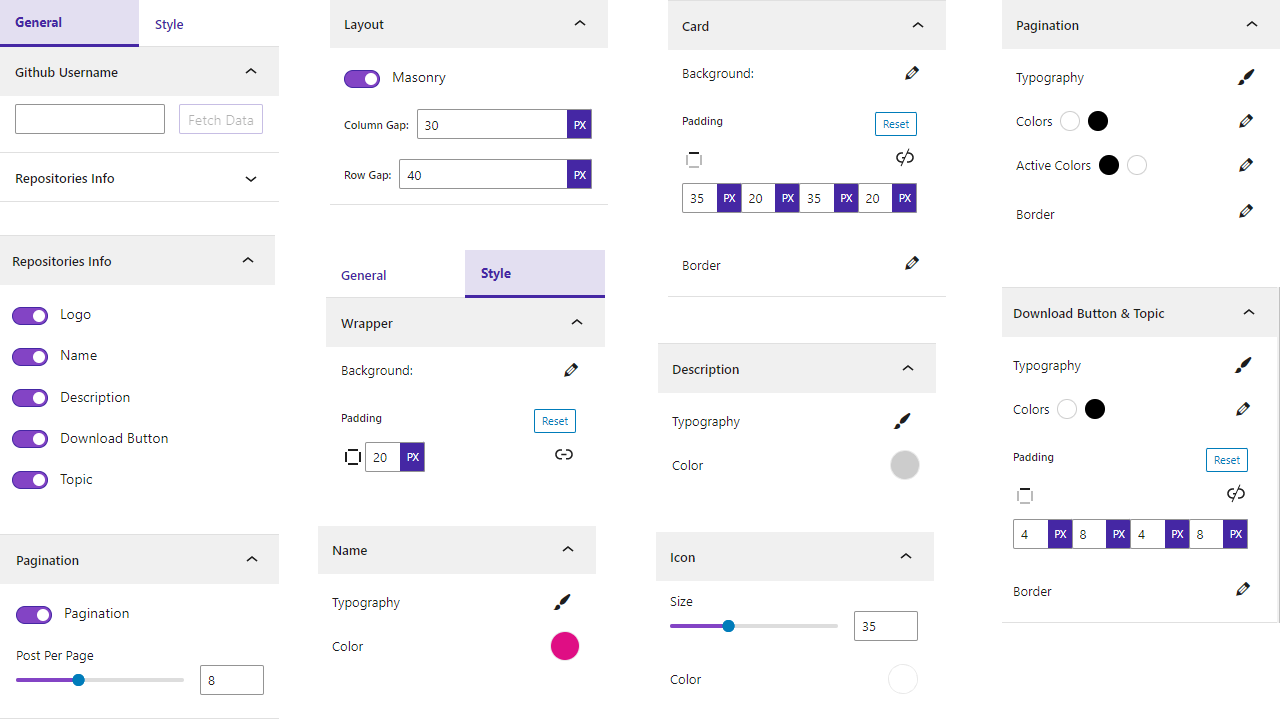
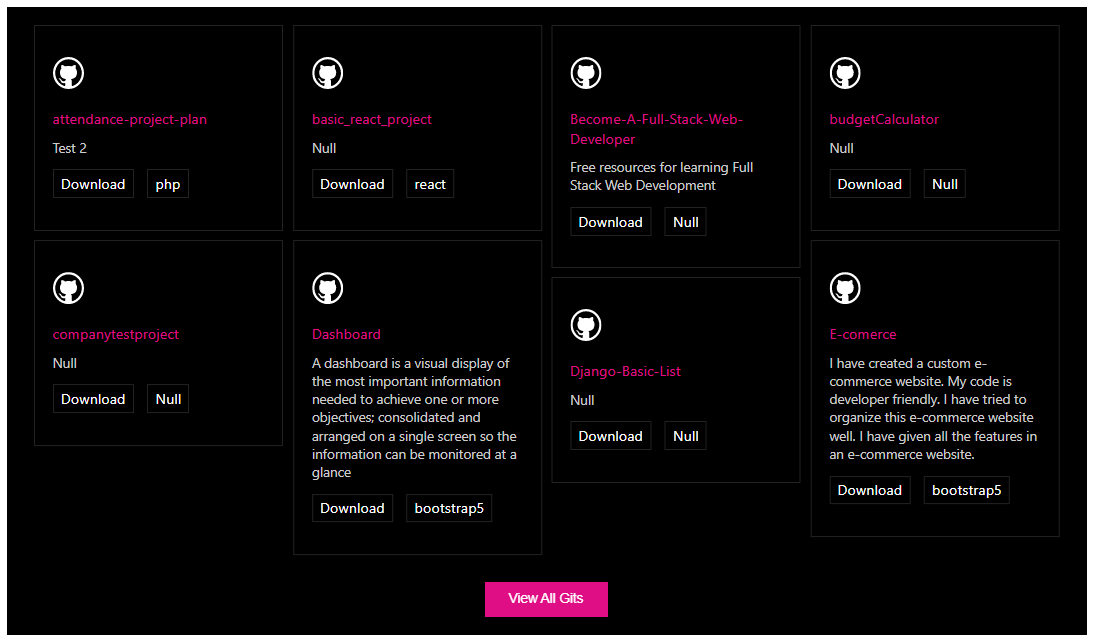
- Show All Repositories: Display your GitHub repositories anywhere in WordPress.
- Fully Customizable: Adjust every part of the display to match your site.
- Repositories Per Page: Control how many repositories show at once.
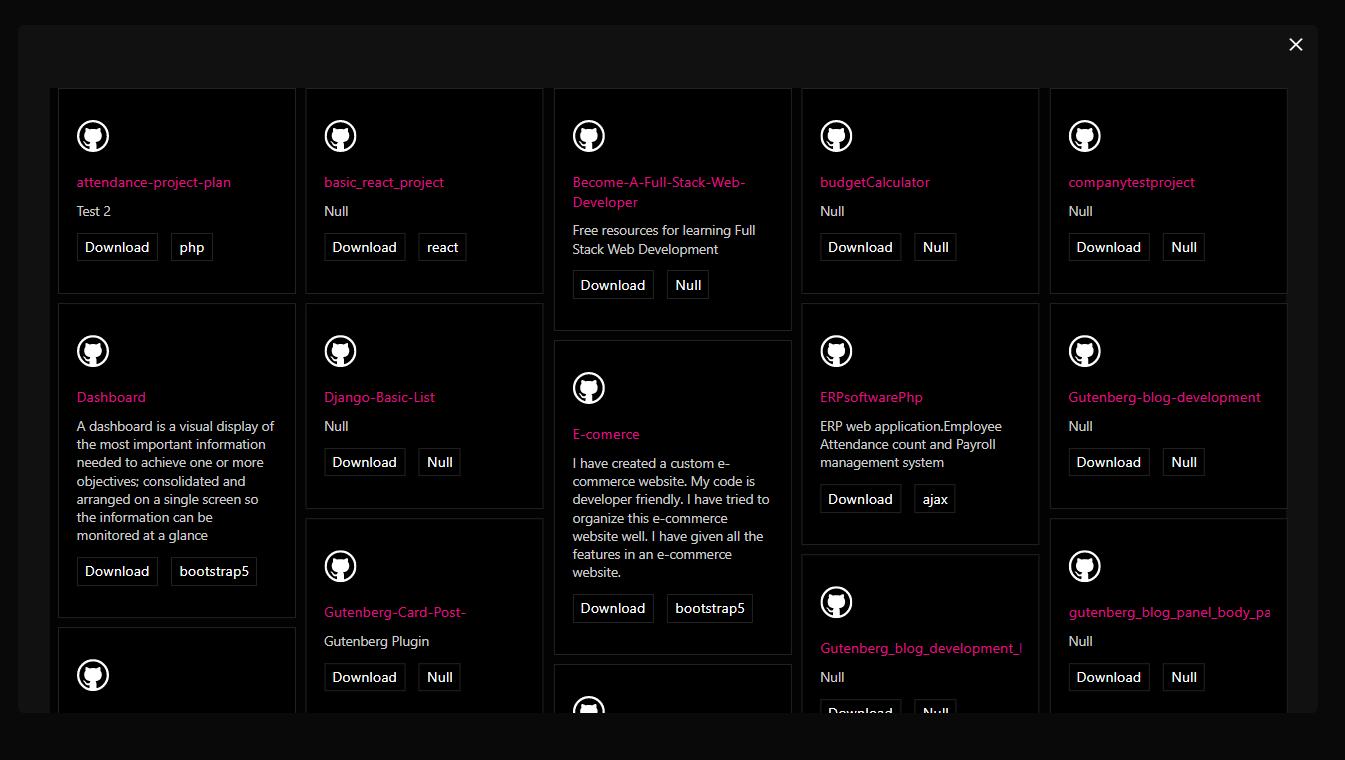
- Pagination: Show or hide pagination, and style its typography, colors, active colors, and border.
- Show/Hide Elements: Toggle the repository info icon, name, title, and button.
- Masonry Layout: Choose a masonry grid for a modern portfolio look.
- Grid Controls: Set columns, column gap, and row gap.
- Color & Typography: Set repository background color, plus typography and colors for the info icon, name, title, and button.
GitHub Repository Showcase for WordPress
Want to create a GitHub portfolio in WordPress?
Embed Repo for GitHub lets you present your open source work in a professional layout directly on your website.
You can use it to showcase:
- GitHub projects
- Open source repositories
- Developer projects
- WordPress development projects
- Software projects
- Agency projects
- Personal coding portfolios
- Client projects
- Documentation repositories
This makes it easier for website visitors to discover your projects without leaving your WordPress website.
Display GitHub Repositories
Display your GitHub repositories directly inside WordPress posts and pages.
Repository Count
Control how many repositories are displayed on a page.
Pagination
Show or hide pagination and customize available pagination styles.
Grid Layout
Control the number of columns and adjust column and row spacing.
Masonry Layout
Display repositories in a masonry-style grid for a flexible portfolio presentation.
Show or Hide Elements
Control the visibility of available repository elements, including:
- Repository information icon
- Repository name
- Repository title
- Button
How to Embed a GitHub Repository in WordPress
- Install and activate Embed Repo for GitHub.
- Open a post or page in the WordPress Block Editor.
- Click the + button to add a block.
- Search for Embed GitHub.
- Add the Embed GitHub block.
- Configure the repository layout and display settings.
- Customize columns, spacing, colors, typography, and pagination.
- Publish or update the page.
Your GitHub repositories will be displayed directly on your WordPress website.
Who Is This Plugin For?
Embed Repo for GitHub is useful for:
- Developers
- WordPress developers
- Open source contributors
- Software companies
- Agencies
- Development teams
- Technical bloggers
- Documentation websites
- Students and coding learners
- Freelancers
How to Use – Quick Start
- Go to Plugins → Add New in your WordPress dashboard.
- Search for “Embed GitHub”, click Install Now, then Activate.
- In the block editor, add the Embed GitHub block to any post or page.
- Configure the layout and styling from the right-side settings sidebar, then publish.
For installation help, see the Installation tab.
Use Cases
- Developer portfolios: Present your open source projects in a polished grid.
- Agency & team sites: Showcase the repositories behind your products.
- Documentation & project pages: Keep repository listings visible next to your docs.
Liked this plugin? Hate it? Want a new feature? Send us your feedback
Check out the Parent Plugin of this plugin-
🔥 b Blocks – Best gutenberg blocks collections for WordPress.
Check out our other WordPress Plugins-
🔥 Html5 Audio Player – Best audio player plugin for WordPress.
🔥 Html5 Video Player – Best video player plugin for WordPress.
🔥 PDF Poster – A fully-featured PDF Viewer Plugin for WordPress.
🔥 StreamCast – A fully-featured Radio Player Plugin for WordPress.
🔥 3D Viewer – Display interactive 3D models on the webs.
Third-Party Services Used
The following third-party APIs are utilized in this plugin for license management:
-
Gumroad API
- Endpoint:
https://api.gumroad.com/v2/licenses/verify - Purpose: License verification for products distributed through Gumroad.
- Documentation: Gumroad API Documentation
- Terms of Service: Gumroad Terms
- Privacy Policy: Gumroad Privacy Policy
- Endpoint:
-
bPlugins License Management API
- Endpoints:
https://api.bplugins.com/wp-json/license/v1/sync-licensehttps://api.bplugins.com/wp-json/license/v1/gumroadhttps://api.bplugins.com/wp-json/data/v1/accept-data- Purpose: Syncing license data, verifying licenses, and managing product information.
- Privacy Policy: bPlugins Privacy Policy
Developer Notes
Public source code GitHub link for review, study, and contribute.
https://github.com/bPlugins/Github-Block
For more information on how to contribute to this plugin, please visit our GitHub repository.
Installation
From your WordPress dashboard (recommended):
- Go to Plugins → Add New.
- Search for “Embed GitHub”.
- Click Install Now, then Activate.
- In the block editor, search for the Embed GitHub block and add it to any page or post.
Manual installation:
- Download the embed-github-block plugin (.zip file).
- In your admin area, go to Plugins → Add New and click Upload Plugin.
- Choose the
embed-github-block.zipfile and click Install Now. - Activate the plugin – or upload the extracted folder to
/wp-content/plugins/and activate from the Plugins menu.
Frequently asked questions
Is Embed Repo for GitHub free?
Yes, it is a free Gutenberg block plugin.
Does it work with any WordPress theme?
Yes, it works with any standard WordPress theme.
Can I change block settings?
Yes, you can change all block settings from the Gutenberg block editor’s right sidebar.
How many times can I reuse the block?
You can use it unlimited times across your site.
Can I control how many repositories are shown?
Yes. You can set the number of repositories per page and show or hide pagination.
Can I change the layout of the repository list?
Yes. You can choose a masonry layout and set the number of columns plus column and row gaps to fit your design.
Can I style the repository cards?
Yes. You can set background colors and customize the typography and colors of the repository info icon, name, title, button, and pagination.
Where can I get support?
You can post your questions on the support forum here.
Changelog
Attach correct github repository
1.0.6 – 30 Nov, 24
- Attach correct github repository
1.0.5 – 28 Nov, 24
- Solved all problem
1.0.4 – 21 Nov,24
- Trademark issues solved
1.0.3 – 9 Nov,24
- WordPress version update
1.0.2 – 28 sept, 2023
- We have removed the extra code and resolved the masonry issues.
1.0.1
- Have been resolve some issue
Screenshots


For developers
Is this your plugin? Show off the numbers.
Add a live badge to your site, docs or GitHub README. It updates on its own — no account needed.
Best Embed Repo for GitHub alternatives
All Github plugins →





FAQ
Embed Repo for GitHub: quick answers
Straight answers, pulled from live WordPress.org data.
Live data from WordPress.org · checked Sep 26, 2026
Is Embed Repo for GitHub free?
Yes. Embed Repo for GitHub is free to download and use from the official WordPress.org plugin directory.
Is Embed Repo for GitHub safe to use in 2026?
Embed Repo for GitHub is a solid plugin choice in 2026, with a few things worth checking first. It runs on 100+ sites and was last updated 5 days ago, and scores 63/100 on our health check.
How many websites use Embed Repo for GitHub?
Embed Repo for GitHub is active on 100+ WordPress websites and has been downloaded 8,723 times since it launched in May 2023. It was downloaded 274 times in the last 30 days.
Does Embed Repo for GitHub work with WordPress 7.1?
Embed Repo for GitHub is officially tested up to WordPress 7.0.6, while the latest release is 7.1.2. It may still work, but try it on a staging site first.
What PHP version does Embed Repo for GitHub need?
Embed Repo for GitHub requires PHP 7.1 or higher. Most hosts run PHP 8.x today, so it works on any modern WordPress hosting.
When was Embed Repo for GitHub last updated?
The latest version, 1.0.6, was released on September 21, 2026 (5 days ago).
Who makes Embed Repo for GitHub?
Embed Repo for GitHub is developed and maintained by bPlugins.
What are the best alternatives to Embed Repo for GitHub?
The most popular alternatives to Embed Repo for GitHub are Github Embed (1K+ installs), WP Plugin Info Card (500+ installs) and Static Site Exporter (400+ installs).
Powered by PageForge
Want thousands of pages that rank like these? Build them in an afternoon.
This directory runs on the same engine as PageForge. Turn any spreadsheet, CSV or API into thousands of fast, SEO-ready WordPress pages — with schema, internal links and AI-written copy baked in.
- CSV, Google Sheets & API data sources
- AI content, schema & internal links per page
- Works with Elementor, Gutenberg, Yoast & Rank Math
- Free on WordPress.org — no credit card


