



Git it Write – Write posts from GitHub
Publish markdown files present in a GitHub repository as posts to WordPress automatically

Consider an alternative
Git it Write shows warning signs in 2026 — compare the alternatives below before installing. It runs on 100+ sites, is rated 4.7/5 and was last updated 2 years ago, and scores 36/100 on our health check.
- Small user base (100+ active installs)
- No update in 2 years
- Only tested up to WordPress 6.6 (latest is 7.1)
How does it stack up?
Side-by-side on installs, updates, ratings & support



Daily downloads
Download spikes usually follow a new release — each site that auto-updates counts as a download.
Rankings
Where Git it Write stands todayWordPress.org search rankings
Live position in the plugin search, top 100| Keyword | Position |
|---|---|
| editor | >100 |
| Github | >100 |
| markdown | >100 |
| posts | >100 |
| publish | >100 |
Version adoption
Share of active sites per release.
Rating breakdown
★★★★★★★★★★ 4.7 from 7 reviews
About Git it Write – Write posts from GitHub
From the official readme · v2.0Description
Git it Write allows to publish the markdown files present in a GitHub repository to your WordPress site. So with this plugin, whenever the files are added, updated in the repository the WordPress post will be added, updated accordingly.
This plugin is inspired from static site generators like Jekyll, Next.js, Gatsby.js on how content is written is markdown. This is a similar idea for WordPress where markdown files are parsed from GitHub and published as posts.
👓 Live example: Source github repository (/docs/ folder) to Posts published
⚡ Getting started: Get started with Git it write. Learn how to write .md files and publish posts on WordPress.
This allows people to collaborate with the post, share edits and suggestions in GitHub which when pulled the WordPress post will be updated automatically.
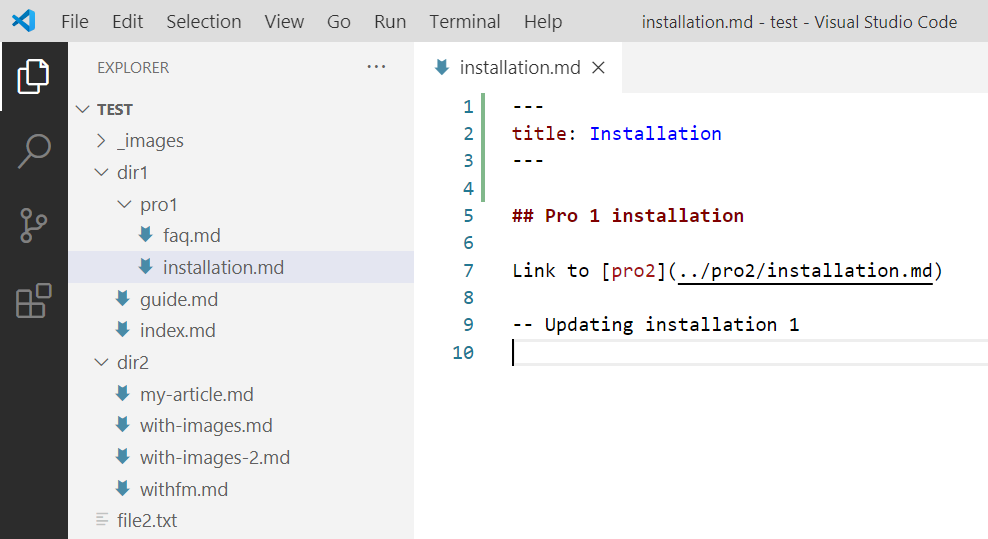
If a repository has files in the below structure,
docs/
    guide/
        introduction.md
        getting-started.md
help/
    faq.md
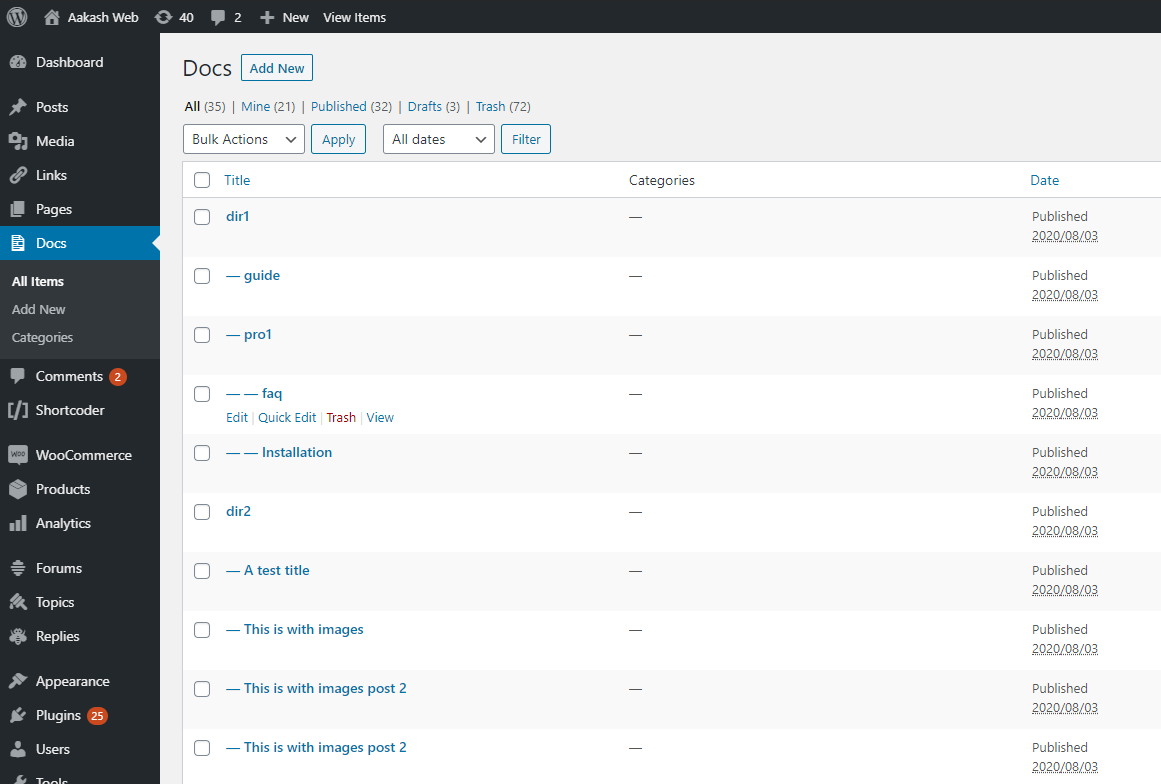
Then below posts will be created like below (if permalinks are configured and the post type supports “hierarchy” i.e creating posts level by level (example: pages))
https://example.com/docs/guide/introduction/
https://example.com/docs/guide/getting-started/
https://example.com/help/faq/
🎲 What is the use of this plugin ?
- Publish posts using the files in your GitHub repository.
- Write your posts in Markdown format.
- Write your posts on your desktop application (Notepad++, Sublime Text, Visual studio code).
- Collaborate, involve communities on the files in GitHub and publish them on WordPress.
- All the advantages of Git and it’s version management system.
🚀 Some use cases
- Can be used for documentation posts, FAQs, Wikis etc.
- Write blog posts.
- Any articles which may need community involvement.
✨ Features
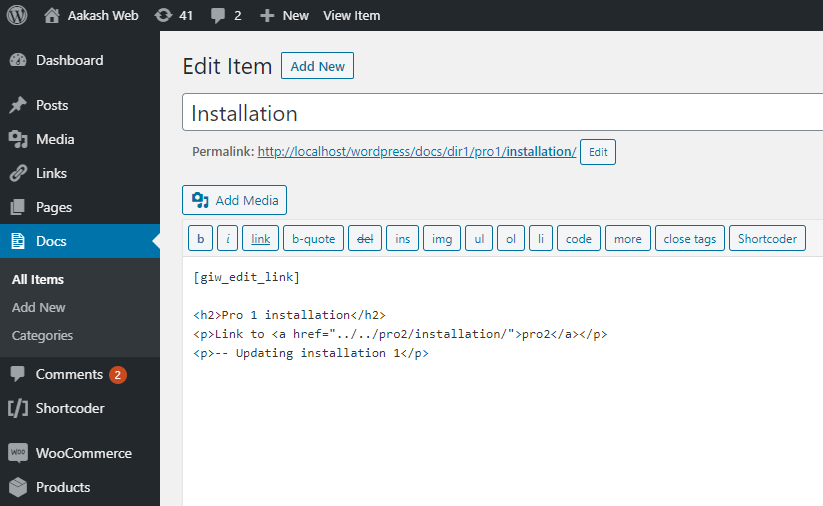
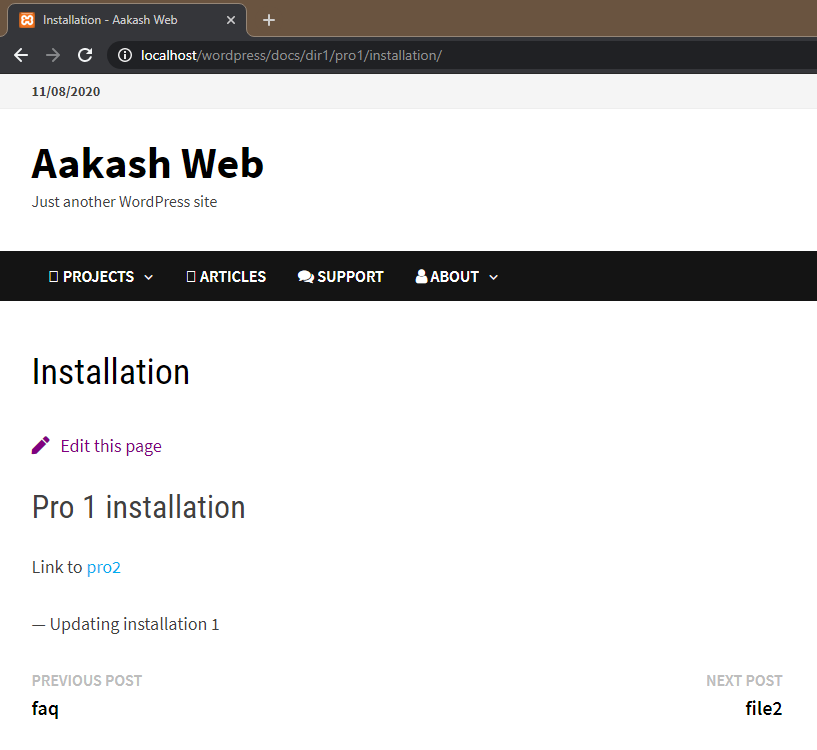
- Markdown will be processed and post will be published as HTML.
- Images used in the source file will be uploaded to WordPress.
- Relative links are supported.
- Set post properties like post status, title, order, category, tags etc, in the source file itself.
- Webhook support (whenever repository is changed, it updates the plugin to pull the latest changes and publish the posts)
- Add multiple repositories.
- Publish to any post type.
- Posts are published in hierarchial manner if they are under folders. Example: a file
dir1/hello.mdwill be posted asdir1/hello/in WordPress if the post type supports hierarchy. - Support for post metadata like setting tags, categories, custom fields.
ℹ Note
- Only Markdown files will be pulled and published right now
- Posts won’t be deleted when it’s source file is deleted on GitHub.
- It is preferred to have a permalink structure.
- It is preferred to select a post type which supports hierarchy.
- Images have to present only in
_imagesfolder in the repository root. Markdown files have to relatively use them in the file.
🥗 Recommendation
It is recommended that a permalink structure is enabled in the WordPress site so that, if you have file under docs/reference/my-post.md then a post is published like https://example.com/docs/reference/my-post/. This will be the result when post type has hierarchy support. They will be posted level by level for every folder in the repository. The folder’s post will be taken from the index.md file if exists under that folder.
🏃♂️ Using the plugin
- Have a GitHub repository where all the source files (markdown files) are maintained (organized in folders if needed the exact structure)
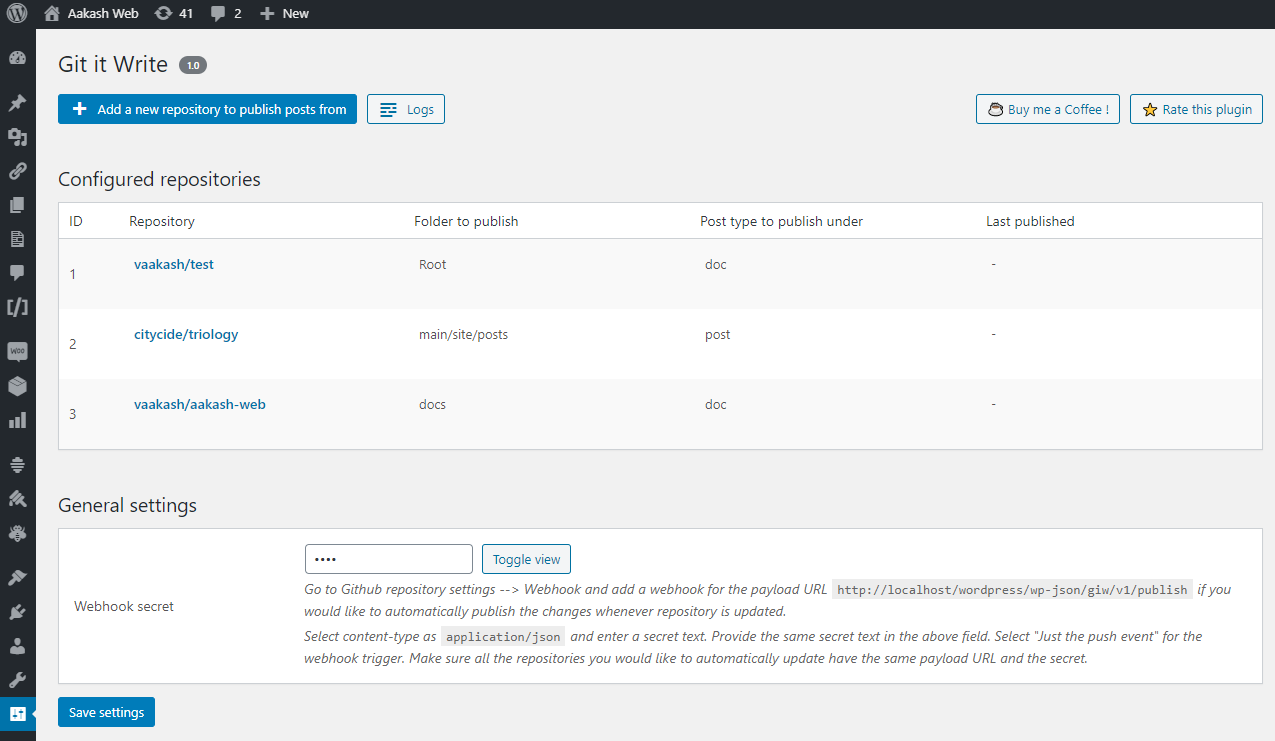
- In the plugin settings page, click add a new repository.
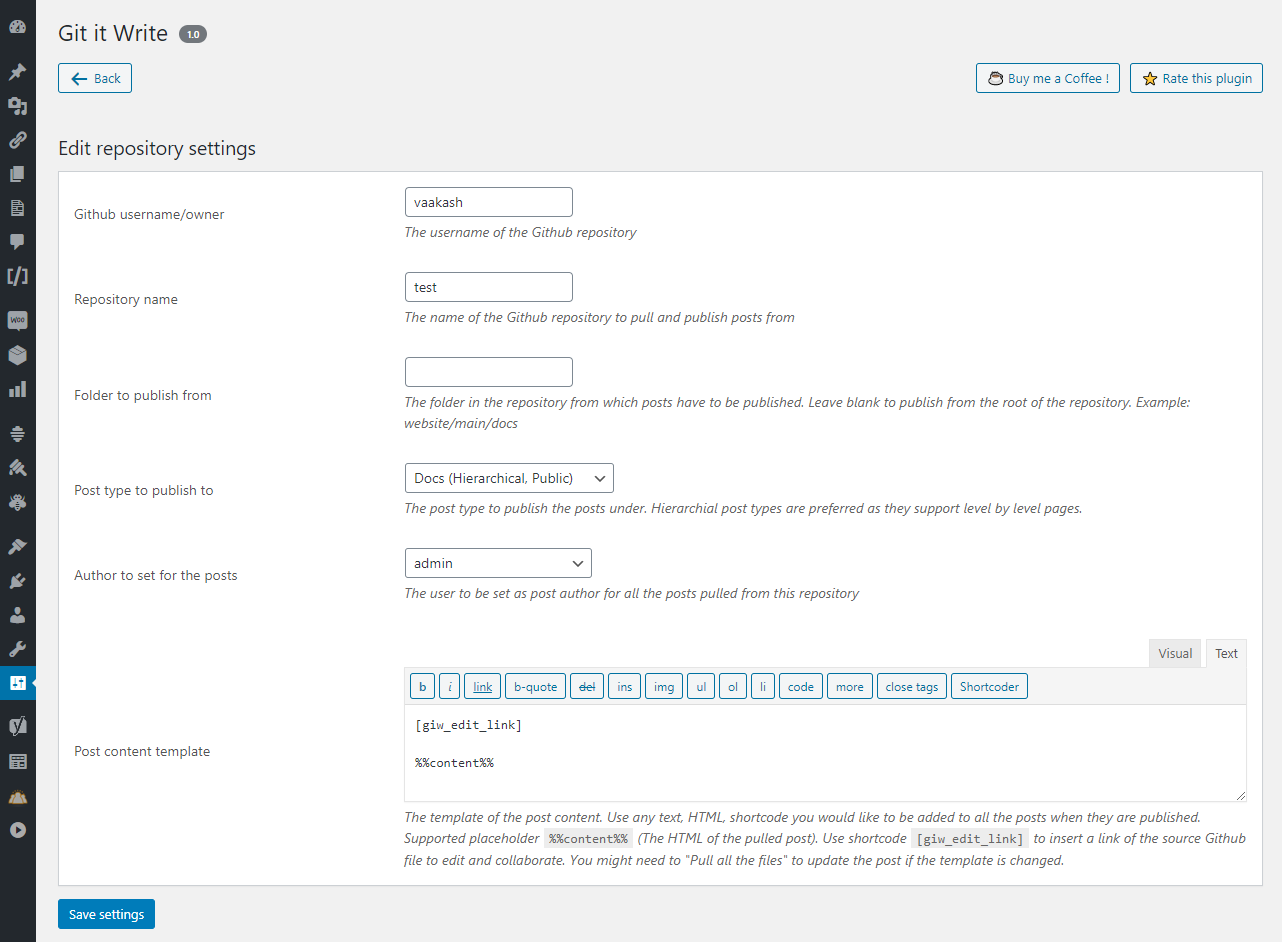
- Enter the details of the repository to pull the posts from and under what post type to publish them.
- Save the settings
- Click “Pull the posts” and then “Pull only” changes. This will publish posts for all the markdown files.
- To automatically update posts whenever repository is updated, configure webhook as mentioned in the settings page.
Links
Installation
- Extract the zipped file and upload the folder
git-it-writeto to/wp-content/plugins/directory. - Activate the plugin through the
Pluginsmenu in WordPress. - Open the admin page from the “Git it Write” link under the settings menu.
Frequently asked questions
When a post is edited in WordPress will that update the file in the GitHub repository ?
No. This plugin won’t sync post content. It is a one way update. Only changes made to the GitHub repository will update the posts and not otherwise.
What all files in the repository will be published ?
All markdown files will be published as posts.
What are not published ?
Any folder/file starting with _ (underscore), . (dot) won’t be considered for publishing.
Can I pull posts from a specific branch in the repository ?
Yes, if you want to pull posts from a branch in a repository then you can specify it in the plugin’s repository settings page.
Can I pull posts from a specific folder in the repository ?
Yes, if you want to pull posts from a folder in a repository then you can specify it in the plugin’s repository settings page. For example, if a repository has a folder website/main/docs and if you want to pull only from docs folder, then you can specify website/main/docs in the plugin settings.
Changelog
Version 1.0 is the first version of the plugin.
2.0
- Fix: Disable inline URLs from being converted to link tags. (Thanks to @SienciLabs for the report)
1.9
- Fix: Filename with multiple dots are ignored.
1.8
- New: Error message during HTTP get/post is now logged.
- Fix: Double quotes in WordPress shortcodes are escaped.
- Fix: GitHub access token field in admin form is converted to a password field.
- Fix: Typos in readme and admin page.
1.7
- New: Images (
_images) can be now organized in folders. - New: Featured image can now be set to posts.
- New: Markdown images are now wrapped with
figuretag and added support for image caption. - New: Image tags now have class attributes similar to WordPress editor.
- Fix: Images were not uploaded for private repositories. (Thanks to https://github.com/lukaszpiotrluczak for the contribution)
- Fix: Webhook publish request fails to upload images.
1.6
- New: Options like comment status, page template, sticky post can now be set.
- New: New option to skip file from being published.
1.5
- New: Post date can now be set.
- Fix: Enhancements to data escaping in the admin page.
1.4
- Fix: Repository not found issue by adding GitHub authentication.
- Fix: Duplicate posts when filename has special characters.
- Fix: PHP warning when directory has no index.md file.
1.3
- New: Support for git branches (Thanks to https://github.com/AppalachiaInteractive for the contribution)
- New: Logs directory has been changed to the uploads directory.
- Fix: Minor admin page enhancements.
1.2
- New: Support for custom fields
- New: New shortcode attribute in
[giw_edit_link]to automatically wrap inptag. - Fix: Added permission callback for the webhook REST API.
- Fix: Minor admin UI enhancements.
1.1
- New: Support for Parsedown extra
1.0.1
- Fix: Webhook is changed to
POSTmethod. - Fix: Readme formatting.
1.0
- First version of the plugin.
Screenshots
For developers
Is this your plugin? Show off the numbers.
Add a live badge to your site, docs or GitHub README. It updates on its own — no account needed.
Best Git it Write alternatives
All editor plugins →





FAQ
Git it Write: quick answers
Straight answers, pulled from live WordPress.org data.
Live data from WordPress.org · checked Sep 28, 2026
Is Git it Write free?
Yes. Git it Write is free to download and use from the official WordPress.org plugin directory.
Is Git it Write safe to use in 2026?
Git it Write shows warning signs in 2026 — compare the alternatives below before installing. It runs on 100+ sites, is rated 4.7/5 and was last updated 2 years ago, and scores 36/100 on our health check.
How many websites use Git it Write?
Git it Write is active on 100+ WordPress websites and has been downloaded 7,774 times since it launched in August 2020. It was downloaded 99 times in the last 30 days.
Does Git it Write work with WordPress 7.1?
Git it Write is officially tested up to WordPress 6.6.9, while the latest release is 7.1.2. It may still work, but try it on a staging site first.
What PHP version does Git it Write need?
Git it Write requires PHP 5.3 or higher. Most hosts run PHP 8.x today, so it works on any modern WordPress hosting.
When was Git it Write last updated?
The latest version, 2.0, was released on August 3, 2024 (2 years ago).
Who makes Git it Write?
Git it Write is developed and maintained by vaakash.
What are the best alternatives to Git it Write?
The most popular alternatives to Git it Write are Elementor Website Builder (10M+ installs), Classic Editor (8M+ installs) and Classic Widgets (2M+ installs).
Powered by PageForge
Want thousands of pages that rank like these? Build them in an afternoon.
This directory runs on the same engine as PageForge. Turn any spreadsheet, CSV or API into thousands of fast, SEO-ready WordPress pages — with schema, internal links and AI-written copy baked in.
- CSV, Google Sheets & API data sources
- AI content, schema & internal links per page
- Works with Elementor, Gutenberg, Yoast & Rank Math
- Free on WordPress.org — no credit card


