



Elysian Reader
Display a customizable reading progress bar and reading time with an optional floating widget. Lightweight, responsive, and built without jQuery.

Use with caution
Elysian Reader works, but test it on a staging site before relying on it in 2026. Was last updated 3 months ago, and scores 49/100 on our health check.
- Small user base (<10 active installs)
- Very few reviews so far
How does it stack up?
Side-by-side on installs, updates, ratings & support


Daily downloads
Download spikes usually follow a new release — each site that auto-updates counts as a download.
Rankings
Where Elysian Reader stands todayWordPress.org search rankings
Live position in the plugin search, top 100| Keyword | Position |
|---|---|
| progress bar | >100 |
| reading indicator | #68 |
| reading progress | >100 |
| reading time | >100 |
| scroll tracking | >100 |
About Elysian Reader
From the official readme · v1.0.0Description
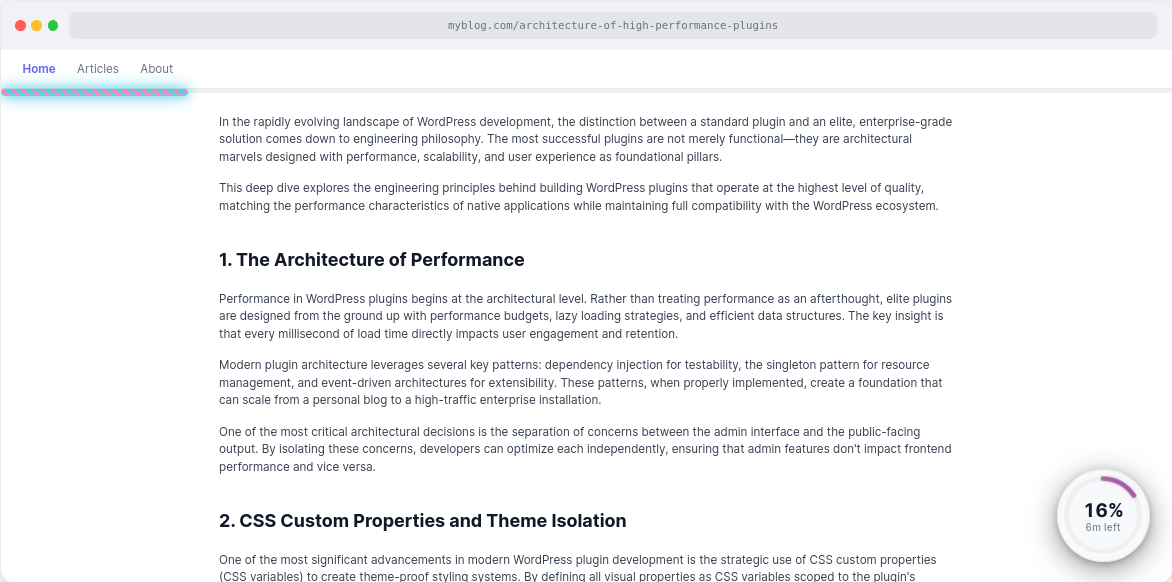
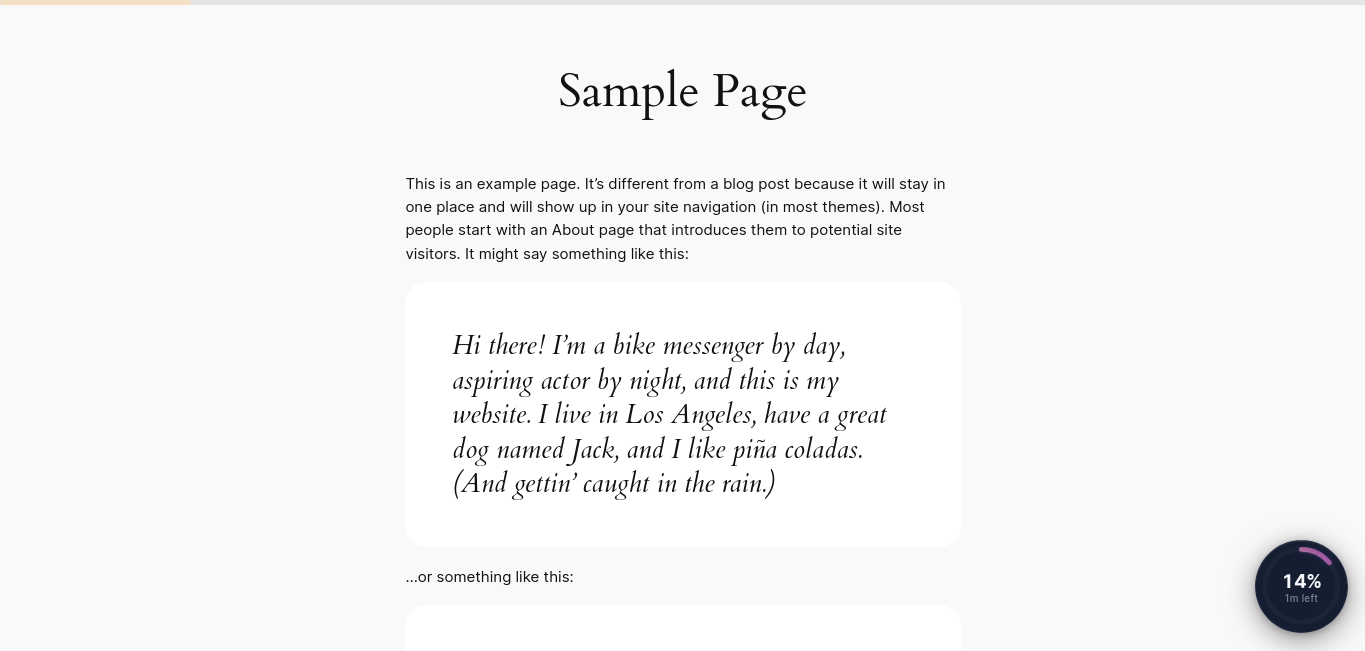
Elysian Reader adds a modern reading progress indicator and optional floating widget to your WordPress website. Readers can instantly see how far they’ve progressed through an article and view an estimated time remaining, improving the reading experience without intrusive popups or unnecessary distractions.
Everything Included
Elysian Reader is completely free. Every feature is included in this version—there are no premium editions, locked features, upgrade prompts, or subscription requirements.
How It Works
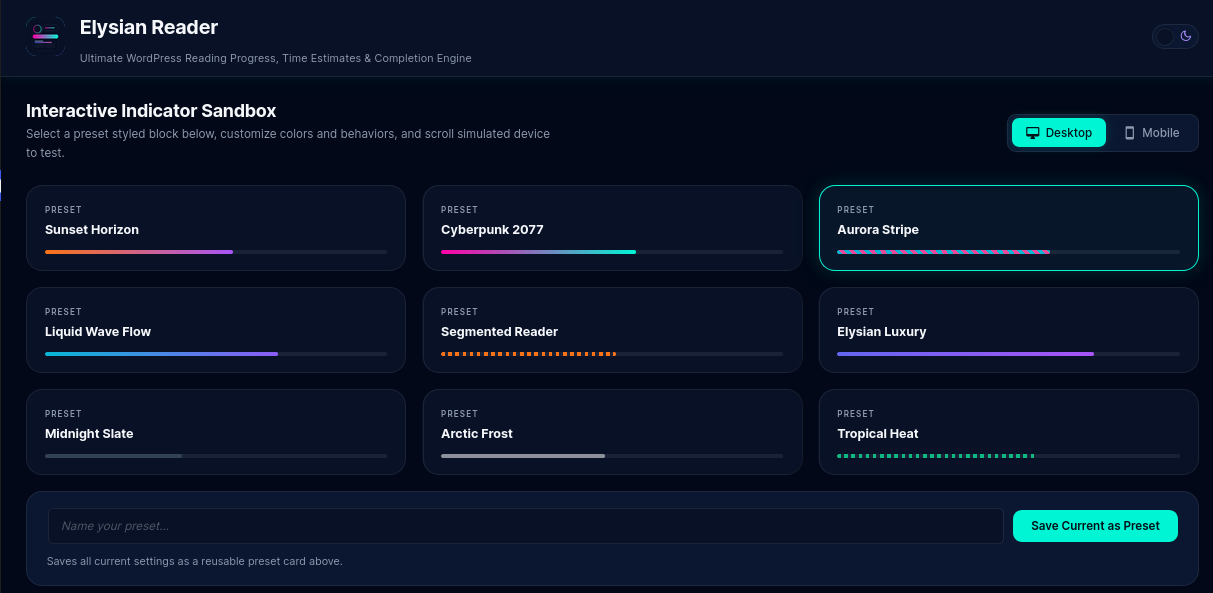
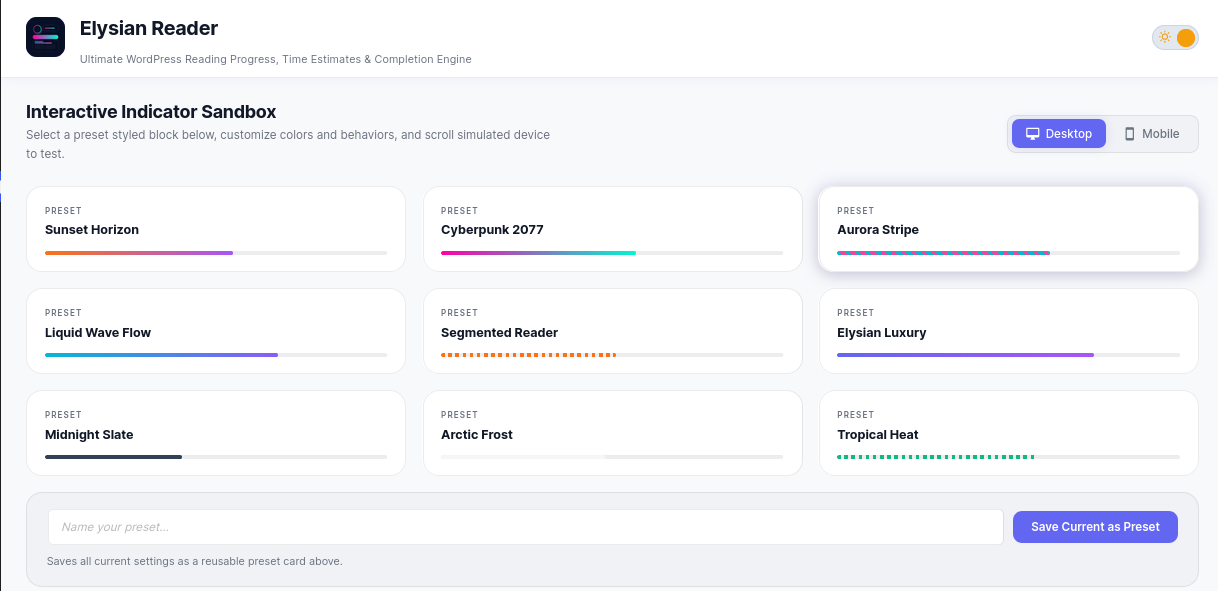
After activation, the plugin automatically displays a reading progress indicator on your site’s singular content. Customize its appearance using professionally designed presets or fine-tune every visual setting through the interactive live preview dashboard.
Optionally enable a floating reading widget that displays reading progress and estimated reading time in multiple visual styles.
Features
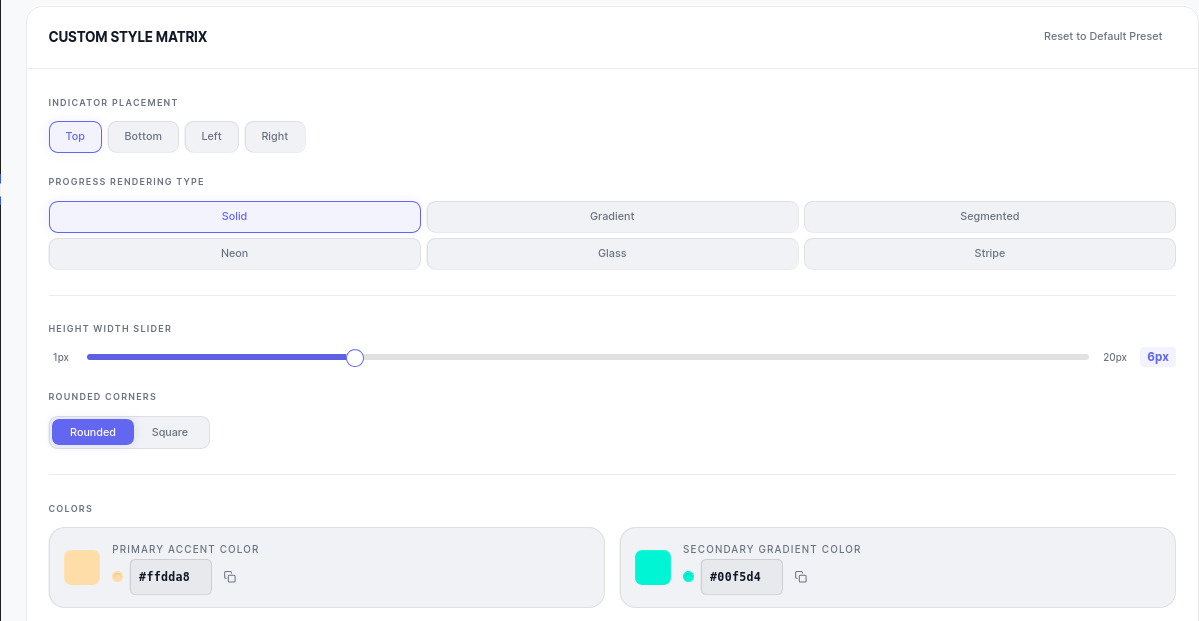
- Reading progress bar with four placement options: top, bottom, left, or right.
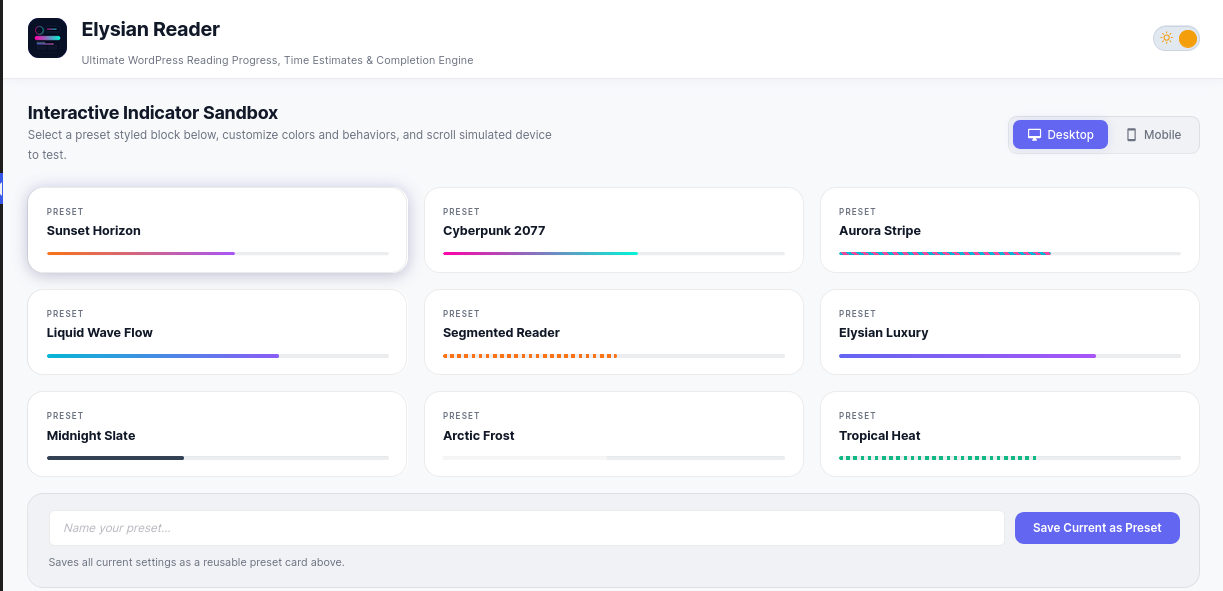
- Nine professionally designed presets for quick setup.
- Six rendering styles: Solid, Gradient, Segmented, Neon, Glass, and Stripe.
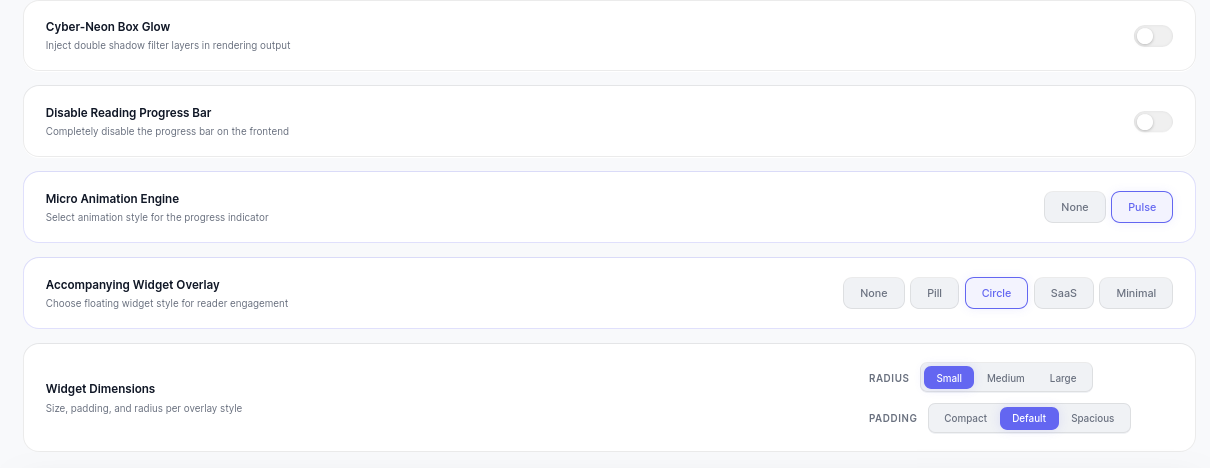
- Optional floating widget available in Pill, Circle, SaaS, and Minimal layouts.
- Adjustable reading speed (100–400 WPM) for more accurate time estimates.
- Optional glow and pulse animation effects.
- Independent color controls for both the progress bar and widget.
- Interactive live preview sandbox with simulated scrolling.
- Automatic settings saving as you customize the plugin.
- Save custom configurations as reusable presets.
- Light and dark interface themes.
- Widget size, spacing, radius, and padding controls.
- Designed to minimize theme conflicts using scoped CSS custom properties.
- Lightweight frontend assets with no jQuery dependency.
- Accessibility support including ARIA attributes, reduced-motion support, and keyboard-friendly controls.
- RTL language support.
- Automatically hidden while printing.
- Compatible with classic themes, block themes, and most page builders.
Frequently Asked Questions
Will this plugin work with my theme?
Elysian Reader is designed to work with classic themes, block themes, and most page builders. It uses scoped CSS custom properties to help minimize styling conflicts.
Does Elysian Reader require jQuery?
No. The plugin is built using modern vanilla JavaScript and does not load jQuery on the frontend.
Can I customize the colors?
Yes. Customize the primary and secondary colors for both the reading progress bar and the floating widget using built-in color pickers.
Is there a premium version?
No. Every feature is included in this free version. There are no premium editions, feature restrictions, or upgrade prompts.
Does the plugin collect user data?
No. Reading progress calculations are performed entirely within the visitor’s browser. The plugin does not collect personal data, set tracking cookies, or communicate with third-party services.
Can I disable the progress bar?
Yes. The reading progress bar and floating widget can be enabled or disabled independently.
Is the plugin compatible with caching plugins?
Yes. Elysian Reader is designed to work alongside most caching plugins and CDN configurations.
Can I adjust the reading speed?
Yes. Configure the words-per-minute value between 100 and 400 to better match your audience and improve estimated reading times.
Does it support custom post types?
Yes. The plugin works on singular posts, pages, and supported custom post types.
Will it affect my site’s performance?
Elysian Reader is designed with a lightweight frontend footprint and uses efficient browser APIs for smooth progress tracking.
Privacy
Elysian Reader does not collect, store, or transmit personal information.
All reading progress calculations are performed locally within the visitor’s browser. The plugin does not use cookies, analytics services, or external tracking.
Changelog
Initial public release.
1.0.0
- Initial public release.
- Reading progress bar with four placement options.
- Nine professionally designed preset styles.
- Six rendering styles.
- Four floating widget layouts.
- Adjustable reading speed (100–400 WPM).
- Custom color controls for progress bar and widget.
- Glow and pulse animation effects.
- Interactive live preview sandbox.
- Custom preset saving.
- Automatic settings saving.
- Light and dark interface themes.
- Widget size and spacing controls.
- RTL language support.
- Accessibility improvements including ARIA support and reduced-motion compatibility.
- Print-friendly behavior.
- WordPress REST API settings integration.
- Nonce verification, capability checks, input sanitization, and output escaping.
- Built with vanilla JavaScript.
- Designed to minimize theme styling conflicts.
Screenshots

For developers
Is this your plugin? Show off the numbers.
Add a live badge to your site, docs or GitHub README. It updates on its own — no account needed.
Best Elysian Reader alternatives
All progress bar plugins →



FAQ
Elysian Reader: quick answers
Straight answers, pulled from live WordPress.org data.
Live data from WordPress.org · checked Oct 12, 2026
Is Elysian Reader free?
Yes. Elysian Reader is free to download and use from the official WordPress.org plugin directory.
Is Elysian Reader safe to use in 2026?
Elysian Reader works, but test it on a staging site before relying on it in 2026. Was last updated 3 months ago, and scores 49/100 on our health check.
How many websites use Elysian Reader?
Elysian Reader is active on <10 WordPress websites and has been downloaded 203 times since it launched in July 2026. It was downloaded 58 times in the last 30 days.
Does Elysian Reader work with WordPress 7.1?
Elysian Reader is officially tested up to WordPress 7.0.7, while the latest release is 7.1.3. It may still work, but try it on a staging site first.
What PHP version does Elysian Reader need?
Elysian Reader requires PHP 7.4 or higher. Most hosts run PHP 8.x today, so it works on any modern WordPress hosting.
When was Elysian Reader last updated?
The latest version, 1.0.0, was released on July 9, 2026 (3 months ago).
Who makes Elysian Reader?
Elysian Reader is developed and maintained by deadvloperplugins.
What are the best alternatives to Elysian Reader?
The most popular alternatives to Elysian Reader are Free Shipping Label and Pro… (5K+ installs), Progress Bar & Skill Bar (1K+ installs) and Progress Bar (1K+ installs).
Powered by PageForge
Want thousands of pages that rank like these? Build them in an afternoon.
This directory runs on the same engine as PageForge. Turn any spreadsheet, CSV or API into thousands of fast, SEO-ready WordPress pages — with schema, internal links and AI-written copy baked in.
- CSV, Google Sheets & API data sources
- AI content, schema & internal links per page
- Works with Elementor, Gutenberg, Yoast & Rank Math
- Free on WordPress.org — no credit card


