



Dynamic Template Parts
Transform the way you manage templates on your WordPress site with Dynamic Template Parts. This powerful plugin extends the Full Site Editor, letting you swap headers, footers, and other Template Parts dynamically based…

Consider an alternative
Dynamic Template Parts shows warning signs in 2026 — compare the alternatives below before installing. Was last updated 2 years ago, and scores 24/100 on our health check.
- Small user base (<10 active installs)
- Very few reviews so far
- No update in over a year
- Only tested up to WordPress 6.7 (latest is 7.1)
How does it stack up?
Side-by-side on installs, updates, ratings & support



Daily downloads
Download spikes usually follow a new release — each site that auto-updates counts as a download.
Rankings
Where Dynamic Template Parts stands todayWordPress.org search rankings
Live position in the plugin search, top 100| Keyword | Position |
|---|---|
| block | >100 |
| custom templates | >100 |
| editor | >100 |
| switcher | >100 |
| template | >100 |
About Dynamic Template Parts
From the official readme · v1.0.0Description
Transform the way you manage templates on your WordPress site with Dynamic Template Parts. This powerful plugin extends the Full Site Editor, letting you swap headers, footers, and other Template Parts dynamically based on the content you’re editing — say goodbye to managing multiple templates for every layout variation.
With Dynamic Template Parts, you gain the freedom to swap Template Parts directly within the block editor, whether it’s for posts, pages, or custom post types. The user-friendly interface allows you to preview changes in real-time, giving you complete control over the look and feel of each piece of content without needing custom code.
Key Features:
- Dynamic Template Part Swapping: Replace headers, footers, sidebars, or any template part within the block editor.
- Flexible Swapping Options: Define whether to swap within the same type, any type, or curated parts.
- Template Part Previews: Preview Template Parts before selecting, ensuring your content looks perfect.
- Supports All Content Types: Works with posts, pages, and custom post types.
- User-Friendly Interface: Simple setup—no coding required.”
Get Started:
To implement an alternative Header Template Part using the Full Site Editor, please follow the example workflow below:
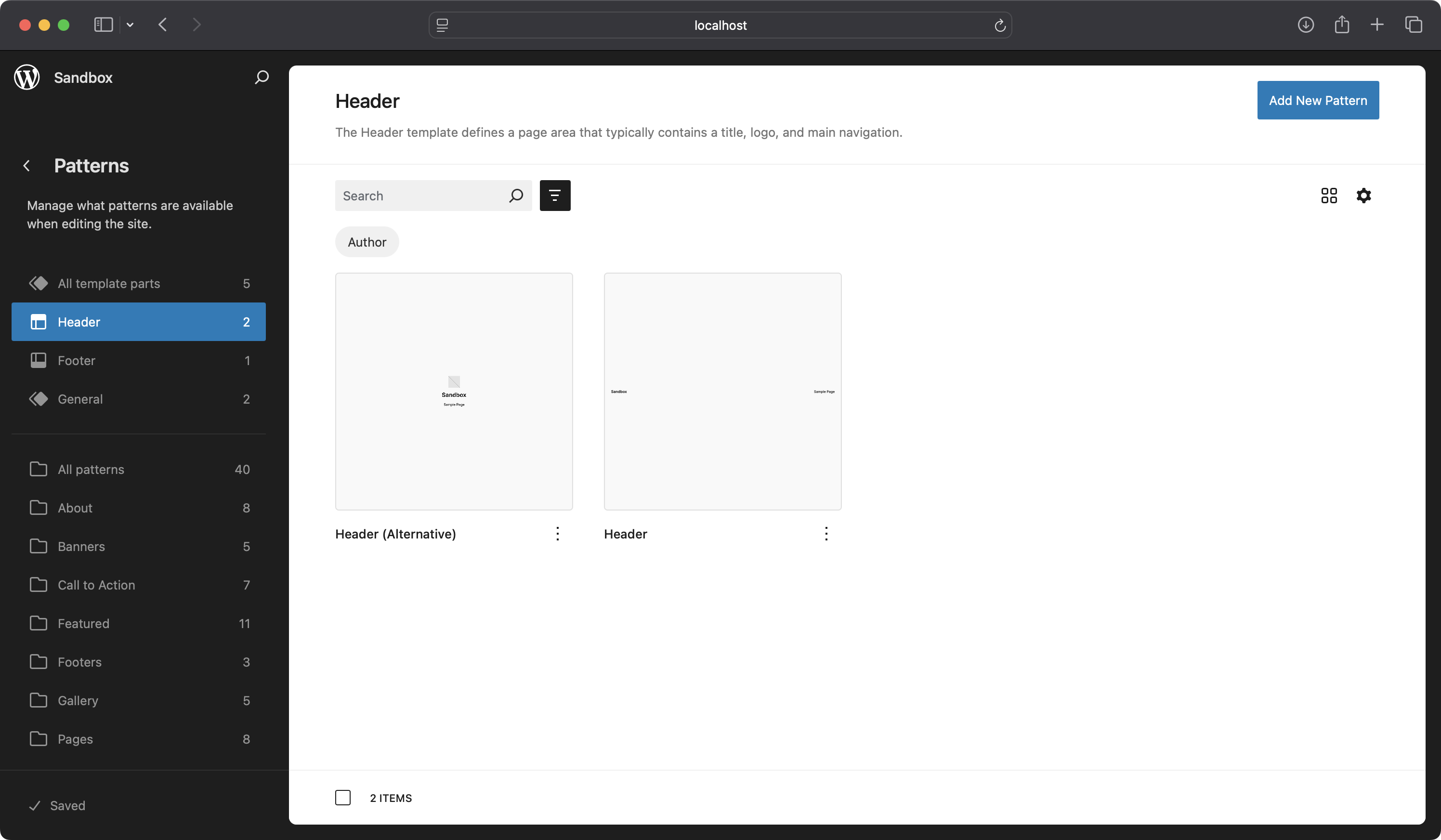
- Create an Alternative Header Template Part: Design and save a new Header Template Part within the Full Site Editor to serve as an alternative to your default header.
- Edit the Single Posts Template: Navigate to the Single Posts template and select the Header Template Part, and view the block sidebar.
- Enable the Dynamic Template Part Option: In the Template Part attributes panel, enable the Dynamic Template Part setting.
- Configure Swapping Preferences (Optional): Adjust your swapping preferences according to your requirements (choose to swap your Template Part with differnt Template Part types, or use a curated list of Template Parts).
- Edit a Post and Access the Dynamic Template Part Sidebar: Open a post for editing and select the Dynamic Template Part sidebar from the editor interface.
- Select the Alternative Header Template Part: Choose the alternative Header Template Part you created to replace the default header in this specific post.
- Save and Preview the Post: Save your changes and preview the post to verify that the alternative header is displayed correctly.
- Confirm Default Header on Other Posts: Ensure that all other posts without specific configurations continue to display the default header as intended.
Unlock the power of dynamic templating and take control of your site’s design like never before!
Hooks and Filters
Dynamic Template Parts provides filters to allow developers to customise its behaviour. Below are the available filters and how to use them.
Show Deselected Template Part
The dynamic_template_parts_show_deselected_template_part filter lets you control whether a previously selected template part that is no longer available for selection should still be displayed. By default, the plugin keeps the part visible to avoid unintended changes, but you can override this to automatically remove unavailable template parts.
Example:
If you want to ensure that unavailable template parts are removed and replaced with the default template part, you can use the following code:
add_filter( 'dynamic_template_parts_show_deselected_template_part', function( $show_deselected, $template_parts, $selected_part ) {
    // Always hide deselected template parts and fall back to the default.
    return false;
}, 10, 3 );
Parameters:
$show_deselected(bool): Whether to show the deselected template part. Defaults totrue.$template_parts(array): The list of available template parts.$selected_part(string): The currently selected template part.
User Permissions
The dynamic_template_parts_user_can_switch filter lets you customise which users are allowed to switch template parts. By default, any user with the edit_posts capability can access this functionality, but you can restrict it to specific roles or capabilities.
Example:
If you want to restrict template part switching to administrators only, you can use the following code:
add_filter( 'dynamic_template_parts_user_can_switch', function( $can_switch ) {
    // Allow only administrators to switch template parts.
    return current_user_can( 'manage_options' );
} );
Parameters:
$can_switch(bool): Whether the current user has permission to switch template parts. Defaults to checking theedit_postscapability.
Roadmap
- Support for additional content types: Support additional content types such as authors, terms and archive pages.
Requirements
- WordPress version 5.8 or higher.
- PHP version 7.4 or higher.
Known Issues
See the Roadmap section for known issues.
Installation
This section describes how to install the plugin and get it working.
- Upload the plugin folder to the
/wp-content/plugins/directory, or install the plugin through the WordPress plugins screen directly. - Activate the plugin through the ‘Plugins’ screen in WordPress.
Frequently asked questions
How do I enable dynamic Template Parts?
In the template editor, select a Template Part and enable the ‘Dynamic Template Part’ option in its attributes. Choose your swapping options and save the template.
Can I limit which Template Parts can be swapped?
Yes! You can curate specific Template Parts that can be swapped. When enabling the ‘Dynamic Template Part’ option, select the Template Parts you want to make available for swapping.
Does this plugin work with custom post types?
Absolutely. Dynamic Template Parts works with posts, pages, and any custom post types you have.
Can I swap Template Parts of different types?
Yes, you have the option to allow swapping with Template Parts of the same type (Header, Footer, Generic), any type, or a curated list of parts from different types.
How are user permissions managed?
See the User Permissions section for information on how you can alter the template swapping permissions.
What happens if I deactivate the plugin?
If you deactivate the plugin, your content will revert to using the default template parts defined in your theme. Your content remains safe, and you can reactivate the plugin anytime to restore dynamic functionality.
Is this plugin compatible with my theme?
Dynamic Template Parts is designed to work with any Full Site Editing (FSE) theme that utilizes block templates and template parts. It enhances the existing functionality of FSE themes without requiring theme modifications.
Changelog
Welcome to the first release of Dynamic Template Parts! Enjoy dynamic control over your templates.
1.0.0
- Initial Release
1.0.0
- Initial Release
1.0.0
- Initial Release
Screenshots


For developers
Is this your plugin? Show off the numbers.
Add a live badge to your site, docs or GitHub README. It updates on its own — no account needed.
Best Dynamic Template Parts alternatives
All block plugins →





FAQ
Dynamic Template Parts: quick answers
Straight answers, pulled from live WordPress.org data.
Live data from WordPress.org · checked Oct 12, 2026
Is Dynamic Template Parts free?
Yes. Dynamic Template Parts is free to download and use from the official WordPress.org plugin directory.
Is Dynamic Template Parts safe to use in 2026?
Dynamic Template Parts shows warning signs in 2026 — compare the alternatives below before installing. Was last updated 2 years ago, and scores 24/100 on our health check.
How many websites use Dynamic Template Parts?
Dynamic Template Parts is active on <10 WordPress websites and has been downloaded 1,005 times since it launched in December 2024. It was downloaded 46 times in the last 30 days.
Does Dynamic Template Parts work with WordPress 7.1?
Dynamic Template Parts is officially tested up to WordPress 6.7.10, while the latest release is 7.1.3. It may still work, but try it on a staging site first.
What PHP version does Dynamic Template Parts need?
Dynamic Template Parts requires PHP 7.4 or higher. Most hosts run PHP 8.x today, so it works on any modern WordPress hosting.
When was Dynamic Template Parts last updated?
The latest version, 1.0.0, was released on December 3, 2024 (2 years ago).
Who makes Dynamic Template Parts?
Dynamic Template Parts is developed and maintained by Matt Watson.
What are the best alternatives to Dynamic Template Parts?
The most popular alternatives to Dynamic Template Parts are Spectra Legacy (1M+ installs), Breadcrumb NavXT (800K+ installs) and PDF Embedder (300K+ installs).
Powered by PageForge
Want thousands of pages that rank like these? Build them in an afternoon.
This directory runs on the same engine as PageForge. Turn any spreadsheet, CSV or API into thousands of fast, SEO-ready WordPress pages — with schema, internal links and AI-written copy baked in.
- CSV, Google Sheets & API data sources
- AI content, schema & internal links per page
- Works with Elementor, Gutenberg, Yoast & Rank Math
- Free on WordPress.org — no credit card


