



Doliconnect
This plugin interfaces your Dolibarr with your WordPress.

Solid choice
Doliconnect is a solid plugin choice in 2026, with a few things worth checking first. It runs on 30+ sites, is rated 5/5 and was last updated 2 weeks ago, and scores 74/100 on our health check.
- Actively developed — last update 2 weeks ago
- Tested with the latest WordPress (7.1)
- Small user base (30+ active installs)
- Very few reviews so far
- Needs PHP 8.1 or newer
How does it stack up?
Side-by-side on installs, updates, ratings & support



Daily downloads
Download spikes usually follow a new release — each site that auto-updates counts as a download.
Rankings
Where Doliconnect stands todayWordPress.org search rankings
Live position in the plugin search, top 100| Keyword | Position |
|---|---|
| connector | >100 |
| crm | >100 |
| dolibarr | #2 |
| ERP | #32 |
Version adoption
Share of active sites per release.
Rating breakdown
★★★★★★★★★★ 5 from 4 reviews
About Doliconnect
From the official readme · v10.7.6Description
Use this plugin to greatly improve relations with your customers. No WooCommerce or other e-shop is needed!
This module only support Dolibarr’s internal plugins and options. For more support, you will need addons.
If you like the plugin, feel free to rate it (on the right side of this page)!
You can test it live on https://ptibogxiv.dev
Credits
We would like to thank these contributors and plugins:
Installation
- Download the plugin via WordPress.org
- Upload the ZIP file through the ‘Plugins > Add New > Upload’ screen in your WordPress dashboard
- Activate the plugin through the ‘Plugins’ menu in WordPress
- Navigate to “Doliconnect”, follow the instructions, and complete the settings.
Dolibarr configuration steps:
- Activate the REST API for Dolibarr: go to menu Home > Setup > Modules/Applications and activate the API/Web services (REST server).
- Generate and copy a specific user API key with full/admin rights: go to menu Home > Users & groups, select your admin user in the list, click Modify, generate and copy the Key for API (see screenshot), then click Save.
- Your Dolibarr installation needs the Doliconnector module, which can be freely downloaded from Dolistore or GitHub: GitHub
WordPress configuration steps:
1. Go to WordPress Admin > Settings > Doliconnect
2. BE CAREFUL: in a multisite blog, there is also a network settings page for keys and general settings!
Frequently asked questions
Dolibarr compatibility
Doliconnect v10.x -> Dolibarr >18.x Doliconnect v9.x -> Dolibarr >17.x Doliconnect v8.x -> Dolibarr >15.x Doliconnect v6.7 -> Dolibarr >13.x Doliconnect v6.x -> Dolibarr >12.x Doliconnect v5.x -> Dolibarr >11.x Doliconnect v4.x -> Dolibarr >11.x Doliconnect v3.x -> Dolibarr 10.x
REST API compatibility
In some cases, the REST API with Dolibarr needs extra settings to work. Please read this: https://github.com/Dolibarr/dolibarr/pull/12089
Changelog
10.x.y
- Better UX/UI
- Upgrade Dolibarr version
- Fix PHP bugs and errors
- Please note that a bug can block updating. You need to rollback or uninstall this plugin before a new install
- Rebuild and more powerful plugin
- More compliant with native wordpress function
9.6.x
- Better UX/UI
- Upgrade Dolibarr version
- Fix PHP bugs and errors
9.5.x
- Better UX/UI
- Upgrade Dolibarr version
- More customization with child theme template
- Fix PHP bugs and errors
9.4.x
- Better UX/UI
- Fix vulnerability
- Upgrade library
- Step for more WordPress legacy template with Doliconnect
- Fix PHP bugs and errors
9.3.x
- Better UX/UI
- Upgrade library
- Less dependence on the Doliconnector module
- First beta step for more WordPress legacy templates with Doliconnect
- Fix PHP bugs and errors
9.2.x
- Better UX/UI
- Upgrade library
- Less dependence on the Doliconnector module
- Fix PHP bugs and errors
Screenshots
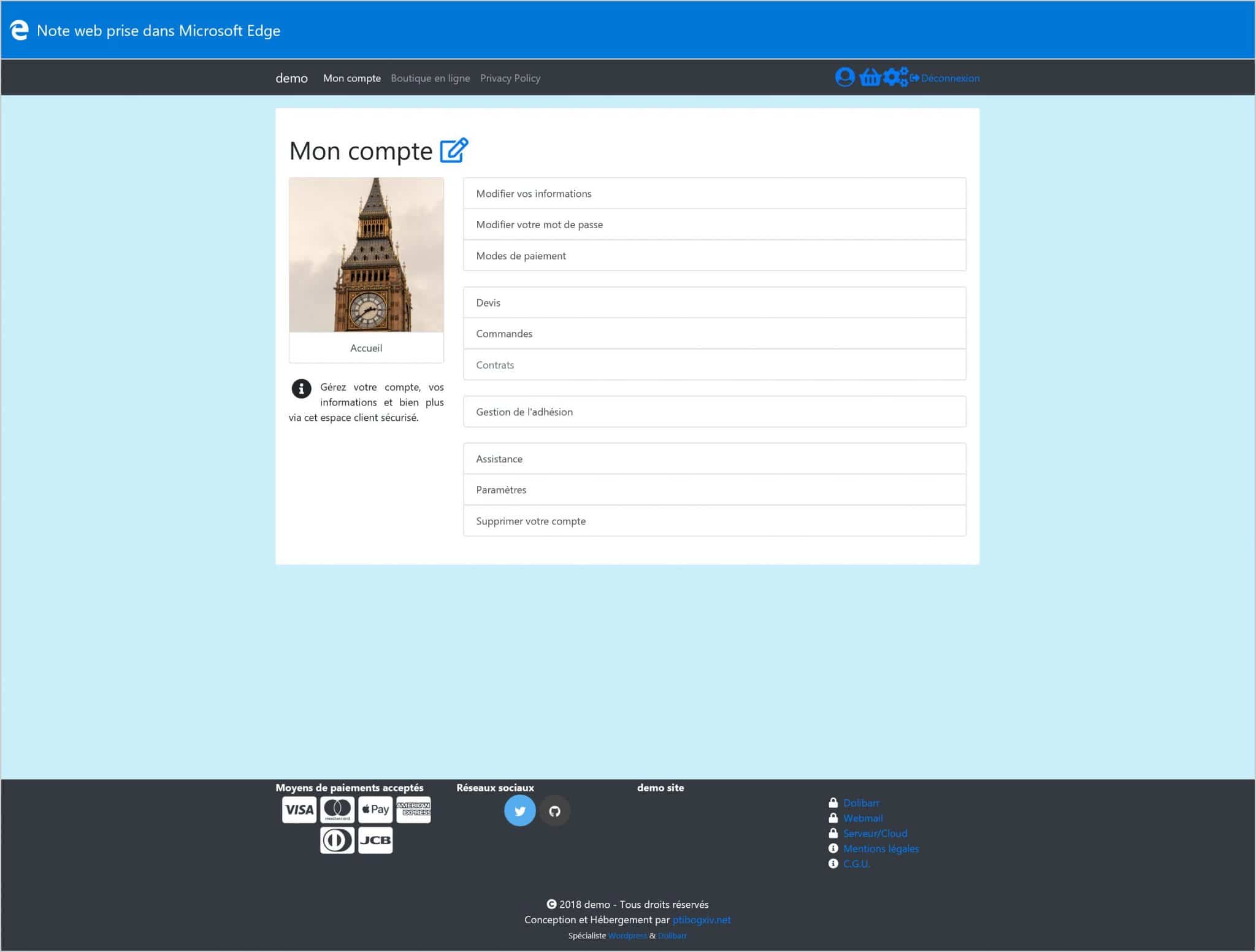
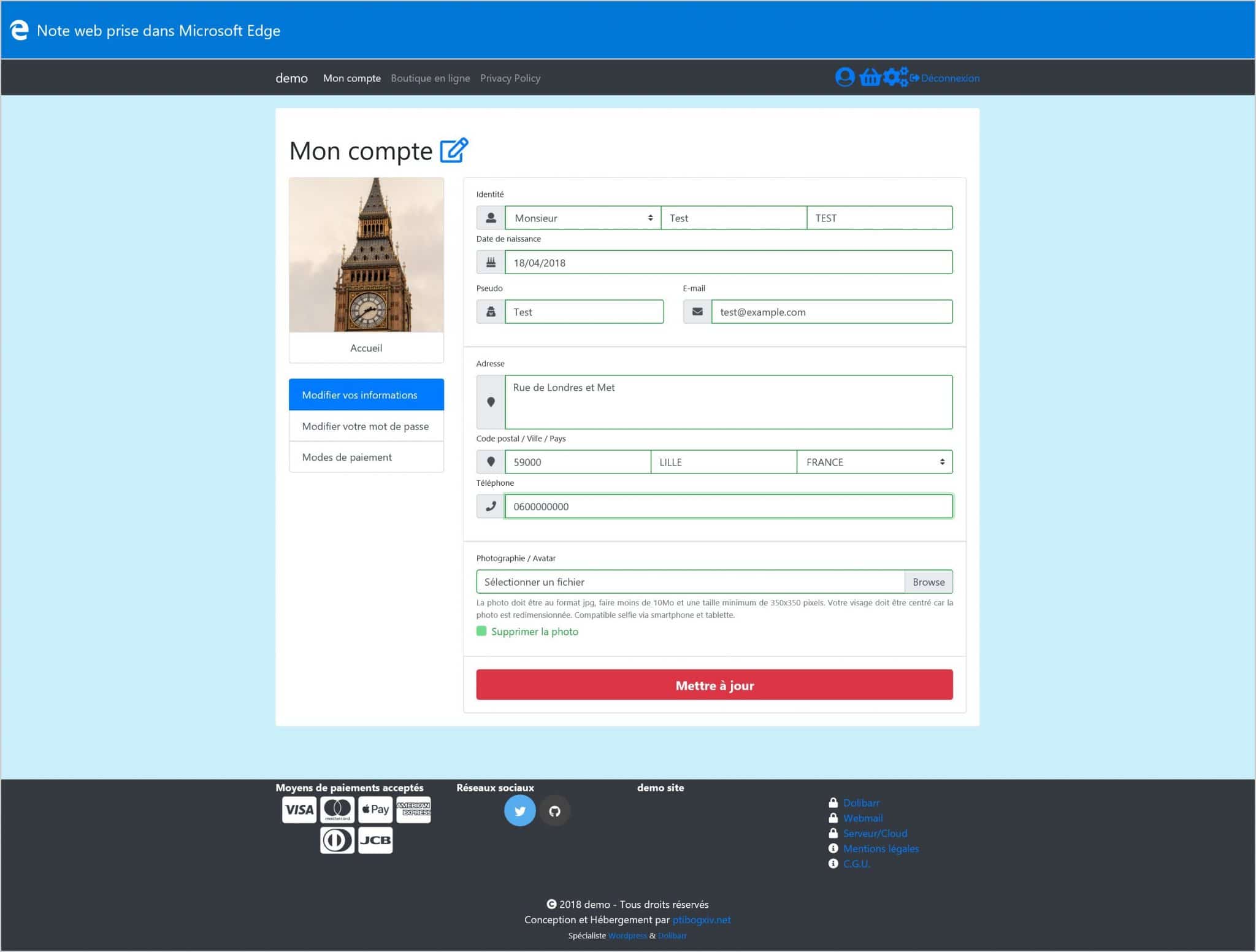
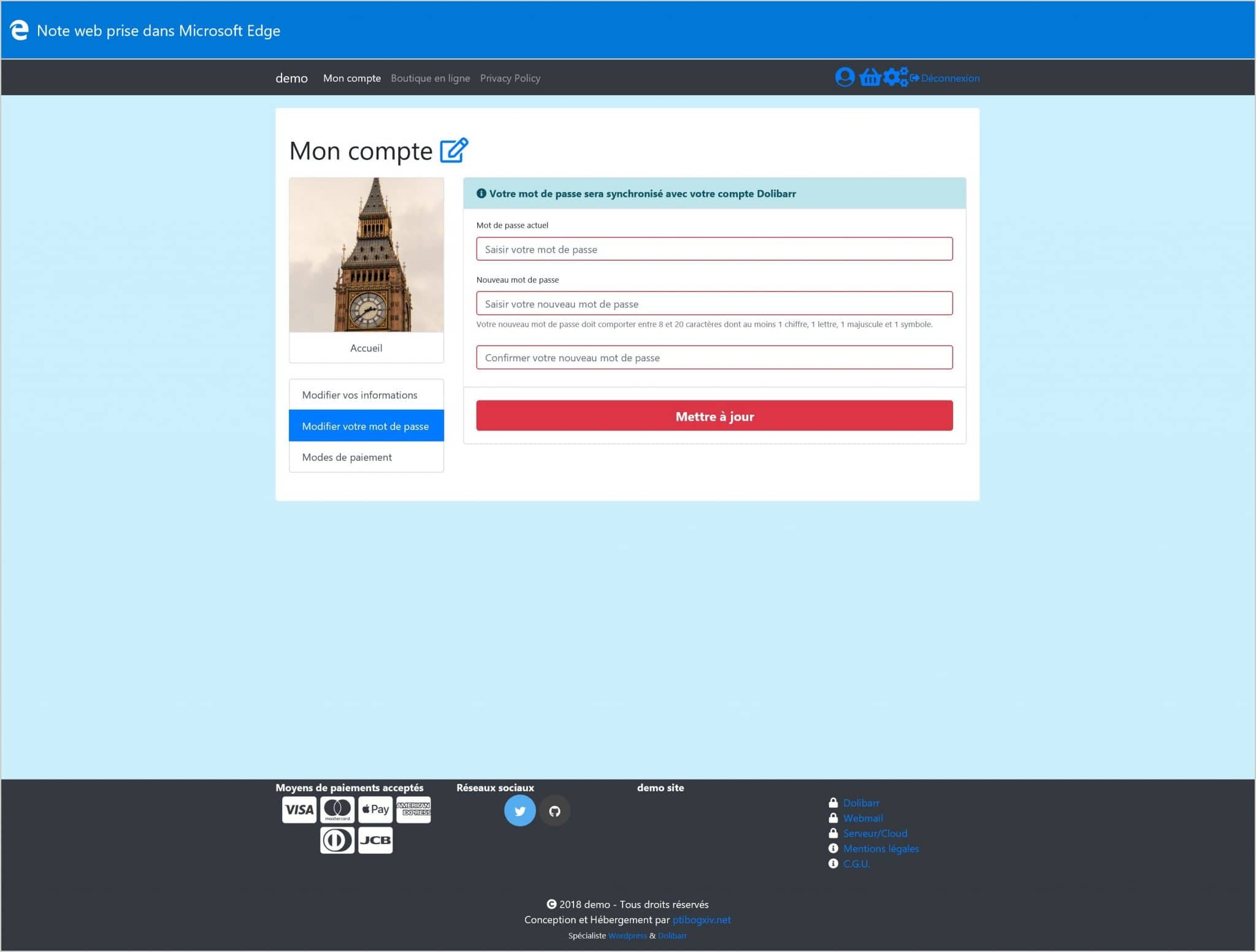
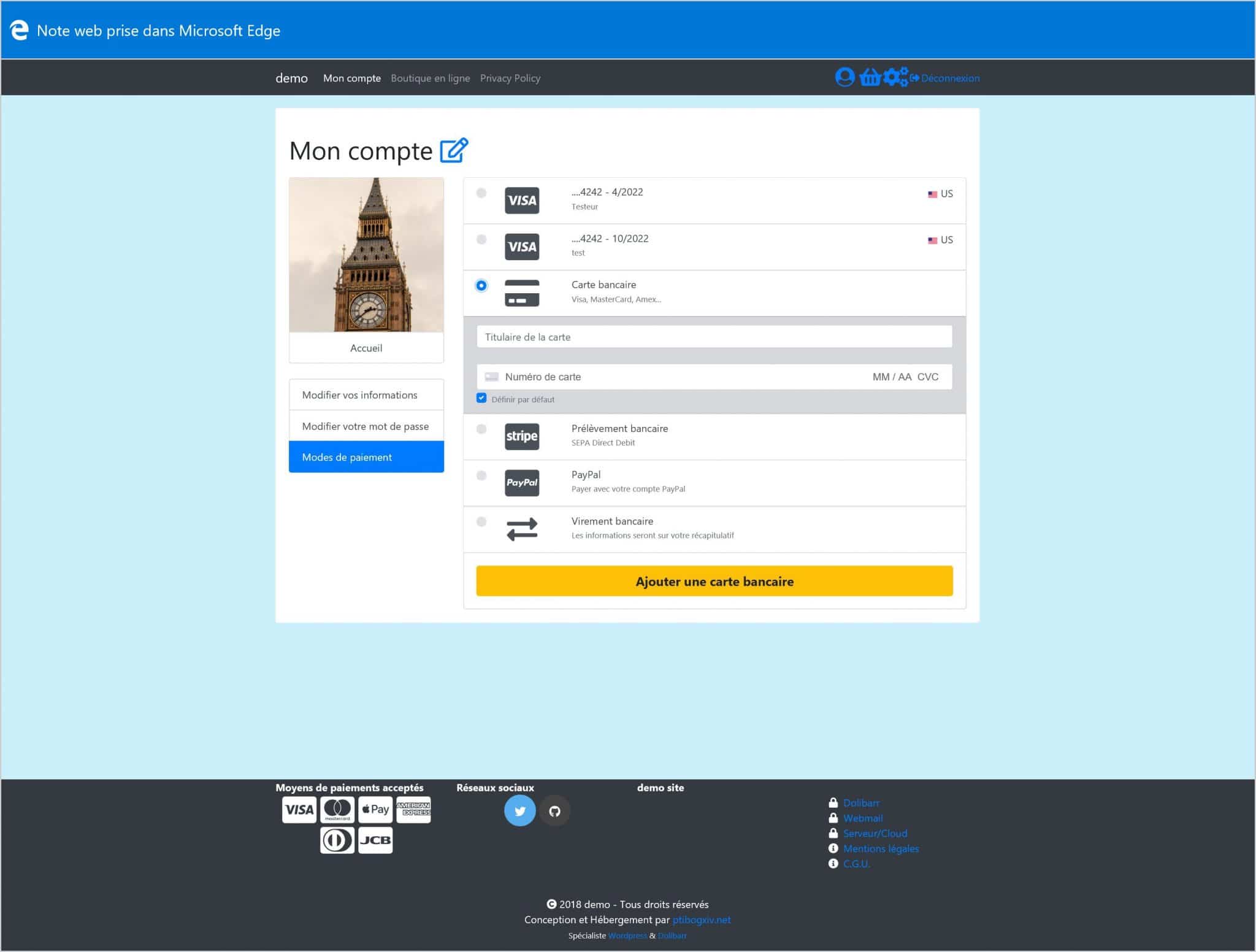
For developers
Is this your plugin? Show off the numbers.
Add a live badge to your site, docs or GitHub README. It updates on its own — no account needed.
Best Doliconnect alternatives
All connector plugins →





FAQ
Doliconnect: quick answers
Straight answers, pulled from live WordPress.org data.
Live data from WordPress.org · checked Sep 29, 2026
Is Doliconnect free?
Yes. Doliconnect is free to download and use from the official WordPress.org plugin directory.
Is Doliconnect safe to use in 2026?
Doliconnect is a solid plugin choice in 2026, with a few things worth checking first. It runs on 30+ sites, is rated 5/5 and was last updated 2 weeks ago, and scores 74/100 on our health check.
How many websites use Doliconnect?
Doliconnect is active on 30+ WordPress websites and has been downloaded 46,446 times since it launched in January 2019. It was downloaded 726 times in the last 30 days.
Does Doliconnect work with WordPress 7.1?
Yes. The developer has tested Doliconnect up to WordPress 7.1.2, the latest release. It requires WordPress 6.5 or newer.
What PHP version does Doliconnect need?
Doliconnect requires PHP 8.1 or higher. Most hosts run PHP 8.x today, so it works on any modern WordPress hosting.
When was Doliconnect last updated?
The latest version, 10.7.6, was released on September 17, 2026 (2 weeks ago).
Who makes Doliconnect?
Doliconnect is developed and maintained by ptibogxiv.
What are the best alternatives to Doliconnect?
The most popular alternatives to Doliconnect are AI Agent by SiteGround (1M+ installs), AI Provider for Anthropic (60K+ installs) and AI Provider for OpenAI (50K+ installs).
Powered by PageForge
Want thousands of pages that rank like these? Build them in an afternoon.
This directory runs on the same engine as PageForge. Turn any spreadsheet, CSV or API into thousands of fast, SEO-ready WordPress pages — with schema, internal links and AI-written copy baked in.
- CSV, Google Sheets & API data sources
- AI content, schema & internal links per page
- Works with Elementor, Gutenberg, Yoast & Rank Math
- Free on WordPress.org — no credit card


