



Display a Quote
With this lightweight plugin you can display a random quote at your website.

Solid choice
Display a Quote is a solid plugin choice in 2026, with a few things worth checking first. It runs on 20+ sites and was last updated 2 months ago, and scores 63/100 on our health check.
- Tested with the latest WordPress (7.1)
- Small user base (20+ active installs)
- Very few reviews so far
How does it stack up?
Side-by-side on installs, updates, ratings & support



Daily downloads
Download spikes usually follow a new release — each site that auto-updates counts as a download.
Rankings
Where Display a Quote stands todayWordPress.org search rankings
Live position in the plugin search, top 100| Keyword | Position |
|---|---|
| ClassicPress | #33 |
| quotation | #52 |
| quote | >100 |
| quotes | >100 |
Version adoption
Share of active sites per release.
About Display a Quote
From the official readme · v2.3Description
About
With this lightweight plugin you can display a random quote at your website.
Main features of the plugin:
- Free and lightweight
- Support for Block Editor and Classic Editor
- Display your random quote with block, shortcode or widget
- Organize quotes with categories
- Customize your quote display via the settings page or with attributes
- Documentation at WP plugin page
- Active support from developer at WP forum
How to use
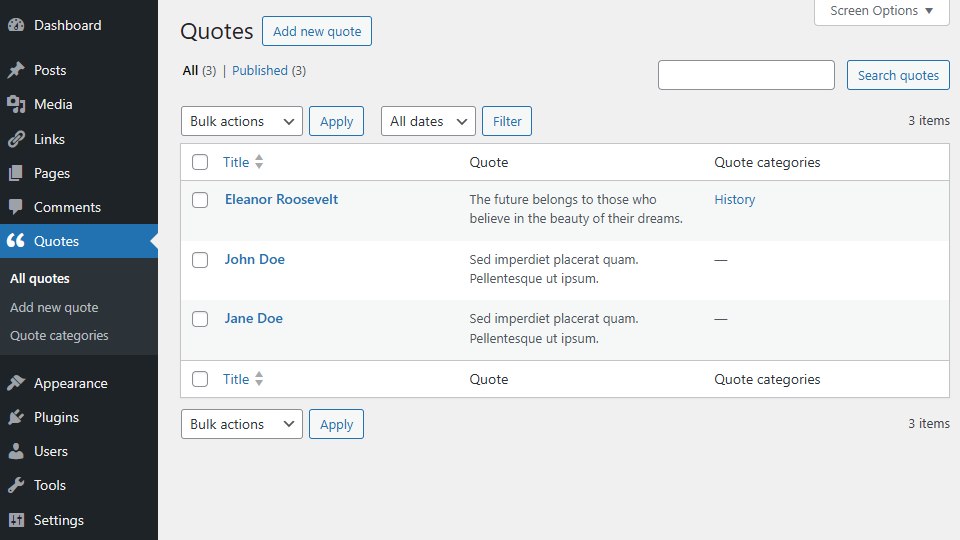
After installation go to menu item “Quotes” and create some quotes. Use title field for the quote author and content field for the quote itself.
You can organize your quotes with categories. This makes it possible to display multiple blocks, shortcodes or widgets with different kind of quotes.
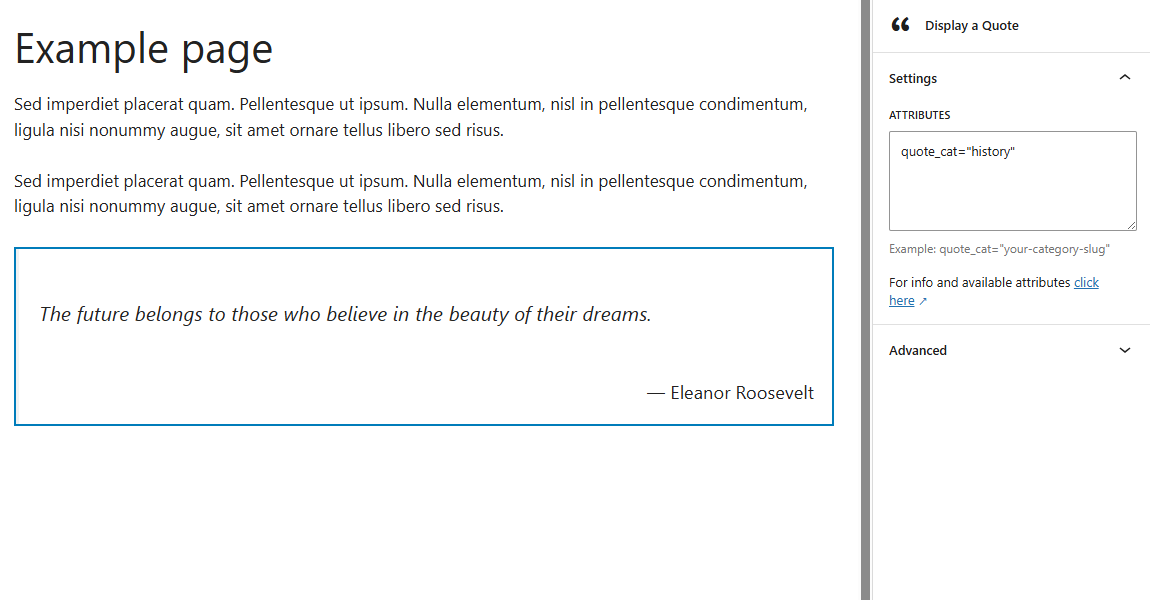
Go to the editor and add the Display a Quote block or the shortcode [daquote] to a page. This will display your random quote.
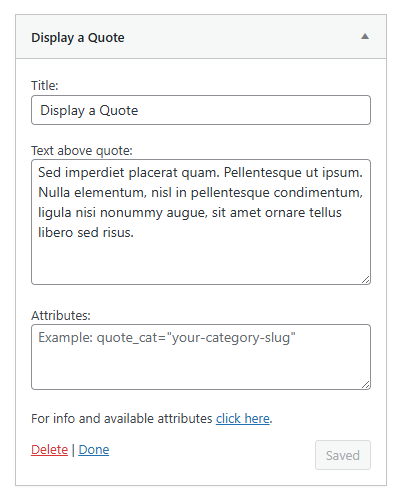
Or go to Appearance > Widgets and use the Display a Quote widget.
It’s also possible to add an image to your quote.
When using the block editor, use the Media & Text block. Or the Image block, if the image also contains the quote text.
When using the classic editor, add the image with the “Add media” button next to the quote text and align it the way you want.
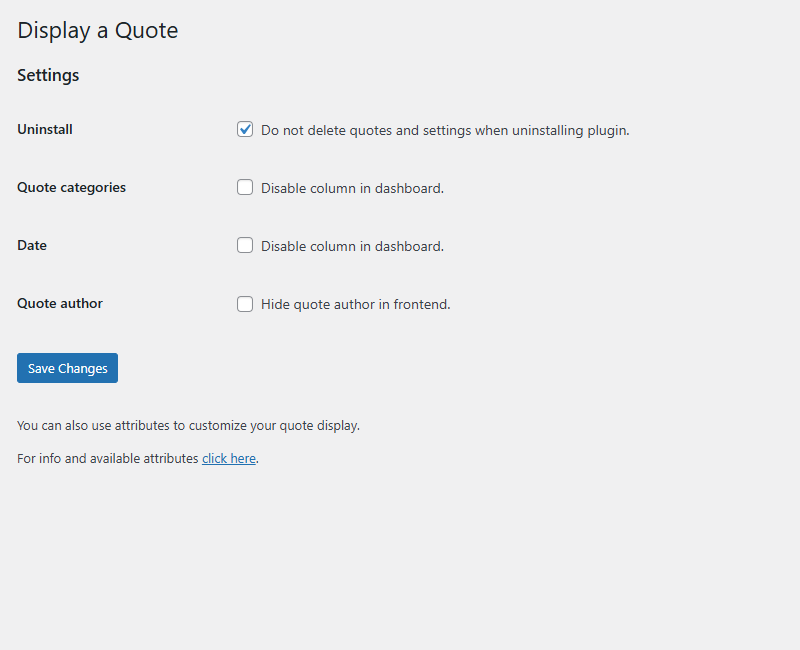
Customize your quote display via the settings page or with attributes.
Settings page
The settings page is located at Settings > Display a Quote.
Attributes
You can customize your quote display by adding attributes to the block, shortcode or widget.
- Display quotes from a certain category:
quote_cat="your-category-slug" - Display quotes from multiple categories:
quote_cat="first-category-slug, second-category-slug" - Hide quote author:
quote_author="false" - Change the “no quotes are found” text:
no_quotes_text="your text"
Example: [daquote quote_cat="your-category-slug" quote_author="false"]
When using the block or the widget, don’t add the main shortcode tag or the brackets.
Example: quote_cat="your-category-slug" quote_author="false"
The “Hide quote author” attribute will override the settings page.
Have a question?
Please take a look at the FAQ section.
Translation
Translations are not included, but the plugin supports WordPress language packs.
More translations are very welcome!
The translation folder inside this plugin is redundant, but kept for reference.
Credits
Without help and support from the WordPress community I was not able to develop this plugin, so thank you!
Frequently asked questions
How do I set plugin language?
The plugin will use the website language, set in Settings > General.
Can I import quotes?
You can import quotes from a JSON or XML file. Make sure quote author and quote text are separate items in your file. Install an import plugin that supports custom post types Choose the (custom) post type daquote/quotes Match fields (title = quote author, description = quote text) Run the import
Why is the quote display different between themes?
The plugin uses minimal styling and therefore also depends on the styling of your theme.
How can I change the layout or colors?
You can use page Additional CSS of the Customizer for your custom styling.
Why is there no semantic versioning?
The version number won’t give you info about the type of update (major, minor, patch). You should check the changelog to see whether or not the update is a major or minor one.
How can I make a donation?
You like my plugin and want to make a donation? There’s a PayPal donate link at my website. Thank you!
Other questions or comments?
Please open a topic in the WordPress.org support forum for this plugin.
Changelog
Version 2.3
- Minor changes in code
Version 2.2
- Fix: typo
- Updated file uninstall
Version 2.1
- Textual changes
- Minor changes in code
Version 2.0
- Minor changes in code
Version 1.9
- Added support for ClassicPress
- The block will only load in WP 6.3 and higher
- Reverted the “Requires at least” version to 6.0
Version 1.8
- Minor changes in code
Screenshots


For developers
Is this your plugin? Show off the numbers.
Add a live badge to your site, docs or GitHub README. It updates on its own — no account needed.
Best Display a Quote alternatives
All ClassicPress plugins →





FAQ
Display a Quote: quick answers
Straight answers, pulled from live WordPress.org data.
Live data from WordPress.org · checked Sep 29, 2026
Is Display a Quote free?
Yes. Display a Quote is free to download and use from the official WordPress.org plugin directory.
Is Display a Quote safe to use in 2026?
Display a Quote is a solid plugin choice in 2026, with a few things worth checking first. It runs on 20+ sites and was last updated 2 months ago, and scores 63/100 on our health check.
How many websites use Display a Quote?
Display a Quote is active on 20+ WordPress websites and has been downloaded 1,415 times since it launched in May 2025. It was downloaded 90 times in the last 30 days.
Does Display a Quote work with WordPress 7.1?
Yes. The developer has tested Display a Quote up to WordPress 7.1.2, the latest release. It requires WordPress 6.0 or newer.
What PHP version does Display a Quote need?
Display a Quote requires PHP 7.4 or higher. Most hosts run PHP 8.x today, so it works on any modern WordPress hosting.
When was Display a Quote last updated?
The latest version, 2.3, was released on August 15, 2026 (2 months ago).
Who makes Display a Quote?
Display a Quote is developed and maintained by Guido.
What are the best alternatives to Display a Quote?
The most popular alternatives to Display a Quote are VS Event List (8K+ installs), VS Contact Form (6K+ installs) and VS Meta Description (3K+ installs).
Powered by PageForge
Want thousands of pages that rank like these? Build them in an afternoon.
This directory runs on the same engine as PageForge. Turn any spreadsheet, CSV or API into thousands of fast, SEO-ready WordPress pages — with schema, internal links and AI-written copy baked in.
- CSV, Google Sheets & API data sources
- AI content, schema & internal links per page
- Works with Elementor, Gutenberg, Yoast & Rank Math
- Free on WordPress.org — no credit card


