



WP ADA Compliance Check Basic
WP ADA Compliance Check is a comprehensive web accessibility solution designed to audit your entire website—including posts, pages, templates, images, iframe embeds, and untagged PDFs. It evaluates websites against WCAG…

Safe pick
Yes — WP ADA Compliance Check Basic is a safe, well-maintained plugin to use in 2026. It runs on 3K+ sites, is rated 4.5/5 and was last updated 6 days ago, and scores 81/100 on our health check.
- Actively developed — last update 6 days ago
- Tested with the latest WordPress (7.1)
How does it stack up?
Side-by-side on installs, updates, ratings & supportDaily downloads
Download spikes usually follow a new release — each site that auto-updates counts as a download.
Rankings
Where WP ADA Compliance Check Bas… stands todayWordPress.org search rankings
Live position in the plugin search, top 100| Keyword | Position |
|---|---|
| accessability | #1 |
| accessibility | #73 |
| ada | #2 |
| ClassicPress | #13 |
| Section 508 | #5 |
Version adoption
Share of active sites per release.
Rating breakdown
★★★★★★★★★★ 4.5 from 8 reviews
About WP ADA Compliance Check Basic
From the official readme · v3.1.10Description
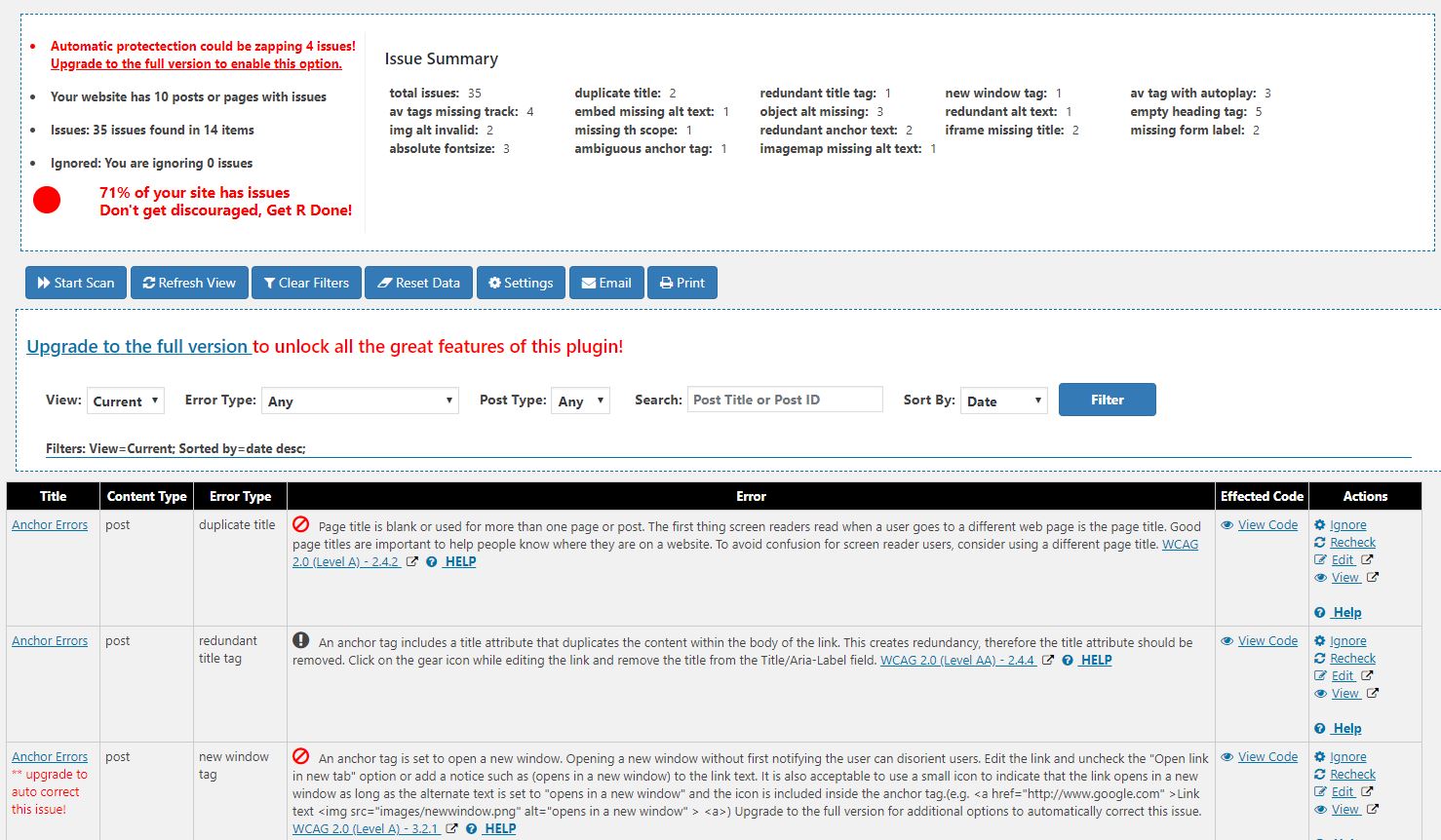
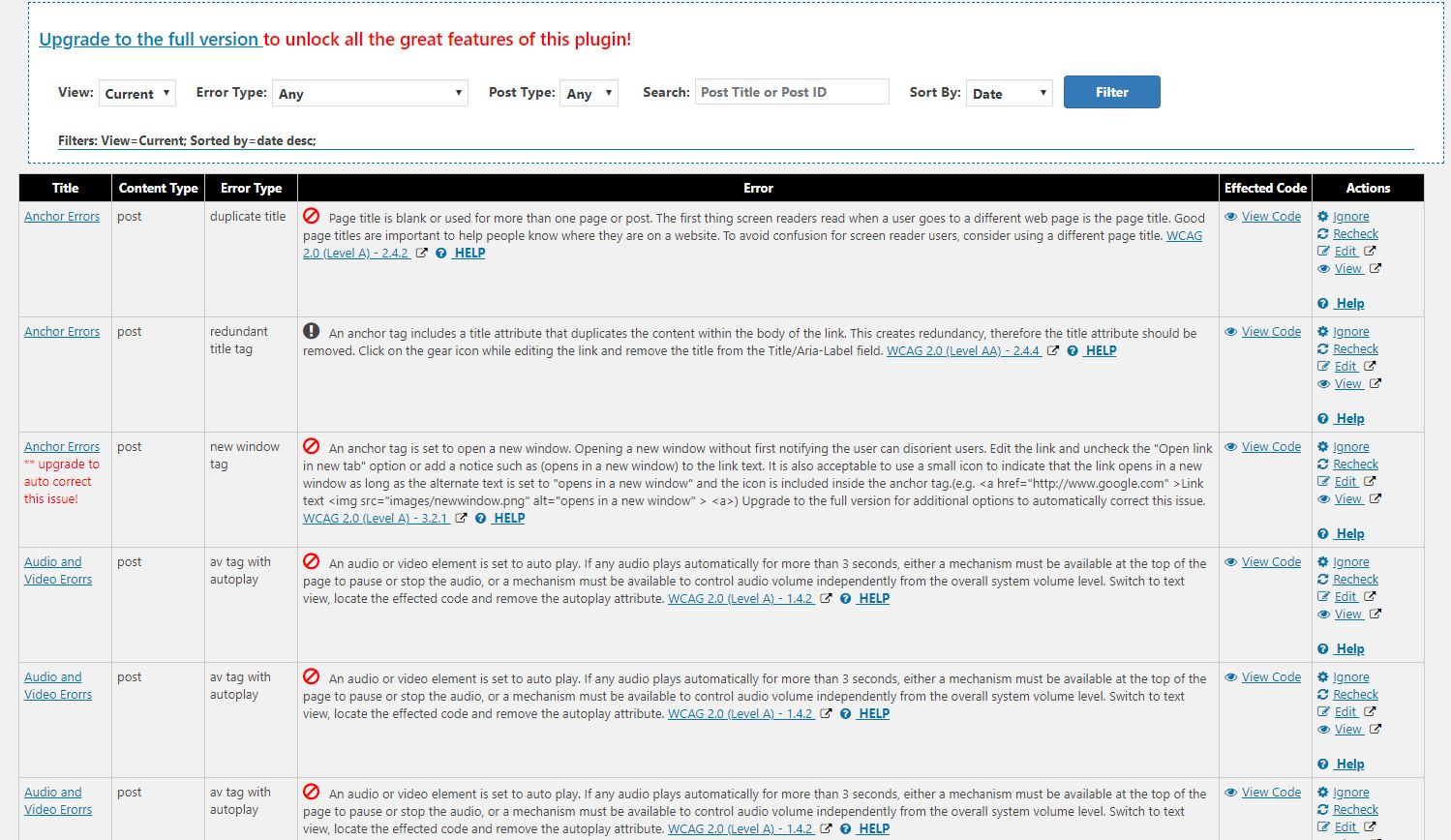
WP ADA Compliance Check is a comprehensive web accessibility solution designed to audit your entire website—including posts, pages, templates, images, iframe embeds, and untagged PDFs. It evaluates websites against WCAG 2.1, WCAG 2.2, or Section 508 standards, integrates seamlessly into your workflow, evaluating your website for Web Accessibility issues when content is published or you can run a complete scan of your website to identify issues in all of your content. Accessibility reports provide references and easy to follow instructions. The basic version is limited to 15 posts or pages during full scans, has a smaller rule set (52 error checks) and is unable to identify issues found in theme files. The full version corrects many common issues automatically using convenient, time saving filter options built into the plugin. Visit our website to compare versions and review a complete list of features.
Works with any website editor, including:
Gutenberg Compatible
Elementor Compatible
Beaver Builder Compatible
ClassicPress Compatible
Divi Compatible
[PRO] Scans the entire website: posts, pages, custom post types, theme files, widgets, shortcodes, custom fields, terms, menus, excerpts, archives, iframes, PDF files, css files and even linked pages.
[PRO] Many issues are corrected automatically, saving you time and money.
[PRO] Includes many WordPress improvements and time saving features.
[PRO] Includes a web accessibility widget to enhance the accessibility of the website.
[PRO] Reports may be printed, emailed or exported in Excel format and include references and easy to follow instructions.
[PRO] Identifies untagged PDF files.
[PRO] Integrates with our free HTML Validation plugin to pinpoint HTML validation errors that result in inaccessible web pages.
[PRO] Includes 83 accessibility checks, many that are not available in the free version (the free version currently has 52 checks).
[PRO] Agency white labeling allows you to give clients a premium experience while keeping your agency front and center.
[PRO] Stops inaccessible content by blocking the publication of posts or pages that fail accessibility checks before they go live.
Visit our website to learn more about the features included in the PRO version.
Installation
- Upload the wp-ada-compliance-check-basic folder to the
/wp-content/plugins/directory, or install the plugin through the WordPress plugins screen directly. - Activate the plugin through the ‘Plugins’ screen in WordPress
Frequently asked questions
Why use the WP ADA Compliance Plugin?
It’s the law! In 1998, Congress amended the Rehabilitation Act of 1973 to require Federal agencies to make their electronic and information technology accessible to people with disabilities. This law applies to all Federal agencies, some state and local agencies as well as any entity creating websites for applicable agencies. In recent years, there has been an increase of website accessibility lawsuits. In some states the rulings have indicated that business websites failing to meet WCAG guidelines are in violation of Title III of the ADA. There is also a strong business case for…
What issues does WP ADA Compliance Check Basic check for?
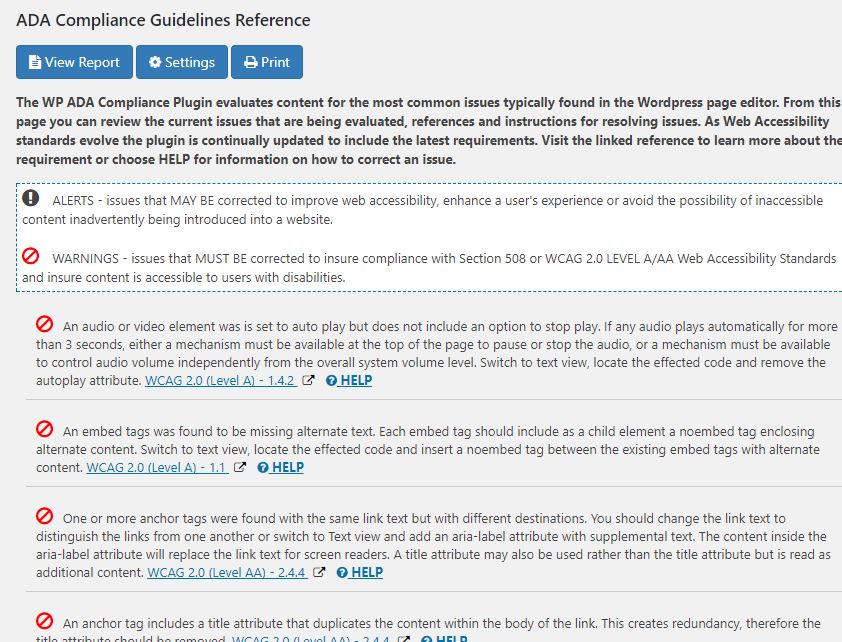
The WP ADA Compliance Plugin evaluates content for the most common issues typically found on your website. As Web Accessibility standards evolve the plugin is continually updated to include the latest requirements. Visit our website to compare versions and review a complete list of features and issues that are evaluated
Can WP ADA Compliance Check Basic scan all of my content?
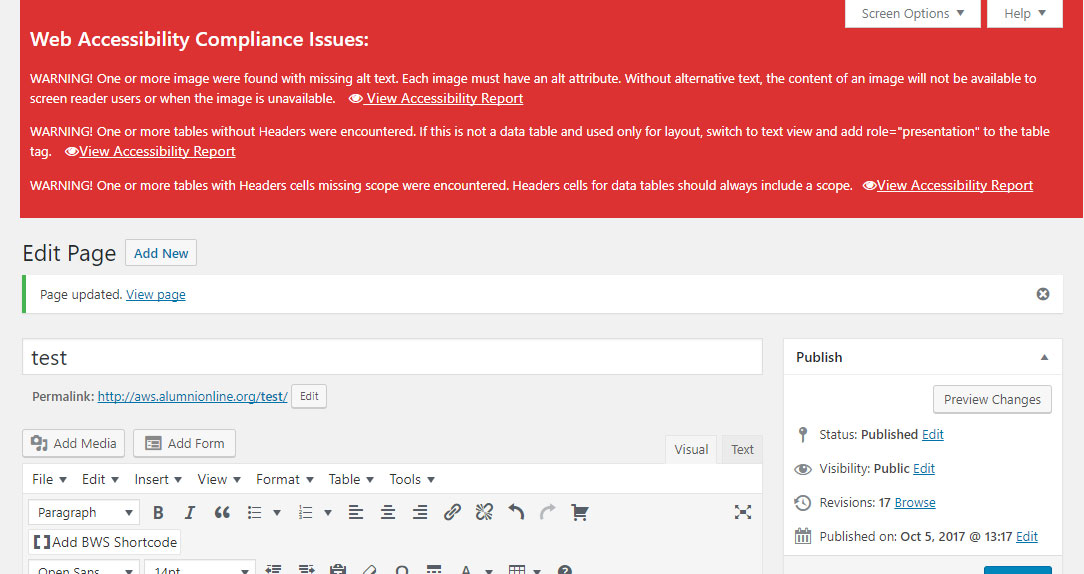
The basic version supports scanning of up to 15 pages on a website. When a page or post is saved the content is scanned and errors are noted on the editor screen. There is no limit on content scanned when saving a page or post. Visit our website to compare versions and review a complete list of features
How can I upgrade to the full version of WP ADA Compliance Check?
The full version may be purchased on our website.
What are the System/Server Requirements?
Linux/Unix, Apache webserver with MYSQL and PHP 5.6, PHP 7 >, or PHP 8. PHP Settings: max_execution_time: 300, memory_limit: 256MB Tested on WordPress 4.6 > Tested on Classic Press 1.0 > Browser support: Windows with Edge, Opera, Firefox or Chrome or Mac with Safari, Opera, Firefox or Chrome
How do I troubleshoot 500, 502 or 504 Server Errors During Scans?
These errors normally occur while scanning pages with a large number of links. If you see server errors, increase the PHP max_execution_time to at least 300 and memory_limit to 256MB or 700MB for PDF scans. It may be necessary to increase the max_execution_time and memory_limit even further if errors persist. View additional troubleshooting tips
Does the plugin work with the new WordPress Gutenberg Editor?
Yes, the WP ADA Compliance Plugin works with the new Gutenberg editor. Please note, the Gutenberg editor table block tool does not create accessible tables. To add table headers users should insert tables with the classic block or install the Classic Editor Plugin to restore your editor to the original editor experience.
Does the plugin work on ClassicPress?
Yes, the WP ADA Compliance Plugin has been tested to work with ClassicPress.
Additional FAQ
View additional FAQ
Changelog
3.1.10
- Added marketing messages
3.1.9
- Added screen shots of the new browser extension
3.1.8
- Removed use of depracated mb_convert_encoding function
- Corrected fatal PHP error due to too many arguments on strpos function
3.1.7
- Corrected wordpress notice _load_textdomain_just_in_time called incorrectly
- Corrected deprecated PHP code
3.1.6
- Minor updates to visible text
3.1.5
- corrected printable report formatting
- corrected CSRF vulnerability
- corrected modal links not working when report is filtered
Screenshots
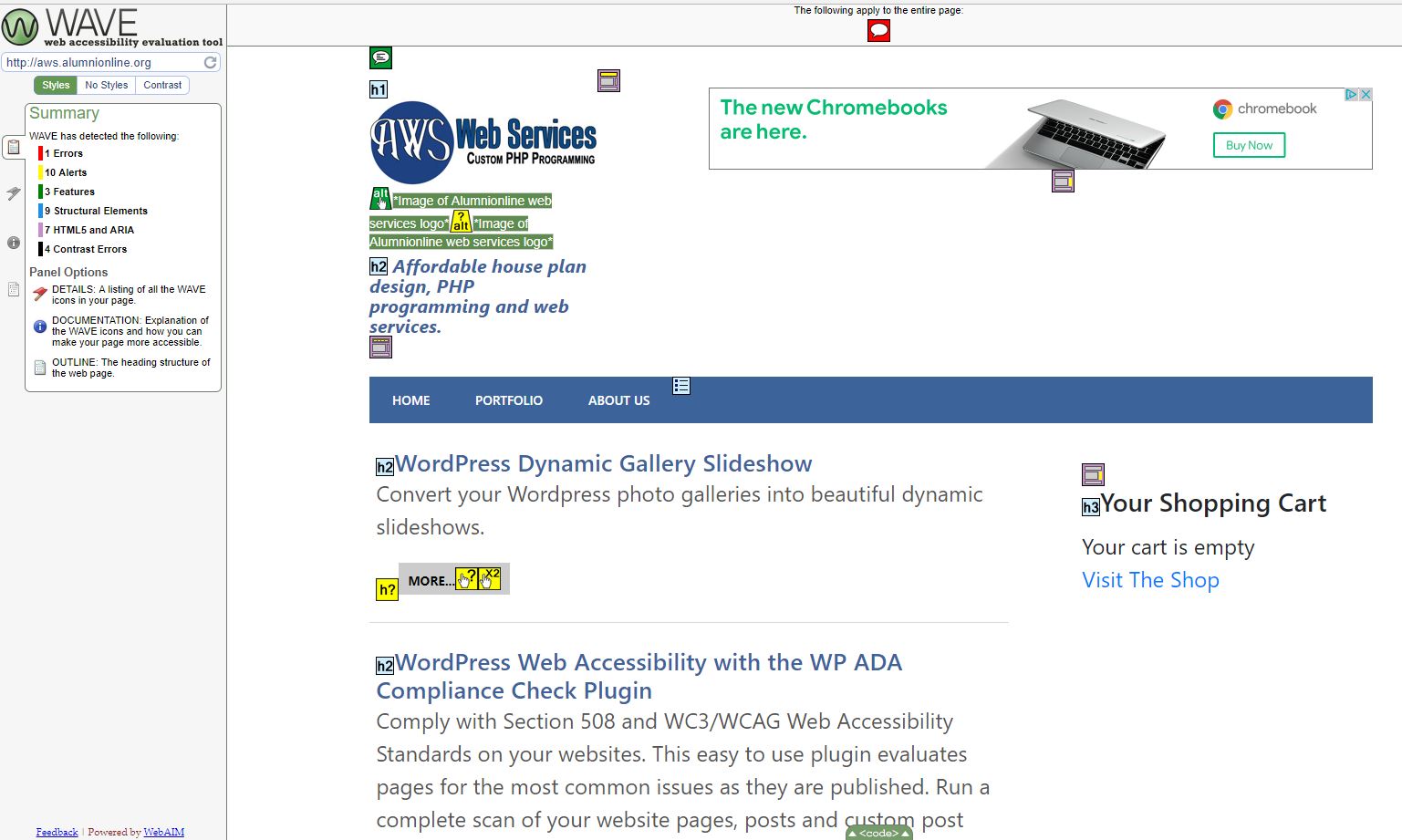
For developers
Is this your plugin? Show off the numbers.
Add a live badge to your site, docs or GitHub README. It updates on its own — no account needed.
Best WP ADA Compliance Check Basic alternatives
All accessability plugins →| Rank | Plugin | Active installs |
|---|---|---|
| 2 |
 Real Accessability
 plugin adds custom accessability such as font resizer, color inverse…
Real Accessability
Real Accessability plugin adds custom accessability such as font resizer, color inverse…
|
1K+ |
FAQ
WP ADA Compliance Check Basic: quick answers
Straight answers, pulled from live WordPress.org data.
Live data from WordPress.org · checked Sep 26, 2026
Is WP ADA Compliance Check Basic free?
Yes. WP ADA Compliance Check Basic is free to download and use from the official WordPress.org plugin directory.
Is WP ADA Compliance Check Basic safe to use in 2026?
Yes — WP ADA Compliance Check Basic is a safe, well-maintained plugin to use in 2026. It runs on 3K+ sites, is rated 4.5/5 and was last updated 6 days ago, and scores 81/100 on our health check.
How many websites use WP ADA Compliance Check Basic?
WP ADA Compliance Check Basic is active on 3K+ WordPress websites and has been downloaded 164,957 times since it launched in October 2017. It was downloaded 661 times in the last 30 days.
Does WP ADA Compliance Check Basic work with WordPress 7.1?
Yes. The developer has tested WP ADA Compliance Check Basic up to WordPress 7.1.2, the latest release. It requires WordPress 4.6 or newer.
What PHP version does WP ADA Compliance Check Basic need?
WP ADA Compliance Check Basic requires PHP 5.5 or higher. Most hosts run PHP 8.x today, so it works on any modern WordPress hosting.
When was WP ADA Compliance Check Basic last updated?
The latest version, 3.1.10, was released on September 20, 2026 (6 days ago).
Who makes WP ADA Compliance Check Basic?
WP ADA Compliance Check Basic is developed and maintained by seshelby.
What are the best alternatives to WP ADA Compliance Check Basic?
The most popular alternatives to WP ADA Compliance Check Basic are Real Accessability (1K+ installs).
Powered by PageForge
Want thousands of pages that rank like these? Build them in an afternoon.
This directory runs on the same engine as PageForge. Turn any spreadsheet, CSV or API into thousands of fast, SEO-ready WordPress pages — with schema, internal links and AI-written copy baked in.
- CSV, Google Sheets & API data sources
- AI content, schema & internal links per page
- Works with Elementor, Gutenberg, Yoast & Rank Math
- Free on WordPress.org — no credit card


