


Meta Field Block – Display Custom Fields for ACF, Meta Box and More
A single block to display custom fields in the Block Editor. It supports ACF, MetaBox, WooCommerce, meta, rest field, shortcode and more.

Safe pick
Yes — Meta Field Block is a safe, well-maintained plugin to use in 2026. It runs on 10K+ sites, is rated 5/5 and was last updated 4 weeks ago, and scores 94/100 on our health check.
- Proven at scale on 10K+ active sites
- Loved by users — 5/5 from 57 reviews
- Actively developed — last update 4 weeks ago
- Tested with the latest WordPress (7.1)
- Momentum — downloads up 16.9% vs the previous 30 days
How does it stack up?
Side-by-side on installs, updates, ratings & support



Daily downloads
Download spikes usually follow a new release — each site that auto-updates counts as a download.
Rankings
Where Meta Field Block stands todayWordPress.org search rankings
Live position in the plugin search, top 100| Keyword | Position |
|---|---|
| acf | #19 |
| acf-field | #6 |
| block | #66 |
| custom field | #10 |
| meta field | #2 |
Version adoption
Share of active sites per release.
Rating breakdown
★★★★★★★★★★ 5 from 57 reviews
About Meta Field Block
From the official readme · v1.6.2Description
This single-block plugin allows you to display custom fields, shortcode as blocks in the Block Editor. It supports custom fields for posts, terms, and users. It can be nested inside a parent block that has postId and postType context, such as Query Loop, WooCommerce Product Collection, Term Query, or used as a stand-alone block.
You can display any field whose value can be retrieved by the core API (get_post_meta, get_term_meta, get_user_meta) and is a string or can be converted to a string. To display the field value in the Block Editor, it has to be accessible via the REST API or have the field type set to dynamic.
You can also display custom fields created by the Advanced Custom Fields or Meta Box plugin explicitly. It supports all ACF field types and Meta Box field types whose values are strings or can be converted to strings. Some other ACF complex fields such as Image, Link, Page Link, True False, Checkbox, Select, Radio, Button Group, Taxonomy, User, Post Object and Relationship field types as well as Meta Box fields such as Select, Checkbox, Radio, Image, Video, Taxonomy, User, Post field types are also supported in basic formats.
This plugin also provides developer-friendly hook APIs that allow you to easily customize the output of the block, display complex data type fields, or use the block as a placeholder to display any kind of content with object_id and object_type as context parameters.
An edge case where this block is really helpful is when you need to get the correct post_id in your shortcode when you use it in a Query Loop. In that case, you can set the field type as dynamic and input your shortcode in the field name. The block will display it correctly on both the front end and the editor. Alternatively, if you only want to see the preview of your shortcode in the editor, you can also use this block as a better version of the core/shortcode.
To quickly learn how this block displays custom fields, watch the short guide (for MFB version 1.3.4) by Paul Charlton from WPTuts. The video focuses on the Advanced Custom Fields plugin, but you can use a similar approach to display fields from other frameworks like Meta Box.
Links
What is the HTML output of a custom field?
The HTML output of a custom field on the front end depends on the context of the field. It uses one of these core API functions to get the field value: get_post_meta, get_term_meta, get_user_meta.
What is the HTML output of ACF fields?
-
All basic field types that return strings or can cast to strings are supported – The HTML output is from the
get_fieldfunction. -
Link type – The HTML output is:
<a href={url} target={target} rel="noreferrer noopener">{title}</a>There is no
relattribute if thetargetis not_blank -
Image type – The HTML output is from the wp_get_attachment_image function. The image size is from the Preview Size setting.
-
True / False type – The HTML output is
Yesif the value istrue, andNoif the value isfalse. Below is the code snippet to change these text values:add_filter( 'meta_field_block_true_false_on_text', function ( $on_text, $field_name, $field, $post_id, $value ) { return 'Yep'; }, 10, 5 ); add_filter( 'meta_field_block_true_false_off_text', function ( $off_text, $field_name, $field, $post_id, $value ) { return 'Noop'; }, 10, 5 ); -
Checkbox / Select type – The HTML output is:
<span class="value-item">{item_value}</span>, <span class="value-item">{item_value}</span>The
item_valuecan be eithervalueorlabel, depending on the return format of the field. Multiple selected values are separated by,. Below is the code snippet to change the separator:add_filter( 'meta_field_block_acf_field_choice_item_separator', function ( $separator, $field_name, $field, $post_id, $value ) { return ' | '; }, 10, 5 ); -
Radio button / Button group type – The HTML output can be either
valueorlabel, depending on the return format of the field. -
Page link type, Post object type – The HTML output for a single-value field is:
<a class="post-link" href={url} rel="bookmark">{title}</a>For a multiple-value field is:
<ul> <li><a class="post-link" href={url} rel="bookmark">{title}</a></li> <li><a class="post-link" href={url} rel="bookmark">{title}</a></li> </ul> -
Relationship type – The HTML output is:
<ul> <li><a class="post-link" href={url} rel="bookmark">{title}</a></li> <li><a class="post-link" href={url} rel="bookmark">{title}</a></li> </ul> -
Taxonomy type – The HTML output is:
<ul> <li><a class="term-link" href={term_url}>{term_name}</a></li> <li><a class="term-link" href={term_url}>{term_name}</a></li> </ul> -
User type – The HTML output for a single-value field is:
<a class="user-link" href={author_url}>{display_name}</a>For a multiple-value field is:
<ul> <li><a class="user-link" href={author_url}>{display_name}</a></li> <li><a class="user-link" href={author_url}>{display_name}</a></li> </ul> -
For other complex field types, you can generate a custom HTML output by using the hook:
apply_filters( 'meta_field_block_get_acf_field', $field_value, $post_id, $field, $raw_value, $object_type )Or by using the general hook:
apply_filters( 'meta_field_block_get_block_content', $content, $attributes, $block, $object_id, $object_type )
What is the HTML output of Meta Box fields?
-
Similar to ACF fields, all basic fields that return strings or can cast to strings using the function
rwmb_get_valueare supported.The HTML output of cloneable basic fields is:
<span class="value-repeater-item">{item_1_value}</span>, <span class="value-repeater-item">{item_2_value}</span>Use the following hooks to change the tag and the separator:
apply_filters( 'meta_field_block_mb_clone_field_item_separator', ', ', $field, $post_id, $field_value ) apply_filters( 'meta_field_block_mb_clone_field_item_tag', 'span', $field, $post_id, $field_value ) -
Single image types – The HTML output is from the wp_get_attachment_image function. The image size is from the
image_sizesetting. -
Image list types (Image, Image advanced, Image upload) – The HTML output is:
<figure class="image-list"> <figure class="image-item"><img /></figure> <figure class="image-item"><img /></figure> </figure> -
Checkbox / Switch type – Similar to ACF True / False type.
-
Multi-choice types (Select, Select advanced, Button group, Autocomplete, Image select, Checkbox list) – The HTML output is:
<span class="value-item">{item_value}</span>, <span class="value-item">{item_value}</span>To display the label instead of the value, use this hook:
apply_filters( 'meta_field_block_mb_field_choice_item_display_label', false, $field_name, $field, $post_id, $value )To change the separator, use this hook:
apply_filters( 'meta_field_block_mb_field_choice_item_separator', ', ', $file_name, $field, $post_id, $value ) -
Radio type – The output is the field value by default. To display label or change the separator, use the same hooks as the multi-choice types.
-
Post type – Similar to the ACF Post Object type
-
Taxonomy, Taxonomy advanced type – Similar to the ACF Taxonomy type
-
User type – Similar to ACF User type
-
Video type – The HTML output for a single-value field is:
<video controls preload="metadata" src={video_src} width={video_width} poster={poster} />For a multiple-value field is:
<figure class="video-list"> <figure class="video-item"><video /></figure> <figure class="video-item"><video /></figure> </figure> -
To display complex field types or change the output of a field, use the hook
meta_field_block_get_mb_fieldor the general hookmeta_field_block_get_block_content.
Copy & paste snippets
When using the meta_field_block_get_block_content hook to customize block content, we recommend selecting dynamic as the field type. This way, both the front end and the editor will show the changes. If you are working with ACF Fields, we suggest using the meta_field_block_get_acf_field hook to modify the field content. Similarly, Meta Box users should use the meta_field_block_get_mb_field hook to modify the content. ACF snippets can also be used with Meta Box fields, but you must use the correct hook name and replace the get_field function with the rwmb_get_value function.
-
How to change the HTML output of the block?
Using themeta_field_block_get_block_contenthook:add_filter( 'meta_field_block_get_block_content', function ( $block_content, $attributes, $block, $post_id, $object_type ) { $field_name = $attributes['fieldName'] ?? ''; if ( 'your_unique_field_name' === $field_name ) { $block_content = 'new content'; } return $block_content; }, 10, 5);Using the
meta_field_block_get_acf_fieldhook for ACF Fields only:add_filter( 'meta_field_block_get_acf_field', function ( $block_content, $post_id, $field, $raw_value, $object_type ) { $field_name = $field['name'] ?? ''; if ( 'your_unique_field_name' === $field_name ) { $block_content = 'new content'; } return $block_content; }, 10, 5);This basic snippet is very powerful. You can use it to display any fields from any posts, terms, users or setting fields. Please see the details in the below use cases.
-
How to wrap the block with a link to the post within the Query Loop?
Using themeta_field_block_get_block_contenthook:add_filter( 'meta_field_block_get_block_content', function ( $block_content, $attributes, $block, $post_id ) { $field_name = $attributes['fieldName'] ?? ''; if ( 'your_unique_field_name' === $field_name && $block_content !== '' ) { $block_content = sprintf('<a href="%1$s">%2$s</a>', get_permalink($post_id), $block_content); } return $block_content; }, 10, 4);Using the
meta_field_block_get_acf_fieldhook for ACF Fields only:add_filter( 'meta_field_block_get_acf_field', function ( $block_content, $post_id, $field, $raw_value ) { $field_name = $field['name'] ?? ''; if ( 'your_unique_field_name' === $field_name && $block_content !== '' ) { $block_content = sprintf('<a href="%1$s">%2$s</a>', get_permalink($post_id), $block_content); } return $block_content; }, 10, 4);This snippet only works with the block that has only HTML inline tags or an image.
-
How to display an image URL field as an image tag?
Using themeta_field_block_get_block_contenthook:add_filter( 'meta_field_block_get_block_content', function ( $block_content, $attributes, $block, $post_id ) { $field_name = $attributes['fieldName'] ?? ''; if ( 'your_image_url_field_name' === $field_name && wp_http_validate_url($block_content) ) { $block_content = sprintf('<img src="%1$s" alt="your_image_url_field_name" />', esc_attr($block_content)); } return $block_content; }, 10, 4);Using the
meta_field_block_get_acf_fieldhook for ACF Fields only:add_filter( 'meta_field_block_get_acf_field', function ( $block_content, $post_id, $field, $raw_value ) { $field_name = $field['name'] ?? ''; if ( 'your_image_url_field_name' === $field_name && wp_http_validate_url($block_content) ) { $block_content = sprintf('<img src="%1$s" alt="your_image_url_field_name" />', esc_attr($block_content)); } return $block_content; }, 10, 4); -
How to display multiple meta fields in a block?
For example, we need to display the full name of a user from two meta fieldsfirst_nameandlast_name.add_filter( 'meta_field_block_get_block_content', function ( $block_content, $attributes, $block, $post_id ) { $field_name = $attributes['fieldName'] ?? ''; if ( 'full_name' === $field_name ) { $first_name = get_post_meta( $post_id, 'first_name', true ); $last_name = get_post_meta( $post_id, 'last_name', true ); // If the meta fields are ACF Fields. The code will be: // $first_name = get_field( 'first_name', $post_id ); // $last_name = get_field( 'last_name', $post_id ); $block_content = trim("$first_name $last_name"); } return $block_content; }, 10, 4);Choose the field type as
dynamicand input the field name asfull_name. -
How to display a setting field?
For example, we need to display a setting field namedfooter_crediton the footer template part of the site.add_filter( 'meta_field_block_get_block_content', function ( $block_content, $attributes, $block, $post_id ) { $field_name = $attributes['fieldName'] ?? ''; // Replace `footer_credit` with your unique name. if ( 'footer_credit' === $field_name ) { $block_content = get_option( 'footer_credit', '' ); // If the field is an ACF Field. The code will be: // $block_content = get_field( 'footer_credit', 'option' ); } return $block_content; }, 10, 4); -
How to use MFB as a placeholder to display any kind of content?
SAVE YOUR TIME WITH MFB PRO
To display simple data type fields for posts, terms, and users, you only need the free version of MFB. MFB Pro can save you 90% of development time when working with ACF, or Meta Box complex fields. It achieves this by transforming your ACF complex field types into container blocks, which work similarly to core container blocks. This eliminates the need for creating custom blocks or writing custom code for displaying complex fields.
Below are some video tutorials that demonstrate how MFB Pro can help you display complex fields:
How to build a post template to display dynamic data without coding
How to display ACF Repeater fields as a list, grid, or carousel
How to display ACF Gallery fields as a grid, masonry, or carousel
The main features of MFB PRO are:
- Display settings fields.
- Display ACF advanced layout fields: Group, Repeater, and Flexible content.
- Display ACF Repeater fields in a carousel layout, which is useful for displaying banner sliders.
- Display ACF Repeater fields in an accordion layout, which is useful for displaying FAQ pages.
- Display ACF Relationship and Post Object fields as a Query Loop.
- Display the ACF Image field as a core image block.
- Display the ACF Gallery field as an image gallery using grid, masonry, or carousel layouts.
- Display the ACF File field as a video block, an image block, a button block, or a link.
- Display the ACF Link field as a button block.
- Display the ACF URL field as an image block, a button block, a link, a video block, or an embed block.
- Display the ACF Email field as a button block or a link.
- Display the ACF oEmbed field as an embed block.
- Display the ACF Google Map field.
- All Meta Box field types that correspond to ACF field types support the same Pro features as ACF.
- Display the Meta Box Group field, similar to the ACF Group field.
- Display the Meta Box Cloneable Group field as a repeater block, similar to the ACF Repeater field. Supports row, stack, grid or carousel layouts.
- Display the Meta Box Post field as a Query Loop.
- Display the Meta Box single image field as an image block, and the image list field as an image gallery using grid, masonry, or carousel layouts.
- Display the Meta Box File single input field as a video block, an image block, or a button.
- Display a group field as a details block, and display a repeater or cloned group as an accordion.
- Set a single image sub-field (ACF Image or Meta Box Image) as the background image of a group field.
- Display custom fields from a specific post, term or user.
- Display a taxonomy field as a Terms Query block.
- Display a repeater or cloned group field as an core/accordion block.
Since version 1.5.3, MFB Pro allows you to bind custom fields (ACF, Meta Box, core meta fields, and core settings) directly to core blocks (Heading, Paragraph, Button, Image, Video, Embed, and the background image/video/embed of Cover block).
For more complex field types (Group, Repeater, Flexible Content), you can use MFB Pro to display the group as a container. Nested fields can then be displayed using the Sub Field Block, as before, or bound directly to core blocks.
If this plugin is useful for you, please do a quick review and rate it on WordPress.org to help us spread the word. I would very much appreciate it.
Please check out my other plugins if you’re interested:
- Content Blocks Builder – Build custom layouts and blocks visually in the Block Editor without needing a code editor, using only core blocks and native Gutenberg features.
- SVG Block – A block to display SVG images as blocks. Useful for images, icons, dividers, and buttons. It allows you to upload SVG images and load them into the icon library.
- Icon separator – A tiny block just like the core/separator block but with the ability to add an icon.
- Breadcrumb Block – A simple breadcrumb trail block that supports JSON-LD structured data and is compatible with WooCommerce.
- Block Enhancements – Adds practical features to blocks like icons, box shadows, transforms, etc.
- Counting Number Block – A block to display numbers with …
Installation
- Upload the plugin files to the
/wp-content/pluginsdirectory, or install the plugin through the WordPress plugins screen directly. - Activate the plugin through the ‘Plugins’ screen in WordPress
Changelog
1.6.2
Release Date – 21 October 2026
- Added – Support for displaying all text-based REST fields for posts, terms, and users.
1.6.1
Release Date – 12 October 2026
- Improved – Refactor JS helper functions
- Improved – Small adjustment on the settings page
- Improved – (MFB Pro) Loaded the preview value when selecting a field for block bindings
- Improved – Updated Freemius SDK
1.6.0
Release Date – 07 September 2026
- Changed – Registered a new REST field named mfb_acf instead of using the default acf REST field provided by ACF/SCF
- Improved – (MFB Pro) Loaded preview values in the Editor when using an ACF field key as the field name
- Fixed – (MFB Pro) Fixed an issue where accordion items did not show their open state when the bound value was true
- Fixed – (MFB Pro) Fixed an issue where the gallery style was missing when displaying a multiple-image/gallery field as a Gallery block
1.5.4
Release Date – 10 August 2026
- Improved – Refactored the list of allowed HTML tags and attributes
- Added – (MFB Pro) Added direct binding of URL, image, video, and embed fields to the Cover block background
- Fixed – (MFB Pro) Fixed a conflict between carousel bullet styles and WordPress 7.0 border styles
- Improved – (MFB Pro) Sanitized custom next/prev icons for carousel navigation buttons
- Improved – (MFB Pro) Added navigation buttons to the gallery lightbox
- Improved – (MFB Pro) Added captions to gallery images
1.5.3
Release Date – 28 April 2026
- Added – Support for width and height in WordPress 7.0
- Added – (MFB Pro) Render oEmbed fields as core/embed blocks
- Added – (MFB Pro) Render URL fields as video or embed blocks
- Added – (MFB Pro) Allow direct binding of core blocks to custom fields without using the MFB block (supports Heading, Paragraph, Button, Image, Video, and Embed blocks)
- Fixed – (MFB Pro) Error when displaying a gallery as a carousel
- Improved – Updated setting controls for compatibility with WordPress 7.0
- Security – Properly sanitized the tagName attribute; only valid tags are alllowed
1.5.2
Release Date – 02 March 2026
- Added – New “Enable Strict Mode” setting. When enabled, only custom fields exposed via the REST API can be displayed on the frontend
- Security – Restricted access to private user custom fields and core settings fields to Administrators only. Private custom fields for posts and terms are validated against their respective capabilities.
- Improved – Updated UI settings styling to better match the WordPress 7.0 design
- Improved – (MFB Pro) Added a “Fill Available Width” option to the Repeater row layout, allowing items to either stretch to fill the full width or keep their natural size
Screenshots
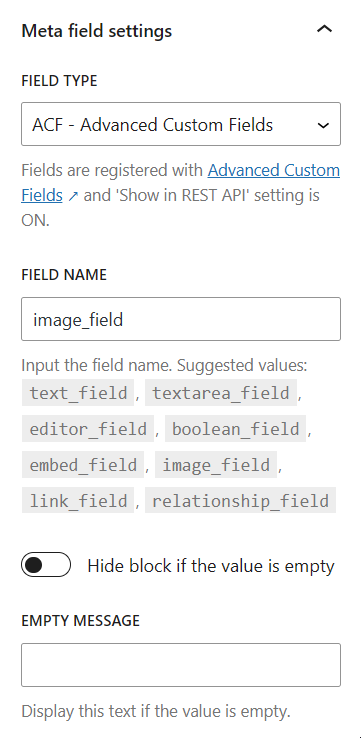
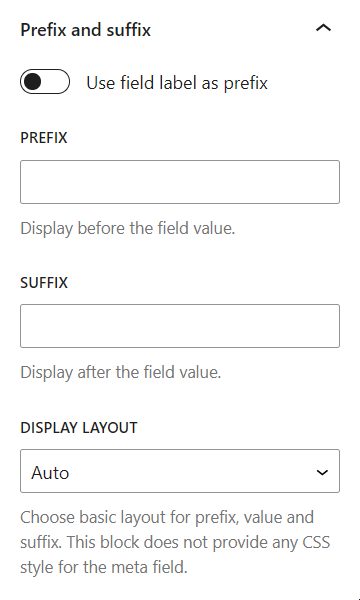
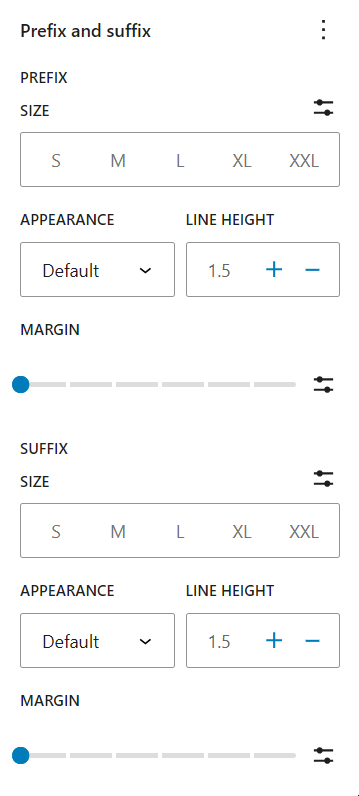
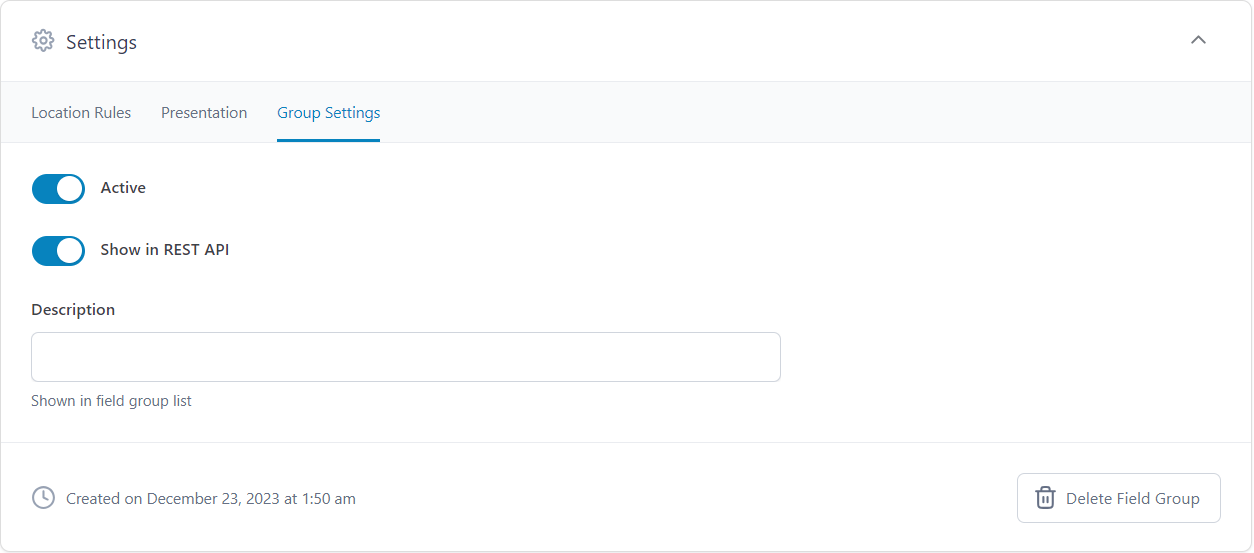
For developers
Is this your plugin? Show off the numbers.
Add a live badge to your site, docs or GitHub README. It updates on its own — no account needed.
Best Meta Field Block alternatives
All acf plugins →





FAQ
Meta Field Block: quick answers
Straight answers, pulled from live WordPress.org data.
Live data from WordPress.org · checked Nov 17, 2026
Is Meta Field Block free?
Yes. Meta Field Block is free to download and use from the official WordPress.org plugin directory.
Is Meta Field Block safe to use in 2026?
Yes — Meta Field Block is a safe, well-maintained plugin to use in 2026. It runs on 10K+ sites, is rated 5/5 and was last updated 4 weeks ago, and scores 94/100 on our health check.
How many websites use Meta Field Block?
Meta Field Block is active on 10K+ WordPress websites and has been downloaded 201,704 times since it launched in February 2022. It was downloaded 10,371 times in the last 30 days.
Does Meta Field Block work with WordPress 7.1?
Yes. The developer has tested Meta Field Block up to WordPress 7.1.4, the latest release. It requires WordPress 6.9 or newer.
What PHP version does Meta Field Block need?
Meta Field Block requires PHP 8.0 or higher. Most hosts run PHP 8.x today, so it works on any modern WordPress hosting.
When was Meta Field Block last updated?
The latest version, 1.6.2, was released on October 20, 2026 (4 weeks ago).
Who makes Meta Field Block?
Meta Field Block is developed and maintained by Phi Phan.
What are the best alternatives to Meta Field Block?
The most popular alternatives to Meta Field Block are Advanced Custom Fields (ACF… (2M+ installs), ACF Content Analysis for Yo… (100K+ installs) and Advanced Custom Fields: Ext… (100K+ installs).
Powered by PageForge
Want thousands of pages that rank like these? Build them in an afternoon.
This directory runs on the same engine as PageForge. Turn any spreadsheet, CSV or API into thousands of fast, SEO-ready WordPress pages — with schema, internal links and AI-written copy baked in.
- CSV, Google Sheets & API data sources
- AI content, schema & internal links per page
- Works with Elementor, Gutenberg, Yoast & Rank Math
- Free on WordPress.org — no credit card


