



DentalPolyglot
Talk to every patient in their language. Add a translated message box to your existing site and reply from one inbox, translated both ways.

Use with caution
DentalPolyglot works, but test it on a staging site before relying on it in 2026. Was last updated 2 months ago, and scores 55/100 on our health check.
- Small user base (<10 active installs)
- Very few reviews so far
How does it stack up?
Side-by-side on installs, updates, ratings & support



Daily downloads
Download spikes usually follow a new release — each site that auto-updates counts as a download.
Rankings
Where DentalPolyglot stands todayWordPress.org search rankings
Live position in the plugin search, top 100| Keyword | Position |
|---|---|
| contact form | >100 |
| dental | #27 |
| multilingual | >100 |
| patient | #81 |
| translation | >100 |
About DentalPolyglot
From the official readme · v1.2.2Description
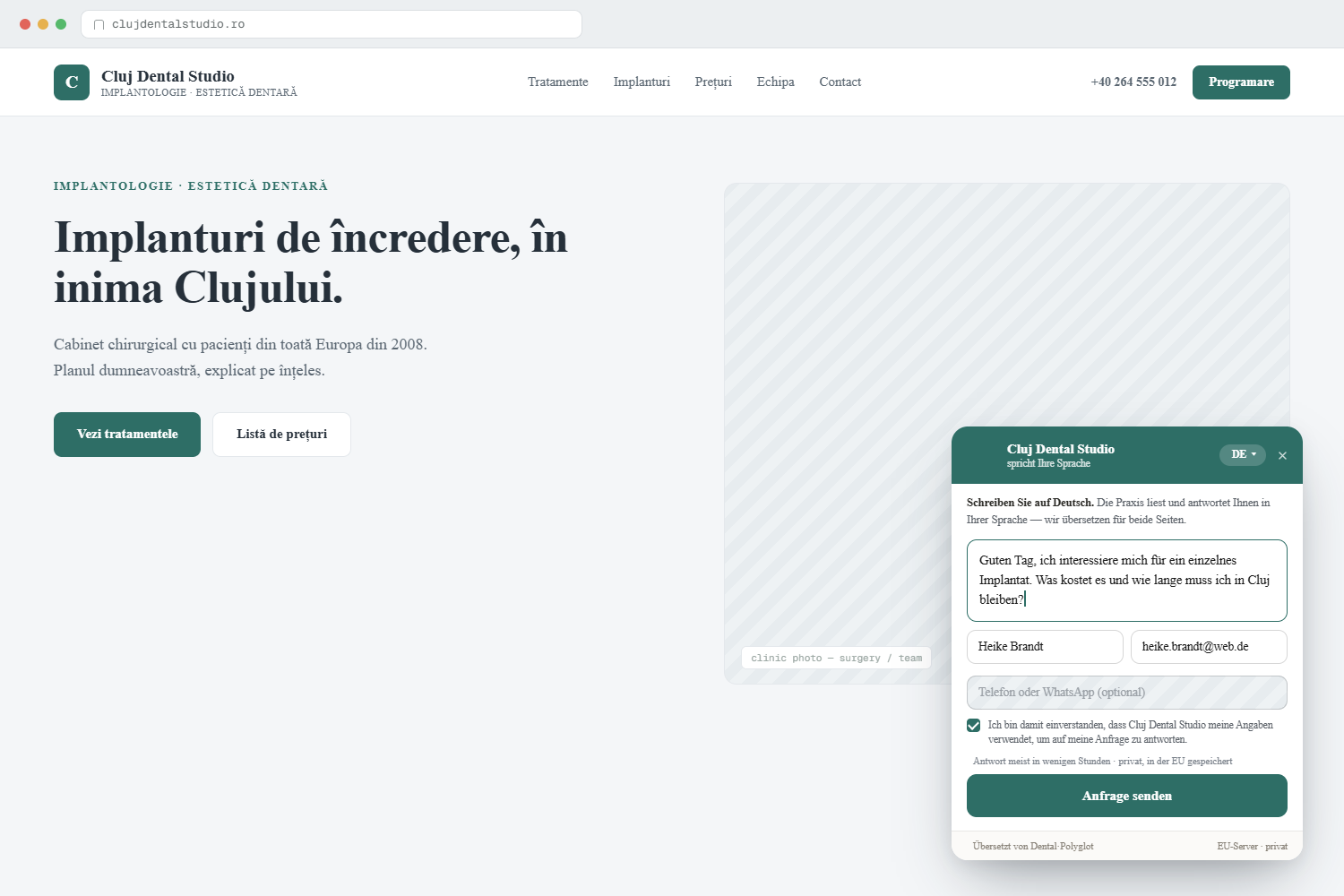
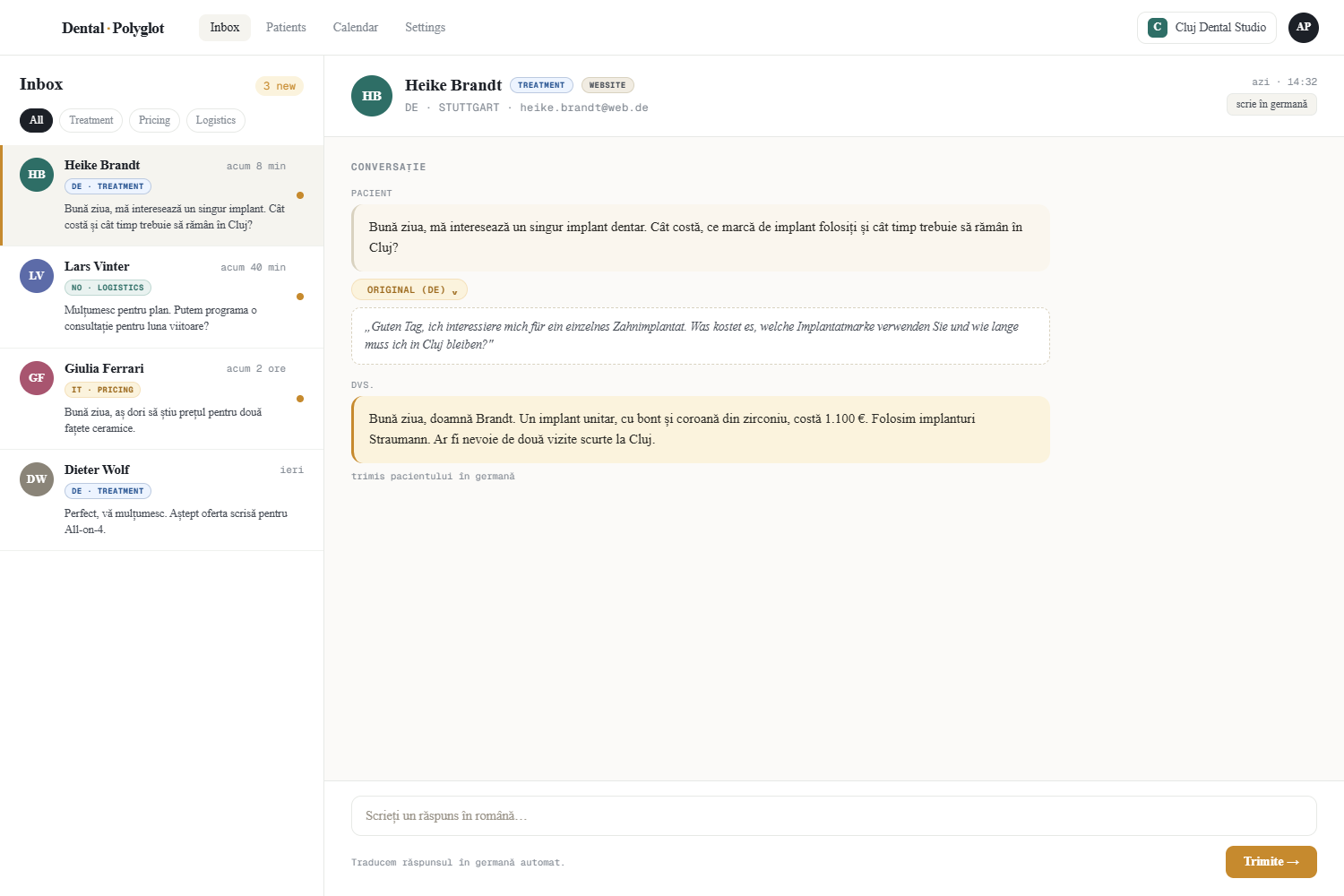
DentalPolyglot adds a translated patient message box to the site you already have. A patient writes in their own language; you read and reply in yours, and we translate both ways. Every inquiry lands in your DentalPolyglot dashboard inbox, in your language.
Built for clinics that already serve patients in more than one language: officially multilingual countries, border regions, and practices with international or immigrant patients.
- A message box on every page of your site, in your patients’ languages.
- You reply from one inbox; we translate your reply back to the patient.
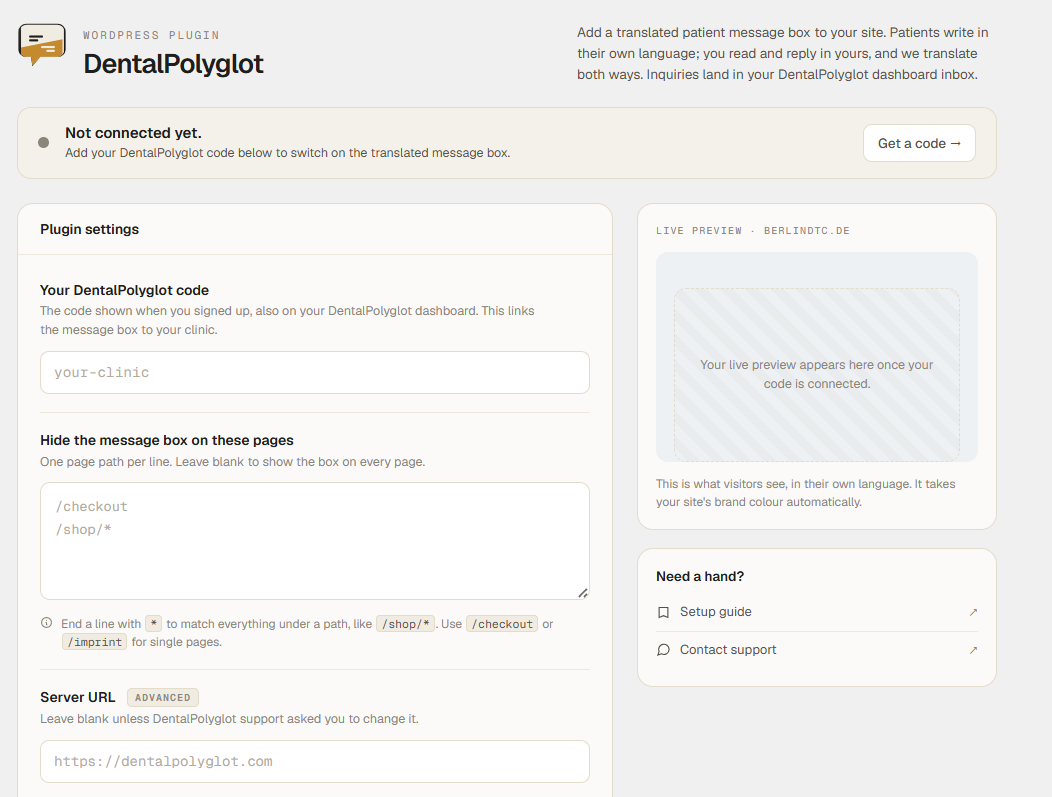
- Choose pages to hide the box on (for example a checkout or legal page).
- A built-in connection check confirms your code is live on this site.
- Works alongside any theme. Nothing changes about your existing pages.
This plugin is a thin loader. The message box, translation, and inbox all run on the DentalPolyglot platform; the plugin only places the message box on your site and carries your clinic code. It stores no patient data in WordPress.
You need a free DentalPolyglot code to use this plugin. Get one at https://dentalpolyglot.com/en/plugin
External services
This plugin connects your website to DentalPolyglot, the service that powers the translated patient message box. The message box, all translation, and your inbox run on the DentalPolyglot platform; the plugin stores no patient data in WordPress.
What it connects to:
- It loads the message box script from https://dentalpolyglot.com/embed.js on the front end of your site.
- When a page loads, the box requests its settings (your clinic name, brand colour, and languages) from https://dentalpolyglot.com/api/embed/config.
- When a visitor sends a message, that message is submitted to https://dentalpolyglot.com/api/embed/lead and appears, translated, in your inbox.
- On the plugin’s settings screen, WordPress contacts https://dentalpolyglot.com/api/embed/config once to check that your code is valid and that this website is on your Allowed websites list. The same response (your clinic name, brand colour, and languages) is used to draw a small live preview of the box on that screen.
What data is sent: your clinic code (a public identifier), and, when a visitor uses the box, the message they type and any contact details they provide. The plugin does not send your WordPress login, customer, or order data.
If you set an advanced Server URL, the addresses above use that host instead.
By using this service you agree to the DentalPolyglot Terms of Service (https://dentalpolyglot.com/en/legal/terms) and Privacy Policy (https://dentalpolyglot.com/en/legal/privacy).
Installation
- Install and activate the plugin.
- Go to Settings → DentalPolyglot.
- Enter your DentalPolyglot code and save.
- The message box appears on the front end of your site.
The settings screen shows whether the box is connected and live on this site. The same message box can also be added without this plugin by pasting one line of script before the closing body tag.
Frequently asked questions
Do I need an account?
Yes, a free DentalPolyglot account, which gives you your code and your inbox. Sign up at https://dentalpolyglot.com/en/plugin
Where do patient messages go?
Into your DentalPolyglot dashboard inbox, translated into your language. You reply there, and your reply is translated back to the patient.
Does the plugin store patient data in my WordPress database?
No. The plugin only loads the message box and passes along your clinic code. All messages and translation are handled on the DentalPolyglot platform.
Can I hide the message box on some pages?
Yes. Under Settings → DentalPolyglot, list the page paths to hide it on, one per line (for example /checkout or /shop/*). Leave it blank to show the box on every page.
The message box does not appear.
Open Settings → DentalPolyglot and check the connection status. The most common cause is that the website address where you installed it is not yet on your Allowed websites list in your DentalPolyglot dashboard. Make sure your code is entered and saved, and that this site’s address is on that list.
Changelog
1.2.2
- Directory listing metadata: corrected the Contributors entry. No functional changes.
1.2.1
- Settings screen now lays out correctly on phones and narrow screens: the header, connection banner, and save bar no longer overflow.
1.2.0
- Redesigned settings screen: brand header, a clearer connection banner, and a live preview of your message box.
- The connection check now also draws the preview using your real brand colour, clinic name, and a patient language from your account.
- No change to how the message box works on your site.
1.1.0
- Page targeting: hide the message box on chosen page paths (supports a trailing * wildcard).
- Connection check on the settings screen: confirms your code resolves and that this site is on your Allowed websites list.
- Quick links to your inbox from the settings screen and the Plugins list.
- Documented the DentalPolyglot service connection (External services).
1.0.0
- Initial release: settings field for your clinic code, message box injected on the front end.
Screenshots
For developers
Is this your plugin? Show off the numbers.
Add a live badge to your site, docs or GitHub README. It updates on its own — no account needed.
Best DentalPolyglot alternatives
All contact form plugins →





FAQ
DentalPolyglot: quick answers
Straight answers, pulled from live WordPress.org data.
Live data from WordPress.org · checked Oct 11, 2026
Is DentalPolyglot free?
Yes. DentalPolyglot is free to download and use from the official WordPress.org plugin directory.
Is DentalPolyglot safe to use in 2026?
DentalPolyglot works, but test it on a staging site before relying on it in 2026. Was last updated 2 months ago, and scores 55/100 on our health check.
How many websites use DentalPolyglot?
DentalPolyglot is active on <10 WordPress websites and has been downloaded 162 times since it launched in August 2026. It was downloaded 62 times in the last 30 days.
Does DentalPolyglot work with WordPress 7.1?
DentalPolyglot is officially tested up to WordPress 7.0.7, while the latest release is 7.1.3. It may still work, but try it on a staging site first.
What PHP version does DentalPolyglot need?
DentalPolyglot requires PHP 7.4 or higher. Most hosts run PHP 8.x today, so it works on any modern WordPress hosting.
When was DentalPolyglot last updated?
The latest version, 1.2.2, was released on August 12, 2026 (2 months ago).
Who makes DentalPolyglot?
DentalPolyglot is developed and maintained by gstrx.
What are the best alternatives to DentalPolyglot?
The most popular alternatives to DentalPolyglot are Contact Form 7 (10M+ installs), Akismet Anti-spam: Spam Pro… (5M+ installs) and WPForms (5M+ installs).
Powered by PageForge
Want thousands of pages that rank like these? Build them in an afternoon.
This directory runs on the same engine as PageForge. Turn any spreadsheet, CSV or API into thousands of fast, SEO-ready WordPress pages — with schema, internal links and AI-written copy baked in.
- CSV, Google Sheets & API data sources
- AI content, schema & internal links per page
- Works with Elementor, Gutenberg, Yoast & Rank Math
- Free on WordPress.org — no credit card


