


CodeKit – Custom Codes Editor
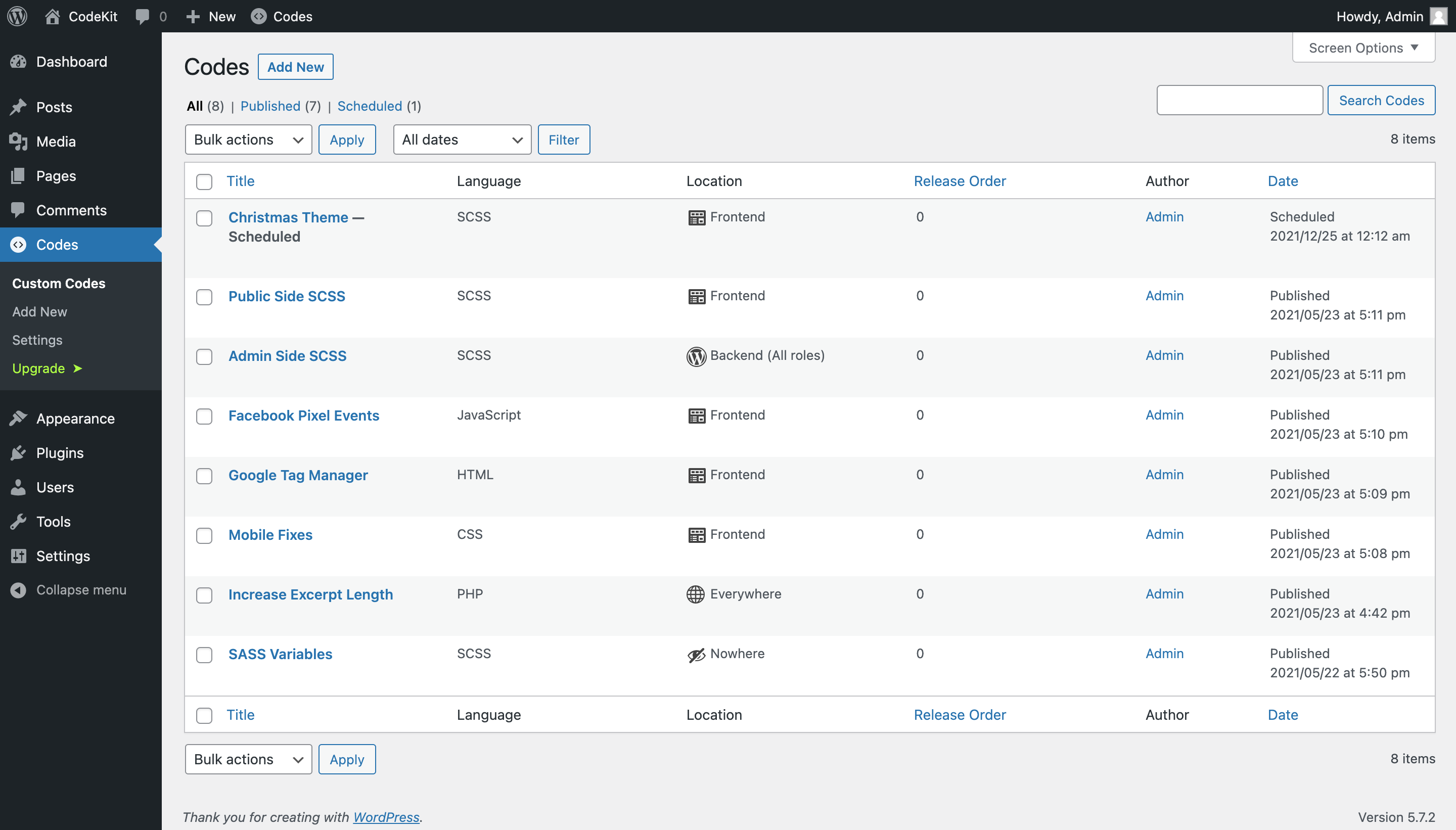
Your custom SASS, CSS, JS, PHP and HTML customizations in same directory.

Solid choice
CodeKit – Custom Codes Editor is a solid plugin choice in 2026, with a few things worth checking first. It runs on 7K+ sites, is rated 4.8/5 and was last updated 7 months ago, and scores 62/100 on our health check.
How does it stack up?
Side-by-side on installs, updates, ratings & support



Daily downloads
Download spikes usually follow a new release — each site that auto-updates counts as a download.
Rankings
Where CodeKit stands todayWordPress.org search rankings
Live position in the plugin search, top 100| Keyword | Position |
|---|---|
| AI | >100 |
| codekit | #1 |
| custom css | #25 |
| custom scss | #2 |
| custom-functions | #9 |
Version adoption
Share of active sites per release.
Rating breakdown
★★★★★★★★★★ 4.8 from 16 reviews
About CodeKit – Custom Codes Editor
From the official readme · v2.5.2Description
Add custom SASS, CSS, JS, PHP and HTML codes to your WordPress websites with the most advanced, yet simple custom code editor ever. Now with AI superpowers! Generate, fix, and optimize your code with Google Gemini or OpenAI. Changing the look of your website and adding new functions have never been easier.
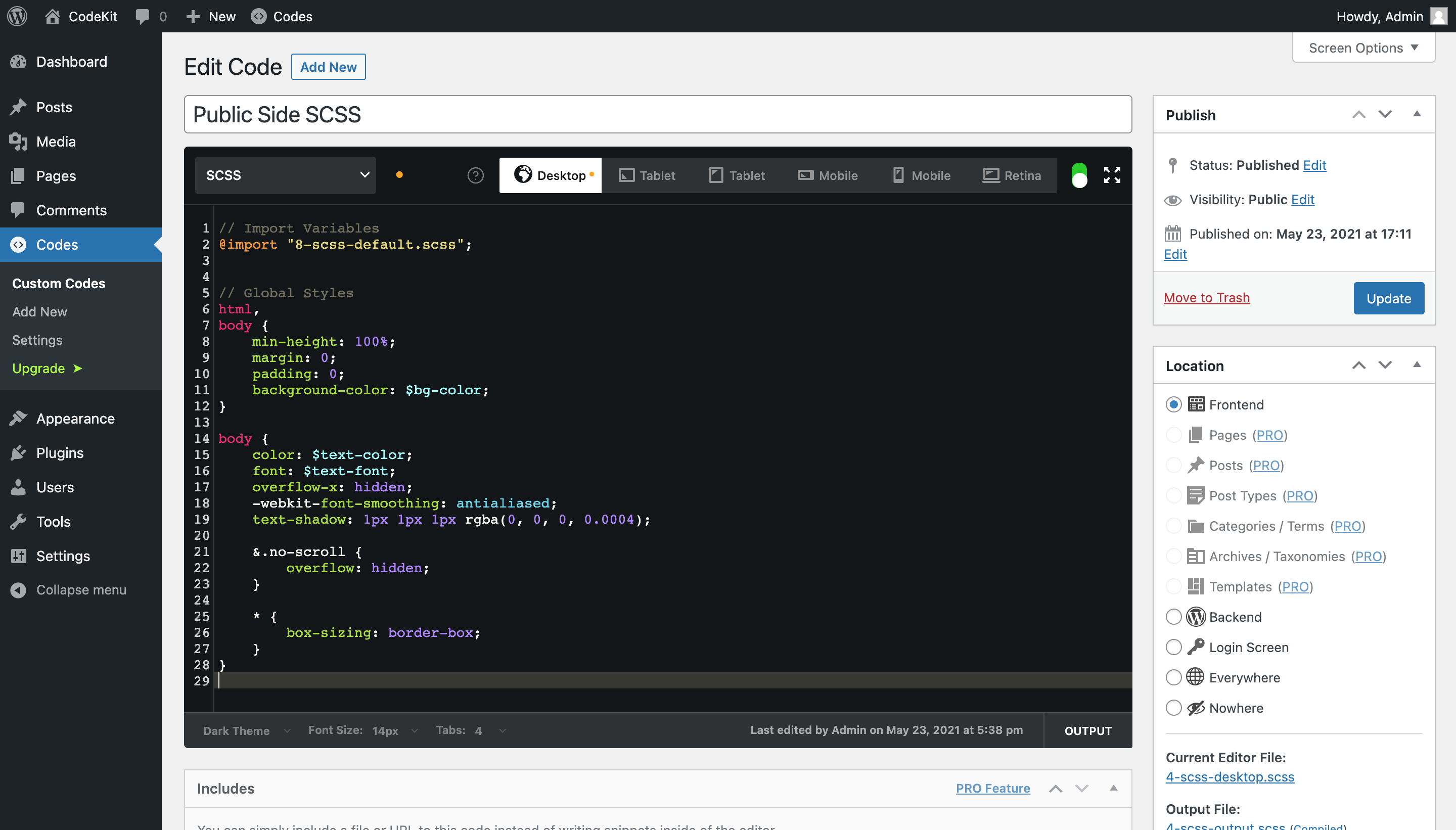
By using CodeKit plugin, you can create code blocks for different languages and maintain them in separate blocks just like you do with your posts. With the power of our integrated IDE, you can add codes with syntax highlighting, emmet feature and autocomplete. The features also provide continuous development and urgent deployment of codes without effort. It is actually just like your favorite code editor.
Endless Possibilities
CodeKit is one of the most versatile and functional custom codes plugin in the market. It supports various languages as well as providing options to deploy your code in different WordPress hooks by default. The core IDE functions also provide a smooth transition from your code editor and allow you to create and maintain different codes with ease.
If you want to:
- Generate, fix, and optimize your custom codes with AI
- Add Google Analytics (GA) code to your website
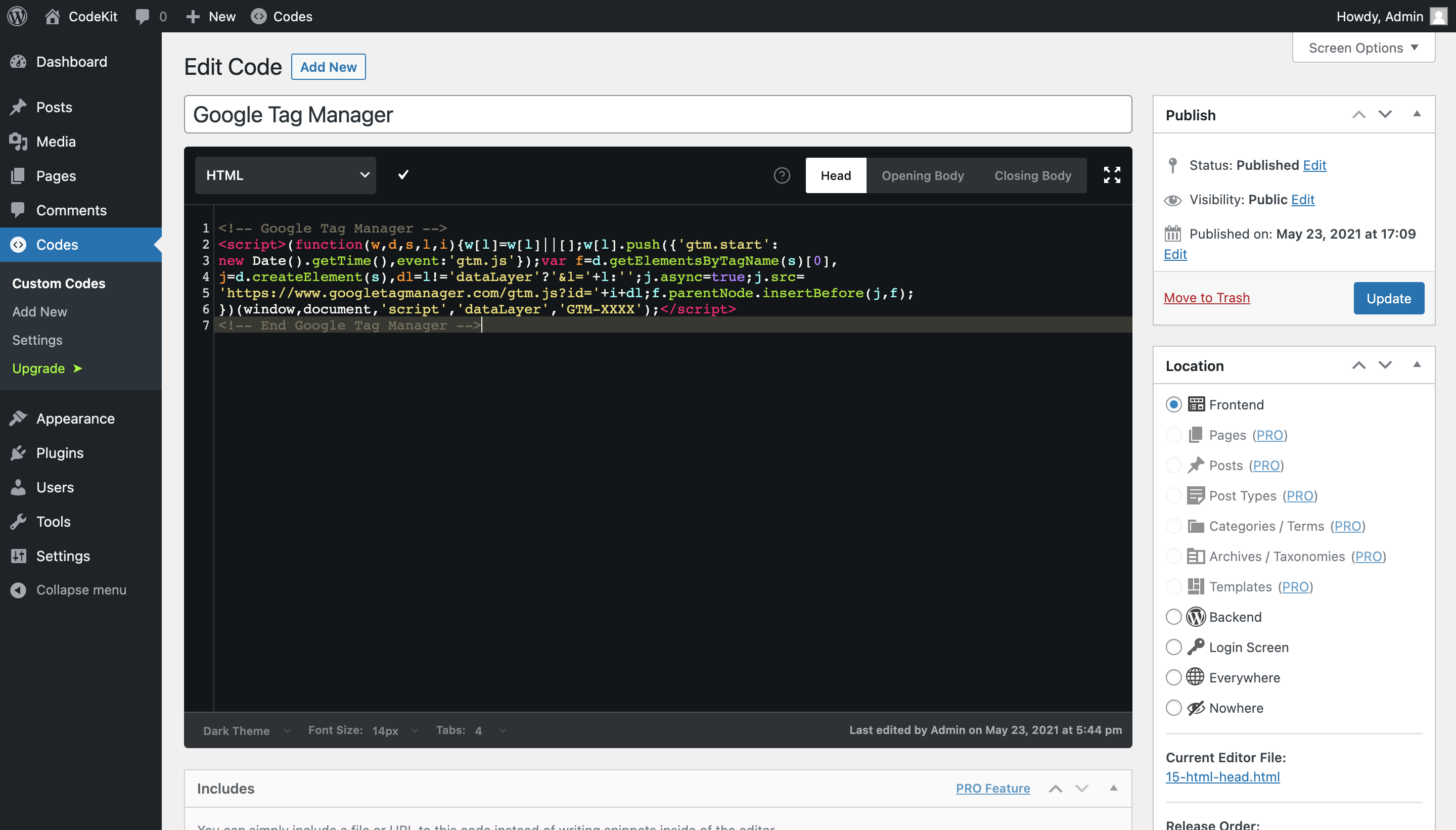
- Add Google Tag Manager (GTM) code to your website
- Add custom JavaScript codes to your website
- Add custom CSS or SCSS codes to your website
- Change the overall style of your website
- Customize the style of your website for different mobile devices
- Add static HTML blocks on your website
- Add new PHP functions in your functions.php
- Implement instant code changes in case of an urgency
Then, CodeKit is just what you need. Install in a few minutes, develop and deploy in a few seconds.
Robust Code Editor
CodeKit is intended for novice as well as professional users, and it allows you to add simple code blocks alongside helping you with development or deployment in case of an urgency.
AI Features
- Code Generation: Ask AI to write code for you.
- Code Fix: Let AI fix your syntax errors or bugs.
- Code Optimization: Optimize your code for better performance.
- Supports Google Gemini & OpenAI: Use your own API keys.
LANGUAGE BASED FEATURES:
CSS/SCSS/SASS
- Add custom styles for specific pages and posts
- Add custom styles for specific devices and resolutions
- Styles for Desktop
- Styles for Tablet (Landscape)
- Styles for Tablet (Portrait)
- Styles for Phone (Landscape)
- Styles for Phone (Portrait)
- Styles for Retina Displays
JavaScript
- Add custom JavaScript for specific pages and posts
- Add custom JavaScript to wp_head
- Add custom JavaScript to after wp_body
- Add custom JavaScript to before wp_body
HTML
- Add custom HTML to wp_head
- Add custom HTML to after wp_body tag
- Add custom HTML to before wp_body tag
PHP
- Add custom PHP codes directly to functions.php
CORE FEATURES:
- Separated tabs to keep everything clean and manageable
- Amazing syntax highlighting
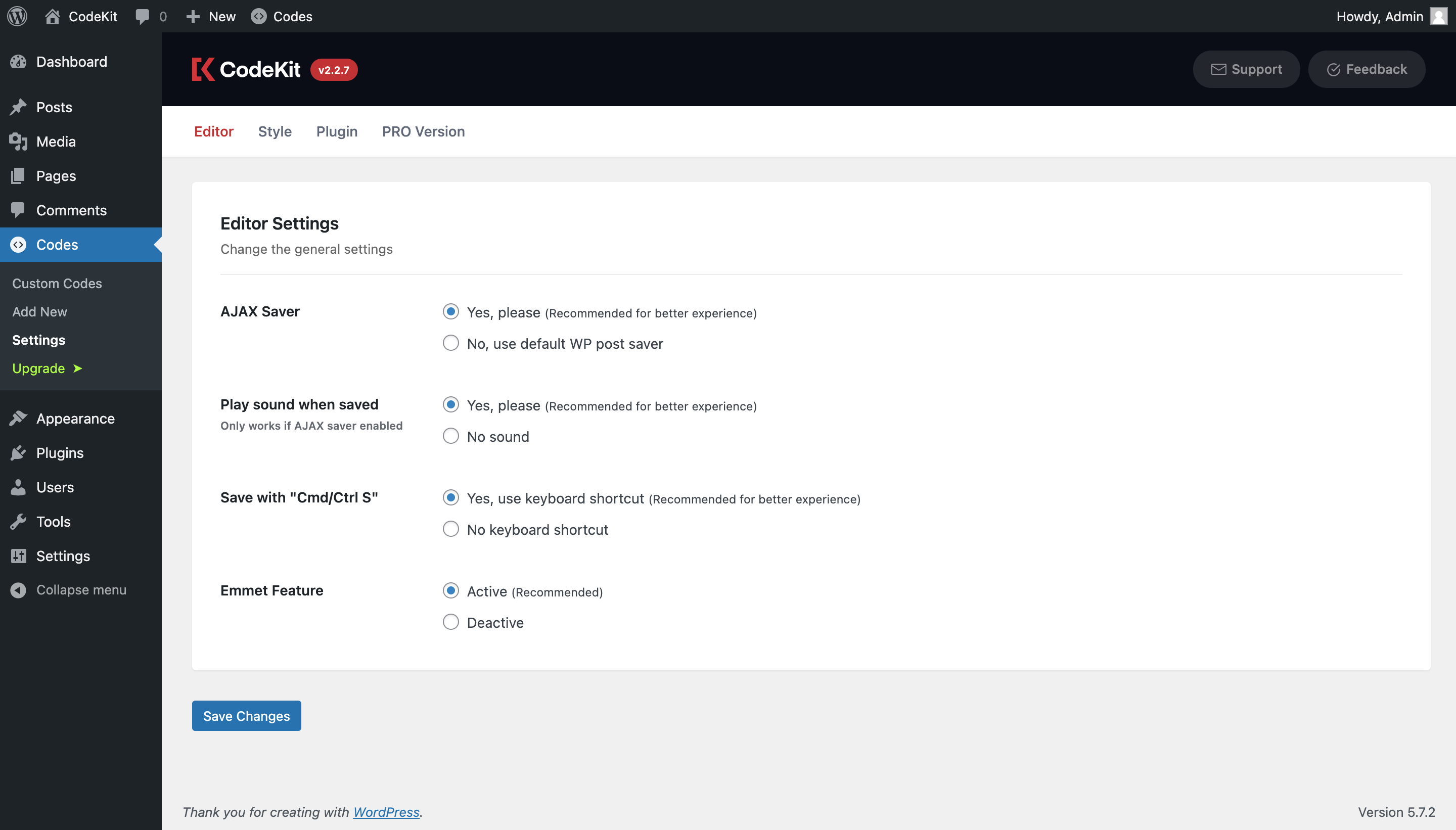
Command + Sto save- Emmet abbreviations autocomplete with
Tabkey - Supports tabs, spaces and line numbers just like your IDE
- Shows output for you to see the code after the compilation process
- 4+ theme options including Dark Theme and Light Theme
- Adjust font size and spaces
- Save your code without refresh (with AJAX)
- Cache-proof code release each time you save
- Play notification sound when saved
- Access all the codes through Toolbar
- Full-Screen Editor mode
- Shortcuts (such as Find Code and Comment Line)
Pro Version
Do you want to expand your coding capabilities through a plugin on WordPress? Pro version of Custom Code is now available which perfectly satisfies any level of users and developers.
Pro Features
- AI Code Generation, Fix & Optimization
- Advanced Code Release Locations
- Editor Code Folding
- Custom Code Includes
- Custom Code Groups/Categories
- Editor Code Hints
- More language support (LESS, Stylus, CoffeeScript, PUG, and more)
- Priority Support
- And, much more PRO features coming soon…
Simply install CodeKit and click the Upgrade > button where you can learn more about the latest Pro features and grab your license!
Installation
- Login to your website and go to the Plugins section of your admin panel.
- Click the Add New button.
- Under Install Plugins, click the Upload link.
- Select the plugin zip file (custom-codes.zip) from your computer then click the Install Now button.
- You should see a message stating that the plugin was installed successfully.
- Click the Activate Plugin link.
Frequently asked questions
Can I change the language of the editor while I am writing codes in another language?
Yes, you can change the language of the editor. Previous editor contents will be stored to be able to switch back.
How can I see the output of my codes?
You can use the Output function. The Output button is at the bottom-right side of the IDE.
How do I get more information about the shortcuts?
Simply hover over the “?” icon while adding/editing your code blocks.
Will my custom codes be deleted after uninstalling the plugin?
No, it will not unless you uncheck the “Store custom CSS/JS after uninstall” option on settings.
A red cross appears when I try to save. What is the problem?
Just mouseover the cross sign and see the error message.
I’m unable to access to the site because of a PHP custom code error. How can I fix it?
CodeKit has a “Safe Mode” feature which you can enter the site without CodeKit customizations. You can simply add “codes_safemode” query string to any URL to disable them temporarily. So, you can fix the error online.
I am experiencing a different issue that is not covered here. How can I reach you?
We highly recommend you to create a ticket on the support forum where we are trying to solve problems as quickly as possible. For further inquiries and feedbacks, feel free to contact us at our WP.org support forum.
How can I see all Pro features and grab my license?
Simply install CodeKit and click the Upgrade > button where you can learn more about the latest Pro features and grab your license!
Changelog
CodeKit now has AI superpowers! Generate, fix, and optimize your custom codes with Google Gemini or OpenAI.
2.5.2 (2026-03-05 16:239 EET)
- Bug fix related to user localization preference
- Unused assets removed and old icon updated
2.5.1 (2026-02-12 15:27 EET)
- Added: AI modal preview
- Minor fixes and optimizations
2.5.0 (2026-02-09 15:44 EET)
- Added: AI features for code generation, fix & optimization
- Updated: VueJS updated to 2.7.16
- Tested on WordPress 7.0-alpha
- General improvements, optimizations, and bug fixes
- Vendor packages updated
2.3.93 (2025-12-16 18:23 EET)
- Fixed: Attachment post type was not added to the locations list
- Freemius SDK updated
- Tested on WordPress 6.9
2.3.92 (2025-08-30 21:30 EET)
- DOING_AJAX check removed on PHP code releaser to be able to add hooks for AJAX requests (Thanks to @yoancutillas)
- Unused variable call removed from the code releaser and added the missing one (Thanks to @yoancutillas)
- Freemius SDK updated
- Tested on WordPress 6.8
2.3.91 (2025-03-24 22:35 EET)
- PHP support for < 8.x on SCSS compilation
Screenshots

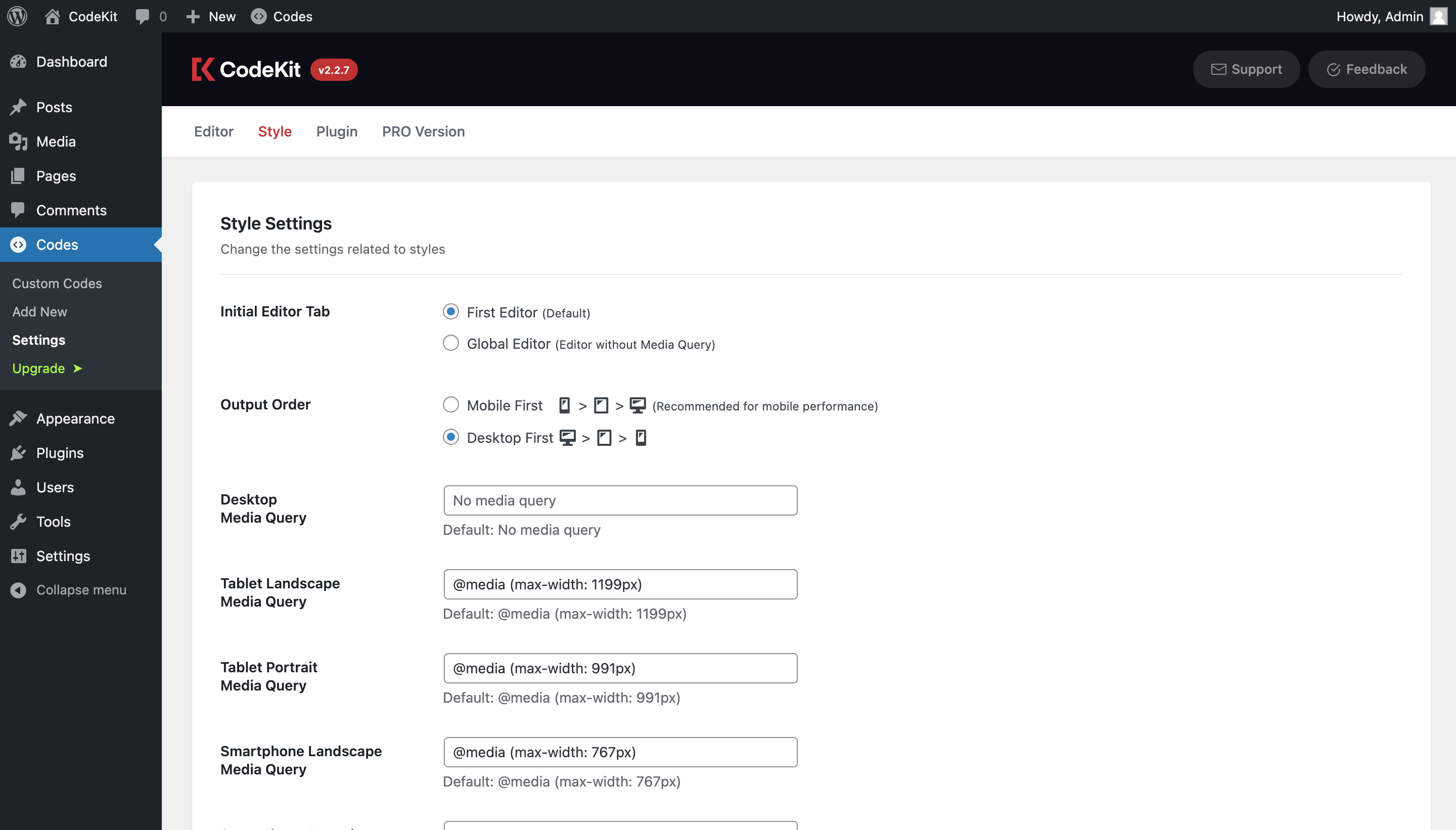

For developers
Is this your plugin? Show off the numbers.
Add a live badge to your site, docs or GitHub README. It updates on its own — no account needed.
Best CodeKit – Custom Codes Editor alternatives
All AI plugins →





FAQ
CodeKit – Custom Codes Editor: quick answers
Straight answers, pulled from live WordPress.org data.
Live data from WordPress.org · checked Sep 26, 2026
Is CodeKit – Custom Codes Editor free?
Yes. CodeKit – Custom Codes Editor is free to download and use from the official WordPress.org plugin directory.
Is CodeKit – Custom Codes Editor safe to use in 2026?
CodeKit – Custom Codes Editor is a solid plugin choice in 2026, with a few things worth checking first. It runs on 7K+ sites, is rated 4.8/5 and was last updated 7 months ago, and scores 62/100 on our health check.
How many websites use CodeKit – Custom Codes Editor?
CodeKit – Custom Codes Editor is active on 7K+ WordPress websites and has been downloaded 100,045 times since it launched in June 2017. It was downloaded 2,692 times in the last 30 days.
Does CodeKit – Custom Codes Editor work with WordPress 7.1?
CodeKit – Custom Codes Editor is officially tested up to WordPress 7.0.6, while the latest release is 7.1.2. It may still work, but try it on a staging site first.
What PHP version does CodeKit – Custom Codes Editor need?
CodeKit – Custom Codes Editor requires PHP 7.0 or higher. Most hosts run PHP 8.x today, so it works on any modern WordPress hosting.
When was CodeKit – Custom Codes Editor last updated?
The latest version, 2.5.2, was released on March 5, 2026 (7 months ago).
Who makes CodeKit – Custom Codes Editor?
CodeKit – Custom Codes Editor is developed and maintained by Bilal TAS.
What are the best alternatives to CodeKit – Custom Codes Editor?
The most popular alternatives to CodeKit – Custom Codes Editor are Elementor Website Builder (10M+ installs), All in One SEO (2M+ installs) and AI Agent by SiteGround (1M+ installs).
Powered by PageForge
Want thousands of pages that rank like these? Build them in an afternoon.
This directory runs on the same engine as PageForge. Turn any spreadsheet, CSV or API into thousands of fast, SEO-ready WordPress pages — with schema, internal links and AI-written copy baked in.
- CSV, Google Sheets & API data sources
- AI content, schema & internal links per page
- Works with Elementor, Gutenberg, Yoast & Rank Math
- Free on WordPress.org — no credit card


